stop start HONDA CIVIC 2014 9.G Repair Manual
[x] Cancel search | Manufacturer: HONDA, Model Year: 2014, Model line: CIVIC, Model: HONDA CIVIC 2014 9.GPages: 469, PDF Size: 17.32 MB
Page 315 of 469
uuWhen Driving uStarting the Engine
314Driving
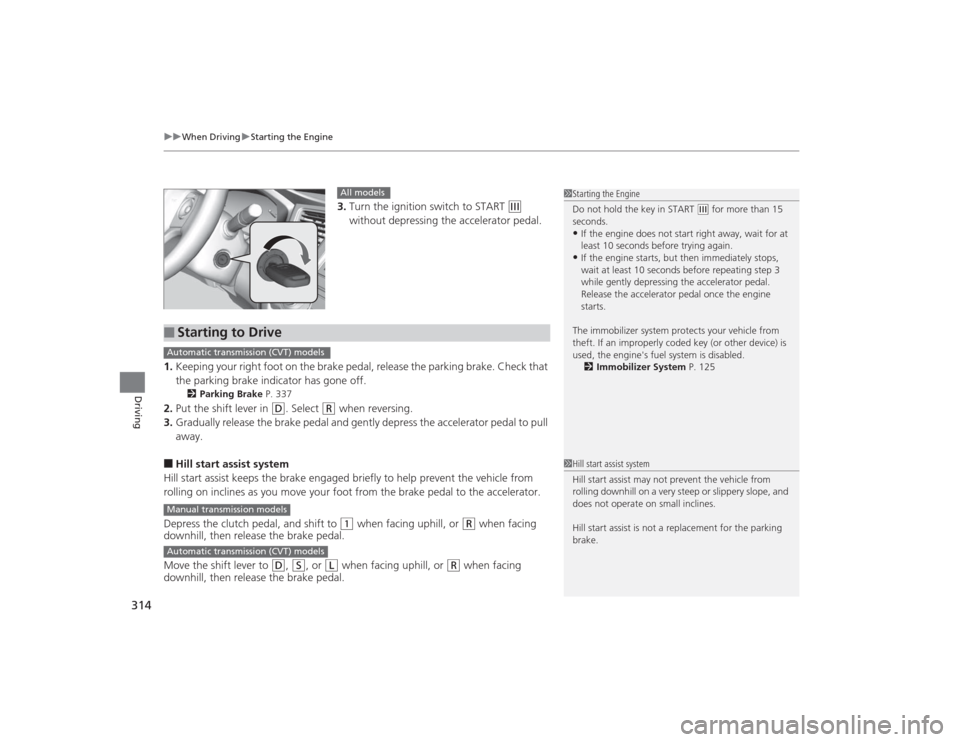
3. Turn the ignition switch to START
(e
without depressing the accelerator pedal.
1. Keeping your right foot on the brake pedal, release the parking brake. Check that
the parking brake indicator has gone off.
2 Parking Brake P. 337
2.Put the shift lever in
(D
. Select
(R
when reversing.
3. Gradually release the brake pedal and gently depress the accelerator pedal to pull
away.
■Hill start assist system
Hill start assist keeps the brake engaged briefly to help prevent the vehicle from
rolling on inclines as you move your foot from the brake pedal to the accelerator.
Depress the clutch pedal, and shift to
(1
when facing uphill, or
(R
when facing
downhill, then release the brake pedal.
Move the shift lever to
(D
, (S
, or
(L
when facing uphill, or
(R
when facing
downhill, then release the brake pedal.
1 Starting the Engine
Do not hold the key in START
(e for more than 15
seconds.
•If the engine does not start right away, wait for at
least 10 seconds before trying again.•If the engine starts, but then immediately stops,
wait at least 10 seconds before repeating step 3
while gently depressing the acce lerator pedal.
Release the accelerator pedal once the engine
starts.
The immobilizer system protects your vehicle from
theft. If an improperly coded key (or other device) is
used, the engine's fuel system is disabled. 2 Immobilizer System P. 125
All models
■
Starting to DriveAutomatic transmission (CVT) modelsManual transmission modelsAutomatic transmission (CVT) models
1Hill start assist system
Hill start assist may not prevent the vehicle from
rolling downhill on a very steep or slippery slope, and
does not operate on small inclines.
Hill start assist is not a replacement for the parking
brake.
Page 317 of 469
uuWhen Driving uStarting the Engine
316Driving
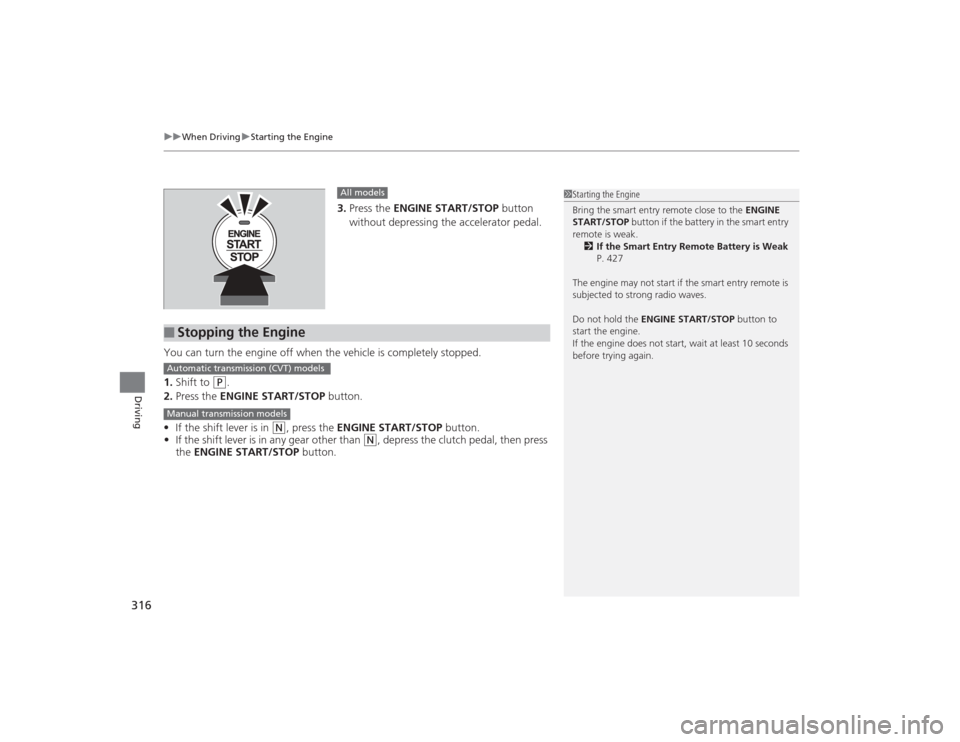
3. Press the ENGINE START/STOP button
without depressing the accelerator pedal.
You can turn the engine off when the vehicle is completely stopped.
1. Shift to
(P
.
2. Press the ENGINE START/STOP button.
• If the shift lever is in
(N
, press the ENGINE START/STOP button.
• If the shift lever is in any gear other than
(N
, depress the clutch pedal, then press
the ENGINE START/STOP button.
All models
■
Stopping the Engine
1Starting the Engine
Bring the smart entry remote close to the ENGINE
START/STOP button if the battery in the smart entry
remote is weak. 2 If the Smart Entry Remote Battery is Weak
P. 427
The engine may not start if the smart entry remote is
subjected to strong radio waves.
Do not hold the ENGINE START/STOP button to
start the engine.
If the engine does not start, wait at least 10 seconds
before trying again.
Automatic transmission (CVT) modelsManual transmission models
Page 319 of 469
318
uuWhen Driving uPrecautions While Driving
Driving
Precautions While DrivingAvoid driving in deep water and on flooded roads. This can damage the engine or
driveline, or cause electrical component failure.
If there is a strong impact with something under the vehicle, stop in a safe location.
Check the underside of the vehicle for damage or any fluid leaks.*1: Models with the smart entry system have an ENGINE START/STOP button instead of an
ignition switch.■
In Rain
■
Other Precautions
1 Precautions While DrivingNOTICEDo not operate the shift lever while pressing the
accelerator pedal. You could damage the
transmission.
If the ignition switch is turned to ACCESSORY
(q*1
while driving, the engine will shut down and all
steering and brake power assist functions will stop,
making it difficult to control the vehicle.
Do not put the shift lever in
( N, as you will lose
engine braking (and acceleration) performance.
During the first 600 miles (1,000 km) of operation,
avoid sudden acceleration or full throttle operation so
as not to damage the engine or powertrain.
Avoid hard braking for the first 200 miles (300 km).
You should also follow this when the brake pads are
replaced.
NOTICEIf you repeatedly turn the steering wheel at an
extremely low speed, or hold the steering wheel on
the full left or right position for a while, the electric
power steering (EPS) system heats up. The system
goes into a protective mode, and limits its
performance. The steering wheel becomes harder
and harder to operate. Once the system cools down,
the EPS system is restored.
Repeated operation under these conditions can
eventually damage the system.
Page 321 of 469
320
uuWhen Driving uShifting
Driving
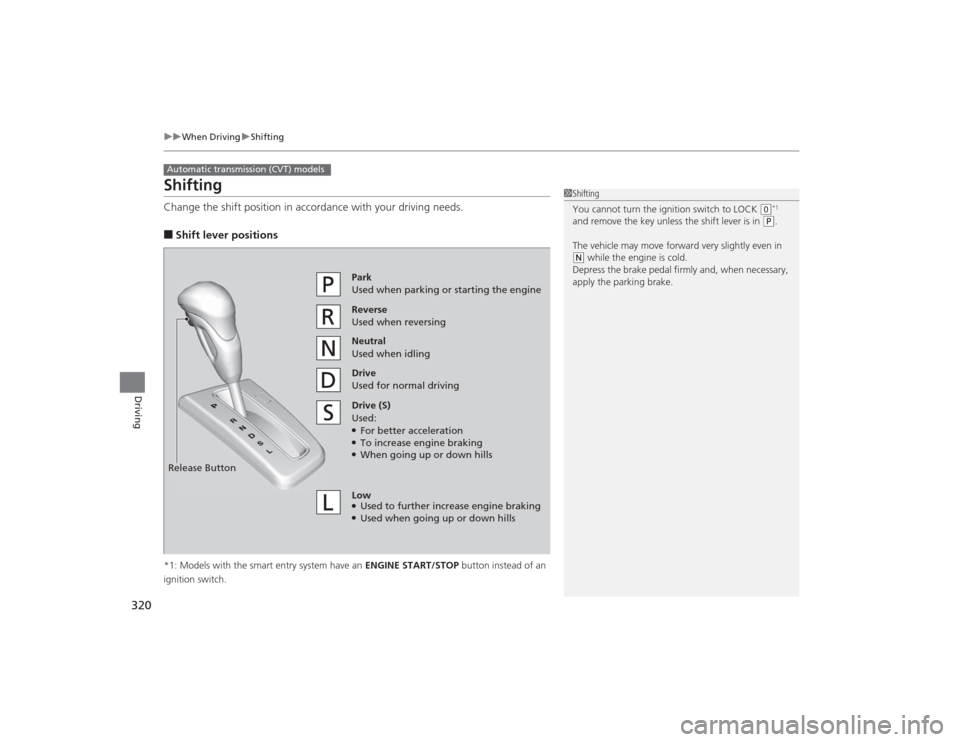
ShiftingChange the shift position in accordance with your driving needs.■Shift lever positions*1: Models with the smart entry system have an ENGINE START/STOP button instead of an
ignition switch.Automatic transmission (CVT) models
1 Shifting
You cannot turn the ignition switch to LOCK
(0*1
and remove the key unless the shift lever is in
( P.
The vehicle may move forward very slightly even in
( N while the engine is cold.
Depress the brake pedal firmly and, when necessary,
apply the parking brake.
Reverse
Used when reversingDrive
Used for normal drivingPark
Used when parking or starting the engine
Neutral
Used when idling
Release ButtonDrive (S)
Used:●For better acceleration●To increase engine braking●When going up or down hills
Low●Used to further increase engine braking●Used when going up or down hills
Page 325 of 469
324
uuWhen Driving uShifting
Driving
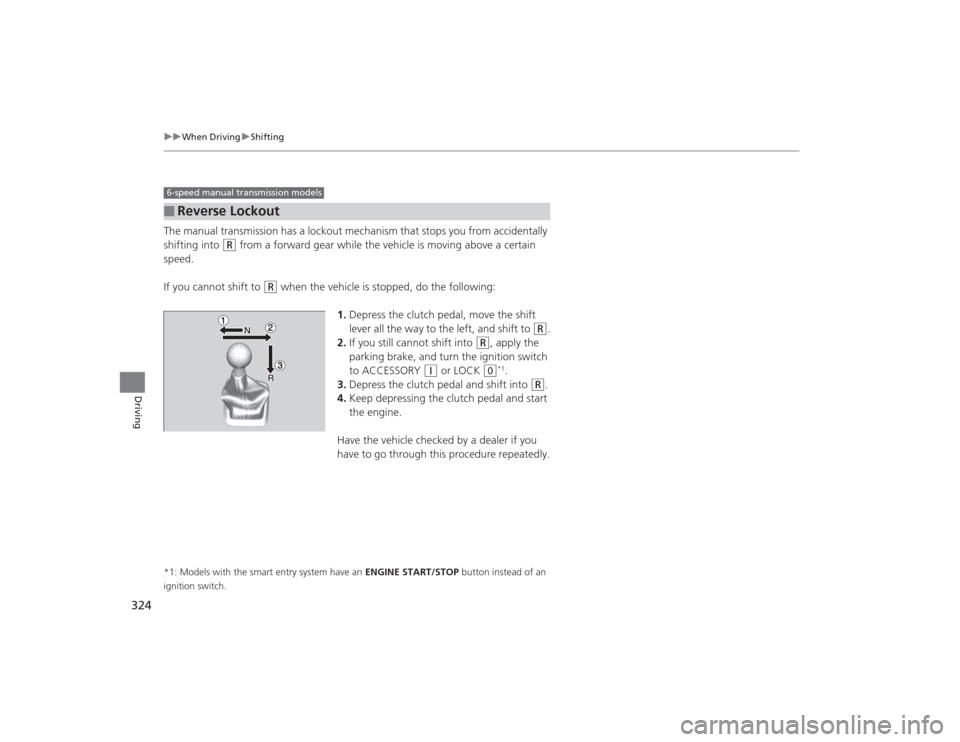
The manual transmission has a lockout mechanism that stops you from accidentally
shifting into
(R
from a forward gear while the vehicle is moving above a certain
speed.
If you cannot shift to
(R
when the vehicle is stopped, do the following:
1.Depress the clutch pedal, move the shift
lever all the way to the left, and shift to
(R
.
2. If you still cannot shift into
(R
, apply the
parking brake, and turn the ignition switch
to ACCESSORY
(q
or LOCK
(0
*1.
3. Depress the clutch pedal and shift into
(R
.
4. Keep depressing the clutch pedal and start
the engine.
Have the vehicle checked by a dealer if you
have to go through this procedure repeatedly.
*1: Models with the smart entry system have an ENGINE START/STOP button instead of an
ignition switch.■
Reverse Lockout6-speed manual transmission models
Page 331 of 469
uuWhen Driving uVehicle Stability Assist (VSA® ), aka Electronic Stability Control (ESC), System
330Driving
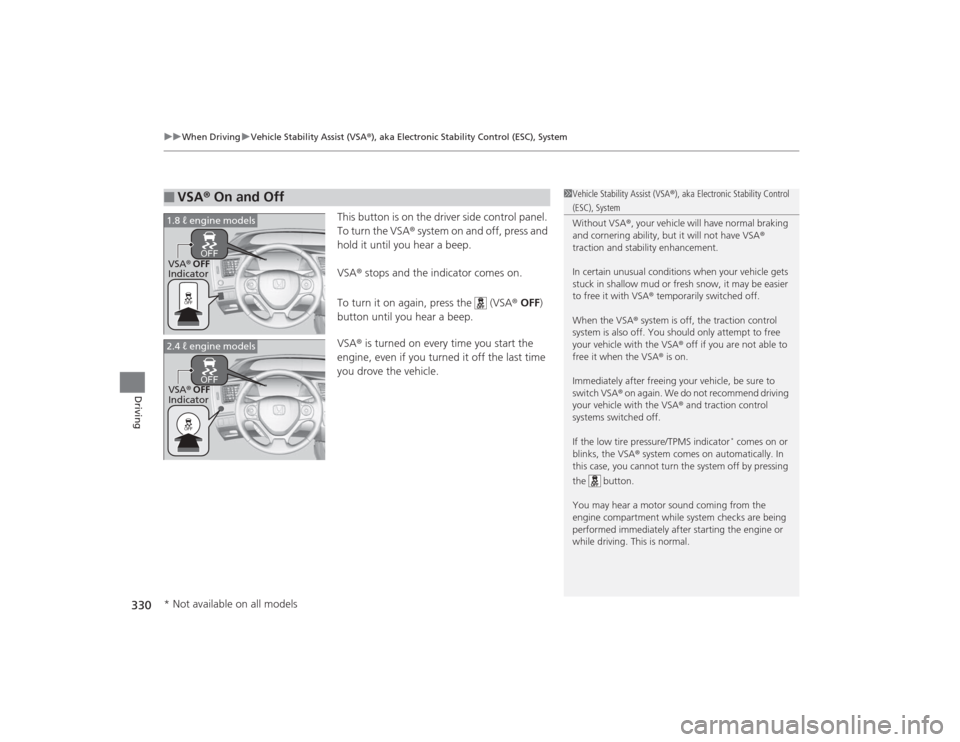
This button is on the driver side control panel.
To turn the VSA® system on and off, press and
hold it until you hear a beep.
VSA® stops and the indicator comes on.
To turn it on again, press the (VSA ® OFF )
button until you hear a beep.
VSA ® is turned on every time you start the
engine, even if you turned it off the last time
you drove the vehicle.
■
VSA ® On and Off
1 Vehicle Stability Assist (VSA ®), aka Electronic Stability Control (ESC), System
Without VSA ®, your vehicle will have normal braking
and cornering ability, but it will not have VSA ®
traction and stability enhancement.
In certain unusual conditions when your vehicle gets
stuck in shallow mud or fresh snow, it may be easier
to free it with VSA ® temporarily switched off.
When the VSA ® system is off, the traction control
system is also off. You should only attempt to free
your vehicle with the VSA ® off if you are not able to
free it when the VSA ® is on.
Immediately after freeing your vehicle, be sure to
switch VSA® on again. We do not recommend driving
your vehicle with the VSA ® and traction control
systems switched off.
If the low tire pressure/TPMS indicator
* comes on or
blinks, the VSA ® system comes on automatically. In
this case, you cannot turn the system off by pressing
the button.
You may hear a motor sound coming from the
engine compartment while system checks are being
performed immediatel y after starting the engine or
while driving. This is normal.
VSA ® OFF
Indicator
1.8 ℓ engine modelsVSA
® OFF
Indicator
2.4 ℓ engine models* Not available on all models
Page 334 of 469
333
uuWhen Driving uTire Pressure Monitoring System (TPMS)
Continued
Driving
Tire Pressure Monitoring System (TPMS)Instead of directly measuring the pressure in each tire, the TPMS on this vehicle
monitors and compares the rolling radius and rotational characteristics of each
wheel and tire while you are driving to determine if one or more tires are
significantly under-inflated. This will cause th e low tire pressure/TPMS indicator to
come on and a message to appear on the i-MID.
You must start TPMS calibration every time you:
• Adjust the pressure in one or more tires.
• Rotate the tires.
• Replace one or more tires.
Before calibrating the TPMS:
• Set the cold tire pressure in all four tires.
2 Checking Tires P. 391
Make sure:
•The vehicle is at a complete stop.
• The shift lever is in
(N
.
• The shift lever is in
(P
.
• The ignition switch is in ON
(w
*1.
*1: Models with the smart entry system have an ENGINE START/STOP button instead of an
ignition switch.■
TPMS CalibrationU.S. models
1 Tire Pressure Monitoring System (TPMS)
The system does not monitor the tires when driving
at low speed.
Conditions such as low ambient temperature and
altitude change directly affect tire pressure and can
trigger the low tire pressure/TPMS indicator to come on.
Tire pressure checked and inflated in:•Warm weather can become under-inflated in
colder weather.•Cold weather can become over-inflated in warmer
weather.
The low tire pressure i ndicator will not come on as a
result of over inflation.
The TPMS may not function properly if tire type and
size are mixed. Make sure to use the same size and
type of tire. 2 Checking and Maintaining Tires P. 391
The low tire pressure/TPMS indicator may come on
with a delay or may not come on at all when:•You rapidly accele rate, decelerate, or turn the
steering wheel.•You drive on snowy or slippery roads.•Snow chains are used.
The low tire pressure/TPMS indicator may come on
under the following conditions:•A compact spare tire
* is used.
•There is a heavier and uneven load on the tires,
such as when towing a trailer, than the condition at
calibration.•Snow chains are used.
Manual transmission modelsAutomatic transmission (CVT) modelsAll models* Not available on all models
Page 335 of 469
uuWhen Driving uTire Pressure Monitoring System (TPMS)
334Driving
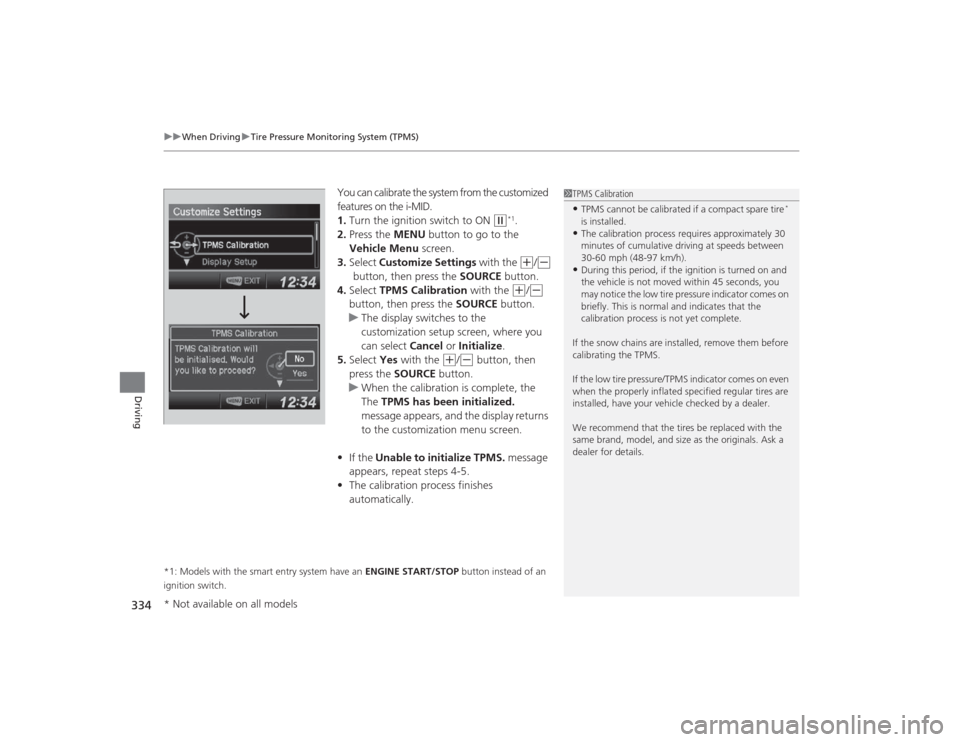
You can calibrate the system from the customized
features on the i-MID.
1. Turn the ignition switch to ON
(w
*1.
2. Press the MENU button to go to the
Vehicle Menu screen.
3. Select Customize Settings with the (+
/(-
button, then press the SOURCE button.
4. Select TPMS Calibration with the
(+
/(-
button, then press the SOURCE button.
u The display switches to the
customization setup screen, where you
can select Cancel or Initialize .
5. Select Yes with the
(+
/(-
button, then
press the SOURCE button.
u When the calibration is complete, the
The TPMS has been initialized.
message appears, and the display returns
to the customization menu screen.
• If the Unable to initialize TPMS. message
appears, repeat steps 4-5.
• The calibration process finishes
automatically.
*1: Models with the smart entry system have an ENGINE START/STOP button instead of an
ignition switch.
1 TPMS Calibration•TPMS cannot be calibrated if a compact spare tire
*
is installed.
•The calibration process requires approximately 30
minutes of cumulative driving at speeds between
30-60 mph (48-97 km/h).•During this period, if the ignition is turned on and
the vehicle is not moved within 45 seconds, you
may notice the low tire pressure indicator comes on
briefly. This is normal and indicates that the
calibration process is not yet complete.
If the snow chains are installed, remove them before
calibrating the TPMS.
If the low tire pressure/TPMS indicator comes on even
when the properly inflated specified regular tires are
installed, have your vehicle checked by a dealer.
We recommend that the tires be replaced with the
same brand, model, and size as the originals. Ask a
dealer for details.
* Not available on all models
Page 340 of 469
339
uuBraking uAnti-lock Brake System (ABS)
Driving
Anti-lock Brake System (ABS)Helps prevent the wheels from locking up, and helps you retain steering control by
pumping the brakes rapidly, much faster than you.
The electronic brake distribution (EBD) system, which is part of the ABS, also
balances the front-to-rear braking distribution according to vehicle loading.
You should never pump the brake pedal. Let the ABS work for you by always
keeping firm, steady pressure on the brake pedal. This is sometimes referred to as
“stomp and steer.”■ABS operation
The brake pedal may pulsate slightly when the ABS is working. Keep holding the
pedal firmly down. On dry pavement, you will need to press on the brake pedal very
hard before the ABS activates. However, you may feel the ABS activate immediately
if you are trying to stop on snow or ice.
When the vehicle speed goes under 6 mph (10 km/h), the ABS stops.■
ABS
1 Anti-lock Brake System (ABS)NOTICEThe ABS may not function correctly if you use an
incorrect tire type and size.
When the ABS indicator comes on while driving,
there may be a problem with the system.
While normal braking is not affected, there is a
possibility of the ABS not operating. Have the vehicle
checked by a dealer immediately.
The ABS does not reduce the time or distance it takes
to stop the vehicle. It only helps with steering control
during hard braking.
In the following cases, your vehicle may need more
stopping distance than a vehicle without the ABS:•When driving on rough road surfaces, including
when driving on uneven surfaces, such as gravel or
snow.•When snow chains are installed.
You may hear a motor sound coming from the
engine compartment while system checks are being
performed immediatel y after starting the engine or
while driving. This is normal.
Page 354 of 469
353
Continued
Maintenance
Maintenance Minder
TM
If the engine oil life is less than 15%, you will see the Maintenance Minder messages
appear on the information display
* or the i-MID
* every time you turn the ignition
switch to ON
(w
*1. The messages notify you when to change the engine oil, or when
to bring your vehicle to a dealer for indicated maintenance services.
To Use Maintenance Minder
TM
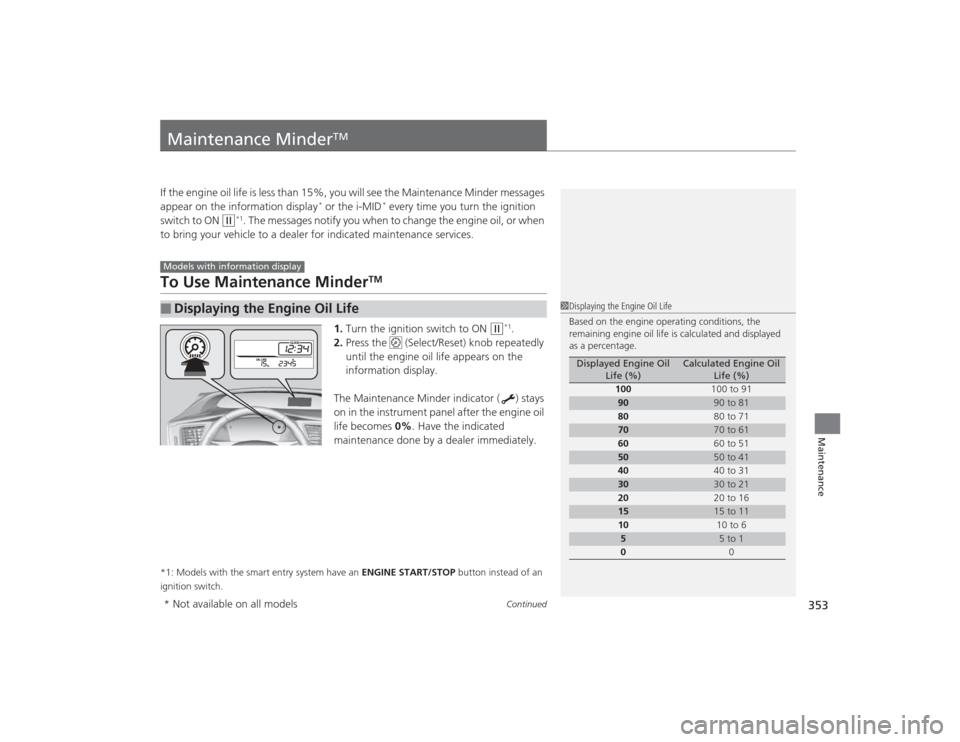
1. Turn the ignition switch to ON
(w
*1.
2. Press the (Select/Reset) knob repeatedly
until the engine oil life appears on the
information display.
The Maintenance Minder indicator ( ) stays
on in the instrument panel after the engine oil
life becomes 0% . Have the indicated
maintenance done by a dealer immediately.
*1: Models with the smart entry system have an ENGINE START/STOP button instead of an
ignition switch.■
Displaying the Engine Oil LifeModels with information display
1 Displaying the Engine Oil Life
Based on the engine operating conditions, the
remaining engine oil life is calculated and displayed
as a percentage.
Displayed Engine Oil
Life (%)
Calculated Engine Oil Life (%)
100 100 to 91
90
90 to 81
80 80 to 71
70
70 to 61
60 60 to 51
50
50 to 41
40 40 to 31
30
30 to 21
20 20 to 16
15
15 to 11
10 10 to 6
5
5 to 1
0 0
* Not available on all models