ECO mode HONDA CIVIC 2014 9.G Manual PDF
[x] Cancel search | Manufacturer: HONDA, Model Year: 2014, Model line: CIVIC, Model: HONDA CIVIC 2014 9.GPages: 469, PDF Size: 17.32 MB
Page 233 of 469
232
uuGeneral Information on the Audio System uCompatible iPod and USB Flash Drives
Features
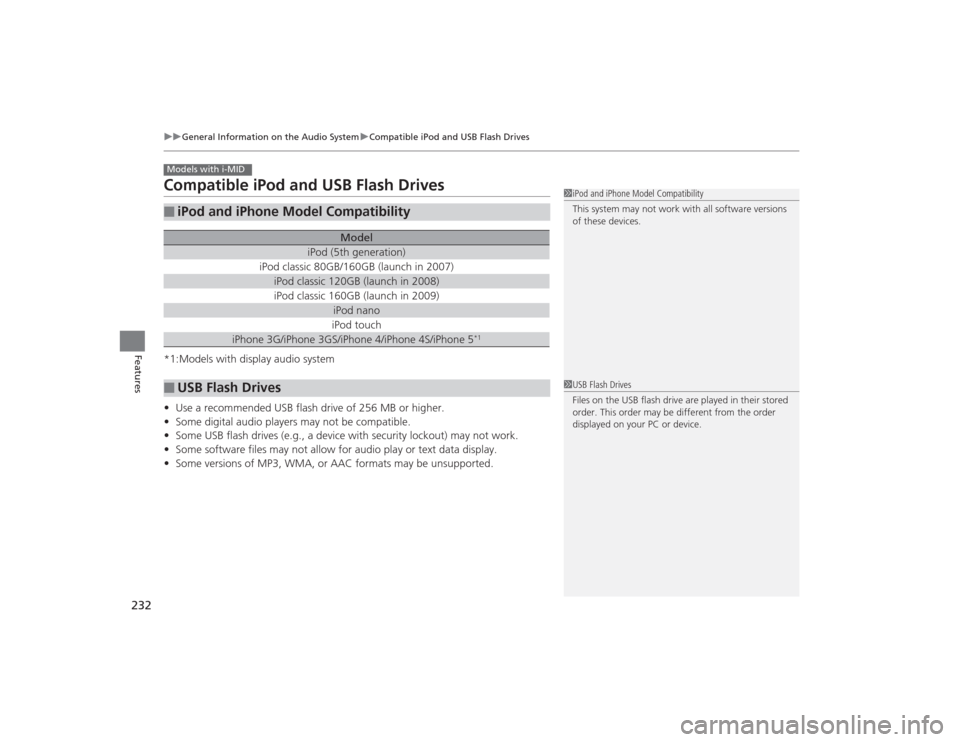
Compatible iPod and USB Flash Drives*1:Models with display audio system
• Use a recommended USB flash drive of 256 MB or higher.
• Some digital audio players may not be compatible.
• Some USB flash drives (e.g., a device with security lockout) may not work.
• Some software files may not allow for audio play or text data display.
• Some versions of MP3, WMA, or AAC formats may be unsupported.■
iPod and iPhone Model Compatibility
Model
iPod (5th generation)
iPod classic 80GB/160GB (launch in 2007)
iPod classic 120GB (launch in 2008)iPod classic 160GB (launch in 2009)
iPod nanoiPod touch
iPhone 3G/iPhone 3GS/iPhone 4/iPhone 4S/iPhone 5
*1
■
USB Flash DrivesModels with i-MID
1iPod and iPhone Model Compatibility
This system may not work with all software versions
of these devices.1USB Flash Drives
Files on the USB flash drive are played in their stored
order. This order may be different from the order
displayed on your PC or device.
Page 235 of 469
234
uuCustomized Features
*u
Features
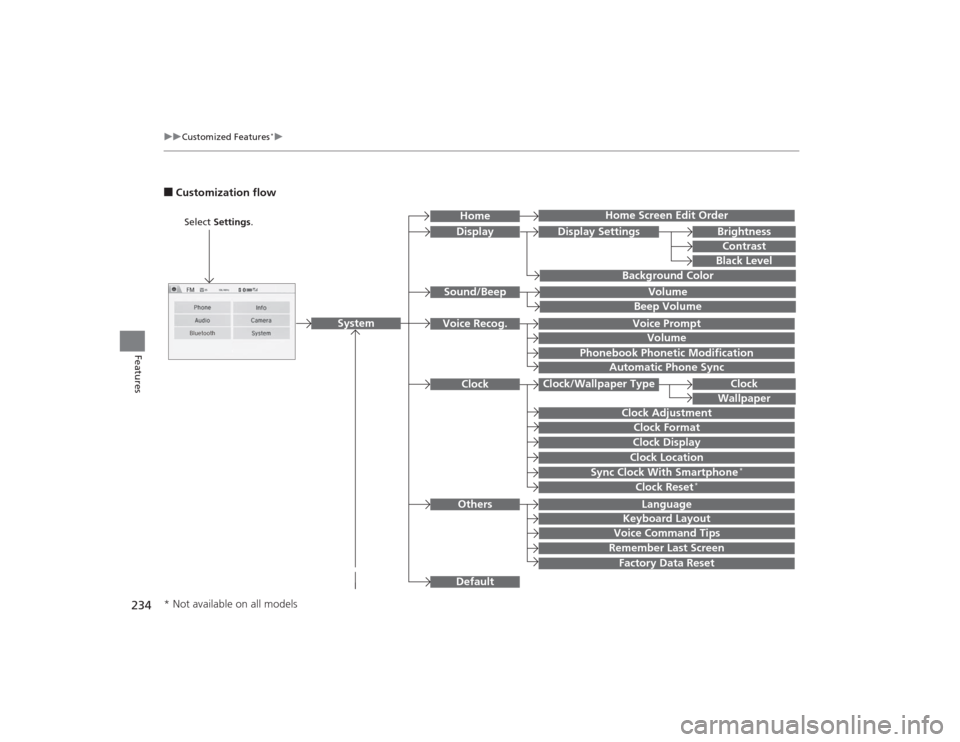
■Customization flow
Clock Format
Remember Last ScreenFactory Data ResetClock Adjustment
Select Settings .
Language
Default
BrightnessContrastBlack Level
Clock
Wallpaper
Display
Home Screen Edit Order
Background Color
Volume
Sync Clock With Smartphone
*
Clock LocationClock DisplayBeep VolumeKeyboard Layout
Home
Sound/Beep
Display Settings
Clock
Clock/Wallpaper Type
System
Clock Reset
*
Others
Phonebook Phonetic Modification
Automatic Phone Sync
Voice Prompt
Volume
Voice Recog.
Voice Command Tips
* Not available on all models
Page 244 of 469
243
uuCustomized Features
*u
Continued
Features
*1:Default SettingSetup
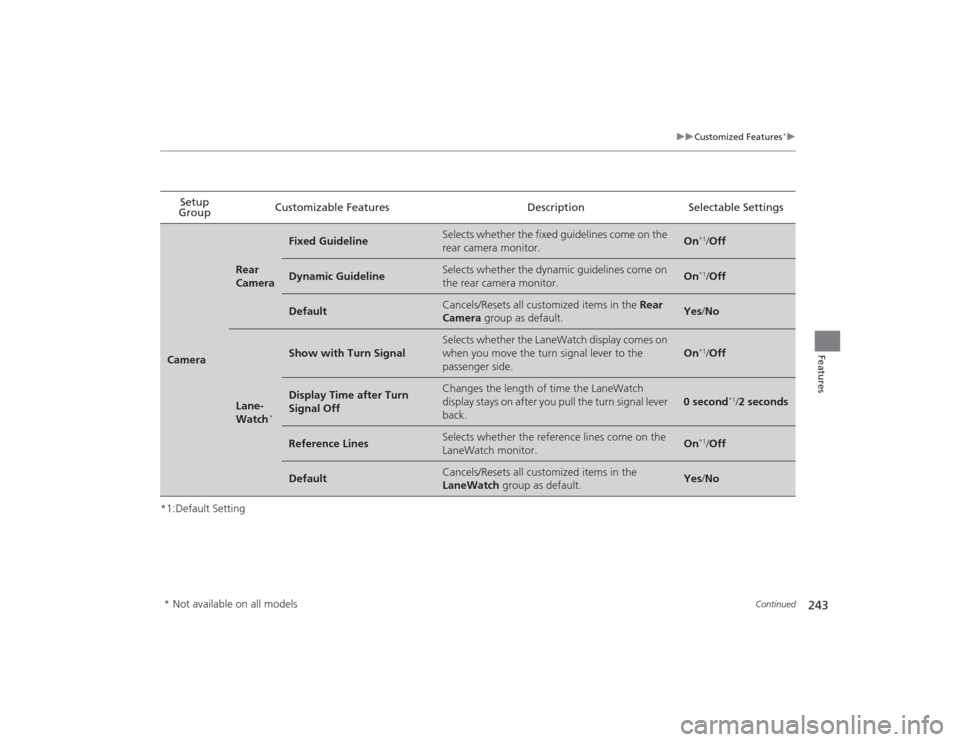
Group Customizable Features Description Selectable SettingsCamera
Rear
Camera
Fixed Guideline
Selects whether the fixed guidelines come on the
rear camera monitor.
On
*1/
Off
Dynamic Guideline
Selects whether the dynamic guidelines come on
the rear camera monitor.
On
*1/Off
Default
Cancels/Resets all customized items in the Rear
Camera group as default.
Yes /No
Lane-
Watch
*
Show with Turn Signal
Selects whether the LaneWatch display comes on
when you move the turn signal lever to the
passenger side.
On
*1/Off
Display Time after Turn
Signal Off
Changes the length of time the LaneWatch
display stays on after you pull the turn signal lever
back.
0 second
*1/2 seconds
Reference Lines
Selects whether the reference lines come on the
LaneWatch monitor.
On
*1/Off
Default
Cancels/Resets all customized items in the
LaneWatch group as default.
Yes/No
* Not available on all models
Page 304 of 469
303
Driving
This chapter discusses driving, refueling, and information on items such as accessories.
Before DrivingDriving Preparation .......................... 304
Maximum Load Limit........................ 307
Towing a Trailer
Towing Preparation .......................... 309
Driving Safely with a Trailer .............. 311
Towing Your Vehicle ........................ 312
When Driving
Starting the Engine .................. 313, 315
Precautions While Driving................. 318
Automatic Transmission (CVT) .......... 319
Shifting .................................... 320, 322
ECON Button
*................................. 325 Cruise Control
*............................... 326
Vehicle Stability Assist (VSA
®), aka Electronic
Stability Control (ESC), System ............... 329
LaneWatch
TM*..................................... 331
Tire Pressure Monitoring System (TPMS) ... 333Tire Pressure Monitoring System (TPMS) -
Required Federal Explanation............. 335Braking Brake System ................................... 337
Anti-lock Brake System (ABS) ........... 339
Brake Assist System.......................... 340 Parking Your Vehicle
When Stopped ................................ 341
Rearview Camera
*............................ 342
Refueling Fuel Information .............................. 343
How to Refuel ................................. 344
Fuel Economy Improving Fuel Economy .................. 346
Accessories and Modifications Accessories ...................................... 347
Modifications................................... 347
* Not available on all models
Page 315 of 469
uuWhen Driving uStarting the Engine
314Driving
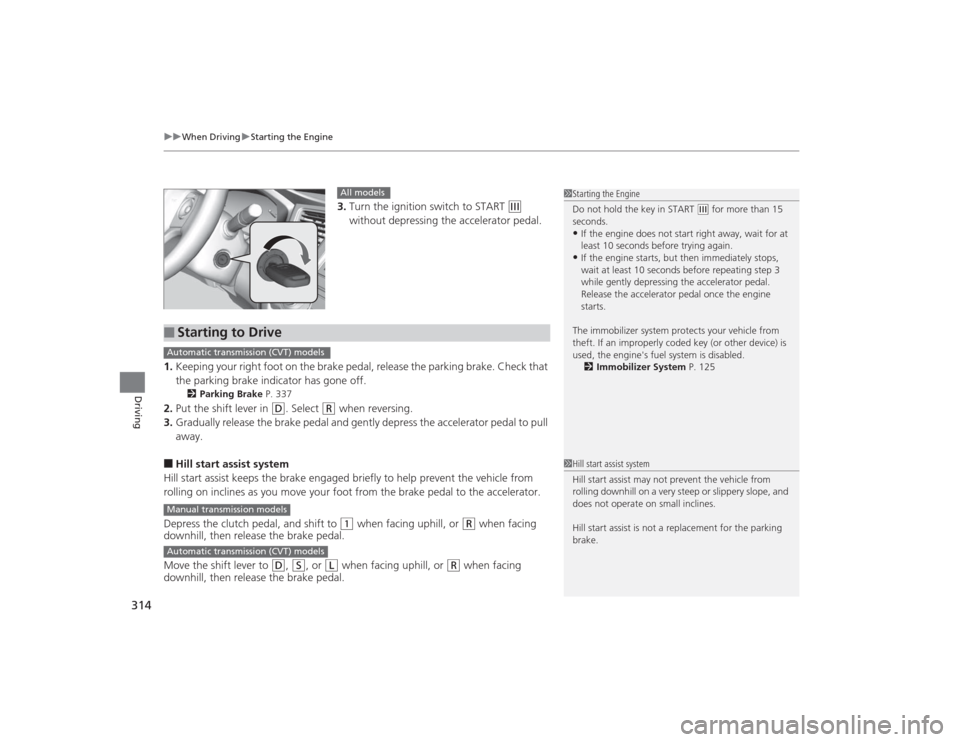
3. Turn the ignition switch to START
(e
without depressing the accelerator pedal.
1. Keeping your right foot on the brake pedal, release the parking brake. Check that
the parking brake indicator has gone off.
2 Parking Brake P. 337
2.Put the shift lever in
(D
. Select
(R
when reversing.
3. Gradually release the brake pedal and gently depress the accelerator pedal to pull
away.
■Hill start assist system
Hill start assist keeps the brake engaged briefly to help prevent the vehicle from
rolling on inclines as you move your foot from the brake pedal to the accelerator.
Depress the clutch pedal, and shift to
(1
when facing uphill, or
(R
when facing
downhill, then release the brake pedal.
Move the shift lever to
(D
, (S
, or
(L
when facing uphill, or
(R
when facing
downhill, then release the brake pedal.
1 Starting the Engine
Do not hold the key in START
(e for more than 15
seconds.
•If the engine does not start right away, wait for at
least 10 seconds before trying again.•If the engine starts, but then immediately stops,
wait at least 10 seconds before repeating step 3
while gently depressing the acce lerator pedal.
Release the accelerator pedal once the engine
starts.
The immobilizer system protects your vehicle from
theft. If an improperly coded key (or other device) is
used, the engine's fuel system is disabled. 2 Immobilizer System P. 125
All models
■
Starting to DriveAutomatic transmission (CVT) modelsManual transmission modelsAutomatic transmission (CVT) models
1Hill start assist system
Hill start assist may not prevent the vehicle from
rolling downhill on a very steep or slippery slope, and
does not operate on small inclines.
Hill start assist is not a replacement for the parking
brake.
Page 317 of 469
uuWhen Driving uStarting the Engine
316Driving
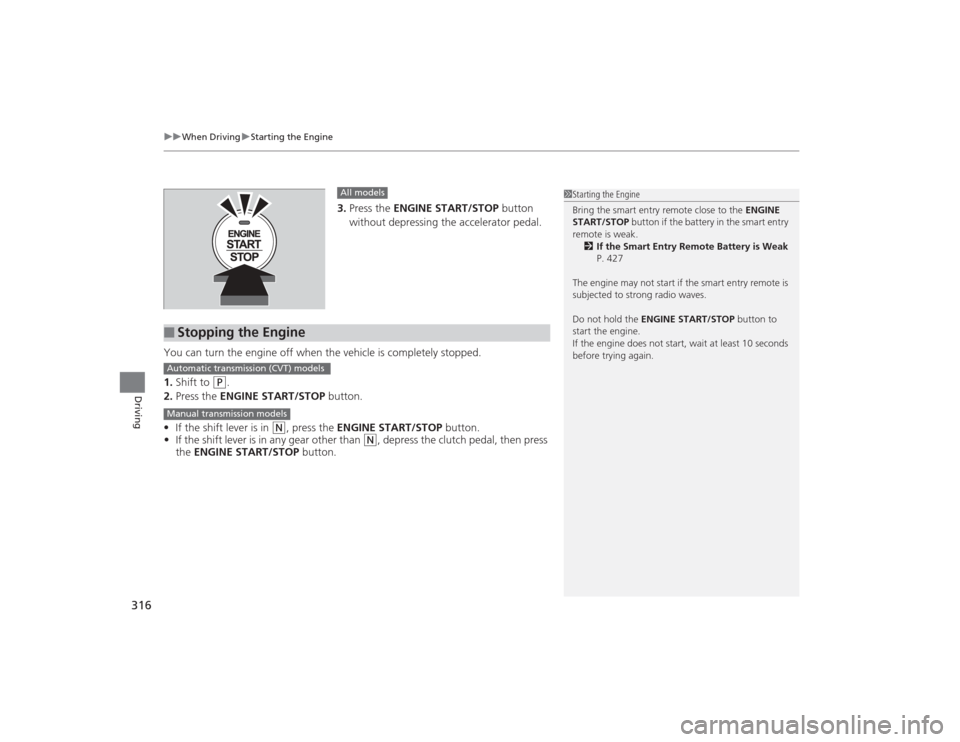
3. Press the ENGINE START/STOP button
without depressing the accelerator pedal.
You can turn the engine off when the vehicle is completely stopped.
1. Shift to
(P
.
2. Press the ENGINE START/STOP button.
• If the shift lever is in
(N
, press the ENGINE START/STOP button.
• If the shift lever is in any gear other than
(N
, depress the clutch pedal, then press
the ENGINE START/STOP button.
All models
■
Stopping the Engine
1Starting the Engine
Bring the smart entry remote close to the ENGINE
START/STOP button if the battery in the smart entry
remote is weak. 2 If the Smart Entry Remote Battery is Weak
P. 427
The engine may not start if the smart entry remote is
subjected to strong radio waves.
Do not hold the ENGINE START/STOP button to
start the engine.
If the engine does not start, wait at least 10 seconds
before trying again.
Automatic transmission (CVT) modelsManual transmission models
Page 319 of 469
318
uuWhen Driving uPrecautions While Driving
Driving
Precautions While DrivingAvoid driving in deep water and on flooded roads. This can damage the engine or
driveline, or cause electrical component failure.
If there is a strong impact with something under the vehicle, stop in a safe location.
Check the underside of the vehicle for damage or any fluid leaks.*1: Models with the smart entry system have an ENGINE START/STOP button instead of an
ignition switch.■
In Rain
■
Other Precautions
1 Precautions While DrivingNOTICEDo not operate the shift lever while pressing the
accelerator pedal. You could damage the
transmission.
If the ignition switch is turned to ACCESSORY
(q*1
while driving, the engine will shut down and all
steering and brake power assist functions will stop,
making it difficult to control the vehicle.
Do not put the shift lever in
( N, as you will lose
engine braking (and acceleration) performance.
During the first 600 miles (1,000 km) of operation,
avoid sudden acceleration or full throttle operation so
as not to damage the engine or powertrain.
Avoid hard braking for the first 200 miles (300 km).
You should also follow this when the brake pads are
replaced.
NOTICEIf you repeatedly turn the steering wheel at an
extremely low speed, or hold the steering wheel on
the full left or right position for a while, the electric
power steering (EPS) system heats up. The system
goes into a protective mode, and limits its
performance. The steering wheel becomes harder
and harder to operate. Once the system cools down,
the EPS system is restored.
Repeated operation under these conditions can
eventually damage the system.
Page 323 of 469
322
uuWhen Driving uShifting
Driving
ShiftingFully depress the clutch pedal to operate the shift lever and change gears, then
slowly release the pedal.
Depress the clutch pedal, and pause for a few seconds before shifting into
(R
, or
shift into one of the forward gears for a moment. This stops the gears so they do not
“grind.”
■
Shift Lever OperationManual transmission models
1 ShiftingNOTICEDo not shift to
(R before the vehicle comes to a
complete stop.
Shifting to
( R before stopping can damage the
transmission.
NOTICEBefore downshifting, make sure the engine will not
go into the tachometer's red zone. Should this occur,
it can severely damage your engine.
There is a metallic part on the shift lever. If you leave
the vehicle park ed outside for a long time on a hot
day, be careful before moving the shift lever. Because
of heat, the shift lever ma y be extremely hot. If the
outside temperature is low, the shift lever may feel
cold.
Page 324 of 469
Continued
323
uuWhen Driving uShifting
Driving
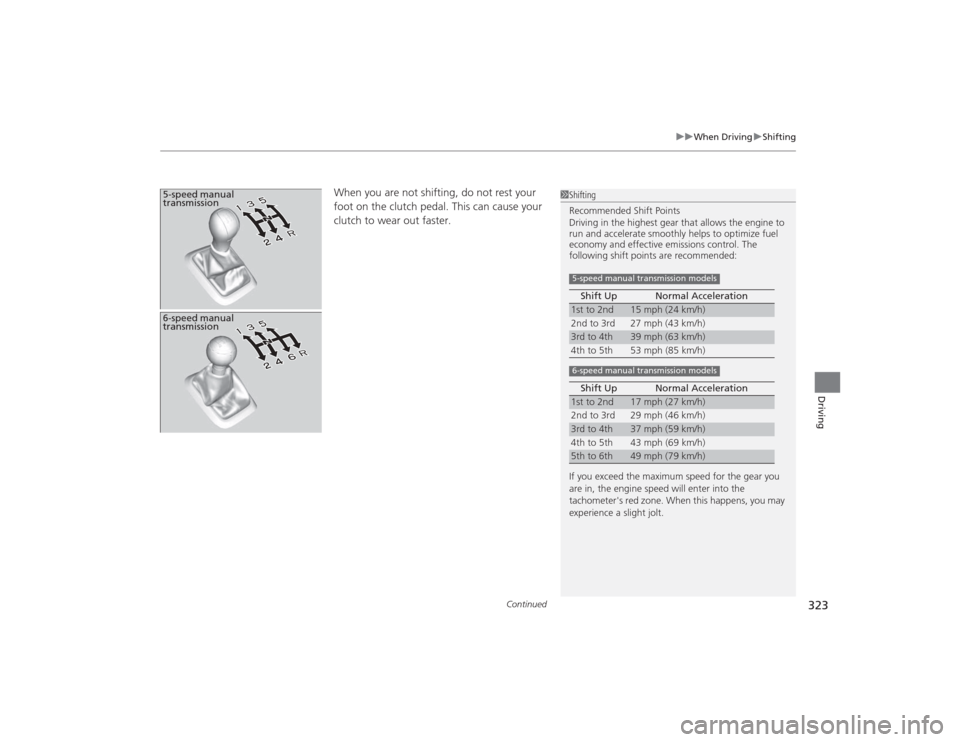
When you are not shifting, do not rest your
foot on the clutch pedal. This can cause your
clutch to wear out faster.
5-speed manual
transmission
1Shifting
Recommended Shift Points
Driving in the highest gear that allows the engine to
run and accelerate smoothly helps to optimize fuel
economy and effective emissions control. The
following shift points are recommended:
If you exceed the maximum speed for the gear you
are in, the engine speed will enter into the
tachometer's red zone. When this happens, you may
experience a slight jolt. Shift Up Normal Acceleration1st to 2nd
15 mph (24 km/h)
2nd to 3rd 27 mph (43 km/h)
3rd to 4th
39 mph (63 km/h)
4th to 5th 53 mph (85 km/h)
Shift Up Normal Acceleration
1st to 2nd
17 mph (27 km/h)
2nd to 3rd 29 mph (46 km/h)
3rd to 4th
37 mph (59 km/h)
4th to 5th 43 mph (69 km/h)
5th to 6th
49 mph (79 km/h)
5-speed manual transmission models6-speed manual transmission models
6-speed manual
transmission
Page 326 of 469
325
uuWhen Driving uECON Button
*
Driving
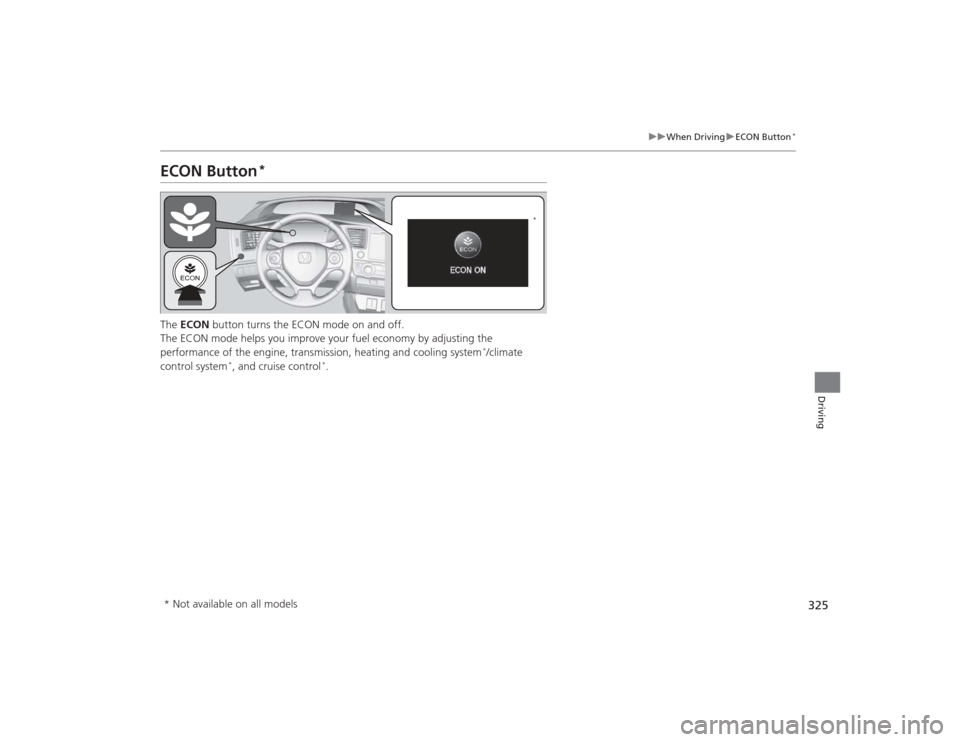
ECON Button
*
The ECON button turns the ECON mode on and off.
The ECON mode helps you improve your fuel economy by adjusting the
performance of the engine, transmission, heating and cooling system
*/climate
control system
*, and cruise control
*.
*
* Not available on all models