fuel HONDA CIVIC 2016 10.G User Guide
[x] Cancel search | Manufacturer: HONDA, Model Year: 2016, Model line: CIVIC, Model: HONDA CIVIC 2016 10.GPages: 590
Page 106 of 590
Continued105
uuGauges and Displays uInformation Display*
Instrument Panel
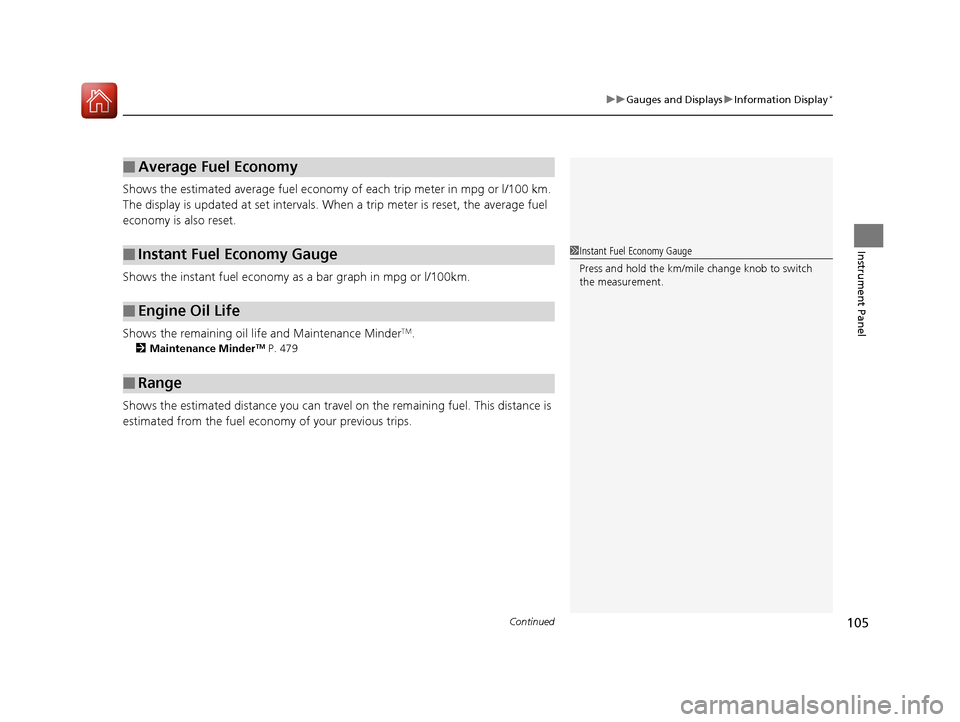
Shows the estimated average fuel economy of each trip meter in mpg or l/100 km.
The display is updated at set intervals. Wh en a trip meter is reset, the average fuel
economy is also reset.
Shows the instant fuel economy as a bar graph in mpg or l/100km.
Shows the remaining oil life and Maintenance Minder
TM.
2 Maintenance MinderTM P. 479
Shows the estimated distance you can travel on the remaining fuel. This distance is
estimated from the fuel economy of your previous trips.
■Average Fuel Economy
■Instant Fuel Economy Gauge
■Engine Oil Life
■Range
1Instant Fuel Economy Gauge
Press and hold the km/mile change knob to switch
the measurement.
16 CIVIC 4D-31TBA6000.book 105 ページ 2015年8月31日 月曜日 午後5時56分
Page 108 of 590
107
uuGauges and Displays uDriver Information Interface*
Continued
Instrument Panel
Driver Information Interface*
The driver information interface show s the odometer, trip meter, outside
temperature indicator, and other gauges.
It also displays important messages such as warnings and other helpful information.
■Main displays
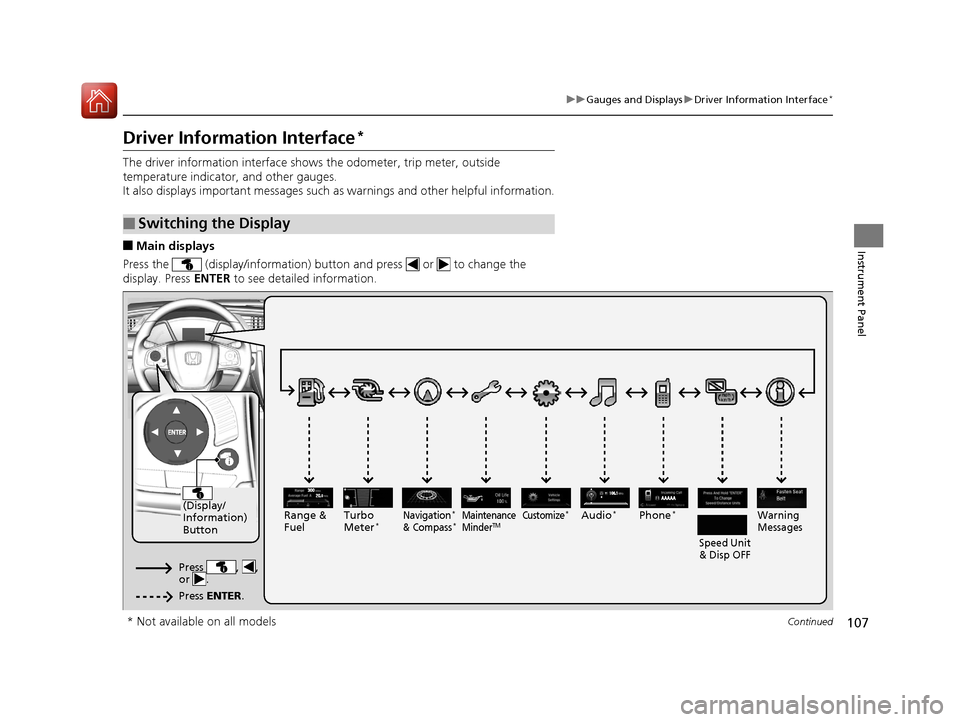
Press the (display/information) button and press or to change the
display. Press ENTER to see detailed information.
■Switching the Display
AAAAA
(Display/
Information)
Button
Warning
Messages
Speed Unit
& Disp OFFMaintenance
MinderTMPhone*Turbo
Meter*Audio*Navigation*
& Compass*Range &
Fuel
Press , ,
or .
Press ENTER .
Customize*
* Not available on all models
16 CIVIC 4D-31TBA6000.book 107 ページ 2015年8月31日 月曜日 午後5時56分
Page 110 of 590
Continued109
uuGauges and Displays uDriver Information Interface*
Instrument Panel
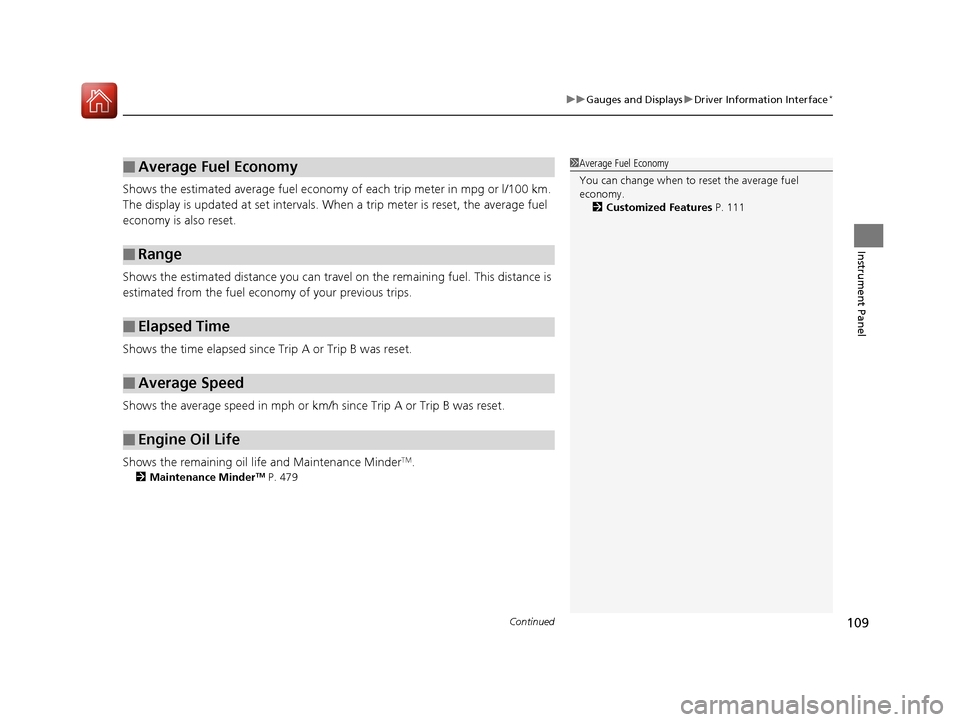
Shows the estimated average fuel economy of each trip meter in mpg or l/100 km.
The display is updated at set intervals. Wh en a trip meter is reset, the average fuel
economy is also reset.
Shows the estimated distance you can travel on the remaining fuel. This distance is
estimated from the fuel economy of your previous trips.
Shows the time elapsed since Trip A or Trip B was reset.
Shows the average speed in mph or km/h since Trip A or Trip B was reset.
Shows the remaining oil life and Maintenance Minder
TM.
2 Maintenance MinderTM P. 479
■Average Fuel Economy
■Range
■Elapsed Time
■Average Speed
■Engine Oil Life
1Average Fuel Economy
You can change when to reset the average fuel
economy.
2 Customized Features P. 111
16 CIVIC 4D-31TBA6000.book 109 ページ 2015年8月31日 月曜日 午後5時56分
Page 111 of 590
uuGauges and Displays uDriver Information Interface*
110
Instrument Panel
Shows the outside temperature in Fahr enheit (U.S.) or Celsius (Canada).
■Adjusting the outside temperature display
Adjust the temperature reading up to ±5°F or ±3°C if the temperature reading
seems incorrect.
Use the driver information interface’s customized features to correct the
temperature.
2 Customized Features P. 111
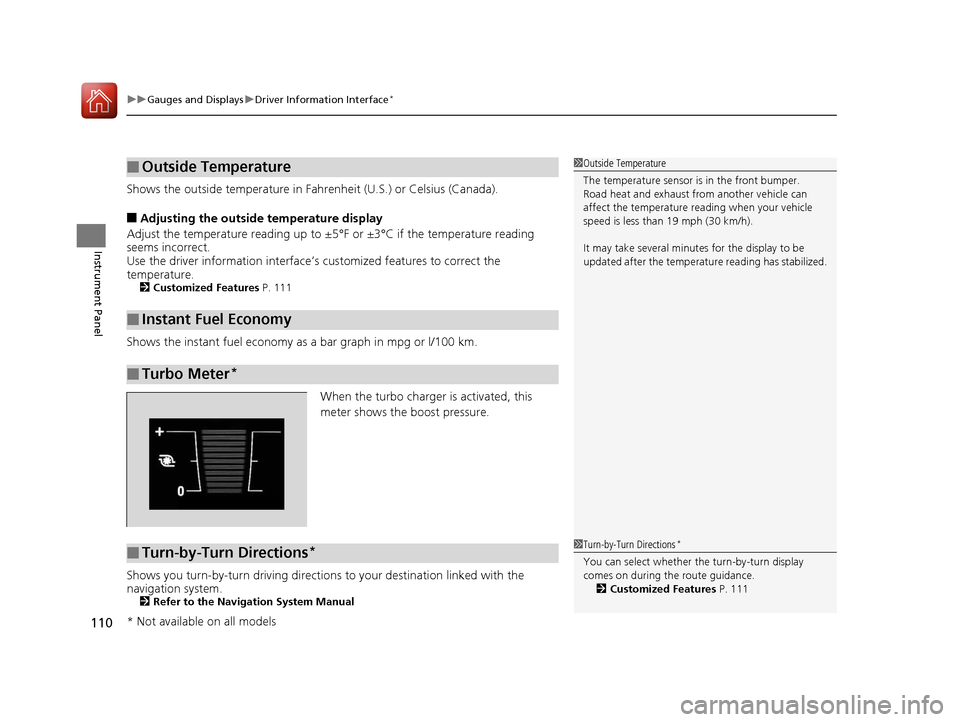
Shows the instant fuel economy as a bar graph in mpg or l/100 km.
When the turbo charger is activated, this
meter shows the boost pressure.
Shows you turn-by-turn driving directions to your destination linked with the
navigation system.
2 Refer to the Navigation System Manual
■Outside Temperature
■Instant Fuel Economy
■Turbo Meter*
1Outside Temperature
The temperature sensor is in the front bumper.
Road heat and exhaust from another vehicle can
affect the temperature reading when your vehicle
speed is less than 19 mph (30 km/h).
It may take several minutes for the display to be
updated after the temperature reading has stabilized.
■Turn-by-Turn Directions*1Turn-by-Turn Directions*
You can select whether th e turn-by-turn display
comes on during the route guidance. 2 Customized Features P. 111
* Not available on all models
16 CIVIC 4D-31TBA6000.book 110 ページ 2015年8月31日 月曜日 午後5時56分
Page 113 of 590
112
uuGauges and Displays uDriver Information Interface*
Instrument Panel
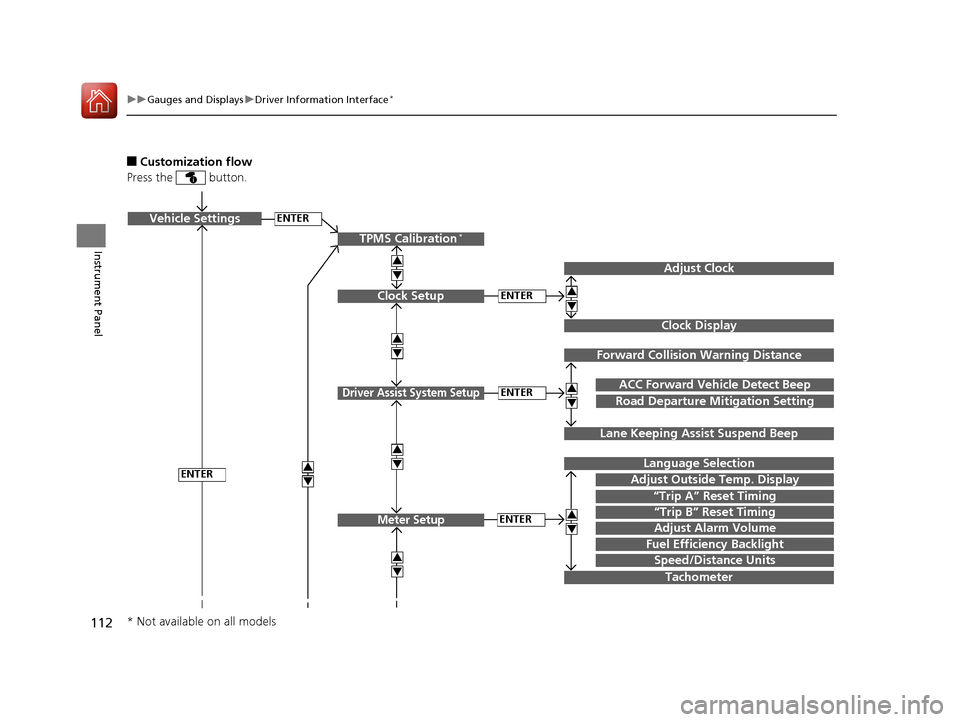
■Customization flow
Press the button.
ENTERVehicle Settings
“Trip A” Reset Timing
Language Selection
Adjust Outside Temp. Display
3
4
3
4
TPMS Calibration*
ENTER
“Trip B” Reset Timing
Fuel Efficiency Backlight
3
4
ACC Forward Vehicle Detect Beep
3
4Tachometer
ENTER
Forward Collision Warning Distance
3
4
3
4
Lane Keeping Assi st Suspend Beep
Road Departure Mi tigation Setting
Adjust Alarm Volume
Speed/Distance Units
Adjust Clock
3
4
Clock Display
3
4
ENTER
ENTERClock Setup
Driver Assist System Setup
Meter Setup
* Not available on all models
16 CIVIC 4D-31TBA6000.book 112 ページ 2015年8月31日 月曜日 午後5時56分
Page 116 of 590
115
uuGauges and Displays uDriver Information Interface*
Continued
Instrument Panel
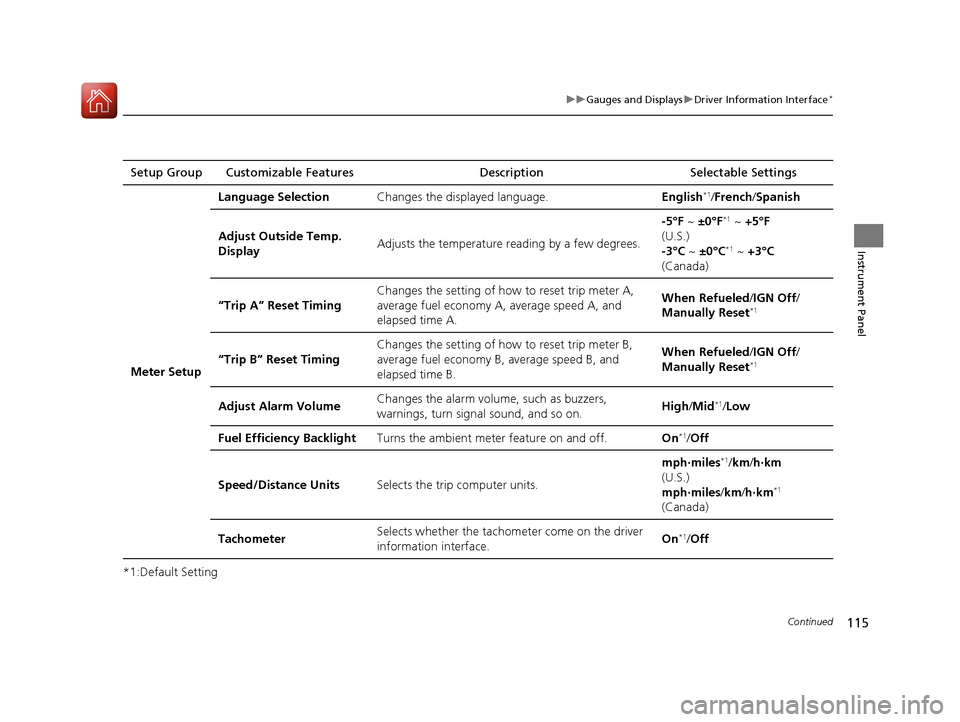
*1:Default SettingSetup Group Customizable Features
Description Selectable Settings
Meter Setup Language Selection
Changes the displayed language. English
*1/French /Spanish
Adjust Outside Temp.
Display Adjusts the temperature r
eading by a few degrees. -5°F ~
±0°F
*1 ~ +5°F
(U.S.)
-3°C ~ ±0°C
*1 ~ +3°C
(Canada)
“Trip A” Reset Timing Changes the setting of how to reset trip meter A,
average fuel economy A,
average speed A, and
elapsed time A. When Refueled
/IGN Off /
Manually Reset
*1
“Trip B” Reset Timing Changes the setting of ho
w to reset trip meter B,
average fuel economy B, average speed B, and
elapsed time B. When Refueled
/IGN Off /
Manually Reset*1
Adjust Alarm Volume Changes the alarm volu
me, such as buzzers,
warnings, turn signal sound, and so on. High
/Mid*1/Low
Fuel Efficiency Backlight Turns the ambient meter feature on and off. On
*1/Off
Speed/Distance Units Selects the trip computer units. mph∙miles
*1/
km/ h∙km
(U.S.)
mph∙miles /km/ h∙km
*1
(Canada)
Tachometer Selects whether the tachom
eter come on the driver
information interface. On
*1/
Off
16 CIVIC 4D-31TBA6000.book 115 ページ 2015年8月31日 月曜日 午後5時56分
Page 119 of 590
118
uuGauges and Displays uDriver Information Interface*
Instrument Panel
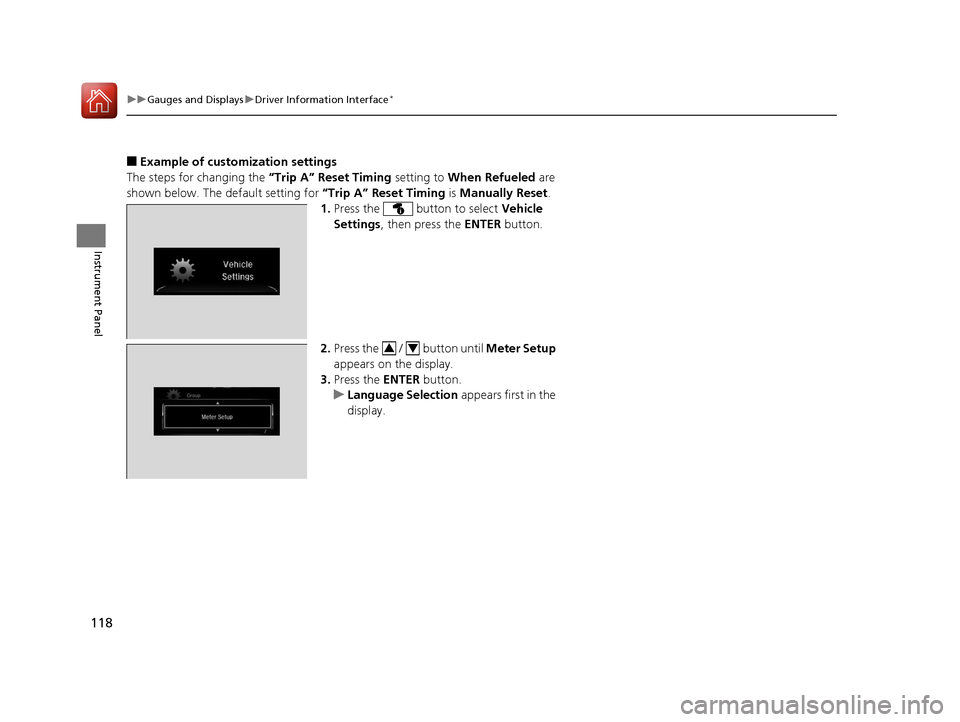
■Example of customization settings
The steps for changing the “Trip A” Reset Timing setting to When Refueled are
shown below. The default setting for “Trip A” Reset Timing is Manually Reset .
1. Press the button to select Vehicle
Settings , then press the ENTER button.
2. Press the / button until Meter Setup
appears on the display.
3. Press the ENTER button.
u Language Selection appears first in the
display.
34
16 CIVIC 4D-31TBA6000.book 118 ページ 2015年8月31日 月曜日 午後5時56分
Page 120 of 590
119
uuGauges and Displays uDriver Information Interface*
Instrument Panel
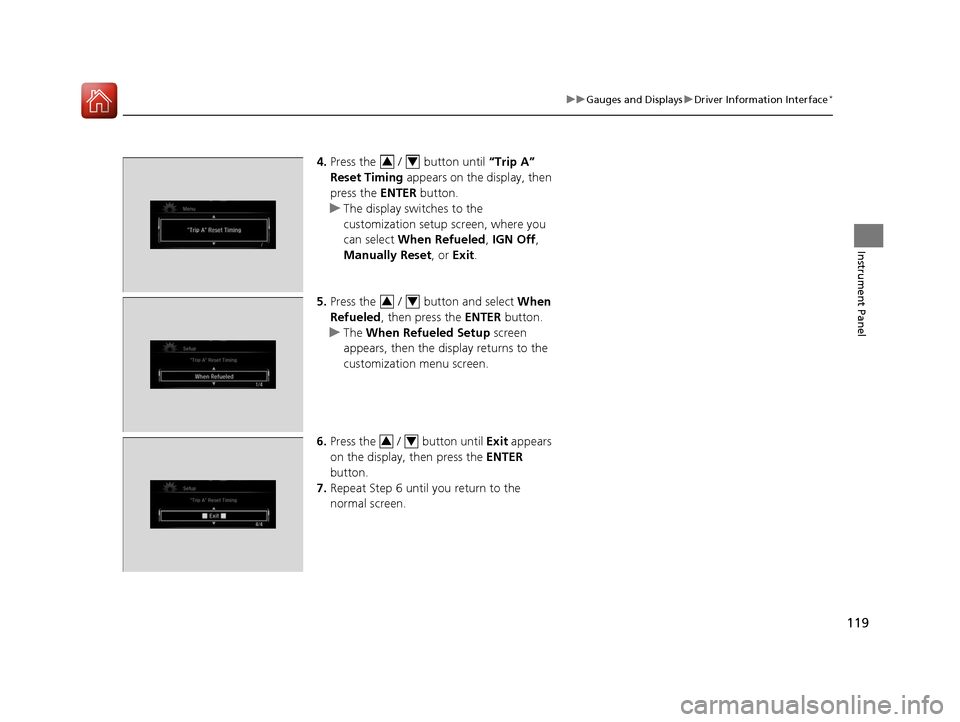
4. Press the / button until “Trip A”
Reset Timing appears on the display, then
press the ENTER button.
u The display swit ches to the
customization setup screen, where you
can select When Refueled , IGN Off ,
Manually Reset , or Exit .
5. Press the / button and select When
Refueled , then press the ENTER button.
u The When Refueled Setup screen
appears, then the di splay returns to the
customization menu screen.
6. Press the / button until Exit appears
on the display, then press the ENTER
button.
7. Repeat Step 6 until you return to the
normal screen.34
34
34
16 CIVIC 4D-31TBA6000.book 119 ページ 2015年8月31日 月曜日 午後5時56分
Page 316 of 590
315
uuCustomized Features u
Continued
Features
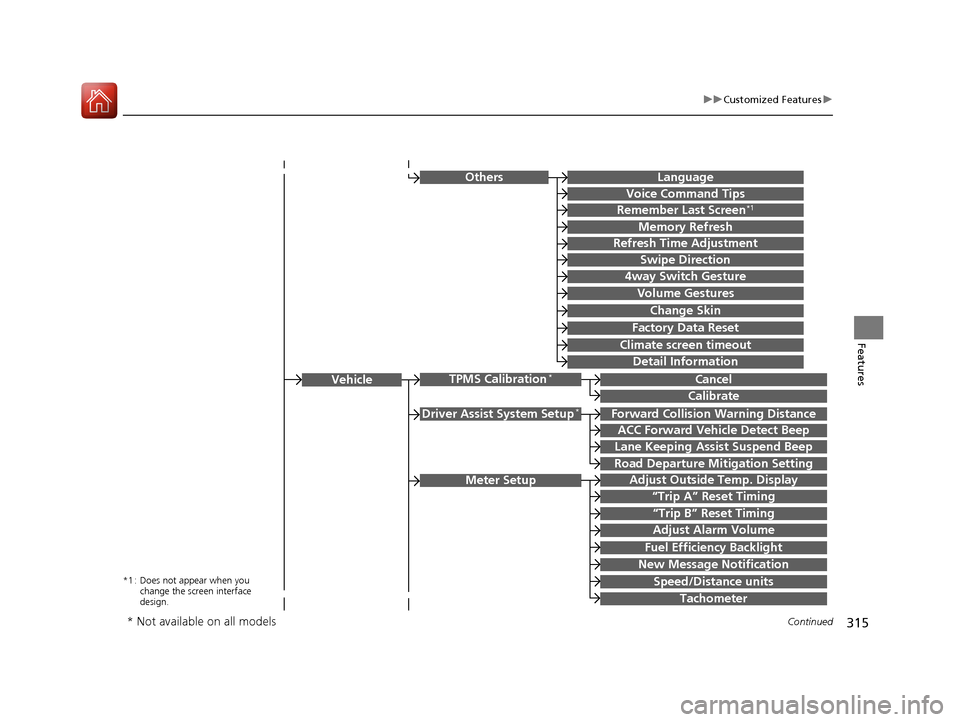
Driver Assist System Setup*Forward Collision Warning Distance
ACC Forward Vehicle Detect Beep
Lane Keeping Assist Suspend Beep
Road Departure Mi tigation Setting
Adjust Outside Temp. Display
“Trip A” Reset Timing
“Trip B” Reset Timing
Vehicle
Meter Setup
Adjust Alarm Volume
Speed/Distance units
Fuel Efficiency Backlight
New Message Notification
Tachometer
CancelTPMS Calibration*
Calibrate
OthersLanguage
Voice Command Tips
Remember Last Screen*1
Memory Refresh
Refresh Time Adjustment
Swipe Direction
Change Skin
Factory Data Reset
Climate screen timeout
4way Switch Gesture
Volume Gestures
Detail Information
*1 : Does not appear when you
change the screen interface
design.
* Not available on all models
16 CIVIC 4D-31TBA6000.book 315 ページ 2015年8月31日 月曜日 午後5時56分
Page 330 of 590
329
uuCustomized Features u
Continued
Features
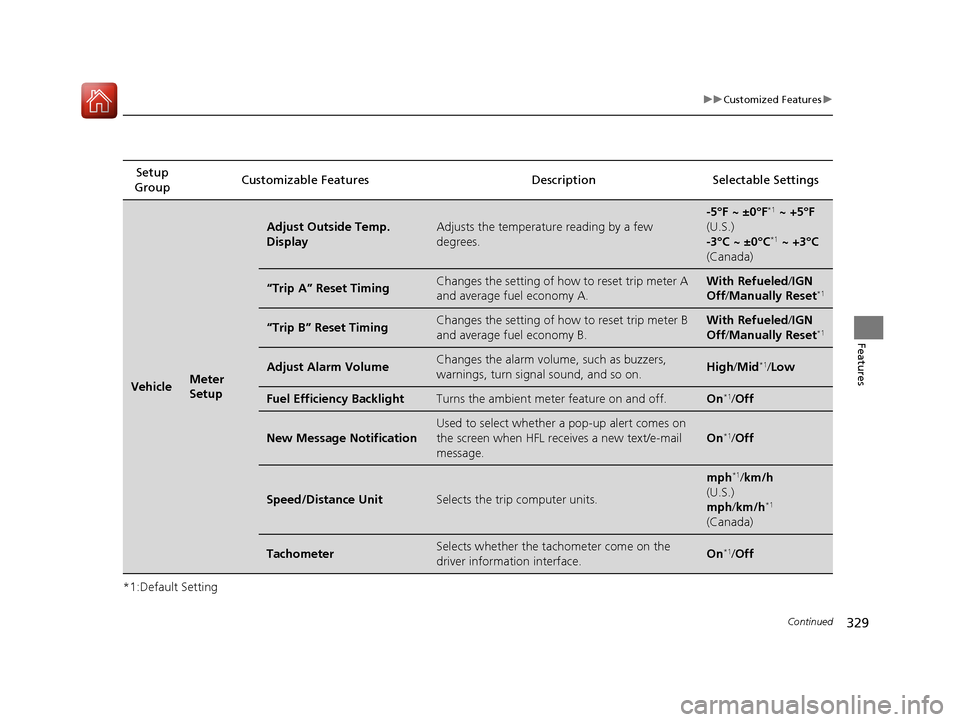
*1:Default SettingSetup
Group Customizable Features Description
Selectable Settings
VehicleMeter
Setup
Adjust Outside Temp.
DisplayAdjusts the temperature reading by a few
degrees.
-5°F ~ ±0°F*1 ~ +5°F
(U.S.)
-3°C ~ ±0°C
*1 ~ +3°C
(Canada)
“Trip A” Reset TimingChanges the setting of how to reset trip meter A
and average fuel economy A.With Refueled /IGN
Off /Manually Reset*1
“Trip B” Reset TimingChanges the setting of how to reset trip meter B
and average fuel economy B.With Refueled /IGN
Off /Manually Reset*1
Adjust Alarm VolumeChanges the alarm volume, such as buzzers,
warnings, turn signal sound, and so on.High /Mid*1/Low
Fuel Efficiency BacklightTurns the ambient meter feature on and off.On*1/Off
New Message Notification
Used to select whether a pop-up alert comes on
the screen when HFL receives a new text/e-mail
message.
On*1/Off
Speed/Distance UnitSelects the trip computer units.
mph*1/km/h
(U.S.)
mph /km/h
*1
(Canada)
TachometerSelects whether the tachometer come on the
driver information interface.On*1/Off
16 CIVIC 4D-31TBA6000.book 329 ページ 2015年8月31日 月曜日 午後5時56分