battery HONDA CIVIC 2016 10.G Workshop Manual
[x] Cancel search | Manufacturer: HONDA, Model Year: 2016, Model line: CIVIC, Model: HONDA CIVIC 2016 10.GPages: 590
Page 544 of 590
543
Handling the Unexpected
Engine Does Not Start
Checking the Engine
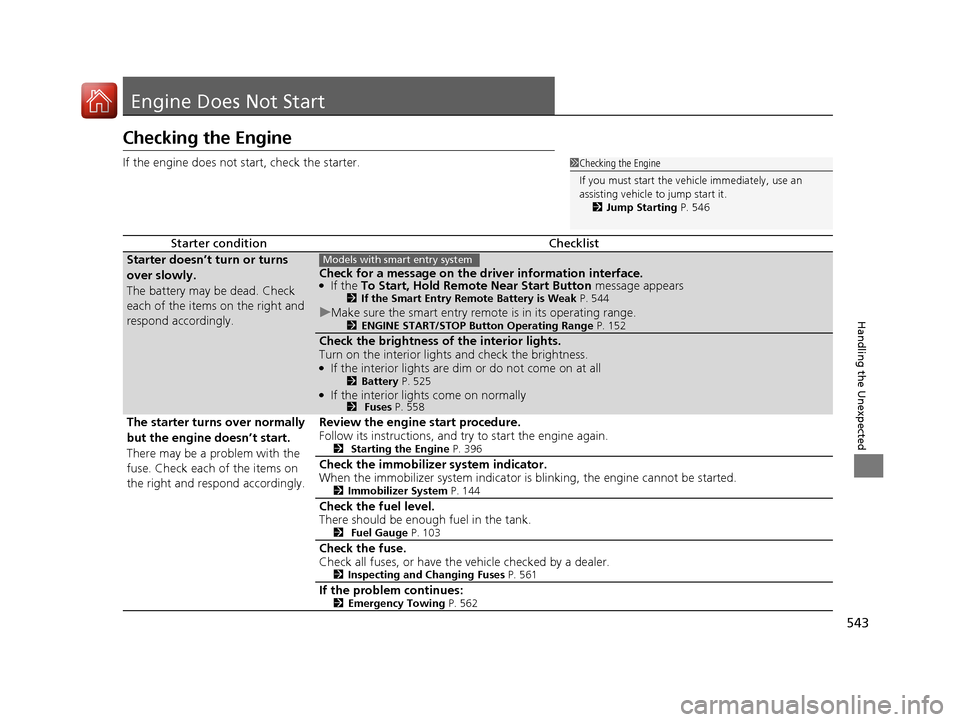
If the engine does not start, check the starter.
Starter conditionChecklist
Starter doesn’t turn or turns
over slowly.
The battery may be dead. Check
each of the items on the right and
respond accordingly.
Check for a message on the driver information interface.●If the To Start, Hold Remote Near Start Button message appears2If the Smart Entry Remote Battery is Weak P. 544
uMake sure the smart entry remote is in its operating range.2 ENGINE START/STOP Button Operating Range P. 152
Check the brightness of the interior lights.
Turn on the interior lights and check the brightness.
●If the interior lights are dim or do not come on at all2Battery P. 525●If the interior lights come on normally2 Fuses P. 558
The starter turns over normally
but the engine doesn’t start.
There may be a problem with the
fuse. Check each of the items on
the right and respond accordingly. Review the engine start procedure.
Follow its instructions, and try
to start the engine again.
2 Starting the Engine P. 396
Check the immobilize r system indicator.
When the immobilizer system indicator is blinking, the engine cannot be started.
2 Immobilizer System P. 144
Check the fuel level.
There should be enough fuel in the tank.
2 Fuel Gauge P. 103
Check the fuse.
Check all fuses, or have the vehicle checked by a dealer.
2Inspecting and Changing Fuses P. 561
If the problem continues:2Emergency Towing P. 562
1Checking the Engine
If you must start the vehi cle immediately, use an
assisting vehicle to jump start it.
2 Jump Starting P. 546
Models with smart entry system
16 CIVIC 4D-31TBA6000.book 543 ページ 2015年8月31日 月曜日 午後5時56分
Page 545 of 590
544
uuEngine Does Not Start uIf the Smart Entry Remote Battery is Weak
Handling the Unexpected
If the Smart Entry Remote Battery is Weak
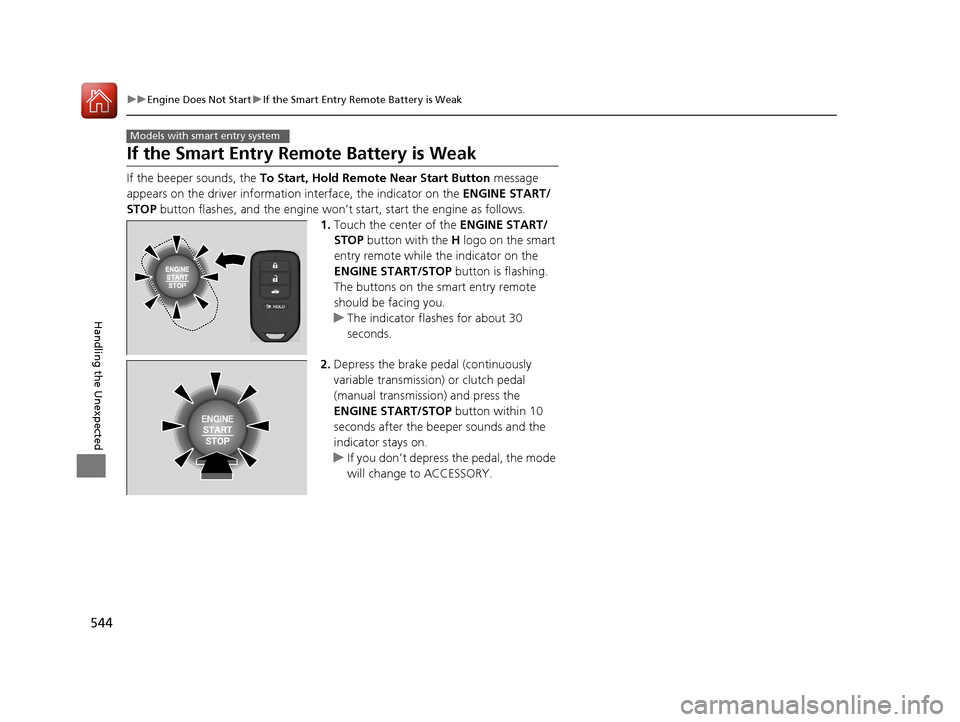
If the beeper sounds, the To Start, Hold Remote Near Start Button message
appears on the driver information interface, the indicator on the ENGINE START/
STOP button flashes, and the engine won’t start, start the engine as follows.
1.Touch the center of the ENGINE START/
STOP button with the H logo on the smart
entry remote while the indicator on the
ENGINE START/STOP button is flashing.
The buttons on the smart entry remote
should be facing you.
u The indicator flashes for about 30
seconds.
2. Depress the brake pedal (continuously
variable transmission) or clutch pedal
(manual transmission) and press the
ENGINE START/STOP button within 10
seconds after the beeper sounds and the
indicator stays on.
u If you don’t depress the pedal, the mode
will change to ACCESSORY.
Models with smart entry system
16 CIVIC 4D-31TBA6000.book 544 ページ 2015年8月31日 月曜日 午後5時56分
Page 547 of 590
546
Handling the Unexpected
Jump Starting
Jump Starting Procedure
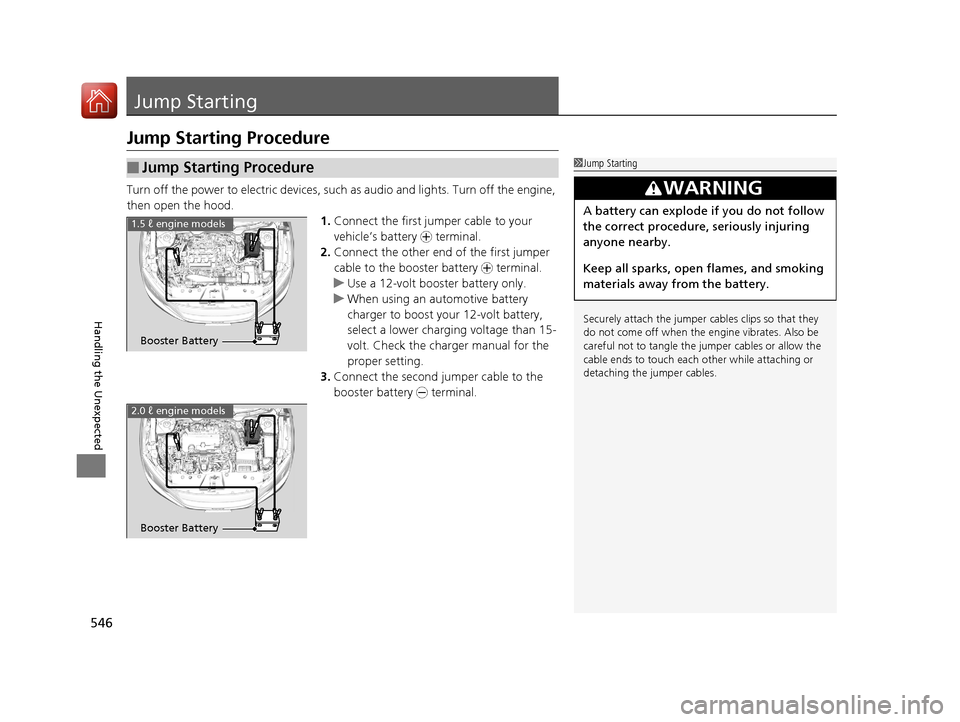
Turn off the power to electric devices, such as audio and lights. Turn off the engine,
then open the hood. 1.Connect the first jump er cable to your
vehicle’s battery + terminal.
2. Connect the other end of the first jumper
cable to the booster battery + terminal.
u Use a 12-volt booster battery only.
u When using an automotive battery
charger to boost your 12-volt battery,
select a lower charging voltage than 15-
volt. Check the charger manual for the
proper setting.
3. Connect the second jumper cable to the
booster battery - terminal.
■Jump Starting Procedure1Jump Starting
Securely attach the jumper cables clips so that they
do not come off when the e ngine vibrates. Also be
careful not to tangle the jumper cables or allow the
cable ends to touch each other while attaching or
detaching the jumper cables.
3WARNING
A battery can explode if you do not follow
the correct procedure, seriously injuring
anyone nearby.
Keep all sparks, open flames, and smoking
materials away from the battery.
Booster Battery
1.5 ℓ engine models
2.0 ℓ engine models
Booster Battery
16 CIVIC 4D-31TBA6000.book 546 ページ 2015年8月31日 月曜日 午後5時56分
Page 548 of 590
Continued547
uuJump Starting uJump Starting Procedure
Handling the Unexpected
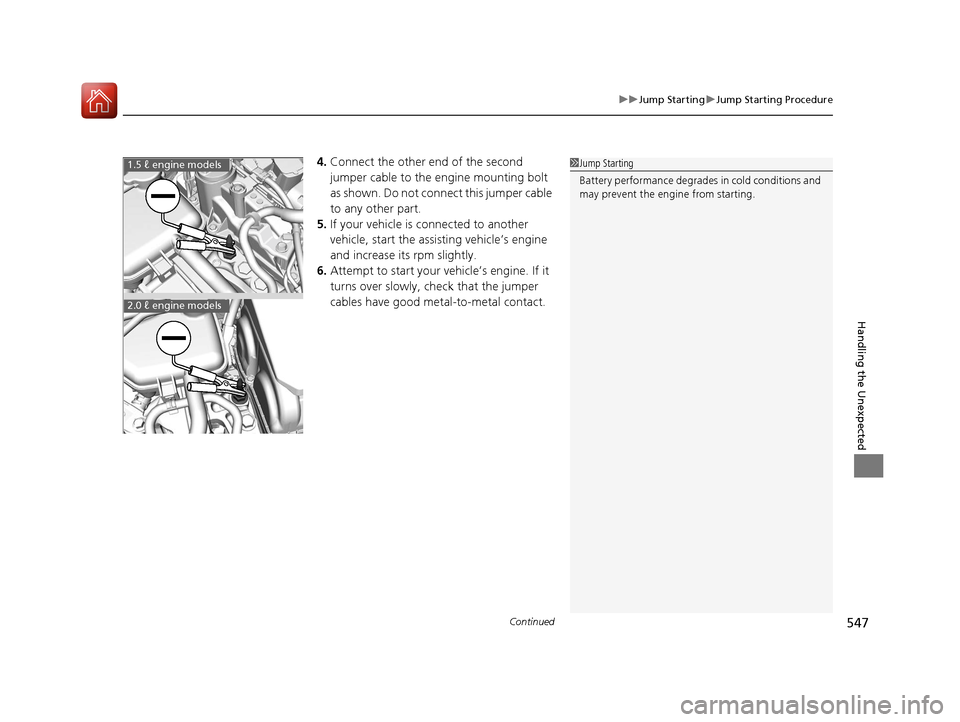
4. Connect the other end of the second
jumper cable to the engine mounting bolt
as shown. Do not connect this jumper cable
to any other part.
5. If your vehicle is connected to another
vehicle, start the assisting vehicle’s engine
and increase its rpm slightly.
6. Attempt to start your ve hicle’s engine. If it
turns over slowly, check that the jumper
cables have good metal-to-metal contact.1 Jump Starting
Battery performance degrades in cold conditions and
may prevent the engi ne from starting.1.5 ℓ engine models
2.0 ℓ engine models
16 CIVIC 4D-31TBA6000.book 547 ページ 2015年8月31日 月曜日 午後5時56分
Page 549 of 590
uuJump Starting uJump Starting Procedure
548
Handling the Unexpected
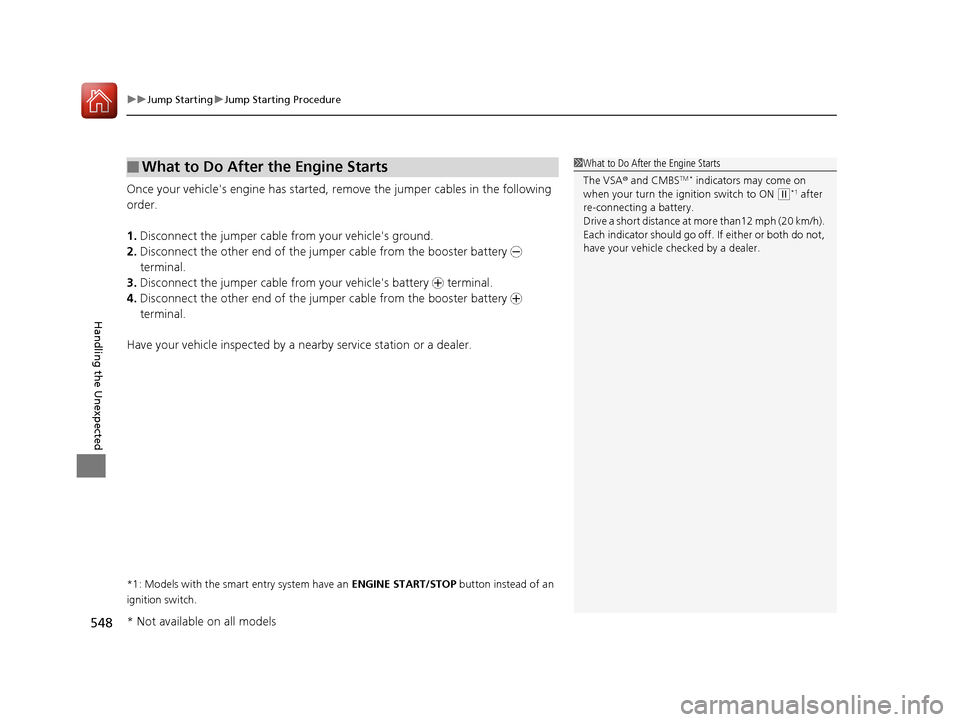
Once your vehicle's engine has started, re move the jumper cables in the following
order.
1. Disconnect the jumper cable from your vehicle's ground.
2. Disconnect the other end of the jumper cable from the booster battery -
terminal.
3. Disconnect the jumper cable from your vehicle's battery + terminal.
4. Disconnect the other end of the jumper cable from the booster battery +
terminal.
Have your vehicle inspected by a n earby service station or a dealer.
*1: Models with the smart entry system have an ENGINE START/STOP button instead of an
ignition switch.
■What to Do After the Engine Starts1 What to Do After the Engine Starts
The VSA ® and CMBS
TM * indicators may come on
when your turn the ignition switch to ON ( w*1 after
re-connecting a battery.
Drive a short distance at more than12 mph (20 km/h).
Each indicator should go off. If either or both do not,
have your vehicle ch ecked by a dealer.
* Not available on all models
16 CIVIC 4D-31TBA6000.book 548 ページ 2015年8月31日 月曜日 午後5時56分
Page 553 of 590
552
Handling the Unexpected
Indicator, Coming On/Blinking
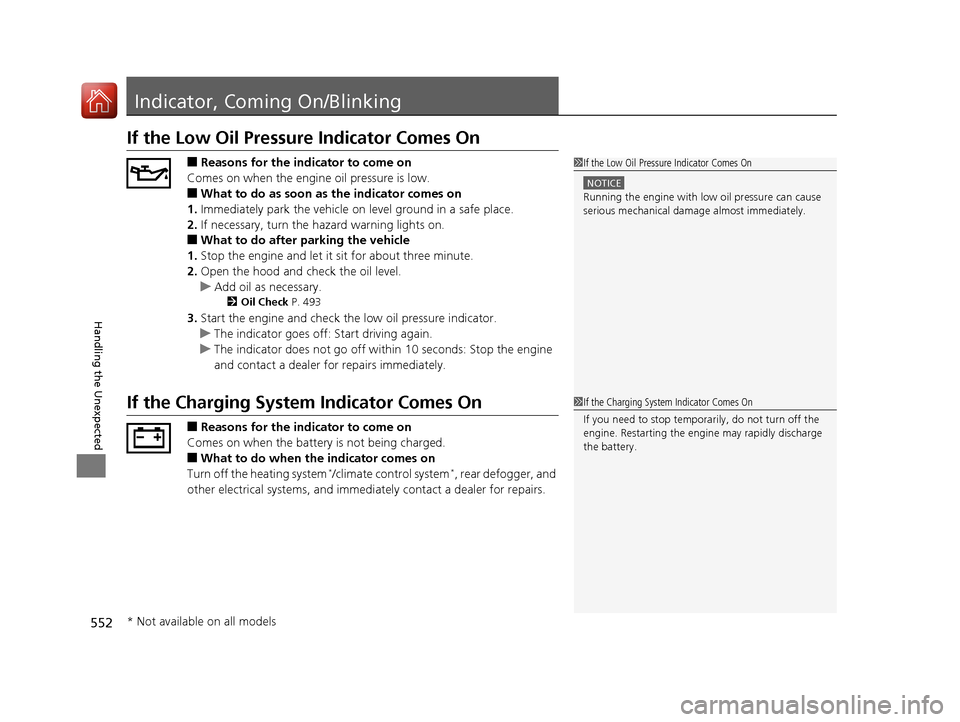
If the Low Oil Pressure Indicator Comes On
■Reasons for the indicator to come on
Comes on when the engine oil pressure is low.
■What to do as soon as the indicator comes on
1. Immediately park the vehicle on level ground in a safe place.
2. If necessary, turn the ha zard warning lights on.
■What to do after parking the vehicle
1. Stop the engine and let it sit for about three minute.
2. Open the hood and check the oil level.
u Add oil as necessary.
2 Oil Check P. 493
3.Start the engine and check th e low oil pressure indicator.
u The indicator goes off: Start driving again.
u The indicator does not go off within 10 seconds: Stop the engine
and contact a dealer for repairs immediately.
If the Charging System Indicator Comes On
■Reasons for the indicator to come on
Comes on when the battery is not being charged.
■What to do when the indicator comes on
Turn off the heating system*/climate control system*, rear defogger, and
other electrical systems, and immedi ately contact a dealer for repairs.
1If the Low Oil Pressure Indicator Comes On
NOTICE
Running the engine with low oil pressure can cause
serious mechanical damage almost immediately.
1If the Charging System Indicator Comes On
If you need to stop temporarily, do not turn off the
engine. Restarting the engi ne may rapidly discharge
the battery.
* Not available on all models
16 CIVIC 4D-31TBA6000.book 552 ページ 2015年8月31日 月曜日 午後5時56分
Page 557 of 590
556
uuIndicator, Coming On/Blinking uIf the Electric Power Steering (EPS) System Indicator Comes On
Handling the Unexpected
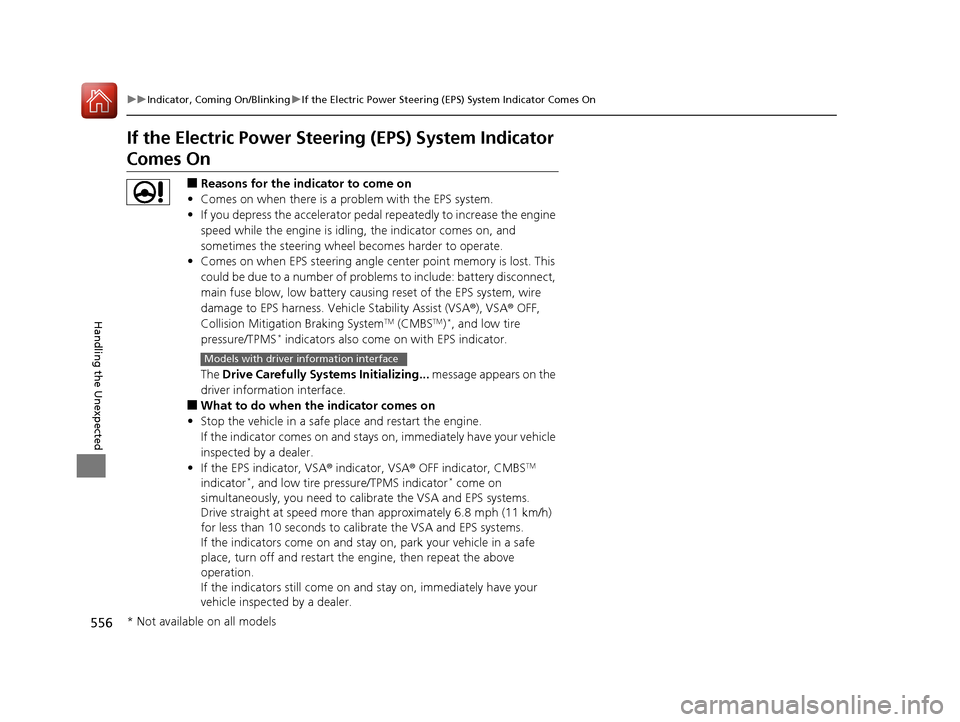
If the Electric Power Steeri ng (EPS) System Indicator
Comes On
■Reasons for the indicator to come on
• Comes on when there is a problem with the EPS system.
• If you depress the accelerator pedal repeatedly to increase the engine
speed while the engine is idling, the indicator comes on, and
sometimes the steering wheel becomes harder to operate.
• Comes on when EPS steering angle cent er point memory is lost. This
could be due to a number of problems to include: battery disconnect,
main fuse blow, low battery causing reset of the EPS system, wire
damage to EPS harness. Vehi cle Stability Assist (VSA®), VSA® OFF,
Collision Mitigation Braking System
TM (CMBSTM)*, and low tire
pressure/TPMS* indicators also come on with EPS indicator.
The Drive Carefully Systems Initializing... message appears on the
driver information interface.
■What to do when the indicator comes on
• Stop the vehicle in a safe place and restart the engine.
If the indicator comes on and stays on, immediately have your vehicle
inspected by a dealer.
• If the EPS indicator, VSA ® indicator, VSA® OFF indicator, CMBS
TM
indicator*, and low tire pressure/TPMS indicator* come on
simultaneously, you need to ca librate the VSA and EPS systems.
Drive straight at speed more than approximately 6.8 mph (11 km/h)
for less than 10 seconds to calib rate the VSA and EPS systems.
If the indicators come on and stay on, park your vehicle in a safe
place, turn off and restart the engine, then repeat the above
operation.
If the indicators still come on and stay on, immediately have your
vehicle inspected by a dealer.
Models with driver information interface
* Not available on all models
16 CIVIC 4D-31TBA6000.book 556 ページ 2015年8月31日 月曜日 午後5時56分
Page 559 of 590
558
Handling the Unexpected
Fuses
Fuse Locations
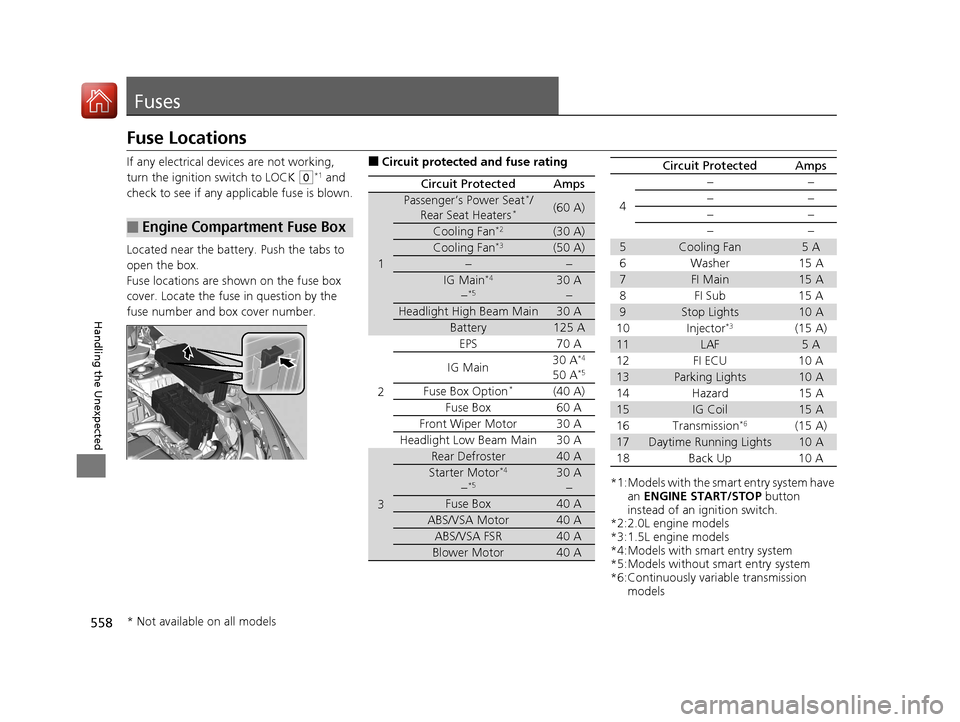
If any electrical devices are not working,
turn the ignition switch to LOCK
(0*1 and
check to see if any appl icable fuse is blown.
Located near the battery. Push the tabs to
open the box.
Fuse locations are shown on the fuse box
cover. Locate the fuse in question by the
fuse number and box cover number.
■Engine Compartment Fuse Box
■Circuit protected and fuse rating
Circuit ProtectedAmps
1
Passenger’s Power Seat*/
Rear Seat Heaters*(60 A)
Cooling Fan*2(30 A)
Cooling Fan*3(50 A)
−−
IG Main*4
−*530 A −
Headlight High Beam Main30 A
Battery125 A
2
EPS70 A
IG Main 30 A*4
50 A*5
Fuse Box Option*(40 A)
Fuse Box 60 A
Front Wiper Motor30 A
Headlight Low Beam Main 30 A
3
Rear Defroster40 A
Starter Motor*4
−*530 A −
Fuse Box40 A
ABS/VSA Motor40 A
ABS/VSA FSR40 A
Blower Motor40 A
*1:Models with the sma rt entry system have
an ENGINE START/STOP button
instead of an ignition switch.
*2:2.0L engine models
*3:1.5L engine models
*4:Models with smart entry system
*5:Models without smart entry system
*6:Continuously variable transmission models
4
−−
−−
−−
−−
5Cooling Fan5A
6Washer 15A
7FI Main15 A
8FI Sub 15A
9Stop Lights10 A
10 Injector*3(15 A)
11LAF5A
12 FI ECU 10 A
13Parking Lights10 A
14 Hazard 15 A
15IG Coil15 A
16 Transmission*6(15 A)
17Daytime Running Lights10 A
18 Back Up 10 A
Circuit ProtectedAmps
* Not available on all models
16 CIVIC 4D-31TBA6000.book 558 ページ 2015年8月31日 月曜日 午後5時56分
Page 576 of 590
575Continued
Information
Emissions Testing
Testing of Readiness Codes
Your vehicle has “Readiness Codes,” as part of the onboard self diagnostic system.
Some States use these codes as a test to see if your vehicle's emissions components
are working properly.
The codes may not be read properly if testing is performed just after the battery has
gone dead or been disconnected.
To check if they are set, turn the ignition switch to ON
(w*1, without starting the
engine. The malfunction indicator lamp will co me on for several seconds. If it then
goes off, the readiness codes are set. If it blinks five times, the readiness codes are
not set.
If you are required to have your vehicle te sted before the readiness codes are ready,
prepare the vehicle for retest ing by doing the following:
1. Fill the gas tank to approximately 3/4 full.
2. Park the vehicle and leave the engine off for 6 hours or more.
3. Make sure the ambient temperature is between 40°F and 95°F (4°C and 35°C).
4. Start the engine without touching the ac celerator pedal, and let it idle for 20
seconds.
5. Keep the vehicle in
(P (continuously variable transmission) or (N (manual
transmission). Increase the engine speed to 2,000 rpm, and hold it there for about
3 minutes.
6. Let the engine idle with your foot off the accelerator for 20 seconds.
*1: Models with the smart entry system have an ENGINE START/STOP button instead of an
ignition switch.
1 Testing of Readiness Codes
The readiness codes are erased when the battery is
disconnected, and set again only after several days of
driving under a vari ety of conditions.
If a testing facility determines that the readiness
codes are not set, you may be requested to return at
a later date to complete the test.
If the testing facility determines the readiness codes
are still not set, see a dealer.
16 CIVIC 4D-31TBA6000.book 575 ページ 2015年8月31日 月曜日 午後5時56分
Page 579 of 590
578
uuWarranty Coverages u
Information
Replacement Battery Limited Warranty – provides prorated coverage for a
replacement battery purchased from a dealer.
Replacement Muffler Life time Limited Warranty – provides coverage for as
long as the purchaser of the muffler owns the vehicle.
Restrictions and exclusions apply to a ll these warranties. Please read the Honda
warranty information booklet that came with your vehicle for precise information on
warranty coverages. Your vehi cle’s original tires are covered by their manufacturer.
Tire warranty information is in a separate booklet.
■Canadian Owners
Please refer to the warranty manual that came with your vehicle.
16 CIVIC 4D-31TBA6000.book 578 ページ 2015年8月31日 月曜日 午後5時56分