interior lights HONDA CIVIC 2017 10.G User Guide
[x] Cancel search | Manufacturer: HONDA, Model Year: 2017, Model line: CIVIC, Model: HONDA CIVIC 2017 10.GPages: 601, PDF Size: 32.51 MB
Page 187 of 601
186
uuInterior Lights/Interior Convenience Items uInterior Convenience Items
Controls
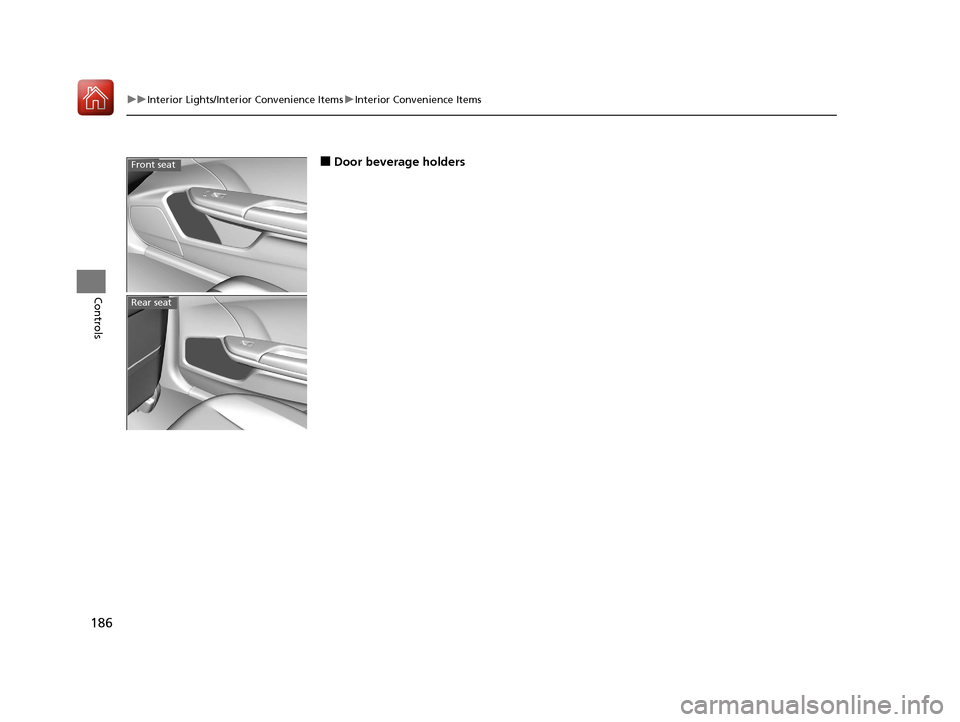
■Door beverage holdersFront seat
Rear seat
17 CIVIC 4D HCM (KA KC KL)-31TBA6100.book 186 ページ 2016年8月31日 水曜日 午後6時5分
Page 188 of 601
Continued187
uuInterior Lights/Interior Convenience Items uInterior Convenience Items
Controls
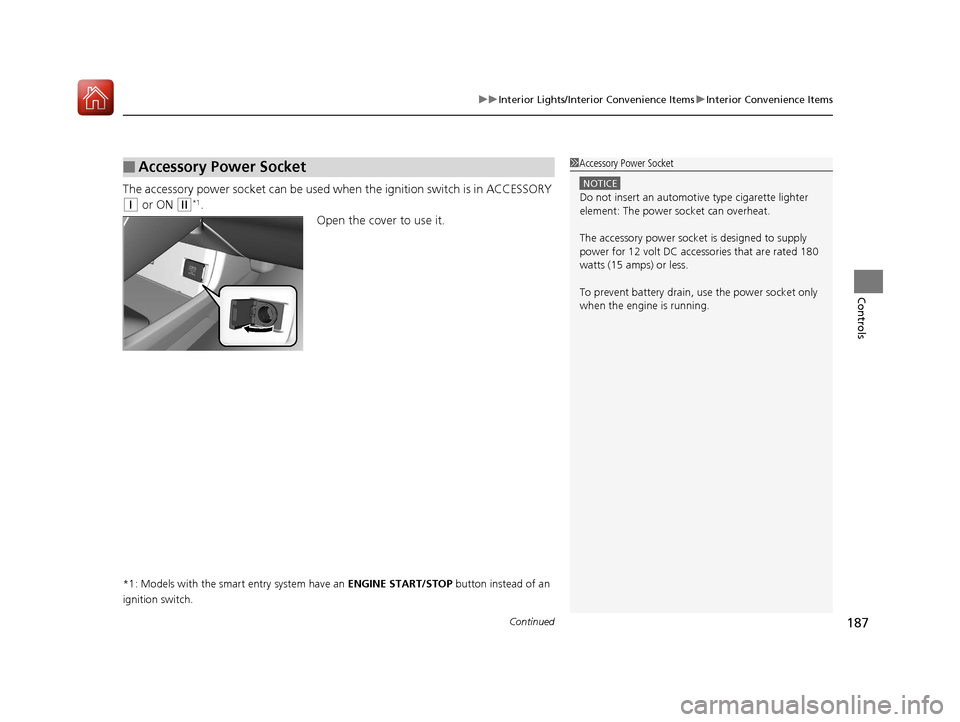
The accessory power socket can be used wh en the ignition switch is in ACCESSORY
(q or ON (w*1.
Open the cover to use it.
*1: Models with the smart entry system have an ENGINE START/STOP button instead of an
ignition switch.
■Accessory Power Socket1 Accessory Power Socket
NOTICE
Do not insert an automotive type cigarette lighter
element: The power socket can overheat.
The accessory power socket is designed to supply
power for 12 volt DC access ories that are rated 180
watts (15 amps) or less.
To prevent battery drain, use the power socket only
when the engine is running.
17 CIVIC 4D HCM (KA KC KL)-31TBA6100.book 187 ページ 2016年8月31日 水曜日 午後6時5分
Page 189 of 601
uuInterior Lights/Interior Convenience Items uInterior Convenience Items
188
Controls
To use the wireless charger, the powe r mode must be in ACCESSORY or ON.
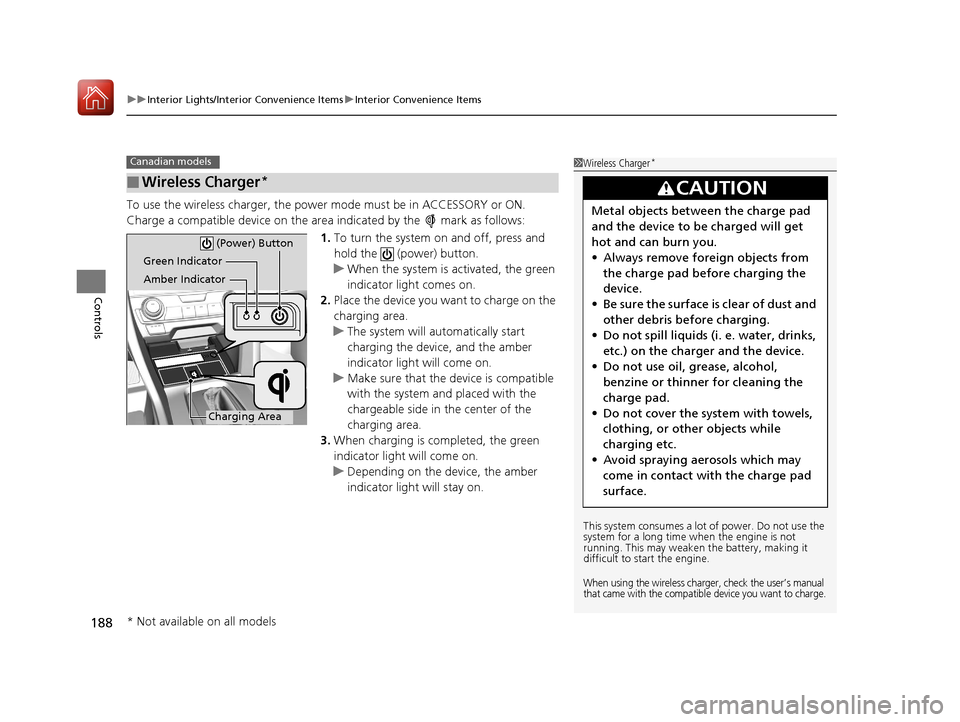
Charge a compatible device on the ar ea indicated by the mark as follows:
1. To turn the system on and off, press and
hold the (power) button.
u When the system is activated, the green
indicator light comes on.
2. Place the device you want to charge on the
charging area.
u The system will automatically start
charging the device, and the amber
indicator light will come on.
u Make sure that the device is compatible
with the system and placed with the
chargeable side in the center of the
charging area.
3. When charging is completed, the green
indicator light will come on.
u Depending on the device, the amber
indicator light will stay on.
■Wireless Charger*
Canadian models1Wireless Charger*
This system consumes a lot of power. Do not use the
system for a long time when the engine is not
running. This may weaken the battery, making it
difficult to start the engine.
When using the wireless charger, check the user’s manual
that came with the compatible device you want to charge.
3CAUTION
Metal objects between the charge pad
and the device to be charged will get
hot and can burn you.
• Always remove foreign objects from
the charge pad before charging the
device.
• Be sure the surface is clear of dust and
other debris before charging.
• Do not spill liquids (i. e. water, drinks,
etc.) on the charger and the device.
• Do not use oil, grease, alcohol,
benzine or thinner for cleaning the
charge pad.
• Do not cover the system with towels,
clothing, or other objects while
charging etc.
• Avoid spraying aerosols which may
come in contact with the charge pad
surface.
Green Indicator
Amber Indicator
Charging Area (Power) Button
* Not available on all models
17 CIVIC 4D HCM (KA KC KL)-31TBA6100.book 188 ページ 2016年8月31日 水曜日 午後6時5分
Page 190 of 601
Continued189
uuInterior Lights/Interior Convenience Items uInterior Convenience Items
Controls
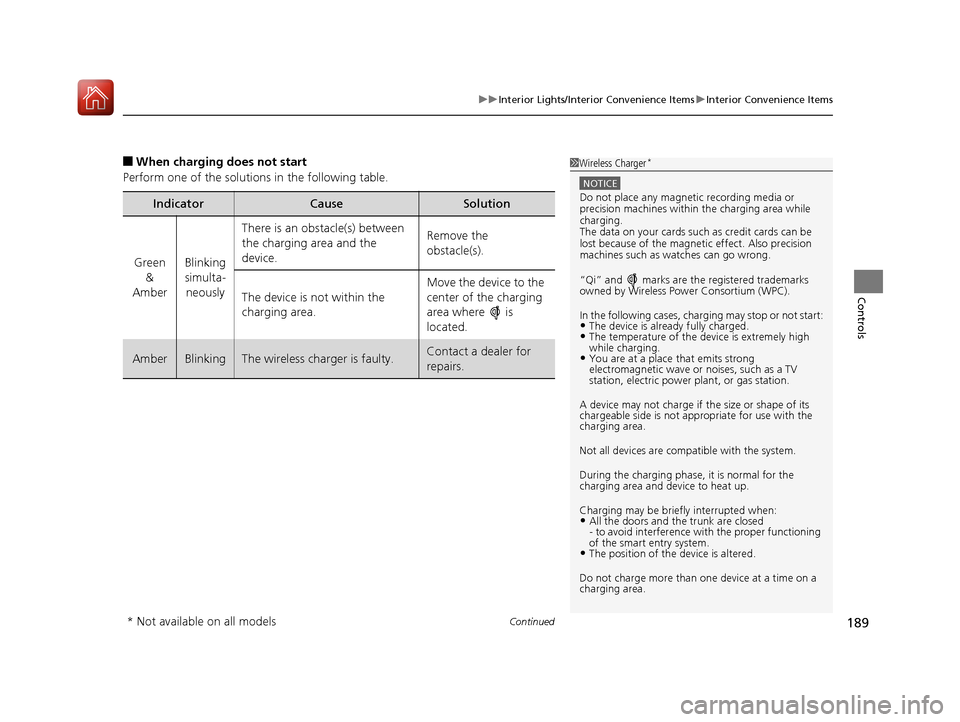
■When charging does not start
Perform one of the solutions in the following table.
IndicatorCauseSolution
Green &
AmberBlinking
simulta- neously
There is an obstacle(s) between
the charging area and the
device.Remove the
obstacle(s).
The device is not within the
charging area. Move the device to the
center of the charging
area where is
located.
AmberBlinkingThe wireless charger is faulty.Contact a dealer for
repairs.
1
Wireless Charger*
NOTICE
Do not place any magneti c recording media or
precision machines within the charging area while
charging.
The data on your cards such as credit cards can be
lost because of the magneti c effect. Also precision
machines such as watches can go wrong.
“Qi” and marks are the registered trademarks
owned by Wire less Power Consortium (WPC).
In the following cases, ch arging may stop or not start:
•The device is already fully charged.•The temperature of the device is extremely high
while charging.
•You are at a place that emits strong
electromagnetic wave or noises, such as a TV
station, electric power plant, or gas station.
A device may not charge if the size or shape of its
chargeable side is not a ppropriate for use with the
charging area.
Not all devices are compatible with the system.
During the charging phase, it is normal for the
charging area and de vice to heat up.
Charging may be briefl y interrupted when:
•All the doors and the trunk are closed
- to avoid interference with the proper functioning
of the smart entry system.
•The position of the device is altered.
Do not charge more than one device at a time on a
charging area.
* Not available on all models
17 CIVIC 4D HCM (KA KC KL)-31TBA6100.book 189 ページ 2016年8月31日 水曜日 午後6時5分
Page 191 of 601
uuInterior Lights/Interior Convenience Items uInterior Convenience Items
190
Controls
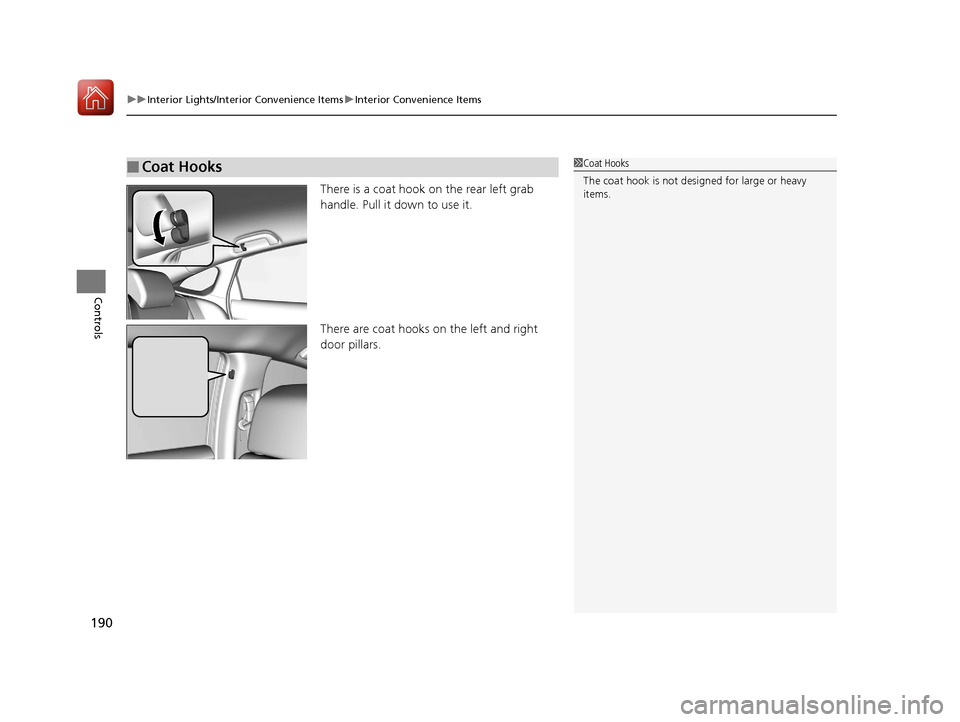
There is a coat hook on the rear left grab
handle. Pull it down to use it.
There are coat hooks on the left and right
door pillars.
■Coat Hooks1Coat Hooks
The coat hook is not desi gned for large or heavy
items.
17 CIVIC 4D HCM (KA KC KL)-31TBA6100.book 190 ページ 2016年8月31日 水曜日 午後6時5分
Page 192 of 601
Continued191
uuInterior Lights/Interior Convenience Items uInterior Convenience Items
Controls
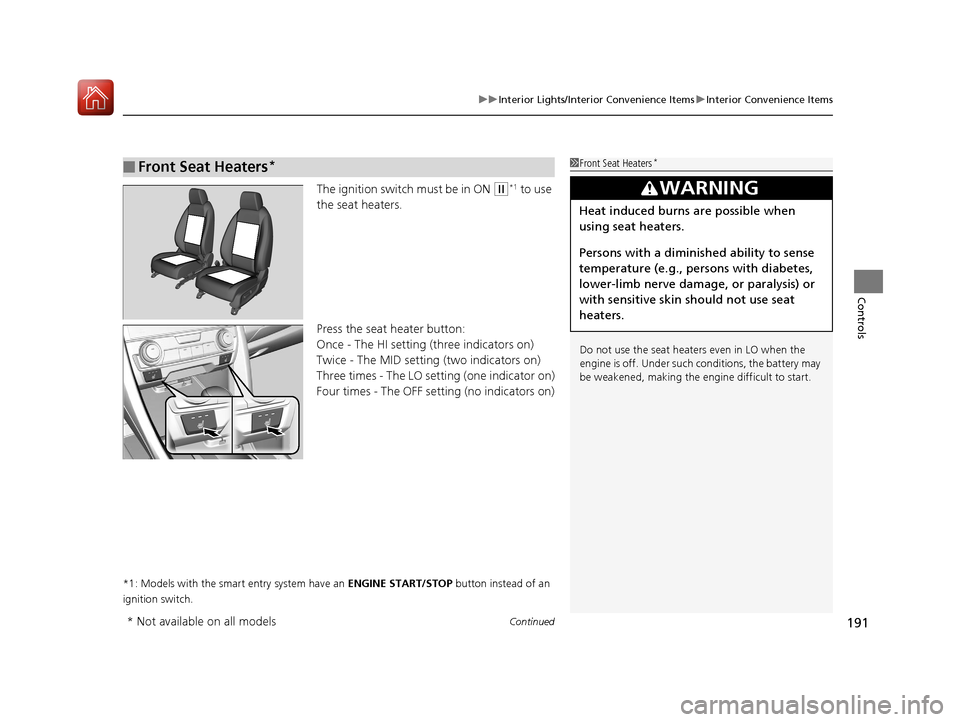
The ignition switch must be in ON (w*1 to use
the seat heaters.
Press the seat heater button:
Once - The HI setting (three indicators on)
Twice - The MID setting (two indicators on)
Three times - The LO setting (one indicator on)
Four times - The OFF setting (no indicators on)
*1: Models with the smart entry system have an ENGINE START/STOP button instead of an
ignition switch.
■Front Seat Heaters*1 Front Seat Heaters*
Do not use the seat heaters even in LO when the
engine is off. Under such conditions, the battery may
be weakened, making the engine difficult to start.
3WARNING
Heat induced burns are possible when
using seat heaters.
Persons with a diminished ability to sense
temperature (e.g., persons with diabetes,
lower-limb nerve damage, or paralysis) or
with sensitive skin should not use seat
heaters.
* Not available on all models
17 CIVIC 4D HCM (KA KC KL)-31TBA6100.book 191 ページ 2016年8月31日 水曜日 午後6時5分
Page 193 of 601
uuInterior Lights/Interior Convenience Items uInterior Convenience Items
192
Controls
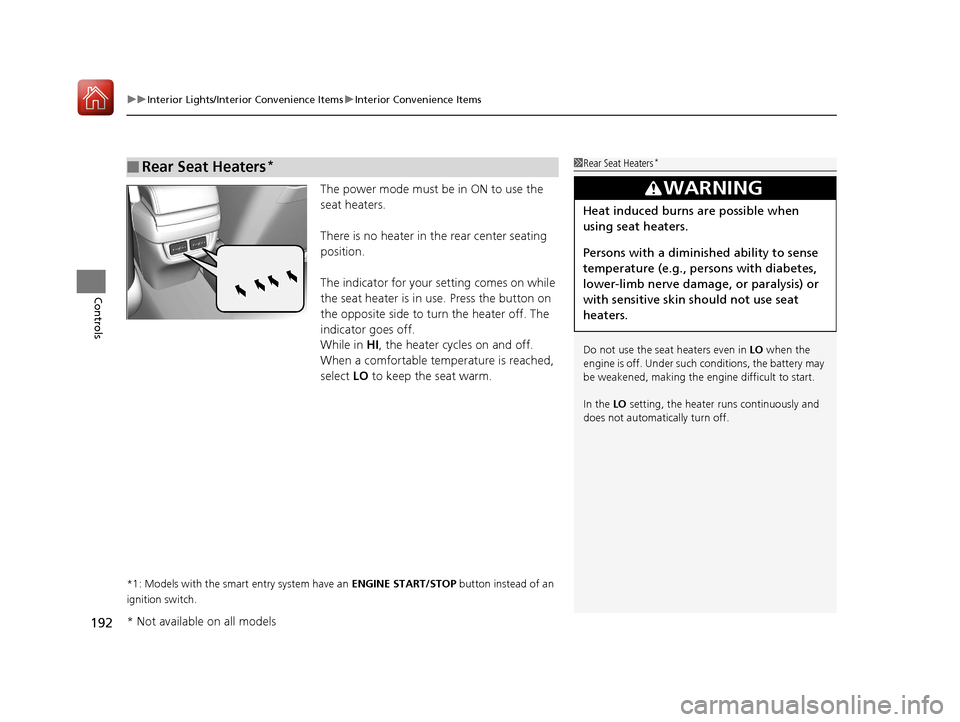
The power mode must be in ON to use the
seat heaters.
There is no heater in the rear center seating
position.
The indicator for your setting comes on while
the seat heater is in use. Press the button on
the opposite side to turn the heater off. The
indicator goes off.
While in HI, the heater cycles on and off.
When a comfortable temperature is reached,
select LO to keep the seat warm.
*1: Models with the smart entry system have an ENGINE START/STOP button instead of an
ignition switch.
■Rear Seat Heaters*1 Rear Seat Heaters*
Do not use the seat heaters even in LO when the
engine is off. Under such conditions, the battery may
be weakened, making the engine difficult to start.
In the LO setting, the heater runs continuously and
does not automatically turn off.
3WARNING
Heat induced burns are possible when
using seat heaters.
Persons with a diminished ability to sense
temperature (e.g., persons with diabetes,
lower-limb nerve damage, or paralysis) or
with sensitive skin should not use seat
heaters.
* Not available on all models
17 CIVIC 4D HCM (KA KC KL)-31TBA6100.book 192 ページ 2016年8月31日 水曜日 午後6時5分
Page 337 of 601
336
uuCustomized Features u
Features
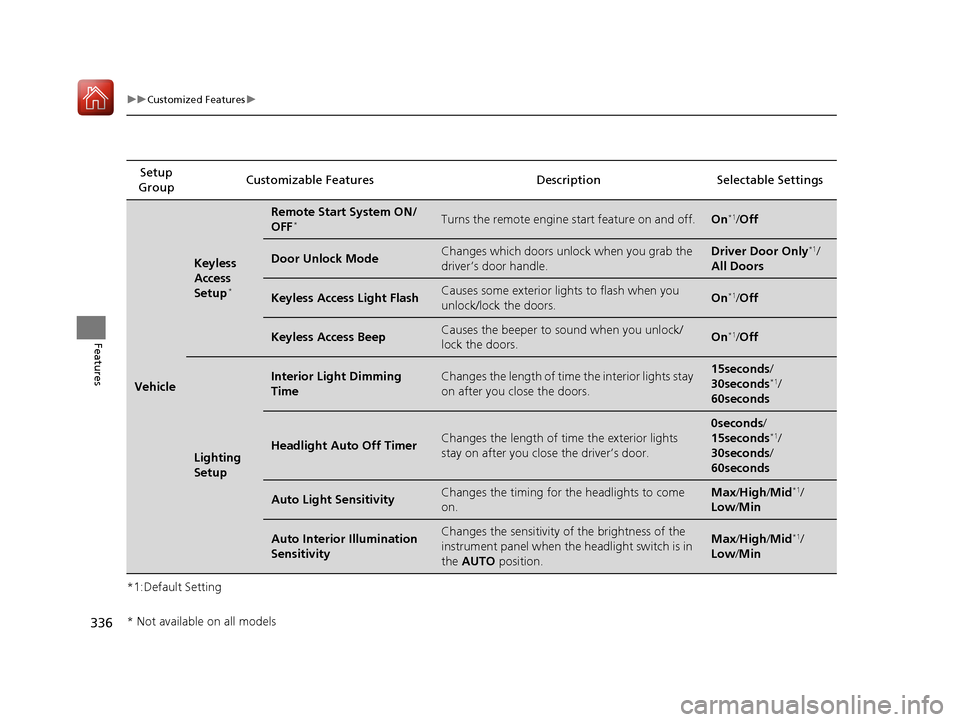
*1:Default SettingSetup
Group Customizable Features Desc
ription Selectable Settings
Vehicle
Keyless
Access
Setup
*
Remote Start System ON/
OFF*Turns the remote engine start feature on and off.On*1/Off
Door Unlock ModeChanges which doors unlock when you grab the
driver’s door handle.Driver Door Only*1/
All Doors
Keyless Access Light FlashCauses some exterior lights to flash when you
unlock/lock the doors.On*1/ Off
Keyless Access BeepCauses the beeper to sound when you unlock/
lock the doors.On*1/Off
Lighting
Setup
Interior Light Dimming
TimeChanges the length of time the interior lights stay
on after you close the doors.15seconds /
30seconds*1/
60seconds
Headlight Auto Off TimerChanges the length of ti me the exterior lights
stay on after you close the driver’s door.
0seconds /
15seconds*1/
30seconds /
60seconds
Auto Light SensitivityChanges the timing for the headlights to come
on.Max /High/ Mid*1/
Low/ Min
Auto Interior Illumination
SensitivityChanges the sensitivity of the brightness of the
instrument panel when the headlight switch is in
the AUTO position.Max/High/ Mid*1/
Low/ Min
* Not available on all models
17 CIVIC 4D HCM (KA KC KL)-31TBA6100.book 336 ページ 2016年8月31日 水曜日 午後6時5分
Page 553 of 601
552
Handling the Unexpected
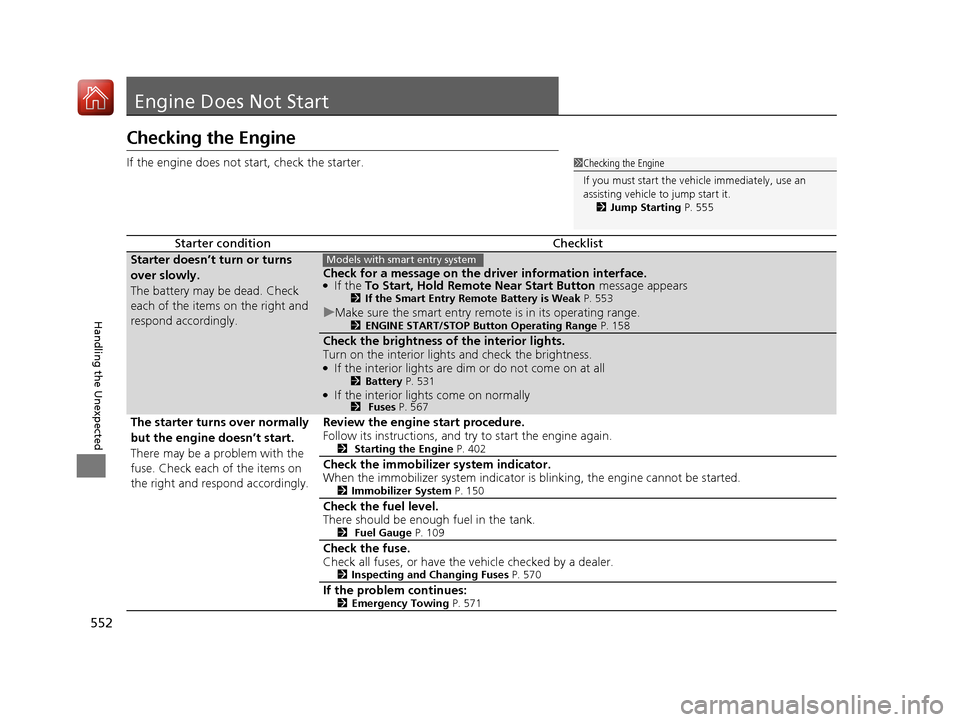
Engine Does Not Start
Checking the Engine
If the engine does not start, check the starter.
Starter conditionChecklist
Starter doesn’t turn or turns
over slowly.
The battery may be dead. Check
each of the items on the right and
respond accordingly.
Check for a message on the dr iver information interface.●If the To Start, Hold Remote Near Start Button message appears2If the Smart Entry Remote Battery is Weak P. 553
uMake sure the smart entry remote is in its operating range.2 ENGINE START/STOP Button Operating Range P. 158
Check the brightness of the interior lights.
Turn on the interior lights and check the brightness.
●If the interior lights are dim or do not come on at all2Battery P. 531●If the interior lights come on normally2 Fuses P. 567
The starter turns over normally
but the engine doesn’t start.
There may be a problem with the
fuse. Check each of the items on
the right and respond accordingly. Review the engine start procedure.
Follow its instructions, and try to start the engine again.
2
Starting the Engine P. 402
Check the immobilizer system indicator.
When the immobilizer system indicator is blinking, the engine cannot be started.
2Immobilizer System P. 150
Check the fuel level.
There should be enough fuel in the tank.
2 Fuel Gauge P. 109
Check the fuse.
Check all fuses, or have the vehicle checked by a dealer.
2Inspecting and Changing Fuses P. 570
If the problem continues:2Emergency Towing P. 571
1Checking the Engine
If you must start the vehi cle immediately, use an
assisting vehicle to jump start it.
2 Jump Starting P. 555
Models with smart entry system
17 CIVIC 4D HCM (KA KC KL)-31TBA6100.book 552 ページ 2016年8月31日 水曜日 午後6時5分
Page 569 of 601
568
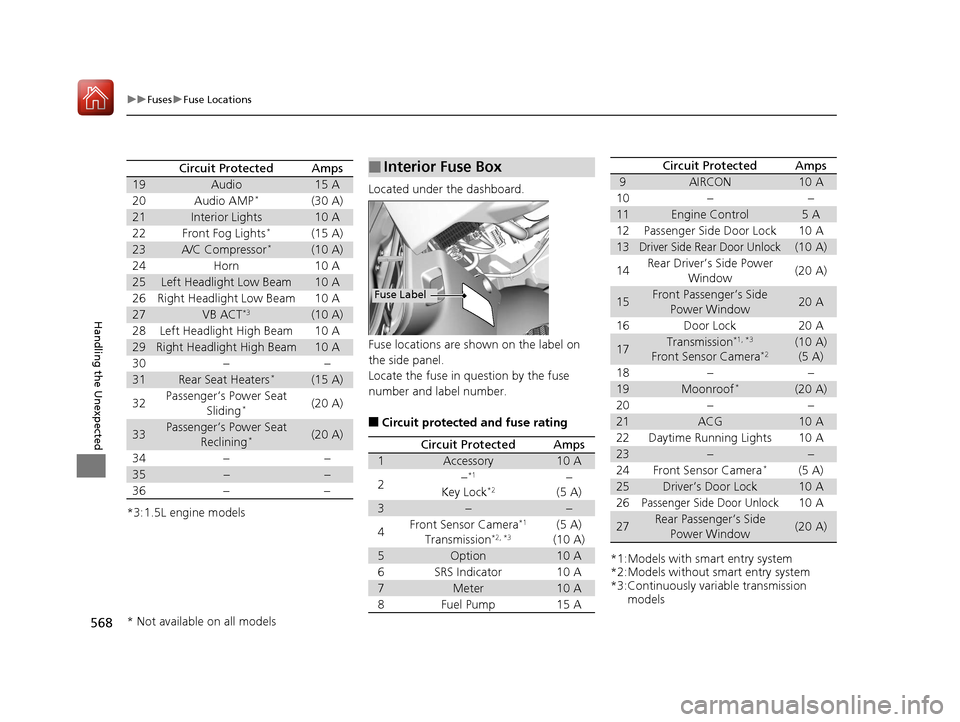
uuFuses uFuse Locations
Handling the Unexpected
*3:1.5L engine models
Circuit ProtectedAmps
19Audio15 A
20 Audio AMP*(30 A)
21Interior Lights10 A
22 Front Fog Lights*(15 A)
23A/C Compressor*(10 A)
24 Horn 10 A
25Left Headlight Low Beam10 A
26 Right Headlight Low Beam 10 A
27VB ACT*3(10 A)
28 Left Headlight High Beam 10 A
29Right Headlight High Beam10 A
30 − −
31Rear Seat Heaters*(15 A)
32 Passenger’s Power Seat
Sliding
*(20 A)
33Passenger’s Power Seat Reclining*(20 A)
34 − −
35−−
36 − −
Located under the dashboard.
Fuse locations are shown on the label on
the side panel.
Locate the fuse in question by the fuse
number and label number.
■Circuit protected and fuse rating
■Interior Fuse Box
Fuse Label
Circuit ProtectedAmps
1Accessory10 A
2−*1
Key Lock*2−
(5 A)
3−−
4Front Sensor Camera*1
Transmission*2, *3(5 A)
(10 A)
5Option10 A
6SRS Indicator10 A
7Meter10 A
8Fuel Pump15 A
*1:Models with smart entry system
*2:Models without smart entry system
*3:Continuously variable transmission models
9AIRCON10 A
10−−
11Engine Control5A
12Passenger Side Door Lock10 A
13Driver Side Rear Door Unlock(10 A)
14Rear Driver’s Side Power
Window(20 A)
15Front Passenger’s Side Power Window20 A
16Door Lock20 A
17Transmission*1, *3
Front Sensor Camera*2(10 A)(5 A)
18−−
19Moonroof*(20 A)
20−−
21ACG10 A
22Daytime Running Lights10 A
23−−
24Front Sensor Camera*(5 A)
25Driver’s Door Lock10 A
26Passenger Side Door Unlock10 A
27Rear Passenger’s Side
Power Window(20 A)
Circuit ProtectedAmps
* Not available on all models
17 CIVIC 4D HCM (KA KC KL)-31TBA6100.book 568 ページ 2016年8月31日 水曜日 午後6時5分