transmission HONDA CIVIC 2017 10.G Owner's Manual
[x] Cancel search | Manufacturer: HONDA, Model Year: 2017, Model line: CIVIC, Model: HONDA CIVIC 2017 10.GPages: 601, PDF Size: 32.51 MB
Page 162 of 601
161
uuOperating the Switches Around the Steering Wheel uIgnition Switch and Power Mode Comparison
Controls
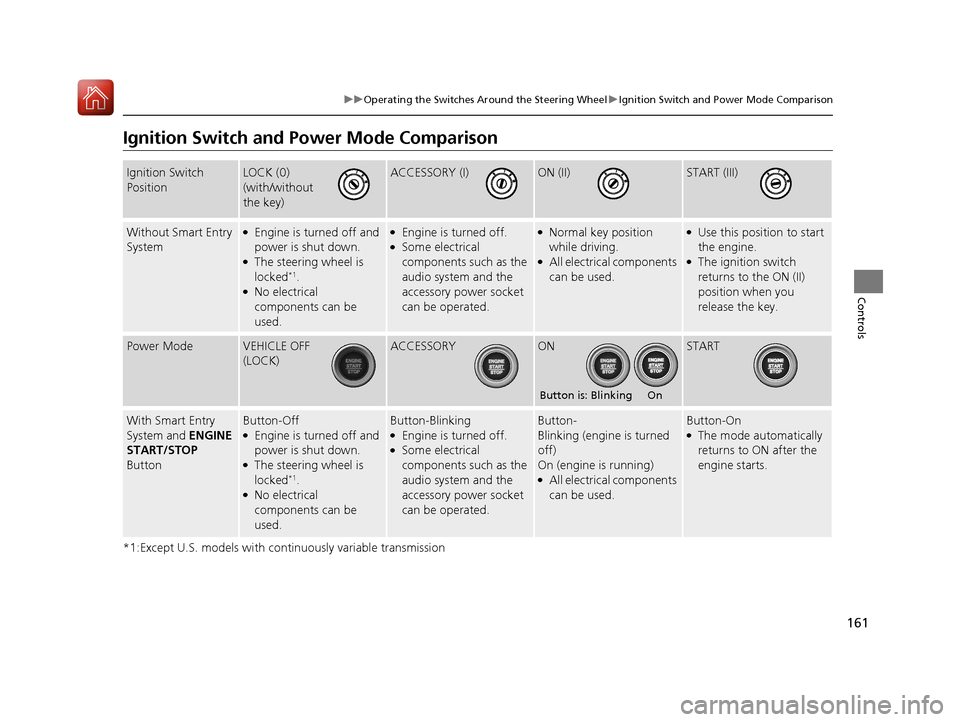
Ignition Switch and Po wer Mode Comparison
*1:Except U.S. models with continuously variable transmission
Ignition Switch
PositionLOCK (0)
(with/without
the key)ACCESSORY (I)ON (II)START (III)
Without Smart Entry
System●Engine is turned off and
power is shut down.
●The steering wheel is
locked*1.●No electrical
components can be
used.
●Engine is turned off.●Some electrical
components such as the
audio system and the
accessory power socket
can be operated.
●Normal key position
while driving.
●All electrical components
can be used.
●Use this position to start
the engine.
●The ignition switch
returns to the ON (II)
position when you
release the key.
Power ModeVEHICLE OFF
(LOCK)ACCESSORYONSTART
With Smart Entry
System and ENGINE
START/STOP
ButtonButton-Off●Engine is turned off and
power is shut down.
●The steering wheel is
locked*1.●No electrical
components can be
used.
Button-Blinking●Engine is turned off.●Some electrical
components such as the
audio system and the
accessory power socket
can be operated.
Button-
Blinking (engine is turned
off)
On (engine is running)
●All electrical components
can be used.
Button-On●The mode automatically
returns to ON after the
engine starts.
Button is: Blinking On
17 CIVIC 4D HCM (KA KC KL)-31TBA6100.book 161 ページ 2016年8月31日 水曜日 午後6時5分
Page 294 of 601
Continued293
uuAudio System Basic Operation uApple CarPlay
Features
■Maps
Display Apple CarPlay map and use the navi gation function just as you would on
your iPhone.
Only one navigation system (pre-installed navigation or Apple CarPlay) can give
directions at a time. When you are using one system, directions to any prior
destination set on the other system will be canceled, and the system you are
currently using will direct you to your destination.
After you have connected your iPhone to the system via the front USB, use the
following procedure to set up Apple CarPlay. Use of Apple CarPlay will result in the
transmission of certain user and vehicle information (such as vehicle location, speed,
and status) to your iPhone to enhance the Apple CarPlay experience. You will need
to consent to the sharing of this in formation on the audio/information screen.
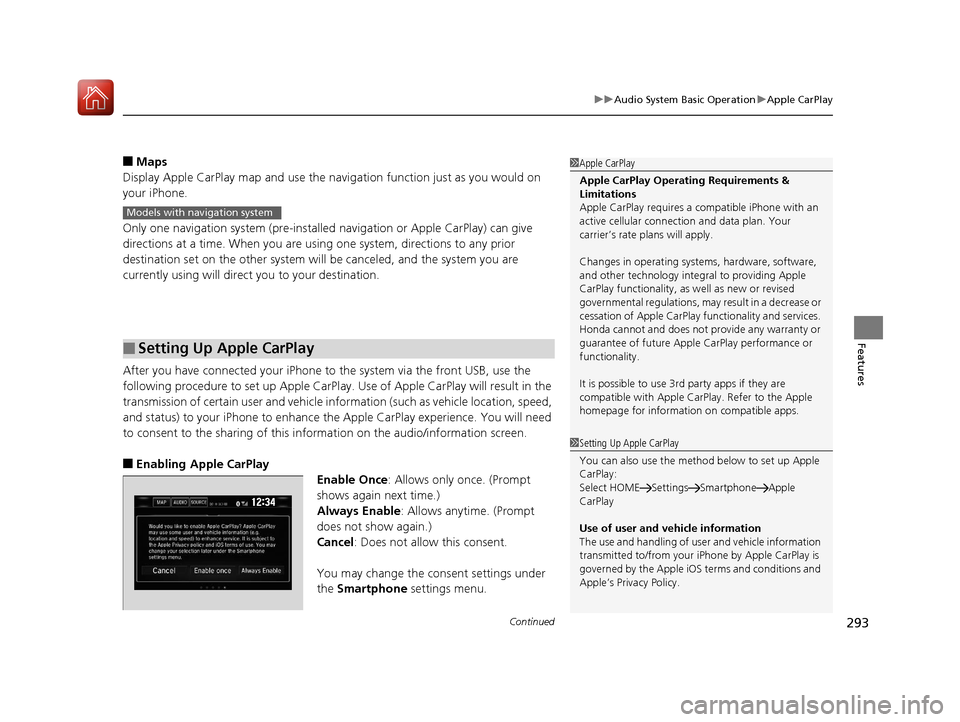
■Enabling Apple CarPlay
Enable Once: Allows only once. (Prompt
shows again next time.)
Always Enable: Allows anytime. (Prompt
does not show again.)
Cancel : Does not allow this consent.
You may change the consent settings under
the Smartphone settings menu.
■Setting Up Apple CarPlay
1Apple CarPlay
Apple CarPlay Operating Requirements &
Limitations
Apple CarPlay requi res a compatible iPhone with an
active cellular connecti on and data plan. Your
carrier’s rate plans will apply.
Changes in operating systems, hardware, software,
and other technology integral to providing Apple
CarPlay functionality, as well as new or revised
governmental regulations, may result in a decrease or
cessation of Apple CarPlay functionality and services.
Honda cannot and does not pr ovide any warranty or
guarantee of future Appl e CarPlay performance or
functionality.
It is possible to use 3r d party apps if they are
compatible with Apple CarPlay. Refer to the Apple
homepage for information on compatible apps.
Models with navigation system
1 Setting Up Apple CarPlay
You can also use the method below to set up Apple
CarPlay:
Select HOME Settings Smartphone Apple
CarPlay
Use of user and vehicle information
The use and handling of user and vehicle information
transmitted to/from your iP hone by Apple CarPlay is
governed by the Apple iOS terms and conditions and
Apple’s Privacy Policy.
17 CIVIC 4D HCM (KA KC KL)-31TBA6100.book 293 ページ 2016年8月31日 水曜日 午後6時5分
Page 309 of 601
308
Features
Customized Features
Use the audio/information screen to customize certain features.
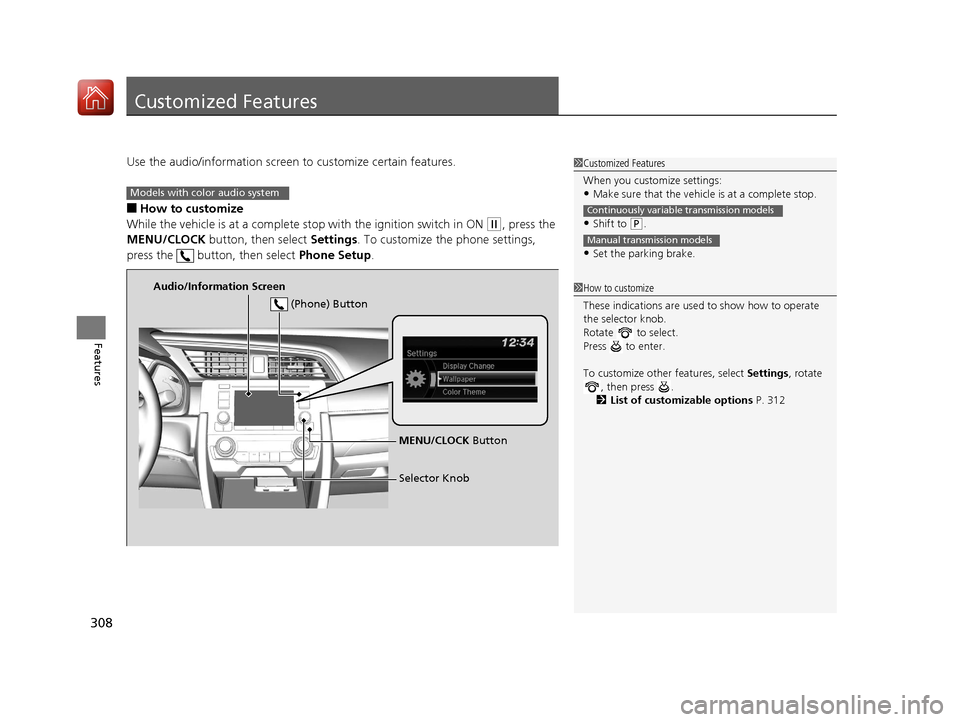
■How to customize
While the vehicle is at a complete st op with the ignition switch in ON
(w, press the
MENU/CLOCK button, then select Settings. To customize the phone settings,
press the button, then select Phone Setup.
1Customized Features
When you customize settings:
•Make sure that the vehicle is at a complete stop.
•Shift to (P.
•Set the parking brake.
Continuously variable transmission models
Manual transmission models
1 How to customize
These indications are used to show how to operate
the selector knob.
Rotate to select.
Press to enter.
To customize other features, select Settings, rotate
, then press .
2 List of customizable options P. 312
Models with color audio system
Audio/Information Screen
MENU/CLOCK Button
Selector Knob
(Phone) Button
17 CIVIC 4D HCM (KA KC KL)-31TBA6100.book 308 ページ 2016年8月31日 水曜日 午後6時5分
Page 316 of 601
Continued315
uuCustomized Features u
Features
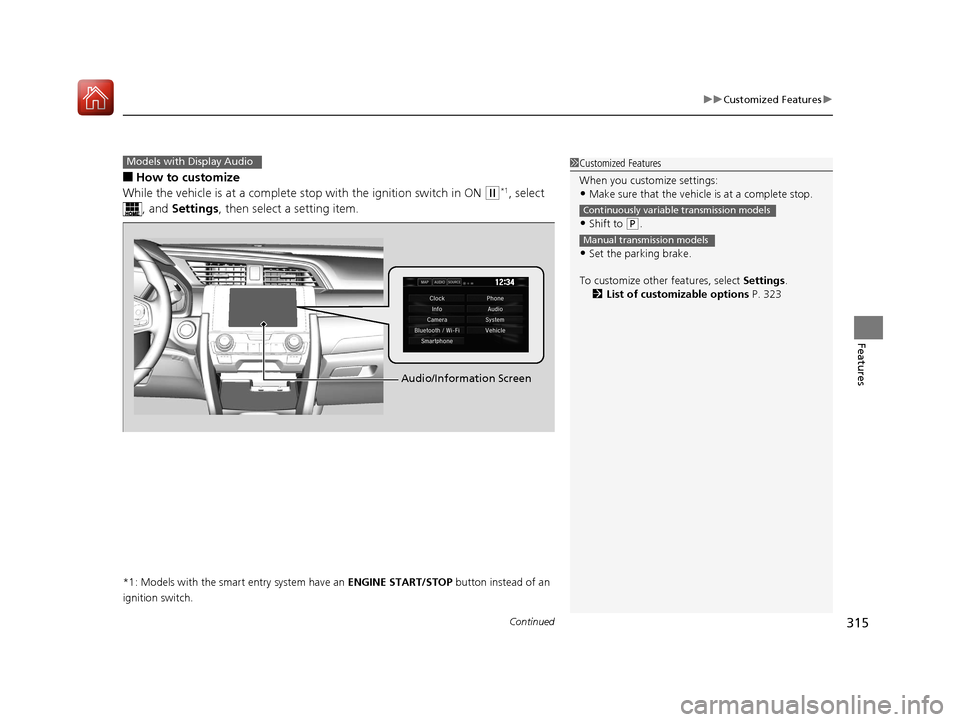
■How to customize
While the vehicle is at a complete st op with the ignition switch in ON
(w*1, select
, and Settings , then select a setting item.
*1: Models with the smart entry system have an ENGINE START/STOP button instead of an
ignition switch.
Models with Display Audio1 Customized Features
When you customize settings:
•Make sure that the vehicle is at a complete stop.
•Shift to (P.
•Set the parking brake.
To customize other features, select Settings.
2 List of customizable options P. 323
Continuously variable transmission models
Manual transmission models
Audio/Information Screen
17 CIVIC 4D HCM (KA KC KL)-31TBA6100.book 315 ページ 2016年8月31日 水曜日 午後6時5分
Page 338 of 601
337
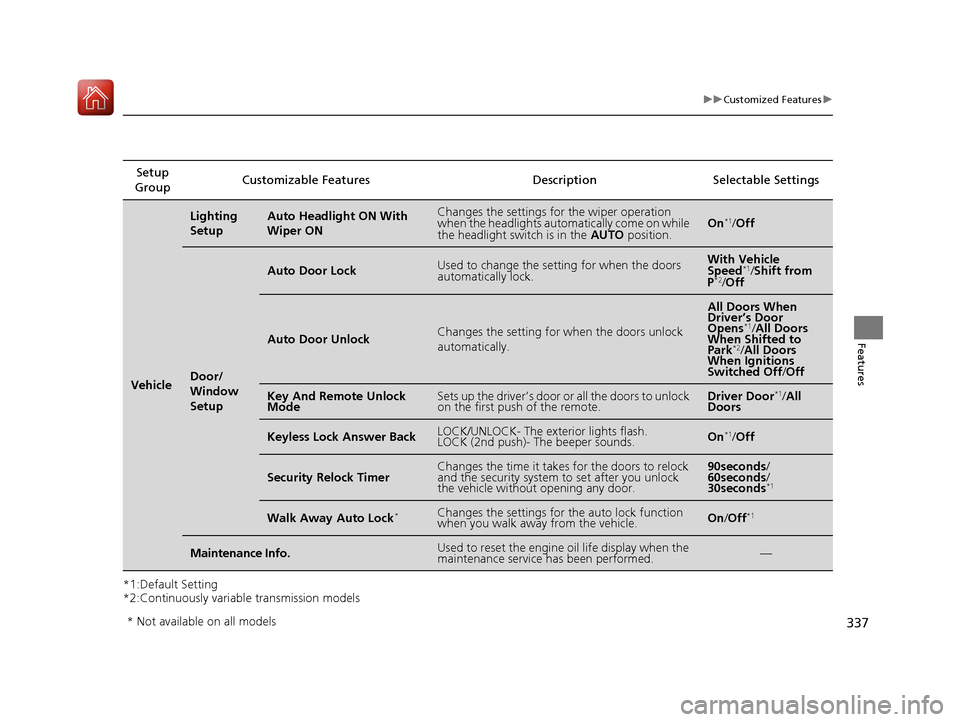
uuCustomized Features u
Features
*1:Default Setting
*2:Continuously variable transmission modelsSetup
Group Customizable Features
DescriptionSelectable Settings
Vehicle
Lighting
SetupAuto Headlight ON With
Wiper ONChanges the settings for the wiper operation
when the headlights automatically come on while
the headlight switch is in the AUTO position.On*1/Off
Door/
Window
Setup
Auto Door LockUsed to change the sett ing for when the doors
automatically lock.With Vehicle
Speed*1/ Shift from
P*2/ Off
Auto Door UnlockChanges the setting for when the doors unlock
automatically.
All Doors When
Driver’s Door
Opens
*1/ All Doors
When Shifted to
Park
*2/ All Doors
When Ignitions
Switched Off /Off
Key And Remote Unlock
ModeSets up the driver’s door or all the doors to unlock
on the first push of the remote.Driver Door*1/ All
Doors
Keyless Lock Answer BackLOCK/UNLOCK- The exterior lights flash.
LOCK (2nd push)- The beeper sounds.On*1/ Off
Security Relock TimerChanges the time it takes for the doors to relock
and the security system to set after you unlock
the vehicle without opening any door.90seconds /
60seconds /
30seconds
*1
Walk Away Auto Lock*Changes the settings for the auto lock function
when you walk away from the vehicle.On /Off*1
Maintenance Info.Used to reset the engine oil life display when the
maintenance service has been performed.—
* Not available on all models
17 CIVIC 4D HCM (KA KC KL)-31TBA6100.book 337 ページ 2016年8月31日 水曜日 午後6時5分
Page 396 of 601
395
Driving
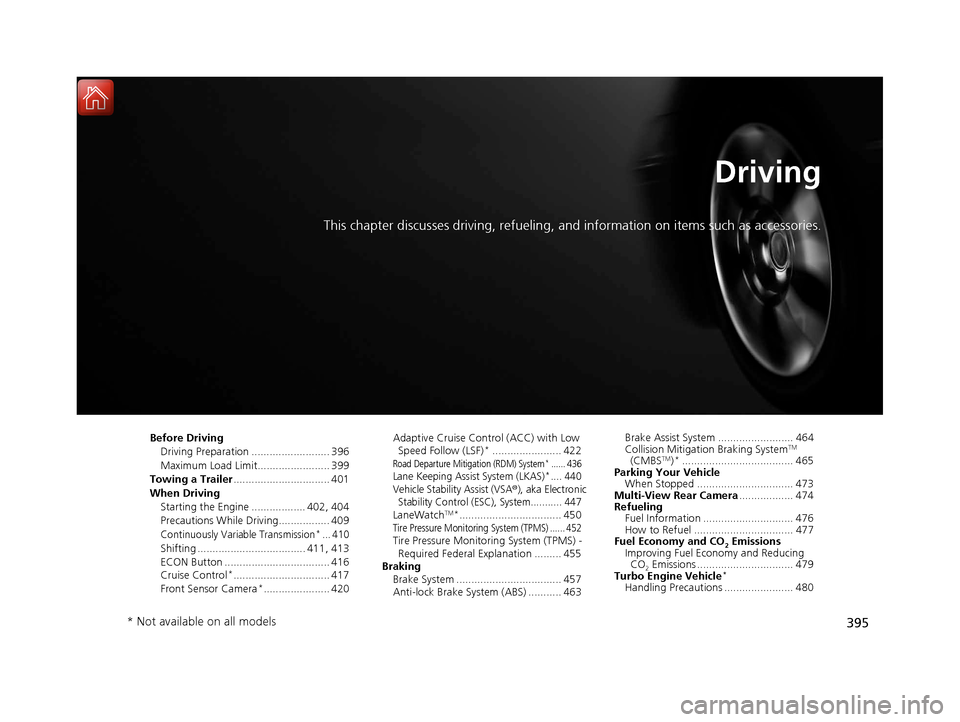
This chapter discusses driving, refueling, and information on items such as accessories.
Before Driving
Driving Preparation .......................... 396
Maximum Load Limit........................ 399
Towing a Trailer ................................ 401
When Driving Starting the Engine .................. 402, 404
Precautions While Driving................. 409
Continuously Variable Transmission*... 410
Shifting .................................... 411, 413
ECON Button ................................... 416
Cruise Control
*................................ 417
Front Sensor Camera*...................... 420 Adaptive Cruise Control (ACC) with Low
Speed Follow (LSF)
*....................... 422Road Departure Mitigation (RDM) System*...... 436Lane Keeping Assist System (LKAS)*.... 440
Vehicle Stabilit y Assist (VSA®), aka Electronic
Stability Control (ESC), System........... 447
LaneWatchTM*.................................. 450Tire Pressure Monitoring System (TPMS) ...... 452Tire Pressure Monitoring System (TPMS) -
Required Federal Explanation ......... 455
Braking Brake System ................................... 457
Anti-lock Brake System (ABS) ........... 463 Brake Assist System ......................... 464
Collision Mitigation Braking System
TM
(CMBSTM)*..................................... 465
Parking Your Vehicle When Stopped ................................ 473
Multi-View Rear Camera .................. 474
Refueling Fuel Information .............................. 476
How to Refuel ................................. 477
Fuel Economy and CO
2 Emissions
Improving Fuel Economy and Reducing
CO
2 Emissions ................................ 479
Turbo Engine Vehicle*
Handling Precautions ....................... 480
* Not available on all models
17 CIVIC 4D HCM (KA KC KL)-31TBA6100.book 395 ページ 2016年8月31日 水曜日 午後6時5分
Page 403 of 601
402
Driving
When Driving
Starting the Engine
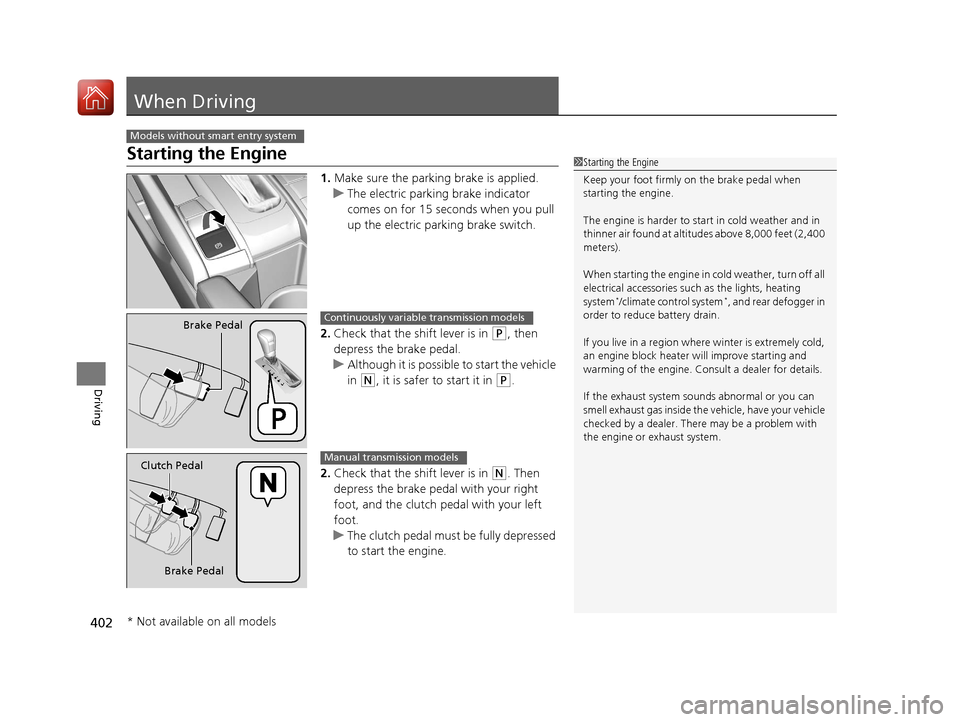
1.Make sure the parking brake is applied.
u The electric parking brake indicator
comes on for 15 seconds when you pull
up the electric parking brake switch.
2. Check that the shift lever is in
(P, then
depress the brake pedal.
u Although it is possible to start the vehicle
in
(N, it is safer to start it in (P.
2. Check that the shift lever is in
(N. Then
depress the brake pedal with your right
foot, and the clutch pedal with your left
foot.
u The clutch pedal must be fully depressed
to start the engine.
Models without smart entry system
1Starting the Engine
Keep your foot firmly on the brake pedal when
starting the engine.
The engine is harder to st art in cold weather and in
thinner air found at altitudes above 8,000 feet (2,400
meters).
When starting the engine in cold weather, turn off all
electrical accessories such as the lights, heating
system
*/climate control system*, and rear defogger in
order to reduce battery drain.
If you live in a region where winter is extremely cold,
an engine block heater will improve starting and
warming of the engine. Cons ult a dealer for details.
If the exhaust system sounds abnormal or you can
smell exhaust gas inside the vehicle, have your vehicle
checked by a dealer. There may be a problem with
the engine or exhaust system.
Brake PedalContinuously variable transmission models
Brake Pedal
Clutch Pedal
Manual transmission models
* Not available on all models
17 CIVIC 4D HCM (KA KC KL)-31TBA6100.book 402 ページ 2016年8月31日 水曜日 午後6時5分
Page 404 of 601
403
uuWhen Driving uStarting the Engine
Driving
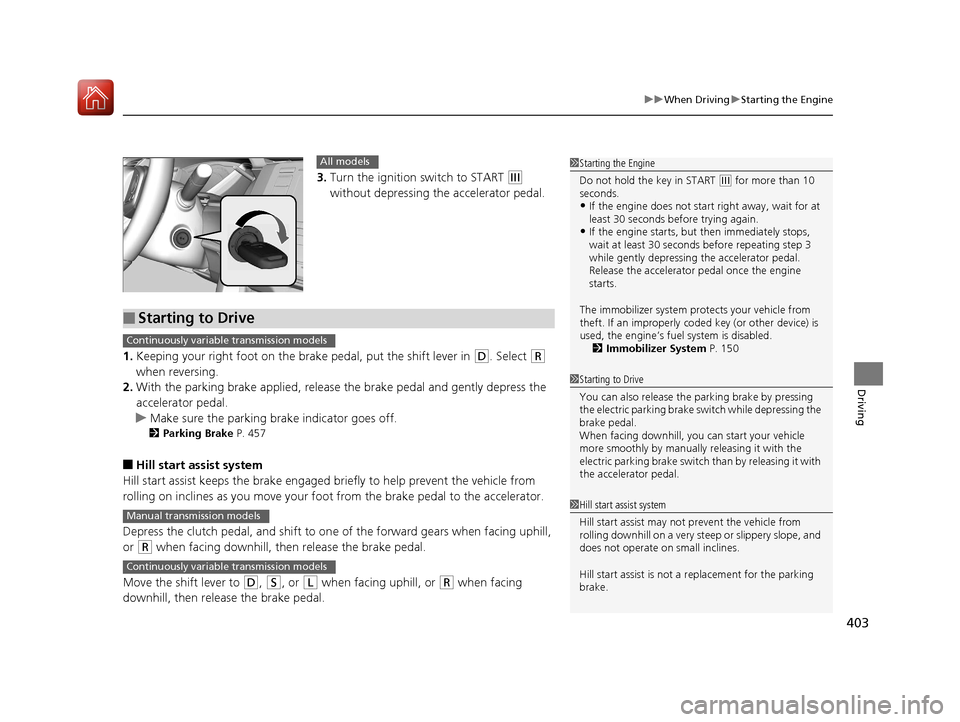
3. Turn the ignition switch to START (e
without depressing the accelerator pedal.
1. Keeping your right foot on the br ake pedal, put the shift lever in
(D. Select (R
when reversing.
2. With the parking brake applied, release the brake pedal and gently depress the
accelerator pedal.
u Make sure the parking brake indicator goes off.
2 Parking Brake P. 457
■Hill start assist system
Hill start assist keeps the brake engaged br iefly to help prevent the vehicle from
rolling on inclines as you move your foot from the brake pedal to the accelerator.
Depress the clutch pedal, and shift to on e of the forward gears when facing uphill,
or
(R when facing downhill, th en release the brake pedal.
Move the shift lever to
(D, (S, or (L when facing uphill, or (R when facing
downhill, then release the brake pedal.
1 Starting the Engine
Do not hold the key in START
(e for more than 10
seconds.
•If the engine does not start right away, wait for at
least 30 seconds before trying again.
•If the engine starts, but then immediately stops,
wait at least 30 seconds before repeating step 3
while gently depressing the accelerator pedal.
Release the accelerator pedal once the engine
starts.
The immobilizer system pr otects your vehicle from
theft. If an improperly code d key (or other device) is
used, the engine’s fuel system is disabled.
2 Immobilizer System P. 150
All models
■Starting to Drive
1Starting to Drive
You can also release the parking brake by pressing
the electric parking brake sw itch while depressing the
brake pedal.
When facing downhill, y ou can start your vehicle
more smoothly by manually releasing it with the
electric parking brake switch than by releasing it with
the accelerator pedal.
Continuously variable transmission models
1 Hill start assist system
Hill start assist may not prevent the vehicle from
rolling downhill on a very st eep or slippery slope, and
does not operate on small inclines.
Hill start assist is not a replacement for the parking
brake.Manual transmission models
Continuously variable transmission models
17 CIVIC 4D HCM (KA KC KL)-31TBA6100.book 403 ページ 2016年8月31日 水曜日 午後6時5分
Page 405 of 601
404
uuWhen Driving uStarting the Engine
Driving
Starting the Engine
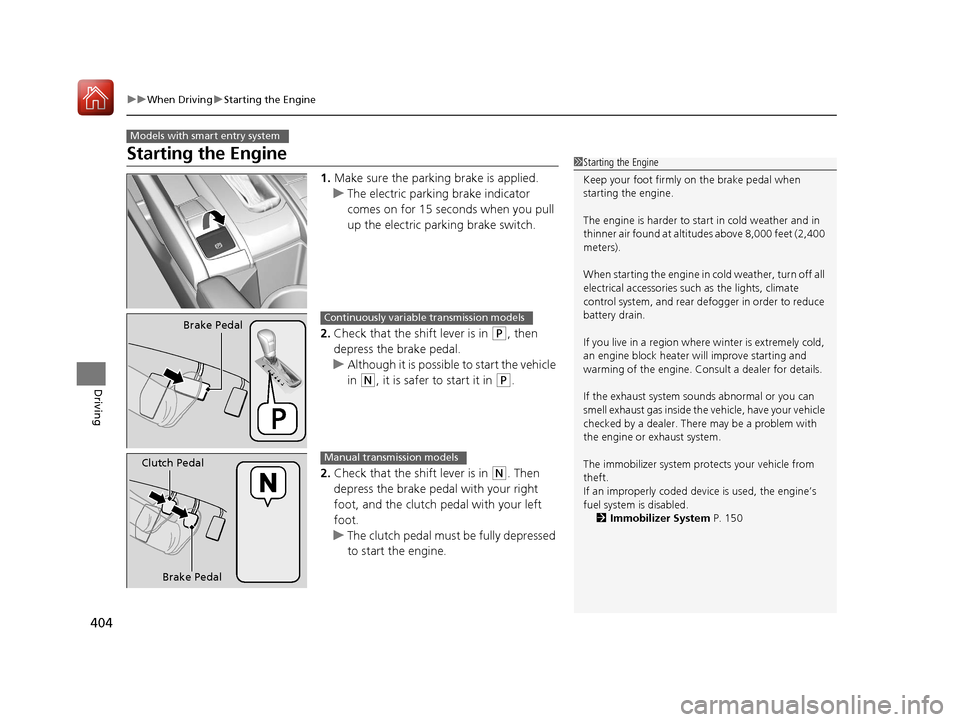
1. Make sure the parking brake is applied.
u The electric parking brake indicator
comes on for 15 seconds when you pull
up the electric parking brake switch.
2. Check that the shift lever is in
(P, then
depress the brake pedal.
u Although it is possible to start the vehicle
in
(N, it is safer to start it in (P.
2. Check that the shift lever is in
(N. Then
depress the brake pedal with your right
foot, and the clutch pedal with your left
foot.
u The clutch pedal must be fully depressed
to start the engine.
Models with smart entry system
1Starting the Engine
Keep your foot firmly on the brake pedal when
starting the engine.
The engine is harder to st art in cold weather and in
thinner air found at altitudes above 8,000 feet (2,400
meters).
When starting the engine in cold weather, turn off all
electrical accessories such as the lights, climate
control system, and rear de fogger in order to reduce
battery drain.
If you live in a region where winter is extremely cold,
an engine block heater will improve starting and
warming of the engine. Cons ult a dealer for details.
If the exhaust system sounds abnormal or you can
smell exhaust gas inside the vehicle, have your vehicle
checked by a dealer. There may be a problem with
the engine or exhaust system.
The immobilizer system pr otects your vehicle from
theft.
If an improperly c oded device is used, the engine’s
fuel system is disabled. 2 Immobilizer System P. 150
Brake PedalContinuously variable transmission models
Brake Pedal
Clutch Pedal
Manual transmission models
17 CIVIC 4D HCM (KA KC KL)-31TBA6100.book 404 ページ 2016年8月31日 水曜日 午後6時5分
Page 406 of 601
Continued405
uuWhen Driving uStarting the Engine
Driving
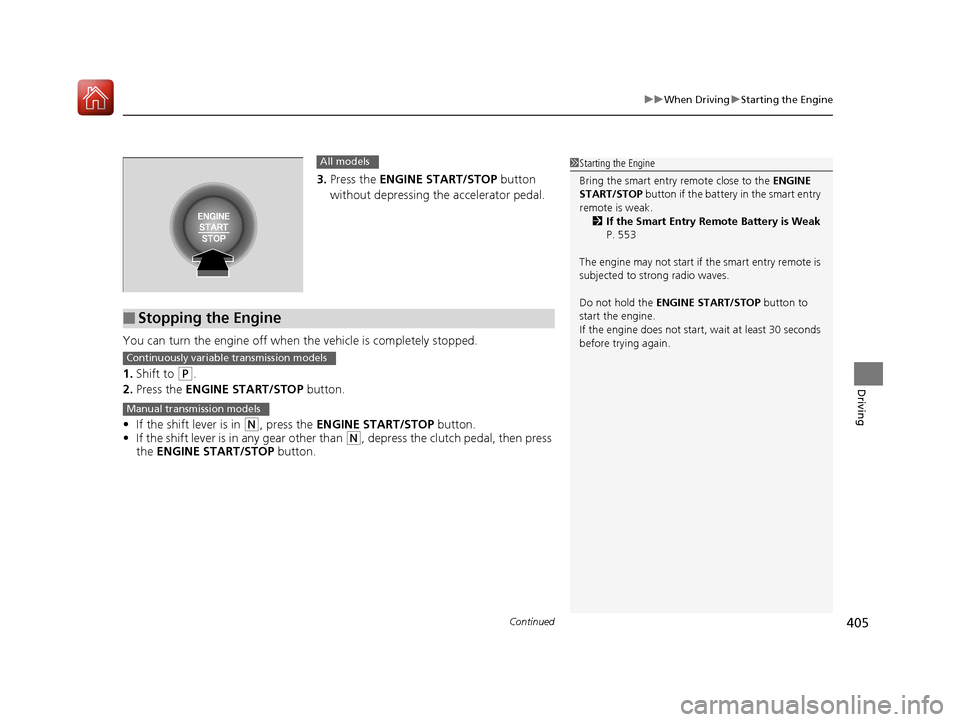
3. Press the ENGINE START/STOP button
without depressing the accelerator pedal.
You can turn the engine off when the vehicle is completely stopped.
1. Shift to
(P.
2. Press the ENGINE START/STOP button.
• If the shift lever is in
(N, press the ENGINE START/STOP button.
• If the shift lever is in any gear other than
(N, depress the clutch pedal, then press
the ENGINE START/STOP button.
All models
■Stopping the Engine
1Starting the Engine
Bring the smart entry remote close to the ENGINE
START/STOP button if the battery in the smart entry
remote is weak. 2 If the Smart Entry Remote Battery is Weak
P. 553
The engine may not start if the smart entry remote is
subjected to strong radio waves.
Do not hold the ENGINE START/STOP button to
start the engine.
If the engine does not start, wait at least 30 seconds
before trying again.
Continuously variable transmission models
Manual transmission models
17 CIVIC 4D HCM (KA KC KL)-31TBA6100.book 405 ページ 2016年8月31日 水曜日 午後6時5分