lock HONDA CIVIC 2017 10.G Owner's Guide
[x] Cancel search | Manufacturer: HONDA, Model Year: 2017, Model line: CIVIC, Model: HONDA CIVIC 2017 10.GPages: 601, PDF Size: 32.51 MB
Page 99 of 601
98
uuIndicators uDriver Information Interface Wa rning and Information Messages*
Instrument Panel
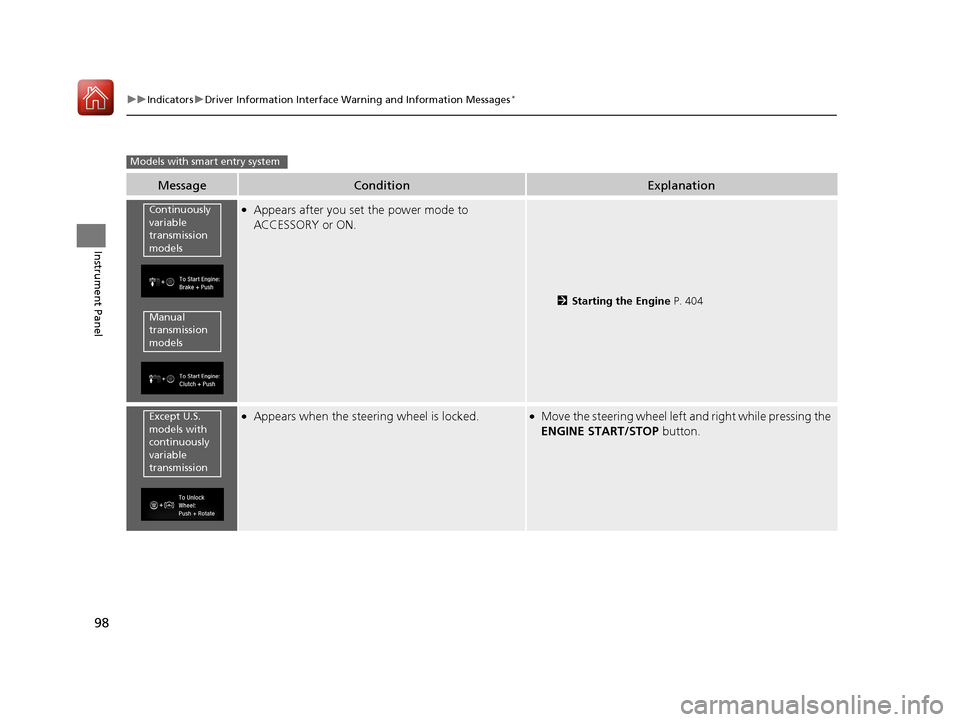
MessageConditionExplanation
●Appears after you set the power mode to
ACCESSORY or ON.
2Starting the Engine P. 404
●Appears when the steering wheel is locked.●Move the steering wheel left and right while pressing the
ENGINE START/STOP button.
Models with smart entry system
Continuously
variable
transmission
models
Manual
transmission
models
Except U.S.
models with
continuously
variable
transmission
17 CIVIC 4D HCM (KA KC KL)-31TBA6100.book 98 ページ 2016年8月31日 水曜日 午後6時5分
Page 100 of 601
99
uuIndicators uDriver Information Interface Wa rning and Information Messages*
Continued
Instrument Panel
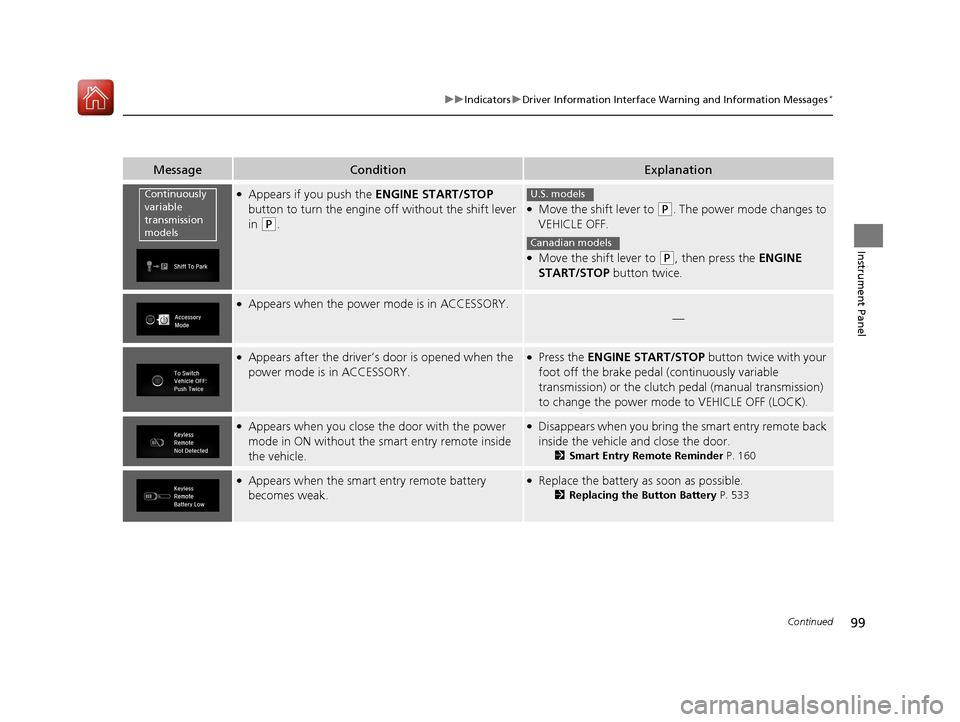
MessageConditionExplanation
●Appears if you push the ENGINE START/STOP
button to turn the engine off without the shift lever
in
(P.
●Move the shift lever to (P. The power mode changes to
VEHICLE OFF.
●Move the shift lever to (P, then press the ENGINE
START/STOP button twice.
●Appears when the power mode is in ACCESSORY.
—
●Appears after the driver’s door is opened when the
power mode is in ACCESSORY.●Press the ENGINE START/STOP button twice with your
foot off the brake pedal (continuously variable
transmission) or the clutch pedal (manual transmission)
to change the power mode to VEHICLE OFF (LOCK).
●Appears when you close the door with the power
mode in ON without the smart entry remote inside
the vehicle.●Disappears when you bring the smart entry remote back
inside the vehicle and close the door.
2Smart Entry Remote Reminder P. 160
●Appears when the smart entry remote battery
becomes weak.●Replace the battery as soon as possible.
2Replacing the Button Battery P. 533
Continuously
variable
transmission
modelsU.S. models
Canadian models
17 CIVIC 4D HCM (KA KC KL)-31TBA6100.book 99 ページ 2016年8月31日 水曜日 午後6時5分
Page 108 of 601
107
uuIndicators uDriver Information Interface Wa rning and Information Messages*
Instrument Panel
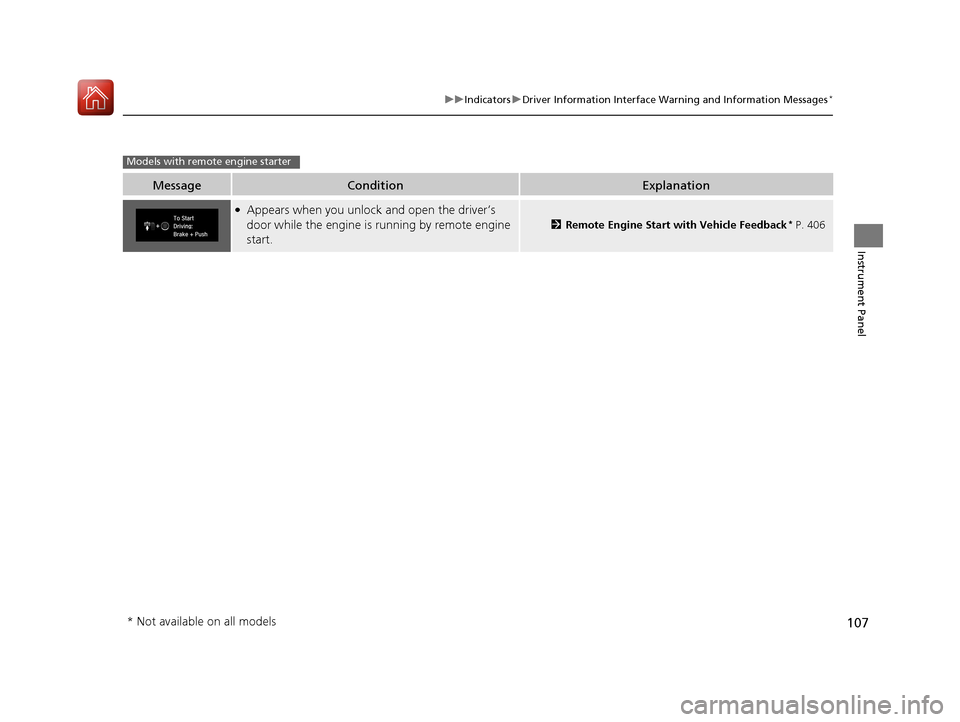
MessageConditionExplanation
●Appears when you unlock and open the driver’s
door while the engine is running by remote engine
start.
2Remote Engine Start with Vehicle Feedback* P. 406
Models with remote engine starter
* Not available on all models
17 CIVIC 4D HCM (KA KC KL)-31TBA6100.book 107 ページ 2016年8月31日 水曜日 午後6時5分
Page 120 of 601
119
uuGauges and Displays uDriver Information Interface*
Continued
Instrument Panel
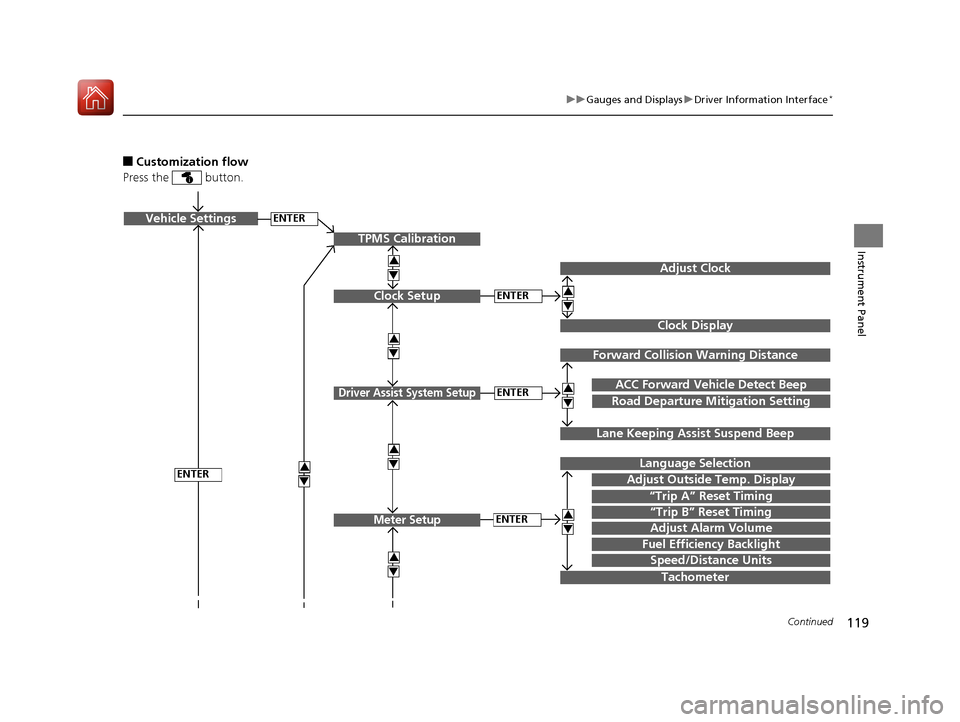
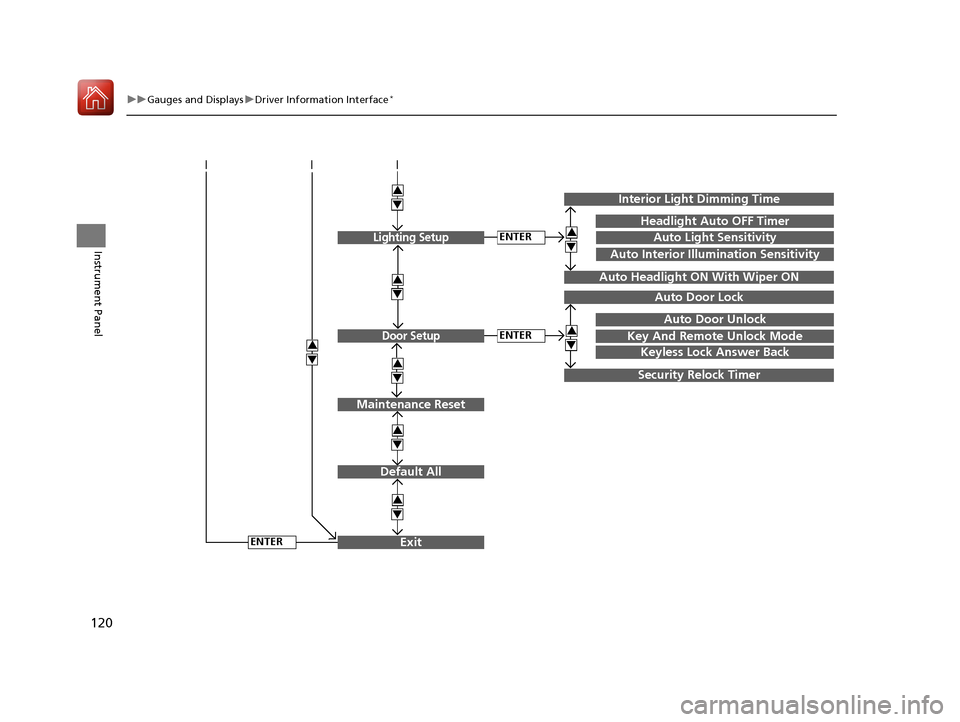
■Customization flow
Press the button.
ENTERVehicle Settings
“Trip A” Reset Timing
Language Selection
Adjust Outside Temp. Display
3
4
3
4
TPMS Calibration
ENTER
“Trip B” Reset Timing
Fuel Efficiency Backlight
3
4
ACC Forward Vehicle Detect Beep
3
4Tachometer
ENTER
Forward Collision Warning Distance
3
4
3
4
Lane Keeping Assi st Suspend Beep
Road Departure Mi tigation Setting
Adjust Alarm Volume
Speed/Distance Units
Adjust Clock
3
4
Clock Display
3
4
ENTER
ENTERClock Setup
Driver Assist System Setup
Meter Setup
17 CIVIC 4D HCM (KA KC KL)-31TBA6100.book 119 ページ 2016年8月31日 水曜日 午後6時5分
Page 121 of 601
120
uuGauges and Displays uDriver Information Interface*
Instrument Panel
Exit
3
4
3
4
3
4
Maintenance Reset
Default All
3
4
ENTER
3
4
3
4
Key And Remote Unlock Mode
Auto Door Lock
Auto Door Unlock
Keyless Lock Answer Back
Security Relock Timer
Interior Light Dimming Time
Headlight Auto OFF Timer
Auto Light Sensitivity3
4
3
4
Auto Headlight ON With Wiper ON
ENTER
ENTER
Auto Interior Illumination Sensitivity
Lighting Setup
Door Setup
17 CIVIC 4D HCM (KA KC KL)-31TBA6100.book 120 ページ 2016年8月31日 水曜日 午後6時5分
Page 122 of 601
121
uuGauges and Displays uDriver Information Interface*
Continued
Instrument Panel
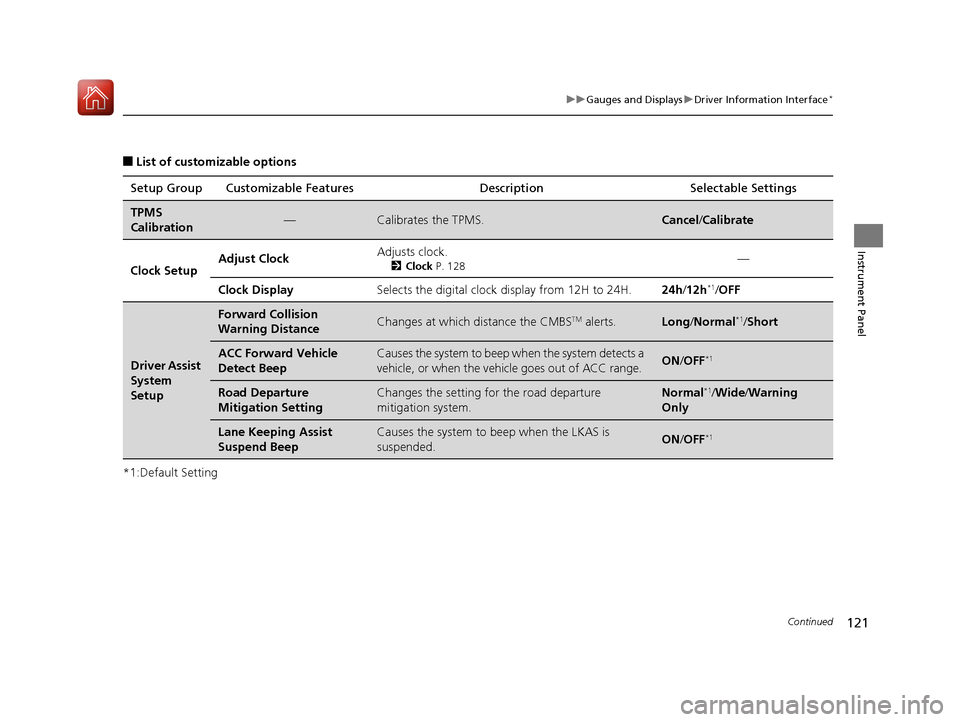
■List of customizable options
*1:Default Setting Setup Group Customizable Features
Description Selectable Settings
TPMS
Calibration—Calibrates the TPMS.Cancel/Calibrate
Clock Setup Adjust Clock
Adjusts clock.
2
Clock P. 128—
Clock Display Selects the digital clock display from 12H to 24H. 24h/12h
*1/OFF
Driver Assist
System
Setup
Forward Collision
Warning DistanceChanges at which distance the CMBSTM alerts.Long /Normal*1/ Short
ACC Forward Vehicle
Detect BeepCauses the system to beep when the system detects a
vehicle, or when the vehicle goes out of ACC range.ON /OFF*1
Road Departure
Mitigation SettingChanges the setting fo r the road departure
mitigation system.Normal*1/ Wide /Warning
Only
Lane Keeping Assist
Suspend BeepCauses the system to b eep when the LKAS is
suspended.ON /OFF*1
17 CIVIC 4D HCM (KA KC KL)-31TBA6100.book 121 ページ 2016年8月31日 水曜日 午後6時5分
Page 125 of 601
124
uuGauges and Displays uDriver Information Interface*
Instrument Panel
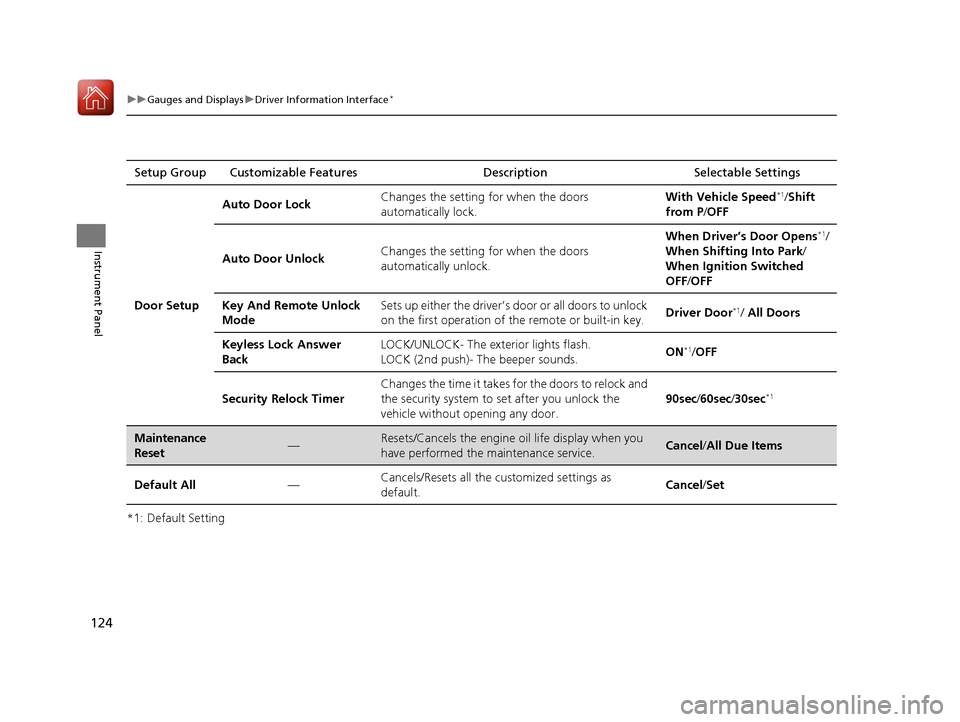
*1: Default SettingSetup Group Customizable Features Description Selectable Settings
Door Setup Auto Door Lock
Changes the setting for when the doors
automatically lock. With Vehicle Speed
*1/
Shift
from P /OFF
Auto Door Unlock Changes the setting for when the doors
automatically unlock. When Driver’s Door Opens
*1/
When Shifting Into Park/
When Ignition Switched
OFF /OFF
Key And Remote Unlock
Mode Sets up either the driver’s door or all doors to unlock
on the first operation of the remote or built-in key.
Driver Door
*1/ All Doors
Keyless Lock Answer
Back LOCK/UNLOCK- The exterior lights flash.
LOCK (2nd push)- The beeper sounds.
ON
*1/
OFF
Security Relock Timer Changes the time it takes for the doors to relock and
the security system to set after you unlock the
vehicle without opening any door.
90sec
/60sec /30sec
*1
Maintenance
Reset—Resets/Cancels the engine oil life display when you
have performed the maintenance service. Cancel /All Due Items
Default All —Cancels/Resets all the customized settings as
default. Cancel
/Set
17 CIVIC 4D HCM (KA KC KL)-31TBA6100.book 124 ページ 2016年8月31日 水曜日 午後6時5分
Page 128 of 601
127
Controls
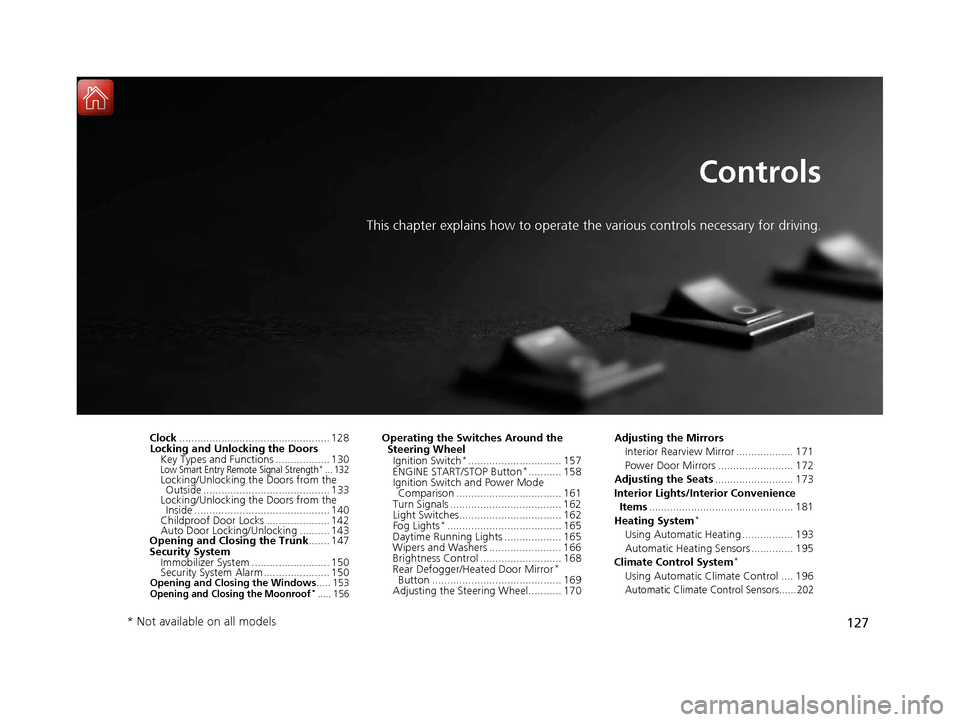
This chapter explains how to operate the various controls necessary for driving.
Clock.................................................. 128
Locking and Unlocking the Doors Key Types and Functions .................. 130
Low Smart Entry Remote Signal Strength*... 132Locking/Unlocking the Doors from the Outside .......................................... 133
Locking/Unlocking the Doors from the Inside ............................................. 140
Childproof Door Locks ..................... 142
Auto Door Locking/Unlocking .......... 143
Opening and Closing the Trunk ....... 147
Security System Immobilizer System .......................... 150
Security System Alarm ...................... 150
Opening and Closing the Windows ..... 153Opening and Closing the Moonroof*..... 156
Operating the Switches Around the
Steering Wheel
Ignition Switch
*............................... 157
ENGINE START/STOP Button*........... 158
Ignition Switch and Power Mode Comparison ................................... 161
Turn Signals ..................................... 162
Light Switches.................................. 162
Fog Lights
*...................................... 165
Daytime Running Lights ................... 165
Wipers and Washers ........................ 166
Brightness Control ........................... 168
Rear Defogger/Heat ed Door Mirror
*
Button ........................................... 169
Adjusting the Steering Wheel........... 170 Adjusting the Mirrors
Interior Rearview Mirror ................... 171
Power Door Mirrors ......................... 172
Adjusting the Seats .......................... 173
Interior Lights/Interior Convenience Items ................................................ 181
Heating System
*
Using Automatic Heating ................. 193
Automatic Heating Sensors .............. 195
Climate Control System
*
Using Automatic Climate Control .... 196
Automatic Climate Control Sensors......202
* Not available on all models
17 CIVIC 4D HCM (KA KC KL)-31TBA6100.book 127 ページ 2016年8月31日 水曜日 午後6時5分
Page 129 of 601
128
Controls
Clock
Adjusting the Clock
You can adjust the time in the clock display with the ignition switch in ON (w*1.
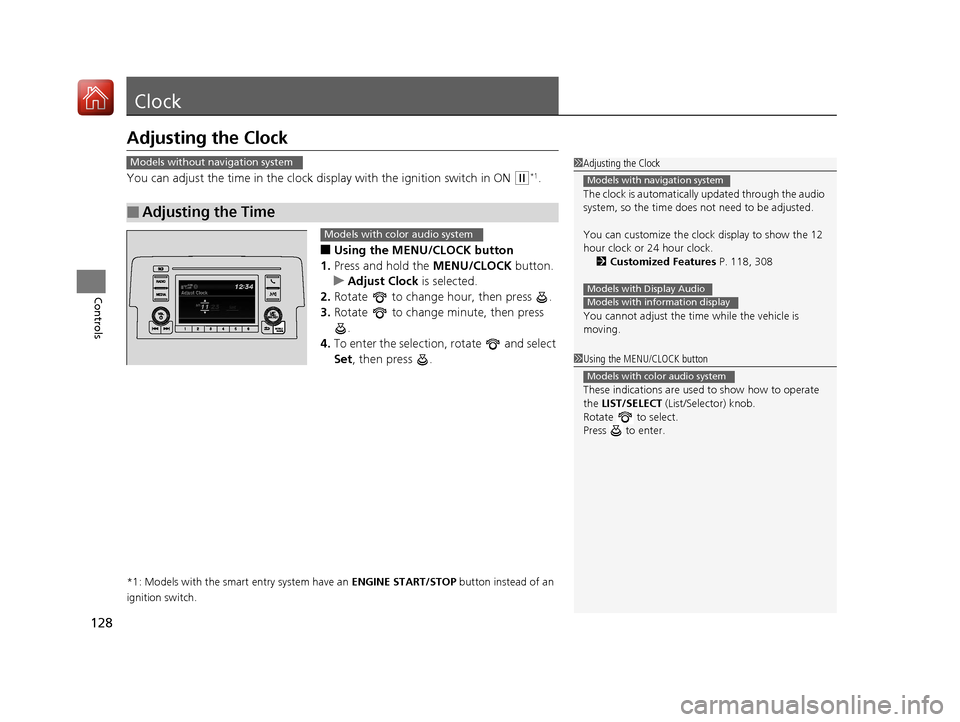
■Using the MENU/CLOCK button
1. Press and hold the MENU/CLOCK button.
u Adjust Clock is selected.
2. Rotate to change hour, then press .
3. Rotate to change minute, then press
.
4. To enter the selection, rotate and select
Set , then press .
*1: Models with the smart entry system have an ENGINE START/STOP button instead of an
ignition switch.
■Adjusting the Time
1 Adjusting the Clock
The clock is automatically updated through the audio
system, so the time does not need to be adjusted.
You can customize the clock display to show the 12
hour clock or 24 hour clock.
2 Customized Features P. 118, 308
You cannot adjust the time while the vehicle is
moving.
Models with navigation system
Models with Display AudioModels with information display
Models without navigation system
1 Using the MENU/CLOCK button
These indications are used to show how to operate
the LIST/SELECT (List/Selector) knob.
Rotate to select.
Press to enter.
Models with color audio system
Models with color audio system
17 CIVIC 4D HCM (KA KC KL)-31TBA6100.book 128 ページ 2016年8月31日 水曜日 午後6時5分
Page 130 of 601
129
uuClock uAdjusting the Clock
Controls
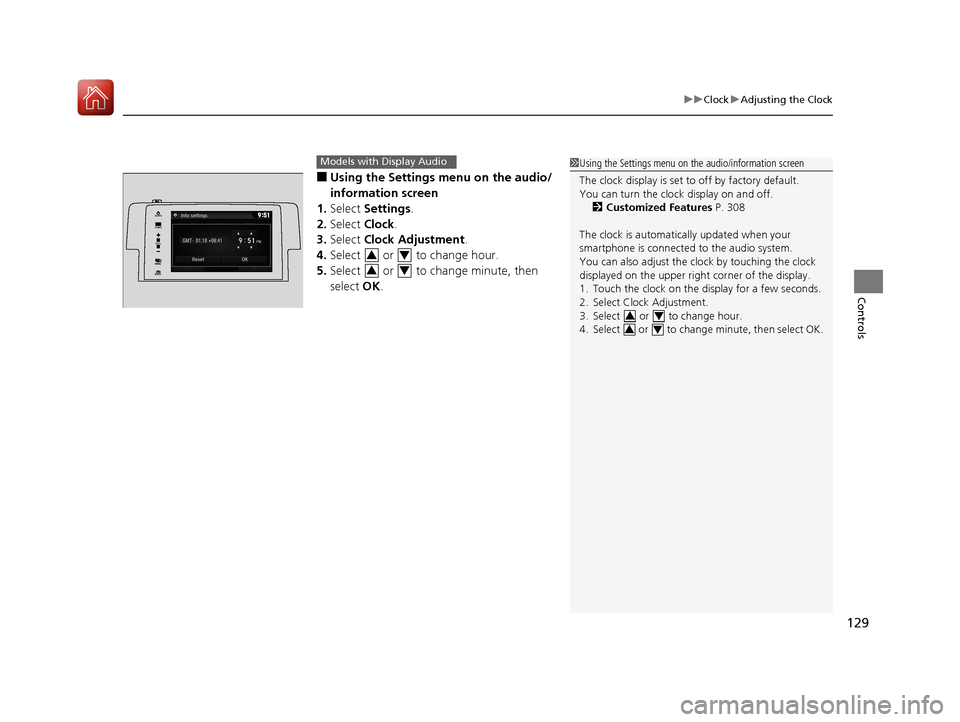
■Using the Settings menu on the audio/
information screen
1. Select Settings .
2. Select Clock.
3. Select Clock Adjustment .
4. Select or to change hour.
5. Select or to change minute, then
select OK.
Models with Display Audio1Using the Settings menu on the audio/information screen
The clock display is set to off by factory default.
You can turn the clock display on and off.
2 Customized Features P. 308
The clock is automatica lly updated when your
smartphone is connected to the audio system.
You can also adjust the clock by touching the clock
displayed on the upper right corner of the display.
1. Touch the clock on the display for a few seconds.
2. Select Clock Adjustment.
3. Select or to change hour.
4. Select or to change minute, then select OK.
34
34
VOL
HOME
MENUBACK
AUDIO
34
34
17 CIVIC 4D HCM (KA KC KL)-31TBA6100.book 129 ページ 2016年8月31日 水曜日 午後6時5分