start stop button HONDA CIVIC 2022 Owner's Manual
[x] Cancel search | Manufacturer: HONDA, Model Year: 2022, Model line: CIVIC, Model: HONDA CIVIC 2022Pages: 700, PDF Size: 13.98 MB
Page 649 of 700
648
Handling the Unexpected
Engine Does Not Start
Checking the Engine
If the engine does not start, check the starter.
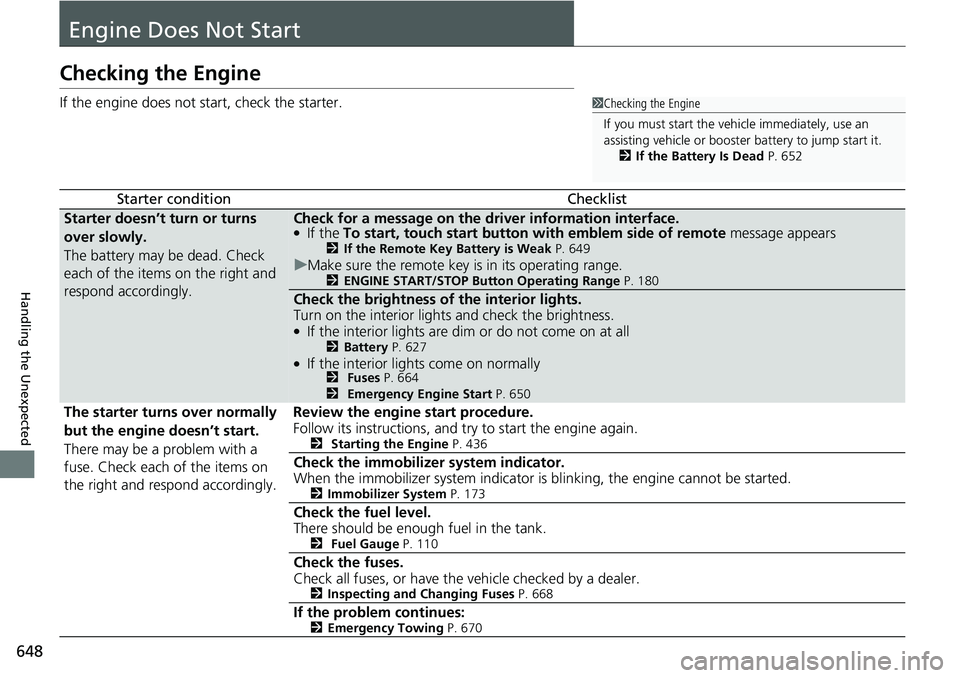
Starter conditionChecklist
Starter doesn’t turn or turns
over slowly.
The battery may be dead. Check
each of the items on the right and
respond accordingly.Check for a message on the dr iver information interface.●If the To start, touch start button with emblem side of remote message appears2If the Remote Key Battery is Weak P. 649
uMake sure the remote key is in its operating range.2 ENGINE START/STOP Button Operating Range P. 180
Check the brightness of the interior lights.
Turn on the interior light s and check the brightness.
●If the interior lights are dim or do not come on at all2Battery P. 627●If the interior lights come on normally2 Fuses P. 664
2 Emergency Engine Start P. 650
The starter turns over normally
but the engine doesn’t start.
There may be a problem with a
fuse. Check each of the items on
the right and respond accordingly. Review the engine start procedure.
Follow its instructions, and try to start the engine again.
2
Starting the Engine P. 436
Check the immobilizer system indicator.
When the immobilizer system indicator is blinking, the engine cannot be started.
2Immobilizer System P. 173
Check the fuel level.
There should be enough fuel in the tank.
2 Fuel Gauge P. 110
Check the fuses.
Check all fuses, or have the vehicle checked by a dealer.
2Inspecting and Changing Fuses P. 668
If the problem continues:2Emergency Towing P. 670
1Checking the Engine
If you must start the vehi cle immediately, use an
assisting vehicle or booster battery to jump start it.
2 If the Battery Is Dead P. 652
Page 650 of 700
649
uuEngine Does Not Start uIf the Remote Key Battery is Weak
Handling the Unexpected
If the Remote Key Battery is Weak
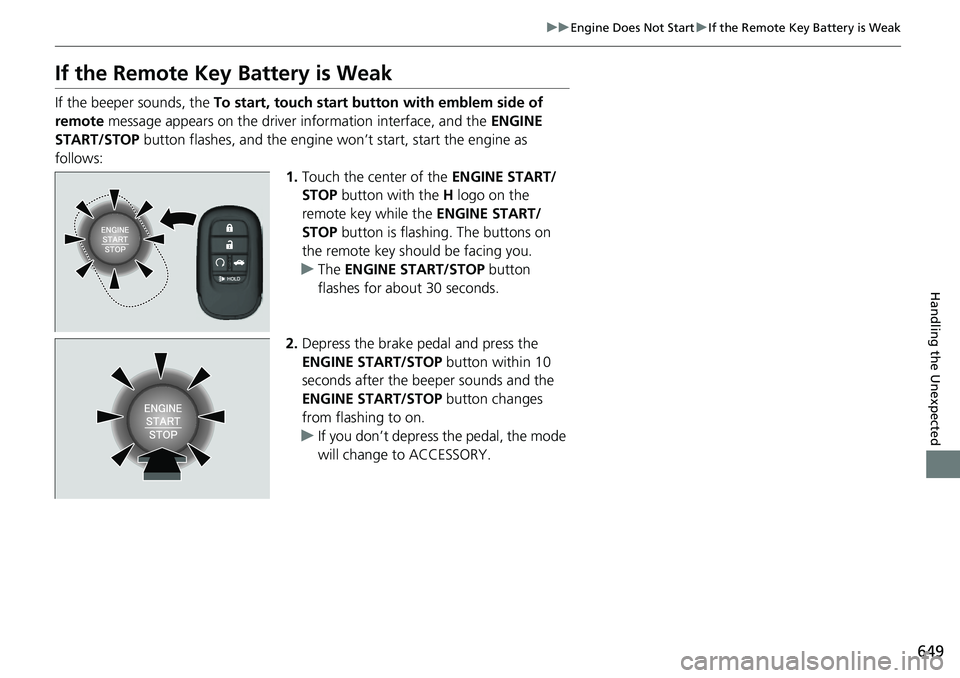
If the beeper sounds, the To start, touch start button with emblem side of
remote message appears on the driver information interface, and the ENGINE
START/STOP button flashes, and the engine wo n’t start, start the engine as
follows: 1.Touch the center of the ENGINE START/
STOP button with the H logo on the
remote key while the ENGINE START/
STOP button is flashing. The buttons on
the remote key should be facing you.
u The ENGINE START/STOP button
flashes for about 30 seconds.
2. Depress the brake pedal and press the
ENGINE START/STOP button within 10
seconds after the beeper sounds and the
ENGINE START/STOP button changes
from flashing to on.
u If you don’t depress the pedal, the mode
will change to ACCESSORY.
Page 651 of 700
650
uuEngine Does Not Start uEmergency Engine Start
Handling the Unexpected
Emergency Engine Start
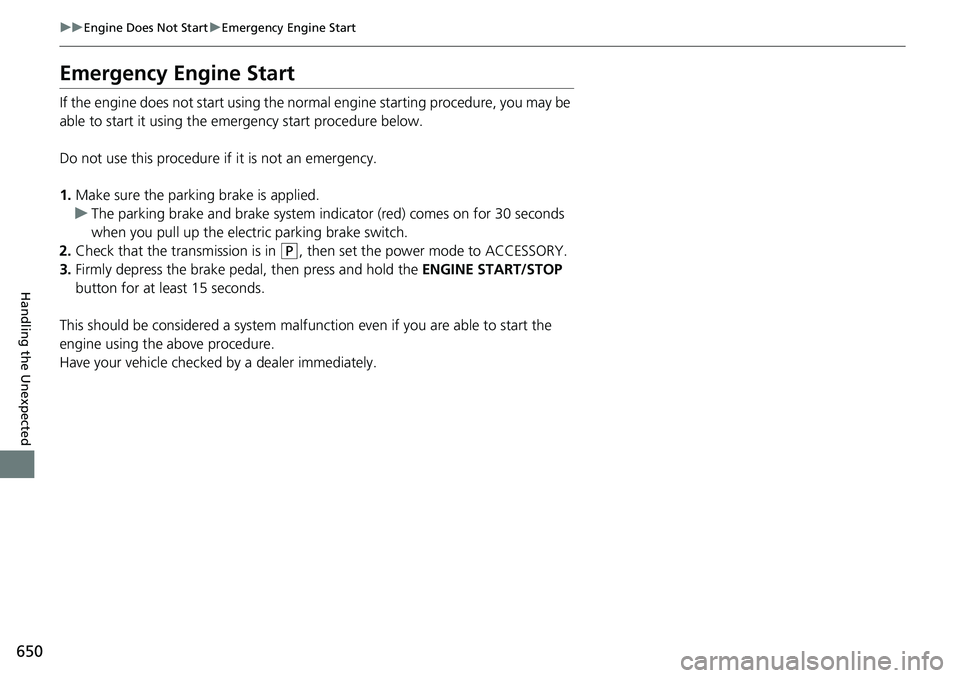
If the engine does not start using the norma l engine starting procedure, you may be
able to start it using the emergency start procedure below.
Do not use this procedure if it is not an emergency.
1. Make sure the parking brake is applied.
u The parking brake and brake system indicator (red) comes on for 30 seconds
when you pull up the elec tric parking brake switch.
2. Check that the tra nsmission is in
(P, then set the power mode to ACCESSORY.
3. Firmly depress the brake pedal, then press and hold the ENGINE START/STOP
button for at least 15 seconds.
This should be considered a system malfunction even if you are able to start the
engine using the above procedure.
Have your vehicle checked by a dealer immediately.
Page 652 of 700
651
uuEngine Does Not StartuEmergency Engine Stop
Handling the Unexpected
Emergency Engine Stop
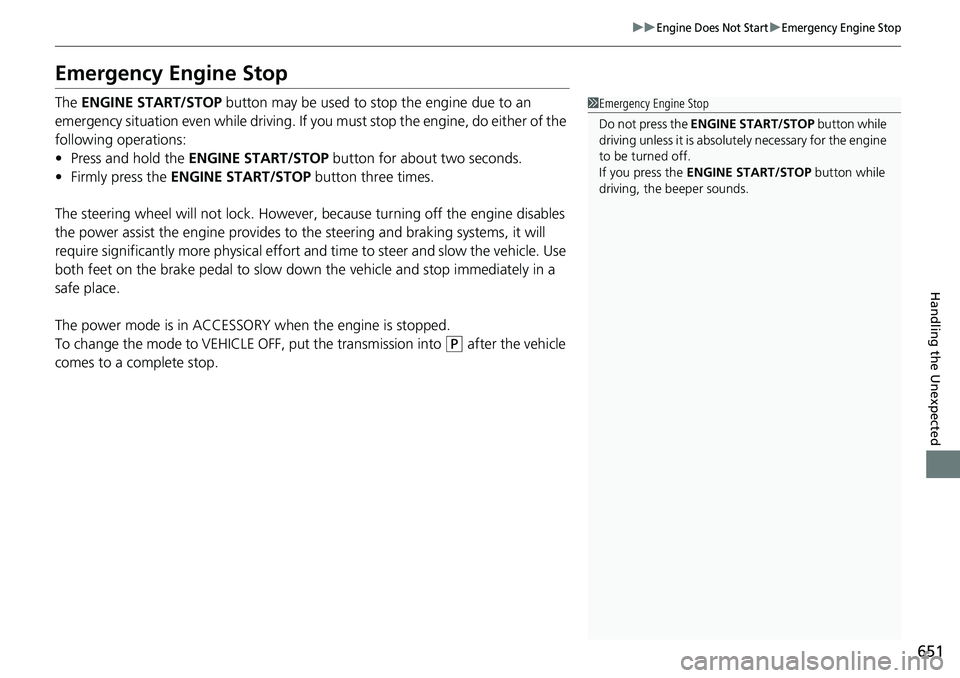
The ENGINE START/STOP button may be used to stop the engine due to an
emergency situation even while driving. If you must stop the engine, do either of the
following operations:
• Press and hold the ENGINE START/STOP button for about two seconds.
• Firmly press the ENGINE START/STOP button three times.
The steering wheel will not lock. However, because turning off the engine disables
the power assist the engine provides to the steering and braking systems, it will
require significantly more physical effort an d time to steer and slow the vehicle. Use
both feet on the brake pedal to slow down the vehicle and stop immediately in a
safe place.
The power mode is in ACCESSORY when the engine is stopped.
To change the mode to VEHICLE OFF, put the transmission into
(P after the vehicle
comes to a complete stop.
1 Emergency Engine Stop
Do not press the ENGINE START/STOP button while
driving unless it is absolute ly necessary for the engine
to be turned off.
If you press the ENGINE START/STOP button while
driving, the beeper sounds.
Page 693 of 700
692
Index
Continuously Variable TransmissionCreeping ................................................. 442
Fluid ........................................................ 607
Kickdown ................................................ 442
Operating the Shift Lever ........... 26, 444, 446
Shift Lever Does Not Move....................... 655
Shifting............................................ 443, 445
Controls ..................................................... 153
Coolant (Engine) ....................................... 605
Adding the Coolant ................................. 605
Overheating............................................. 656
Creeping (Continuously Variable Transmission) ........................................... 442
Cross Traffic Monitor ................................ 569
Cup Holders ............................................... 211
Customer Service Information ................. 689
Customize Display ..................... 124, 136, 151
Customized Features ................ 126, 355, 363
D
Daytime Running Lights ........................... 186
Dead Battery ............................................. 652
Defaulting All the Settings .............. 362, 385
Defrosting the Windshield and Windows .................................................. 224
Devices that Emit Radio Waves ................ 681
Dimming Headlights ............................................... 183
Rearview Mirror ....................................... 196
Dipstick (Engine Oil) ................................. 599 Directional Signals (Turn Signal)
............. 182
Display Setup .................................... 239, 281
Door Mirrors ............................................. 197
Doors ......................................................... 156
Auto Door Locking .................................. 169
Auto Door Unlocking .............................. 169
Door Open Message.................................. 41
Keys ........................................................ 156
Locking/Unlocking the Doors from the Inside ...................................... 166
Locking/Unlocking the Doors
from the Outside ................................... 159
DOT Tire Quality Grading ........................ 620
Drive Mode Switch ................................... 450
Driver Attention Monitor ................ 119, 144
Driver Information Interface ... 113, 135, 138
Switching the Display ...................... 113, 139
Driver’s Knee Airbag .................................. 59
Driving ...................................................... 429
Braking ................................................... 554
Continuously Variable Transmission ......... 442
Shifting Position .............................. 443, 445
Starting the Engine.................................. 436
Dust and Pollen Filter ............................... 630
E
Eco Assist® System ...................................... 14
ECON Button ............................................ 449
Elapsed Time .................................... 118, 143
Electric Power Steering (EPS) System
Indicator ........................................... 96, 662
Electronic Stability Control (ESC) ............ 459
Emergency ................................................ 670
Emergency Engine Stop ........................... 651
Emergency Trunk Opener ............... 172, 672
Emissions Testing (Readiness Codes) ...... 683
Engine Coolant .................................................. 605
If the Battery Is Dead............................... 652
Oil .......................................................... 598
Starting................................................... 436
Engine Coolant ........................................ 605
Adding the Coolant ................................ 605
Overheating ............................................ 656
Temperature Gauge ................................ 110
Engine Oil ................................................. 598
Adding ................................................... 601
Checking ................................................ 599
Displaying Oil Life ................................... 586
Low Oil Pressure Indicator ....................... 658
Recommended Engine Oil ....................... 598
ENGINE START/STOP Button .................... 180
Exhaust Gas Hazard
(Carbon Monoxide) .................................. 84
Exterior Care (Cleaning) .......................... 633
Exterior Mirrors ........................................ 197