Parking HONDA CIVIC 2023 User Guide
[x] Cancel search | Manufacturer: HONDA, Model Year: 2023, Model line: CIVIC, Model: HONDA CIVIC 2023Pages: 840, PDF Size: 26.53 MB
Page 108 of 840
106
uuIndicators u
Instrument Panel
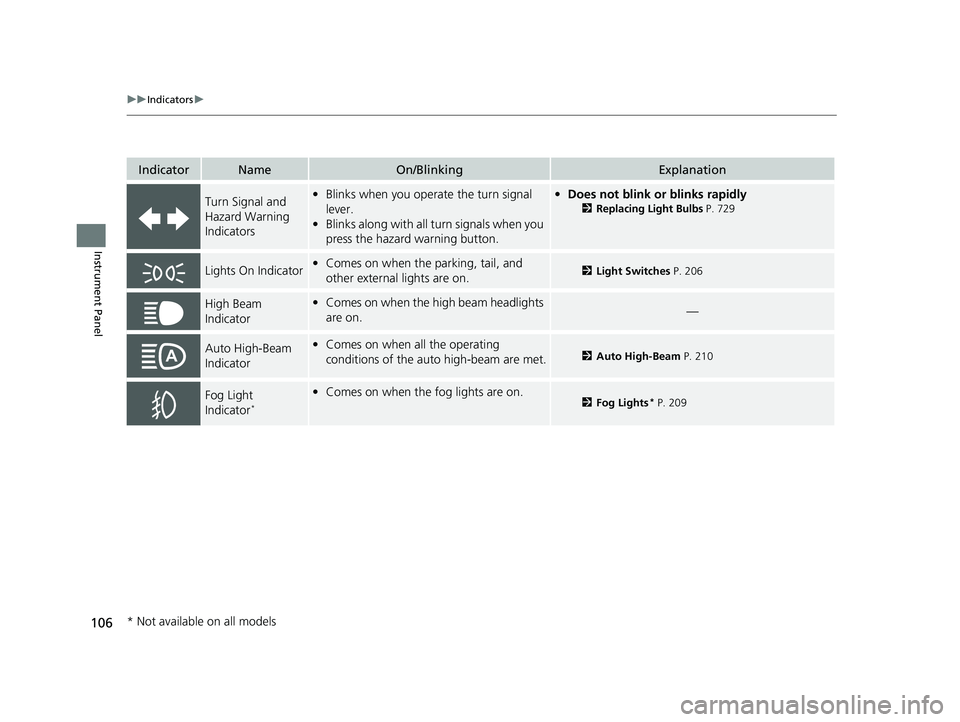
IndicatorNameOn/BlinkingExplanation
Turn Signal and
Hazard Warning
Indicators•Blinks when you oper ate the turn signal
lever.
• Blinks along with all turn signals when you
press the hazard warning button.•Does not blink or blinks rapidly
2 Replacing Light Bulbs P. 729
Lights On Indicator•Comes on when the parking, tail, and
other external lights are on.2 Light Switches P. 206
High Beam
Indicator•Comes on when the high beam headlights
are on.—
Auto High-Beam
Indicator•Comes on when all the operating
conditions of the auto high-beam are met.2 Auto High-Beam P. 210
Fog Light
Indicator*
•Comes on when the fog lights are on.2 Fog Lights* P. 209
* Not available on all models
23 CIVIC HATCHBACK TYPE R-31T406100_03.book 106 ページ 2022年6月23日 木曜日 午後9時28分
Page 138 of 840
uuGauges and Driver Information Interface uDriver Information Interface (A-type Meter)
136
Instrument Panel
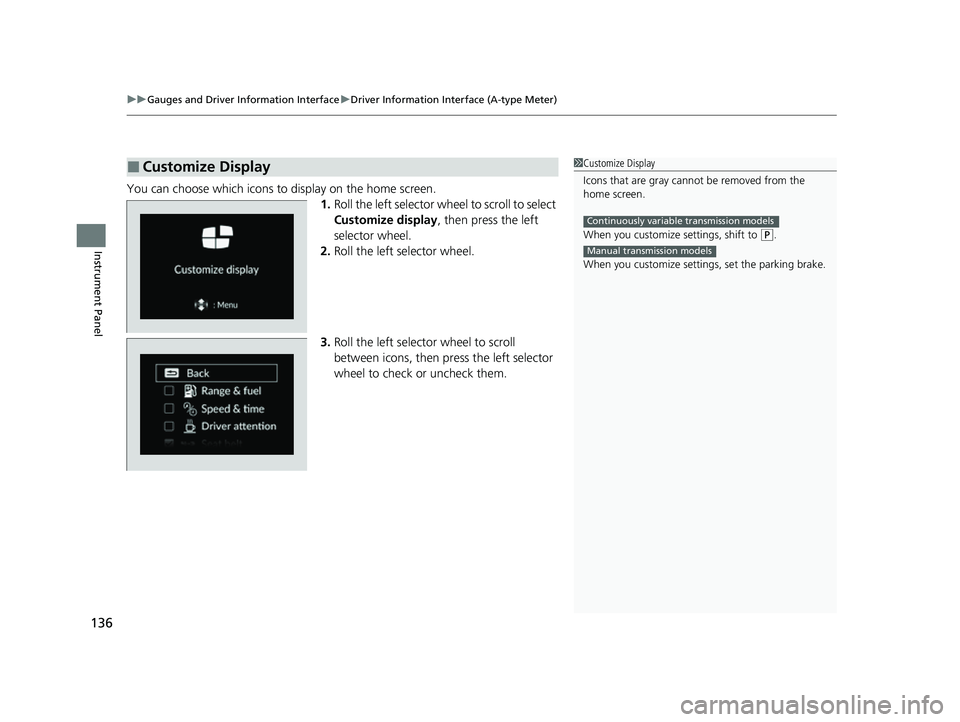
You can choose which icons to display on the home screen.
1.Roll the left selector wheel to scroll to select
Customize display , then press the left
selector wheel.
2. Roll the left selector wheel.
3. Roll the left selector wheel to scroll
between icons, then press the left selector
wheel to check or uncheck them.
■Customize Display1Customize Display
Icons that are gray cannot be removed from the
home screen.
When you customize settings, shift to
(P.
When you customize setti ngs, set the parking brake.
Continuously variable transmission models
Manual transmission models
23 CIVIC HATCHBACK TYPE R-31T406100_03.book 136 ページ 2022年6月23日 木曜日 午後9時28分
Page 140 of 840
uuGauges and Driver Information Interface uDriver Information Interface (A-type Meter)
138
Instrument Panel
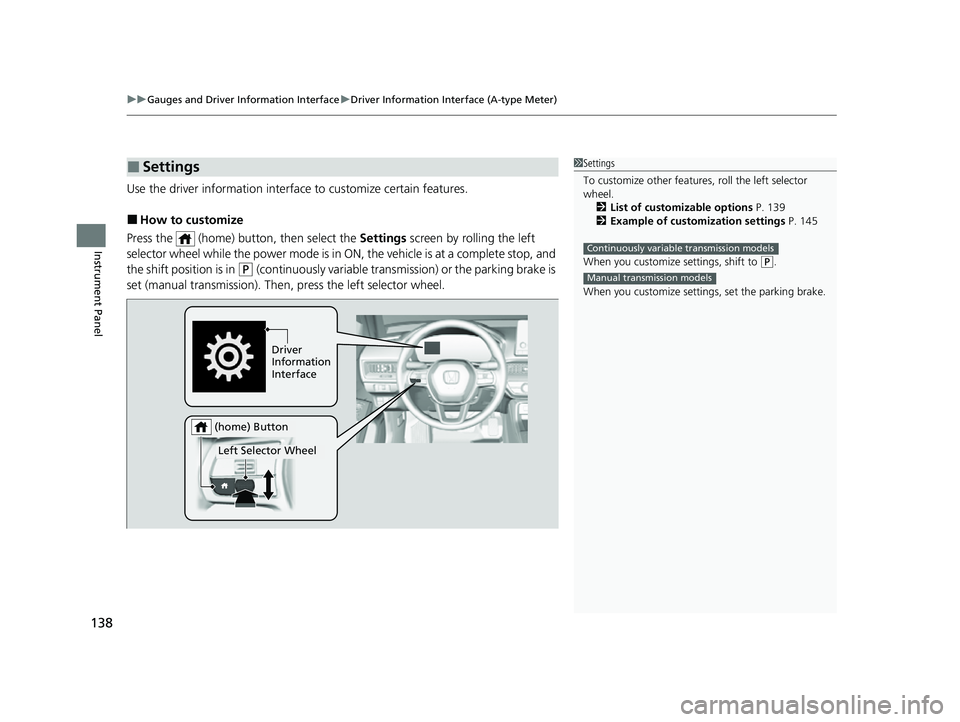
Use the driver information interfac e to customize certain features.
■How to customize
Press the (home) button, then select the Settings screen by rolling the left
selector wheel while the power mode is in ON, the vehicle is at a complete stop, and
the shift position is in
(P (continuously variable transmission) or the parking brake is
set (manual transmission). Then, press the left selector wheel.
■Settings1Settings
To customize other features , roll the left selector
wheel.
2 List of customizable options P. 139
2 Example of customization settings P. 145
When you customize settings, shift to
( P.
When you customize setti ngs, set the parking brake.
Continuously variable transmission models
Manual transmission models
Driver
Information
Interface
Left Selector Wheel
(home) Button
23 CIVIC HATCHBACK TYPE R-31T406100_03.book 138 ページ 2022年6月23日 木曜日 午後9時28分
Page 153 of 840
Continued151
uuGauges and Driver Information Interface uDriver Information Interface Left Side Area (B-type-Meter)
Instrument Panel
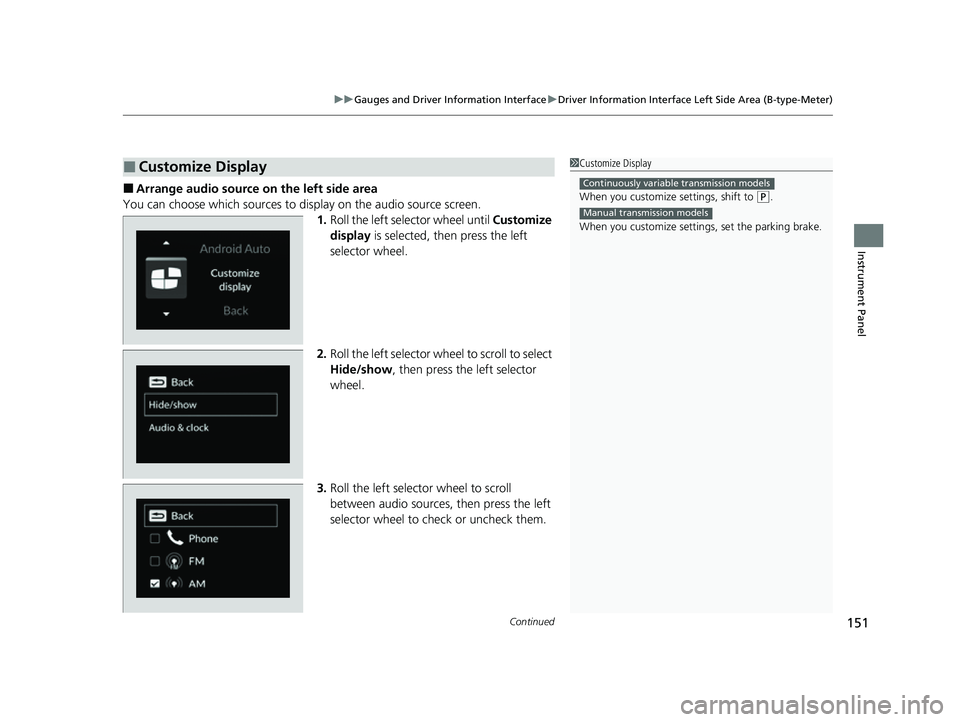
■Arrange audio source on the left side area
You can choose which sources to display on the audio source screen. 1.Roll the left selector wheel until Customize
display is selected, then press the left
selector wheel.
2. Roll the left selector wheel to scroll to select
Hide/show , then press the left selector
wheel.
3. Roll the left selector wheel to scroll
between audio sources, then press the left
selector wheel to check or uncheck them.
■Customize Display1Customize Display
When you customize settings, shift to
(P.
When you customize setti ngs, set the parking brake.
Continuously variable transmission models
Manual transmission models
23 CIVIC HATCHBACK TYPE R-31T406100_03.book 151 ページ 2022年6月23日 木曜日 午後9時28分
Page 169 of 840
Continued167
uuGauges and Driver Information Interface uDriver Information Interface Right Side Area (B-type-Meter)
Instrument Panel
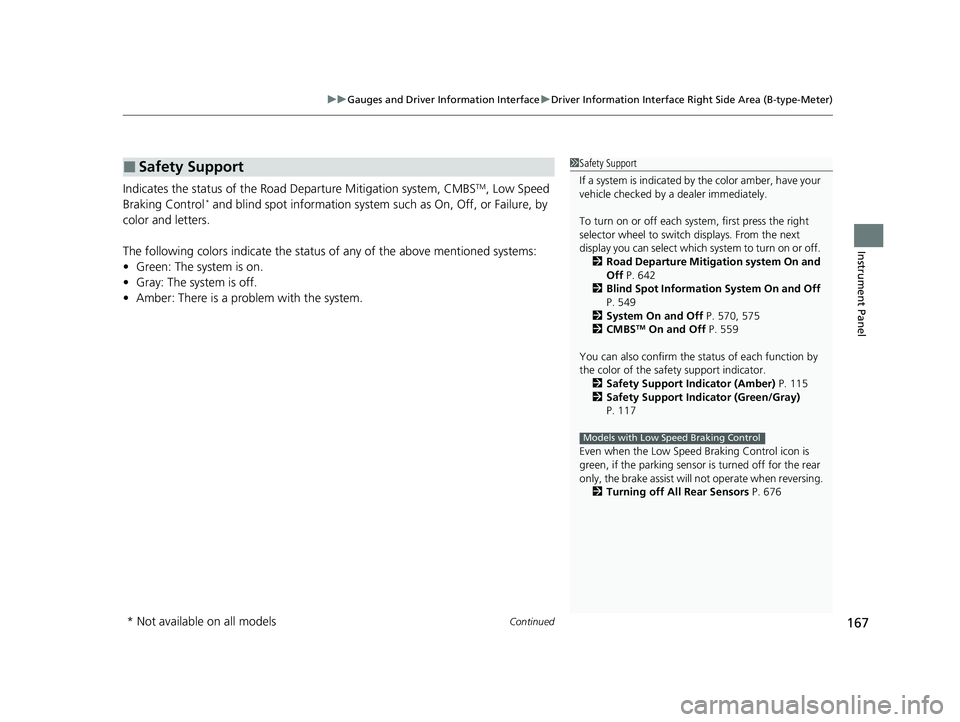
Indicates the status of the Road Departure Mitigation system, CMBSTM, Low Speed
Braking Control* and blind spot information system such as On, Off, or Failure, by
color and letters.
The following colors indicate the status of any of the above mentioned systems:
• Green: The system is on.
• Gray: The system is off.
• Amber: There is a problem with the system.
■Safety Support1Safety Support
If a system is indicated by the color amber, have your
vehicle checked by a dealer immediately.
To turn on or off each system, first press the right
selector wheel to switch displays. From the next
display you can select which system to turn on or off. 2 Road Departure Mitigation system On and
Off P. 642
2 Blind Spot Information System On and Off
P. 549
2 System On and Off P. 570, 575
2 CMBS
TM On and Off P. 559
You can also confirm the st atus of each function by
the color of the safe ty support indicator.
2 Safety Support Indicator (Amber) P. 115
2 Safety Support Indicator (Green/Gray)
P. 117
Even when the Low Speed Braking Control icon is
green, if the parking sensor is turned off for the rear
only, the brake assist will not operate when reversing.
2 Turning off All Rear Sensors P. 676
Models with Low Speed Braking Control
* Not available on all models
23 CIVIC HATCHBACK TYPE R-31T406100_03.book 167 ページ 2022年6月23日 木曜日 午後9時28分
Page 172 of 840
uuGauges and Driver Information Interface uDriver Information Interface Right Side Area (B-type-Meter)
170
Instrument Panel
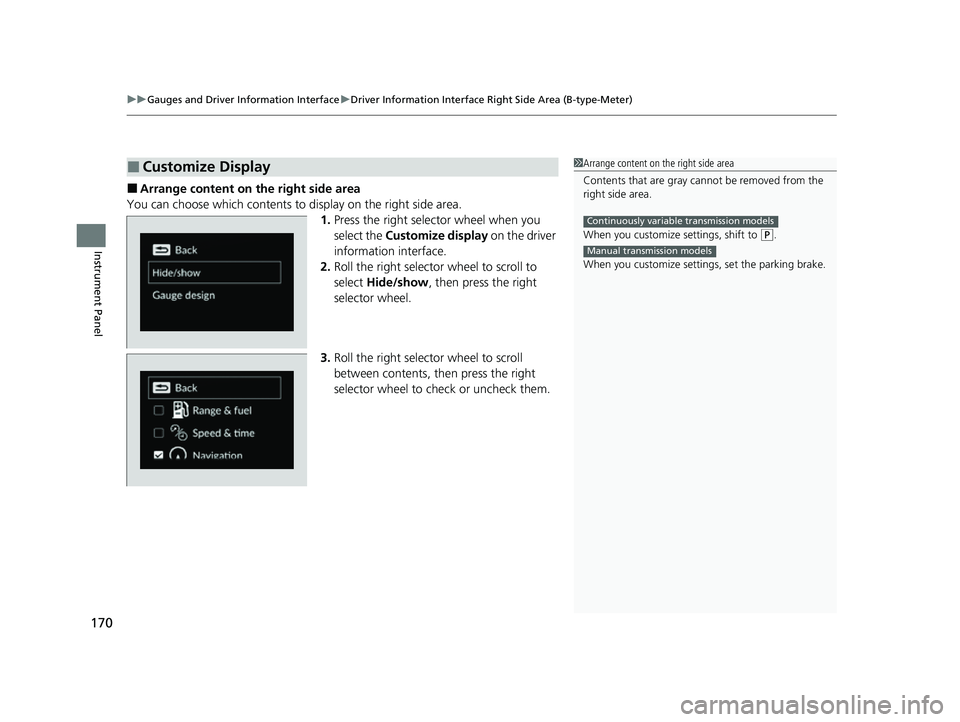
■Arrange content on the right side area
You can choose which contents to display on the right side area. 1.Press the right selector wheel when you
select the Customize display on the driver
information interface.
2. Roll the right selector wheel to scroll to
select Hide/show , then press the right
selector wheel.
3. Roll the right selector wheel to scroll
between contents, th en press the right
selector wheel to check or uncheck them.
■Customize Display1 Arrange content on the right side area
Contents that are gray ca nnot be removed from the
right side area.
When you customize settings, shift to
( P.
When you customize setti ngs, set the parking brake.
Continuously variable transmission models
Manual transmission models
23 CIVIC HATCHBACK TYPE R-31T406100_03.book 170 ページ 2022年6月23日 木曜日 午後9時28分
Page 208 of 840
206
uuOperating the Switches Around the Steering Wheel uLight Switches
Controls
Light Switches
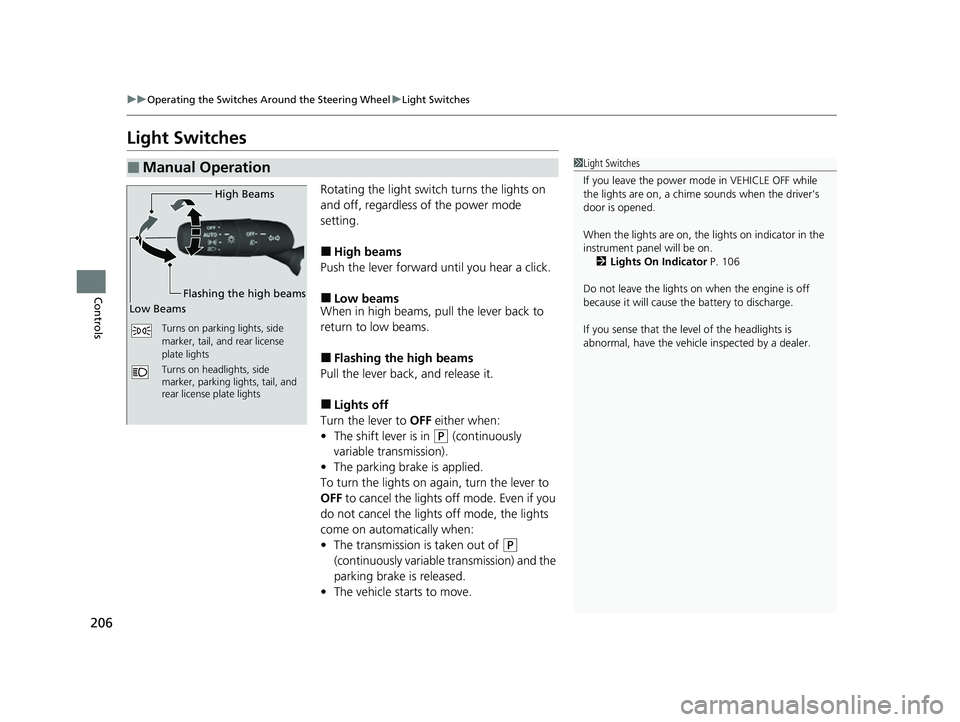
Rotating the light switch turns the lights on
and off, regardless of the power mode
setting.
■High beams
Push the lever forward until you hear a click.
■Low beams
When in high beams, pull the lever back to
return to low beams.
■Flashing the high beams
Pull the lever back, and release it.
■Lights off
Turn the lever to OFF either when:
• The shift lever is in
(P (continuously
variable transmission).
• The parking brake is applied.
To turn the lights on ag ain, turn the lever to
OFF to cancel the lights off mode. Even if you
do not cancel the lights off mode, the lights
come on automatically when:
• The transmission is taken out of
(P
(continuously variable transmission) and the
parking brake is released.
• The vehicle starts to move.
■Manual Operation1Light Switches
If you leave the power mode in VEHICLE OFF while
the lights are on, a chime sounds when the driver's
door is opened.
When the lights are on, the lights on indicator in the
instrument pane l will be on.
2 Lights On Indicator P. 106
Do not leave the lights on when the engine is off
because it will cause the battery to discharge.
If you sense that the le vel of the headlights is
abnormal, have the vehicl e inspected by a dealer.
Turns on parking lights, side
marker, tail, and rear license
plate lights
Turns on headlights, side
marker, parking lights, tail, and
rear license plate lights
High Beams
Flashing the high beams
Low Beams
23 CIVIC HATCHBACK TYPE R-31T406100_03.book 206 ページ 2022年6月23日 木曜日 午後9時28分
Page 209 of 840
Continued207
uuOperating the Switches Around the Steering Wheel uLight Switches
Controls
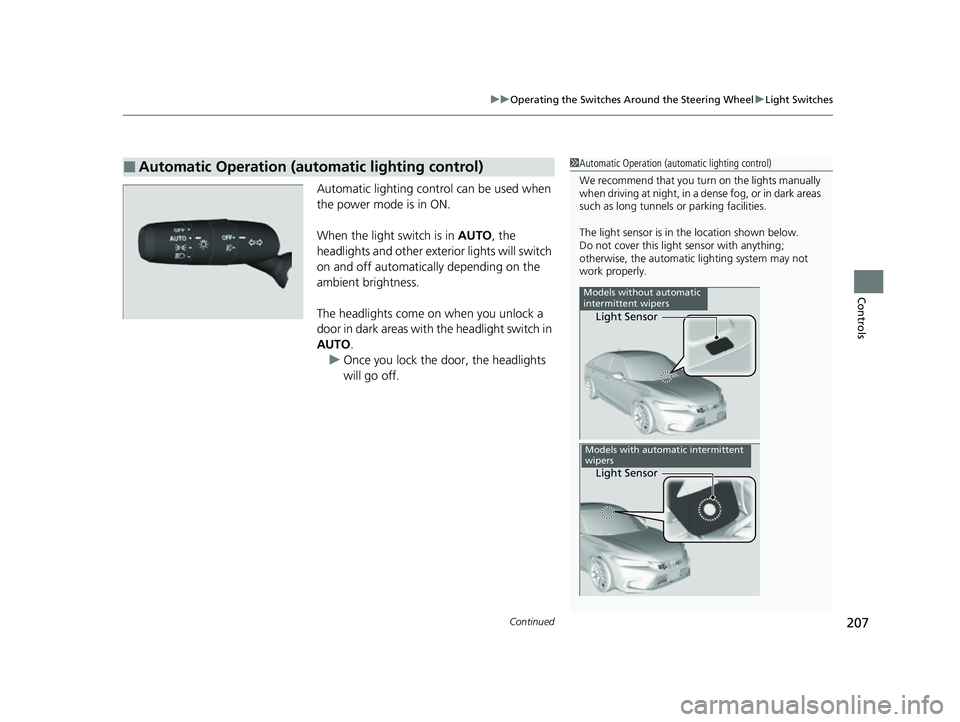
Automatic lighting control can be used when
the power mode is in ON.
When the light switch is in AUTO, the
headlights and other exterior lights will switch
on and off automatically depending on the
ambient brightness.
The headlights come on when you unlock a
door in dark areas with the headlight switch in
AUTO .
u Once you lock the door, the headlights
will go off.
■Automatic Operation (automatic lighting control)1 Automatic Operation (aut omatic lighting control)
We recommend that you tu rn on the lights manually
when driving at night, in a de nse fog, or in dark areas
such as long tunnels or parking facilities.
The light sensor is in the location shown below.
Do not cover this light sensor with anything;
otherwise, the automatic lighting system may not
work properly.
Light Sensor
Models without automatic
intermittent wipers
Light Sensor
Models with automatic intermittent
wipers
23 CIVIC HATCHBACK TYPE R-31T406100_03.book 207 ページ 2022年6月23日 木曜日 午後9時28分
Page 211 of 840
209
uuOperating the Switches Around the Steering Wheel uFog Lights*
Controls
Fog Lights*
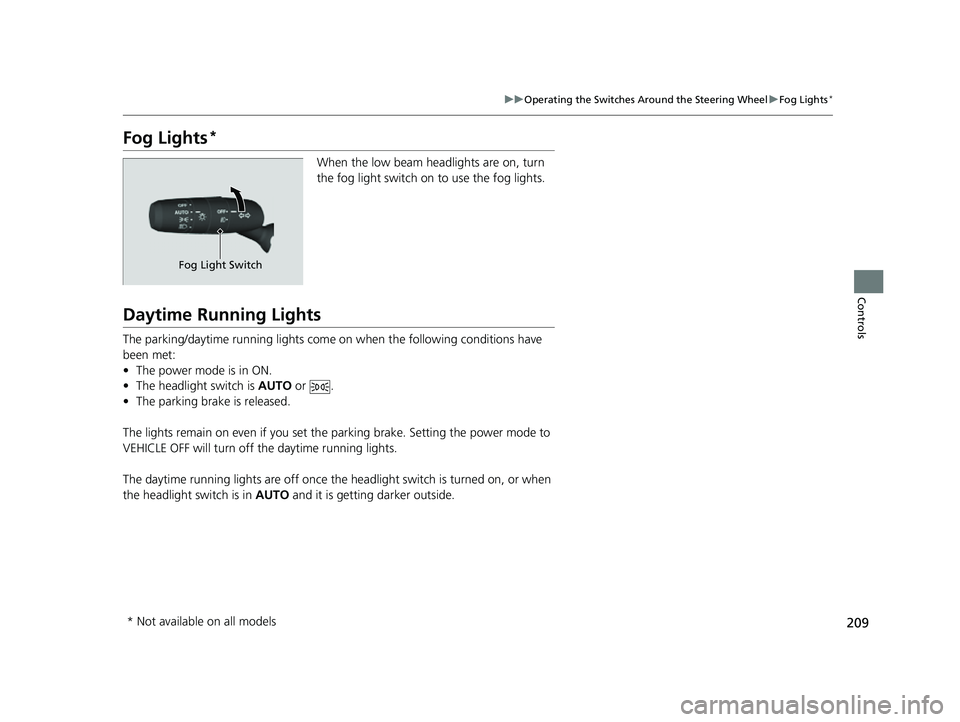
When the low beam headlights are on, turn
the fog light switch on to use the fog lights.
Daytime Running Lights
The parking/daytime running lights come on when the following conditions have
been met:
• The power mode is in ON.
• The headlight switch is AUTO or .
• The parking brake is released.
The lights remain on even if you set th e parking brake. Setting the power mode to
VEHICLE OFF will turn off the daytime running lights.
The daytime running lights are off once the h eadlight switch is turned on, or when
the headlight switch is in AUTO and it is getting darker outside.
Fog Light Switch
* Not available on all models
23 CIVIC HATCHBACK TYPE R-31T406100_03.book 209 ページ 2022年6月23日 木曜日 午後9時28分
Page 219 of 840
217
uuOperating the Switches Around the Steering Wheel uBrightness Control
Controls
Brightness Control
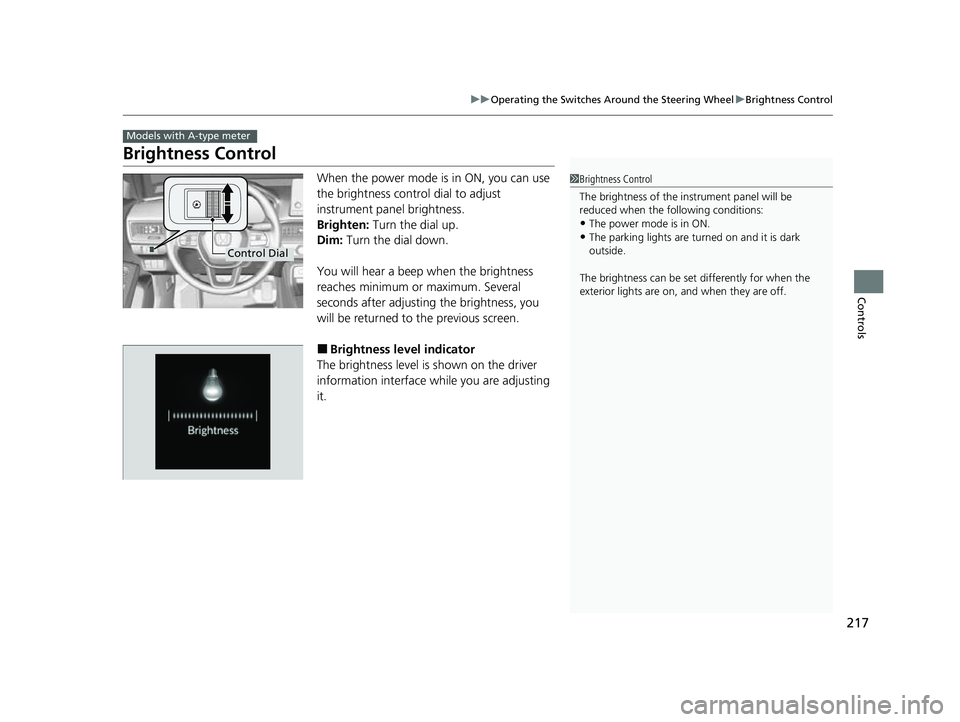
When the power mode is in ON, you can use
the brightness control dial to adjust
instrument panel brightness.
Brighten: Turn the dial up.
Dim: Turn the dial down.
You will hear a beep when the brightness
reaches minimum or maximum. Several
seconds after adjusting the brightness, you
will be returned to the previous screen.
■Brightness level indicator
The brightness level is shown on the driver
information interface while you are adjusting
it.
Models with A-type meter
1 Brightness Control
The brightness of the in strument panel will be
reduced when the following conditions:
•The power mode is in ON.
•The parking lights are turn ed on and it is dark
outside.
The brightness can be set differently for when the
exterior lights are on, and when they are off.
Control Dial
23 CIVIC HATCHBACK TYPE R-31T406100_03.book 217 ページ 2022年6月23日 木曜日 午後9時28分