tire type HONDA CIVIC 2023 Owner's Manual
[x] Cancel search | Manufacturer: HONDA, Model Year: 2023, Model line: CIVIC, Model: HONDA CIVIC 2023Pages: 840, PDF Size: 26.53 MB
Page 433 of 840
Continued431
uuHonda LogR*uData Log Mode
Features
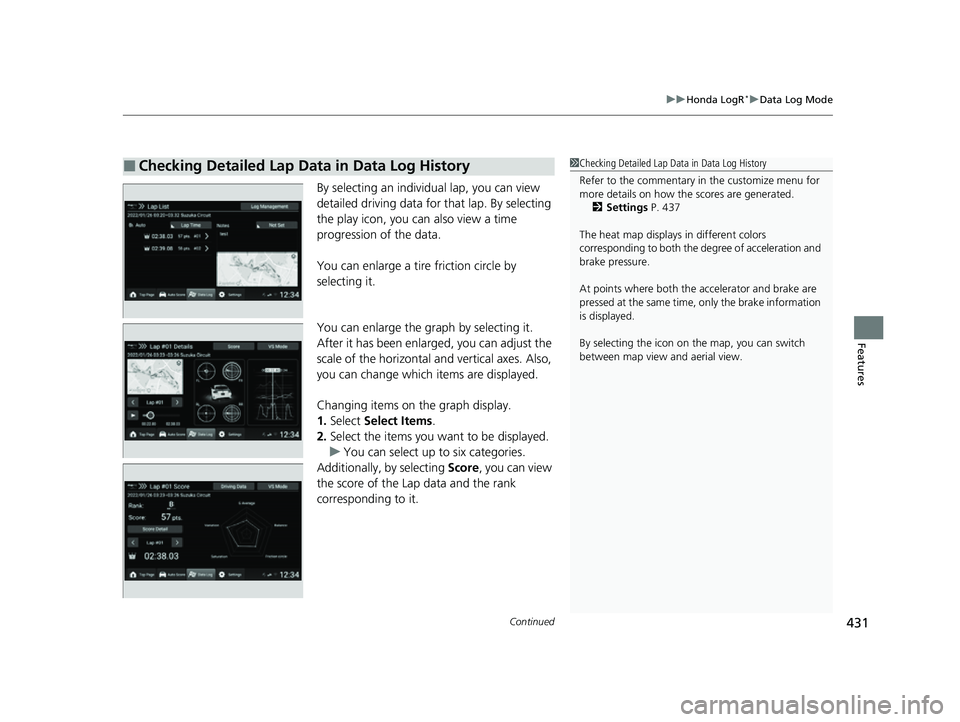
By selecting an individual lap, you can view
detailed driving data for that lap. By selecting
the play icon, you ca n also view a time
progression of the data.
You can enlarge a tire friction circle by
selecting it.
You can enlarge the graph by selecting it.
After it has been enlarged, you can adjust the
scale of the horizontal and vertical axes. Also,
you can change which items are displayed.
Changing items on the graph display.
1. Select Select Items .
2. Select the items you want to be displayed.
u You can select up to six categories.
Additionally, by selecting Score, you can view
the score of the Lap data and the rank
corresponding to it.
■Checking Detailed Lap Data in Data Log History1 Checking Detailed Lap Data in Data Log History
Refer to the commentary in the customize menu for
more details on how the scores are generated.
2 Settings P. 437
The heat map displays in different colors
corresponding to both the degree of acceleration and
brake pressure.
At points where both the ac celerator and brake are
pressed at the same time, only the brake information
is displayed.
By selecting the icon on the map, you can switch
between map view and aerial view.
23 CIVIC HATCHBACK TYPE R-31T406100_03.book 431 ページ 2022年6月23日 木曜日 午後9時28分
Page 442 of 840
440
uuHonda LogR*uCustomize
Features
Setting ItemOverviewOptions
Commentary
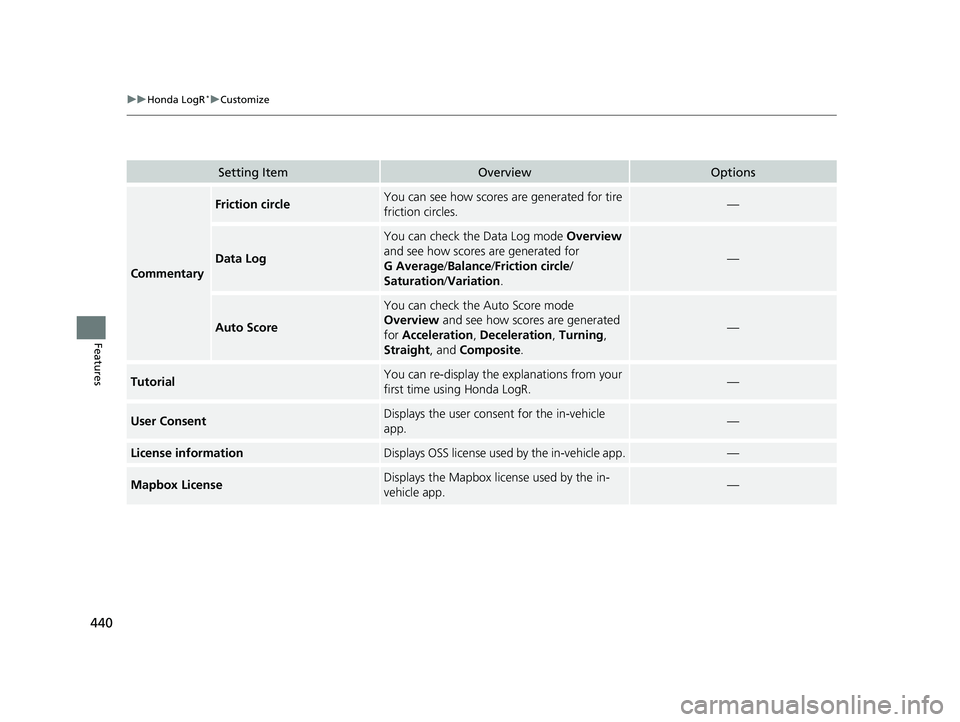
Friction circleYou can see how scores are generated for tire
friction circles.—
Data Log
You can check the Data Log mode Overview
and see how scores are generated for
G Average /Balance /Friction circle /
Saturation /Variation .
—
Auto Score
You can check the Auto Score mode
Overview and see how scores are generated
for Acceleration, Deceleration, Turning ,
Straight , and Composite .
—
TutorialYou can re-display the explanations from your
first time using Honda LogR.—
User ConsentDisplays the user cons ent for the in-vehicle
app.—
License informationDisplays OSS license used by the in-vehicle app.—
Mapbox LicenseDisplays the Mapbox license used by the in-
vehicle app.—
23 CIVIC HATCHBACK TYPE R-31T406100_03.book 440 ページ 2022年6月23日 木曜日 午後9時28分
Page 487 of 840
485
Driving
This chapter discusses driving and refueling.
Before Driving................................... 486
Towing a Trailer ................................ 492
When Driving Starting the Engine .......................... 493
Precautions While Driving................. 500
Continuously Variable Transmission*... 502
Shifting ............................ 503 , 505, 509
ECON Button*................................. 513
Auto Idle Stop .......................... 514 , 520
Drive Mode Switch
*................. 525 , 529
Vehicle Stability AssistTM (VSA®), aka Electronic
Stability Control (ESC), System .............. 535
Agile Handling Assist ....................... 538
Limited Slip Differential (LSD)*......... 539Tire Pressure Monitoring System (TPMS)*. 540Tire Pressure Monitoring System (TPMS) - Required Federal Explanation*....... 545
Blind Spot Information System*....... 547
Honda Sensing ®................................ 551
Collision Mitigati on Braking System
TM
(CMBSTM) ....................................... 555
Low Speed Braking Control*.... 567, 573
Adaptive Cruise Control (ACC) with Low
Speed Follow
*............................... 578
Adaptive Cruise Control (ACC)*....... 598 Lane Keeping Assist System (LKAS) .. 618
Traffic Jam Assist
*........................... 630
Road Departure Miti gation System... 639
Traffic Sign Recognition System ....... 647
Front Wide View Camera ................. 653
Sonar Sensors
*................................ 655
Braking .............................................. 657
Parking Your Vehicle ........................ 669
Multi-View Rear Camera .................. 681
Refueling ........................................... 683
Fuel Economy and CO
2 Emissions .... 689
Turbo Engine Vehicle*...................... 690
* Not available on all models
23 CIVIC HATCHBACK TYPE R-31T406100_03.book 485 ページ 2022年6月23日 木曜日 午後9時28分
Page 488 of 840
486
Driving
Before Driving
Driving Preparation
Check the following items before you start driving.
• Make sure there are no obstructions on th e windows, door mirrors, exterior
lights, or other parts of the vehicle.
u Remove any frost, snow, or ice.
u Remove any snow on the roof, as this can slip down and obstruct your field of
vision while driving. If frozen solid , remove ice once it has softened.
u When removing ice from around the wheel s, be sure not to damage the wheel
or wheel components.
• Make sure the hood is securely closed.
u If the hood opens while driving, your front view will be blocked.
• Make sure the tires are in good condition.
u Check air pressures, and check for damage and excessive wear.
2Checking and Maintaining Tires P. 736
•Make sure there are no people or ob jects behind or around the vehicle.
u There are blind spots from the inside.
• Check the front bumper ducts for mud, le aves, and road debris that could build
up and prevent proper cooling performance.
■Exterior Checks1 Exterior Checks
NOTICE
When doors are frozen s hut, use warm water around
the door edges to melt any ice. Do not try to force
them open, as this can damage the rubber trim
around the doors. When done, wipe dry to avoid
further freezing.
Do not pour warm water into the key cylinder.
You will be unable to insert the key if the water
freezes in the hole.
Heat from the engine and exhaust can ignite
flammable material s left under the hood, causing a
fire. If you've parked y our vehicle for an extended
period, inspect and remove any debris that may have
collected, such as dried grass and leaves that have
fallen or have been carried in for use as a nest by a
small animal. Also, check under the hood for leftover
flammable materials after you or someone else has
performed maintenance on your vehicle.
Models without Auto Idle Stop
23 CIVIC HATCHBACK TYPE R-31T406100_03.book 486 ページ 2022年6月23日 木曜日 午後9時28分
Page 489 of 840
Continued487
uuBefore Driving uDriving Preparation
Driving
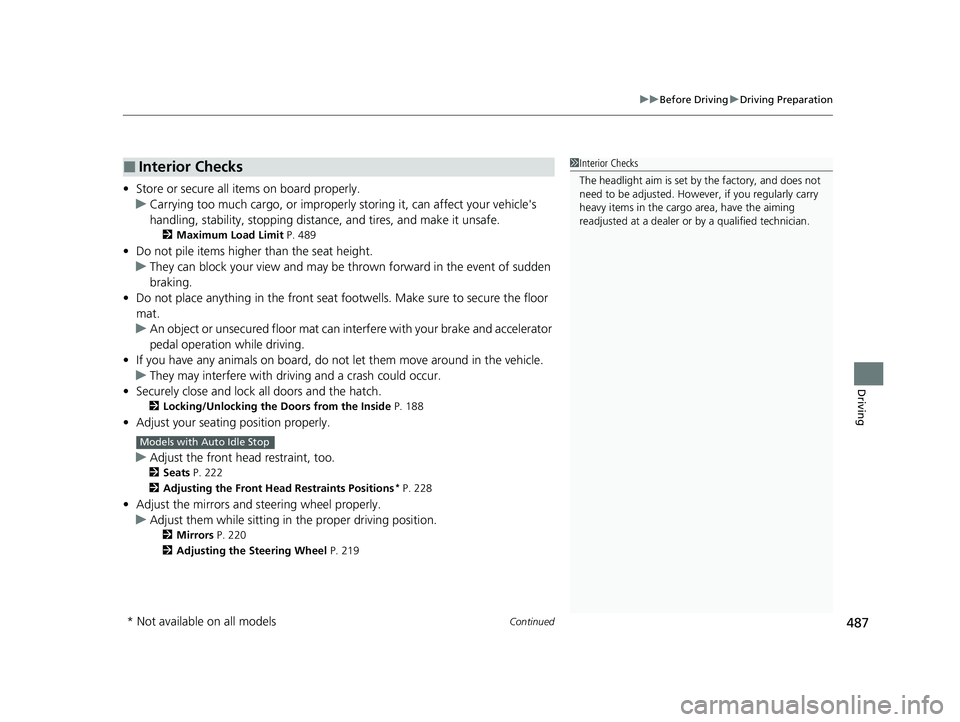
• Store or secure all items on board properly.
u Carrying too much cargo, or improperly storing it, can affect your vehicle's
handling, stability, sto pping distance, and tires, and make it unsafe.
2Maximum Load Limit P. 489
•Do not pile items higher than the seat height.
u They can block your view and may be thrown forward in the event of sudden
braking.
• Do not place anything in the front seat footwells. Make sure to secure the floor
mat.
u An object or unsecured floor mat can in terfere with your brake and accelerator
pedal operation while driving.
• If you have any animals on board, do not let them move around in the vehicle.
u They may interfere with driv ing and a crash could occur.
• Securely close and lock all doors and the hatch.
2 Locking/Unlocking the Doors from the Inside P. 188
•Adjust your seating position properly.
u Adjust the front h ead restraint, too.
2Seats P. 222
2 Adjusting the Front Head Restraints Positions
* P. 228
•Adjust the mirrors and steering wheel properly.
u Adjust them while sitting in the proper driving position.
2 Mirrors P. 220
2 Adjusting the Steering Wheel P. 219
■Interior Checks1Interior Checks
The headlight aim is set by the factory, and does not
need to be adjusted. Howeve r, if you regularly carry
heavy items in the cargo area, have the aiming
readjusted at a dealer or by a qualified technician.
Models with Auto Idle Stop
* Not available on all models
23 CIVIC HATCHBACK TYPE R-31T406100_03.book 487 ページ 2022年6月23日 木曜日 午後9時28分
Page 491 of 840
489
uuBefore Driving uMaximum Load Limit
Continued
Driving
Maximum Load Limit
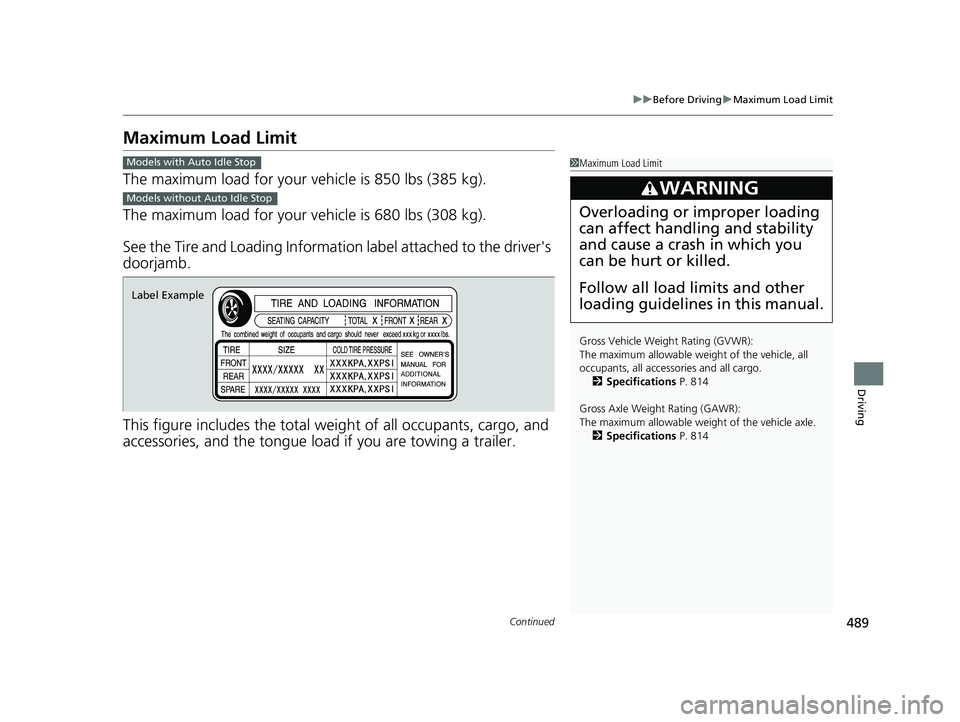
The maximum load for your ve hicle is 850 lbs (385 kg).
The maximum load for your ve hicle is 680 lbs (308 kg).
See the Tire and Loading Information label attached to the driver's
doorjamb.
This figure includes the total weig ht of all occupants, cargo, and
accessories, and the tongue load if you are towing a trailer.
1 Maximum Load Limit
Gross Vehicle Weight Rating (GVWR):
The maximum allowable weight of the vehicle, all
occupants, all accesso ries and all cargo.
2 Specifications P. 814
Gross Axle Weight Rating (GAWR):
The maximum allowable weight of the vehicle axle. 2 Specifications P. 814
3WARNING
Overloading or improper loading
can affect handling and stability
and cause a crash in which you
can be hurt or killed.
Follow all load limits and other
loading guidelines in this manual.
Models with Auto Idle Stop
Models without Auto Idle Stop
Label Example
23 CIVIC HATCHBACK TYPE R-31T406100_03.book 489 ページ 2022年6月23日 木曜日 午後9時28分
Page 509 of 840
Continued507
uuWhen Driving uShifting
Driving
Use the paddle shifters to change betw een 1st and 7th speeds without releasing
your hands from the steering wheel. The transmission switches to the 7-speed
manual shift mode when you pull a paddle shifter while driving. This mode is useful
when engine braking is needed.
■When the transmi ssion is in (D:
The shift mode goes into the 7-speed ma nual shift mode temporarily, and the
number is displayed in the shift indicator.
The 7-speed manual shift mode is canceled automatically if you drive at constant
speed or accelerate, and the number in the shift indicator goes off.
You can cancel this mode by pulling the
(+ paddle shifter for a few seconds.
The 7-speed manual shift mode is especially useful when reducing the vehicle speed
temporarily before making a turn.
■When the transmi ssion is in (D with SPORT mode:
The shift mode goes into the 7-speed manual shift mode. The M indicator and the
speed number are displayed in the shift indicator. As the vehicle speed slows down,
the transmission automatically shifts down accordingly. When the vehicle comes to
a stop, it automatically shifts down into 1st.
If the vehicle speed increases and the engi ne speed reaches near the tachometer red
zone, the transmission au tomatically shifts up.
You can only pull away in 1st speed.
When canceling the 7-speed manual shift mode, use the DRIVE MODE switch to
select other than SPORT mode or pull the
(+ paddle shifter for a few seconds.
When the 7-speed manual shift mode is canceled, the M indicator and shift
indicator will turn off.
■7-Speed Manual Shift Mode1 7-Speed Manual Shift Mode
In the 7-speed manual shif t mode, the transmission
shifts up or down by operating either paddle shifter
under the following conditions:
Shift Up: The engine sp eed reaches the lowest
threshold of the hi gher speed position.
Shift Down: The engine sp eed reaches the highest
threshold of the lower speed position.
When the engine speed reaches near the tachometer
red zone, the transmission shifts up automatically.
When the engine speed reaches the lowest threshold
of the selected speed positi on, the transmission shifts
down automatically.
Operating the paddle shifte rs on slippery surfaces
may cause the tires to lock up. In this case, the 7-
speed manual shift mode is canceled and goes back
to the normal
( D driving mode.
23 CIVIC HATCHBACK TYPE R-31T406100_03.book 507 ページ 2022年6月23日 木曜日 午後9時28分
Page 537 of 840
535
uuWhen Driving uVehicle Stability AssistTM (VSA ®), aka Electronic Stability Control (ESC), System
Continued
Driving
Vehicle Stability AssistTM (VSA ®), aka Electronic
Stability Control (ESC), System
VSA ® helps stabilize the vehicle during cornering if the vehicle turns more or less
than what was intended. It also assists in maintaining traction on slippery surfaces.
It does so by regulating engine outp ut and selectively applying the brakes.
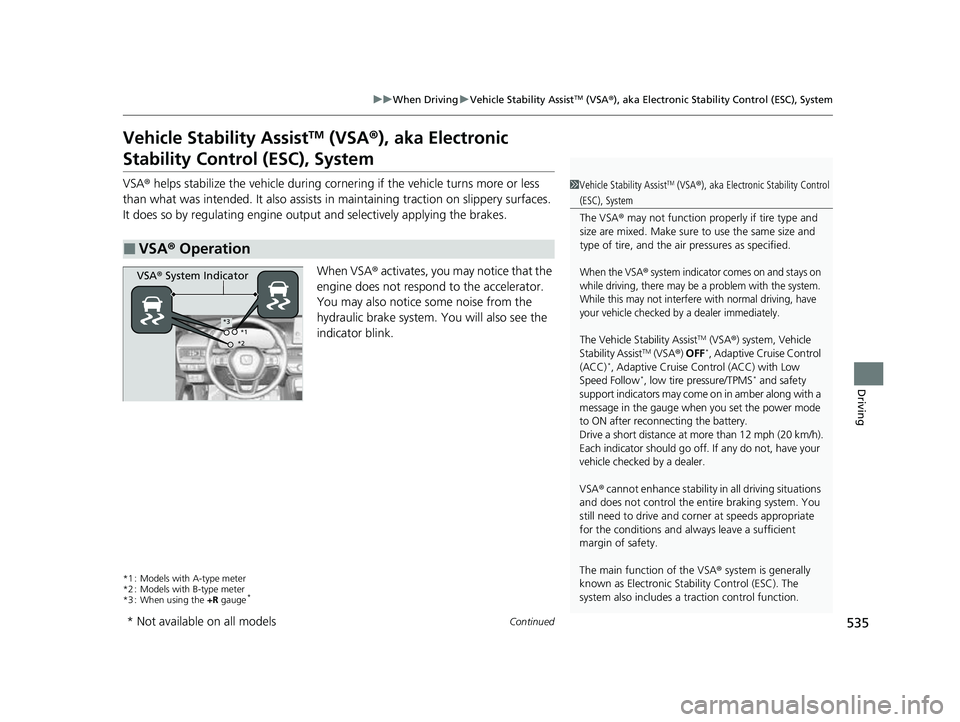
When VSA ® activates, you may notice that the
engine does not respond to the accelerator.
You may also notice some noise from the
hydraulic brake system. You will also see the
indicator blink.
*1 : Models with A-type meter
*2 : Models with B-type meter
*3 : When using the +R gauge
*
■VSA ® Operation
1 Vehicle Stability AssistTM (VSA® ), aka Electronic Stability Control
(ESC), System
The VSA ® may not function properl y if tire type and
size are mixed. Make sure to use the same size and
type of tire, and the air pressures as specified.
When the VSA® system indicator comes on and stays on
while driving, there may be a problem with the system.
While this may not interfere with normal driving, have
your vehicle checked by a dealer immediately.
The Vehicle Stability AssistTM (VSA ®) system, Vehicle
Stability AssistTM (VSA ®) OFF*, Adaptive Cruise Control
(ACC)*, Adaptive Cruise Control (ACC) with Low
Speed Follow*, low tire pressure/TPMS* and safety
support indicators may come on in amber along with a
message in the gauge when you set the power mode
to ON after reconn ecting the battery.
Drive a short distance at more than 12 mph (20 km/h).
Each indicator should go off. If any do not, have your
vehicle checked by a dealer.
VSA ® cannot enhance stability in all driving situations
and does not control the entire braking system. You
still need to drive and corner at speeds appropriate
for the conditions and alwa ys leave a sufficient
margin of safety.
The main function of the VSA ® system is generally
known as Electronic Stability Control (ESC). The
system also includes a traction control function.
VSA® System Indicator
*1
*2*3
* Not available on all models
23 CIVIC HATCHBACK TYPE R-31T406100_03.book 535 ページ 2022年6月23日 木曜日 午後9時28分
Page 541 of 840
539
uuWhen Driving uLimited Slip Differential (LSD)*
Driving
Limited Slip Differential (LSD)*
LSD (limited slip differential) is a type of differential that delivers extra torque to the
wheel or the wheels with the most tracti on to minimize wheel slip and maintain
control of the vehicle.
■Limited Slip Differential (LSD)1 Limited Slip Differential (LSD)*
NOTICE
Make sure both front tires of your vehicle are of the
same brand and specified si ze, and have equal wear.
Otherwise, the LSD may not function properly.
* Not available on all models
23 CIVIC HATCHBACK TYPE R-31T406100_03.book 539 ページ 2022年6月23日 木曜日 午後9時28分
Page 542 of 840
540
uuWhen Driving uTire Pressure Monitoring System (TPMS)*
Driving
Tire Pressure Monitoring System (TPMS)*
Instead of directly measuring the pressu re in each tire, the TPMS on this vehicle
monitors and compares the rolling radius and rotational characteristics of each
wheel and tire while you are driving to determine if one or more tires are
significantly under-inflated.
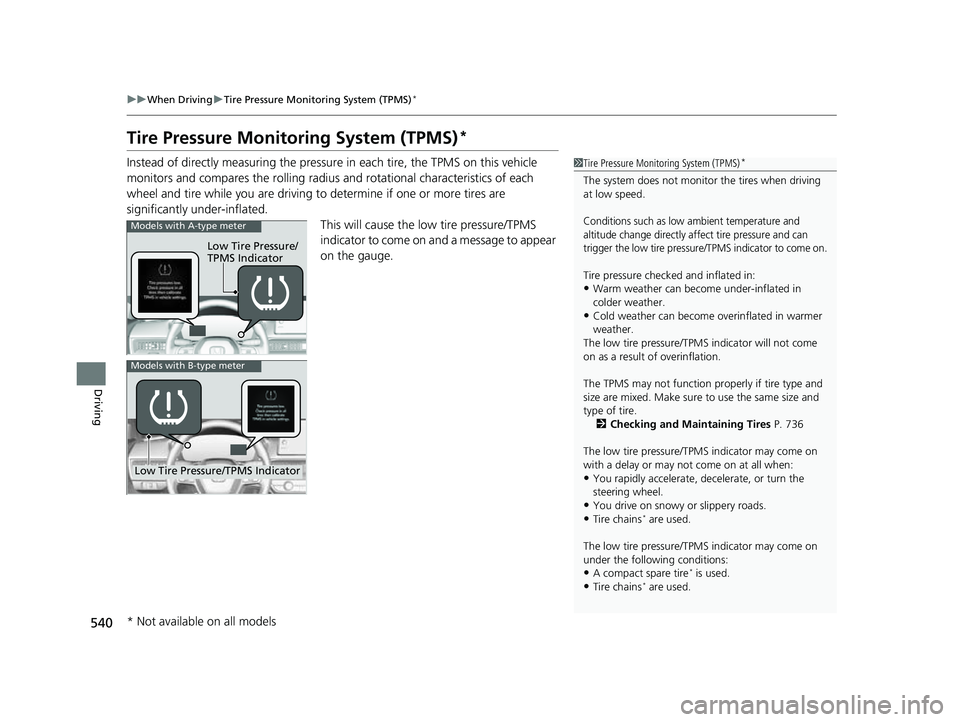
This will cause the low tire pressure/TPMS
indicator to come on and a message to appear
on the gauge.1 Tire Pressure Monitoring System (TPMS)*
The system does not monitor the tires when driving
at low speed.
Conditions such as low ambient temperature and
altitude change directly a ffect tire pressure and can
trigger the low tire pressure /TPMS indicator to come on.
Tire pressure checked and inflated in:
•Warm weather can become under-inflated in
colder weather.
•Cold weather can become overinflated in warmer
weather.
The low tire pressure/TPMS indicator will not come
on as a result of overinflation.
The TPMS may not function pr operly if tire type and
size are mixed. Make sure to use the same size and
type of tire.
2 Checking and Maintaining Tires P. 736
The low tire pressure/TPMS indicator may come on
with a delay or may not come on at all when:
•You rapidly accelerate, decelerate, or turn the
steering wheel.
•You drive on snowy or slippery roads.
•Tire chains* are used.
The low tire pressure/TPMS indicator may come on
under the following conditions:
•A compact spare tire* is used.
•Tire chains* are used.
Low Tire Pressure/
TPMS Indicator
Models with A-type meter
Low Tire Pressure/TPMS Indicator
Models with B-type meter
* Not available on all models
23 CIVIC HATCHBACK TYPE R-31T406100_03.book 540 ページ 2022年6月23日 木曜日 午後9時28分