Driving HONDA CIVIC 2023 Owners Manual
[x] Cancel search | Manufacturer: HONDA, Model Year: 2023, Model line: CIVIC, Model: HONDA CIVIC 2023Pages: 840, PDF Size: 26.53 MB
Page 674 of 840
uuParking Your Vehicle uParking Sensor System*
672
Driving
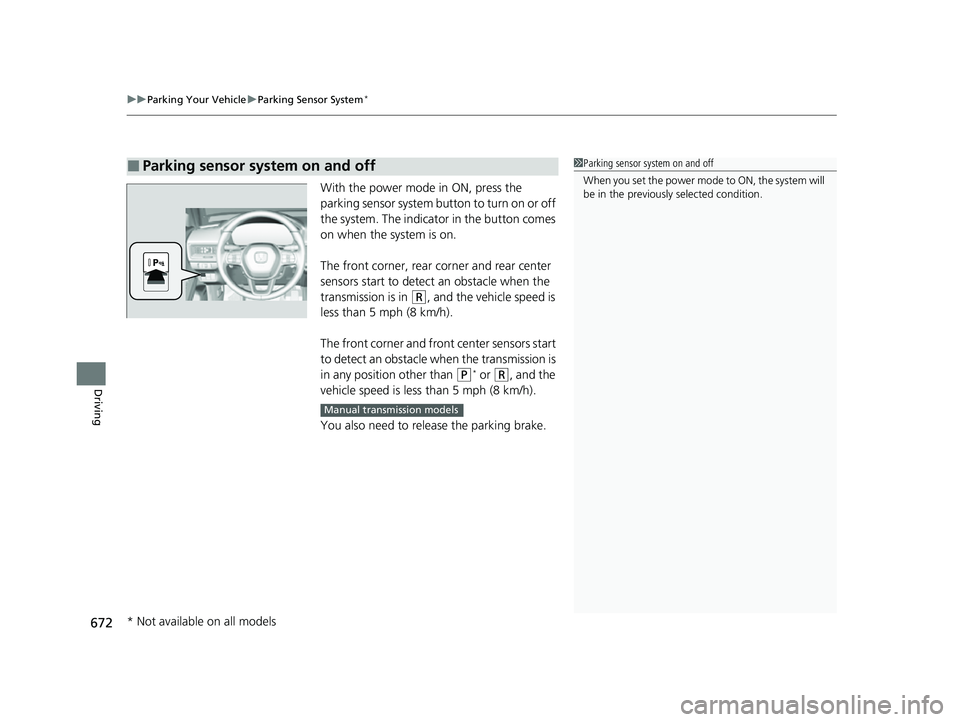
With the power mode in ON, press the
parking sensor system button to turn on or off
the system. The indicato r in the button comes
on when the system is on.
The front corner, rear corner and rear center
sensors start to detect an obstacle when the
transmission is in
(R, and the vehicle speed is
less than 5 mph (8 km/h).
The front corner and front center sensors start
to detect an obstacle wh en the transmission is
in any position other than
(P* or (R, and the
vehicle speed is less than 5 mph (8 km/h).
You also need to release the parking brake.
■Parking sensor system on and off1 Parking sensor system on and off
When you set the power mode to ON, the system will
be in the previously selected condition.
Manual transmission models
* Not available on all models
23 CIVIC HATCHBACK TYPE R-31T406100_03.book 672 ページ 2022年6月23日 木曜日 午後9時28分
Page 675 of 840
673
uuParking Your Vehicle uParking Sensor System*
Continued
Driving
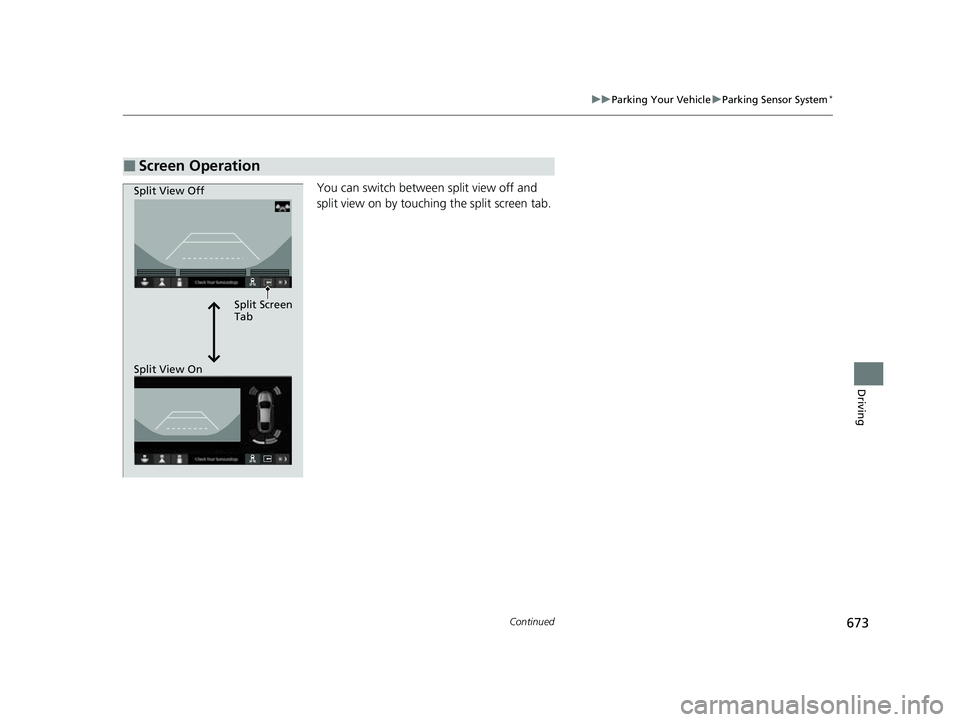
You can switch between split view off and
split view on by touchi ng the split screen tab.
■Screen Operation
Split Screen
Tab
Split View Off
Split View On
23 CIVIC HATCHBACK TYPE R-31T406100_03.book 673 ページ 2022年6月23日 木曜日 午後9時28分
Page 676 of 840
674
uuParking Your Vehicle uParking Sensor System*
Driving
*1:On the driver information interface
*2:On the audio/information screen
*3:At this stage, only the center sensors detect obstacles.
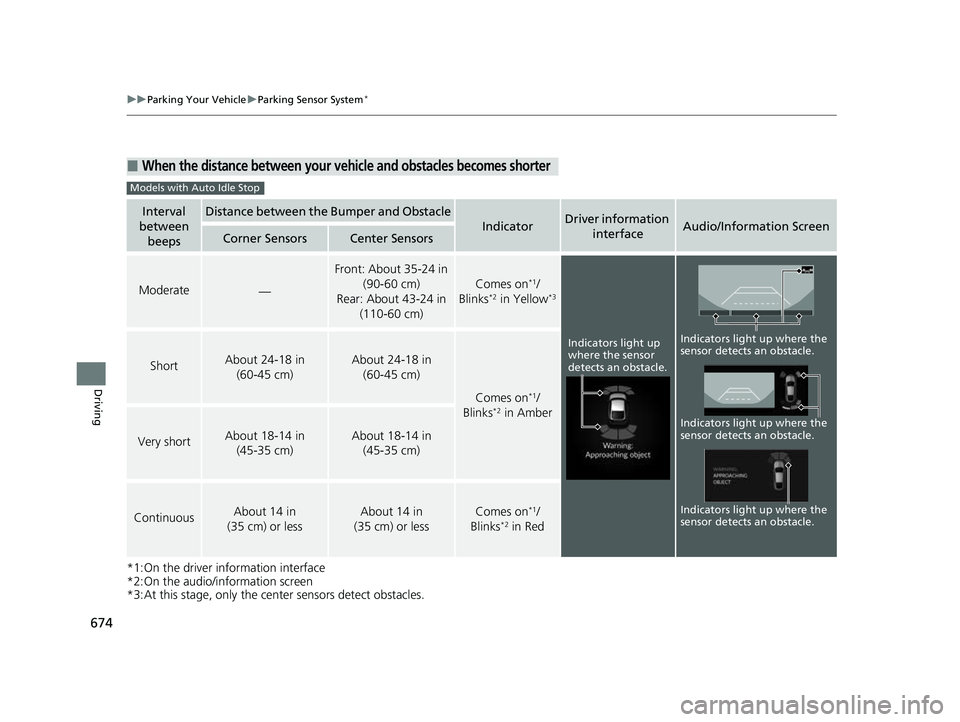
■When the distance between your ve hicle and obstacles becomes shorter
Interval
between beepsDistance between the Bumper and Obstacle
IndicatorDriver information
interfaceAudio/Information ScreenCorner SensorsCenter Sensors
Moderate—
Front: About 35-24 in (90-60 cm)
Rear: About 43-24 in (110-60 cm)
Comes on*1/
Blinks*2 in Yellow*3
ShortAbout 24-18 in (60-45 cm) About 24-18 in (60-45 cm)
Comes on*1/
Blinks*2 in Amber
Very shortAbout 18-14 in (45-35 cm) About 18-14 in (45-35 cm)
ContinuousAbout 14 in
(35 cm) or lessAbout 14 in
(35 cm) or lessComes on*1/
Blinks*2 in Red
Models with Auto Idle Stop
Indicators light up
where the sensor
detects an obstacle.
Indicators light up where the
sensor detects an obstacle.
Indicators light up where the
sensor detects an obstacle. Indicators light up where the
sensor detects an obstacle.
23 CIVIC HATCHBACK TYPE R-31T406100_03.book 674 ページ 2022年6月23日 木曜日 午後9時28分
Page 677 of 840
675
uuParking Your Vehicle uParking Sensor System*
Continued
Driving
*1: On the driver information interface
*2: On the audio/information screen
*3: At this stage, only the center sensors detect obstacles.
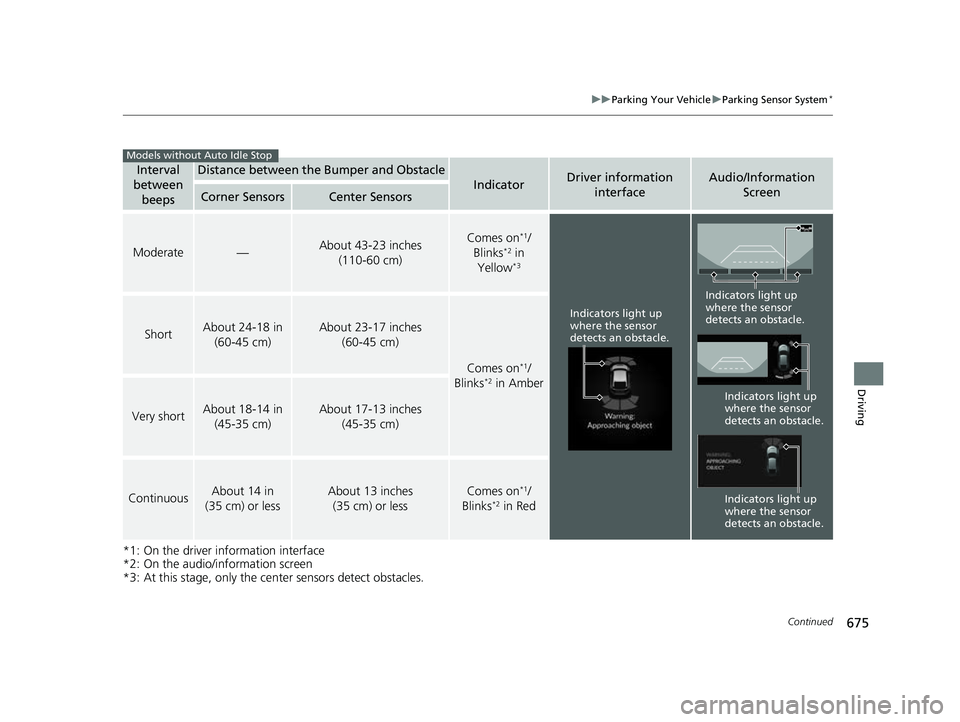
Interval
between
beepsDistance between the Bumper and Obstacle
IndicatorDriver information interfaceAudio/Information Screen
Corner SensorsCenter Sensors
Moderate—About 43-23 inches
(110-60 cm)Comes on*1/
Blinks*2 in
Yellow*3
ShortAbout 24-18 in (60-45 cm)About 23-17 inches (60-45 cm)
Comes on*1/
Blinks*2 in Amber
Very shortAbout 18-14 in (45-35 cm)About 17-13 inches (45-35 cm)
ContinuousAbout 14 in
(35 cm) or lessAbout 13 inches (35 cm) or lessComes on*1/
Blinks*2 in Red
Models without Auto Idle Stop
Indicators light up
where the sensor
detects an obstacle.
Indicators light up
where the sensor
detects an obstacle.
Indicators light up
where the sensor
detects an obstacle.
Indicators light up
where the sensor
detects an obstacle.
23 CIVIC HATCHBACK TYPE R-31T406100_03.book 675 ページ 2022年6月23日 木曜日 午後9時28分
Page 678 of 840
uuParking Your Vehicle uParking Sensor System*
676
Driving
To deactivate the rear sensors, please take the following steps:
1. Make sure that the parking sensor system is not activated.
u The indicator in th e button turns off.
2. Set the power mode to VEHICLE OFF.
3. Press and hold the parking sensor system button, and set the power mode to ON.
4. Keep pressing the button for 10 seconds. Release the button when the indicator
in the button flashes.
u The beeper sounds once.
5. While the indicator is flashi ng, press the button again. The indicator in the button
turns off.
u The beeper sounds twice. The rear sensors are now turned off. They will remain
turned off until manually turned back on again. To turn th e rear sensors on
again, follow the above procedure. The beeper sounds three times when the
rear sensors come back on.
■Turning off All Rear Sensors1 Turning off All Rear Sensors
When you put the transmission into
(R, the indicator
in the parking sensor system button blinks as a
reminder that the rear sens ors have been turned off.
If the rear sensors are turned off when using the
parking sensor system, the Low Speed Braking
Control System will not ac tivate while reversing.
2 Low Speed Braking Control
*
* Not available on all models
23 CIVIC HATCHBACK TYPE R-31T406100_03.book 676 ページ 2022年6月23日 木曜日 午後9時28分
Page 679 of 840
677
uuParking Your Vehicle uCross Traffic Monitor*
Continued
Driving
Cross Traffic Monitor*
Monitors the rear corner areas using the radar sensors when reversing, and alerts
you if a vehicle approaching from a rear corner is detected.
The system is convenient when you are backing out of a parking space.1Cross Traffic Monitor*
The parking sensor system's alerting buzzer overrides
the Cross Traffic Monitor buzzer when the sensors
are detecting obstacles at the closest range.
3CAUTION
Cross Traffic Monitor cannot detect all
approaching vehicles and may not detect
an approaching vehicle at all.
Failure to visually confirm that it is safe to
back up the vehicle before doing so may
result in a collision.
Do not solely rely on the system when
reversing; always also use your mirrors, and
look behind and to the sides of your vehicle
before reversing.
* Not available on all models
23 CIVIC HATCHBACK TYPE R-31T406100_03.book 677 ページ 2022年6月23日 木曜日 午後9時28分
Page 680 of 840
uuParking Your Vehicle uCross Traffic Monitor*
678
Driving
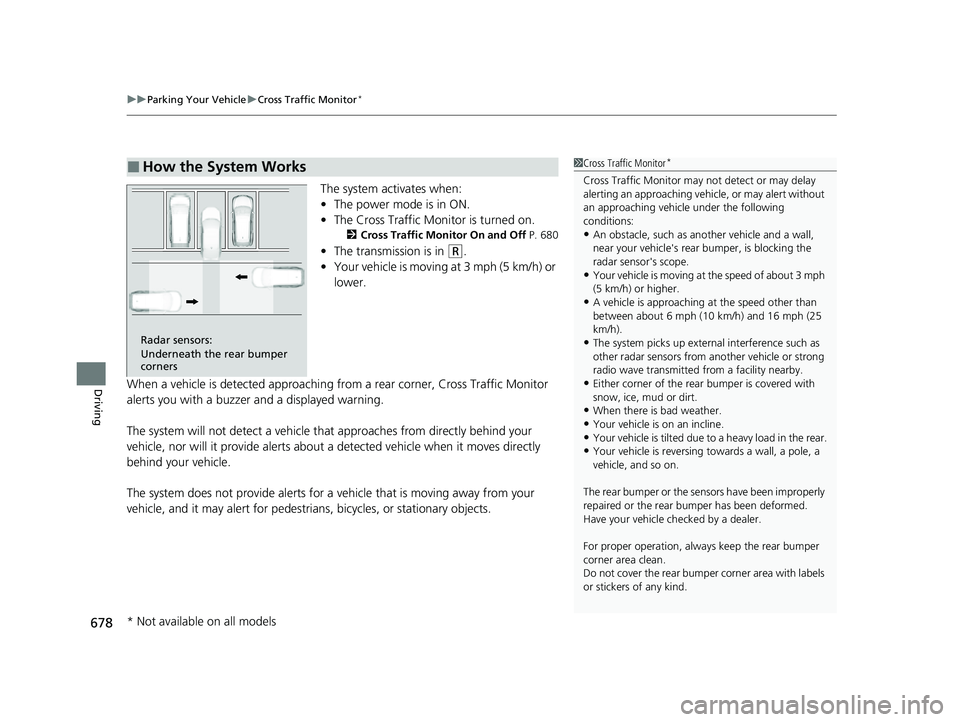
The system activates when:
• The power mode is in ON.
• The Cross Traffic Monitor is turned on.
2 Cross Traffic Monitor On and Off P. 680
•The transmission is in (R.
• Your vehicle is moving at 3 mph (5 km/h) or
lower.
When a vehicle is detected approaching from a rear corner, Cross Traffic Monitor
alerts you with a buzzer and a displayed warning.
The system will not detect a vehicle that approaches from directly behind your
vehicle, nor will it provide alerts about a detected vehicle when it moves directly
behind your vehicle.
The system does not provide alerts for a vehicle that is moving away from your
vehicle, and it may alert for pedestri ans, bicycles, or stationary objects.
■How the System Works1Cross Traffic Monitor*
Cross Traffic Monitor may not detect or may delay
alerting an approaching vehi cle, or may alert without
an approaching vehicle under the following
conditions:
•An obstacle, such as a nother vehicle and a wall,
near your vehicle's rear bumper, is blocking the
radar sensor's scope.
•Your vehicle is moving at the speed of about 3 mph
(5 km/h) or higher.
•A vehicle is approaching at the speed other than
between about 6 mph (10 km/h) and 16 mph (25
km/h).
•The system picks up external interference such as
other radar sensors from an other vehicle or strong
radio wave transmitted fr om a facility nearby.
•Either corner of the rear bumper is covered with
snow, ice, mud or dirt.
•When there is bad weather.
•Your vehicle is on an incline.
•Your vehicle is tilt ed due to a heavy load in the rear.•Your vehicle is reversing towards a wall, a pole, a
vehicle, and so on.
The rear bumper or the sens ors have been improperly
repaired or the rear bum per has been deformed.
Have your vehicle checked by a dealer.
For proper operation, always keep the rear bumper
corner area clean.
Do not cover the rear bumper corner area with labels
or stickers of any kind.
Radar sensors:
Underneath the rear bumper
corners
* Not available on all models
23 CIVIC HATCHBACK TYPE R-31T406100_03.book 678 ページ 2022年6月23日 木曜日 午後9時28分
Page 681 of 840
Continued679
uuParking Your Vehicle uCross Traffic Monitor*
Driving
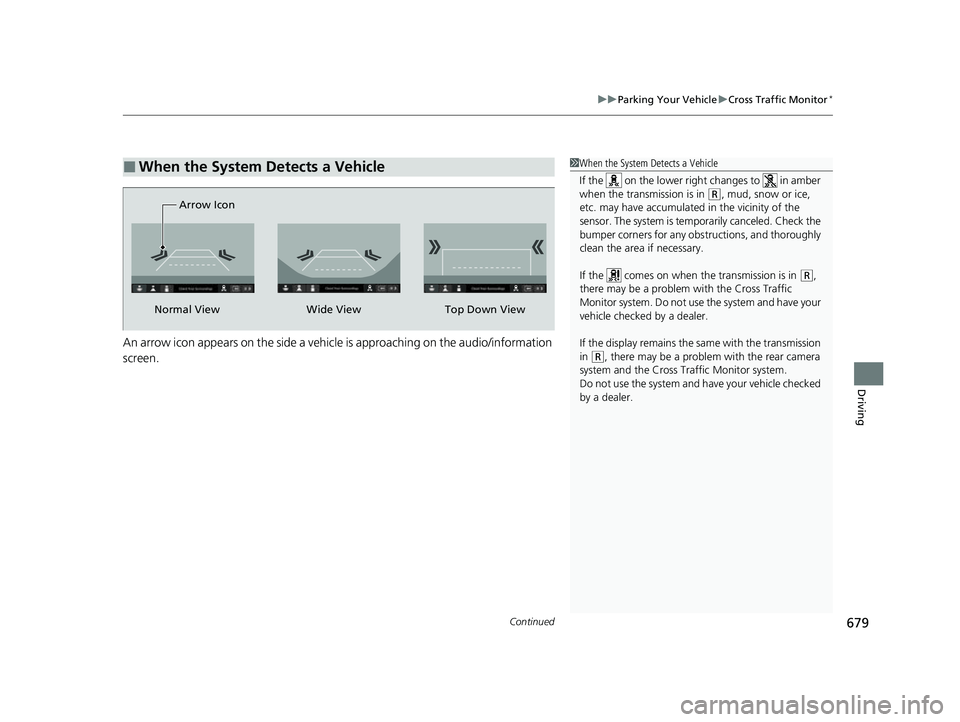
An arrow icon appears on the side a vehicl e is approaching on the audio/information
screen.
■When the System Detects a Vehicle1 When the System Detects a Vehicle
If the on the lower right changes to in amber
when the transmission is in
(R, mud, snow or ice,
etc. may have accumulated in the vicinity of the
sensor. The system is temp orarily canceled. Check the
bumper corners for any obs tructions, and thoroughly
clean the area if necessary.
If the comes on when the transmission is in
( R,
there may be a problem with the Cross Traffic
Monitor system. Do not use the system and have your
vehicle checked by a dealer.
If the display remains the same with the transmission
in
( R, there may be a problem with the rear camera
system and the Cross Traffic Monitor system.
Do not use the system and have your vehicle checked
by a dealer.
Wide View
Normal View Arrow IconTop Down View
23 CIVIC HATCHBACK TYPE R-31T406100_03.book 679 ページ 2022年6月23日 木曜日 午後9時28分
Page 682 of 840
680
uuParking Your Vehicle uCross Traffic Monitor*
Driving
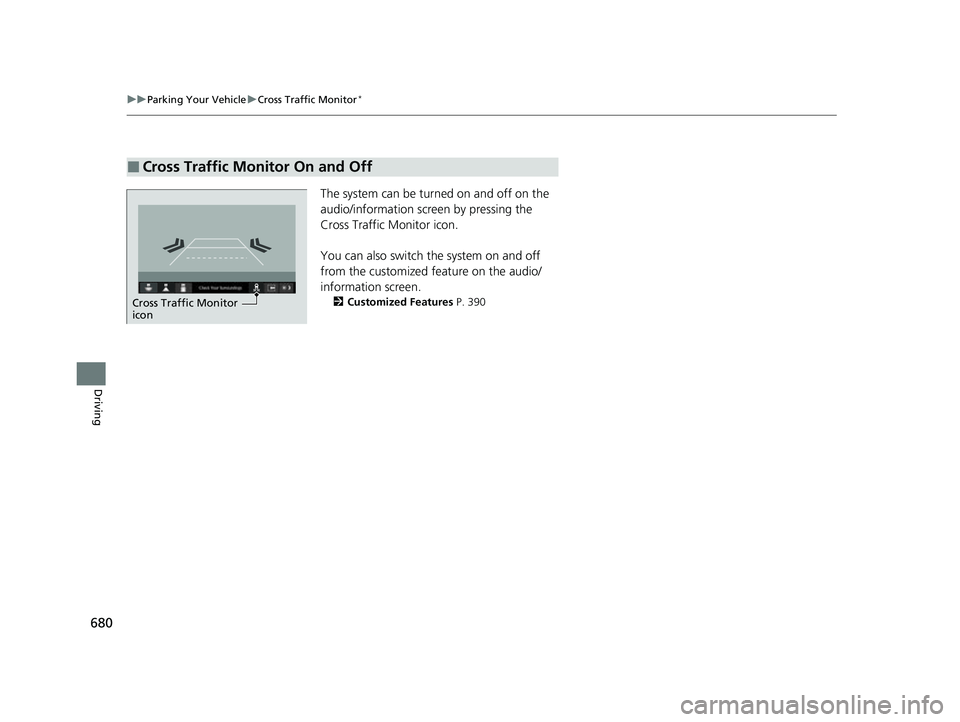
The system can be turned on and off on the
audio/information scr een by pressing the
Cross Traffic Monitor icon.
You can also switch the system on and off
from the customized feature on the audio/
information screen.
2 Customized Features P. 390
■Cross Traffic Monitor On and Off
Cross Traffic Monitor
icon
23 CIVIC HATCHBACK TYPE R-31T406100_03.book 680 ページ 2022年6月23日 木曜日 午後9時28分
Page 683 of 840
681Continued
Driving
Multi-View Rear Camera
About Your Multi-View Rear Camera
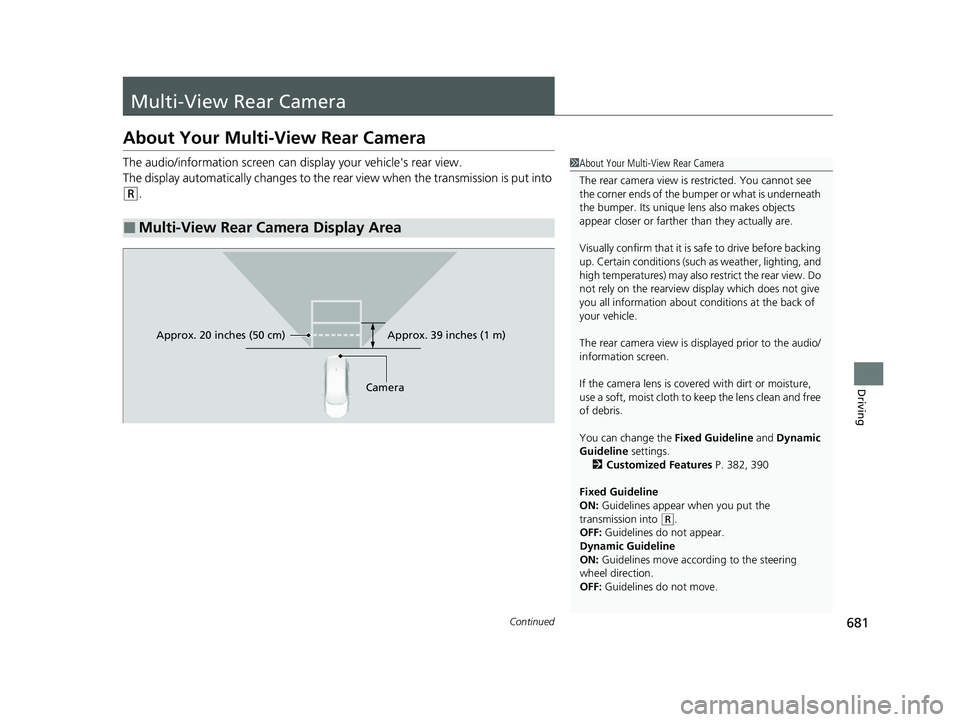
The audio/information screen can display your vehicle's rear view.
The display automatically changes to the rear view when the transmission is put into
(R.
■Multi-View Rear Camera Display Area
1About Your Multi-View Rear Camera
The rear camera view is restricted. You cannot see
the corner ends of the bumper or what is underneath
the bumper. Its unique le ns also makes objects
appear closer or farther than they actually are.
Visually confirm that it is safe to drive before backing
up. Certain conditions (such as weather, lighting, and
high temperatures) may also restrict the rear view. Do
not rely on the rearview display which does not give
you all information about conditions at the back of
your vehicle.
The rear camera view is di splayed prior to the audio/
information screen.
If the camera lens is cove red with dirt or moisture,
use a soft, moist cloth to keep the lens clean and free
of debris.
You can change the Fixed Guideline and Dynamic
Guideline settings. 2 Customized Features P. 382, 390
Fixed Guideline
ON: Guidelines appear when you put the
transmission into
( R.
OFF: Guidelines do not appear.
Dynamic Guideline
ON: Guidelines move according to the steering
wheel direction.
OFF: Guidelines do not move.
Approx. 39 inches (1 m)
Camera
Approx. 20 inches (50 cm)
23 CIVIC HATCHBACK TYPE R-31T406100_03.book 681 ページ 2022年6月23日 木曜日 午後9時28分