wheel HONDA CIVIC 2023 Repair Manual
[x] Cancel search | Manufacturer: HONDA, Model Year: 2023, Model line: CIVIC, Model: HONDA CIVIC 2023Pages: 840, PDF Size: 26.53 MB
Page 218 of 840
216
uuOperating the Switches Around the Steering Wheel uRear Defogger/Heated Door Mirror* Button
Controls
Rear Defogger/Heated Door Mirror* Button
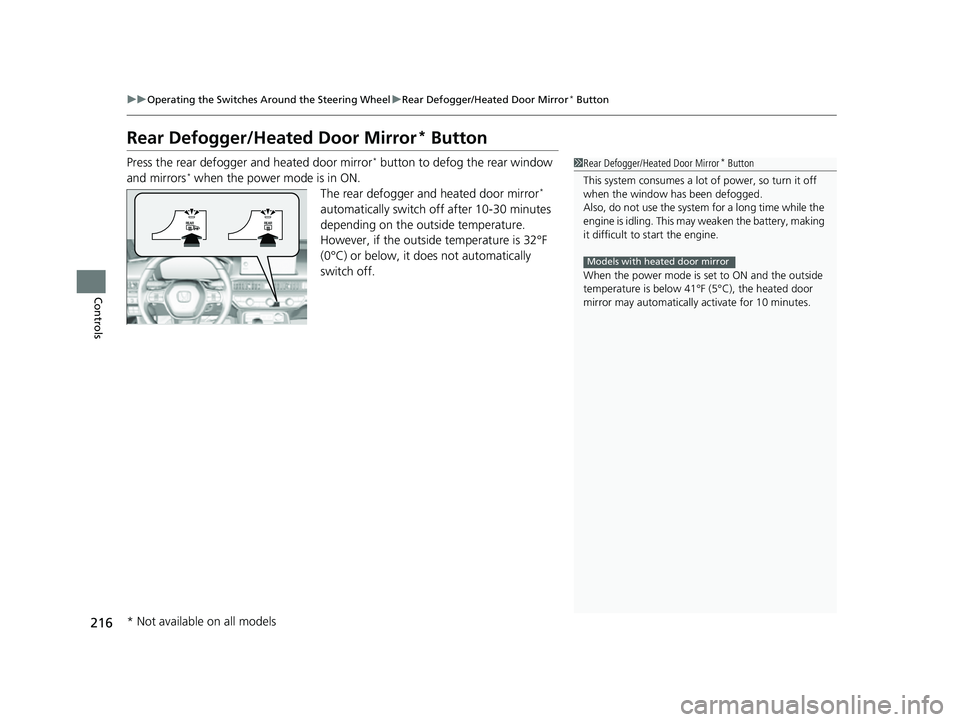
Press the rear defogger and heated door mirror* button to defog the rear window
and mirrors* when the power mode is in ON. The rear defogger and heated door mirror*
automatically switch off after 10-30 minutes
depending on the outside temperature.
However, if the outside temperature is 32°F
(0°C) or below, it does not automatically
switch off.
1 Rear Defogger/Heated Door Mirror* Button
This system consumes a lot of power, so turn it off
when the window has been defogged.
Also, do not use the system for a long time while the
engine is idling. This may weaken the battery, making
it difficult to start the engine.
When the power mode is se t to ON and the outside
temperature is below 41°F (5°C), the heated door
mirror may automatically activate for 10 minutes.
Models with heated door mirror
* Not available on all models
23 CIVIC HATCHBACK TYPE R-31T406100_03.book 216 ページ 2022年6月23日 木曜日 午後9時28分
Page 219 of 840
217
uuOperating the Switches Around the Steering Wheel uBrightness Control
Controls
Brightness Control
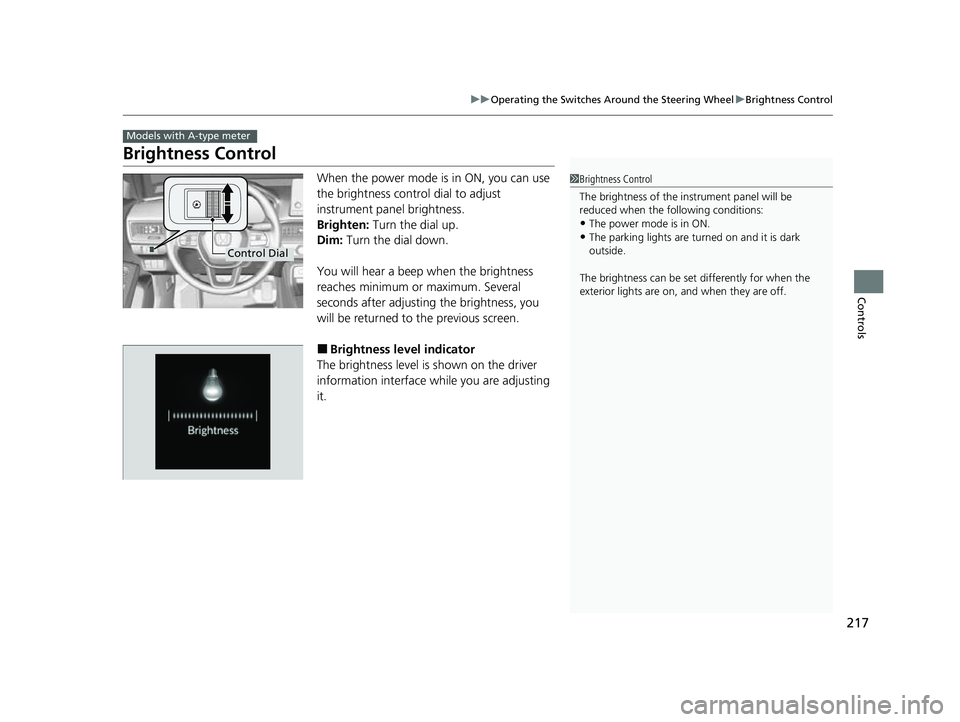
When the power mode is in ON, you can use
the brightness control dial to adjust
instrument panel brightness.
Brighten: Turn the dial up.
Dim: Turn the dial down.
You will hear a beep when the brightness
reaches minimum or maximum. Several
seconds after adjusting the brightness, you
will be returned to the previous screen.
■Brightness level indicator
The brightness level is shown on the driver
information interface while you are adjusting
it.
Models with A-type meter
1 Brightness Control
The brightness of the in strument panel will be
reduced when the following conditions:
•The power mode is in ON.
•The parking lights are turn ed on and it is dark
outside.
The brightness can be set differently for when the
exterior lights are on, and when they are off.
Control Dial
23 CIVIC HATCHBACK TYPE R-31T406100_03.book 217 ページ 2022年6月23日 木曜日 午後9時28分
Page 220 of 840
218
uuOperating the Switches Around the Steering Wheel uBrightness Control
Controls
Brightness Control
The brightness of the gauge is automatically
adjusted depending on the ambient
brightness.
• The brightness becomes darker when the
ambient light is dark.
• The brightness become s brighter when the
ambient light is bright.
■Adjusting the brightness manually
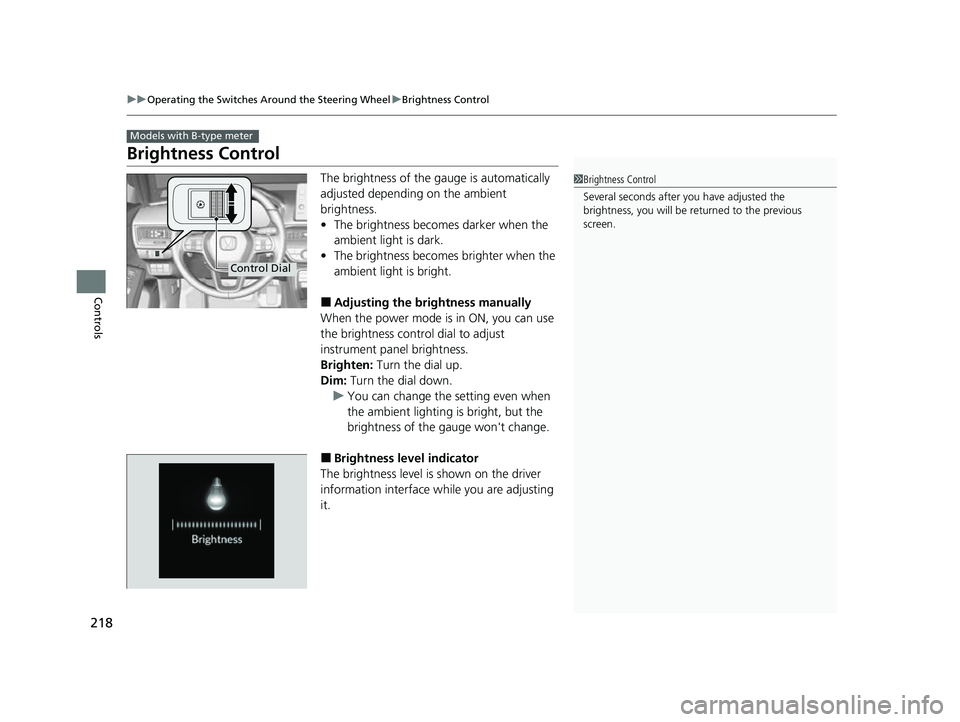
When the power mode is in ON, you can use
the brightness control dial to adjust
instrument panel brightness.
Brighten: Turn the dial up.
Dim: Turn the dial down.
u You can change the setting even when
the ambient lighting is bright, but the
brightness of the gauge won't change.
■Brightness level indicator
The brightness level is shown on the driver
information interface wh ile you are adjusting
it.
Models with B-type meter
1 Brightness Control
Several seconds after you have adjusted the
brightness, you will be re turned to the previous
screen.
Control Dial
23 CIVIC HATCHBACK TYPE R-31T406100_03.book 218 ページ 2022年6月23日 木曜日 午後9時28分
Page 221 of 840
219
uuOperating the Switches Around the Steering Wheel uAdjusting the Steering Wheel
Controls
Adjusting the Steering Wheel
The steering wheel height and distance from your body can be adjusted so that you
can comfortably grip the steering wheel in an appropriate driving posture.
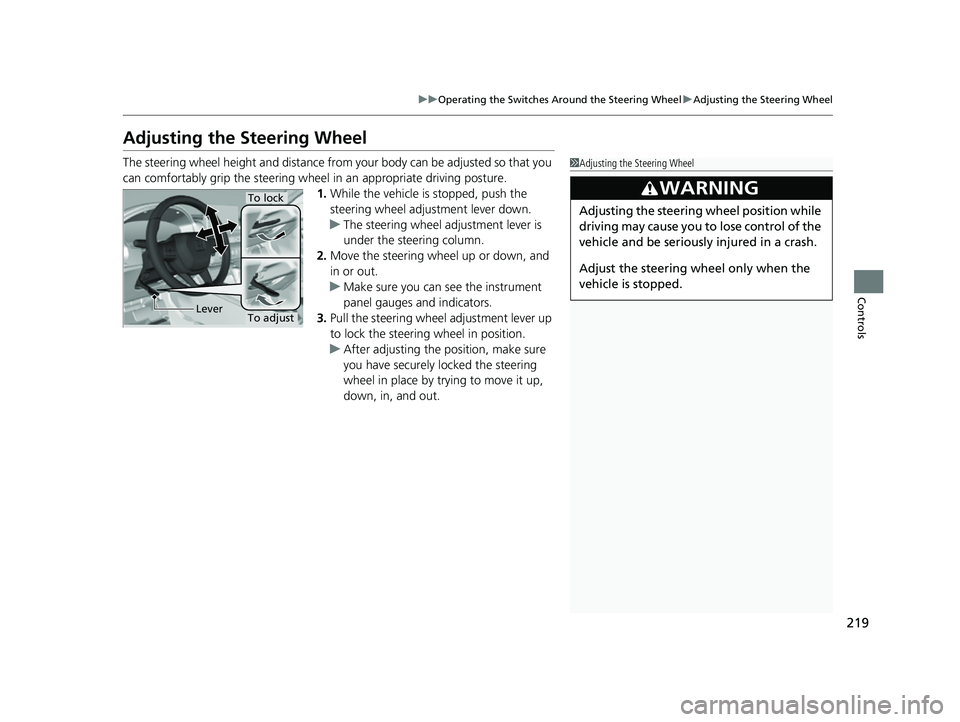
1. While the vehicle is stopped, push the
steering wheel adjustment lever down.
u The steering wheel adjustment lever is
under the steering column.
2. Move the steering wheel up or down, and
in or out.
u Make sure you can see the instrument
panel gauges and indicators.
3. Pull the steering wheel adjustment lever up
to lock the steering wheel in position.
u After adjusting the position, make sure
you have securely locked the steering
wheel in place by trying to move it up,
down, in, and out.1Adjusting the Steering Wheel
3WARNING
Adjusting the steering wheel position while
driving may cause you to lose control of the
vehicle and be seriously injured in a crash.
Adjust the steering wh eel only when the
vehicle is stopped.
To adjust
To lock
Lever
23 CIVIC HATCHBACK TYPE R-31T406100_03.book 219 ページ 2022年6月23日 木曜日 午後9時28分
Page 224 of 840
222
Controls
Seats
Front Seats
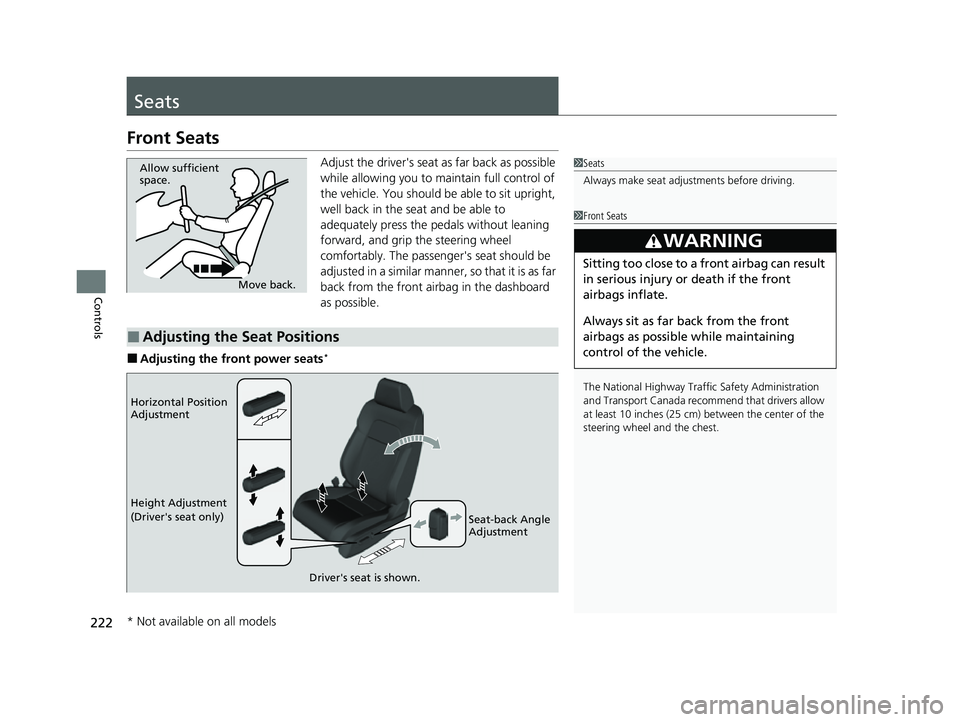
Adjust the driver's seat as far back as possible
while allowing you to maintain full control of
the vehicle. You should be able to sit upright,
well back in the seat and be able to
adequately press the pedals without leaning
forward, and grip the steering wheel
comfortably. The passenger's seat should be
adjusted in a similar manner, so that it is as far
back from the front airbag in the dashboard
as possible.
■Adjusting the front power seats*
1Seats
Always make seat adjustments before driving.
1Front Seats
The National Highway Traffic Safety Administration
and Transport Cana da recommend that drivers allow
at least 10 inches (25 cm) between the center of the
steering wheel and the chest.
3WARNING
Sitting too close to a front airbag can result
in serious injury or death if the front
airbags inflate.
Always sit as far back from the front
airbags as possible while maintaining
control of the vehicle.
Move back.
Allow sufficient
space.
■Adjusting the Seat Positions
Horizontal Position
Adjustment
Height Adjustment
(Driver's seat only)
Seat-back Angle
Adjustment
Driver's seat is shown.
* Not available on all models
23 CIVIC HATCHBACK TYPE R-31T406100_03.book 222 ページ 2022年6月23日 木曜日 午後9時28分
Page 226 of 840
uuSeats uFront Seats
224
Controls
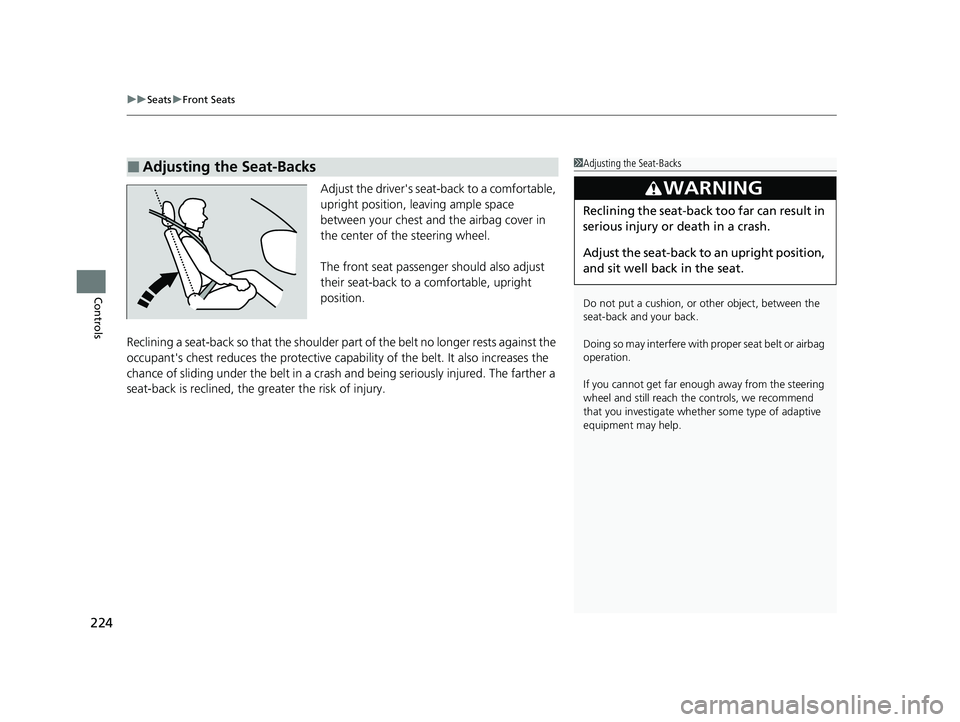
Adjust the driver's seat-back to a comfortable,
upright position, leaving ample space
between your chest and the airbag cover in
the center of the steering wheel.
The front seat passenger should also adjust
their seat-back to a comfortable, upright
position.
Reclining a seat-back so that the shoulder part of the belt no longer rests against the
occupant's chest reduces the protective capa bility of the belt. It also increases the
chance of sliding under the belt in a crash and being seriously injured. The farther a
seat-back is reclined, the greater the risk of injury.
■Adjusting the Seat-Backs1 Adjusting the Seat-Backs
Do not put a cushion, or other object, between the
seat-back and your back.
Doing so may interfere with proper seat belt or airbag
operation.
If you cannot get far e nough away from the steering
wheel and still reach th e controls, we recommend
that you investigate whether some type of adaptive
equipment may help.
3WARNING
Reclining the seat-back too far can result in
serious injury or death in a crash.
Adjust the seat-back to an upright position,
and sit well back in the seat.
23 CIVIC HATCHBACK TYPE R-31T406100_03.book 224 ページ 2022年6月23日 木曜日 午後9時28分
Page 248 of 840
uuInterior Convenience Items uOther Interior Convenience Items
246
Controls
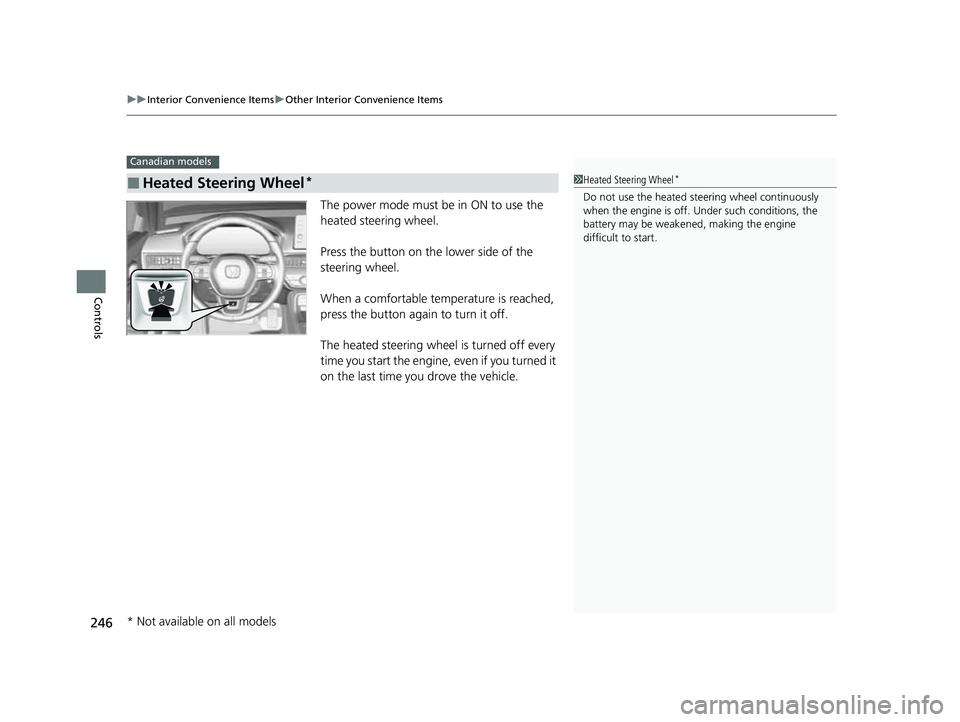
The power mode must be in ON to use the
heated steering wheel.
Press the button on the lower side of the
steering wheel.
When a comfortable temperature is reached,
press the button again to turn it off.
The heated steering wheel is turned off every
time you start the engine, even if you turned it
on the last time you drove the vehicle.
■Heated Steering Wheel*
Canadian models
1Heated Steering Wheel*
Do not use the heated st eering wheel continuously
when the engine is off. Under such conditions, the
battery may be weaken ed, making the engine
difficult to start.
* Not available on all models
23 CIVIC HATCHBACK TYPE R-31T406100_03.book 246 ページ 2022年6月23日 木曜日 午後9時28分
Page 258 of 840
256
Features
Audio System
About Your Audio System
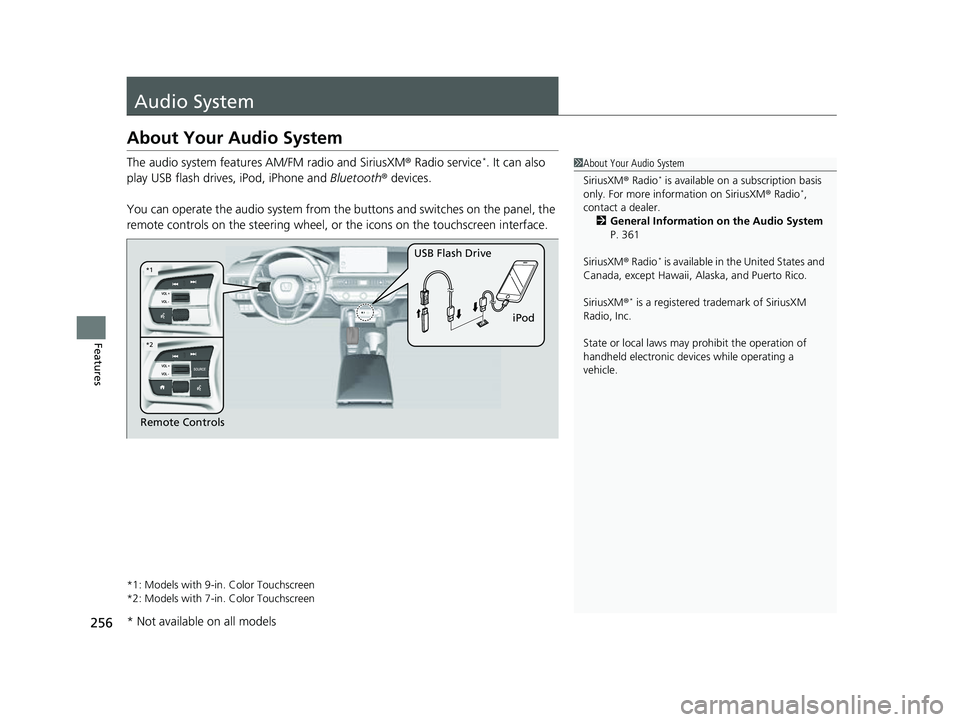
The audio system features AM/FM radio and SiriusXM ® Radio service*. It can also
play USB flash drives, iPod, iPhone and Bluetooth® devices.
You can operate the audio system from the buttons and switches on the panel, the
remote controls on the steering wheel, or the icons on the touchscreen interface.
*1: Models with 9-in. Color Touchscreen
*2: Models with 7-in. Color Touchscreen
1About Your Audio System
SiriusXM ® Radio
* is available on a subscription basis
only. For more information on SiriusXM ® Radio*,
contact a dealer. 2 General Information on the Audio System
P. 361
SiriusXM ® Radio
* is available in the United States and
Canada, except Ha waii, Alaska, and Puerto Rico.
SiriusXM ®
* is a registered tra demark of SiriusXM
Radio, Inc.
State or local laws may prohibit the operation of
handheld electronic devi ces while operating a
vehicle.
Remote Controls iPod
USB Flash Drive
*2
*1
* Not available on all models
23 CIVIC HATCHBACK TYPE R-31T406100_03.book 256 ページ 2022年6月23日 木曜日 午後9時28分
Page 263 of 840
261
uuAudio System uAudio Remote Controls
Continued
Features
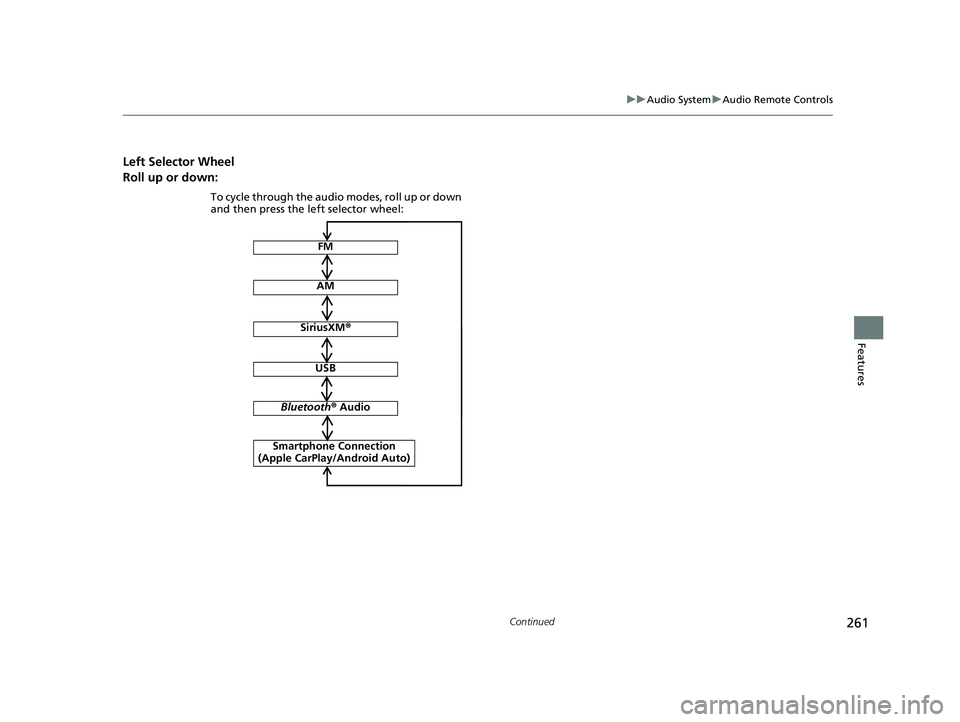
Left Selector Wheel
Roll up or down:
FM
AM
SiriusXM ®
To cycle through the audio modes, roll up or down
and then press the left selector wheel:
Bluetooth ® Audio
USB
Smartphone Connection
(Apple CarPlay/Android Auto)
23 CIVIC HATCHBACK TYPE R-31T406100_03.book 261 ページ 2022年6月23日 木曜日 午後9時28分
Page 264 of 840
262
uuAudio System uAudio Remote Controls
Features
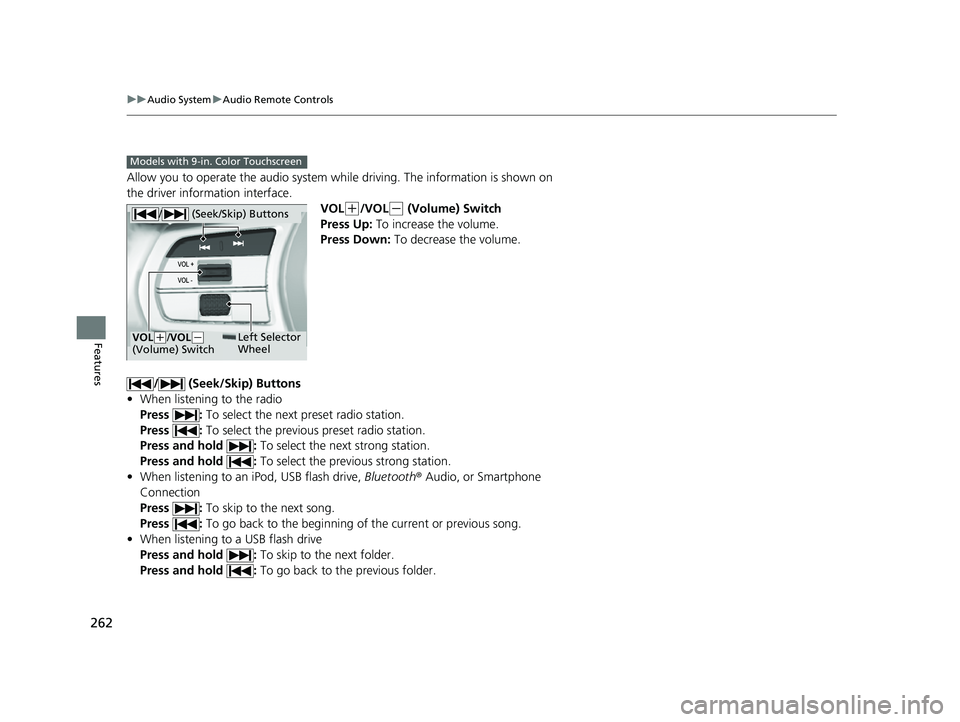
Allow you to operate the audio system while driving. The information is shown on
the driver information interface.
VOL
(+/VOL(- (Volume) Switch
Press Up: To increase the volume.
Press Down: To decrease the volume.
/ (Seek/Skip) Buttons
• When listening to the radio
Press : To select the next preset radio station.
Press : To select the previous preset radio station.
Press and hold : To select the next strong station.
Press and hold : To select the previous strong station.
• When listening to an iPod, USB flash drive, Bluetooth® Audio, or Smartphone
Connection
Press : To skip to the next song.
Press : To go back to the beginning of the current or previous song.
• When listening to a USB flash drive
Press and hold : To skip to the next folder.
Press and hold : To go back to the previous folder.
Models with 9-in. Color Touchscreen
/ (Seek/Skip) Buttons
Left Selector
WheelVOL(+/ VOL(-
(Volume) Switch
23 CIVIC HATCHBACK TYPE R-31T406100_03.book 262 ページ 2022年6月23日 木曜日 午後9時28分