ECO mode HONDA CIVIC COUPE 2000 7.G User Guide
[x] Cancel search | Manufacturer: HONDA, Model Year: 2000, Model line: CIVIC COUPE, Model: HONDA CIVIC COUPE 2000 7.GPages: 293, PDF Size: 4.05 MB
Page 103 of 293
Audio System
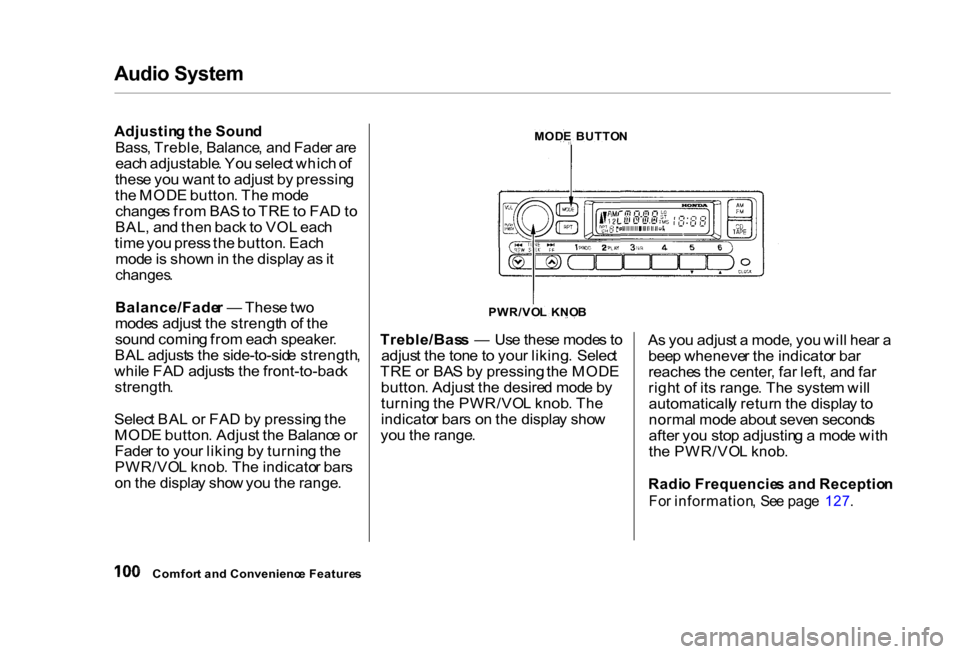
Adjusting th e
Soun
d
Bass , Treble , Balance , an d Fade r ar e
eac h adjustable . Yo u selec t whic h o f
thes e yo u wan t t o adjus t b y pressin g
th e MOD E button . Th e mod e
change s fro m BA S to TR E to FA D to
BAL , an d the n bac k t o VO L eac h
tim e yo u pres s th e button . Eac h
mod e is show n in th e displa y a s it
changes .
Balance/Fade r — Thes e tw o
mode s adjus t th e strengt h o f th e
soun d comin g fro m eac h speaker .
BA L adjust s th e side-to-sid e strength ,
whil e FA D adjust s th e front-to-bac k
strength .
Selec t BA L o r FA D b y pressin g th e
MOD E button . Adjus t th e Balanc e o r
Fade r t o you r likin g b y turnin g th e
PWR/VO L knob . Th e indicato r bar s
o n th e displa y sho w yo u th e range . Treble/Bas
s — Us e thes e mode s t o
adjus t th e ton e t o you r liking . Selec t
TR E o r BA S b y pressing the MOD E
button . Adjus t th e desire d mod e b y
turnin g th e PWR/VO L knob . Th e
indicato r bar s o n th e displa y sho w
yo u th e range . A
s yo u adjus t a mode , yo u wil l hea r a
bee p wheneve r th e indicato r ba r
reache s th e center , fa r left , an d fa r
righ t o f it s range . Th e syste m wil l
automaticall y retur n th e displa y t o
norma l mod e abou t seve n second s
afte r yo u sto p adjustin g a mod e wit h
th e PWR/VO L knob .
Radi o Frequencie s an d Receptio n
Fo r information , Se e pag e 127 .
Comfor t an d Convenienc e Feature s PWR/VO
L KNO B
MOD
E BUTTO N
Page 108 of 293
Audi
o Syste m
Pres s th e EJEC T butto n to remov e
th e dis c fro m th e player .
I f yo u ejec t th e disc , bu t d o no t
remov e it fro m th e slot , th e syste m
wil l automaticall y reloa d th e dis c
afte r 1 5 second s an d pu t th e C D
playe r i n paus e mode . T o begi n
playin g th e disc , pres s th e C D button .
CD Changer
Usin g th e instruction s tha t cam e
wit h th e changer , loa d th e desire d
CD s in th e magazine , an d loa d th e
magazin e in th e changer . Pla y onl y
standar d roun d discs . Odd-shape d
CD s ma y ja m in th e driv e o r caus e
othe r problems .
Pres s th e CD/TAP E button . Yo u wil l
se e "CD " i n th e display . Th e syste m
wil l star t t o pla y th e firs t trac k o f th e
firs t disc . Whe n tha t dis c ends , th e
nex t dis c in th e magazin e is loade d
an d played . Afte r th e las t dis c
finishes , th e syste m return s t o dis c 1 . T
o selec t a differen t disc , pres s th e
appropriat e prese t butto n (1 — 6). I f
yo u selec t a n empt y slo t i n th e
magazine , th e change r will , afte r
findin g tha t slo t empty , tr y t o loa d
th e C D in th e nex t slot . Thi s
continue s unti l i t find s a C D to loa d
an d play .
CD Player and Changer
Yo u ca n us e th e TUNE/SEE K
switc h t o selec t track s withi n a disc .
I f yo u pres s an d releas e th e TUNE /
SEE K switch , th e syste m wil l mov e
t o th e beginnin g o f a track . Pres s th e sid
e t o mov e t o th e beginnin g o
f th e nex t track , an d th e sid e
t o mov e t o th e beginnin g o f th e
curren t track .
I f yo u pus h an d hol d th e TUNE /
SEE K switch , yo u wil l hea r a bee p
an d th e syste m wil l continu e t o mov e
acros s tracks . Releas e th e switc h
whe n yo u thin k i t ha s reache d th e
desire d plac e o n th e disc . REPEA
T — Whe n yo u activat e th e
Repea t featur e b y pressin g th e RP T
button , th e syste m continuousl y
replay s th e curren t track . Yo u wil l
se e RP T in th e displa y a s a reminder .
Pres s th e RP T butto n agai n t o tur n it
off .
T o tak e th e syste m ou t o f C D mode ,
pres s th e AM/F M butto n o r inser t a
cassett e in th e player . I f a tap e is
alread y i n th e cassett e player , pres s
th e CD/TAP E button . Whe n yo u
retur n to C D mode , pla y wil l contin -
u e a t th e sam e poin t tha t i t lef t off .
I f yo u tur n th e syste m of f whil e a C D
i s playing , eithe r wit h th e PWR/VO L
kno b o r th e ignitio n switch , pla y wil l
continu e a t th e sam e poin t whe n yo u
tur n i t bac k on .
Protectin g Compac t Disc s
Fo r informatio n o n ho w to handl e
an d protec t compac t discs , se e pag e
132 .
Comfor t an d Convenienc e Feature s
Page 112 of 293
Audi
o Syste m
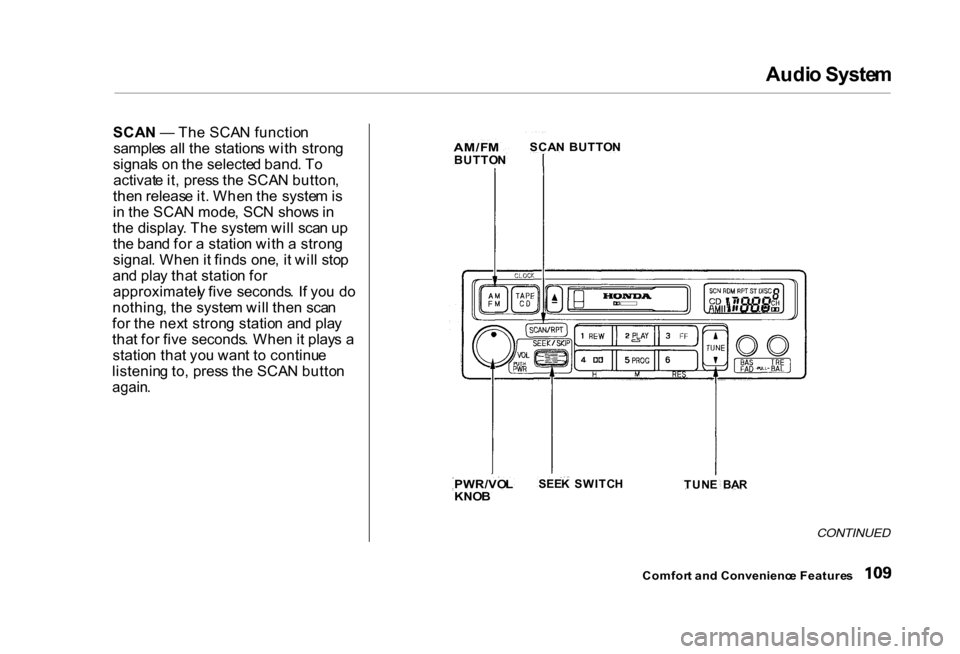
SCA N — Th e SCA N functio n
sample s al l th e station s wit h stron g
signal s o n th e selecte d band . T o
activat e it , pres s th e SCA N button ,
the n releas e it . Whe n th e syste m is
i n th e SCA N mode , SC N show s i n
th e display . Th e syste m wil l sca n u p
th e ban d fo r a statio n wit h a stron g
signal . Whe n it find s one , i t wil l sto p
an d pla y tha t statio n fo r
approximatel y fiv e seconds . I f yo u d o
nothing , th e syste m wil l the n sca n
fo r th e nex t stron g statio n an d pla y
tha t fo r fiv e seconds . Whe n it play s a
statio n tha t yo u wan t t o continu e
listenin g to , pres s th e SCA N butto n
again .
CONTINUED
Comfor t an d Convenienc e Feature s
AM/F
M
BUTTO NSCA
N BUTTO N
PWR/VO L
KNO B
SEE
K SWITC H
TUNE BA R
Page 117 of 293
Audi
o Syste m
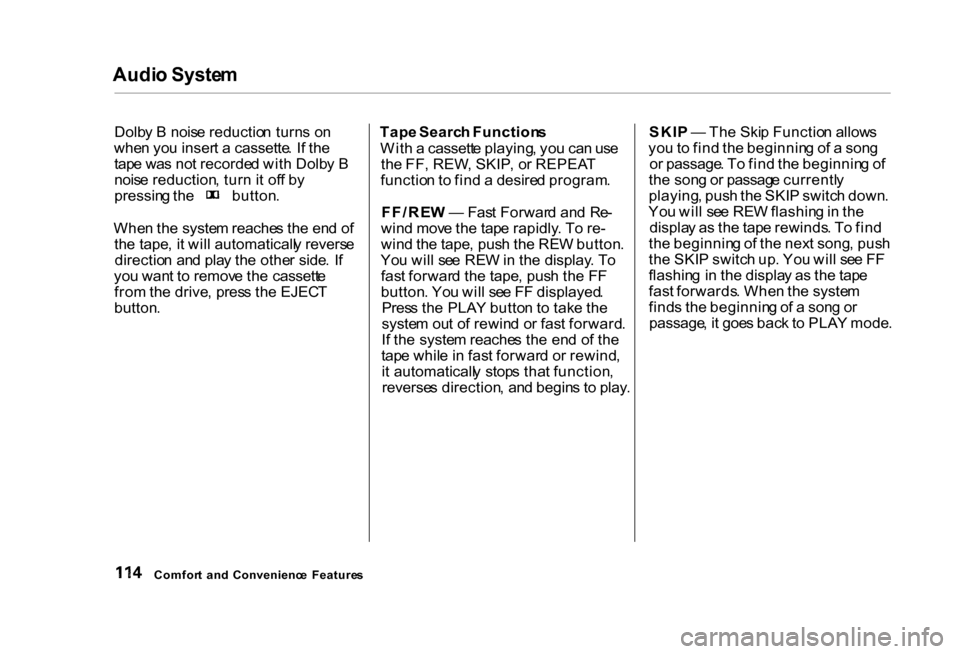
Dolb y B nois e reductio n turn s o n
whe n yo u inser t a cassette . I f th e
tap e wa s no t recorde d wit h Dolb y B
nois e reduction , tur n it of f b y pressin
g th e button .
Whe n th e syste m reache s th e en d of
th e tape , i t wil l automaticall y revers e
directio n an d pla y th e othe r side . I f
yo u wan t t o remov e th e cassett e
fro m th e drive , pres s th e EJEC T
button .
Tap
e Searc h Function s
Wit h a cassett e playing , yo u ca n us e
th e FF , REW , SKIP , o r REPEA T
functio n to fin d a desire d program .
FF/RE W — Fas t Forwar d an d Re -
win d mov e th e tap e rapidly . T o re -
win d th e tape , pus h th e RE W button .
Yo u wil l se e RE W in th e display . T o
fas t forwar d th e tape , pus h th e F F
button . Yo u wil l se e F F displayed .
Pres s th e PLA Y butto n t o tak e th e
syste m ou t o f rewin d o r fas t forward .
I f th e syste m reache s th e en d o f th e
tap e whil e in fas t forwar d o r rewind ,
i t automaticall y stop s tha t function ,
reverse s direction , an d begin s t o play .SKI
P — Th e Ski p Functio n allow s
yo u to fin d th e beginnin g o f a son g
o r passage . T o fin d th e beginnin g o f
th e son g o r passag e currentl y
playing , pus h th e SKI P switc h down .
Yo u wil l se e RE W flashin g in th e
displa y a s th e tap e rewinds . T o fin d
th e beginnin g o f th e nex t song , pus h
th e SKI P switc h up . Yo u wil l se e F F
flashin g i n th e displa y a s th e tap e
fas t forwards . Whe n th e syste m
find s th e beginnin g o f a son g o r
passage , i t goe s bac k t o PLA Y mode .
Comfor t an d Convenienc e Feature s
Page 126 of 293
Audi
o Syste m
TUN E — Us e th e TUN E ba r t o tun e
th e radi o t o a desire d frequency . Pres
s th e sid e o f th e ba r t o tun e
t o a highe r frequency , an d th e sid
e t o tun e t o a lowe r
frequency . Th e frequenc y number s
wil l star t t o chang e rapidly . Releas e
th e ba r whe n th e displa y reache s th e
desire d frequency . T o chang e th e
frequenc y i n smal l increments , pres s
an d releas e th e TUN E ba r quickly .
SEE K — Th e SEE K functio n
searche s th e ban d fo r a statio n wit h
a stron g signal . T o activat e it , pres s th
e SEE K ba r o n eithe r th e o r side
, the n releas e it .
Dependin g o n whic h sid e yo u press ,
th e syste m scan s upwar d o r down -
war d fro m th e curren t frequency . I t
stop s whe n it find s a statio n wit h a
stron g signal . SCA
N — Th e SCA N functio n
sample s al l th e station s wit h stron g
signal s o n th e selecte d band . T o
activat e it , pres s th e SCA N button ,
the n releas e it . Whe n th e syste m is
i n th e SCA N mode , SCA N show s i n
th e display . Th e syste m wil l sca n u p
th e ban d fo r a statio n wit h a stron g
signal . Whe n it find s one , i t wil l sto p
an d pla y tha t statio n fo r
approximatel y fiv e seconds . I f yo u d o
nothing , th e syste m wil l the n sca n
fo r th e nex t stron g statio n an d pla y
tha t fo r fiv e seconds . Whe n it play s a
statio n tha t yo u wan t t o continu e
listenin g to , pres s th e SCA N butto n
again .
Prese t — Yo u ca n stor e th e
frequencie s o f you r favorit e radi o
station s i n th e si x prese t buttons .
Eac h butto n wil l stor e on e frequenc y
o n th e A M band , an d tw o
frequencie s o n th e F M band . T
o stor e a frequency :
1 . Selec t th e desire d band , A M o r
FM . FM 1 an d FM 2 le t yo u stor e
tw o frequencie s wit h eac h Prese t
button .
2 . Us e th e TUN E o r SEE K functio n
t o tun e th e radi o t o a desire d
station .
3 . Pic k th e Prese t butto n yo u wan t
fo r tha t station . Pres s th e butto n
an d hol d it unti l yo u hea r a beep .
4 . Repea t step s 1 to 3 to stor e a tota l
o f si x station s o n A M an d twelv e
o n
FM .
Onc e a station' s frequenc y is stored ,
simpl y pres s an d releas e th e prope r
prese t butto n t o tun e t o it .
Th e prese t frequencie s wil l b e los t i f
you r car' s batter y goe s dead , i s
disconnected , o r th e radi o fus e is
removed .
Comfor t an d Convenienc e Feature s
CONTINUED
Page 133 of 293
Audi
o Syste m
Yo u ca n switc h to th e radi o whil e a
C D is playin g b y pressin g th e AM /
F M button . Pres s th e C D butto n to
retur n to playin g th e CD . Th e C D
wil l begi n playin g wher e it lef t off .
I f yo u tur n th e syste m of f whil e a C D
i s playing , eithe r wit h th e PWR/VO L
kno b o r b y turnin g of f th e ignition ,
th e dis c wil l sta y in th e drive . Whe n
yo u tur n th e syste m bac k on , th e C D
wil l begi n playin g wher e it lef t off .
Pres s th e ejec t butto n to remov e th e
dis c fro m th e drive .
I f yo u ejec t th e disc , bu t d o no t
remov e it fro m th e slot , th e syste m
wil l automaticall y reloa d th e dis c
afte r 1 5 second s an d pu t th e C D
playe r i n paus e mode . T o begi n
playin g th e disc , pres s th e C D button .Yo
u ca n us e th e TUN E an d SEEK /
SKI P bar s whil e a dis c is playin g to
selec t passage s an d chang e tracks .
T o mov e rapidl y withi n a track , pres s
an d hol d th e TUN E bar . Pres s th e sid
e to mov e forward . Yo u wil l
se e CU E in th e display . Pres s th e sid
e to mov e backward . Yo u
wil l se e RE W displayed . Releas e th e
ba r whe n th e syste m reache s th e
poin t yo u want . Eac
h tim e yo u pres s th e sid e o f
th e SEEK/SKI P bar , th e syste m
skip s forwar d to th e beginnin g o f th e nex
t track . Pres s th e sid e to
ski p backwar d to th e beginnin g of
th e curren t track . Pres s it agai n to
ski p to th e beginnin g o f th e previou s
track .
REPEA T — To activat e th e Repea t
feature , pres s an d releas e th e RP T
button . Yo u wil l se e RP T in th e
display . Th e syste m continuousl yreplay
s th e curren t track . Pres s th e
RP T butto n agai n t o tur n it off .
RANDO M PLA Y — Thi s feature ,
whe n activated , play s th e track s o n
th e C D in rando m order , rathe r tha n
i n the orde r the y ar e recorde d o n the
CD . T o activat e Rando m Play , pres s
an d releas e th e A . SEL/RD M button .
Yo u wil l se e RD M in the display . Th e
syste m wil l the n selec t an d pla y
track s randomly . Thi s continue s
unti l yo u deactivat e Rando m Pla y b y
pressin g A . SEL/RD M again .
I f the syste m is i n Repea t mode , yo u
mus t tur n it of f b y pressin g the RP T
butto n befor e selectin g Rando m Play .
Comfor t an d Convenienc e Feature s
Page 139 of 293
Audi
o Syste m
Th e tap e directio n indicato r wil l ligh t
t o sho w yo u whic h sid e o f th e cassett
e is playing . Th e indicate s
th e sid e yo u inserte d facin g upwar d
i s no w playing . I f yo u wan t t o pla y
th e othe r side , pres s th e PRO G
button .
Dolb y B nois e reductio n turn s o n
whe n yo u inser t a cassette . I f th e
tap e wa s no t recorde d wit h Dolb y B
nois e reduction , tur n it of f b y
pressin g th e N R button .
Dolb y remain s of f unti l yo u tur n it o n
b y pressin g th e butto n again .
Whe n th e syste m reache s th e en d o f
th e tape , i t wil l automaticall y revers e
directio n an d pla y th e othe r side . I f
yo u wan t t o remov e th e cassett e
fro m th e drive , pres s th e EJEC T
butto n o n th e cassett e player . I
f yo u tur n th e syste m of f whil e a
tap e is playing , eithe r wit h th e PWR /
VO L kno b o r b y turnin g of f th e
ignition , th e cassett e wil l remai n in
th e drive . Whe n yo u tur n th e syste m
bac k on , th e cassett e playe r wil l b e in
paus e mode . T o begi n playing , pres s
th e PLA Y button .
T o switc h to th e radi o o r C D playe r
whil e a tap e is playing , pres s th e
AM/FM , o r C D button . T o chang e
bac k to th e cassett e player , pus h th e
C D button .
Tap
e Searc h Function s
Wit h a cassett e playing , yo u ca n us e
th e FF , REW , SKIP , o r REPEA T
functio n to fin d a desire d program .
FF/RE W — Fas t Forwar d an d
Rewin d mov e th e tap e rapidly . Pres s
an
d releas e th e
sid e o f th e
TUN E ba r t o fas t forwar d th e tape ,
o
r th e
sid e to rewind . Yo u wil l
se e F F o r RE W flashin g in th e
display . T o sto p fas t forwar d o r
rewind , pres s eithe r sid e o f th e
TUN E ba r o r th e PLA Y button . I f th e
syste m reache s th e en d o f th e tap e
whil e in fas t forwar d o r rewind , i t
automaticall y stop s tha t function ,
reverse s direction , an d begin s t o play .
Comfor t an d Convenienc e Feature s
Page 141 of 293
Audi
o Syste m
Carin g fo r th e Cassett e Playe r
Th e cassett e playe r pick s u p dir t an d
oxide s fro m th e tape . Thi s contami -
natio n build s u p ove r tim e an d
cause s th e soun d qualit y to degrade .
T o preven t this , yo u shoul d clea n th e
playe r afte r ever y 3 0 hour s o f use .
You r deale r ha s a cleanin g ki t
available .
I f yo u d o no t clea n th e cassett e
playe r regularly , i t ma y eventuall y
becom e impossibl e to remov e th e
contaminatio n wit h a norma l
cleanin g kit .
Us e 100-minut e o r shorte r cassettes .
Cassette s longe r tha n tha t us e
thinne r tap e tha t ma y brea k o r ja m
th e drive .
Loo
k a t th e cassett e befor e yo u
inser t it . I f th e tap e is loose , tighte n
i t b y turnin g a hu b wit h a penci l o r
you r finger .
I f th e labe l i s peelin g off , remov e it
fro m th e cassett e o r i t coul d caus e
th e cassett e to ja m in th e player .
Neve r tr y t o inser t a warpe d o r
damage d cassett e in th e player .
Whe n the y ar e no t i n use , stor e
cassette s in thei r case s t o protec t
the m fro m dus t an d moisture . Neve r
plac e cassette s wher e the y wil l b e
expose d to direc t sunlight , hig h heat ,
o r hig h humidity . I f a cassett e is
expose d to extrem e hea t o r cold , le t
i t reac h a moderat e temperatur e
befor e insertin g it i n th e player .
Neve r tr y t o inser t foreig n object s
int o th e cassett e player . I
f yo u se e th e erro r indicatio n " "(excep
t U.S . D X Valu e Packag
e an d EX)/ " "(U.S .
D X Valu e Packag e an d EX ) o n th e
display , pres s th e EJEC T butto n an d
remov e th e cassett e fro m th e unit .
Mak e sur e th e tap e is no t damaged .
I f th e cassett e wil l no t ejec t o r th e
erro r indicatio n stay s o n afte r th e
cassett e ejects , tak e th e vehicl e to
you r Hond a dealer .
Except U.S. DX Value Package and EX
I f a proble m develop s i n th e connec -
tio n betwee n th e cassett e playe r an d
th
e radio , yo u wil l se e " " in
th e display . Tak e th e vehicl e t o you r
Hond a dealer .
Comfor t an d Convenienc e Feature s
Page 145 of 293
Break-i
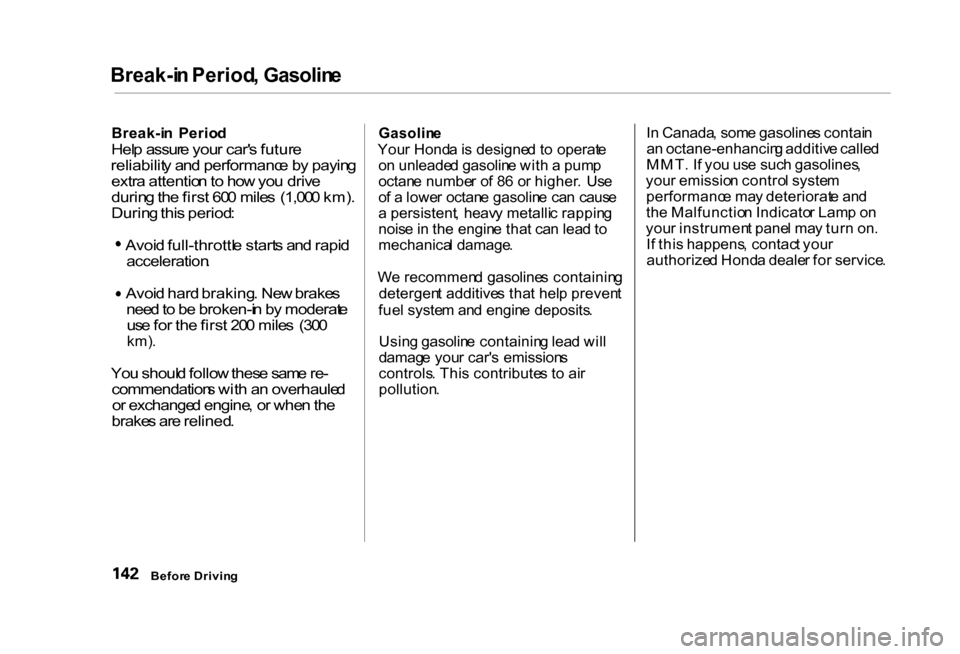
n Period , Gasolin e
Break-i n Perio d
Hel p assur e you r car' s futur e
reliabilit y an d performanc e b y payin g
extr a attentio n to ho w yo u driv e
durin g th e firs t 60 0 mile s (1,00 0 km) .
Durin g thi s period : Avoi
d full-throttl e start s an d rapi d
acceleration .
Avoi
d har d braking . Ne w brake s
nee d to b e broken-i n b y moderat e
us e fo r th e firs t 20 0 mile s (30 0
km) .
Yo u shoul d follo w thes e sam e re -
commendation s wit h a n overhaule d
o r exchange d engine , o r whe n th e
brake s ar e relined .
Gasolin
e
You r Hond a is designe d t o operat e
o n unleade d gasolin e wit h a pum p
octan e numbe r o f 8 6 o r higher . Us e
o f a lowe r octan e gasolin e ca n caus e
a persistent , heav y metalli c rappin g
nois e in th e engin e tha t ca n lea d to
mechanica l damage .
W e recommen d gasoline s containin g
detergen t additive s tha t hel p preven t
fue l syste m an d engin e deposits .
Usin g gasolin e containin g lea d wil l
damag e you r car' s emission s
controls . Thi s contribute s t o ai r
pollution . I
n Canada , som e gasoline s contai n
a n octane-enhancin g additiv e calle d
MMT . I f yo u us e suc h gasolines ,
you r emissio n contro l syste m
performanc e ma y deteriorat e an d
th e Malfunctio n Indicato r Lam p o n
you r instrumen t pane l ma y tur n on .
I f thi s happens , contac t you r
authorize d Hond a deale r fo r service .
Befor e Drivin g
Page 151 of 293
Fue
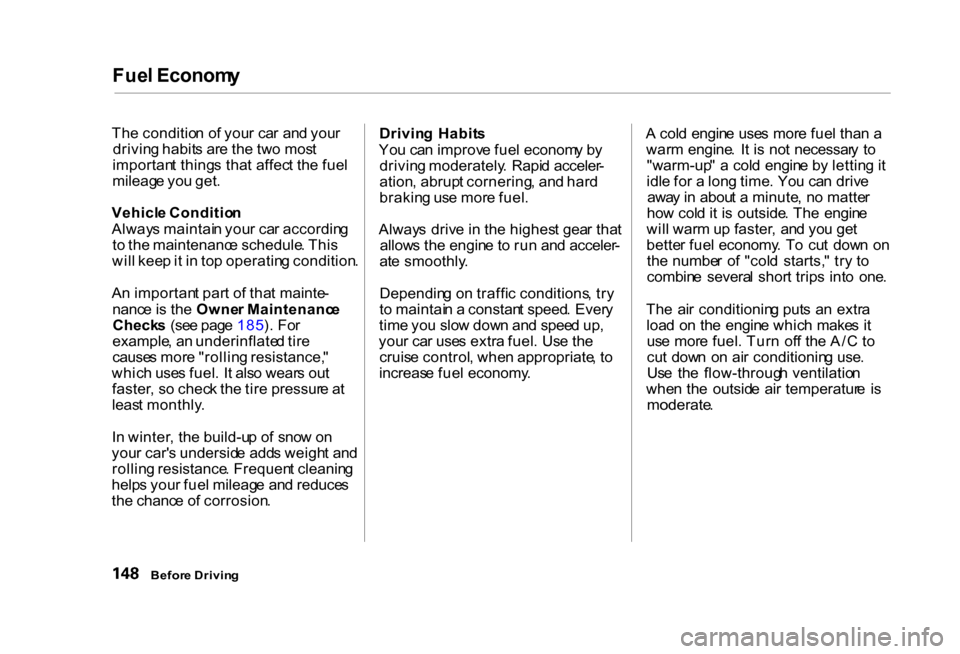
l Econom y
Th e conditio n o f you r ca r an d you r
drivin g habit s ar e th e tw o mos t
importan t thing s tha t affec t th e fue l
mileag e yo u get .
Vehicl e Conditio n
Alway s maintai n you r ca r accordin g
t o th e maintenanc e schedule . Thi s
wil l kee p it i n to p operatin g condition .
A n importan t par t o f tha t mainte -
nanc e is th e Owne r Maintenanc e
Check s (se e pag e 185 ). Fo r
example , a n underinflate d tir e
cause s mor e "rollin g resistance, "
whic h use s fuel . I t als o wear s ou t
faster , s o chec k th e tir e pressur e a t
leas t monthly .
I n winter , th e build-u p o f sno w o n
you r car' s undersid e add s weigh t an d
rollin g resistance . Frequen t cleanin g
help s you r fue l mileag e an d reduce s
th e chanc e o f corrosion . Drivin
g Habit s
Yo u ca n improv e fue l econom y b y
drivin g moderately . Rapi d acceler -
ation , abrup t cornering , an d har d
brakin g us e mor e fuel .
Alway s driv e i n th e highes t gea r tha t
allow s th e engin e t o ru n an d acceler -
at e smoothly .
Dependin g o n traffi c conditions , tr y
t o maintai n a constan t speed . Ever y
tim e yo u slo w dow n an d spee d up ,
you r ca r use s extr a fuel . Us e th e
cruis e control , whe n appropriate , t o
increas e fue l economy . A
col d engin e use s mor e fue l tha n a
war m engine . I t i s no t necessar y t o
"warm-up " a col d engin e b y lettin g it
idl e fo r a lon g time . Yo u ca n driv e
awa y i n abou t a minute , n o matte r
ho w col d it i s outside . Th e engin e
wil l war m u p faster , an d yo u ge t
bette r fue l economy . T o cu t dow n o n
th e numbe r o f "col d starts, " tr y t o
combin e severa l shor t trip s int o one .
Th e ai r conditionin g put s a n extr a
loa d o n th e engin e whic h make s i t
us e mor e fuel . Tur n of f th e A/ C to
cu t dow n o n ai r conditionin g use .
Us e th e flow-throug h ventilatio n
whe n th e outsid e ai r temperatur e i s
moderate .
Befor e Drivin g