buttons HONDA CIVIC COUPE 2008 8.G Navigation Manual
[x] Cancel search | Manufacturer: HONDA, Model Year: 2008, Model line: CIVIC COUPE, Model: HONDA CIVIC COUPE 2008 8.GPages: 144, PDF Size: 6.29 MB
Page 46 of 144
46Navigation System
Viewing the Routes
Touching View Routes allows you to
scroll through and view the various
routes (Direct, Easy, Maximize
Freeways, etc.) to your destination. If
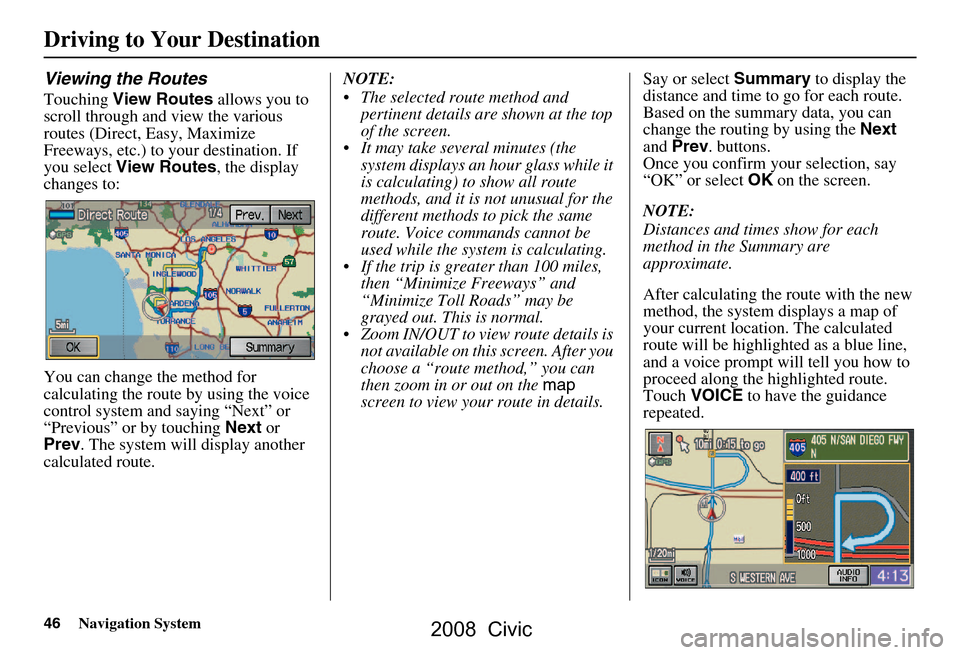
you select View Routes , the display
changes to:
You can change the method for
calculating the route by using the voice
control system and saying “Next” or
“Previous” or by touching Next or
Prev . The system will display another
calculated route. NOTE:
The selected route method and
pertinent details are shown at the top
of the screen.
It may take several minutes (the system displays an hour glass while it
is calculating) to show all route
methods, and it is not unusual for the
different methods to pick the same
route. Voice commands cannot be
used while the system is calculating.
If the trip is greater than 100 miles, then “Minimize Freeways” and
“Minimize Toll Roads” may be
grayed out. This is normal.
Zoom IN/OUT to view route details is not available on this screen. After you
choose a “route method,” you can
then zoom in or out on the map
screen to view your route in details. Say or select
Summary to display the
distance and time to go for each route.
Based on the summary data, you can
change the routing by using the Next
and Prev . buttons.
Once you confirm your selection, say
“OK” or select OK on the screen.
NOTE:
Distances and times show for each
method in the Summary are
approximate.
After calculating the route with the new
method, the system displays a map of
your current locatio n. The calculated
route will be highlighted as a blue line,
and a voice prompt will tell you how to
proceed along the highlighted route.
Touch VOICE to have the guidance
repeated.
Driving to Your Destination
2008 Civic
Page 53 of 144
Navigation System53
Driving to Your Destination
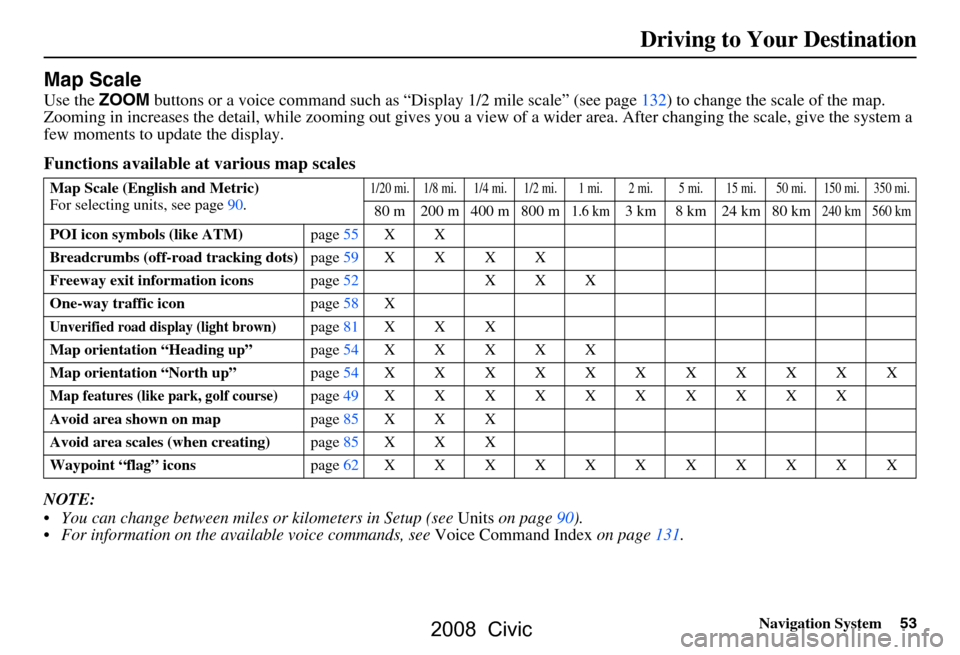
Map Scale
Use the ZOOM buttons or a voice command such as “Display 1/2 mile scale” (see page132) to change the scale of the map.
Zooming in increases the detail, while zooming out gives you a vi ew of a wider area. After changing the scale, give the system a
few moments to update the display.
Functions available at various map scales
NOTE:
You can change between miles or kilometers in Setup (see Units on page
90 ).
For information on the av ailable voice commands, see Voice Command Index on page131.
Map Scale (English and Metric)
For selecting units, see page
90.1/20 mi. 1/8 mi. 1/4 mi. 1/2 mi. 1 mi. 2 mi. 5 mi. 15 mi. 50 mi. 150 mi. 350 mi.
80 m 200 m 400 m 800 m1.6 km3 km 8 km 24 km 80 km240 km 560 km
POI icon symbols (like ATM) page55X X
Breadcrumbs (off-road tracking dots) page59XXXX
Freeway exit information icons page52X X X
One-way traffic icon page58X
Unverified road display (light brown)page81X X X
Map orientation “Heading up” page54XXXXX
Map orientation “North up” page54XXXXXXXXXXX
Map features (like park, golf course)page49XXXXXXXXXX
Avoid area shown on map page85X X X
Avoid area scales (when creating) page85X X X
Waypoint “flag” icons page62XXXXXXXXXXX
2008 Civic
Page 59 of 144
Navigation System59
Driving to Your Destination
Going Off the Route
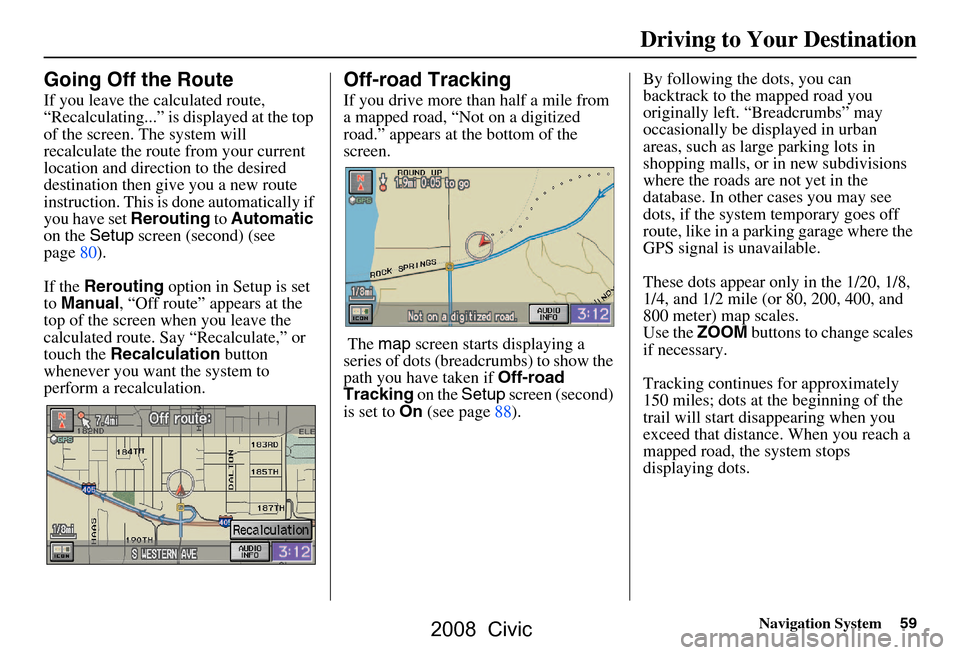
If you leave the calculated route,
“Recalculating...” is displayed at the top
of the screen. The system will
recalculate the route from your current
location and direction to the desired
destination then give you a new route
instruction. This is done automatically if
you have set Rerouting to Automatic
on the Setup screen (second) (see
page80).
If the Rerouting option in Setup is set
to Manual , “Off route” appears at the
top of the screen when you leave the
calculated route. Sa y “Recalculate,” or
touch the Recalculation button
whenever you want the system to
perform a recalculation.
Off-road Tracking
If you drive more than half a mile from
a mapped road, “Not on a digitized
road.” appears at the bottom of the
screen.
The map screen starts displaying a
series of dots (breadcrumbs) to show the
path you have taken if Off-road
Tracking on the Setup screen (second)
is set to On (see page88). By following the dots, you can
backtrack to the mapped road you
originally left. “Breadcrumbs” may
occasionally be displayed in urban
areas, such as larg
e parking lots in
shopping malls, or in new subdivisions
where the roads are not yet in the
database. In other cases you may see
dots, if the system temporary goes off
route, like in a parking garage where the
GPS signal is unavailable.
These dots appear only in the 1/20, 1/8,
1/4, and 1/2 mile (or 80, 200, 400, and
800 meter) map scales.
Use the ZOOM buttons to change scales
if necessary.
Tracking continues for approximately
150 miles; dots at the beginning of the
trail will start disappearing when you
exceed that distance . When you reach a
mapped road, th e system stops
displaying dots.
2008 Civic
Page 69 of 144
Navigation System69
You can scroll through the calendar day
by day by pushing the joystick or select
the day by voice. To change the month,
say “Next” or “Previous,” use the
ZOOM buttons, or touch the triangles at
the top of the screen.
If you say or select List, your entries are
listed. Press the CANCEL button to
return to the Calendar screen.Entering Your Schedule
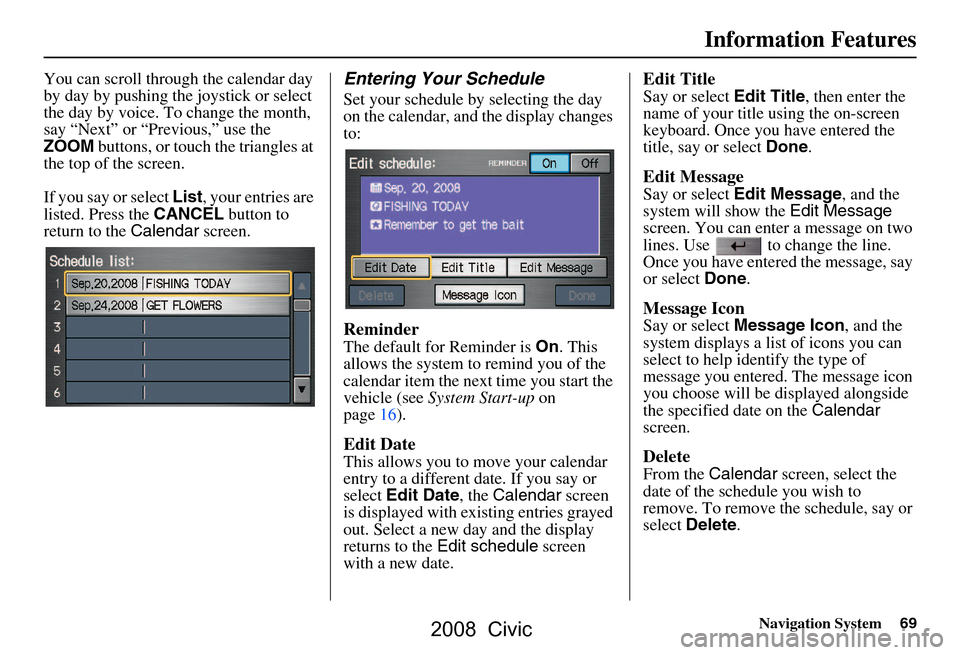
Set your schedule by selecting the day
on the calendar, and the display changes
to:
Reminder
The default for Reminder is On. This
allows the system to remind you of the
calendar item the next time you start the
vehicle (see System Start-up on
page16).
Edit Date
This allows you to move your calendar
entry to a different date. If you say or
select Edit Date , the Calendar screen
is displayed with existing entries grayed
out. Select a new day and the display
returns to the Edit schedule screen
with a new date.
Edit Title
Say or select Edit Title, then enter the
name of your title using the on-screen
keyboard. Once you have entered the
title, say or select Done.
Edit Message
Say or select Edit Message , and the
system will show the Edit Message
screen. You can enter a message on two
lines. Use to change the line.
Once you have entered the message, say
or select Done.
Message Icon
Say or select Message Icon , and the
system displays a list of icons you can
select to help identify the type of
message you entered. The message icon
you choose will be displayed alongside
the specified date on the Calendar
screen.
Delete
From the Calendar screen, select the
date of the schedule you wish to
remove. To remove the schedule, say or
select Delete .
Information Features
2008 Civic
Page 86 of 144
86Navigation System
System Set-up
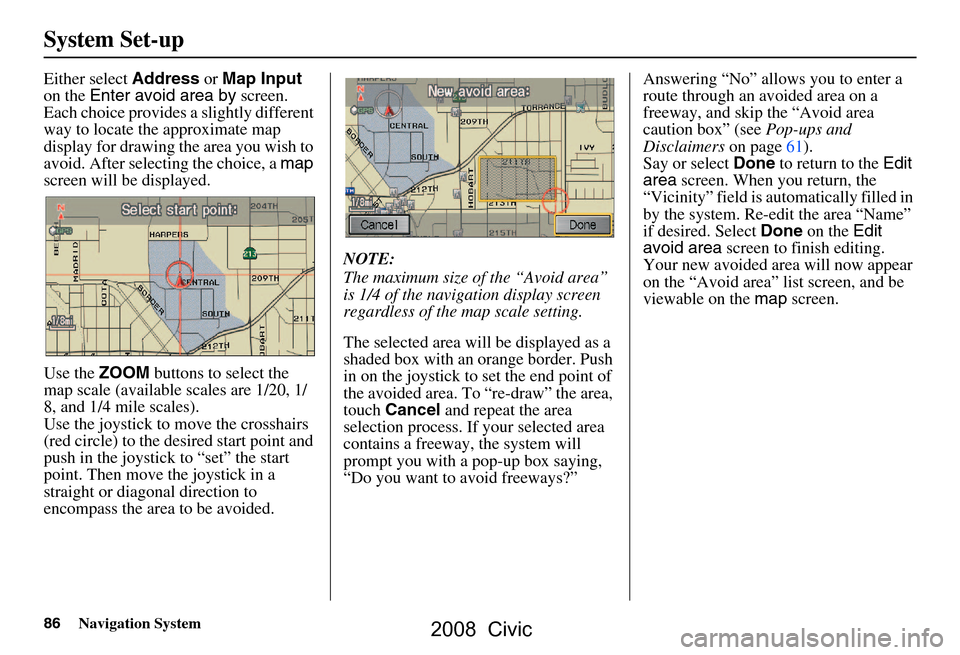
Either select Address or Map Input
on the Enter avoid area by screen.
Each choice provides a slightly different
way to locate the approximate map
display for drawing th e area you wish to
avoid. After selecting the choice, a map
screen will be displayed.
Use the ZOOM buttons to select the
map scale (available scales are 1/20, 1/
8, and 1/4 mile scales).
Use the joystick to move the crosshairs
(red circle) to the desired start point and
push in the joystick to “set” the start
point. Then move the joystick in a
straight or diagonal direction to
encompass the area to be avoided. NOTE:
The maximum size of the “Avoid area”
is 1/4 of the navigation display screen
regardless of the map scale setting.
The selected area will be displayed as a
shaded box with an orange border. Push
in on the joystick to set the end point of
the avoided area. To “re-draw” the area,
touch
Cancel and repeat the area
selection process. If your selected area
contains a freeway, the system will
prompt you with a pop-up box saying,
“Do you want to avoid freeways?” Answering “No” allo
ws you to enter a
route through an avoided area on a
freeway, and skip the “Avoid area
caution box” (see Pop-ups and
Disclaimers on page61).
Say or select Done to return to the Edit
area screen. When you return, the
“Vicinity” field is automatically filled in
by the system. Re-edit the area “Name”
if desired. Select Done on the Edit
avoid area screen to finish editing.
Your new avoided ar ea will now appear
on the “Avoid area” list screen, and be
viewable on the map screen.
2008 Civic
Page 89 of 144
Navigation System89
After you have traveled approximately
1/2 mile away from a mapped road, the
system will display a series of white
dots on the map screen to show the path
you have traveled. This is provided so
you can follow the dots to backtrack to
the mapped road you originally left.
Tracking continues until you reach a
mapped road. See Off-road Tracking on
page59.
Tracking is shown only in the 1/20, 1/8,
1/4, and 1/2 mile, or the 80, 200, 400,
and 800 meter scales. Use the ZOOM
buttons to change the scales if
necessary.
NOTE:
To clear existing dots, turn this feature
off and exit Setup. To re-enable this
feature, return to Setup and turn it on
again.Correct Vehicle Position
The system relies on satellites for
positioning information. Buildings,
tunnels, and other objects can block or
reflect these signals, requiring the
system to use “dead reckoning” to
determine your location and direction.
This can sometimes lead to small errors
in positioning, such as showing you on
an adjacent street.
NOTE:
Using this function to adjust vehicle
position is not recommended. When the
system acquires a GPS signal, it will
automatically place the vehicle in the
correct location.
If you choose to do this, follow these
steps:
1. Stop the vehicle.
2. Select Adjust, and the system will
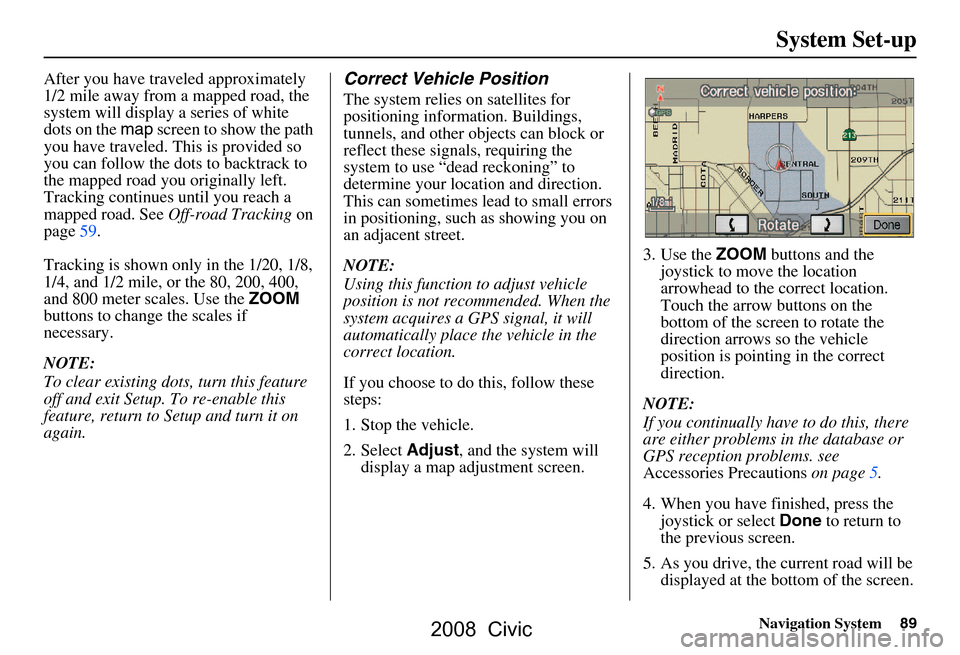
display a map adjustment screen. 3. Use the
ZOOM buttons and the
joystick to move the location
arrowhead to the correct location.
Touch the arrow buttons on the
bottom of the screen to rotate the
direction arrows so the vehicle
position is pointing in the correct
direction.
NOTE:
If you continually have to do this, there
are either problems in the database or
GPS reception problems. see
Accessories Precautions on page5.
4. When you have finished, press the joystick or select Done to return to
the previous screen.
5. As you drive, the current road will be displayed at the bottom of the screen.
System Set-up
2008 Civic
Page 104 of 144
104Navigation System
PC Card Operation with Navi
A PC card with WMA or MP3 audio
files can be played through the Audio
system, and controlled using the
navigation voice control system. PC
card (PCMCIA) adaptors and various
media chips can be purchased at any
computer store. Tested media chips
include Compact Flash, and SD media,
up to 2GB. Other media types and
storage capacities may work, but have
not been tested. Hard disc drive type
media are not recommended because
they can fail in a hot vehicle. See the
FAQs section for additional
information.
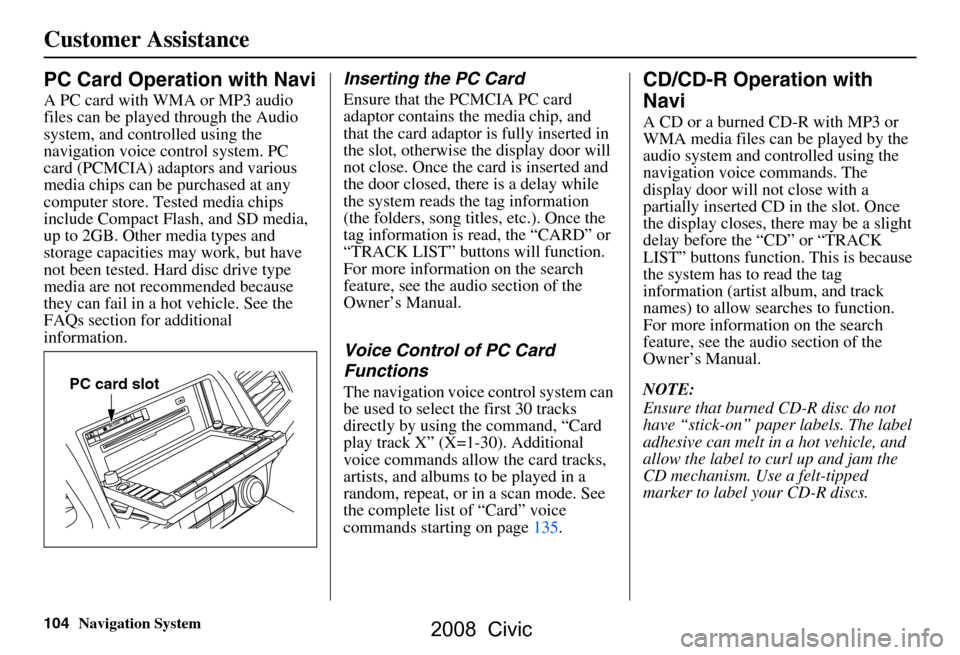
Inserting the PC Card
Ensure that the PCMCIA PC card
adaptor contains the media chip, and
that the card adaptor is fully inserted in
the slot, otherwise the display door will
not close. Once the card is inserted and
the door closed, ther e is a delay while
the system reads the tag information
(the folders, song titles, etc.). Once the
tag information is read, the “CARD” or
“TRACK LIST” buttons will function.
For more information on the search
feature, see the audio section of the
Owner’s Manual.
Voice Control of PC Card
Functions
The navigation voice control system can
be used to select the first 30 tracks
directly by using the command, “Card
play track X” (X=1-30). Additional
voice commands allow the card tracks,
artists, and albums to be played in a
random, repeat, or in a scan mode. See
the complete list of “Card” voice
commands starting on page135.
CD/CD-R Operation with
Navi
A CD or a burned CD-R with MP3 or
WMA media files can be played by the
audio system and controlled using the
navigation voice commands. The
display door will not close with a
partially inserted CD in the slot. Once
the display closes, there may be a slight
delay before the “CD” or “TRACK
LIST” buttons function. This is because
the system has to read the tag
information (artist album, and track
names) to allow searches to function.
For more information on the search
feature, see the audio section of the
Owner’s Manual.
NOTE:
Ensure that burned CD-R disc do not
have “stick-on” paper labels. The label
adhesive can melt in a hot vehicle, and
allow the label to curl up and jam the
CD mechanism. Use a felt-tipped
marker to label your CD-R discs.
PC card slot
Customer Assistance
2008 Civic
Page 130 of 144
130Navigation System
Glossary
VP - Vehicle Position. When in map
mode, this circular icon shows the
vehicle position on the map. Touch
this icon to show the latitude,
longitude, and elevation of your
current position.
VR - Voice Recognition. This allows
voice control of many of the
navigation functions. The hardware
consists of the microphone, voice
control switch ( NAVI TALK/NAVI
BACK buttons), and the front
speakers.
Waypoint - A temporary destination
you may enter on route (e.g., a gas
station, ATM, etc.). See page62.
WMA - A windows media audio file
that can be played from a CD-R or PC
card.
Yaw Rate Sensor - Senses when the
vehicle makes a turn, which makes
the VP change direction on the map
as you turn.
2008 Civic
Page 134 of 144
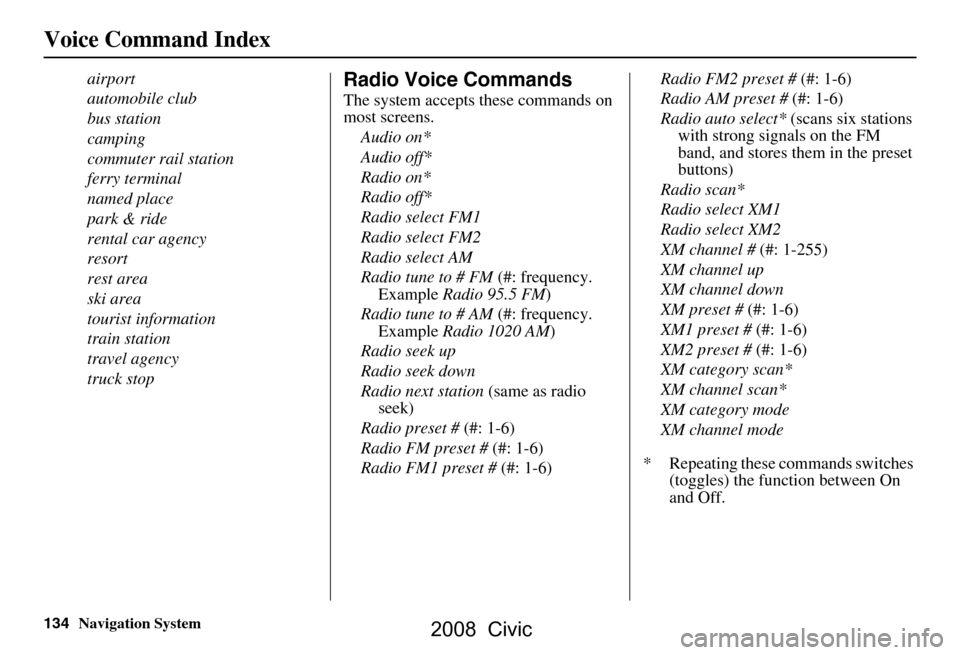
134Navigation System
airport
automobile club
bus station
camping
commuter rail station
ferry terminal
named place
park & ride
rental car agency
resort
rest area
ski area
tourist information
train station
travel agency
truck stopRadio Voice Commands
The system accepts these commands on
most screens.Audio on*
Audio off*
Radio on*
Radio off*
Radio select FM1
Radio select FM2
Radio select AM
Radio tune to # FM (#: frequency.
Example Radio 95.5 FM )
Radio tune to # AM (#: frequency.
Example Radio 1020 AM )
Radio seek up
Radio seek down
Radio next station (same as radio
seek)
Radio preset # (#: 1-6)
Radio FM preset # (#: 1-6)
Radio FM1 preset # (#: 1-6) Radio FM2 preset #
(#: 1-6)
Radio AM preset # (#: 1-6)
Radio auto select* (scans six stations
with strong signals on the FM
band, and stores them in the preset
buttons)
Radio scan*
Radio select XM1
Radio select XM2
XM channel # (#: 1-255)
XM channel up
XM channel down
XM preset # (#: 1-6)
XM1 preset # (#: 1-6)
XM2 preset # (#: 1-6)
XM category scan*
XM channel scan*
XM category mode
XM channel mode
* Repeating these commands switches (toggles) the function between On
and Off.
Voice Command Index
2008 Civic
Page 142 of 144
142Navigation System
Index
Voice Recognition Feedback............90
Voice Recognition, Improving.........13
Volume..........................................71
W
Waypoints
................................62, 87
Z
ZOOM buttons
................................11
2008 Civic