start stop button HONDA CIVIC COUPE 2017 10.G Owner's Manual
[x] Cancel search | Manufacturer: HONDA, Model Year: 2017, Model line: CIVIC COUPE, Model: HONDA CIVIC COUPE 2017 10.GPages: 595
Page 90 of 595
89
uuIndicators u
Continued
Instrument Panel
*1:Models with the smart entry system have an ENGINE START/STOP button instead of an ignition switch.
IndicatorNameOn/BlinkingExplanationMessage*
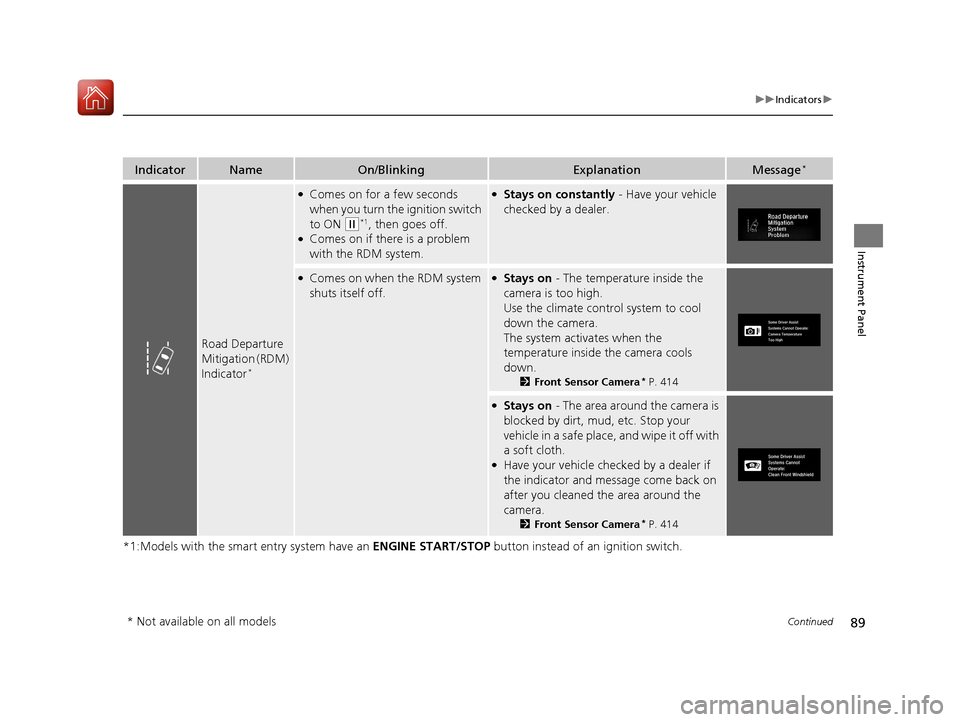
Road Departure
Mitigation (RDM)
Indicator
*
●Comes on for a few seconds
when you turn the ignition switch
to ON
(w*1, then goes off.●Comes on if there is a problem
with the RDM system.
●Stays on constantly - Have your vehicle
checked by a dealer.
●Comes on when the RDM system
shuts itself off.●Stays on - The temperature inside the
camera is too high.
Use the climate contro l system to cool
down the camera.
The system activates when the
temperature inside the camera cools
down.
2 Front Sensor Camera* P. 414
●Stays on - The area around the camera is
blocked by dirt, mud, etc. Stop your
vehicle in a safe place, and wipe it off with
a soft cloth.
●Have your vehicle checked by a dealer if
the indicator and message come back on
after you cleaned the area around the
camera.
2 Front Sensor Camera* P. 414
* Not available on all models
17 CIVIC 2D HCM (KA KC KL)-31TBG6100.book 89 ページ 2016年8月31日 水曜日 午後5時43分
Page 91 of 595
90
uuIndicators u
Instrument Panel
*1:Models with the smart entry system have an ENGINE START/STOP button instead of an ignition switch.
IndicatorNameOn/BlinkingExplanationMessage*
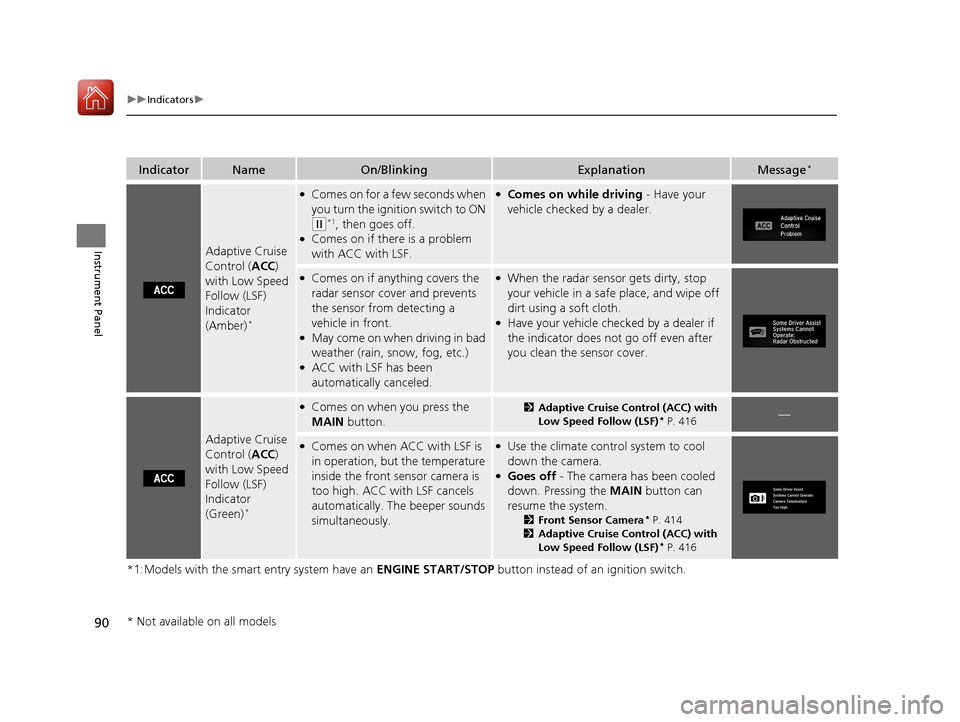
Adaptive Cruise
Control (ACC)
with Low Speed
Follow (LSF)
Indicator
(Amber)
*
●Comes on for a few seconds when
you turn the ignition switch to ON
(w*1, then goes off.●Comes on if there is a problem
with ACC with LSF.
●Comes on while driving - Have your
vehicle checked by a dealer.
●Comes on if anything covers the
radar sensor cover and prevents
the sensor from detecting a
vehicle in front.
●May come on when driving in bad
weather (rain, snow, fog, etc.)
●ACC with LSF has been
automatically canceled.
●When the radar sensor gets dirty, stop
your vehicle in a safe place, and wipe off
dirt using a soft cloth.
●Have your vehicle checked by a dealer if
the indicator does not go off even after
you clean the sensor cover.
Adaptive Cruise
Control ( ACC)
with Low Speed
Follow (LSF)
Indicator
(Green)
*
●Comes on when you press the
MAIN button.2Adaptive Cruise Control (ACC) with
Low Speed Follow (LSF)* P. 416—
●Comes on when ACC with LSF is
in operation, but the temperature
inside the front sensor camera is
too high. ACC with LSF cancels
automatically. The beeper sounds
simultaneously.●Use the climate control system to cool
down the camera.
●Goes off - The camera has been cooled
down. Pressing the MAIN button can
resume the system.
2 Front Sensor Camera* P. 414
2 Adaptive Cruise Control (ACC) with
Low Speed Follow (LSF)
* P. 416
* Not available on all models
17 CIVIC 2D HCM (KA KC KL)-31TBG6100.book 90 ページ 2016年8月31日 水曜日 午後5時43分
Page 92 of 595
91
uuIndicators u
Continued
Instrument Panel
*1:Models with the smart entry system have an ENGINE START/STOP button instead of an ignition switch.
IndicatorNameOn/BlinkingExplanationMessage*
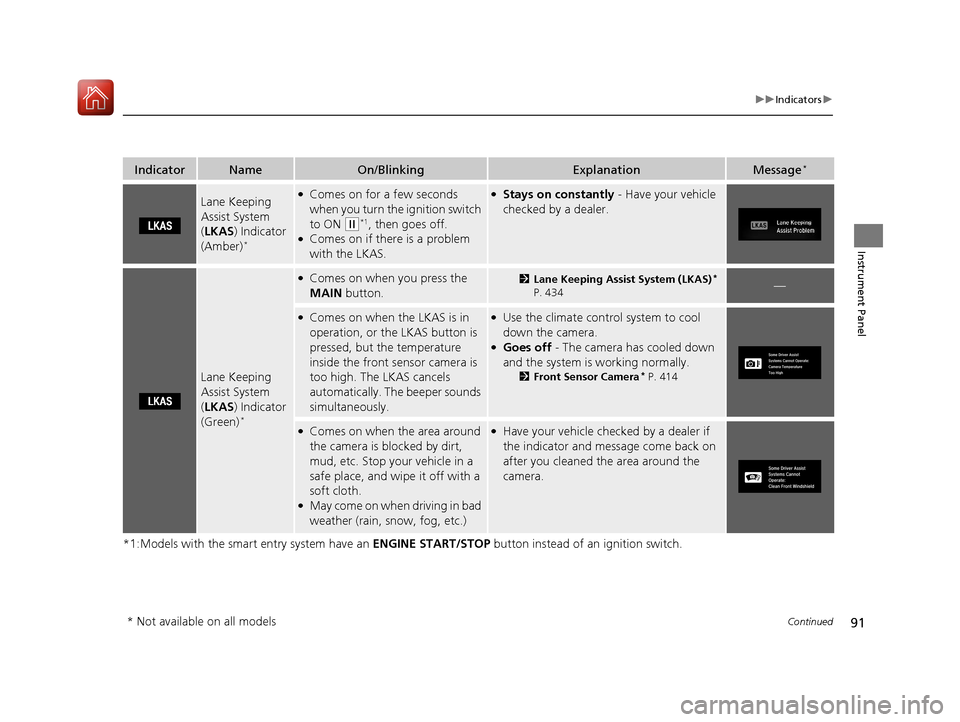
Lane Keeping
Assist System
(LKAS ) Indicator
(Amber)
*
●Comes on for a few seconds
when you turn the ignition switch
to ON
(w*1, then goes off.●Comes on if there is a problem
with the LKAS.
●Stays on constantly - Have your vehicle
checked by a dealer.
Lane Keeping
Assist System
( LKAS ) Indicator
(Green)
*
●Comes on when you press the
MAIN button.2Lane Keeping Assist System (LKAS)*
P. 434—
●Comes on when the LKAS is in
operation, or the LKAS button is
pressed, but the temperature
inside the front sensor camera is
too high. The LKAS cancels
automatically. The beeper sounds
simultaneously.●Use the climate control system to cool
down the camera.
●Goes off - The camera has cooled down
and the system is working normally.
2 Front Sensor Camera* P. 414
●Comes on when the area around
the camera is blocked by dirt,
mud, etc. Stop your vehicle in a
safe place, and wipe it off with a
soft cloth.
●May come on when driving in bad
weather (rain, snow, fog, etc.)
●Have your vehicle checked by a dealer if
the indicator and message come back on
after you cleaned the area around the
camera.
* Not available on all models
17 CIVIC 2D HCM (KA KC KL)-31TBG6100.book 91 ページ 2016年8月31日 水曜日 午後5時43分
Page 93 of 595
92
uuIndicators u
Instrument Panel
*1:Models with the smart entry system have an ENGINE START/STOP button instead of an ignition switch.
IndicatorNameOn/BlinkingExplanationMessage*
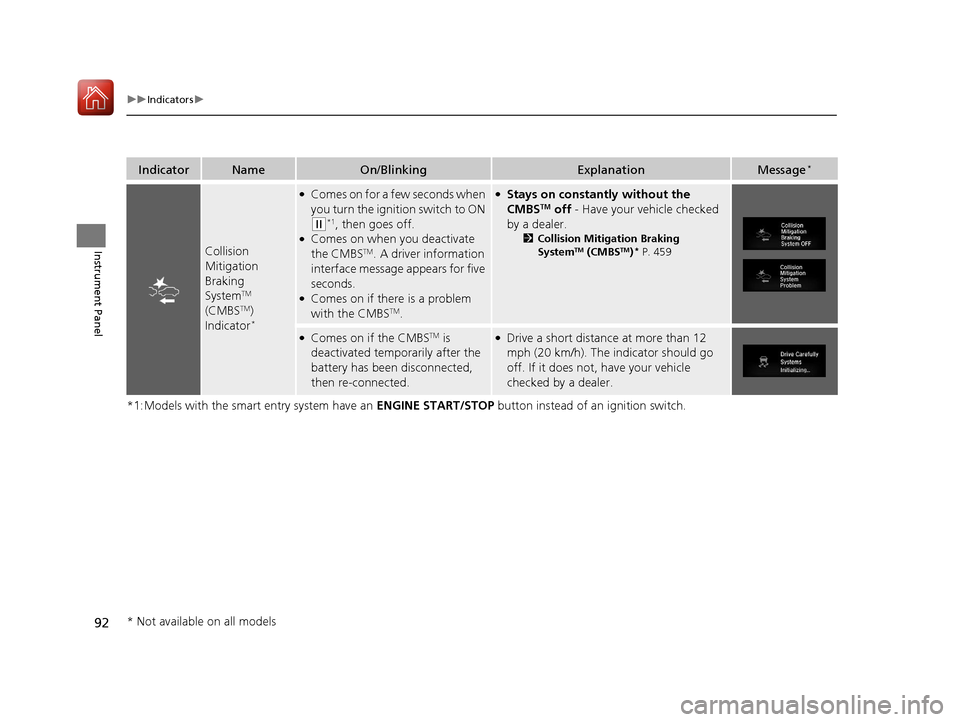
Collision
Mitigation
Braking
System
TM
(CMBSTM)
Indicator*
●Comes on for a few seconds when
you turn the ignition switch to ON
(w*1, then goes off.●Comes on when you deactivate
the CMBSTM. A driver information
interface message appears for five
seconds.
●Comes on if there is a problem
with the CMBSTM.
●Stays on constantly without the
CMBSTM off - Have your vehicle checked
by a dealer.
2 Collision Mitigation Braking
SystemTM (CMBSTM)* P. 459
●Comes on if the CMBSTM is
deactivated temporarily after the
battery has been disconnected,
then re-connected.●Drive a short distance at more than 12
mph (20 km/h). The indicator should go
off. If it does not, have your vehicle
checked by a dealer.
* Not available on all models
17 CIVIC 2D HCM (KA KC KL)-31TBG6100.book 92 ページ 2016年8月31日 水曜日 午後5時43分
Page 96 of 595
95
uuIndicators uInformation Display Warning and Information Messages*
Instrument Panel
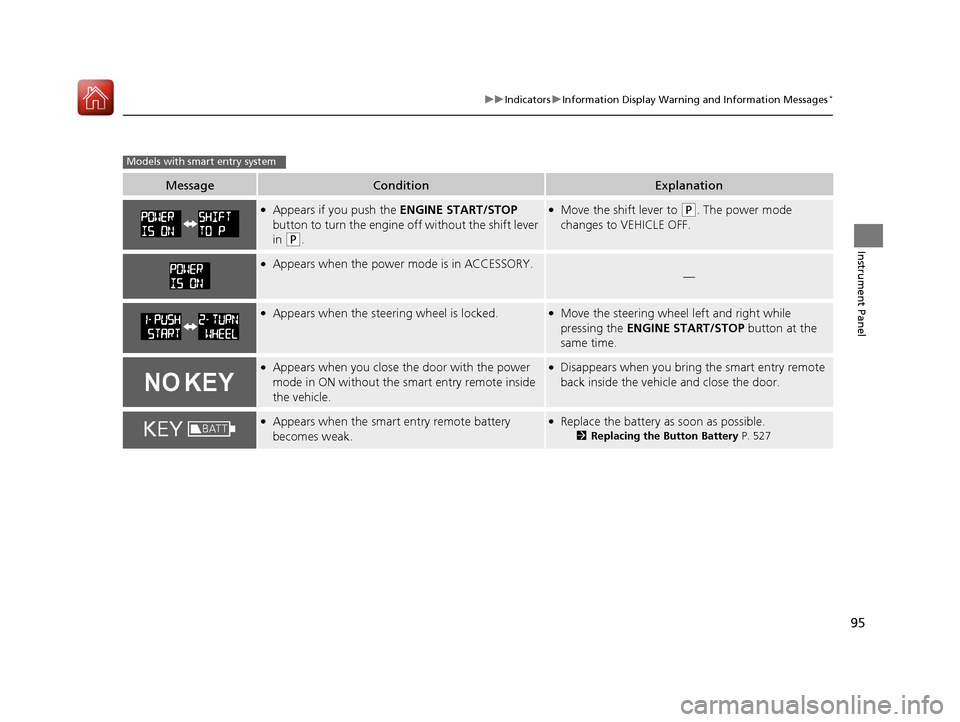
MessageConditionExplanation
●Appears if you push the ENGINE START/STOP
button to turn the engine off without the shift lever
in
(P.
●Move the shift lever to (P. The power mode
changes to VEHICLE OFF.
●Appears when the power mode is in ACCESSORY.—
●Appears when the steering wheel is locked.●Move the steering wheel left and right while
pressing the ENGINE START/STOP button at the
same time.
●Appears when you close the door with the power
mode in ON without the smart entry remote inside
the vehicle.●Disappears when you bring the smart entry remote
back inside the vehicle and close the door.
●Appears when the smart entry remote battery
becomes weak.●Replace the battery as soon as possible.
2 Replacing the Button Battery P. 527
Models with smart entry system
17 CIVIC 2D HCM (KA KC KL)-31TBG6100.book 95 ページ 2016年8月31日 水曜日 午後5時43分
Page 98 of 595
97
uuIndicators uDriver Information Interface Wa rning and Information Messages*
Continued
Instrument Panel
*1:Models with the smart entry system have an ENGINE START/STOP button instead of an ignition switch.
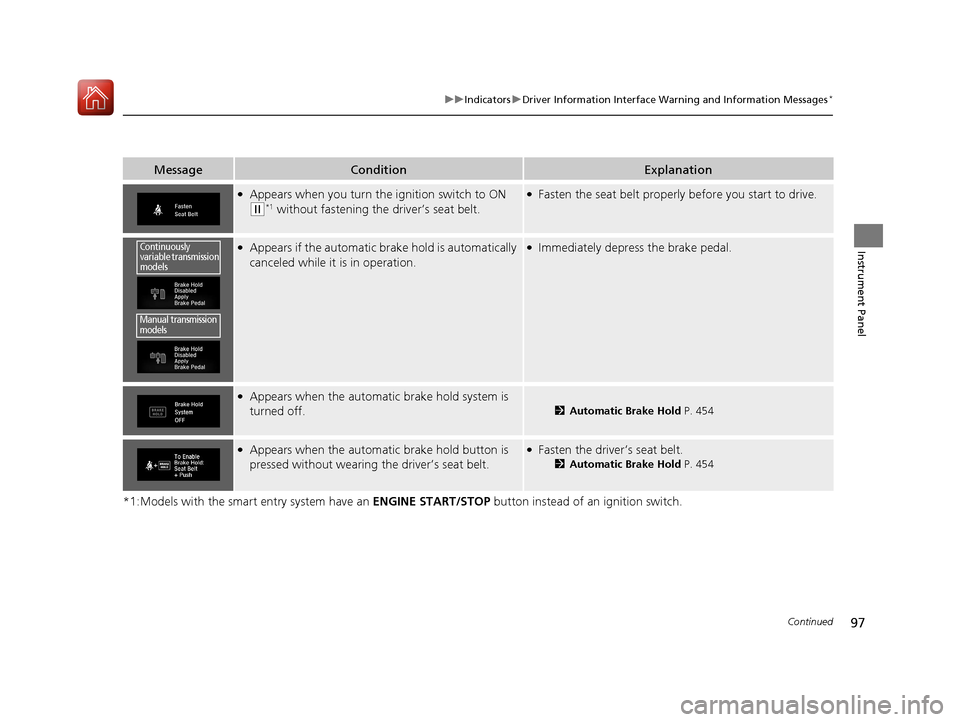
MessageConditionExplanation
●Appears when you turn the ignition switch to ON
(w*1 without fastening the driver’s seat belt.
●Fasten the seat belt properly before you start to drive.
●Appears if the automatic br ake hold is automatically
canceled while it is in operation.●Immediately depress the brake pedal.
●Appears when the automatic brake hold system is
turned off.
2Automatic Brake Hold P. 454
●Appears when the automatic brake hold button is
pressed without wearing the driver’s seat belt.●Fasten the driver’s seat belt.
2Automatic Brake Hold P. 454
Continuously
variable transmission
models
Manual transmission
models
17 CIVIC 2D HCM (KA KC KL)-31TBG6100.book 97 ページ 2016年8月31日 水曜日 午後5時43分
Page 101 of 595
100
uuIndicators uDriver Information Interface Wa rning and Information Messages*
Instrument Panel
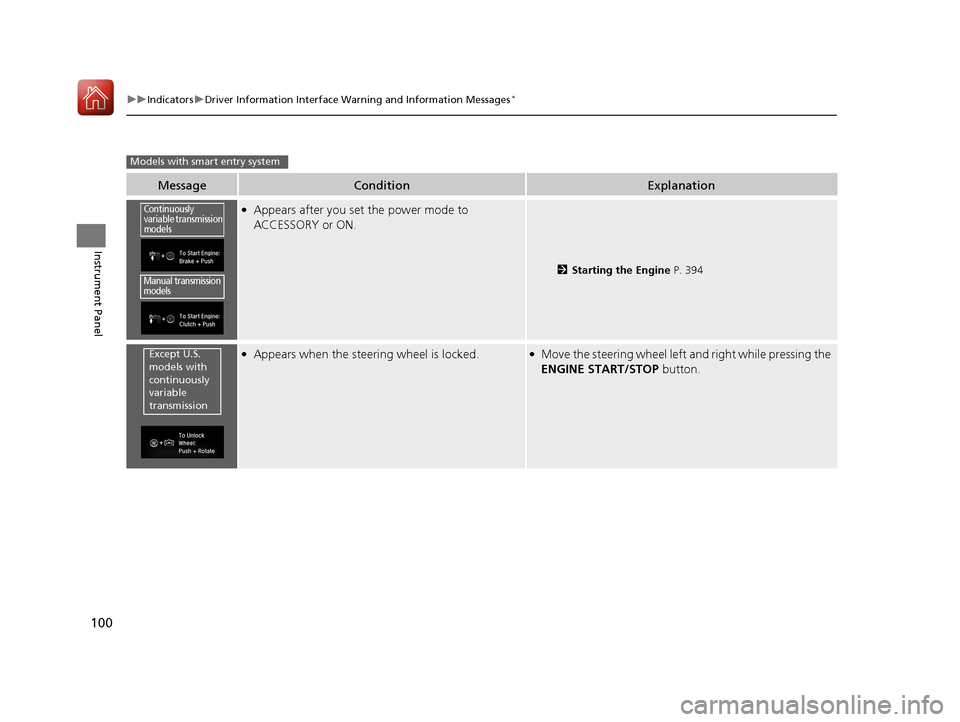
MessageConditionExplanation
●Appears after you set the power mode to
ACCESSORY or ON.
2Starting the Engine P. 394
●Appears when the steering wheel is locked.●Move the steering wheel left and right while pressing the
ENGINE START/STOP button.
Models with smart entry system
Continuously
variable transmission
models
Manual transmission
models
Except U.S.
models with
continuously
variable
transmission
17 CIVIC 2D HCM (KA KC KL)-31TBG6100.book 100 ページ 2016年8月31日 水曜日 午後5時43分
Page 102 of 595
101
uuIndicators uDriver Information Interface Wa rning and Information Messages*
Continued
Instrument Panel
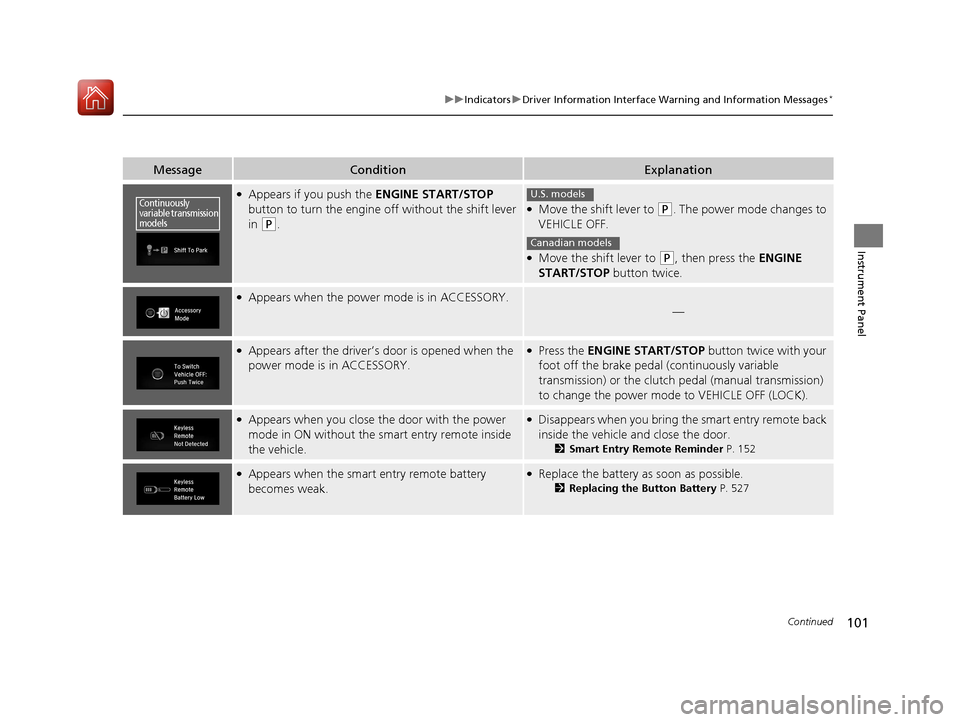
MessageConditionExplanation
●Appears if you push the ENGINE START/STOP
button to turn the engine off without the shift lever
in
(P.
●Move the shift lever to (P. The power mode changes to
VEHICLE OFF.
●Move the shift lever to (P, then press the ENGINE
START/STOP button twice.
●Appears when the power mode is in ACCESSORY.
—
●Appears after the driver’s door is opened when the
power mode is in ACCESSORY.●Press the ENGINE START/STOP button twice with your
foot off the brake pedal (continuously variable
transmission) or the clutch pedal (manual transmission)
to change the power mode to VEHICLE OFF (LOCK).
●Appears when you close the door with the power
mode in ON without the smart entry remote inside
the vehicle.●Disappears when you bring the smart entry remote back
inside the vehicle and close the door.
2Smart Entry Remote Reminder P. 152
●Appears when the smart entry remote battery
becomes weak.●Replace the battery as soon as possible.
2Replacing the Button Battery P. 527
Continuously
variable transmission
modelsU.S. models
Canadian models
17 CIVIC 2D HCM (KA KC KL)-31TBG6100.book 101 ページ 2016年8月31日 水曜日 午後5時43分
Page 103 of 595
102
uuIndicators uDriver Information Interface Wa rning and Information Messages*
Instrument Panel
MessageConditionExplanation
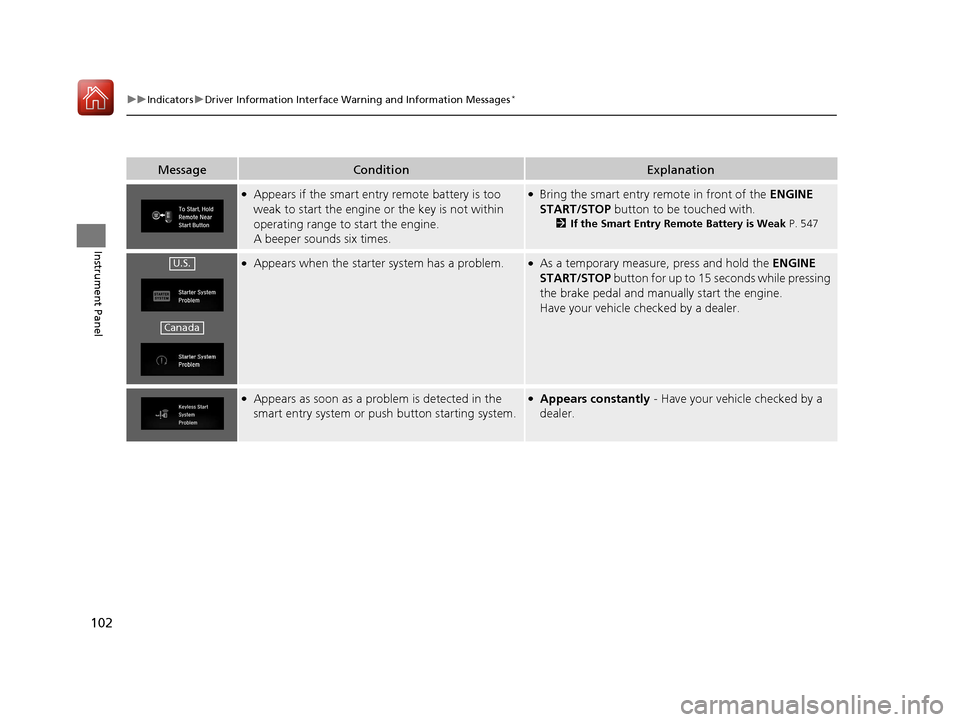
●Appears if the smart entry remote battery is too
weak to start the engine or the key is not within
operating range to start the engine.
A beeper sounds six times.●Bring the smart entry remote in front of the ENGINE
START/STOP button to be touched with.
2If the Smart Entry Remote Battery is Weak P. 547
●Appears when the starter system has a problem.●As a temporary measure, press and hold the ENGINE
START/STOP button for up to 15 seconds while pressing
the brake pedal and manua lly start the engine.
Have your vehicle checked by a dealer.
●Appears as soon as a problem is detected in the
smart entry system or pus h button starting system.●Appears constantly - Have your vehicle checked by a
dealer.
U.S.
Canada
17 CIVIC 2D HCM (KA KC KL)-31TBG6100.book 102 ページ 2016年8月31日 水曜日 午後5時43分
Page 106 of 595
105
uuIndicators uDriver Information Interface Wa rning and Information Messages*
Continued
Instrument Panel
MessageConditionExplanation
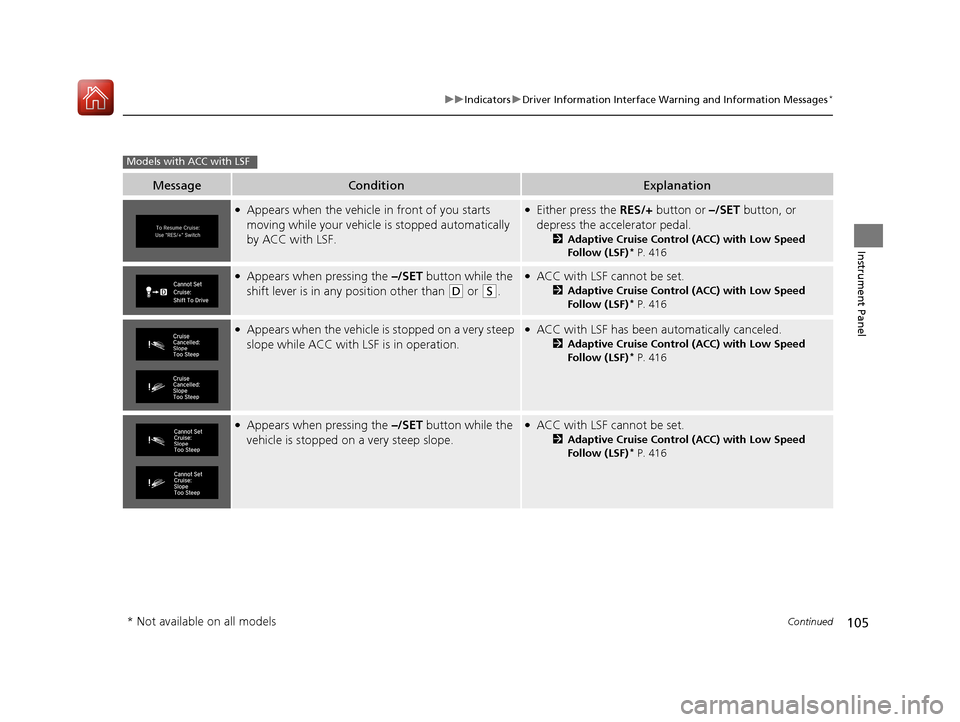
●Appears when the vehicle in front of you starts
moving while your vehicle is stopped automatically
by ACC with LSF.●Either press the RES/+ button or –/SET button, or
depress the accelerator pedal.
2 Adaptive Cruise Control (ACC) with Low Speed
Follow (LSF)* P. 416
●Appears when pressing the –/SET button while the
shift lever is in any position other than
(D or (S.
●ACC with LSF cannot be set.
2 Adaptive Cruise Control (ACC) with Low Speed
Follow (LSF)* P. 416
●Appears when the vehicle is stopped on a very steep
slope while ACC with LSF is in operation.●ACC with LSF has been au tomatically canceled.
2Adaptive Cruise Control (ACC) with Low Speed
Follow (LSF)* P. 416
●Appears when pressing the –/SET button while the
vehicle is stopped on a very steep slope.●ACC with LSF cannot be set.
2 Adaptive Cruise Control (ACC) with Low Speed
Follow (LSF)* P. 416
Models with ACC with LSF
* Not available on all models
17 CIVIC 2D HCM (KA KC KL)-31TBG6100.book 105 ページ 2016年8月31日 水曜日 午後5時43分