ECO mode HONDA CIVIC COUPE 2017 10.G Service Manual
[x] Cancel search | Manufacturer: HONDA, Model Year: 2017, Model line: CIVIC COUPE, Model: HONDA CIVIC COUPE 2017 10.GPages: 595
Page 108 of 595
107
uuIndicators uDriver Information Interface Wa rning and Information Messages*
Continued
Instrument Panel
MessageConditionExplanation
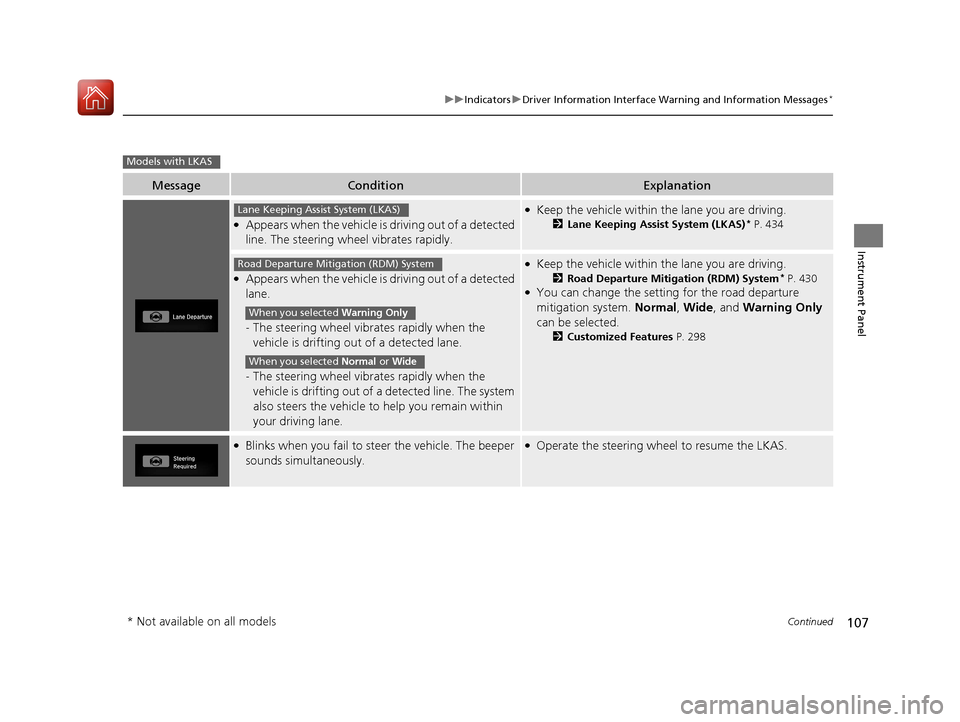
●Appears when the vehicle is driving out of a detected
line. The steering wheel vibrates rapidly.
●Keep the vehicle within the lane you are driving.
2Lane Keeping Assist System (LKAS)* P. 434
●Appears when the vehicle is driving out of a detected
lane.
-The steering wheel vibrates rapidly when the
vehicle is drifting out of a detected lane.
- The steering wheel vibrates rapidly when the
vehicle is drifting out of a detected line. The system
also steers the vehicle to help you remain within
your driving lane.
●Keep the vehicle within the lane you are driving.
2 Road Departure Mitigation (RDM) System* P. 430●You can change the setting for the road departure
mitigation system. Normal, Wide , and Warning Only
can be selected.
2 Customized Features P. 298
●Blinks when you fail to steer the vehicle. The beeper
sounds simultaneously.●Operate the steering wheel to resume the LKAS.
Models with LKAS
Lane Keeping Assist System (LKAS)
Road Departure Mitigation (RDM) System
When you selected Warning Only
When you selected Normal or Wide
* Not available on all models
17 CIVIC 2D HCM (KA KC KL)-31TBG6100.book 107 ページ 2016年8月31日 水曜日 午後5時43分
Page 109 of 595
108
uuIndicators uDriver Information Interface Wa rning and Information Messages*
Instrument Panel
MessageConditionExplanation
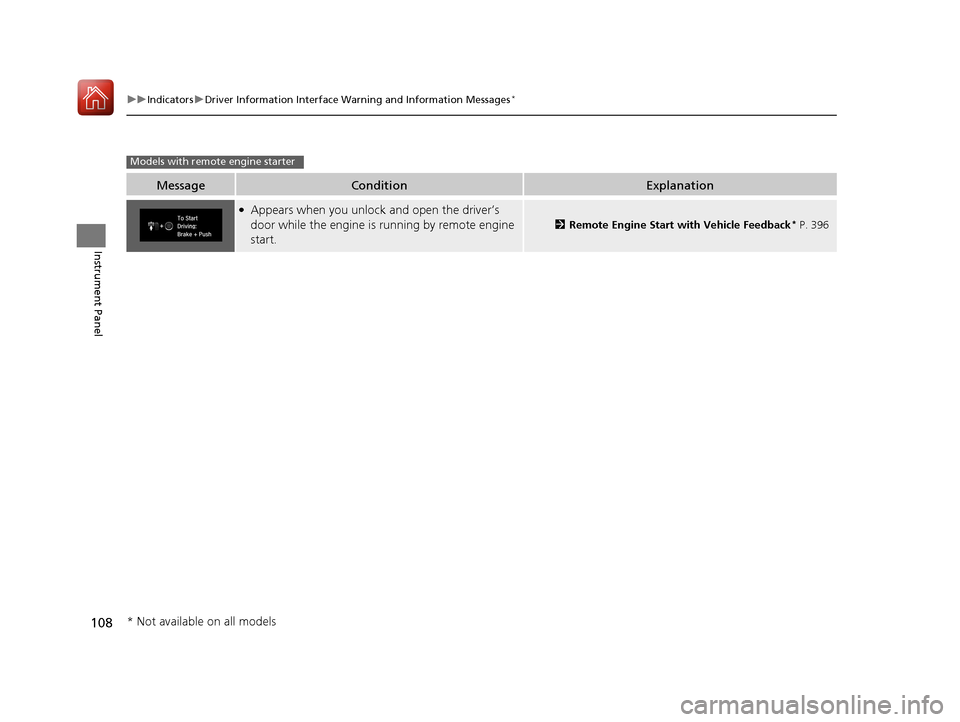
●Appears when you unlock and open the driver’s
door while the engine is running by remote engine
start.
2Remote Engine Start with Vehicle Feedback* P. 396
Models with remote engine starter
* Not available on all models
17 CIVIC 2D HCM (KA KC KL)-31TBG6100.book 108 ページ 2016年8月31日 水曜日 午後5時43分
Page 112 of 595
111
uuGauges and Displays uInformation Display*
Continued
Instrument Panel
Information Display*
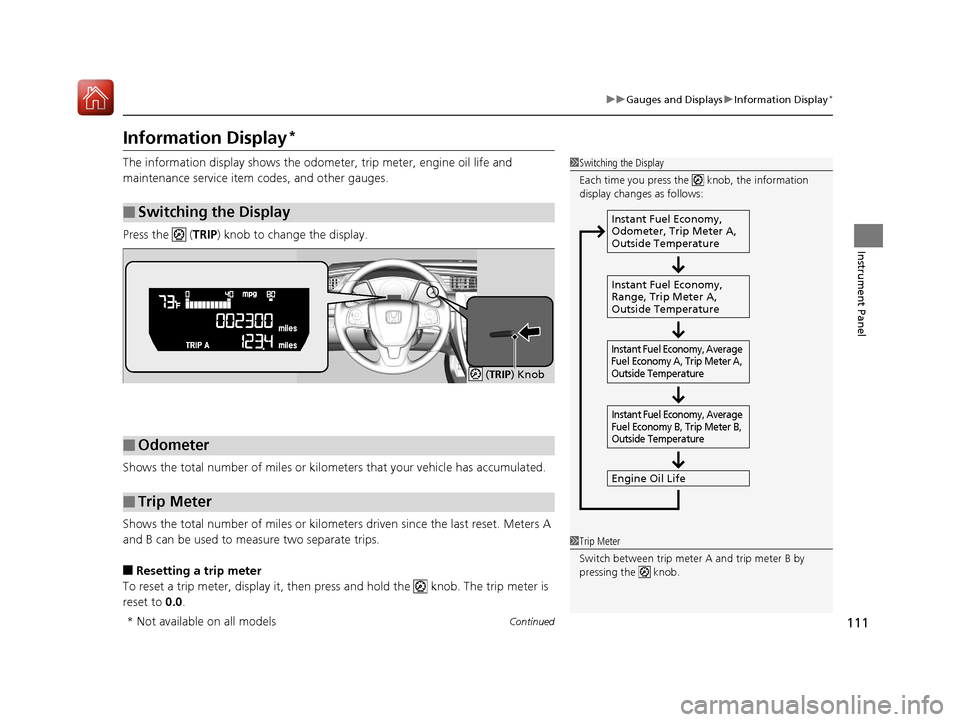
The information display shows the odometer, trip meter, engine oil life and
maintenance service item codes, and other gauges.
Press the ( TRIP) knob to change the display.
Shows the total number of miles or kilome ters that your vehicle has accumulated.
Shows the total number of miles or kilomete rs driven since the last reset. Meters A
and B can be used to measure two separate trips.
■Resetting a trip meter
To reset a trip meter, display it, then pr ess and hold the knob. The trip meter is
reset to 0.0.
■Switching the Display
1Switching the Display
Each time you press the knob, the information
display changes as follows:
Instant Fuel Economy,
Odometer, Trip Meter A,
Outside Temperature
Instant Fuel Economy,
Range, Trip Meter A,
Outside Temperature
Engine Oil Life
Instant Fuel Economy, Average
Fuel Economy A, Trip Meter A,
Outside Temperature Instant Fuel Economy, Average
Fuel Economy B, Trip Meter B,
Outside Temperature
■Odometer
■Trip Meter
( TRIP) Knob
1 Trip Meter
Switch between trip meter A and trip meter B by
pressing the knob.
* Not available on all models
17 CIVIC 2D HCM (KA KC KL)-31TBG6100.book 111 ページ 2016年8月31日 水曜日 午後5時43分
Page 114 of 595
113
uuGauges and Displays uInformation Display*
Instrument Panel
Shows the outside temperature in Fahrenheit.
■Adjusting the outside temperature indicator
Adjust the temperature reading up to ± 5°F if the temperature reading seems
incorrect.
1. Turn the ignition switch to ON
(w*1.
2. Press and hold the ( TRIP) knob for 10 seconds or more while the outside
temperature is shown on the information display.
u The information display goes into temp erature adjustment mode. The display
starts showing from -5°F to +5°F.
3. Release the knob when the righ t adjustment amount is shown.
u The adjustment is complete.
*1: Models with the smart entry system have an ENGINE START/STOP button instead of an
ignition switch.
■Outside Temperature1 Outside Temperature
The temperature sensor is in the front bumper.
Road heat and exhaust from another vehicle can
affect the temperature reading when your vehicle
speed is less than 19 mph (30 km/h).
It may take several minutes for the display to be
updated after the temperature reading has stabilized.
17 CIVIC 2D HCM (KA KC KL)-31TBG6100.book 113 ページ 2016年8月31日 水曜日 午後5時43分
Page 118 of 595
Continued117
uuGauges and Displays uDriver Information Interface*
Instrument Panel
Shows the outside temperature in Fahr enheit (U.S.) or Celsius (Canada).
■Adjusting the outside temperature display
Adjust the temperature reading up to ±5°F or ±3°C if the temperature reading
seems incorrect.
Use the audio/information screen to correct the temperature.
2Customized Features P. 298
Shows the instant fuel economy as a bar graph in mpg or l/100 km.
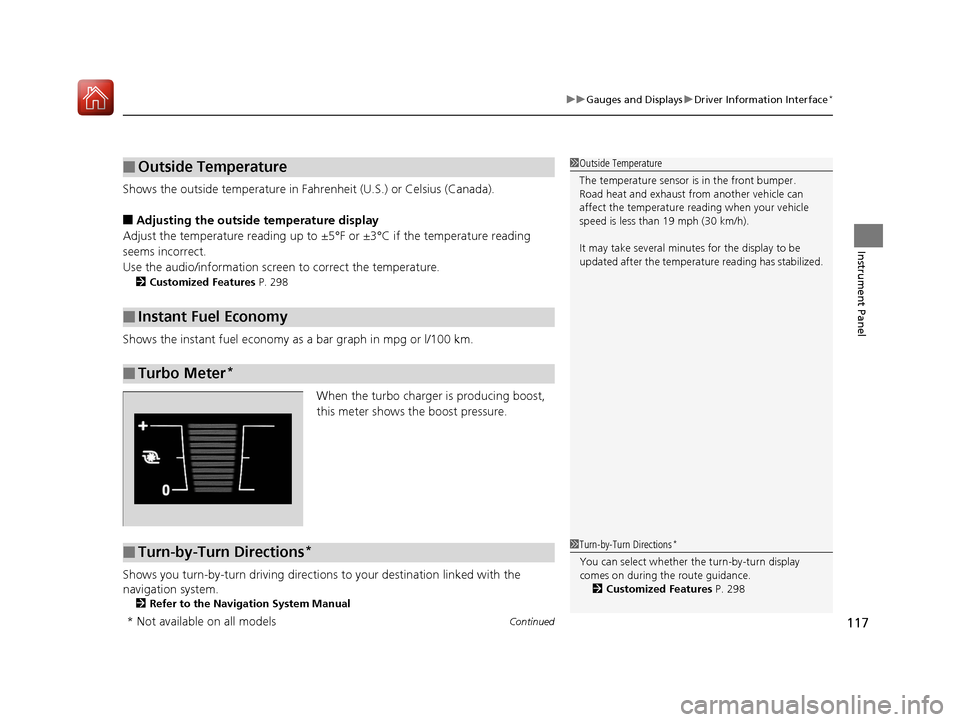
When the turbo charger is producing boost,
this meter shows the boost pressure.
Shows you turn-by-turn driv ing directions to your destination linked with the
navigation system.
2 Refer to the Navigation System Manual
■Outside Temperature
■Instant Fuel Economy
■Turbo Meter*
1Outside Temperature
The temperature sensor is in the front bumper.
Road heat and exhaust from another vehicle can
affect the temperature reading when your vehicle
speed is less than 19 mph (30 km/h).
It may take several minutes for the display to be
updated after the temperature reading has stabilized.
■Turn-by-Turn Directions*1Turn-by-Turn Directions*
You can select whether th e turn-by-turn display
comes on during the route guidance. 2 Customized Features P. 298
* Not available on all models
17 CIVIC 2D HCM (KA KC KL)-31TBG6100.book 117 ページ 2016年8月31日 水曜日 午後5時43分
Page 122 of 595
121
uuClock uAdjusting the Clock
Controls
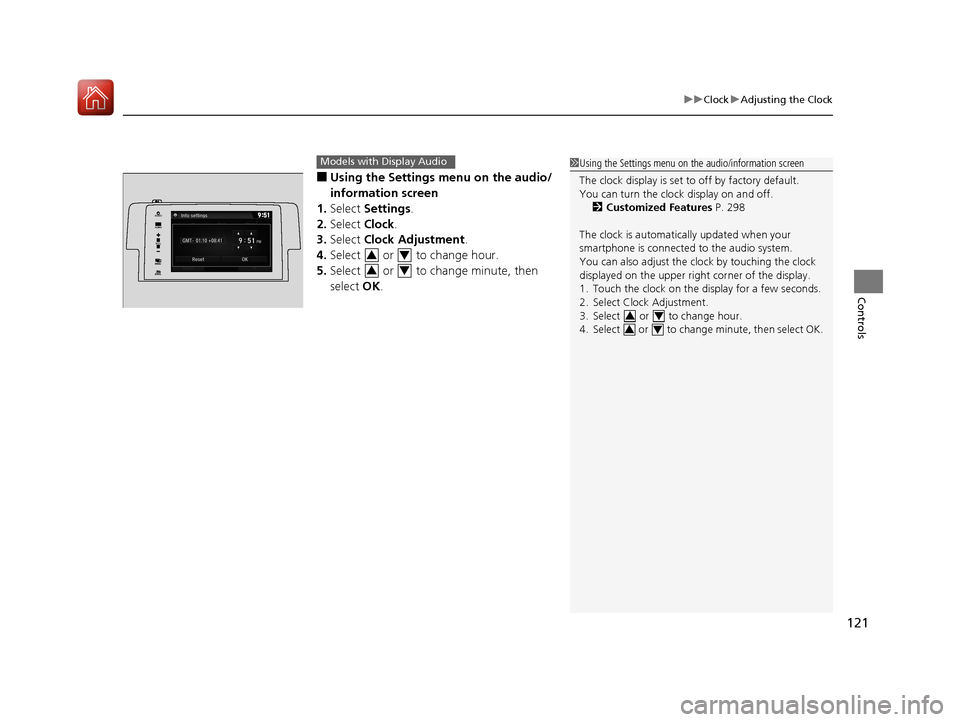
■Using the Settings menu on the audio/
information screen
1. Select Settings .
2. Select Clock.
3. Select Clock Adjustment .
4. Select or to change hour.
5. Select or to change minute, then
select OK.
Models with Display Audio1Using the Settings menu on the audio/information screen
The clock display is set to off by factory default.
You can turn the clock display on and off.
2 Customized Features P. 298
The clock is automatica lly updated when your
smartphone is connected to the audio system.
You can also adjust the clock by touching the clock
displayed on the upper right corner of the display.
1. Touch the clock on the display for a few seconds.
2. Select Clock Adjustment.
3. Select or to change hour.
4. Select or to change minute, then select OK.
34
34
VOL
HOME
MENUBACK
AUDIO
34
34
17 CIVIC 2D HCM (KA KC KL)-31TBG6100.book 121 ページ 2016年8月31日 水曜日 午後5時43分
Page 123 of 595
122
Controls
Locking and Unlocking the Doors
Key Types and Functions
This vehicle comes with the following keys:
Use the key to start and stop the engine, to lock and unlock the doors and to open
the trunk. You can also use the remote transmitter or smart entry system
* to lock
and unlock the doors and to open the trunk.
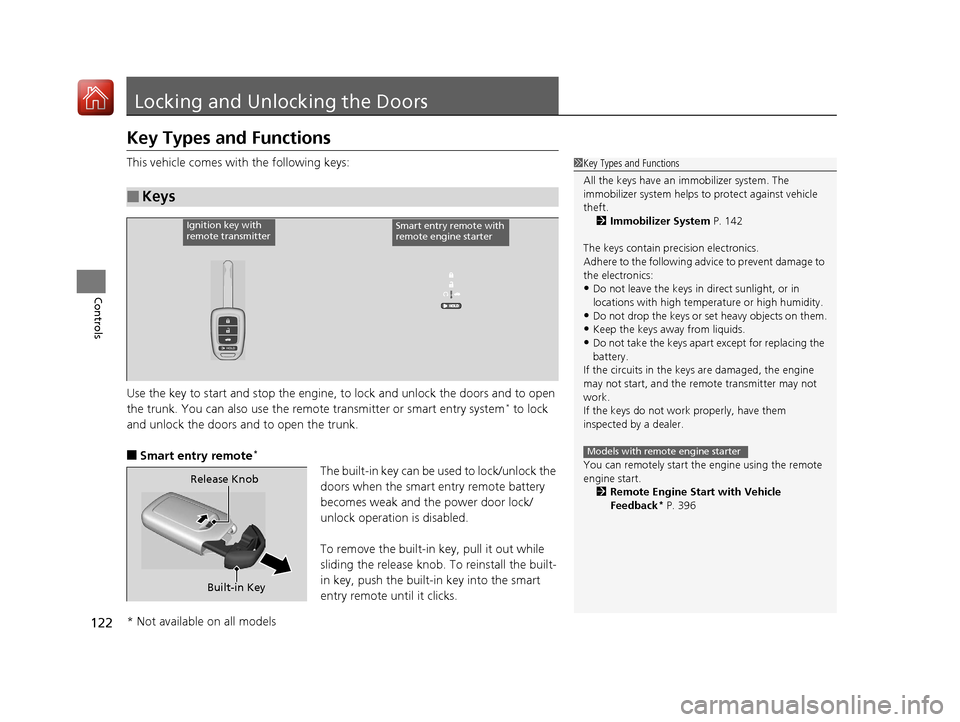
■Smart entry remote*
The built-in key can be us ed to lock/unlock the
doors when the smart entry remote battery
becomes weak and th e power door lock/
unlock operation is disabled.
To remove the built-in key, pull it out while
sliding the release knob. To reinstall the built-
in key, push the built-in key into the smart
entry remote until it clicks.
■Keys
1 Key Types and Functions
All the keys have an immobilizer system. The
immobilizer system helps to protect against vehicle
theft. 2 Immobilizer System P. 142
The keys contain precision electronics.
Adhere to the following advi ce to prevent damage to
the electronics:
•Do not leave the keys in direct sunlight, or in
locations with high temperature or high humidity.
•Do not drop the keys or set heavy objects on them.
•Keep the keys away from liquids.
•Do not take the keys apart except for replacing the
battery.
If the circuits in the keys are damaged, the engine
may not start, and the remote transmitter may not
work.
If the keys do not work properly, have them
inspected by a dealer.
You can remotely start the engine using the remote
engine start.
2 Remote Engine Start with Vehicle
Feedback
* P. 396
Models with remote engine starter
Ignition key with
remote transmitterSmart entry remote with
remote engine starter
Built-in Key
Release Knob
* Not available on all models
17 CIVIC 2D HCM (KA KC KL)-31TBG6100.book 122 ページ 2016年8月31日 水曜日 午後5時43分
Page 125 of 595
124
uuLocking and Unlocking the Doors uLow Smart Entry Remote Signal Strength*
Controls
Low Smart Entry Remo te Signal Strength*
The vehicle transmits radio waves to loca te the smart entry remote when locking/
unlocking the doors and fuel fill door, opening the trunk, or starting the engine.
In the following cases, locking/unlocking the doors, opening the trunk, or starting
the engine may be inhibited or operation may be unstable:
• Strong radio waves are being tra nsmitted by nearby equipment.
• You are carrying the smart entry remote together with telecommunications
equipment, laptop computers, ce ll phones, or wireless devices.
• A metallic object is touching or covering the smart entry remote.1Low Smart Entry Remote Signal Strength*
Communication between the smart entry remote and
the vehicle consumes the smart entry remote’s
battery.
Battery life is about two years, but this varies
depending on re gularity of use.
The battery is consumed whenever the smart entry
remote is receivi ng strong radio wave s. Avoid placing
it near electrical appliances such as televisions and
personal computers.
* Not available on all models
17 CIVIC 2D HCM (KA KC KL)-31TBG6100.book 124 ページ 2016年8月31日 水曜日 午後5時43分
Page 126 of 595
125
uuLocking and Unlocking the Doors uLocking/Unlocking the Doors from the Outside
Continued
Controls
Locking/Unlocking the Doors from the Outside
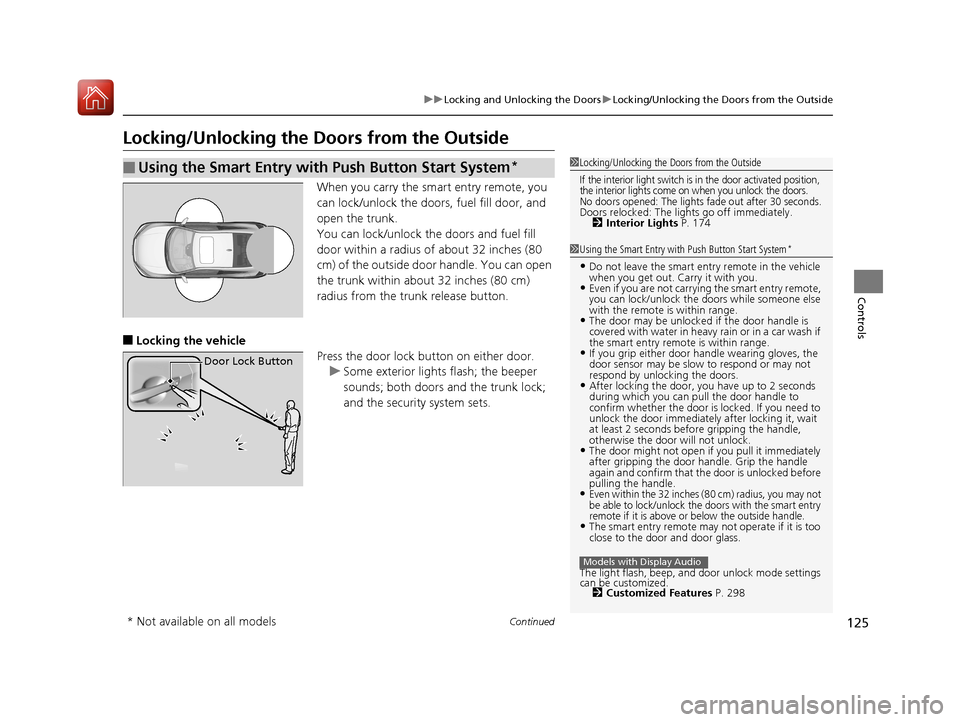
When you carry the sm art entry remote, you
can lock/unlock the doors, fuel fill door, and
open the trunk.
You can lock/unlock the doors and fuel fill
door within a radius of about 32 inches (80
cm) of the outside door handle. You can open
the trunk within about 32 inches (80 cm)
radius from the trunk release button.
■Locking the vehicle Press the door lock button on either door.u Some exterior lights flash; the beeper
sounds; both doors and the trunk lock;
and the security system sets.
■Using the Smart Entry with Push Button Start System*1Locking/Unlocking the Doors from the Outside
If the interior light switch is in the door activated position,
the interior lights come on when you unlock the doors.
No doors opened: The lights fade out after 30 seconds.Doors relocked: The li ghts go off immediately.
2 Interior Lights P. 174
1Using the Smart Entry with Push Button Start System*
•Do not leave the smart entry remote in the vehicle
when you get out. Carry it with you.
•Even if you are not carrying the smart entry remote,
you can lock/unlock the doors while someone else
with the remote is within range.
•The door may be unlocked if the door handle is
covered with water in heavy rain or in a car wash if
the smart entry remote is within range.
•If you grip either door handle wearing gloves, the
door sensor may be slow to respond or may not
respond by unlocking the doors.
•After locking the door, you have up to 2 seconds
during which you can pull the door handle to
confirm whether the door is locked. If you need to
unlock the door immediately after locking it, wait
at least 2 seconds befo re gripping the handle,
otherwise the door will not unlock.
•The door might not open if you pull it immediately
after gripping the door ha ndle. Grip the handle
again and confirm that th e door is unlocked before
pulling the handle.
•Even within the 32 inches (80 cm) radius, you may not
be able to lock/unlock the doors with the smart entry
remote if it is above or below the outside handle.
•The smart entry remote may not operate if it is too
close to the door and door glass.
The light flash, beep, a nd door unlock mode settings
can be customized. 2 Customized Features P. 298
Models with Display Audio
Door Lock Button
* Not available on all models
17 CIVIC 2D HCM (KA KC KL)-31TBG6100.book 125 ページ 2016年8月31日 水曜日 午後5時43分
Page 127 of 595
uuLocking and Unlocking the Doors uLocking/Unlocking the Doors from the Outside
126
Controls
■Locking the vehicle (Walk away auto
lock)*
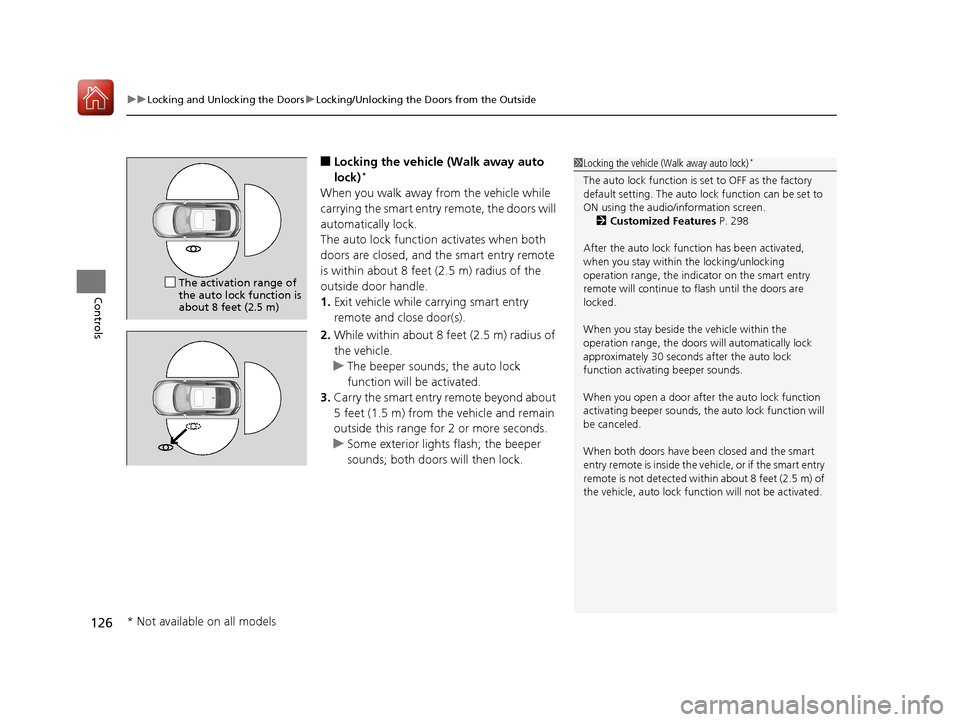
When you walk away from the vehicle while
carrying the smart entry remote, the doors will
automatically lock.
The auto lock function activates when both
doors are closed, and the smart entry remote
is within about 8 feet (2.5 m) radius of the
outside door handle.
1. Exit vehicle while carrying smart entry
remote and close door(s).
2. While within about 8 feet (2.5 m) radius of
the vehicle.
u The beeper sounds; the auto lock
function will be activated.
3. Carry the smart entry remote beyond about
5 feet (1.5 m) from the vehicle and remain
outside this range fo r 2 or more seconds.
u Some exterior lights flash; the beeper
sounds; both doors will then lock.
1Locking the vehicle (Walk away auto lock)*
The auto lock function is set to OFF as the factory
default setting. The auto lo ck function can be set to
ON using the audio/information screen. 2 Customized Features P. 298
After the auto lock function has been activated,
when you stay within the locking/unlocking
operation range, the indicator on the smart entry
remote will continue to flash until the doors are
locked.
When you stay beside the vehicle within the
operation range, the doors wi ll automatically lock
approximately 30 seconds after the auto lock
function activating beeper sounds.
When you open a door after the auto lock function
activating beeper sounds, the auto lock function will
be canceled.
When both doors have been closed and the smart
entry remote is inside the vehicle, or if the smart entry
remote is not detect ed within about 8 feet (2.5 m) of
the vehicle, auto lock func tion will not be activated.
The activation range of
the auto lock function is
about 8 feet (2.5 m)
* Not available on all models
17 CIVIC 2D HCM (KA KC KL)-31TBG6100.book 126 ページ 2016年8月31日 水曜日 午後5時43分