brake HONDA CIVIC HATCHBACK 2017 10.G User Guide
[x] Cancel search | Manufacturer: HONDA, Model Year: 2017, Model line: CIVIC HATCHBACK, Model: HONDA CIVIC HATCHBACK 2017 10.GPages: 641
Page 79 of 641
78
Instrument Panel
Indicators
*1:Models with the smart entry system have an ENGINE START/STOP button instead of an ignition switch.
IndicatorNameOn/BlinkingExplanationMessage*
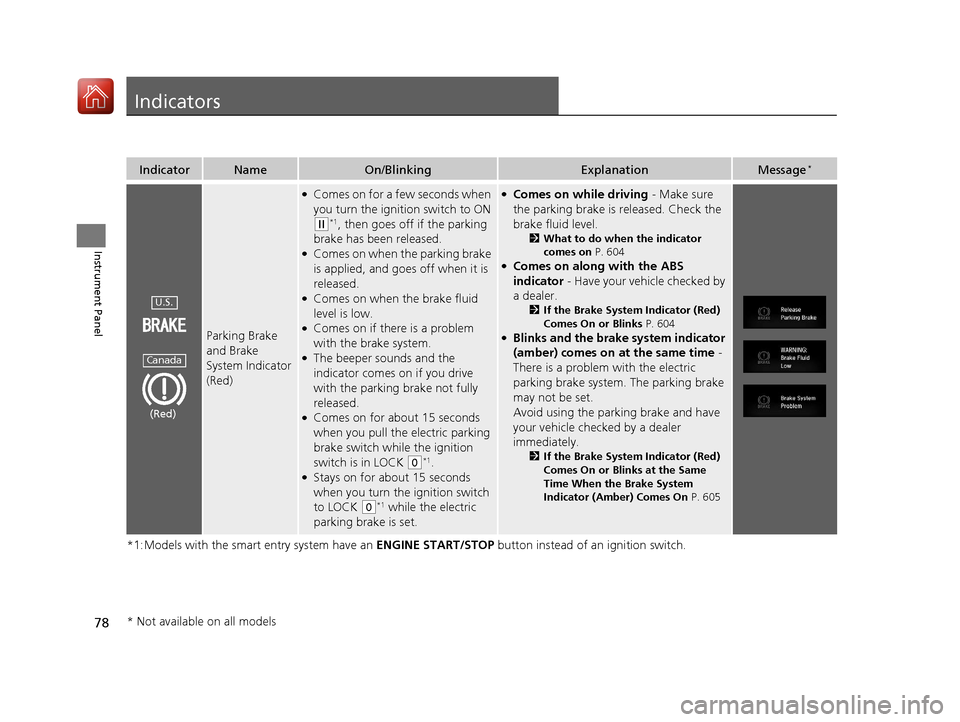
Parking Brake
and Brake
System Indicator
(Red)
●Comes on for a few seconds when
you turn the ignition switch to ON
(w*1, then goes off if the parking
brake has been released.
●Comes on when the parking brake
is applied, and goes off when it is
released.
●Comes on when the brake fluid
level is low.
●Comes on if there is a problem
with the brake system.
●The beeper sounds and the
indicator comes on if you drive
with the parking brake not fully
released.
●Comes on for about 15 seconds
when you pull the electric parking
brake switch while the ignition
switch is in LOCK
(0*1.●Stays on for about 15 seconds
when you turn the ignition switch
to LOCK
(0*1 while the electric
parking brake is set.
●Comes on while driving - Make sure
the parking brake is released. Check the
brake fluid level.
2 What to do when the indicator
comes on P. 604
●Comes on along with the ABS
indicator - Have your vehicle checked by
a dealer.
2 If the Brake System Indicator (Red)
Comes On or Blinks P. 604
●Blinks and the brake system indicator
(amber) comes on at the same time -
There is a problem with the electric
parking brake system. The parking brake
may not be set.
Avoid using the parking brake and have
your vehicle checked by a dealer
immediately.
2 If the Brake System Indicator (Red)
Comes On or Blinks at the Same
Time When the Brake System
Indicator (Amber) Comes On P. 605
U.S.
Canada
(Red)
* Not available on all models
17 CIVIC 5D (KA KC KL)-31TGG6000.book 78 ページ 2016年6月8日 水曜日 午後 2時8分
Page 80 of 641
79
uuIndicators u
Continued
Instrument Panel
*1:Models with the smart entry system have an ENGINE START/STOP button instead of an ignition switch.
IndicatorNameOn/BlinkingExplanationMessage*
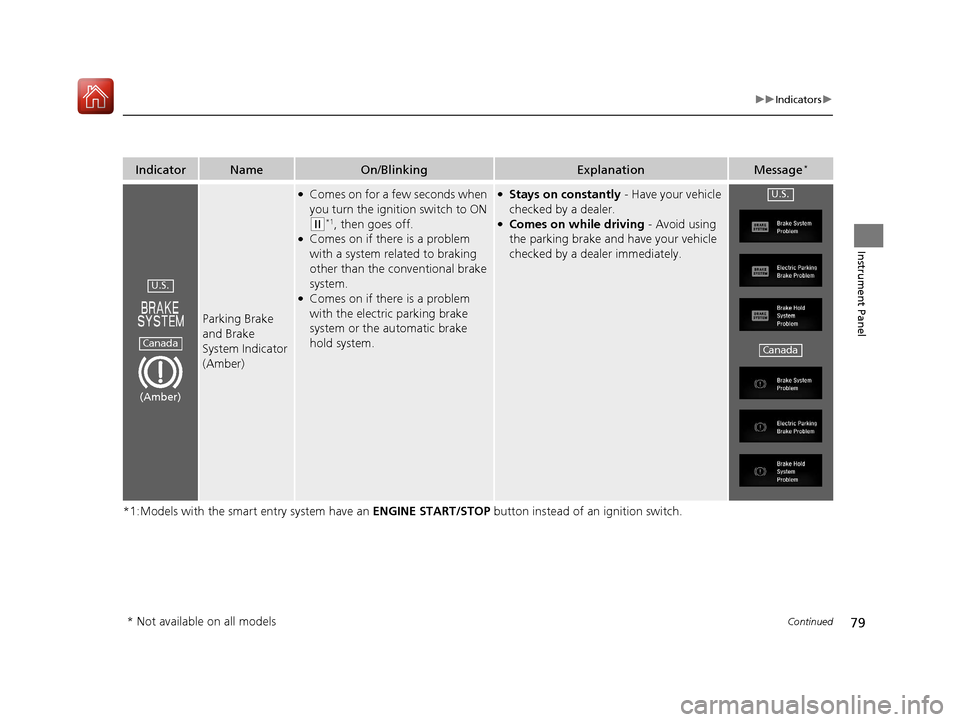
Parking Brake
and Brake
System Indicator
(Amber)
●Comes on for a few seconds when
you turn the ignition switch to ON
(w*1, then goes off.●Comes on if there is a problem
with a system related to braking
other than the conventional brake
system.
●Comes on if there is a problem
with the electric parking brake
system or the automatic brake
hold system.
●Stays on constantly - Have your vehicle
checked by a dealer.
●Comes on while driving - Avoid using
the parking brake and have your vehicle
checked by a dealer immediately.
U.S.
Canada
(Amber)
U.S.
Canada
* Not available on all models
17 CIVIC 5D (KA KC KL)-31TGG6000.book 79 ページ 2016年6月8日 水曜日 午後 2時8分
Page 81 of 641
80
uuIndicators u
Instrument Panel
*1:Models with the smart entry system have an ENGINE START/STOP button instead of an ignition switch.
IndicatorNameOn/BlinkingExplanationMessage*
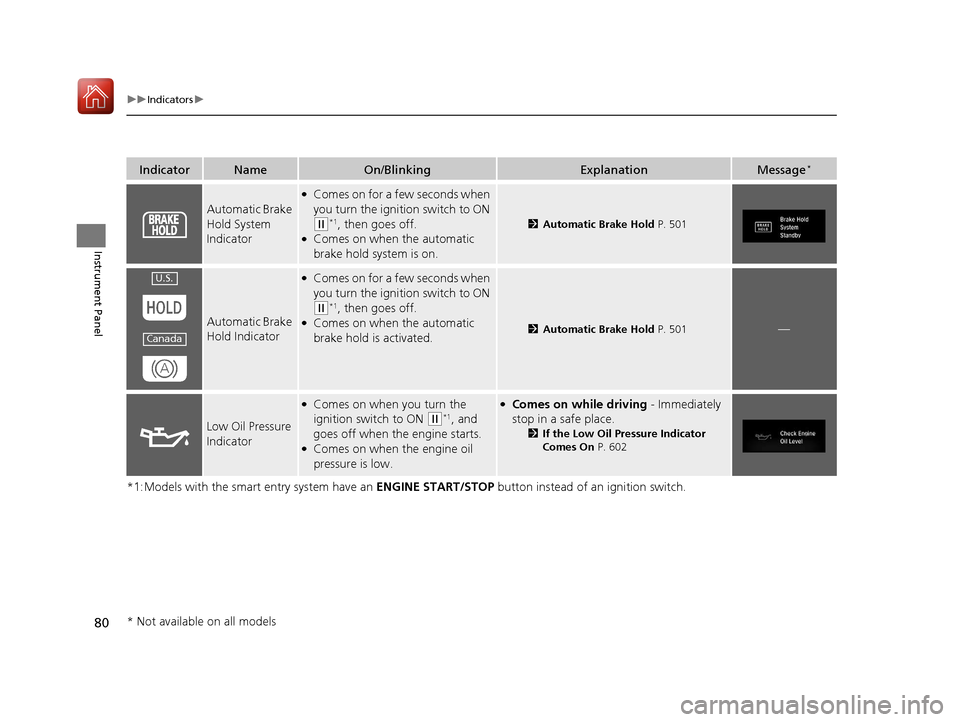
Automatic Brake
Hold System
Indicator
●Comes on for a few seconds when
you turn the ignition switch to ON
(w*1, then goes off.●Comes on when the automatic
brake hold system is on.
2Automatic Brake Hold P. 501
Automatic Brake
Hold Indicator
●Comes on for a few seconds when
you turn the ignition switch to ON
(w*1, then goes off.●Comes on when the automatic
brake hold is activated.2Automatic Brake Hold P. 501—
Low Oil Pressure
Indicator
●Comes on when you turn the
ignition switch to ON
(w*1, and
goes off when the engine starts.
●Comes on when the engine oil
pressure is low.
●Comes on while driving - Immediately
stop in a safe place.
2 If the Low Oil Pressure Indicator
Comes On P. 602
U.S.
Canada
* Not available on all models
17 CIVIC 5D (KA KC KL)-31TGG6000.book 80 ページ 2016年6月8日 水曜日 午後 2時8分
Page 85 of 641
84
uuIndicators u
Instrument Panel
*1:Models with the smart entry system have an ENGINE START/STOP button instead of an ignition switch.
IndicatorNameOn/BlinkingExplanationMessage*
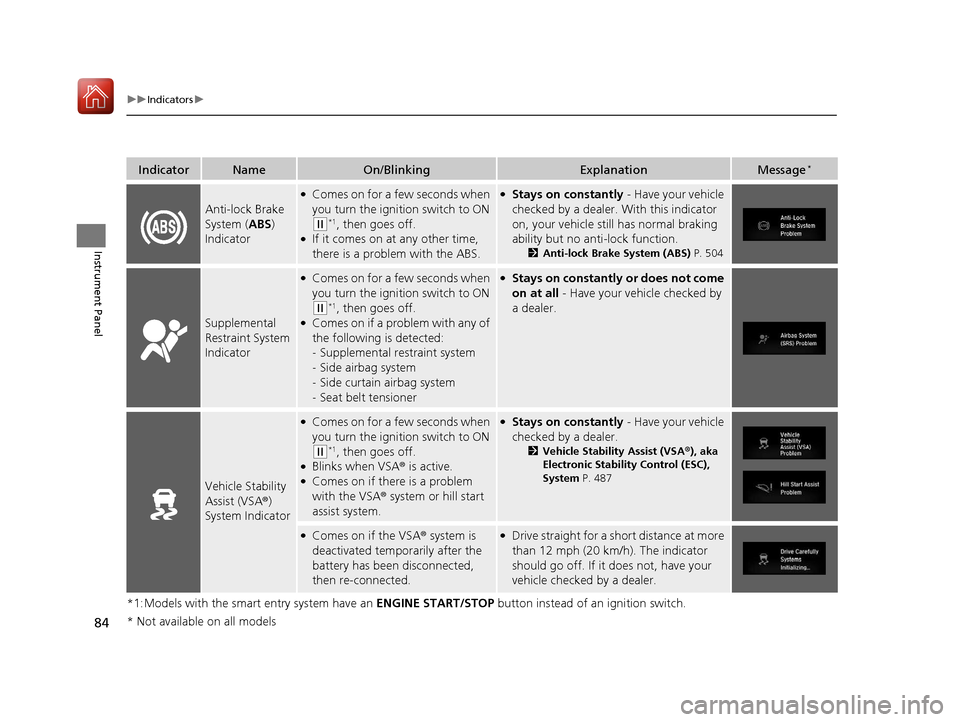
Anti-lock Brake
System (ABS)
Indicator
●Comes on for a few seconds when
you turn the ignition switch to ON
(w*1, then goes off.●If it comes on at any other time,
there is a problem with the ABS.
●Stays on constantly - Have your vehicle
checked by a dealer. With this indicator
on, your vehicle still has normal braking
ability but no an ti-lock function.
2Anti-lock Brake System (ABS) P. 504
Supplemental
Restraint System
Indicator
●Comes on for a few seconds when
you turn the ignition switch to ON
(w*1, then goes off.●Comes on if a problem with any of
the following is detected:
-Supplemental restraint system
- Side airbag system
- Side curtain airbag system
- Seat belt tensioner
●Stays on constantly or does not come
on at all - Have your vehicle checked by
a dealer.
Vehicle Stability
Assist (VSA ®)
System Indicator
●Comes on for a few seconds when
you turn the ignition switch to ON
(w*1, then goes off.●Blinks when VSA ® is active.●Comes on if there is a problem
with the VSA® system or hill start
assist system.
●Stays on constantly - Have your vehicle
checked by a dealer.
2 Vehicle Stability Assist (VSA ®), aka
Electronic Stability Control (ESC),
System P. 487
●Comes on if the VSA ® system is
deactivated temporarily after the
battery has been disconnected,
then re-connected.●Drive straight for a short distance at more
than 12 mph (20 km/h). The indicator
should go off. If it does not, have your
vehicle checked by a dealer.
* Not available on all models
17 CIVIC 5D (KA KC KL)-31TGG6000.book 84 ページ 2016年6月8日 水曜日 午後 2時8分
Page 90 of 641
89
uuIndicators u
Continued
Instrument Panel
*1:Models with the smart entry system have an ENGINE START/STOP button instead of an ignition switch.
*2:Canadian models only: Apply and hold th e brake pedal before turning the ignition on.
IndicatorNameOn/BlinkingExplanationMessage*
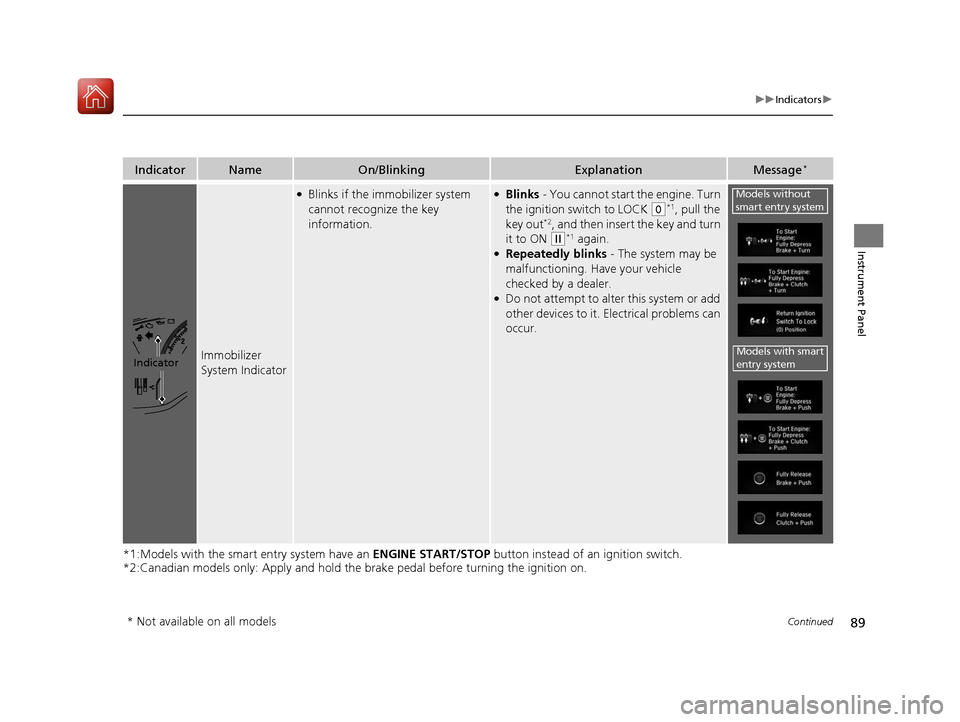
Immobilizer
System Indicator
●Blinks if the immobilizer system
cannot recognize the key
information.●Blinks - You cannot start the engine. Turn
the ignition switch to LOCK
(0*1, pull the
key out*2, and then insert the key and turn
it to ON
(w*1 again.●Repeatedly blinks - The system may be
malfunctioning. Have your vehicle
checked by a dealer.
●Do not attempt to alter this system or add
other devices to it. Electrical problems can
occur.
Indicator
Models without
smart entry system
Models with smart
entry system
* Not available on all models
17 CIVIC 5D (KA KC KL)-31TGG6000.book 89 ページ 2016年6月8日 水曜日 午後 2時8分
Page 92 of 641
91
uuIndicators u
Continued
Instrument Panel
*1:Models with the smart entry system have an ENGINE START/STOP button instead of an ignition switch.
IndicatorNameOn/BlinkingExplanationMessage*
Maintenance
Minder
Indicator
*
●Comes on for a few seconds when
you turn the ignition switch to ON
(w*1, then goes off.●Comes on when the scheduled
maintenance is due soon.
2Maintenance MinderTM P. 527—
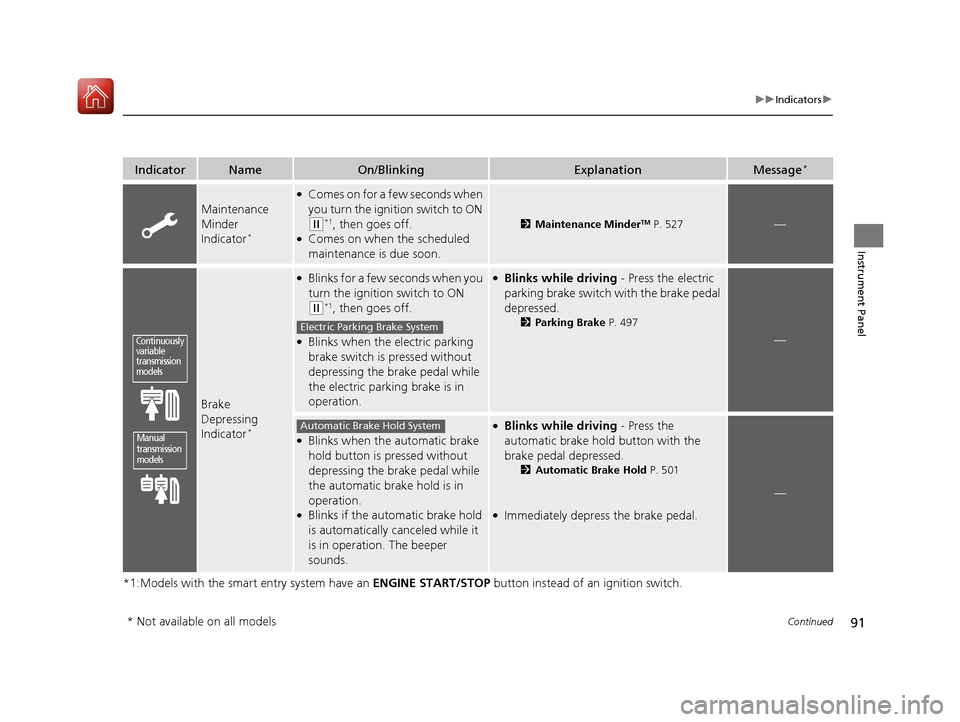
Brake
Depressing
Indicator
*
●Blinks for a few seconds when you
turn the ignition switch to ON
(w*1, then goes off.
●Blinks when the electric parking
brake switch is pressed without
depressing the brake pedal while
the electric parking brake is in
operation.
●Blinks while driving - Press the electric
parking brake switch with the brake pedal
depressed.
2 Parking Brake P. 497
—
●Blinks when the automatic brake
hold button is pressed without
depressing the brake pedal while
the automatic brake hold is in
operation.
●Blinks if the automatic brake hold
is automatically canceled while it
is in operation. The beeper
sounds.
●Blinks while driving - Press the
automatic brake hold button with the
brake pedal depressed.
2Automatic Brake Hold P. 501
●Immediately depress the brake pedal.
—
Continuously
variable
transmission
models
Manual
transmission
models
Electric Parking Brake System
Automatic Brake Hold System
* Not available on all models
17 CIVIC 5D (KA KC KL)-31TGG6000.book 91 ページ 2016年6月8日 水曜日 午後 2時8分
Page 101 of 641
100
uuIndicators uDriver Information Interface Wa rning and Information Messages*
Instrument Panel
MessageConditionExplanation
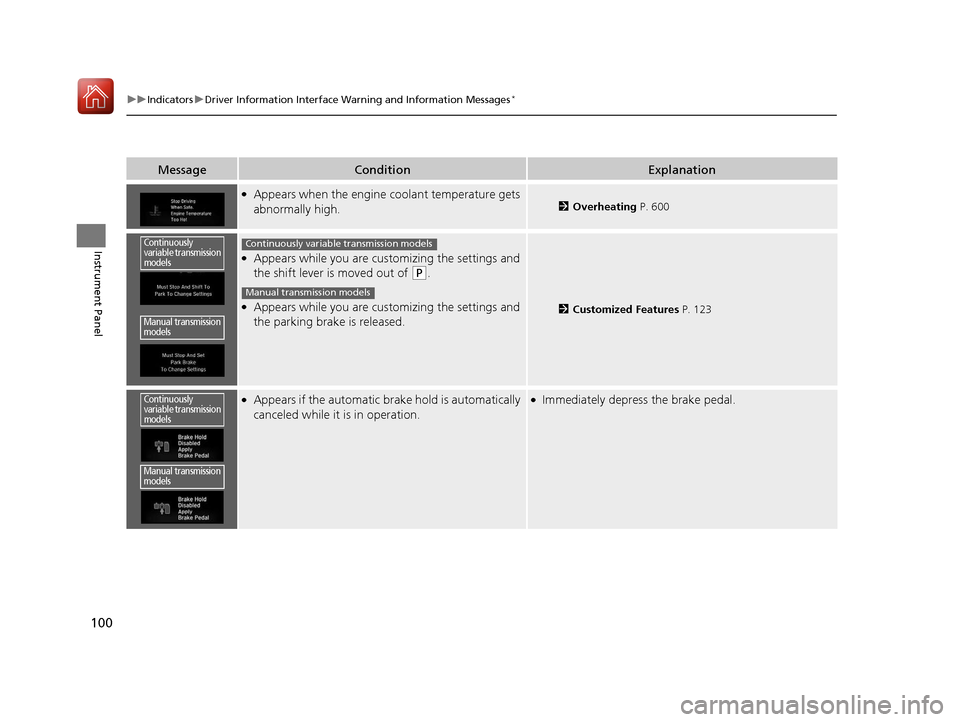
●Appears when the engine coolant temperature gets
abnormally high.2Overheating P. 600
●Appears while you are cust omizing the settings and
the shift lever is moved out of
(P.
●Appears while you are cust omizing the settings and
the parking brake is released.2 Customized Features P. 123
●Appears if the automatic br ake hold is automatically
canceled while it is in operation.●Immediately depress the brake pedal.
Continuously
variable transmission
models
Manual transmission
models
Continuously variable transmission models
Manual transmission models
Continuously
variable transmission
models
Manual transmission
models
17 CIVIC 5D (KA KC KL)-31TGG6000.book 100 ページ 2016年6月8日 水曜日 午 後2時8分
Page 102 of 641
101
uuIndicators uDriver Information Interface Wa rning and Information Messages*
Continued
Instrument Panel
MessageConditionExplanation
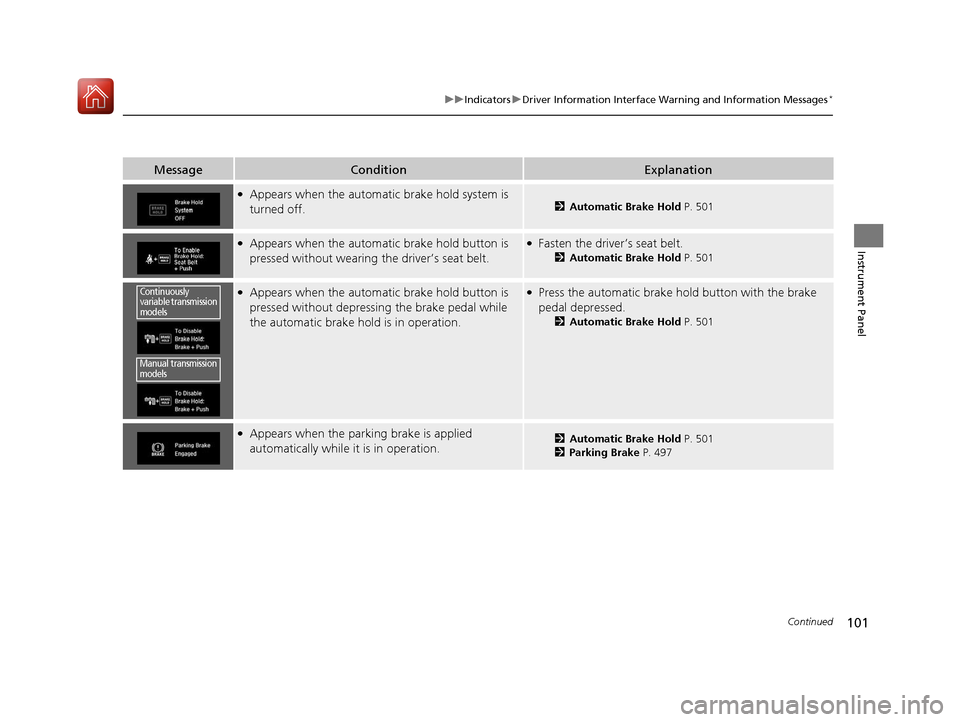
●Appears when the automatic brake hold system is
turned off.2Automatic Brake Hold P. 501
●Appears when the automatic brake hold button is
pressed without wearing the driver’s seat belt.●Fasten the driver’s seat belt.
2Automatic Brake Hold P. 501
●Appears when the automatic brake hold button is
pressed without depressing the brake pedal while
the automatic brake hold is in operation.●Press the automatic brake hold button with the brake
pedal depressed.
2Automatic Brake Hold P. 501
●Appears when the parking brake is applied
automatically while it is in operation.2Automatic Brake Hold P. 501
2 Parking Brake P. 497
Continuously
variable transmission
models
Manual transmission
models
17 CIVIC 5D (KA KC KL)-31TGG6000.book 101 ページ 2016年6月8日 水曜日 午 後2時8分
Page 103 of 641
102
uuIndicators uDriver Information Interface Wa rning and Information Messages*
Instrument Panel
MessageConditionExplanation
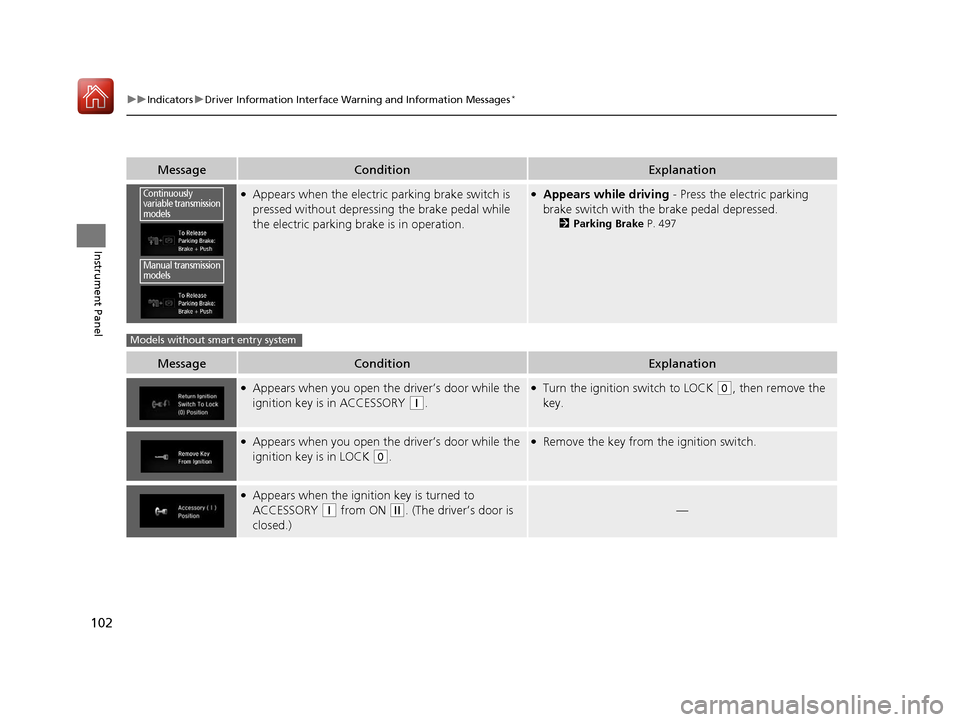
●Appears when the electric parking brake switch is
pressed without depressing the brake pedal while
the electric parking brake is in operation.●Appears while driving - Press the electric parking
brake switch with the brake pedal depressed.
2 Parking Brake P. 497
MessageConditionExplanation
●Appears when you open the driver’s door while the
ignition key is in ACCESSORY
(q.
●Turn the ignition switch to LOCK (0, then remove the
key.
●Appears when you open the driver’s door while the
ignition key is in LOCK
(0.
●Remove the key from the ignition switch.
●Appears when the igniti on key is turned to
ACCESSORY
(q from ON (w. (The driver’s door is
closed.)—
Continuously
variable transmission
models
Manual transmission
models
Models without smart entry system
17 CIVIC 5D (KA KC KL)-31TGG6000.book 102 ページ 2016年6月8日 水曜日 午 後2時8分
Page 105 of 641
104
uuIndicators uDriver Information Interface Wa rning and Information Messages*
Instrument Panel
MessageConditionExplanation
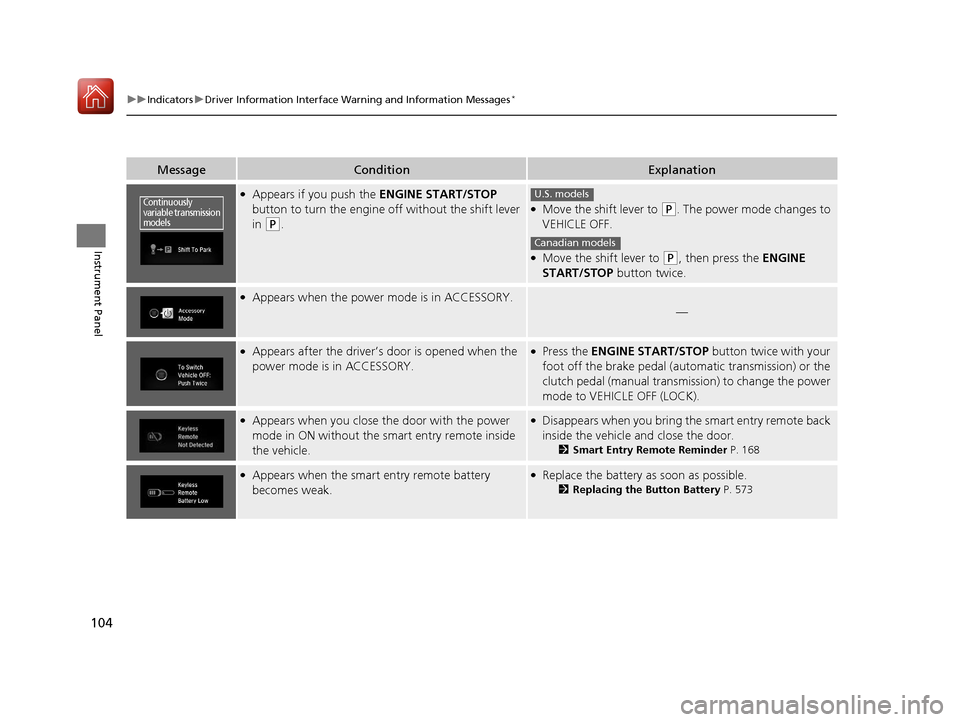
●Appears if you push the ENGINE START/STOP
button to turn the engine off without the shift lever
in
(P.
●Move the shift lever to (P. The power mode changes to
VEHICLE OFF.
●Move the shift lever to (P, then press the ENGINE
START/STOP button twice.
●Appears when the power mode is in ACCESSORY.
—
●Appears after the driver’s door is opened when the
power mode is in ACCESSORY.●Press the ENGINE START/STOP button twice with your
foot off the brake pedal (automatic transmission) or the
clutch pedal (manual transmission) to change the power
mode to VEHICLE OFF (LOCK).
●Appears when you close the door with the power
mode in ON without the smart entry remote inside
the vehicle.●Disappears when you bring the smart entry remote back
inside the vehicle and close the door.
2Smart Entry Remote Reminder P. 168
●Appears when the smart entry remote battery
becomes weak.●Replace the battery as soon as possible.
2Replacing the Button Battery P. 573
Continuously
variable transmission
modelsU.S. models
Canadian models
17 CIVIC 5D (KA KC KL)-31TGG6000.book 104 ページ 2016年6月8日 水曜日 午 後2時8分