door lock HONDA CIVIC HATCHBACK 2017 10.G User Guide
[x] Cancel search | Manufacturer: HONDA, Model Year: 2017, Model line: CIVIC HATCHBACK, Model: HONDA CIVIC HATCHBACK 2017 10.GPages: 641
Page 62 of 641
61
uuChild Safety uProtecting Child Passengers
Safe Driving
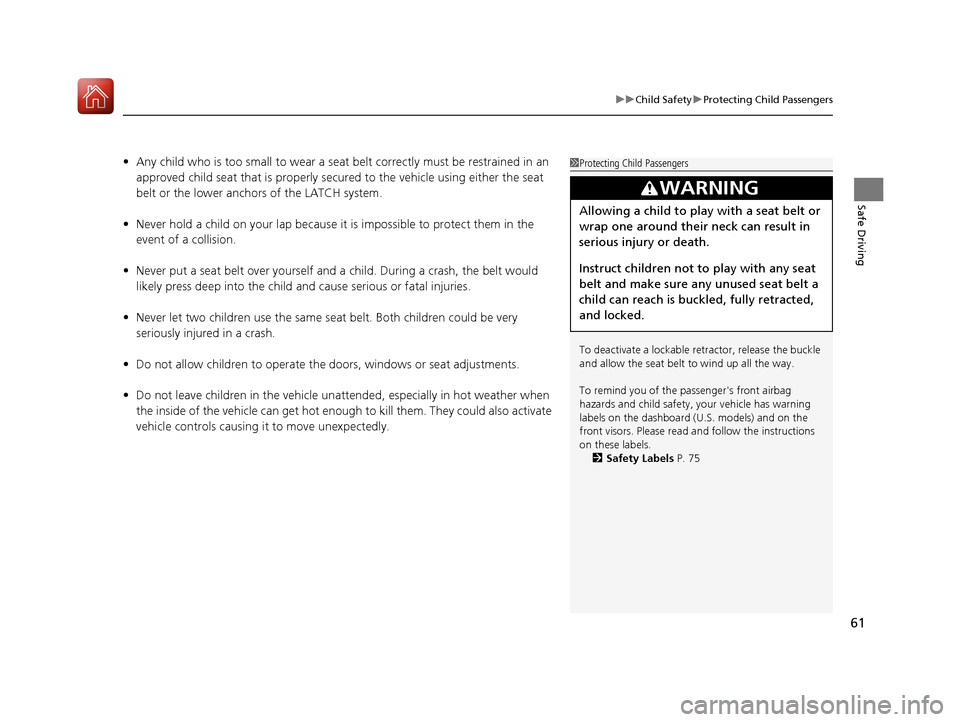
• Any child who is too small to wear a seat belt correctly must be restrained in an
approved child seat that is properly secured to the vehicle using either the seat
belt or the lower anchors of the LATCH system.
• Never hold a child on your lap because it is impossible to protect them in the
event of a collision.
• Never put a seat belt over yourself and a child. During a crash, the belt would
likely press deep into the child and cause serious or fatal injuries.
• Never let two children use the same seat belt. Both children could be very
seriously injured in a crash.
• Do not allow children to operate the doors, windows or seat adjustments.
• Do not leave children in the vehicle unatte nded, especially in hot weather when
the inside of the vehicle can get hot enough to kill them. They could also activate
vehicle controls causing it to move unexpectedly.1 Protecting Child Passengers
To deactivate a lockable retractor, release the buckle
and allow the seat belt to wind up all the way.
To remind you of the pa ssenger's front airbag
hazards and child safety, your vehicle has warning
labels on the dashboard (U.S. models) and on the
front visors. Please read and follow the instructions
on these labels. 2 Safety Labels P. 75
3WARNING
Allowing a child to play with a seat belt or
wrap one around their neck can result in
serious injury or death.
Instruct children not to play with any seat
belt and make sure any unused seat belt a
child can reach is buckled, fully retracted,
and locked.
17 CIVIC 5D (KA KC KL)-31TGG6000.book 61 ページ 2016年6月8日 水曜日 午後 2時8分
Page 103 of 641
102
uuIndicators uDriver Information Interface Wa rning and Information Messages*
Instrument Panel
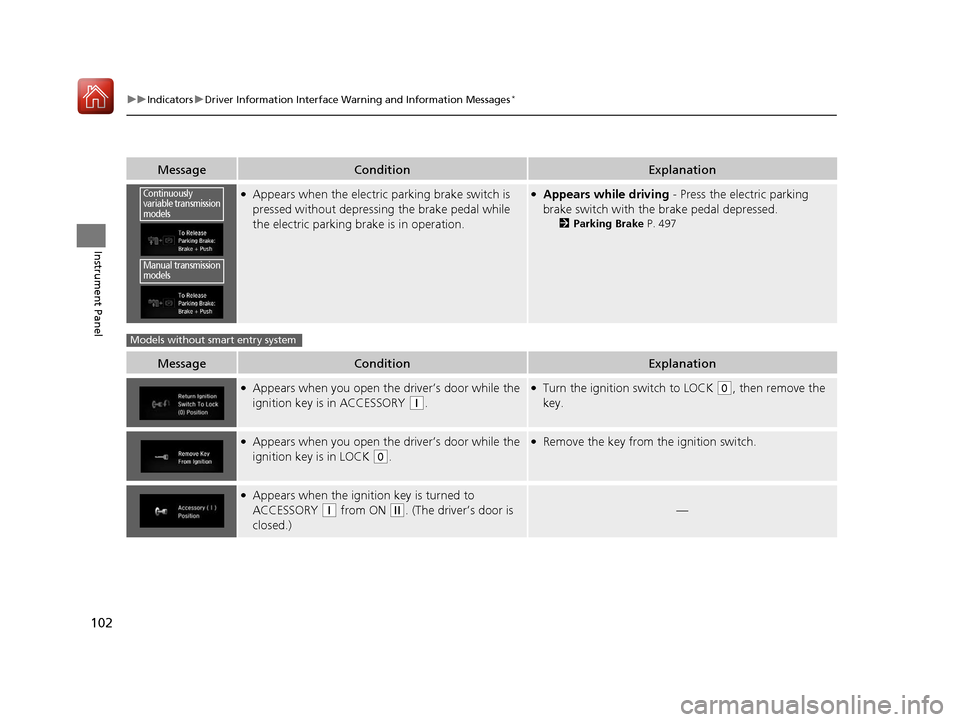
MessageConditionExplanation
●Appears when the electric parking brake switch is
pressed without depressing the brake pedal while
the electric parking brake is in operation.●Appears while driving - Press the electric parking
brake switch with the brake pedal depressed.
2 Parking Brake P. 497
MessageConditionExplanation
●Appears when you open the driver’s door while the
ignition key is in ACCESSORY
(q.
●Turn the ignition switch to LOCK (0, then remove the
key.
●Appears when you open the driver’s door while the
ignition key is in LOCK
(0.
●Remove the key from the ignition switch.
●Appears when the igniti on key is turned to
ACCESSORY
(q from ON (w. (The driver’s door is
closed.)—
Continuously
variable transmission
models
Manual transmission
models
Models without smart entry system
17 CIVIC 5D (KA KC KL)-31TGG6000.book 102 ページ 2016年6月8日 水曜日 午 後2時8分
Page 105 of 641
104
uuIndicators uDriver Information Interface Wa rning and Information Messages*
Instrument Panel
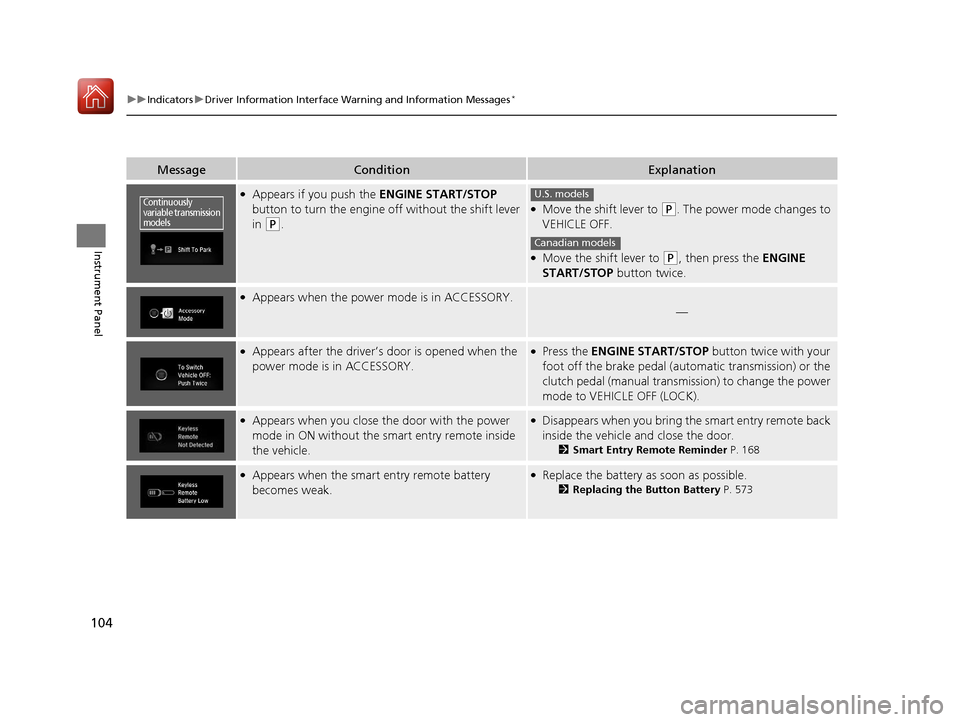
MessageConditionExplanation
●Appears if you push the ENGINE START/STOP
button to turn the engine off without the shift lever
in
(P.
●Move the shift lever to (P. The power mode changes to
VEHICLE OFF.
●Move the shift lever to (P, then press the ENGINE
START/STOP button twice.
●Appears when the power mode is in ACCESSORY.
—
●Appears after the driver’s door is opened when the
power mode is in ACCESSORY.●Press the ENGINE START/STOP button twice with your
foot off the brake pedal (automatic transmission) or the
clutch pedal (manual transmission) to change the power
mode to VEHICLE OFF (LOCK).
●Appears when you close the door with the power
mode in ON without the smart entry remote inside
the vehicle.●Disappears when you bring the smart entry remote back
inside the vehicle and close the door.
2Smart Entry Remote Reminder P. 168
●Appears when the smart entry remote battery
becomes weak.●Replace the battery as soon as possible.
2Replacing the Button Battery P. 573
Continuously
variable transmission
modelsU.S. models
Canadian models
17 CIVIC 5D (KA KC KL)-31TGG6000.book 104 ページ 2016年6月8日 水曜日 午 後2時8分
Page 114 of 641
113
uuIndicators uDriver Information Interface Wa rning and Information Messages*
Instrument Panel
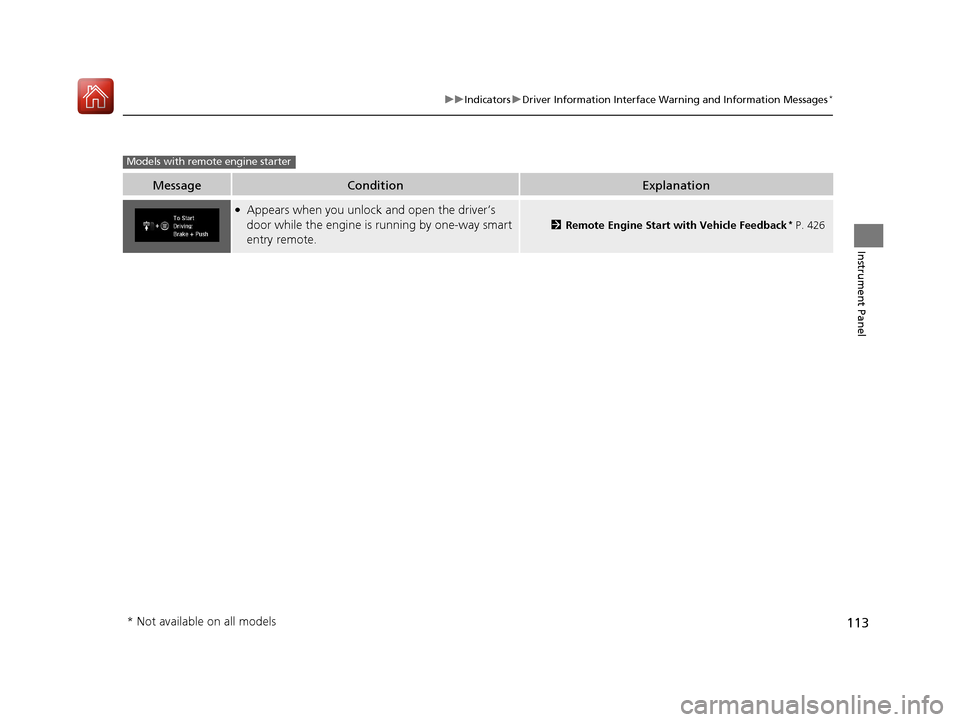
MessageConditionExplanation
●Appears when you unlock and open the driver’s
door while the engine is running by one-way smart
entry remote.
2Remote Engine Start with Vehicle Feedback* P. 426
Models with remote engine starter
* Not available on all models
17 CIVIC 5D (KA KC KL)-31TGG6000.book 113 ページ 2016年6月8日 水曜日 午 後2時8分
Page 126 of 641
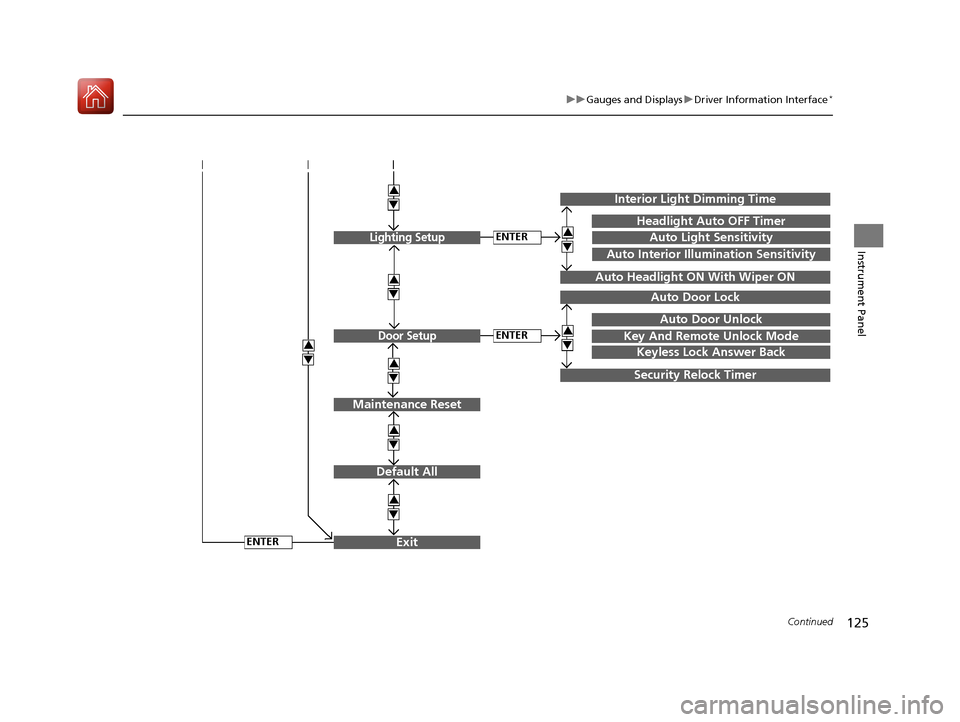
125
uuGauges and Displays uDriver Information Interface*
Continued
Instrument Panel
Exit
3
4
3
4
3
4
Maintenance Reset
Default All
3
4
ENTER
3
4
3
4
Key And Remote Unlock Mode
Auto Door Lock
Auto Door Unlock
Keyless Lock Answer Back
Security Relock Timer
Interior Light Dimming Time
Headlight Auto OFF Timer
Auto Light Sensitivity3
4
3
4
Auto Headlight ON With Wiper ON
ENTER
ENTER
Auto Interior Illumination Sensitivity
Lighting Setup
Door Setup
17 CIVIC 5D (KA KC KL)-31TGG6000.book 125 ページ 2016年6月8日 水曜日 午 後2時8分
Page 130 of 641
129
uuGauges and Displays uDriver Information Interface*
Continued
Instrument Panel
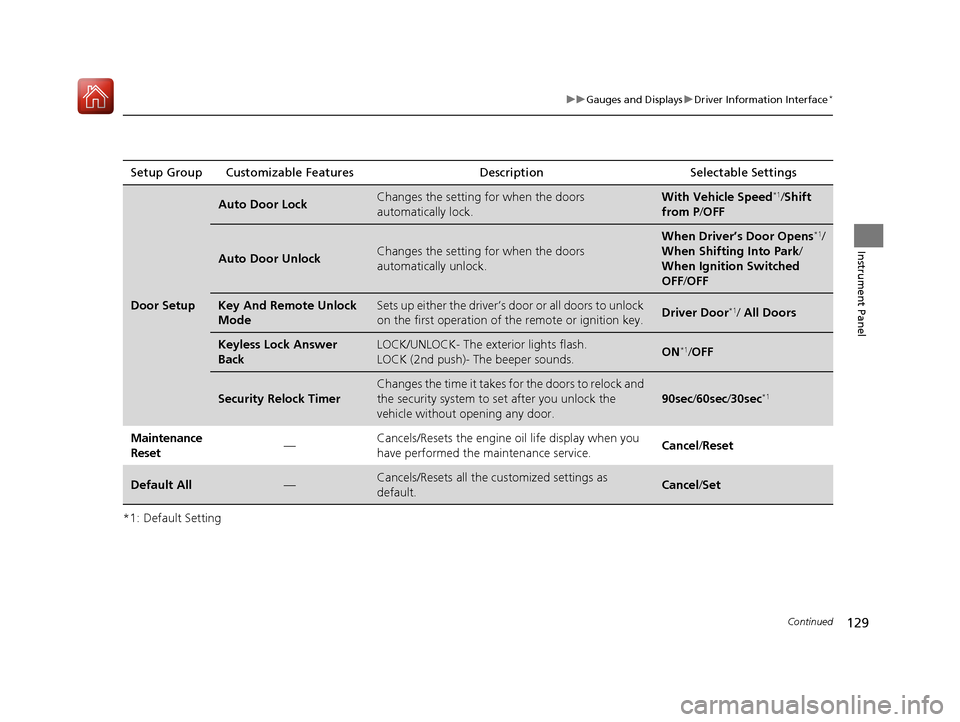
*1: Default SettingSetup Group Customizable Features
Description Selectable Settings
Door Setup
Auto Door LockChanges the setting for when the doors
automatically lock.With Vehicle Speed*1/Shift
from P /OFF
Auto Door UnlockChanges the setting for when the doors
automatically unlock.
When Driver’s Door Opens*1/
When Shifting Into Park /
When Ignition Switched
OFF /OFF
Key And Remote Unlock
ModeSets up either the driver’s door or all doors to unlock
on the first operation of the remote or ignition key.Driver Door*1/ All Doors
Keyless Lock Answer
BackLOCK/UNLOCK- The exterior lights flash.
LOCK (2nd push)- The beeper sounds.ON*1/OFF
Security Relock Timer
Changes the time it takes for the doors to relock and
the security system to set after you unlock the
vehicle without op ening any door.
90sec/60sec /30sec*1
Maintenance
Reset —Cancels/Resets the engine oil life display when you
have performed the maintenance service.
Cancel
/Reset
Default All—Cancels/Resets all the customized settings as
default.Cancel /Set
17 CIVIC 5D (KA KC KL)-31TGG6000.book 129 ページ 2016年6月8日 水曜日 午 後2時8分
Page 134 of 641
133
Controls
This chapter explains how to operate the various controls necessary for driving.
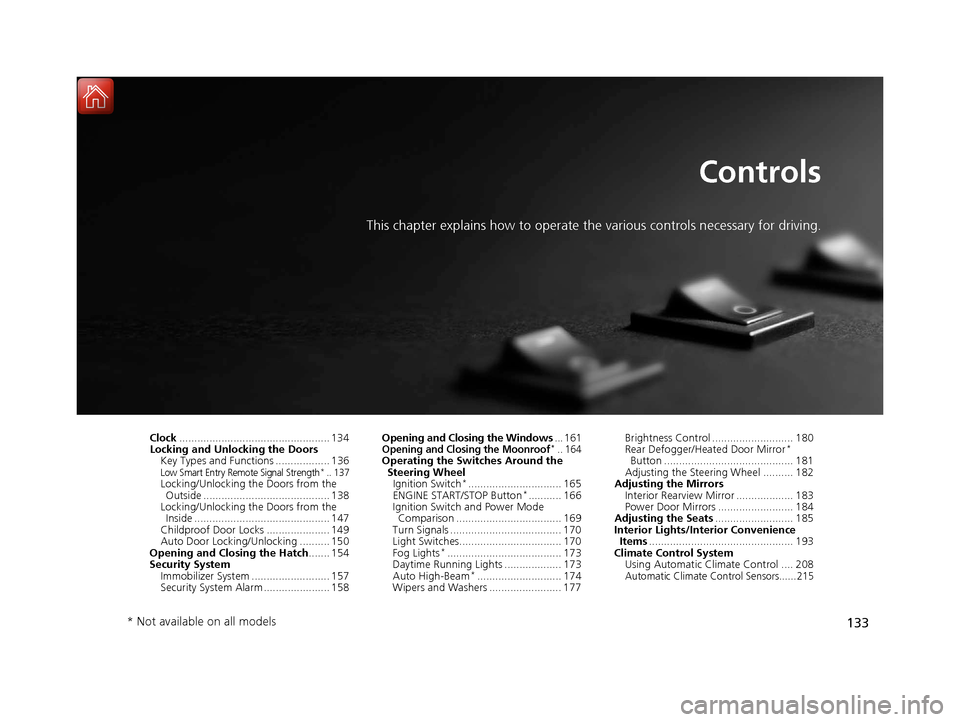
Clock.................................................. 134
Locking and Unlocking the Doors
Key Types and Functions .................. 136
Low Smart Entry Remote Signal Strength*.. 137Locking/Unlocking the Doors from the Outside .......................................... 138
Locking/Unlocking the Doors from the Inside ............................................. 147
Childproof Door Locks ..................... 149
Auto Door Locking/Unlocking .......... 150
Opening and Closing the Hatch....... 154
Security System
Immobilizer System .......................... 157
Security System Alarm ...................... 158 Opening and Closing the Windows
... 161
Opening and Closing the Moonroof*.. 164Operating the Switches Around the
Steering Wheel Ignition Switch
*............................... 165
ENGINE START/STOP Button*........... 166
Ignition Switch and Power Mode Comparison ................................... 169
Turn Signals ..................................... 170
Light Switches.................................. 170
Fog Lights
*...................................... 173
Daytime Running Lights ................... 173
Auto High-Beam
*............................ 174
Wipers and Washers ........................ 177 Brightness Control ........................... 180
Rear Defogger/Heated Door Mirror
*
Button ........................................... 181
Adjusting the Steering Wheel .......... 182
Adjusting the Mirrors
Interior Rearview Mirror ................... 183
Power Door Mirrors ......................... 184
Adjusting the Seats .......................... 185
Interior Lights/Interior Convenience Items ................................................ 193
Climate Control System
Using Automatic Climate Control .... 208
Automatic Climate Control Sensors......215
* Not available on all models
17 CIVIC 5D (KA KC KL)-31TGG6000.book 133 ページ 2016年6月8日 水曜日 午 後2時8分
Page 137 of 641
136
Controls
Locking and Unlocking the Doors
Key Types and Functions
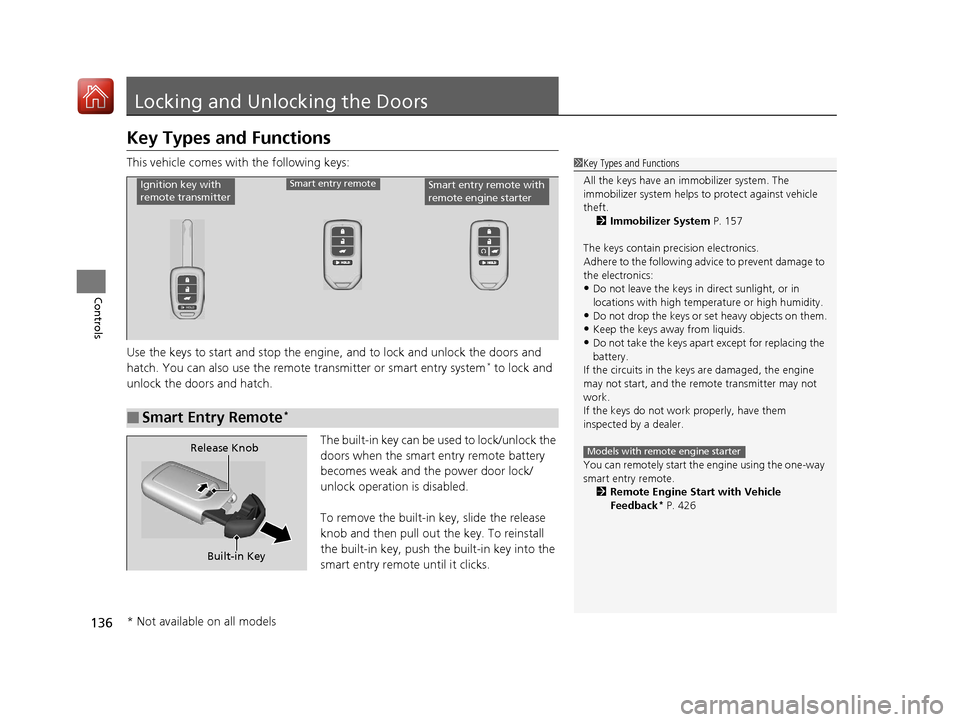
This vehicle comes with the following keys:
Use the keys to start and stop the engine, and to lock and unlock the doors and
hatch. You can also use the remote transmitter or smart entry system
* to lock and
unlock the doors and hatch.
The built-in key can be used to lock/unlock the
doors when the smart entry remote battery
becomes weak and th e power door lock/
unlock operation is disabled.
To remove the built-in key, slide the release
knob and then pull out the key. To reinstall
the built-in key, push th e built-in key into the
smart entry remote until it clicks.
1 Key Types and Functions
All the keys have an immobilizer system. The
immobilizer system helps to protect against vehicle
theft. 2 Immobilizer System P. 157
The keys contain precision electronics.
Adhere to the following advi ce to prevent damage to
the electronics:
•Do not leave the keys in direct sunlight, or in
locations with high temperature or high humidity.
•Do not drop the keys or set heavy objects on them.
•Keep the keys away from liquids.
•Do not take the keys apart except for replacing the
battery.
If the circuits in the keys are damaged, the engine
may not start, and the remote transmitter may not
work.
If the keys do not work properly, have them
inspected by a dealer.
You can remotely start the engine using the one-way
smart entry remote. 2 Remote Engine Start with Vehicle
Feedback
* P. 426
Models with remote engine starter
■Smart Entry Remote*
Ignition key with
remote transmitterSmart entry remoteSmart entry remote with
remote engine starter
Built-in Key
Release Knob
* Not available on all models
17 CIVIC 5D (KA KC KL)-31TGG6000.book 136 ページ 2016年6月8日 水曜日 午
後2時8分
Page 138 of 641
137
uuLocking and Unlocking the Doors uLow Smart Entry Remote Signal Strength*
Controls
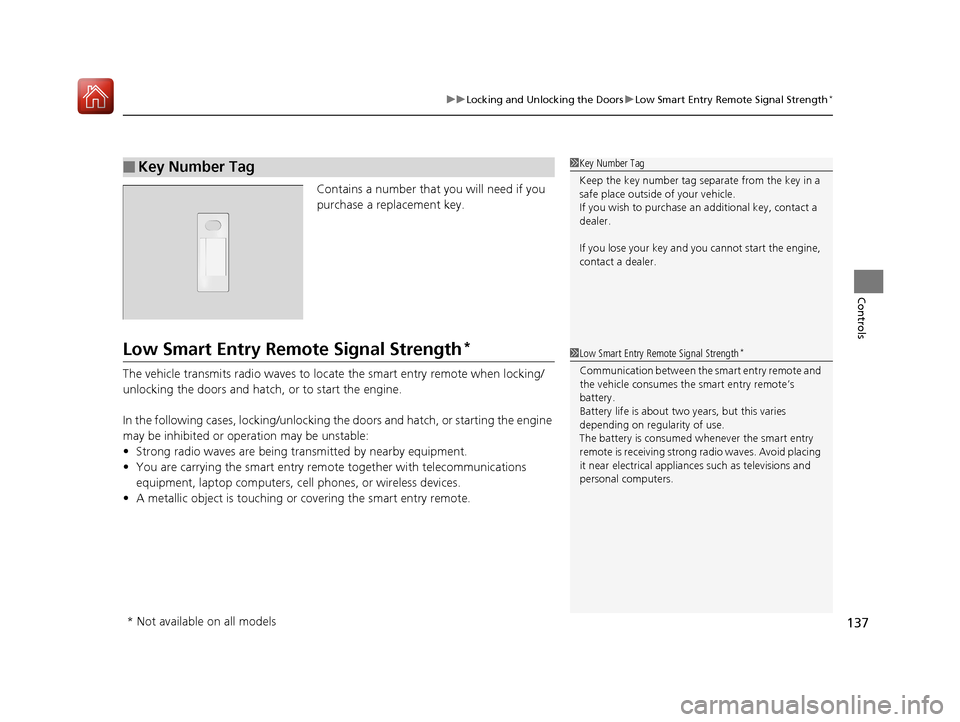
Contains a number that you will need if you
purchase a replacement key.
Low Smart Entry Remote Signal Strength*
The vehicle transmits radio waves to loca te the smart entry remote when locking/
unlocking the doors and hatch, or to start the engine.
In the following cases, locking/unlocking th e doors and hatch, or starting the engine
may be inhibited or operation may be unstable:
• Strong radio waves are being transmitted by nearby equipment.
• You are carrying the smart entry remo te together with telecommunications
equipment, laptop computers, ce ll phones, or wireless devices.
• A metallic object is touching or covering the smart entry remote.
■Key Number Tag1Key Number Tag
Keep the key number tag separate from the key in a
safe place outside of your vehicle.
If you wish to purchase an additional key, contact a
dealer.
If you lose your key and you cannot start the engine,
contact a dealer.
1 Low Smart Entry Remote Signal Strength*
Communication between the smart entry remote and
the vehicle consumes the smart entry remote’s
battery.
Battery life is about two years, but this varies
depending on regularity of use.
The battery is consumed whenever the smart entry
remote is receivi ng strong radio wave s. Avoid placing
it near electrical appliances such as televisions and
personal computers.
* Not available on all models
17 CIVIC 5D (KA KC KL)-31TGG6000.book 137 ページ 2016年6月8日 水曜日 午 後2時8分
Page 139 of 641
138
uuLocking and Unlocking the Doors uLocking/Unlocking the Doors from the Outside
Controls
Locking/Unlocking the Doors from the Outside
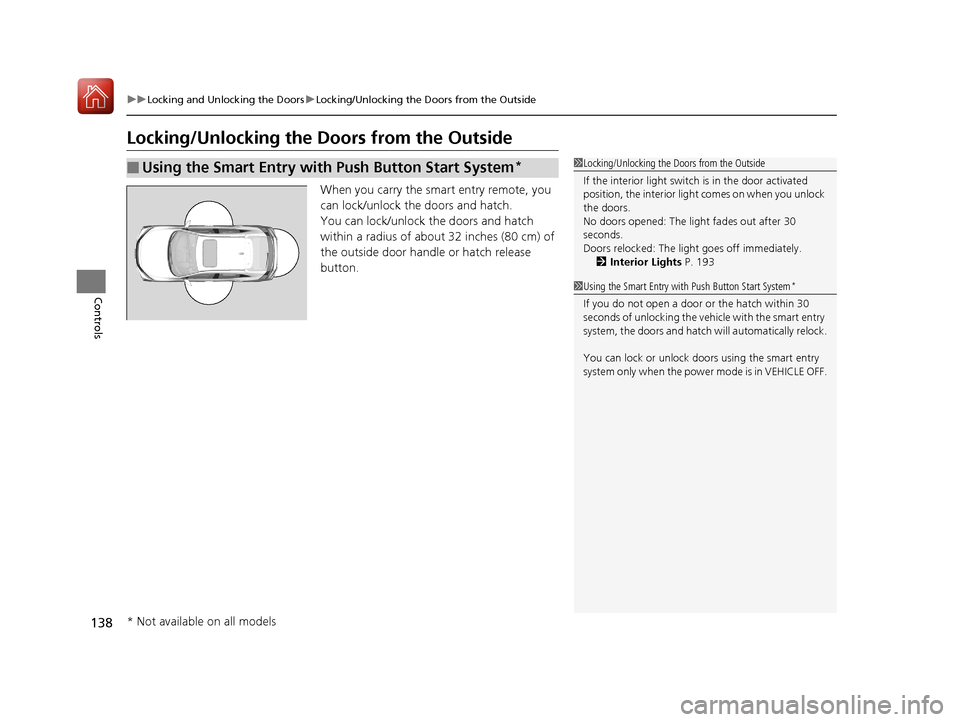
When you carry the smart entry remote, you
can lock/unlock the doors and hatch.
You can lock/unlock the doors and hatch
within a radius of about 32 inches (80 cm) of
the outside door handle or hatch release
button.
■Using the Smart Entry with Push Button Start System*1Locking/Unlocking the Doors from the Outside
If the interior light switch is in the door activated
position, the interior light comes on when you unlock
the doors.
No doors opened: The li ght fades out after 30
seconds.
Doors relocked: The light goes off immediately.
2 Interior Lights P. 193
1Using the Smart Entry with Push Button Start System*
If you do not open a door or the hatch within 30
seconds of unlocking the vehicle with the smart entry
system, the doors and hatch will automatically relock.
You can lock or unlock doors using the smart entry
system only when the power mode is in VEHICLE OFF.
* Not available on all models
17 CIVIC 5D (KA KC KL)-31TGG6000.book 138 ページ 2016年6月8日 水曜日 午 後2時8分