brakes HONDA CIVIC HATCHBACK 2017 10.G Owners Manual
[x] Cancel search | Manufacturer: HONDA, Model Year: 2017, Model line: CIVIC HATCHBACK, Model: HONDA CIVIC HATCHBACK 2017 10.GPages: 641
Page 29 of 641
28
Quick Reference Guide
What to Do If
*1:Except U.S. models with continuously variable transmission
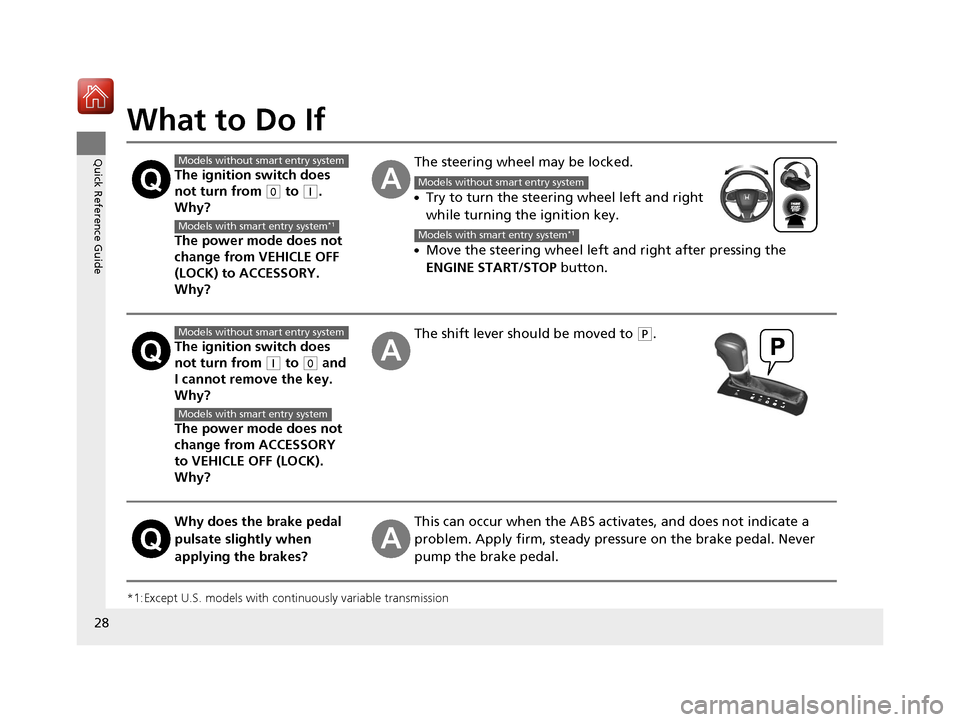
The ignition switch does
not turn from
(0 to (q.
Why?
The power mode does not
change from VEHICLE OFF
(LOCK) to ACCESSORY.
Why?
The steering wheel may be locked.
●Try to turn the steering wheel left and right
while turning the ignition key.
●Move the steering wheel left and right after pressing the
ENGINE START/STOP button.
The ignition switch does
not turn from
(q to (0 and
I cannot remove the key.
Why?
The power mode does not
change from ACCESSORY
to VEHICLE OFF (LOCK).
Why?
The shift lever should be moved to (P.
Why does the brake pedal
pulsate slightly when
applying the brakes?This can occur when the ABS activates, and does not indicate a
problem. Apply firm, steady pressure on the brake pedal. Never
pump the brake pedal.
Models without smart entry system
Models with smart entry system*1
Models without smart entry system
Models with smart entry system*1
Models without smart entry system
Models with smart entry system
17 CIVIC 5D (KA KC KL)-31TGG6000.book 28 ページ 2016年6月8日 水曜日 午後 2時8分
Page 109 of 641
108
uuIndicators uDriver Information Interface Wa rning and Information Messages*
Instrument Panel
MessageConditionExplanation
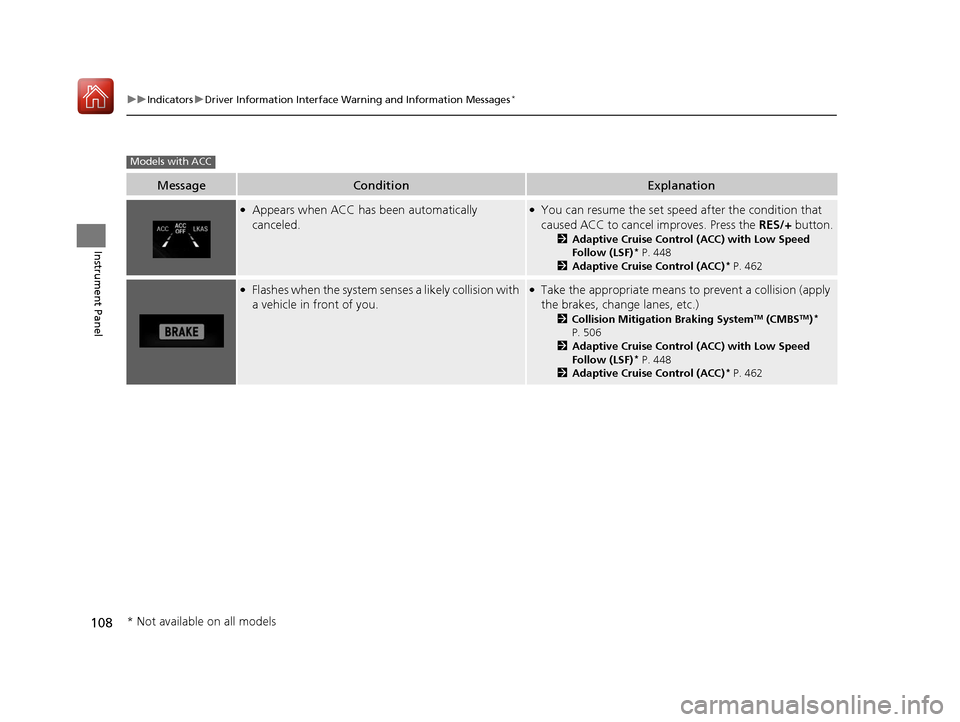
●Appears when ACC has been automatically
canceled.●You can resume the set speed after the condition that
caused ACC to cancel improves. Press the RES/+ button.
2Adaptive Cruise Control (ACC) with Low Speed
Follow (LSF)* P. 448
2 Adaptive Cruise Control (ACC)* P. 462
●Flashes when the system senses a likely collision with
a vehicle in front of you.●Take the appropriate means to prevent a collision (apply
the brakes, change lanes, etc.)
2 Collision Mitigation Braking SystemTM (CMBSTM)*
P. 506
2 Adaptive Cruise Control (ACC) with Low Speed
Follow (LSF)
* P. 448
2 Adaptive Cruise Control (ACC)* P. 462
Models with ACC
* Not available on all models
17 CIVIC 5D (KA KC KL)-31TGG6000.book 108 ページ 2016年6月8日 水曜日 午 後2時8分
Page 449 of 641
448
uuWhen Driving uAdaptive Cruise Control (ACC) with Low Speed Follow (LSF)*
Driving
Adaptive Cruise Control (ACC) with Low Speed Follow (LSF)*
Helps maintain a constant vehicle speed an d a set following interval behind a vehicle
detected ahead of yours and, if the detect ed vehicle comes to a stop, can decelerate
and stop your vehicle, without you having to keep your foot on the brake or the
accelerator.
When ACC with LSF slows your vehicle by applying the brakes, your vehicle’s brake
lights will illuminate.1 Adaptive Cruise Control (ACC) with Low Speed Follow (LSF)*
Important Reminder
As with any system, there are limits to ACC with LSF.
Use the brake pedal whenever necessary, and always
keep a safe distance between your vehicle and other
vehicles.
3WARNING
Improper use of ACC wi th LSF can lead to a
crash.
Use ACC with LSF only when driving on
expressways or freeways and in good
weather conditions.
3WARNING
ACC with LSF has limited braking capability
and may not stop your vehicle in time to
avoid a collision with a vehicle that quickly
stops in front of you.
Always be prepared to apply the brake
pedal if the conditions require.
When to use
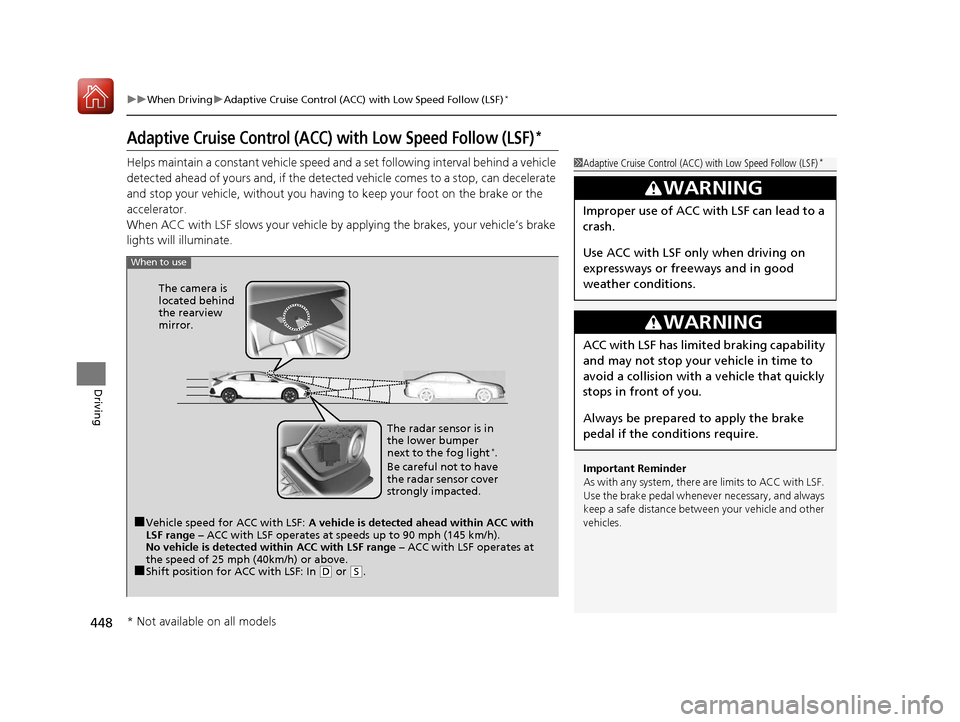
■Vehicle speed for ACC with LSF: A vehicle is detected ahead within ACC with
LSF range – ACC with LSF operates at speeds up to 90 mph (145 km/h).
No vehicle is detected within ACC with LSF range – ACC with LSF operates at
the speed of 25 mph (40km/h) or above.
■Shift position for ACC with LSF: In (D or (S. The radar sensor is in
the lower bumper
next to the fog light
*.
Be careful not to have
the radar sensor cover
strongly impacted.
The camera is
located behind
the rearview
mirror.
* Not available on all models
17 CIVIC 5D (KA KC KL)-31TGG6000.book 448 ページ 2016年6月8日 水曜日 午
後2時8分
Page 450 of 641
Continued449
uuWhen Driving uAdaptive Cruise Control (ACC) with Low Speed Follow (LSF)*
Driving
■How to activate the system1Adaptive Cruise Control (ACC) with Low Speed Follow (LSF)*
When the MAIN button is pressed, both ACC with
LSF and the Lane Keeping Assist System (LKAS) are
either turned on or off.
ACC with LSF may not work properly under certain
conditions. 2 ACC with LSF Conditions and Limitations
P. 453
When not using ACC with LSF: Turn off adaptive
cruise by pressing the MAIN button. This also will
turn off the Lane Keeping Assist System (LKAS).
Do not use ACC with LSF under the following
conditions:
•On roads with heavy traf fic or while driving in
continuous stop and go traffic.
•On roads with sharp turns.
•On roads with steep downhill sections, as the set
vehicle speed can be exceeded by coasting. In such
cases, ACC with LSF will not apply the brakes to
maintain the set speed.
•On roads with toll collection facilities or other
objects between lanes of traffic, or in parking
areas, or faci lities with driv e through access.
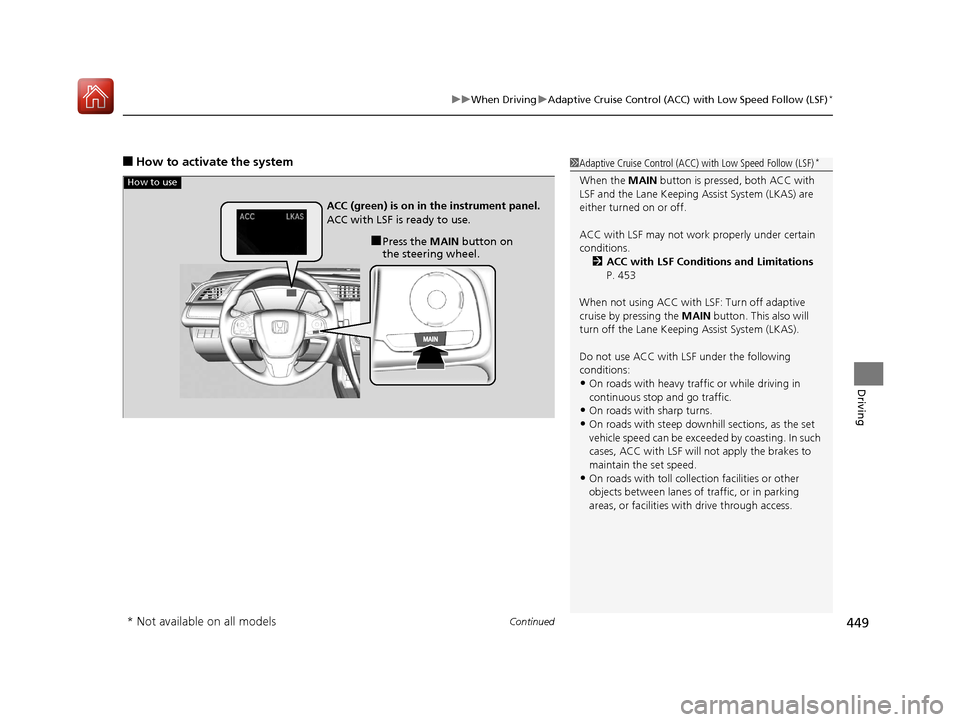
How to use
■Press the MAIN button on
the steering wheel.
ACC (green) is on in the instrument panel.
ACC with LSF is ready to use.
* Not available on all models
17 CIVIC 5D (KA KC KL)-31TGG6000.book 449 ページ 2016年6月8日 水曜日 午
後2時8分
Page 455 of 641
454
uuWhen Driving uAdaptive Cruise Control (ACC) with Low Speed Follow (LSF)*
Driving
■Detection limitations
• A vehicle suddenly crosses in front of you.
• The distance between your vehicle and the vehicle ahead of you is too short.
• A vehicle cuts in front of you at a slow speed, and it brakes suddenly.
• When you accelerate rapidly and approach the vehicle ahead of you at high
speed.
• The vehicle ahead of you is a motorcycle, bicycle, mobility scooter, or other small
vehicle.
• When there are animals in front of your vehicle.
• When you drive on a curved or winding or undulating road that makes it difficult
for the sensor to properly dete ct a vehicle in front of you.
• The speed difference between your vehicl e and a vehicle in front of you is
significantly large.
• An oncoming vehicle suddenly comes in front of you.
• Your vehicle abruptly crosses over in front of an oncoming vehicle.
• When driving through a narrow iron bridge.
• When the vehicle ahead of you brakes suddenly.
• When the vehicle ahead of you has a unique shape.
• When your vehicle or the vehicle ahead of you is driving on one edge of the lane.
17 CIVIC 5D (KA KC KL)-31TGG6000.book 454 ページ 2016年6月8日 水曜日 午 後2時8分
Page 463 of 641
462
uuWhen Driving uAdaptive Cruise Control (ACC)*
Driving
Adaptive Cruise Control (ACC)*
Helps maintain a constant vehicle speed an d a set following interval behind a vehicle
detected ahead of yours, without you havi ng to keep your foot on the brake or the
accelerator.
When ACC slows your vehicle by applying the brakes, your vehicle’s brake lights will
illuminate.1 Adaptive Cruise Control (ACC)*
Important Reminder
As with any system, there are limits to ACC. Use the
brake pedal whenever necessary, and always keep a
safe distance between your vehicle and other
vehicles.
3WARNING
Improper use of ACC can lead to a crash.
Use ACC only when traveling on open
highways in good weather.
3WARNING
ACC has limited braking capability.
When your vehicle speed drops below 22
mph (35 km/h), ACC will automatically
cancel and no longer will apply your
vehicle’s brakes.
Always be prepared to apply the brake
pedal when conditions require.
When to use
■Vehicle speed for adaptive cruise c ontrol: Desired speed in a range above
roughly 25 mph (40 km/h) ~ The radar sensor is in
the lower bumper
next to the fog light.
Be careful not to have
the radar sensor cover
strongly impacted.
The camera is
located behind
the rearview
mirror.
* Not available on all models
17 CIVIC 5D (KA KC KL)-31TGG6000.book 462 ページ 2016年6月8日 水曜日 午
後2時8分
Page 464 of 641
Continued463
uuWhen Driving uAdaptive Cruise Control (ACC)*
Driving
■How to activate the system1Adaptive Cruise Control (ACC)*
When the MAIN button is pressed, both ACC and
the Lane Keeping Assist System (LKAS) are either
turned on or off.
ACC may not work properly under certain conditions.
2 ACC Conditions and Limitations P. 467
When not using ACC: Turn off adaptive cruise by
pressing the MAIN button. This also will turn off the
Lane Keeping Assist System (LKAS).
Do not use ACC under the following conditions:
•On roads with heavy traf fic or while driving in
continuous stop and go traffic.
•On roads with sharp turns.
•On roads with steep downhill sections, as the set
vehicle speed can be exceeded by coasting. In such
cases, ACC will not apply the brakes to maintain
the set speed.
•On roads with toll collection facilities or other
objects between lanes of traffic, or in parking
areas, or faci lities with driv e through access.
When the engine speed slows down, try to
downshift. You can maintain the set speed if you
change gear within five seconds.
How to use
■Press the MAIN button on
the steering wheel.
ACC (green) is on in the instrument panel.
ACC is ready to use.
* Not available on all models
17 CIVIC 5D (KA KC KL)-31TGG6000.book 463 ページ 2016年6月8日 水曜日 午
後2時8分
Page 469 of 641
468
uuWhen Driving uAdaptive Cruise Control (ACC)*
Driving
■Detection limitations
• A vehicle suddenly crosses in front of you.
• The distance between your vehicle and the vehicle ahead of you is too short.
• A vehicle cuts in front of you at a slow speed, and it brakes suddenly.
• When you accelerate rapidly and approach the vehicle ahead of you at high
speed.
• The vehicle ahead of you is a motorcycle, bicycle, mobility scooter, or other small
vehicle.
• When there are animals in front of your vehicle.
• When you drive on a curved or winding or undulating road that makes it difficult
for the sensor to properly dete ct a vehicle in front of you.
• The speed difference between your vehicl e and a vehicle in front of you is
significantly large.
• An oncoming vehicle suddenly comes in front of you.
• Your vehicle abruptly crosses over in front of an oncoming vehicle.
• When driving through a narrow iron bridge.
• When the vehicle ahead of you brakes suddenly.
• When the vehicle ahead of you has a unique shape.
• When your vehicle or the vehicle ahead of you is driving on one edge of the lane.
17 CIVIC 5D (KA KC KL)-31TGG6000.book 468 ページ 2016年6月8日 水曜日 午 後2時8分
Page 488 of 641
487
uuWhen Driving uVehicle Stability Assist (VSA ®), aka Electronic Stability Control (ESC), System
Continued
Driving
Vehicle Stability Assist (VSA ®), aka Electronic
Stability Control (ESC), System
Helps to stabilize the vehicl e during cornering if the vehicle turns more or less than
what was intended. It also assists in mainta ining traction on slippery surfaces. It does
so by regulating engine output and selectively applying the brakes.
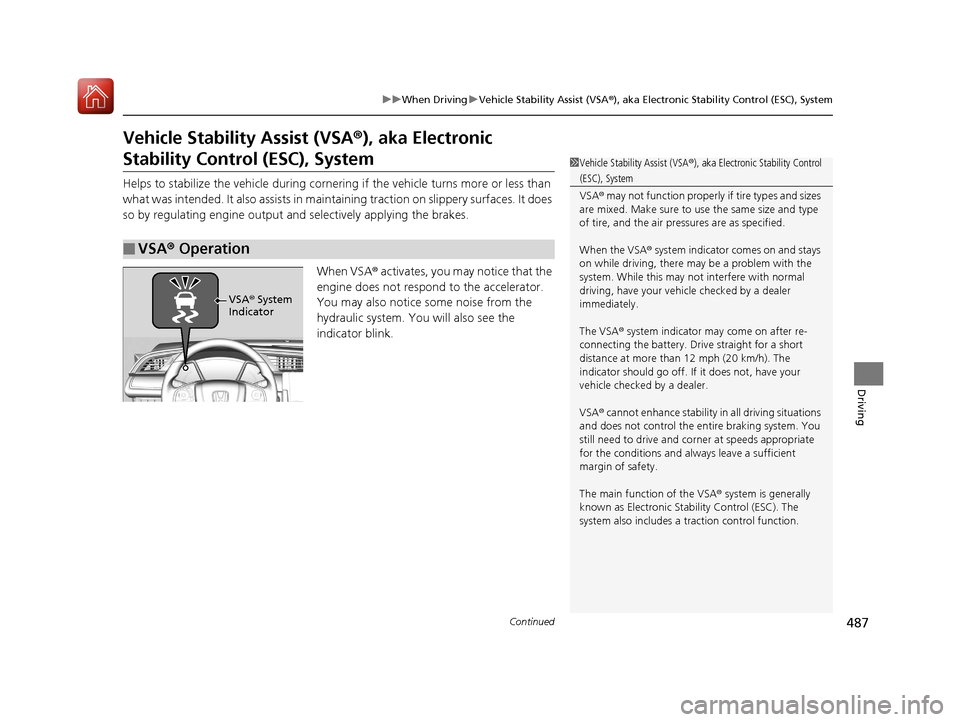
When VSA® activates, you may notice that the
engine does not respond to the accelerator.
You may also notice some noise from the
hydraulic system. You will also see the
indicator blink.
■VSA ® Operation
1 Vehicle Stability Assist (VSA ®), aka Electronic Stability Control
(ESC), System
VSA ® may not function properly if tire types and sizes
are mixed. Make sure to use the same size and type
of tire, and the air pressures are as specified.
When the VSA ® system indicator comes on and stays
on while driving, there may be a problem with the
system. While this may not interfere with normal
driving, have your vehi cle checked by a dealer
immediately.
The VSA ® system indicator may come on after re-
connecting the battery. Dr ive straight for a short
distance at more than 12 mph (20 km/h). The
indicator should go off. If it does not, have your
vehicle checked by a dealer.
VSA ® cannot enhance stability in all driving situations
and does not control the entire braking system. You
still need to drive and corner at speeds appropriate
for the conditions and alwa ys leave a sufficient
margin of safety.
The main function of the VSA ® system is generally
known as Electronic Stability Control (ESC). The
system also includes a traction control function.
VSA® System
Indicator
17 CIVIC 5D (KA KC KL)-31TGG6000.book 487 ページ 2016年6月8日 水曜日 午 後2時8分
Page 490 of 641
489
uuWhen Driving uAgile Handling Assist
Driving
Agile Handling Assist
Lightly brakes selective wheels, as needed , when you turn the steering wheel, and
helps support the vehicle’s stability and performance during cornering.1 Agile Handling Assist
The agile handling assist cannot enhance stability in
all driving situations. You still need to drive and
corner at speeds appropriate for the conditions and
always leave a sufficient margin of safety.
When the VSA ® system indicator comes on and stays
on while driving, the agil e handling assist does not
activate.
You may hear a sound coming from the engine
compartment while the agile handling assist is
activated. This is normal.
17 CIVIC 5D (KA KC KL)-31TGG6000.book 489 ページ 2016年6月8日 水曜日 午 後2時8分