buttons HONDA CIVIC HATCHBACK 2018 (in English) Owner's Guide
[x] Cancel search | Manufacturer: HONDA, Model Year: 2018, Model line: CIVIC HATCHBACK, Model: HONDA CIVIC HATCHBACK 2018Pages: 703, PDF Size: 24.31 MB
Page 406 of 703
uuBluetooth ® HandsFreeLink ®*uHFL Menus
404
Features
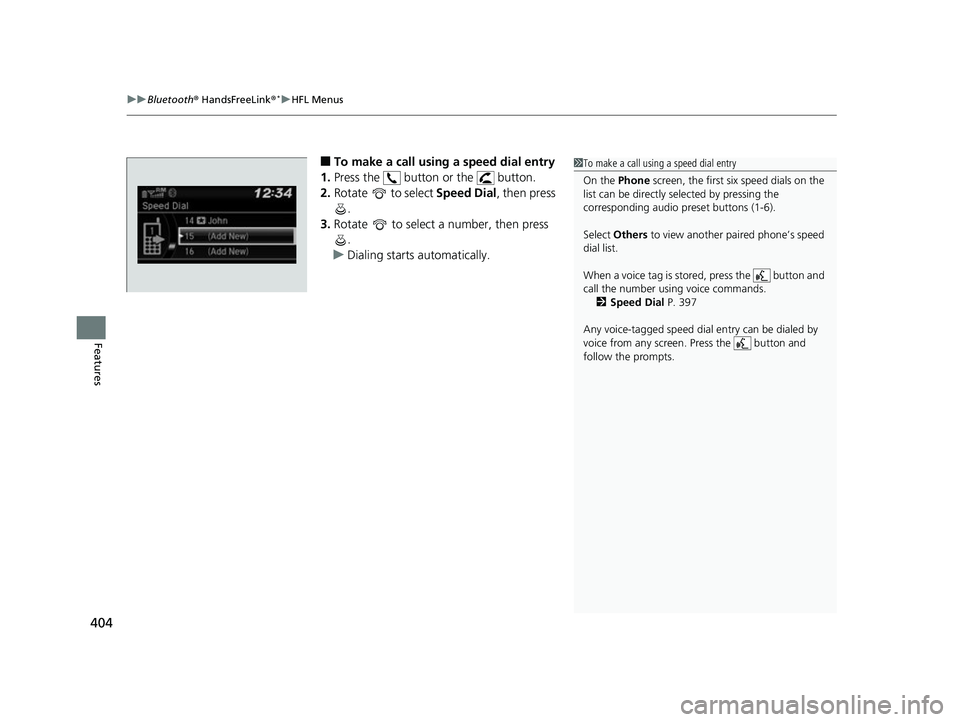
■To make a call using a speed dial entry
1. Press the button or the button.
2. Rotate to select Speed Dial, then press
.
3. Rotate to select a number, then press
.
u Dialing starts automatically.1To make a call using a speed dial entry
On the Phone screen, the first six speed dials on the
list can be directly selected by pressing the
corresponding audio preset buttons (1-6).
Select Others to view another paired phone’s speed
dial list.
When a voice tag is stored, press the button and
call the number using voice commands. 2 Speed Dial P. 397
Any voice-tagged speed dial entry can be dialed by
voice from any screen. Press the button and
follow the prompts.
18 CIVIC 5D (KA KC KL)-31TGG6100.book 404 ページ 2017年12月27日 水曜日 午前11時2分
Page 407 of 703
Continued405
uuBluetooth ® HandsFreeLink ®*uHFL Menus
Features
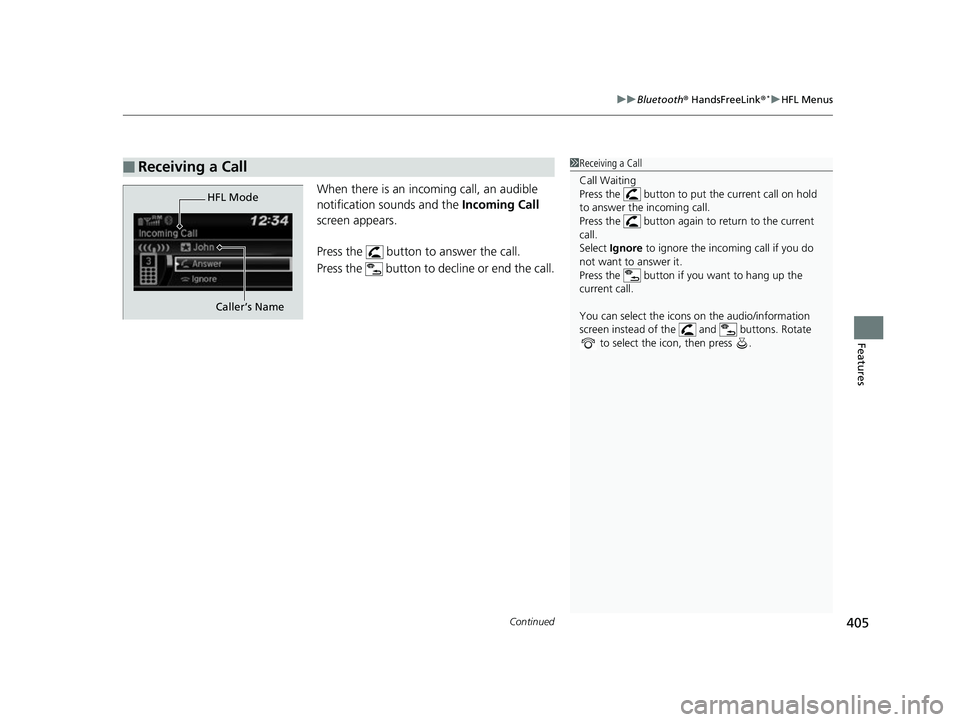
When there is an inco ming call, an audible
notification sounds and the Incoming Call
screen appears.
Press the button to answer the call.
Press the button to decline or end the call.
■Receiving a Call1 Receiving a Call
Call Waiting
Press the button to put the current call on hold
to answer the incoming call.
Press the button again to return to the current
call.
Select Ignore to ignore the incoming call if you do
not want to answer it.
Press the button if you want to hang up the
current call.
You can select the icons on the audio/information
screen instead of the and buttons. Rotate to select the icon, then press .
HFL Mode
Caller’s Name
18 CIVIC 5D (KA KC KL)-31TGG6100.book 405 ページ 2017年12月27日 水曜日 午前11時2分
Page 409 of 703
407Continued
Features
Bluetooth® HandsFreeLink ®*
Bluetooth® HandsFreeLink ® (HFL) allows you to place and receive phone calls using
your vehicle’s audio system, without handling your cell phone.
Using HFL
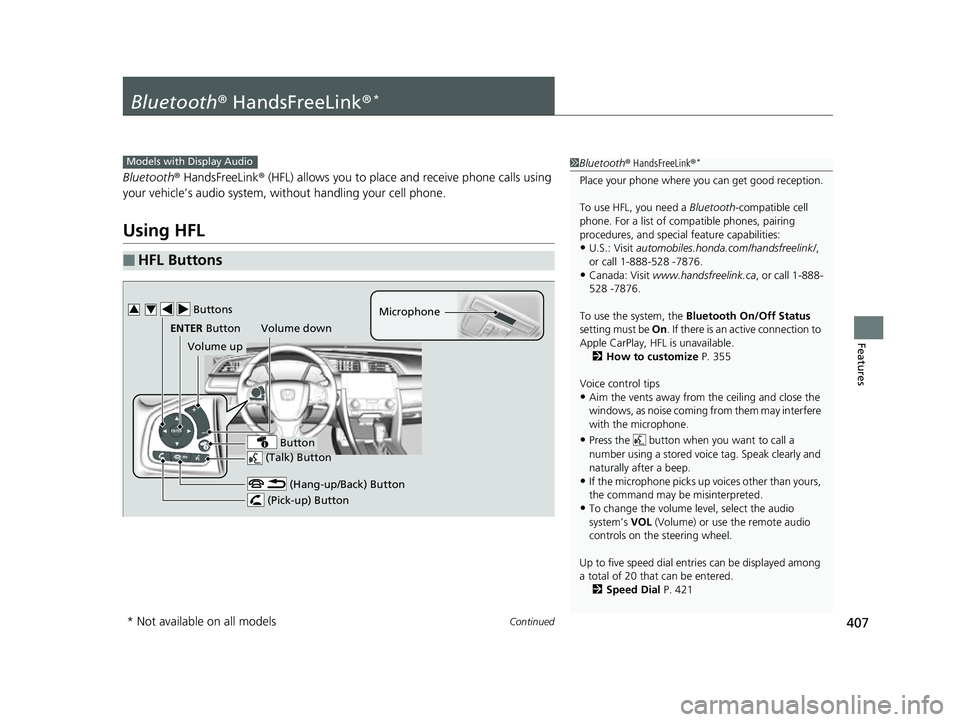
■HFL Buttons
1 Bluetooth ® HandsFreeLink ®*
Place your phone where y ou can get good reception.
To use HFL, you need a Bluetooth-compatible cell
phone. For a list of compatible phones, pairing
procedures, and special feature capabilities:
•U.S.: Visit automobiles.honda.com/handsfreelink/ ,
or call 1-888-528 -7876.
•Canada: Visit www.handsfreelink.ca , or call 1-888-
528 -7876.
To use the system, the Bluetooth On/Off Status
setting must be On . If there is an active connection to
Apple CarPlay, H FL is unavailable.
2 How to customize P. 355
Voice control tips
•Aim the vents away from the ceiling and close the
windows, as noise coming fr om them may interfere
with the microphone.
•Press the button when you want to call a
number using a stored voic e tag. Speak clearly and
naturally after a beep.
•If the microphone picks up vo ices other than yours,
the command may be misinterpreted.
•To change the volume level, select the audio
system’s VOL (Volume) or use the remote audio
controls on the steering wheel.
Up to five speed dial entries can be displayed among
a total of 20 that can be entered. 2 Speed Dial P. 421
Models with Display Audio
(Talk) Button
Volume up Microphone
(Hang-up/Back) Button
(Pick-up) Button
ENTER Button
Button
Buttons34
Volume down
* Not available on all models
18 CIVIC 5D (KA KC KL)-31TGG6100.book 407 ページ 2017年12月27日 水曜日 午前11時2分
Page 410 of 703
uuBluetooth ® HandsFreeLink ®*uUsing HFL
408
Features
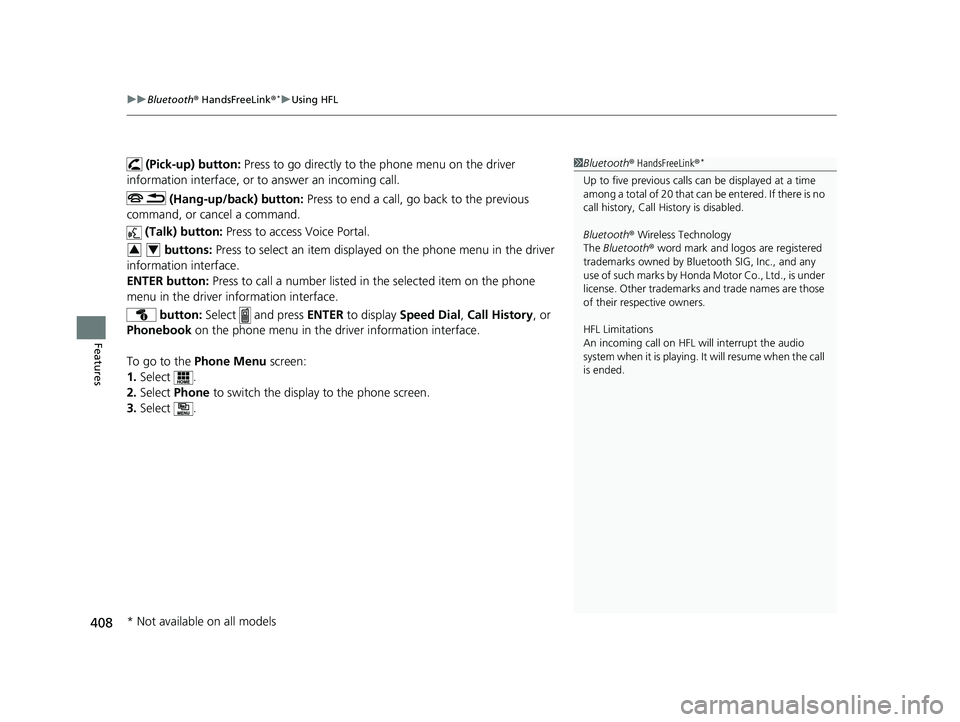
(Pick-up) button: Press to go directly to the phone menu on the driver
information interface, or to answer an incoming call.
(Hang-up/back) button: Press to end a call, go back to the previous
command, or cancel a command.
(Talk) button: Press to access Voice Portal.
buttons: Press to select an item displayed on the phone menu in the driver
information interface.
ENTER button: Press to call a number listed in the selected item on the phone
menu in the driver information interface.
button: Select and press ENTER to display Speed Dial , Call History , or
Phonebook on the phone menu in the driver information interface.
To go to the Phone Menu screen:
1. Select .
2. Select Phone to switch the display to the phone screen.
3. Select .1Bluetooth ® HandsFreeLink ®*
Up to five previous calls can be displayed at a time
among a total of 20 that can be entered. If there is no
call history, Call History is disabled.
Bluetooth ® Wireless Technology
The Bluetooth ® word mark and logos are registered
trademarks owned by Blue tooth SIG, Inc., and any
use of such marks by Honda Motor Co., Ltd., is under
license. Other trademarks and trade names are those
of their respective owners.
HFL Limitations
An incoming call on HFL will interrupt the audio
system when it is playing. It will resume when the call
is ended.
34
* Not available on all models
18 CIVIC 5D (KA KC KL)-31TGG6100.book 408 ページ 2017年12月27日 水曜日 午前11時2分
Page 433 of 703
Continued431
uuBluetooth ® HandsFreeLink ®*uHFL Menus
Features
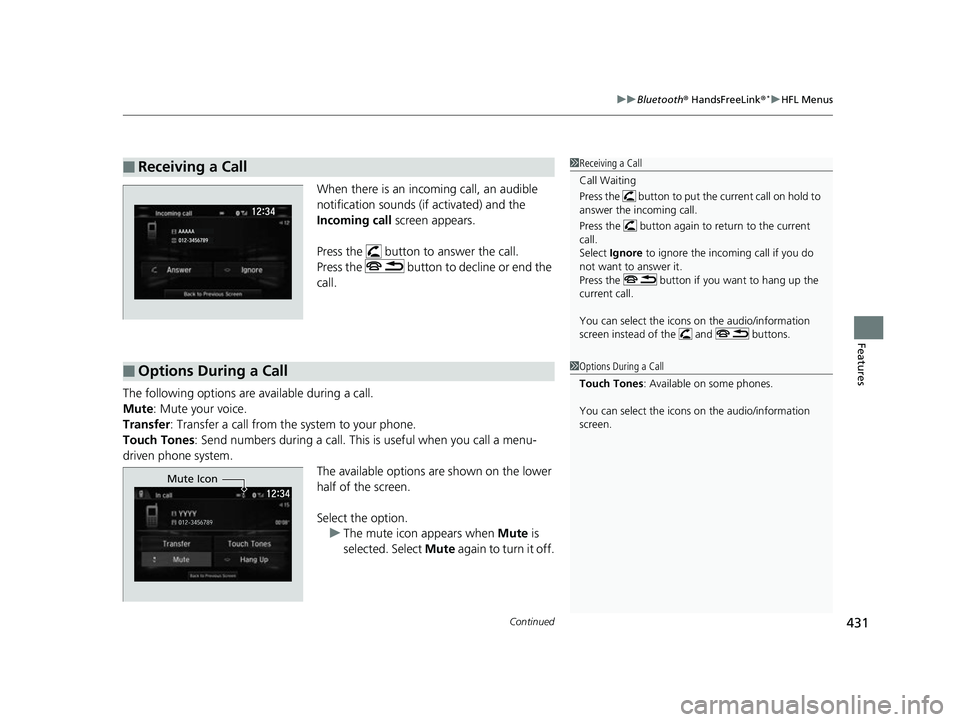
When there is an inco ming call, an audible
notification sounds (if activated) and the
Incoming call screen appears.
Press the button to answer the call.
Press the button to decline or end the
call.
The following options ar e available during a call.
Mute : Mute your voice.
Transfer: Transfer a call from the system to your phone.
Touch Tones : Send numbers during a call. This is useful when you call a menu-
driven phone system. The available options are shown on the lower
half of the screen.
Select the option.u The mute icon appears when Mute is
selected. Select Mute again to turn it off.
■Receiving a Call1Receiving a Call
Call Waiting
Press the button to put the current call on hold to
answer the incoming call.
Press the button again to return to the current
call.
Select Ignore to ignore the incoming call if you do
not want to answer it.
Press the button if you want to hang up the
current call.
You can select the icons on the audio/information
screen instead of the and buttons.
■Options During a Call1 Options During a Call
Touch Tones : Available on some phones.
You can select the icons on the audio/information
screen.
Mute Icon
18 CIVIC 5D (KA KC KL)-31TGG6100.book 431 ページ 2017年12月27日 水曜日 午前11時2分
Page 478 of 703
uuWhen Driving uCruise Control*
476
Driving
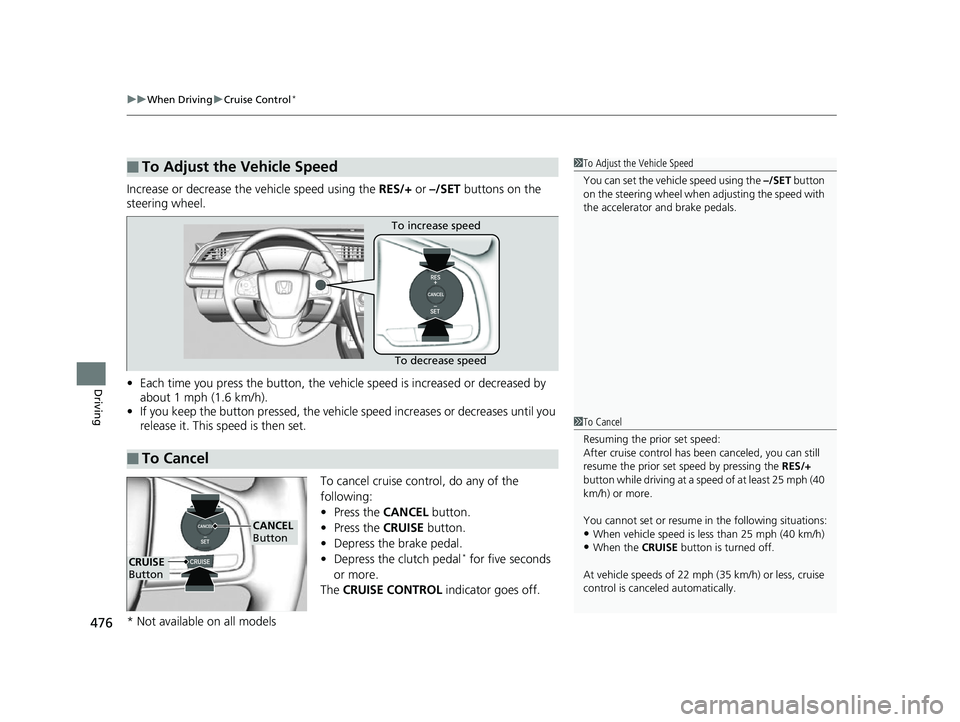
Increase or decrease the vehicle speed using the RES/+ or –/SET buttons on the
steering wheel.
• Each time you press the button, the vehicl e speed is increased or decreased by
about 1 mph (1.6 km/h).
• If you keep the button pressed, the vehicl e speed increases or decreases until you
release it. This speed is then set.
To cancel cruise control, do any of the
following:
•Press the CANCEL button.
• Press the CRUISE button.
• Depress the brake pedal.
• Depress the clutch pedal
* for five seconds
or more.
The CRUISE CONTROL indicator goes off.
■To Adjust the Vehicle Speed1To Adjust the Vehicle Speed
You can set the vehicle speed using the –/SET button
on the steering wheel when adjusting the speed with
the accelerator and brake pedals.
■To Cancel
To decrease speed
To increase speed
1
To Cancel
Resuming the prior set speed:
After cruise control has be en canceled, you can still
resume the prior set speed by pressing the RES/+
button while driving at a speed of at least 25 mph (40
km/h) or more.
You cannot set or resume in the following situations:
•When vehicle speed is less than 25 mph (40 km/h)•When the CRUISE button is turned off.
At vehicle speeds of 22 m ph (35 km/h) or less, cruise
control is canceled automatically.
CRUISE
Button
CANCEL
Button
* Not available on all models
18 CIVIC 5D (KA KC KL)-31TGG6100.book 476 ページ 2017年12月27日 水曜日 午前11時2分
Page 618 of 703
616
uuRemote Transmitter Care uReplacing the Button Battery
Maintenance
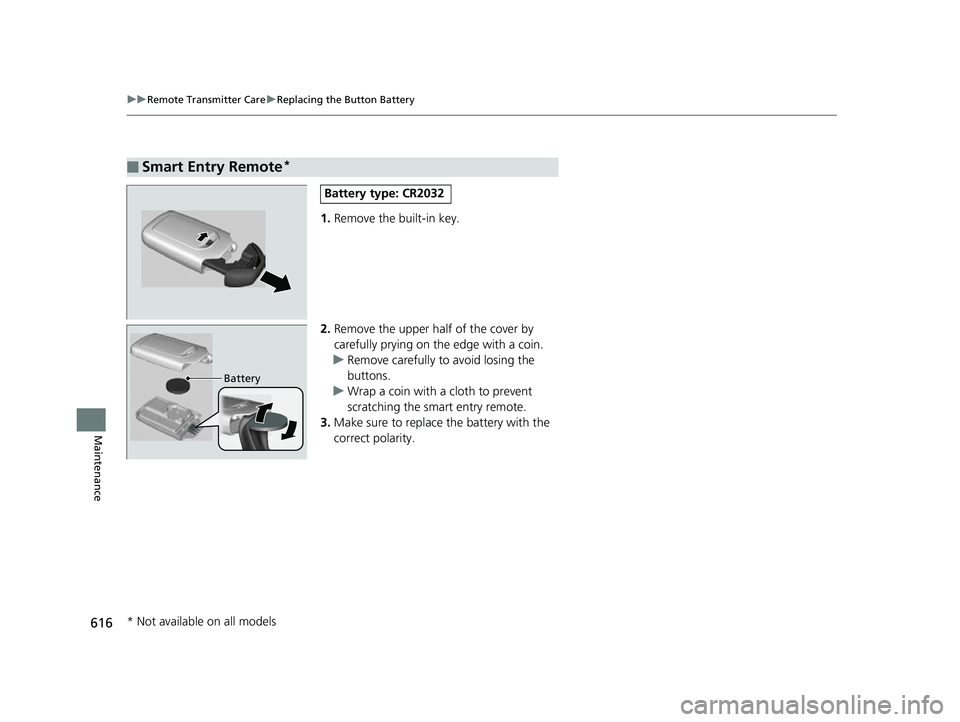
1. Remove the built-in key.
2. Remove the upper half of the cover by
carefully prying on the edge with a coin.
u Remove carefully to avoid losing the
buttons.
u Wrap a coin with a cloth to prevent
scratching the smart entry remote.
3. Make sure to replace the battery with the
correct polarity.
■Smart Entry Remote*
Battery type: CR2032
Battery
* Not available on all models
18 CIVIC 5D (KA KC KL)-31TGG6100.book 616 ページ 2017年12月27日 水曜日 午前11時2分
Page 655 of 703
653
uuEngine Does Not Start uIf the Smart Entry Remote Battery is Weak
Handling the Unexpected
If the Smart Entry Remote Battery is Weak
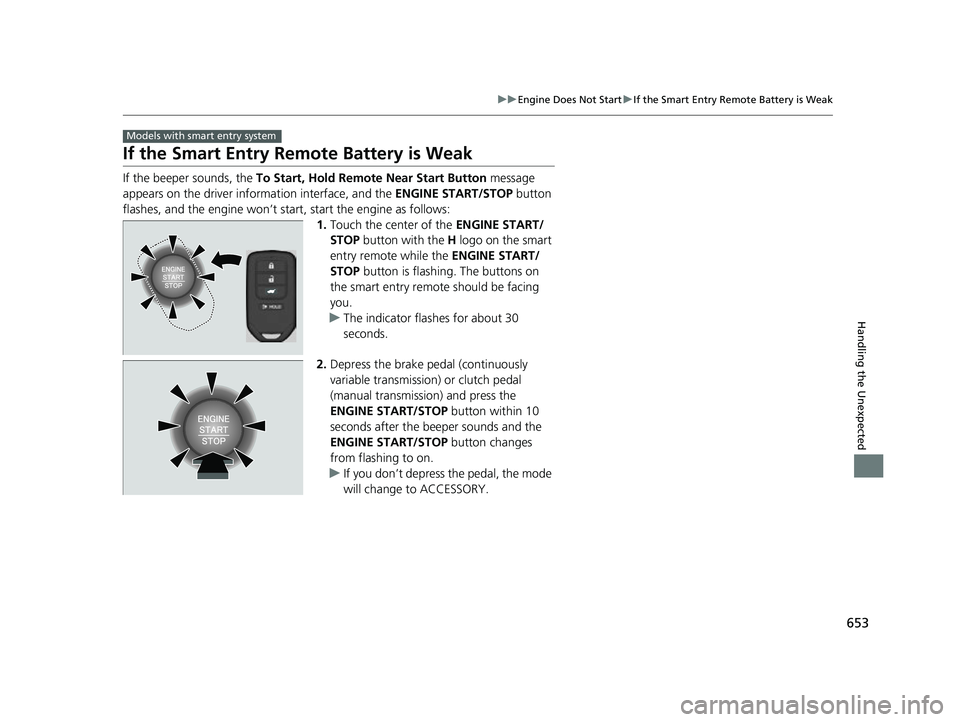
If the beeper sounds, the To Start, Hold Remote Near Start Button message
appears on the driver informa tion interface, and the ENGINE START/STOP button
flashes, and the engine won’t start, start the engine as follows: 1.Touch the center of the ENGINE START/
STOP button with the H logo on the smart
entry remote while the ENGINE START/
STOP button is flashing. The buttons on
the smart entry remote should be facing
you.
u The indicator flashes for about 30
seconds.
2. Depress the brake pedal (continuously
variable transmission) or clutch pedal
(manual transmission) and press the
ENGINE START/STOP button within 10
seconds after the beeper sounds and the
ENGINE START/STOP button changes
from flashing to on.
u If you don’t depress the pedal, the mode
will change to ACCESSORY.
Models with smart entry system
18 CIVIC 5D (KA KC KL)-31TGG6100.book 653 ページ 2017年12月27日 水曜日 午前11時2分
Page 696 of 703
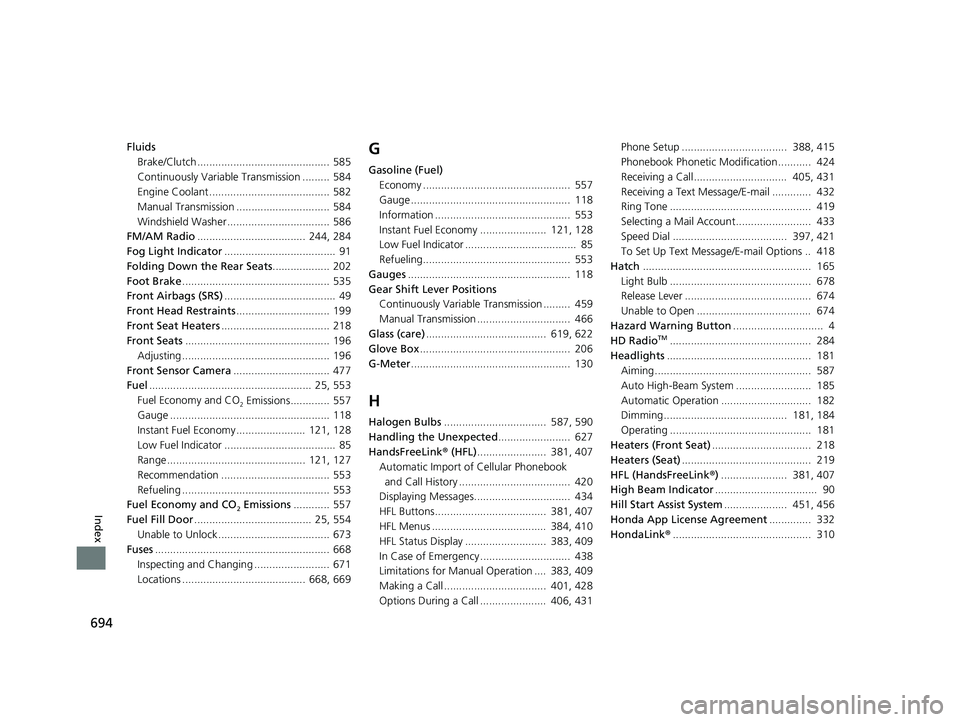
694
Index
FluidsBrake/Clutch ............................................ 585
Continuously Variable Transmission ......... 584
Engine Coolant ........................................ 582
Manual Transmission ............................... 584
Windshield Washer .................................. 586
FM/AM Radio .................................... 244, 284
Fog Light Indicator ..................................... 91
Folding Down the Rear Seats ................... 202
Foot Brake ................................................. 535
Front Airbags (SRS) ..................................... 49
Front Head Restraints ............................... 199
Front Seat Heaters .................................... 218
Front Seats ................................................ 196
Adjusting ................................................. 196
Front Sensor Camera ................................ 477
Fuel ...................................................... 25, 553
Fuel Economy and CO
2 Emissions............. 557
Gauge ..................................................... 118
Instant Fuel Economy ....................... 121, 128
Low Fuel Indicator ..................................... 85
Range .............................................. 121, 127
Recommendation .................................... 553
Refueling ................................................. 553
Fuel Economy and CO
2 Emissions ............ 557
Fuel Fill Door ....................................... 25, 554
Unable to Unlock ..................................... 673
Fuses .......................................................... 668
Inspecting and Changing ......................... 671
Locations ......................................... 668, 669
G
Gasoline (Fuel) Economy ................................................. 557
Gauge ..................................................... 118
Information ............................................. 553
Instant Fuel Economy ...................... 121, 128
Low Fuel Indicator ..................................... 85
Refueling................................................. 553
Gauges ...................................................... 118
Gear Shift Lever Positions Continuously Variable Transmission ......... 459
Manual Transmission ............................... 466
Glass (care) ........................................ 619, 622
Glove Box .................................................. 206
G-Meter ..................................................... 130
H
Halogen Bulbs .................................. 587, 590
Handling the Unexpected ........................ 627
HandsFreeLink ® (HFL) ....................... 381, 407
Automatic Import of Cellular Phonebook
and Call History ..................................... 420
Displaying Messages................................ 434
HFL Buttons..................................... 381, 407
HFL Menus ...................................... 384, 410
HFL Status Display ........................... 383, 409
In Case of Emergency .............................. 438
Limitations for Manual Operation .... 383, 409
Making a Call .................................. 401, 428
Options During a Call ...................... 406, 431 Phone Setup ................................... 388, 415
Phonebook Phonetic M
odification........... 424
Receiving a Call............................... 405, 431
Receiving a Text Message/E-mail ............. 432
Ring Tone ............................................... 419
Selecting a Mail Account......................... 433
Speed Dial ...................................... 397, 421
To Set Up Text Message/E-mail Options .. 418
Hatch ........................................................ 165
Light Bulb ............................................... 678
Release Lever .......................................... 674
Unable to Open ...................................... 674
Hazard Warning Button .............................. 4
HD Radio
TM............................................... 284
Headlights ................................................ 181
Aiming.................................................... 587
Auto High-Beam System ......................... 185
Automatic Operation .............................. 182
Dimming......................................... 181, 184
Operating ............................................... 181
Heaters (Front Seat) ................................. 218
Heaters (Seat) ........................................... 219
HFL (HandsFreeLink ®) ...................... 381, 407
High Beam Indicator .................................. 90
Hill Start Assist System ..................... 451, 456
Honda App License Agreement .............. 332
HondaLink ®.............................................. 310
18 CIVIC 5D (KA KC KL)-31TGG6100.book 694 ページ 2017年12月27日 水曜日 午前11時2分