remote start HONDA CIVIC HATCHBACK 2018 Owner's Manual (in English)
[x] Cancel search | Manufacturer: HONDA, Model Year: 2018, Model line: CIVIC HATCHBACK, Model: HONDA CIVIC HATCHBACK 2018Pages: 703, PDF Size: 24.31 MB
Page 5 of 703
Contents
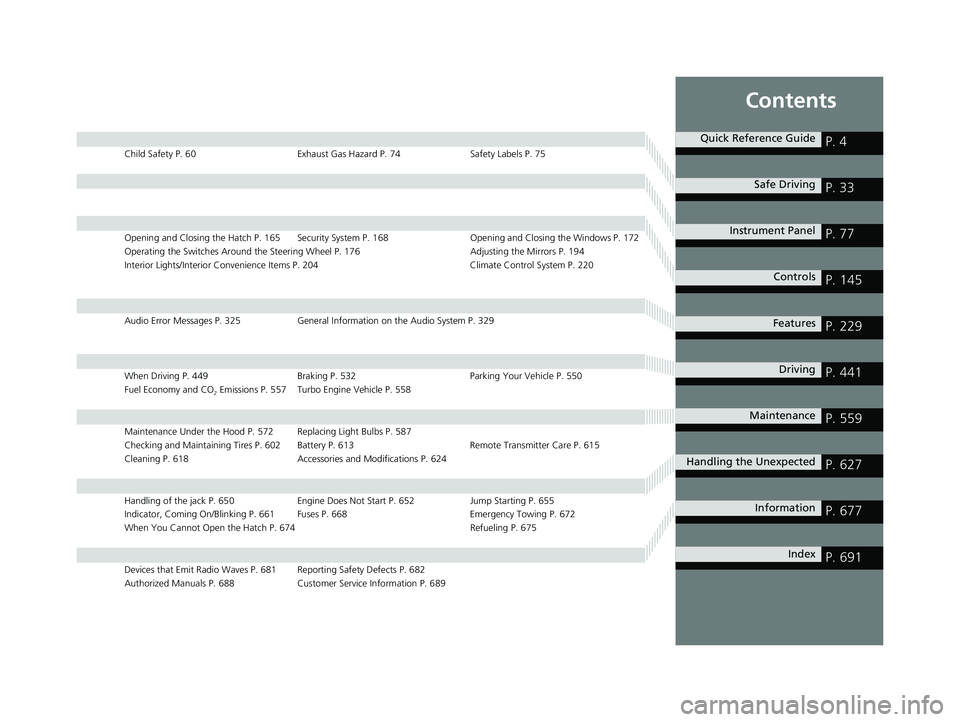
Child Safety P. 60Exhaust Gas Hazard P. 74Safety Labels P. 75
Opening and Closing the Hatch P. 165 Security System P. 168 Opening and Closing the Windows P. 172
Operating the Switches Around the Steering Wheel P. 176 Adjusting the Mirrors P. 194
Interior Lights/Interior Convenience Items P. 204 Climate Control System P. 220
Audio Error Messages P. 325General Information on the Audio System P. 329
When Driving P. 449 Braking P. 532Parking Your Vehicle P. 550
Fuel Economy and CO
2 Emissions P. 557 Turbo Engine Vehicle P. 558
Maintenance Under the Hood P. 572 Replacing Light Bulbs P. 587
Checking and Maintaining Tires P. 602 Battery P. 613 Remote Transmitter Care P. 615
Cleaning P. 618 Accessories and Modifications P. 624
Handling of the jack P. 650 Engine Does Not Start P. 652Jump Starting P. 655
Indicator, Coming On/Blinking P. 661 Fuses P. 668 Emergency Towing P. 672
When You Cannot Open the Hatch P. 674 Refueling P. 675
Devices that Emit Radio Waves P. 681 Reporting Safety Defects P. 682
Authorized Manuals P. 688 Customer Service Information P. 689
Quick Reference GuideP. 4
Safe DrivingP. 33
Instrument PanelP. 77
ControlsP. 145
FeaturesP. 229
DrivingP. 441
MaintenanceP. 559
Handling the UnexpectedP. 627
InformationP. 677
IndexP. 691
18 CIVIC 5D (KA KC KL)-31TGG6100.book 3 ページ 2017年12月27日 水曜日 午前11時2分
Page 17 of 703
15
Quick Reference Guide
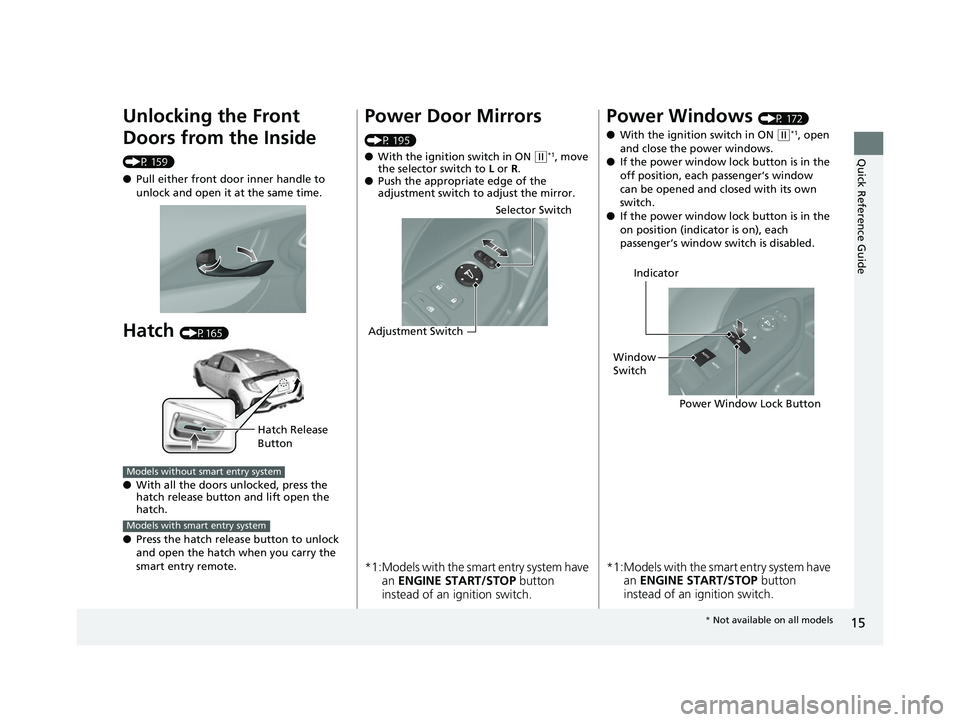
Unlocking the Front
Doors from the Inside
(P 159)
●Pull either front door inner handle to
unlock and open it at the same time.
Hatch (P165)
● With all the doors unlocked, press the
hatch release button and lift open the
hatch.
● Press the hatch releas e button to unlock
and open the hatch when you carry the
smart entry remote.
Hatch Release
Button
Models without smart entry system
Models with smart entry system
Power Door Mirrors
(P 195)
● With the ignition switch in ON
(w*1, move
the selector switch to L or R .
● Push the appropriate edge of the
adjustment switch to adjust the mirror.
*1:Models with the smart entry system have
an ENGINE START/STOP button
instead of an ignition switch.
Selector Switch
Adjustment Switch
Power Windows (P 172)
● With the ignition switch in ON
(w*1, open
and close the power windows.
● If the power window lock button is in the
off position, each passenger’s window
can be opened and closed with its own
switch.
● If the power window lock button is in the
on position (indicator is on), each
passenger’s window switch is disabled.
*1:Models with the smart entry system have
an ENGINE START/STOP button
instead of an ignition switch.
Power Window Lock Button
Window
Switch Indicator
*
Not available on all models
18 CIVIC 5D (KA KC KL)-31TGG6100.book 15 ページ 2017年12月27日 水曜日 午前11時2分
Page 110 of 703
108
uuIndicators uDriver Information Interface Wa rning and Information Messages*
Instrument Panel
MessageConditionExplanation
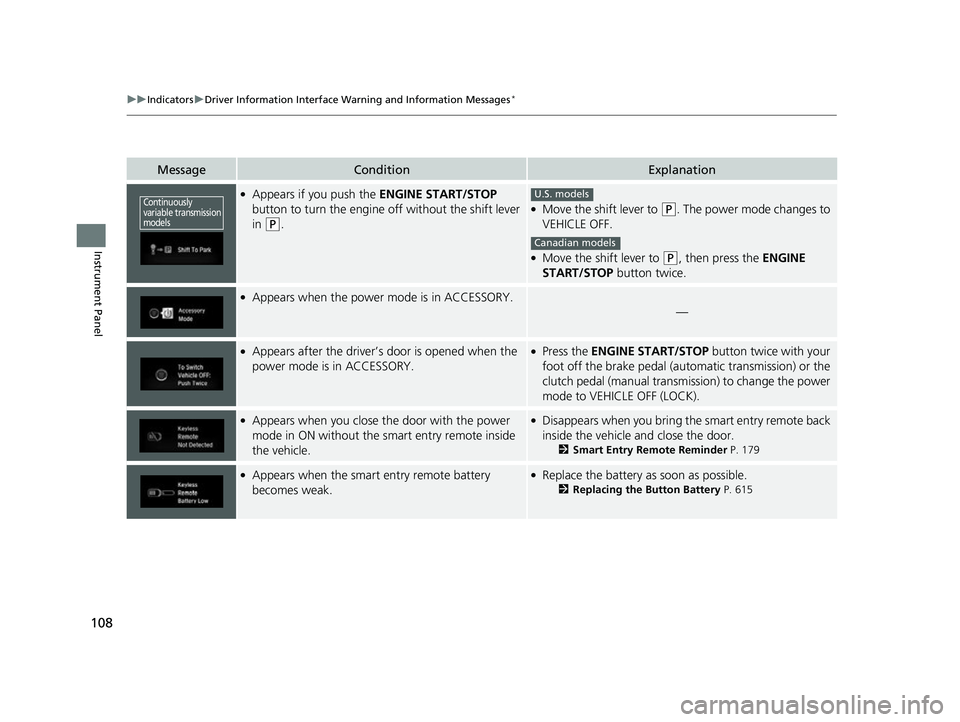
●Appears if you push the ENGINE START/STOP
button to turn the engine off without the shift lever
in
(P.
●Move the shift lever to (P. The power mode changes to
VEHICLE OFF.
●Move the shift lever to (P, then press the ENGINE
START/STOP button twice.
●Appears when the power mode is in ACCESSORY.
—
●Appears after the driver’s door is opened when the
power mode is in ACCESSORY.●Press the ENGINE START/STOP button twice with your
foot off the brake pedal (automatic transmission) or the
clutch pedal (manual transmission) to change the power
mode to VEHICLE OFF (LOCK).
●Appears when you close the door with the power
mode in ON without the smart entry remote inside
the vehicle.●Disappears when you bring the smart entry remote back
inside the vehicle and close the door.
2 Smart Entry Remote Reminder P. 179
●Appears when the smart entry remote battery
becomes weak.●Replace the battery as soon as possible.
2Replacing the Button Battery P. 615
Continuously
variable transmission
modelsU.S. models
Canadian models
18 CIVIC 5D (KA KC KL)-31TGG6100.book 108 ページ 2017年12月27日 水曜日 午前11時2分
Page 111 of 703
109
uuIndicators uDriver Information Interface Wa rning and Information Messages*
Continued
Instrument Panel
MessageConditionExplanation
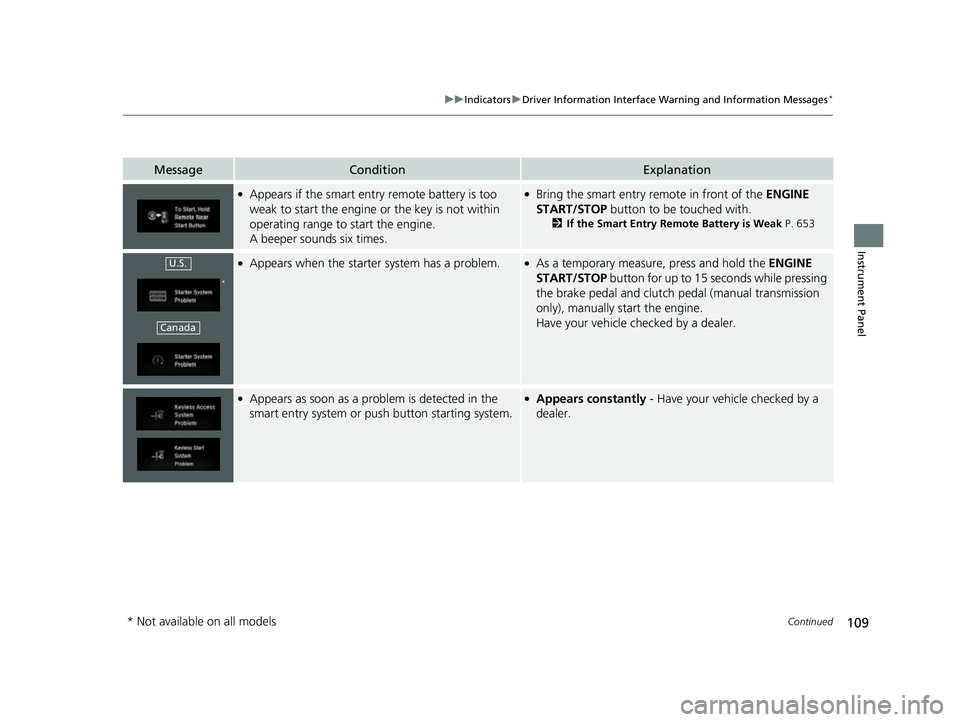
●Appears if the smart entry remote battery is too
weak to start the engine or the key is not within
operating range to start the engine.
A beeper sounds six times.●Bring the smart entry remote in front of the ENGINE
START/STOP button to be touched with.
2 If the Smart Entry Remote Battery is Weak P. 653
●Appears when the starter system has a problem.●As a temporary measure, press and hold the ENGINE
START/STOP button for up to 15 seconds while pressing
the brake pedal and clutch pedal (manual transmission
only), manually start the engine.
Have your vehicle checked by a dealer.
●Appears as soon as a problem is detected in the
smart entry system or push button starting system.●Appears constantly - Have your vehicle checked by a
dealer.
U.S.
*
Canada
* Not available on all models
18 CIVIC 5D (KA KC KL)-31TGG6100.book 109 ページ 2017年12月27日 水曜日 午前11時2分
Page 119 of 703
117
uuIndicators uDriver Information Interface Wa rning and Information Messages*
Instrument Panel
MessageConditionExplanation
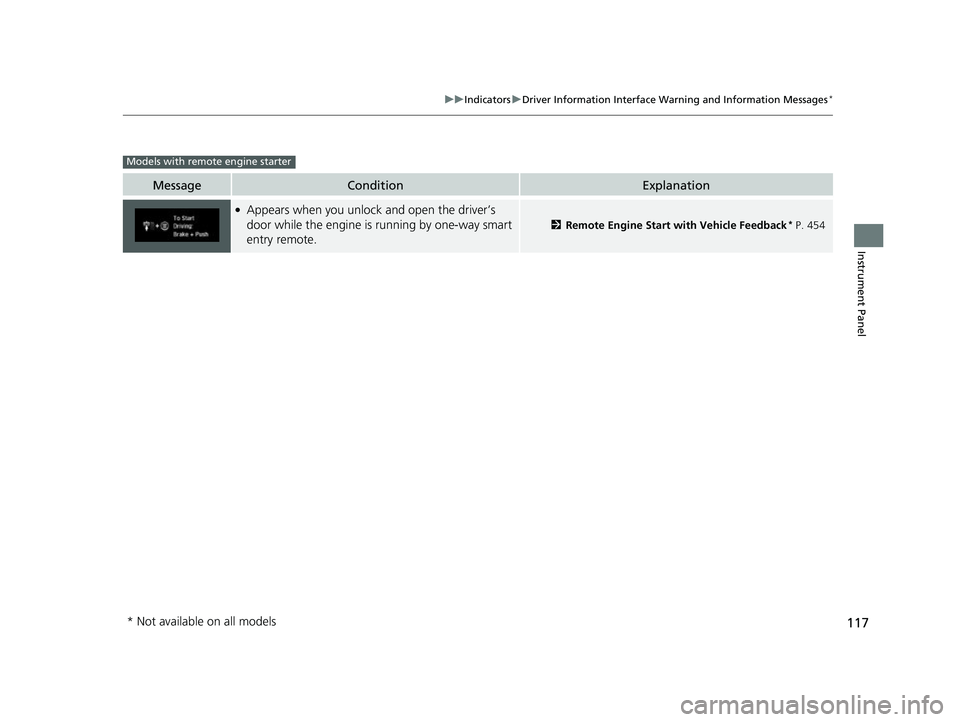
●Appears when you unlock and open the driver’s
door while the engine is running by one-way smart
entry remote.
2Remote Engine Start with Vehicle Feedback* P. 454
Models with remote engine starter
* Not available on all models
18 CIVIC 5D (KA KC KL)-31TGG6100.book 117 ページ 2017年12月27日 水曜日 午前11時2分
Page 137 of 703
135
uuGauges and Displays uDriver Information Interface*
Continued
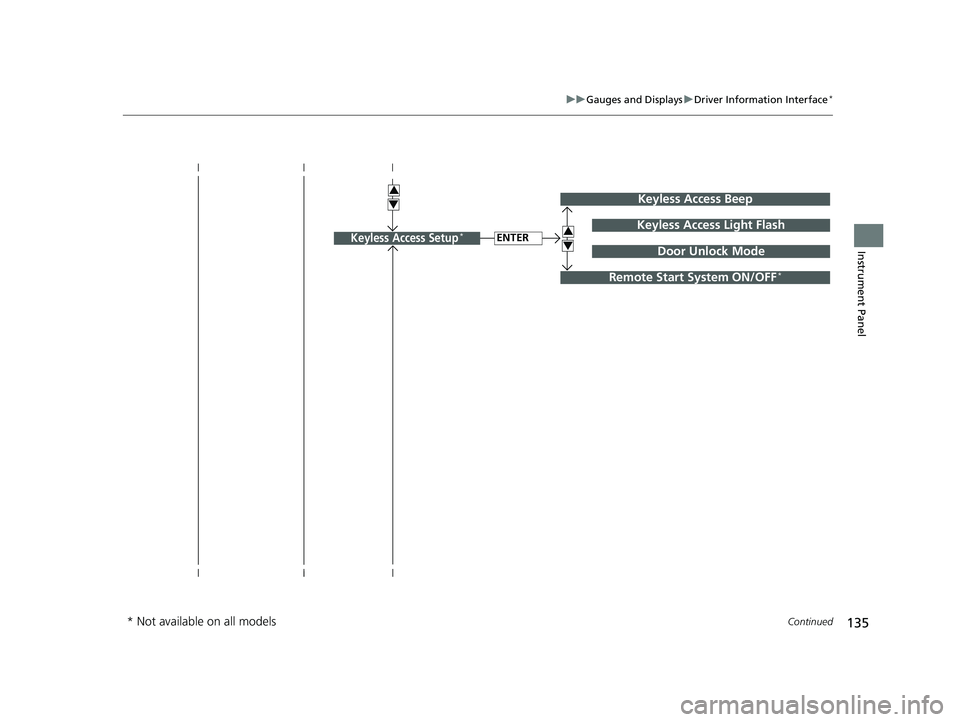
Instrument PanelENTERKeyless Access Light Flash
Keyless Access Beep
3
4Door Unlock ModeKeyless Access Setup*
3
4
Remote Start System ON/OFF*
* Not available on all models
18 CIVIC 5D (KA KC KL)-31TGG6100.book 135 ページ 2017年12月27日 水曜日 午前11時2分
Page 141 of 703
139
uuGauges and Displays uDriver Information Interface*
Continued
Instrument Panel
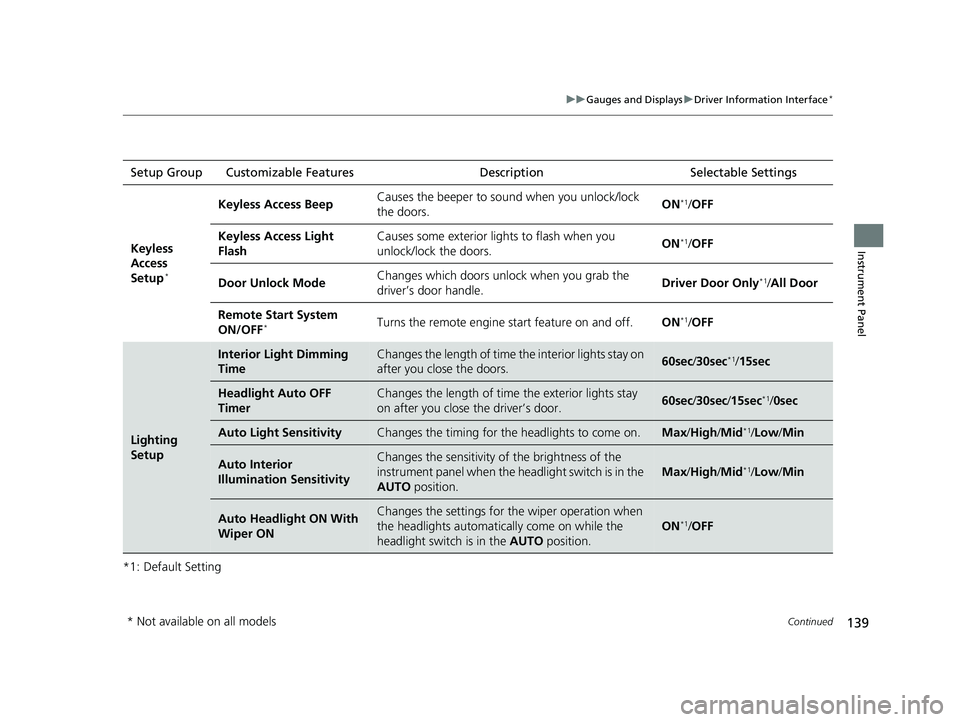
*1: Default SettingSetup Group Customizable Features
Description Selectable Settings
Keyless
Access
Setup
*
Keyless Access Beep Causes the beeper to sound when you unlock/lock
the doors. ON*1/
OFF
Keyless Access Light
Flash Causes some exterior li
ghts to flash when you
unlock/lock the doors. ON
*1/
OFF
Door Unlock Mode Changes which doors unlock when you grab the
driver’s door handle.
Driver Door Only
*1/
All Door
Remote Start System
ON/OFF
*Turns the remote engine start feature on and off. ON*1/OFF
Lighting
Setup
Interior Light Dimming
TimeChanges the length of time the interior lights stay on
after you close the doors.60sec /30sec*1/15sec
Headlight Auto OFF
TimerChanges the length of time the exterior lights stay
on after you close the driver’s door.60sec /30sec /15sec*1/ 0sec
Auto Light SensitivityChanges the timing for th e headlights to come on.Max/High /Mid*1/Low /Min
Auto Interior
Illumination SensitivityChanges the sensitivity of the brightness of the
instrument panel when the headlight switch is in the
AUTO position.
Max/High /Mid*1/Low /Min
Auto Headlight ON With
Wiper ONChanges the settings for th e wiper operation when
the headlights automatica lly come on while the
headlight switch is in the AUTO position.
ON*1/OFF
* Not available on all models
18 CIVIC 5D (KA KC KL)-31TGG6100.book 139 ページ 2017年12月27日 水曜日 午前11時2分
Page 147 of 703
145
Controls
This chapter explains how to operate the various controls necessary for driving.
Clock.................................................. 146
Locking and Unlocking the Doors
Key Types and Functions .................. 147
Low Smart Entry Remote Signal Strength*.. 148Locking/Unlocking the Doors from the Outside .......................................... 149
Locking/Unlocking the Doors from the Inside ............................................. 158
Childproof Door Locks ..................... 160
Auto Door Locking/Unlocking .......... 161
Opening and Closing the Hatch....... 165
Security System
Immobilizer System .......................... 168
Security System Alarm ...................... 169 Opening and Closing the Windows
... 172
Opening and Closing the Moonroof*.. 175Operating the Switches Around the
Steering Wheel Ignition Switch
*............................... 176
ENGINE START/STOP Button*........... 177
Ignition Switch and Power Mode Comparison ................................... 180
Turn Signals ..................................... 181
Light Switches.................................. 181
Fog Lights
*...................................... 184
Daytime Running Lights ................... 184
Auto High-Beam
*............................ 185
Wipers and Washers ........................ 188 Brightness Control ........................... 191
Rear Defogger/Heated Door Mirror
*
Button ........................................... 192
Adjusting the Steering Wheel .......... 193
Adjusting the Mirrors
Interior Rearview Mirror ................... 194
Power Door Mirrors ......................... 195
Adjusting the Seats .......................... 196
Interior Lights/Interior Convenience Items ................................................ 204
Climate Control System
Using Automatic Climate Control .... 220
Automatic Climate Control Sensors......227
* Not available on all models
18 CIVIC 5D (KA KC KL)-31TGG6100.book 145 ページ 2017年12月27日 水曜日 午前11時2分
Page 149 of 703
147Continued
Controls
Locking and Unlocking the Doors
Key Types and Functions
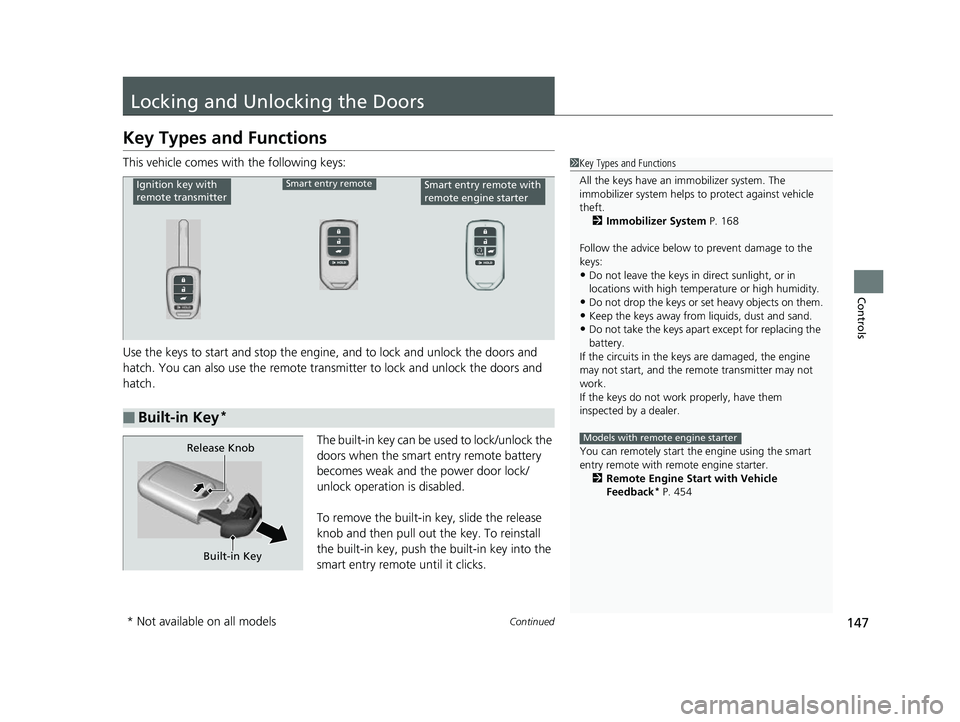
This vehicle comes with the following keys:
Use the keys to start and stop the engine, and to lock and unlock the doors and
hatch. You can also use the remote transmitter to lock and unlock the doors and
hatch.
The built-in key can be used to lock/unlock the
doors when the smart entry remote battery
becomes weak and the power door lock/
unlock operation is disabled.
To remove the built-in key, slide the release
knob and then pull out the key. To reinstall
the built-in key, push the built-in key into the
smart entry remote until it clicks.1 Key Types and Functions
All the keys have an immobilizer system. The
immobilizer system helps to protect against vehicle
theft. 2 Immobilizer System P. 168
Follow the advice below to prevent damage to the
keys:
•Do not leave the keys in direct sunlight, or in
locations with high temperature or high humidity.
•Do not drop the keys or set heavy objects on them.•Keep the keys away from liquids, dust and sand.
•Do not take the keys apart except for replacing the
battery.
If the circuits in the keys are damaged, the engine
may not start, and the remote transmitter may not
work.
If the keys do not work properly, have them
inspected by a dealer.
You can remotely start th e engine using the smart
entry remote with remote engine starter. 2 Remote Engine Start with Vehicle
Feedback
* P. 454
Models with remote engine starter
■Built-in Key*
Ignition key with
remote transmitterSmart entry remoteSmart entry remote with
remote engine starter
Built-in Key
Release Knob
* Not available on all models
18 CIVIC 5D (KA KC KL)-31TGG6100.book 147 ページ 2017年12月27日 水曜日 午前11時2分
Page 150 of 703
uuLocking and Unlocking the Doors uLow Smart Entry Remote Signal Strength*
148
Controls
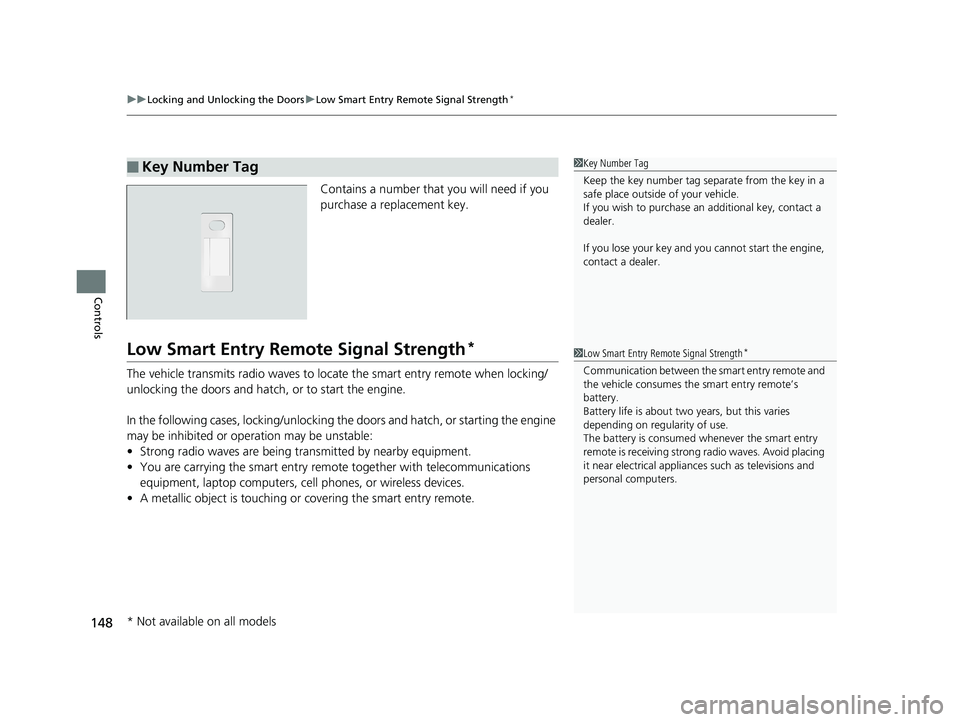
Contains a number that you will need if you
purchase a replacement key.
Low Smart Entry Remo te Signal Strength*
The vehicle transmits radio waves to loca te the smart entry remote when locking/
unlocking the doors and hatch, or to start the engine.
In the following cases, locking/unlocking the doors and hatch, or starting the engine
may be inhibited or operation may be unstable:
• Strong radio waves are being tra nsmitted by nearby equipment.
• You are carrying the smart entry remote together with telecommunications
equipment, laptop computers, ce ll phones, or wireless devices.
• A metallic object is touching or covering the smart entry remote.
■Key Number Tag1Key Number Tag
Keep the key number tag separate from the key in a
safe place outside of your vehicle.
If you wish to purchase an additional key, contact a
dealer.
If you lose your key and you cannot start the engine,
contact a dealer.
1 Low Smart Entry Remote Signal Strength*
Communication between the smart entry remote and
the vehicle consumes the smart entry remote’s
battery.
Battery life is about two years, but this varies
depending on re gularity of use.
The battery is consumed whenever the smart entry
remote is receivi ng strong radio wave s. Avoid placing
it near electrical appliances such as televisions and
personal computers.
* Not available on all models
18 CIVIC 5D (KA KC KL)-31TGG6100.book 148 ページ 2017年12月27日 水曜日 午前11時2分