ignition HONDA CIVIC HYBRID 2012 9.G Owner's Manual
[x] Cancel search | Manufacturer: HONDA, Model Year: 2012, Model line: CIVIC HYBRID, Model: HONDA CIVIC HYBRID 2012 9.GPages: 313, PDF Size: 8.65 MB
Page 83 of 313
82Instrument Panel
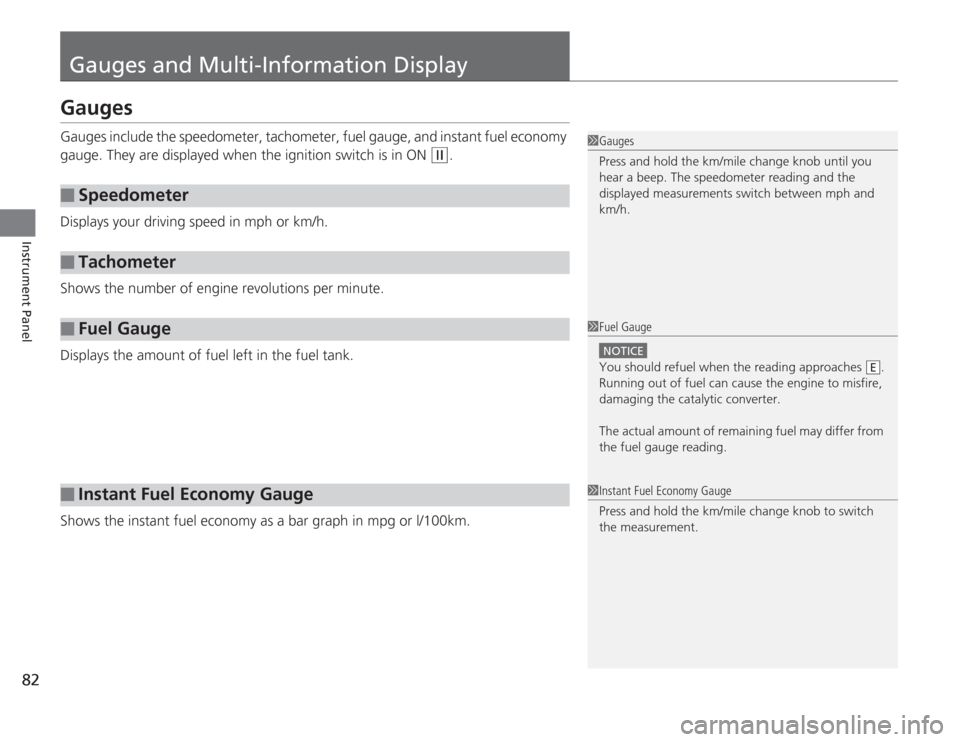
Gauges and Multi-Information DisplayGaugesGauges include the speedometer, tachometer, fuel gauge, and instant fuel economy
gauge. They are displayed when the ignition switch is in ON
(w
.
Displays your driving speed in mph or km/h.
Shows the number of engine revolutions per minute.
Displays the amount of fuel left in the fuel tank.
Shows the instant fuel economy as a bar graph in mpg or l/100km.
■
Speedometer
■
Tachometer
■
Fuel Gauge
■
Instant Fuel Economy Gauge
1Gauges
Press and hold the km/mile change knob until you
hear a beep. The speedometer reading and the
displayed measurements switch between mph and
km/h.1Fuel Gauge
NOTICEYou should refuel when the reading approaches .
Running out of fuel can cause the engine to misfire,
damaging the catalytic converter.
The actual amount of remaining fuel may differ from
the fuel gauge reading.
E
1 Instant Fuel Economy Gauge
Press and hold the km/mile change knob to switch
the measurement.
Page 88 of 313
87
uuGauges and Multi-Information Display uMulti-Information Display
Continued
Instrument Panel
■
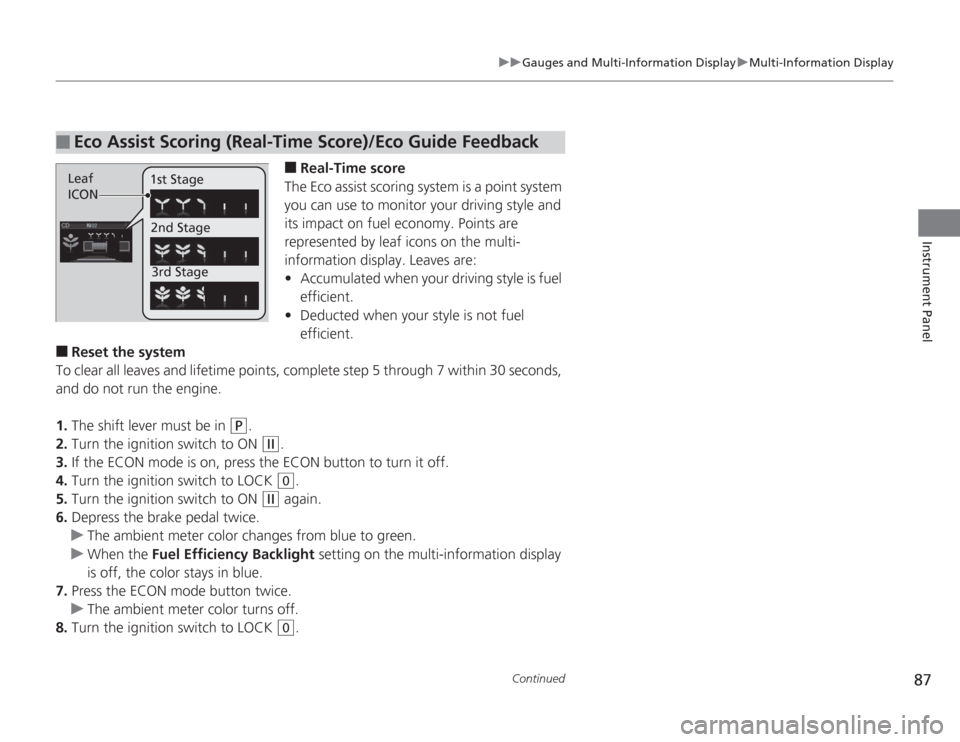
Real-Time score
The Eco assist scoring system is a point system
you can use to monitor your driving style and
its impact on fuel economy. Points are
represented by leaf icons on the multi-
information display. Leaves are:
• Accumulated when your driving style is fuel
efficient.
• Deducted when your style is not fuel
efficient.
■
Reset the system
To clear all leaves and lifetime points, complete step 5 through 7 within 30 seconds,
and do not run the engine.
1. The shift lever must be in
(P
.
2. Turn the ignition switch to ON
(w
.
3. If the ECON mode is on, press the ECON button to turn it off.
4. Turn the ignition switch to LOCK (0
.
5. Turn the ignition switch to ON
(w
again.
6. Depress the brake pedal twice.
u The ambient meter color changes from blue to green.
u When the Fuel Efficiency Backlight setting on the multi-information display
is off, the color stays in blue.
7. Press the ECON mode button twice.
u The ambient meter color turns off.
8. Turn the ignition switch to LOCK (0
.
■
Eco Assist Scoring (Real-Time Score)/Eco Guide FeedbackLeaf
ICON 1st Stage
2nd Stage3rd Stage
Page 91 of 313
uuGauges and Multi- Information Display uMulti-Information Display
90Instrument Panel
Use the multi-information display to customize certain features.■
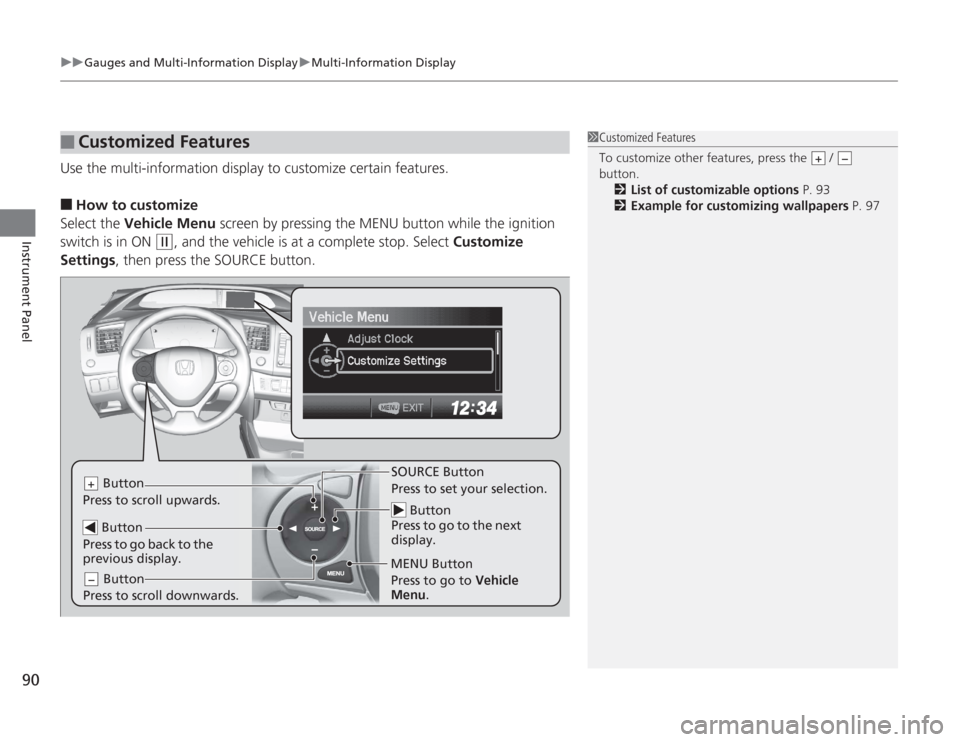
How to customize
Select the Vehicle Menu screen by pressing the MENU button while the ignition
switch is in ON
(w
, and the vehicle is at a complete stop. Select Customize
Settings , then press the SOURCE button.
■
Customized Features
1Customized Features
To customize other features, press the /
button.
2 List of customizable options P. 93
2 Example for customizing wallpapers P. 97
+
−
Button
Press to go to the next
display.
SOURCE Button
Press to set your selection.
MENU Button
Button
Press to scroll upwards.
+ Button
Press to go back to the
previous display. Button
Press to scroll downwards.−
Press to go to Vehicle
Menu .
Page 95 of 313
94
uuGauges and Multi- Information Display uMulti-Information Display
Instrument Panel
*1: Not available on all models
*2: Default Setting
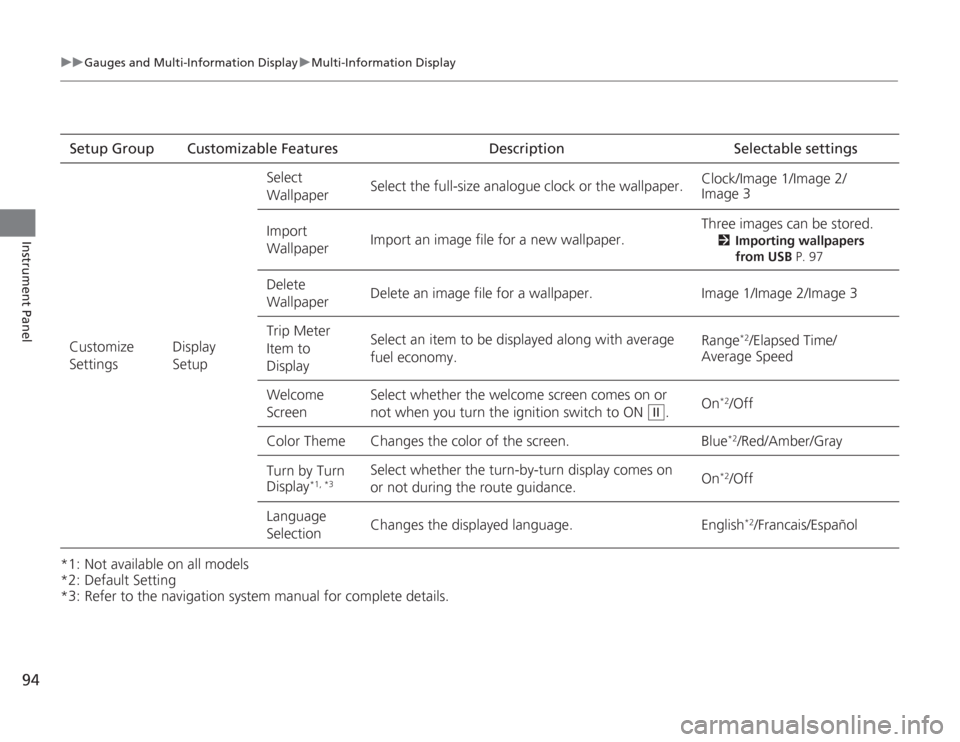
*3: Refer to the navigation system manual for complete details.Setup Group Customizable Features Description Selectable settings
Customize
Settings Display
SetupSelect
Wallpaper
Select the full-size analogue clock or the wallpaper.
Clock/Image 1/Image 2/
Image 3
Import
Wallpaper Import an image file for a new wallpaper. Three images can be stored.
2
Importing wallpapers
from USB P. 97
Delete
Wallpaper Delete an image file for a wallpaper. Image 1/Image 2/Image 3
Trip Meter
Item to
Display Select an item to be displayed along with average
fuel economy.
Range
*2/Elapsed Time/
Average Speed
Welcome
Screen Select whether the welcome screen comes on or
not when you
turn the ignition switch to ON . On
*2/Off
Color Theme Changes the color of the screen. Blue*2/Red/Amber/Gray
Turn by Turn
Display
*1, *3
Select whether the turn-by-turn display comes on
or not during the route guidance. On
*2/Off
Language
Selection Changes the displayed language. English
*2/Francais/Español
II
Page 97 of 313
96
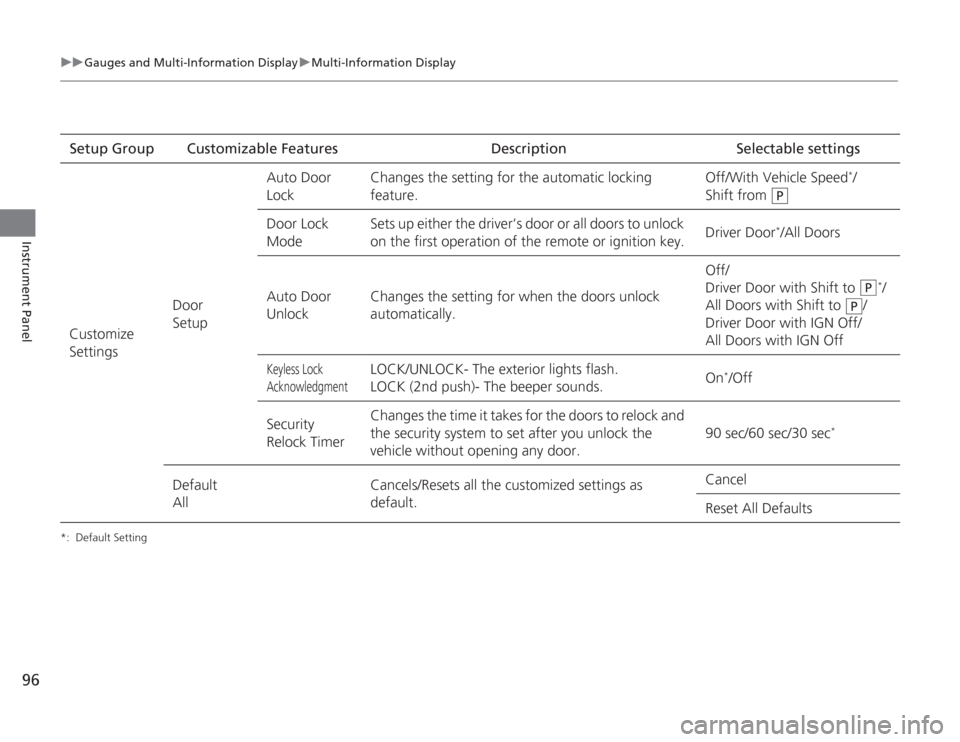
uuGauges and Multi- Information Display uMulti-Information Display
Instrument Panel
*: Default SettingSetup Group Customizable Features DescriptionSelectable settings
Customize
Settings Door
SetupAuto Door
Lock
Changes the setting for the automatic locking
feature. Off/With Vehicle Speed
*/
Shift from
Door Lock
Mode Sets up either the driver’s door or all doors to unlock
on the first operation of the remote or ignition key.
Driver Door
*/All Doors
Auto Door
UnlockChanges the setting fo
r when the doors unlock
automatically. Off/
Driver Door with Shift to
*/
All Doors with Shift to /
Driver Door with IGN Off/
All Doors with IGN Off
Keyless Lock
Acknowledgment
LOCK/UNLOCK- The exterior lights flash.
LOCK (2nd push)- The beeper sounds. On
*/Off
Security
Relock Timer Changes the time it takes for the doors to relock and
the security system to set after you unlock the
vehicle without opening any door.
90 sec/60 sec/30 sec
*
Default
AllCancels/Resets all the customized settings as
default. Cancel
Reset All Defaults
P
P
P
Page 102 of 313
101
Controls
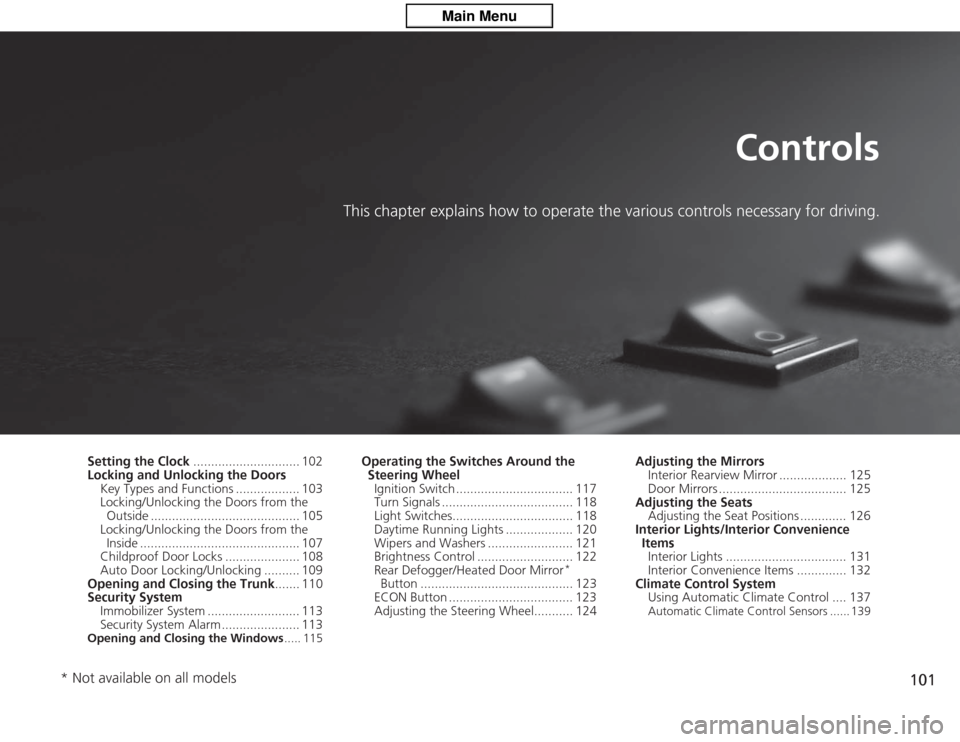
This chapter explains how to operate the various controls necessary for driving.
Setting the Clock.............................. 102
Locking and Unlocking the Doors
Key Types and Functions .................. 103
Locking/Unlocking the Doors from the Outside .......................................... 105
Locking/Unlocking the Doors from the Inside ............................................. 107
Childproof Door Locks ..................... 108
Auto Door Locking/Unlocking .......... 109
Opening and Closing the Trunk ....... 110
Security System
Immobilizer System .......................... 113
Security System Alarm ...................... 113Opening and Closing the Windows ..... 115
Operating the Switches Around the
Steering Wheel
Ignition Switch ................................. 117
Turn Signals ..................................... 118
Light Switches.................................. 118
Daytime Running Lights ................... 120
Wipers and Washers ........................ 121
Brightness Control ........................... 122
Rear Defogger/Heated Door Mirror
*
Button ........................................... 123
ECON Button ................................... 123
Adjusting the Steering Wheel........... 124 Adjusting the Mirrors
Interior Rearview Mirror ................... 125
Door Mirrors .................................... 125
Adjusting the Seats Adjusting the Seat Positions ............. 126
Interior Lights/Interior Convenience ItemsInterior Lights .................................. 131
Interior Convenience Items .............. 132
Climate Control System Using Automatic Climate Control .... 137
Automatic Climate Control Sensors ...... 139
* Not available on all models
Page 103 of 313
102Controls
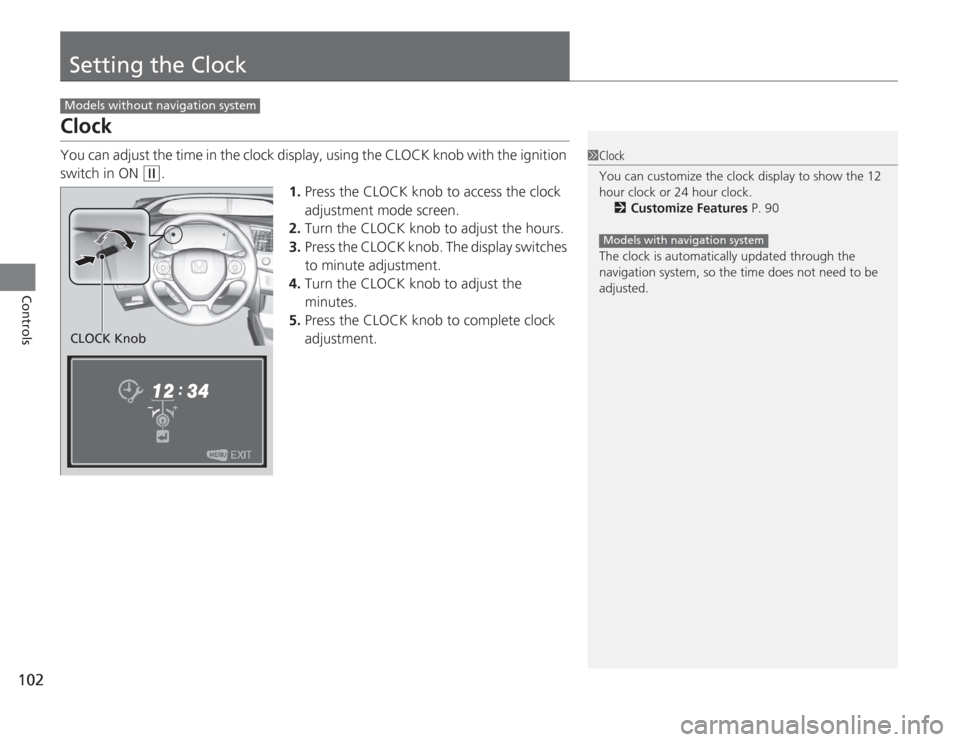
Setting the ClockClockYou can adjust the time in the clock display, using the CLOCK knob with the ignition
switch in ON
(w
.
1.Press the CLOCK knob to access the clock
adjustment mode screen.
2. Turn the CLOCK knob to adjust the hours.
3. Press the CLOCK knob. The display switches
to minute adjustment.
4. Turn the CLOCK knob to adjust the
minutes.
5. Press the CLOCK knob to complete clock
adjustment.
Models without navigation system
1Clock
You can customize the clock display to show the 12
hour clock or 24 hour clock.
2 Customize Features P. 90
The clock is automatically updated through the
navigation system, so the time does not need to be
adjusted.
Models with navigation system
CLOCK Knob
Page 107 of 313
uuLocking and Unlocking the Doors uLocking/Unlocking the Doors from the Outside
106Controls
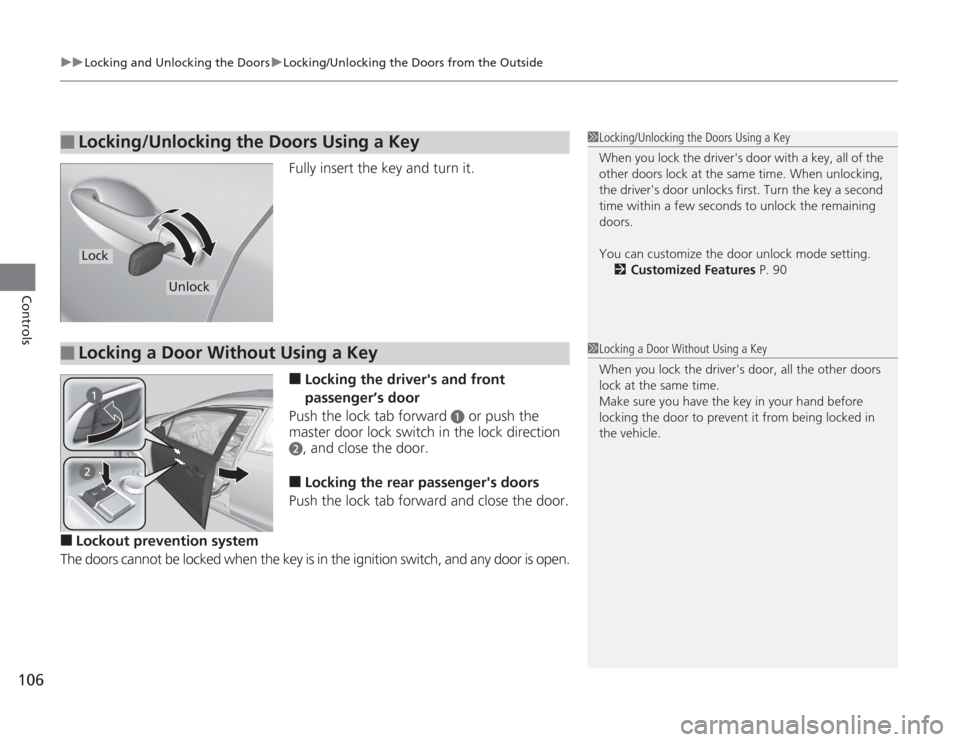
Fully insert the key and turn it.■
Locking the driver's and front
passenger’s door
Push the lock tab forward
a
or push the
master door lock switch in the lock direction
b
, and close the door.
■
Locking the rear passenger's doors
Push the lock tab forward and close the door.
■
Lockout prevention system
The doors cannot be locked when the key is in the ignition switch, and any door is open.
■
Locking/Unlocking the Doors Using a Key
1Locking/Unlocking the Doors Using a Key
When you lock the driver's door with a key, all of the
other doors lock at the same time. When unlocking,
the driver's door unlocks first. Turn the key a second
time within a few seconds to unlock the remaining
doors.
You can customize the door unlock mode setting.
2 Customized Features P. 90
Lock
Unlock
■
Locking a Door Without Using a Key
1Locking a Door Without Using a Key
When you lock the driver's door, all the other doors
lock at the same time.
Make sure you have the key in your hand before
locking the door to prevent it from being locked in
the vehicle.
Page 114 of 313
113
Continued
Controls
Security SystemImmobilizer SystemThe immobilizer system prevents a key that has not been pre-registered from
starting the engine. Each key contains electronic transmitters that use electronic
signals to verify the key.
Pay attention to the following when inserting the key into the ignition switch:
• Do not allow objects that emit strong radio waves near the ignition switch.
• Make sure the key is not covered by or touching a metal object.
• Do not bring a key from another vehicle's immobilizer system near the ignition
switch.Security System AlarmThe security system alarm activates when the doors, trunk, or hood are opened
without the key, or remote transmitter.■
When the security system alarm activates
The horn sounds intermittently and all of the exterior lights flash.
■
To deactivate the security system alarm
Unlock the vehicle using the key, or remote transmitter. The system, along with the
horn and flashing lights, is deactivated.
1 Immobilizer System
NOTICELeaving the ignition key in the vehicle can result in
theft or accidental movement of the vehicle.
Always take the ignition key with you whenever you
leave the vehicle unattended.
Do not alter the system or add other devices to it.
Doing so may damage the system and make your
vehicle inoperable.1Security System Alarm
The security alarm continues for a maximum of two
minutes until the security system deactivates.
Page 115 of 313
uuSecurity System uSecurity System Alarm
114Controls
■
Setting the securi ty system alarm
The security system alarm automatically sets when the following conditions have
been met:
• The ignition switch is in LOCK
(0
, and the key has been removed from the
ignition switch.
• The hood and trunk are closed.
• All doors are locked with the key or the remote transmitter.
■
When the security system alarm sets
The security system indicator in the instrument panel blinks. When the blinking
interval changes after about 15 second s, the security system is set.
■
To cancel the security system alarm
The security system is canceled when the vehicle is unlocked using the key or remote
transmitter, or the ignition switch is turned to ON
(w
. The security system indicator
goes off at the same time.
■
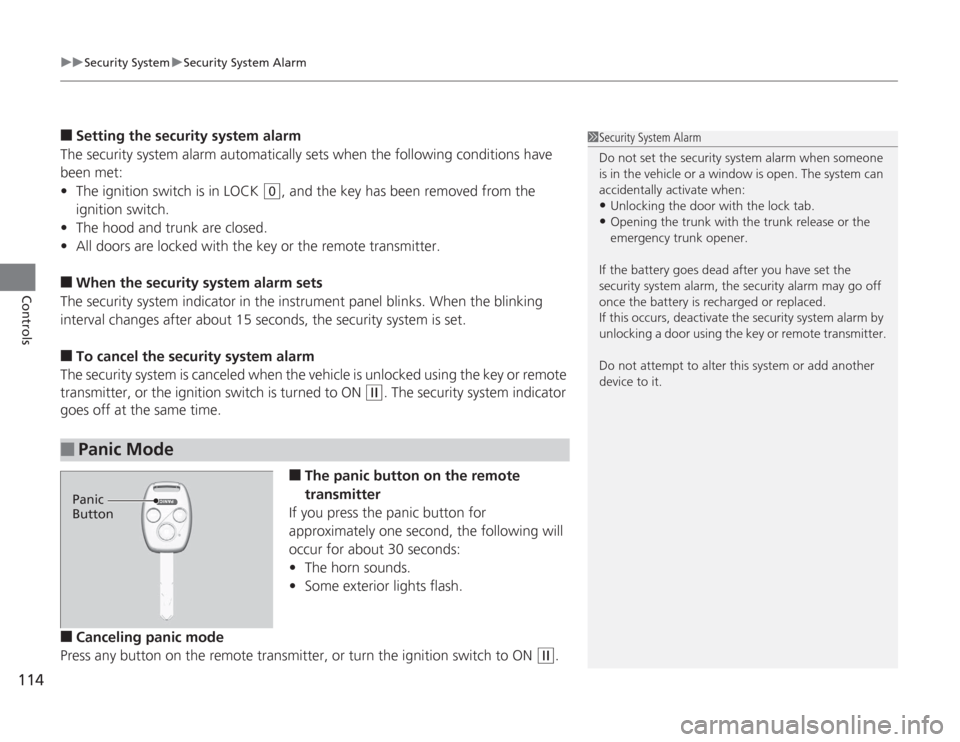
The panic button on the remote
transmitter
If you press the panic button for
approximately one second, the following will
occur for about 30 seconds:
• The horn sounds.
• Some exterior lights flash.
■
Canceling panic mode
Press any button on the remote transmitter, or turn the ignition switch to ON
(w
.
■
Panic Mode
1 Security System Alarm
Do not set the security system alarm when someone
is in the vehicle or a window is open. The system can
accidentally activate when:•Unlocking the door with the lock tab.•Opening the trunk with th e trunk release or the
emergency trunk opener.
If the battery goes dead after you have set the
security system alarm, the security alarm may go off
once the battery is recharged or replaced.
If this occurs, deactivate the security system alarm by
unlocking a door using the key or remote transmitter.
Do not attempt to alter this system or add another
device to it.
Panic
Button