key HONDA CIVIC SEDAN 2011 Navigation Manual (in English)
[x] Cancel search | Manufacturer: HONDA, Model Year: 2011, Model line: CIVIC SEDAN, Model: HONDA CIVIC SEDAN 2011Pages: 154, PDF Size: 6.2 MB
Page 29 of 154
28Navigation System
NOTE:
If you find that your city is not listed, it may be part of a larger metropolitan area. Try entering the street first. Prior to departure, you can set areas to avoid. The system then includes them in its calculations for the destination you have entered. See Edit Avoid Area on page 89.
Selecting the State or Province
The state you are in is displayed at the top of the screen. If your desired destination is in an other state, select Change State .
The display then changes to the Enter state name screen. Use the voice control system and say the name of the state or use the on-screen keyboard to enter the name of the state.
Selecting the City
This is helpful if the street runs through several cities, and you know what city includes the street. Th e city you are in is displayed on the screen. If the city you want is displayed on the screen, say “Select current city .” If your desired destination is in another city, say or enter another city.
By Voice Control:
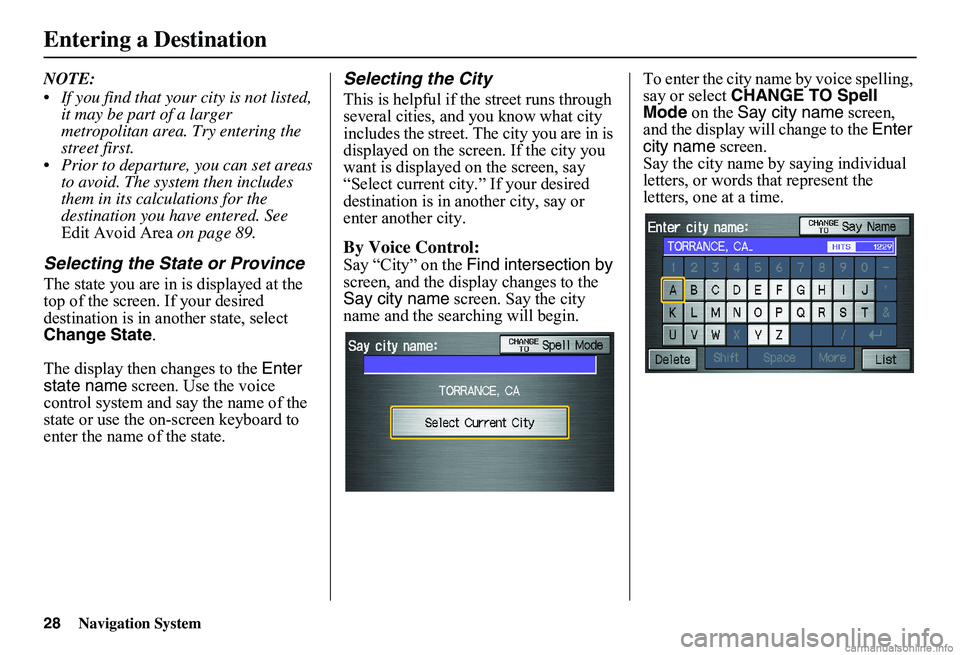
Say “City” on the Find intersection by screen, and the display changes to the Say city name screen. Say the city name and the searching will begin.
To enter the city na me by voice spelling, say or select CHANGE TO Spell Mode on the Say city name screen, and the display will change to the Enter city name screen. Say the city name by saying individual letters, or words that represent the letters, one at a time.
Entering a Destination
Page 30 of 154
Navigation System29
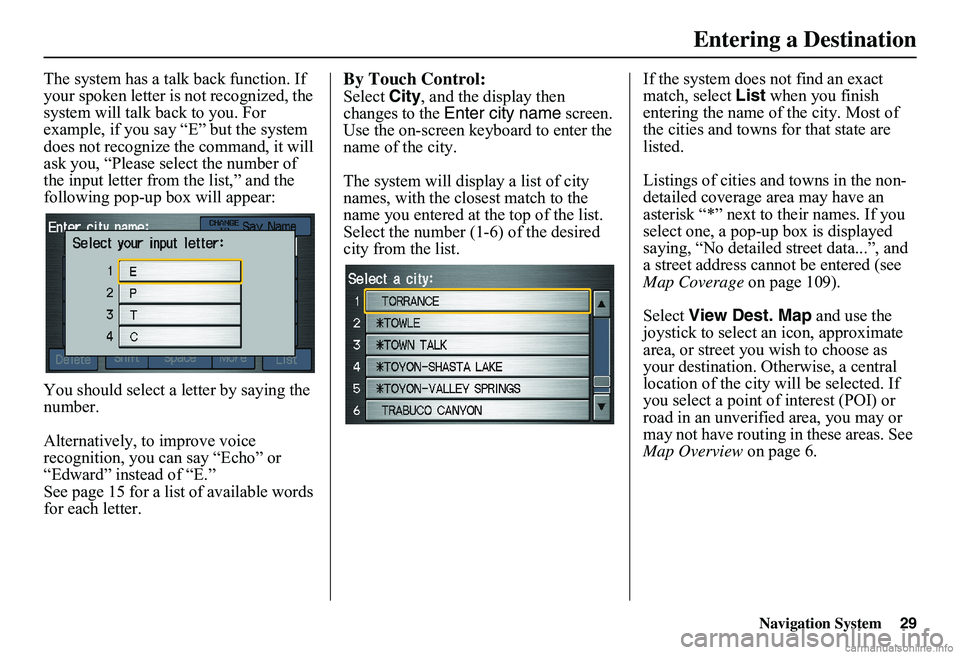
The system has a talk back function. If your spoken letter is not recognized, the system will talk back to you. For example, if you say “E” but the system does not recognize the command, it will ask you, “Please select the number of the input letter from the list,” and the following pop-up box will appear:
You should select a letter by saying the number.
Alternatively, to improve voice recognition, you can say “Echo” or “Edward” instead of “E.”See page 15 for a list of available words for each letter.
By Touch Control:
Select City, and the display then changes to the Enter city name screen. Use the on-screen keyboard to enter the name of the city.
The system will display a list of city names, with the closest match to the name you entered at the top of the list. Select the number (1-6) of the desired city from the list.
If the system does not find an exact match, select List when you finish entering the name of the city. Most of the cities and towns for that state are listed.
Listings of cities and towns in the non- detailed coverage area may have an asterisk “*” next to their names. If you select one, a pop-up box is displayed saying, “No detailed street data...”, and a street address cannot be entered (see Map Coverage on page 109).
Select View Dest. Map and use the joystick to select an icon, approximate area, or street you wish to choose as your destination. Otherwise, a central location of the city will be selected. If you select a point of interest (POI) or road in an unverified area, you may or may not have routing in these areas. See Map Overview on page 6.
Entering a Destination
Page 32 of 154
Navigation System31
By Touch Control:
After you have selected the city, or if you select Street in the beginning, the display changes to the Enter street name screen. Use the on-screen keyboard to enter one of the names (like ELM or 42ND) of the intersecting streets.
To enter the name of a major highway, you must use the full name, including a hyphen. For intersta tes, use an “I” (I- 10). For U.S. highways, use “US” (US-18). For state highways, use the two character state desi gnation (CA-101). For county roads, use the appropriate designation (G-2, for example).
Tip:
When entering a street, you do not need to enter the direction (N, S, E, W) or the type (St, Ave, etc.). The system will automatically determine that for you.
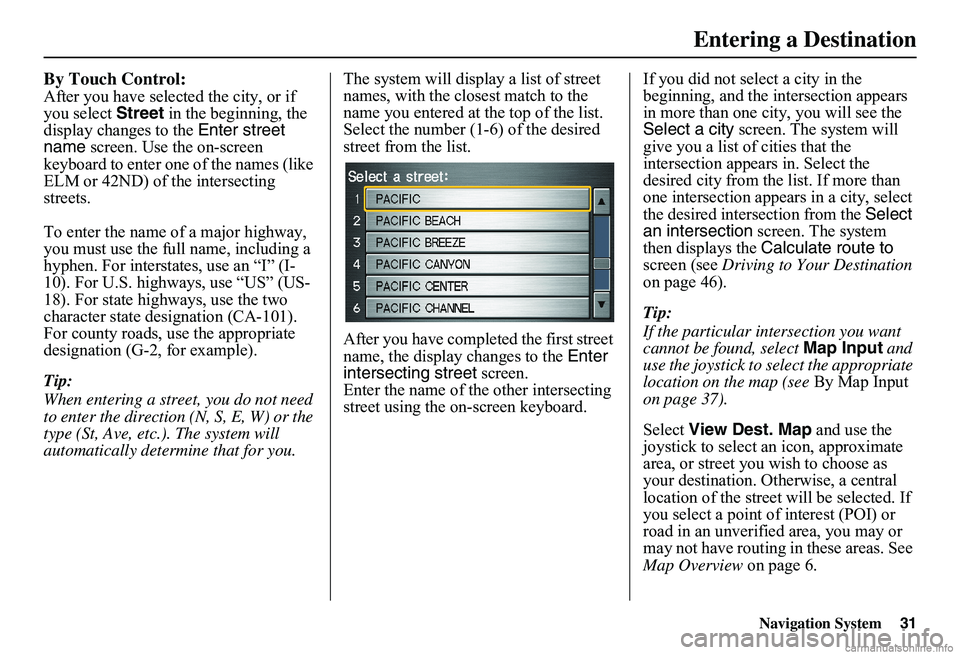
The system will display a list of street names, with the closest match to the name you entered at the top of the list. Select the number (1-6) of the desired street from the list.
After you have completed the first street name, the display changes to the Enter intersecting street screen. Enter the name of the other intersecting street using the on-screen keyboard.
If you did not select a city in the beginning, and the intersection appears in more than one city, you will see the Select a city screen. The system will give you a list of cities that the intersection appears in. Select the desired city from the list. If more than one intersection appears in a city, select the desired intersection from the Select an intersection screen. The system then displays the Calculate route to screen (see Driving to Your Destination on page 46).
Tip:
If the particular intersection you want cannot be found, select Map Input and use the joystick to select the appropriate location on the map (see By Map Input on page 37).
Select View Dest. Map and use the joystick to select an icon, approximate area, or street you wish to choose as your destination. Otherwise, a central location of the street will be selected. If you select a point of interest (POI) or road in an unverified area, you may or may not have routing in these areas. See Map Overview on page 6.
Entering a Destination
Page 33 of 154
32Navigation System
By Places
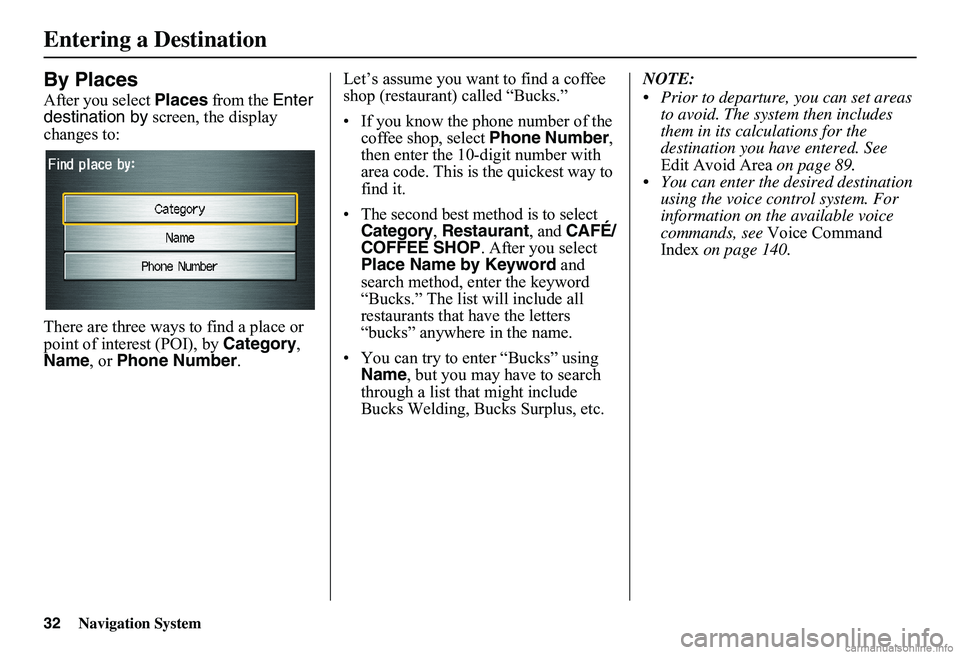
After you select Places from the Enter destination by screen, the display changes to:
There are three ways to find a place or point of interest (POI), by Category, Name , or Phone Number.
Let’s assume you want to find a coffee shop (restaurant) called “Bucks.”
• If you know the phone number of the coffee shop, select Phone Number, then enter the 10-digit number with area code. This is the quickest way to find it.
•The second best method is to select Category, Restaurant, and CAFÉ/ COFFEE SHOP. After you select Place Name by Keyword and search method, enter the keyword “Bucks.” The list will include all restaurants that have the letters “bucks” anywhere in the name.
• You can try to enter “Bucks” using Name , but you may have to search through a list that might include Bucks Welding, Bucks Surplus, etc.
NOTE:
Prior to departure, you can set areas to avoid. The system then includes them in its calculations for the destination you have entered. See Edit Avoid Area on page 89. You can enter the desired destination using the voice control system. For information on the available voice commands, see Voice Command Index on page 140.
Entering a Destination
Page 34 of 154
Navigation System33
Finding the Place by Category
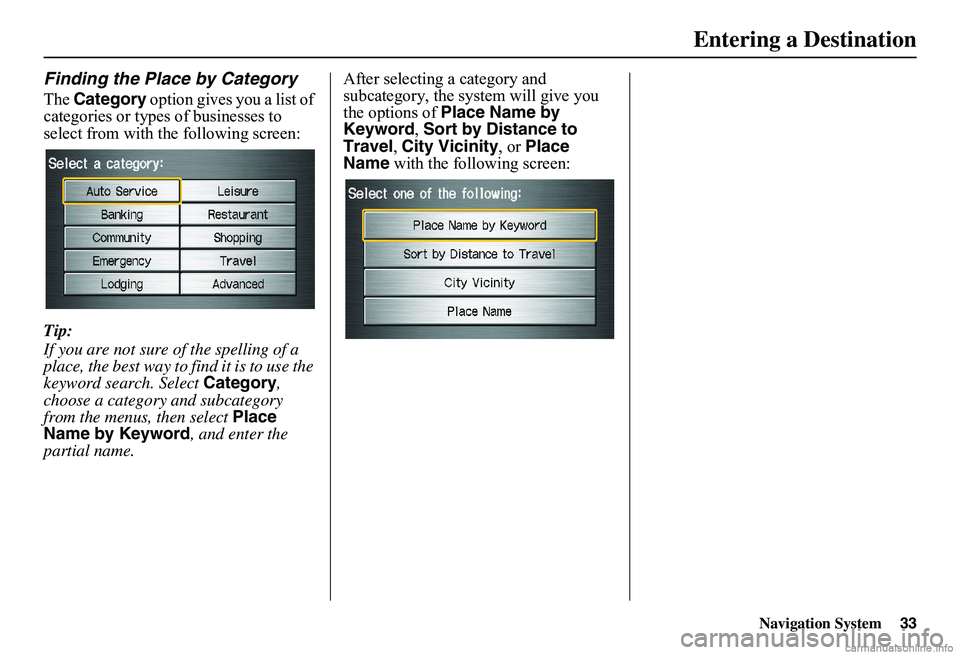
The Category option gives you a list of categories or types of businesses to select from with the following screen:
Tip:
If you are not sure of the spelling of a place, the best way to find it is to use the keyword search. Select Category, choose a category and subcategory from the menus, then select Place Name by Keyword , and enter the partial name.
After selecting a category and subcategory, the system will give you the options of Place Name by Keyword , Sort by Distance to Travel , City Vicinity, or Place Name with the following screen:
Entering a Destination
Page 35 of 154
34Navigation System
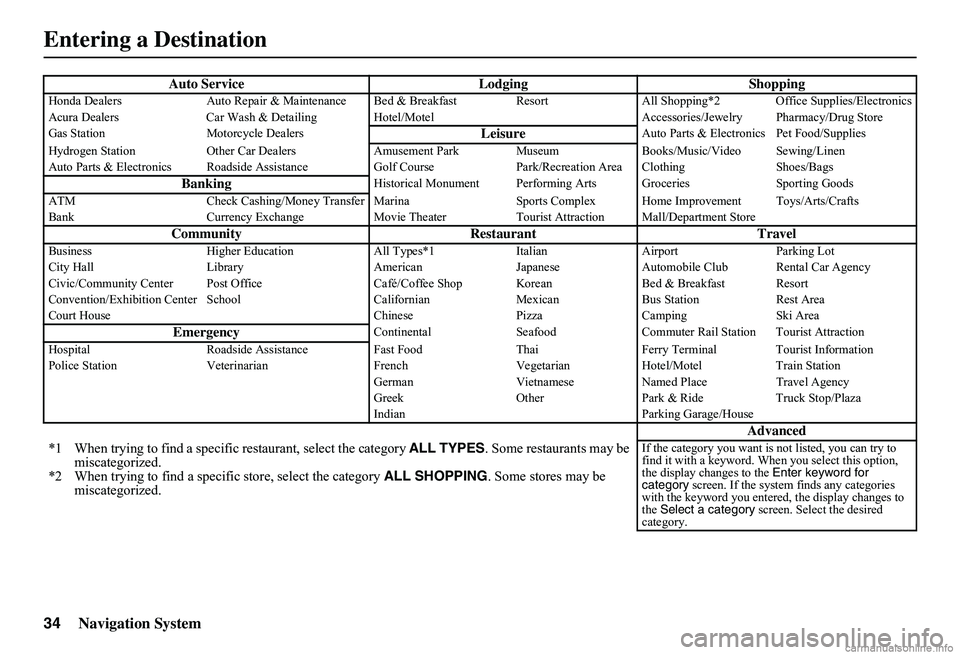
Auto Service Lodging ShoppingHonda Dealers Auto Repair & Maintenance Bed & Breakfast Resort All Shopping*2 Office Supplies/Electronics Acura Dealers Car Wash & Detailing Hotel/M otel Accessories/Jewelry Pharmacy/Drug Store Gas Station Motorcycle DealersLeisureAuto Parts & Electronics Pet Food/Supplies
Hydrogen Station Other Car Dealers Amusement Park Museum Books/Music/Video Sewing/Linen Auto Parts & Electronics Roadside Assistance Golf Course Park/Recreation Area Clothing Shoes/Bags
BankingHistorical Monument Performing Arts Groceries Sporting Goods
ATM Check Cashing/Money Transfer Marina Spor ts Complex Home Improvement Toys/Arts/Crafts Bank Currency Exchange Movie Theater Tourist Attraction Mall/Department Store
Community Restaurant TravelBusiness Higher Education All Types*1 Italian Airport Parking Lot City Hall Library American Japanese Automobile Club Rental Car Agency Civic/Community Center Post Office Café/Coffee Shop Korean Bed & Breakfast Resort Convention/Exhibition Center School Californian Mexican Bus Station Rest Area Court House Chinese Pizza Camping Ski Area
EmergencyContinental Seafood Commuter Rail Station Tourist Attraction
Hospital Roadside Assistance Fast Food Thai Ferry Terminal Tourist Information Police Station Veterinarian French Vegetarian Hotel/Motel Train Station German Vietnamese Named Place Travel Agency Greek Other Park & Ride Truck Stop/Plaza Indian Parking Garage/House
Advanced
*1 When trying to find a specific restaurant, select the category ALL TYPES. Some restaurants may be miscategorized.*2 When trying to find a speci fic store, select the category ALL SHOPPING. Some stores may be miscategorized.
If the category you want is not listed, you can try to find it with a keyword. When you select this option, the display changes to the Enter keyword for category screen. If the system finds any categories with the keyword you entered, the display changes to the Select a category screen. Select the desired category.
Entering a Destination
Page 36 of 154
Navigation System35
Place Name by Keyword
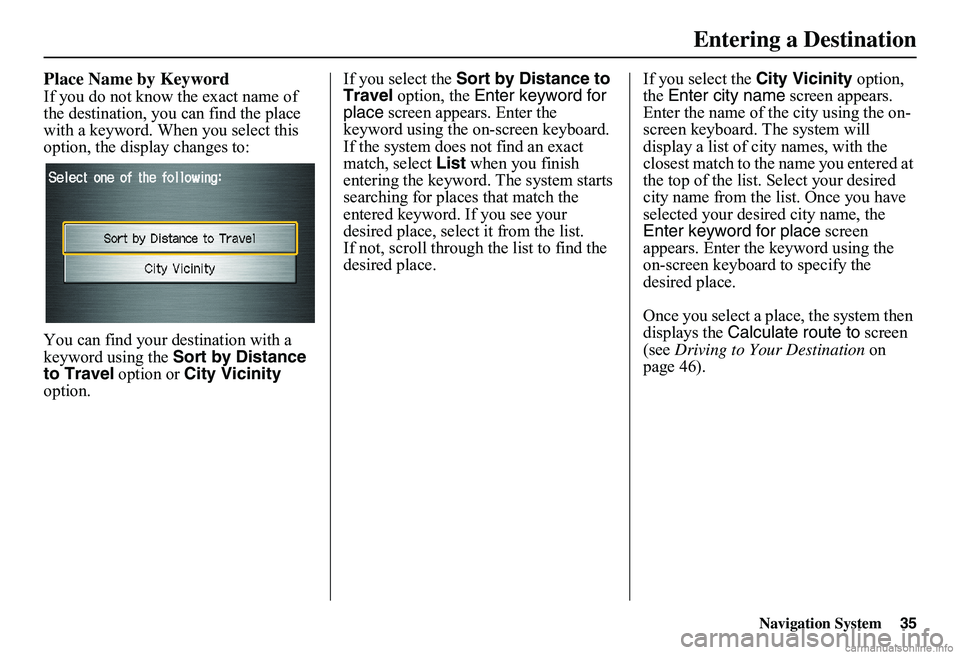
If you do not know the exact name of the destination, you can find the place with a keyword. When you select this option, the display changes to:
You can find your destination with a keyword using the Sort by Distance to Travel option or City Vicinity option.
If you select the Sort by Distance to Travel option, the Enter keyword for place screen appears. Enter the keyword using the on-screen keyboard. If the system does not find an exact match, select List when you finish entering the keyword. The system starts searching for places that match the entered keyword. If you see your desired place, select it from the list.If not, scroll through the list to find the desired place.
If you select the City Vicinity option, the Enter city name screen appears. Enter the name of the city using the on-screen keyboard. The system will display a list of city names, with the closest match to the name you entered at the top of the list. Select your desired city name from the list. Once you have selected your desired city name, the Enter keyword for place screen appears. Enter the keyword using the on-screen keyboard to specify the desired place.
Once you select a place, the system then displays the Calculate route to screen (see Driving to Your Destination on page 46).
Entering a Destination
Page 37 of 154
36Navigation System
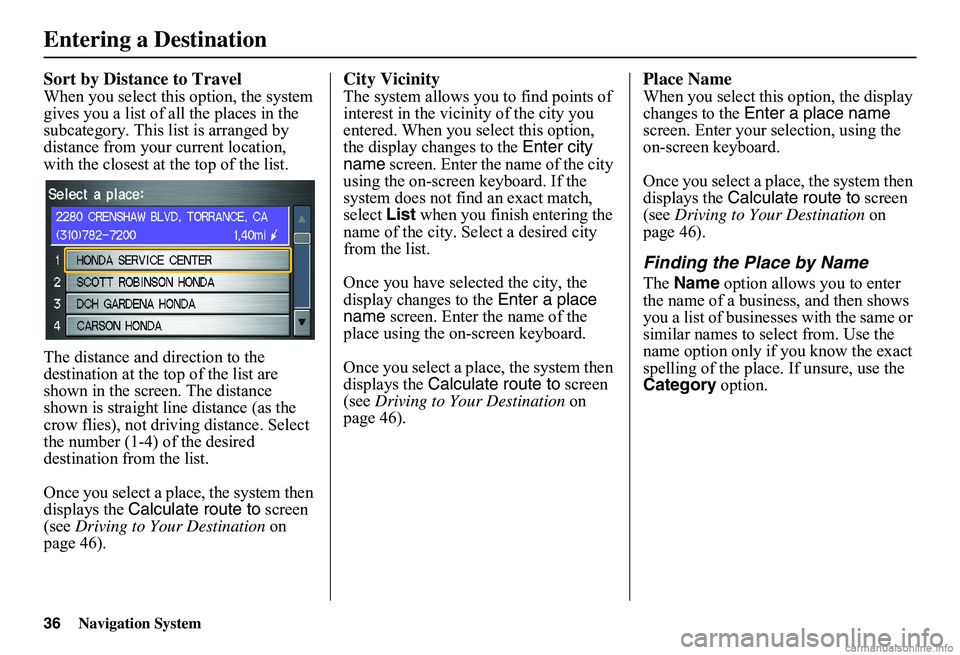
Sort by Distance to Travel
When you select this option, the system gives you a list of all the places in the subcategory. This list is arranged by distance from your current location, with the closest at the top of the list.
The distance and direction to the destination at the top of the list are shown in the screen. The distance shown is straight line distance (as the crow flies), not driving distance. Select the number (1-4) of the desired destination from the list.
Once you select a place, the system then displays the Calculate route to screen (see Driving to Your Destination on page 46).
City Vicinity
The system allows you to find points of interest in the vicinity of the city you entered. When you select this option, the display changes to the Enter city name screen. Enter the name of the city using the on-screen keyboard. If the system does not find an exact match, select List when you finish entering the name of the city. Select a desired city from the list.
Once you have selected the city, the display changes to the Enter a place name screen. Enter the name of the place using the on-screen keyboard.
Once you select a place, the system then displays the Calculate route to screen (see Driving to Your Destination on page 46).
Place Name
When you select this option, the display changes to the Enter a place name screen. Enter your selection, using the on-screen keyboard.
Once you select a place, the system then displays the Calculate route to screen (see Driving to Your Destination on page 46).
Finding the Place by Name
The Name option allows you to enter the name of a business, and then shows you a list of businesses with the same or similar names to select from. Use the name option only if you know the exact spelling of the place. If unsure, use the Category option.
Entering a Destination
Page 74 of 154
Navigation System73
Information Features
Edit Title
Say or select Edit Title, then enter the name of your title using the on-screen keyboard. Once you have entered the title, say or select Done.
Edit Message
Say or select Edit Message, and the system will show the Edit Message screen. You can enter a message on two lines. Use to change the line. Once you have entered the message, say or select Done.
Message Icon
Say or select Message Icon, and the system displays a list of icons you can select to help identify the type of message you entered. The message icon you choose will be displayed alongside the specified date on the Calendar screen.
Delete
From the Calendar screen, select the date of the schedule you wish to remove. To remove the schedule, say or select Delete.
Done
Once you have finished entering the schedule, say or select Done. The Calendar screen is redisplayed and a message icon appears.
NOTE:
Only one entry can be stored for each calendar day. A maximum of 50 entries can be stored in the calendar. After you reach 50 entries, a warning message will appear telling you that the limit has been reached. You can clear any older entries as needed. To reactivate a previous message, turn the Reminder setting from Off to On . If it is not turned on, the reminder will not be displayed when you start the vehicle. The system displays active calendar entries only after you answer OK on the Disclaimer screen. For more information, refer to System Start-up on page 16.
Calculator
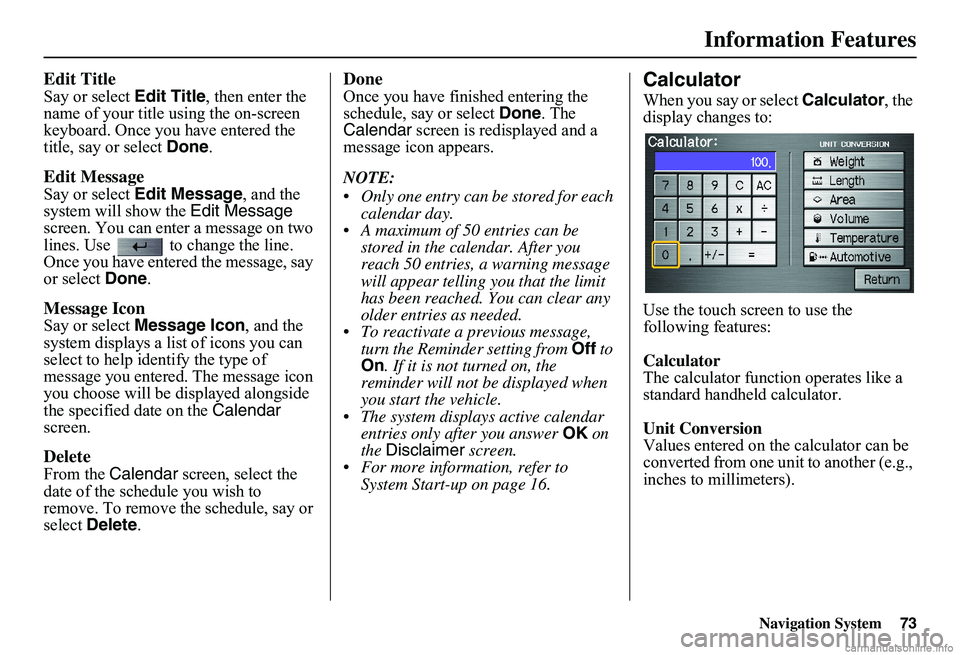
When you say or select Calculator, the display changes to:
Use the touch screen to use the following features:
Calculator The calculator function operates like a standard handheld calculator.
Unit Conversion Values entered on the calculator can be converted from one unit to another (e.g., inches to millimeters).
Page 80 of 154
Navigation System79
System Setup
Accessing the Address Book List
After selecting Address Book, the system prompts you to select User 1 or User 2 .
If an Address Book PIN has been set, the system prompts you to enter your PIN. Verify that the correct user is displayed, then enter your PIN. After entering your PIN, say or select Done, and the system displays your Address Book.
If no Address Book PIN has been set, the system displays your Address Book after selecting User 1 or User 2.
NOTE:
Personal information cannot be backed up or moved to another navigation system.
Entering an Address
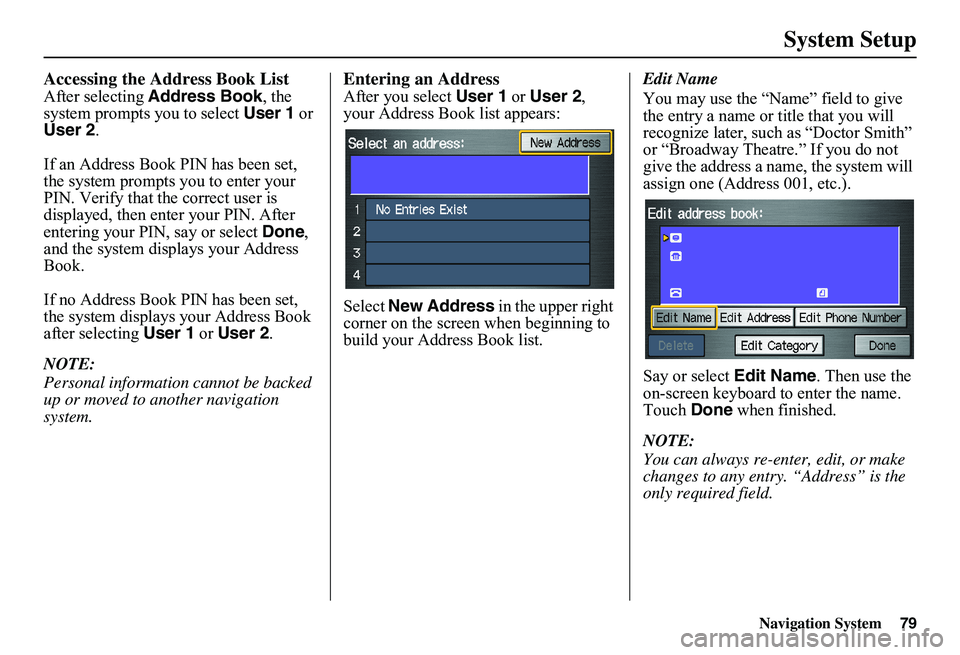
After you select User 1 or User 2, your Address Book list appears:
Select New Address in the upper right corner on the screen when beginning to build your Address Book list.
Edit Name
You may use the “Name” field to give the entry a name or title that you will recognize later, such as “Doctor Smith” or “Broadway Theatre.” If you do not give the address a na me, the system will assign one (Address 001, etc.).
Say or select Edit Name. Then use the on-screen keyboard to enter the name. Touch Done when finished.
NOTE:
You can always re-enter, edit, or make changes to any entry. “Address” is the only required field.