display HONDA CIVIC SEDAN 2011 Navigation Manual (in English)
[x] Cancel search | Manufacturer: HONDA, Model Year: 2011, Model line: CIVIC SEDAN, Model: HONDA CIVIC SEDAN 2011Pages: 154, PDF Size: 6.2 MB
Page 70 of 154
Navigation System69
Driving to Your Destination
Entering a Destination from the
Menu Screen (while en route)
If you say “Menu” or press the MENU button twice, the sy stem displays the Enter destination by screen. Follow the procedure described in Entering a Destination , which begins on page 22. After selecting OK to the Calculate route to screen, your new location can be used either as a waypoint or as a replacement destination.
Continue Trip Screen
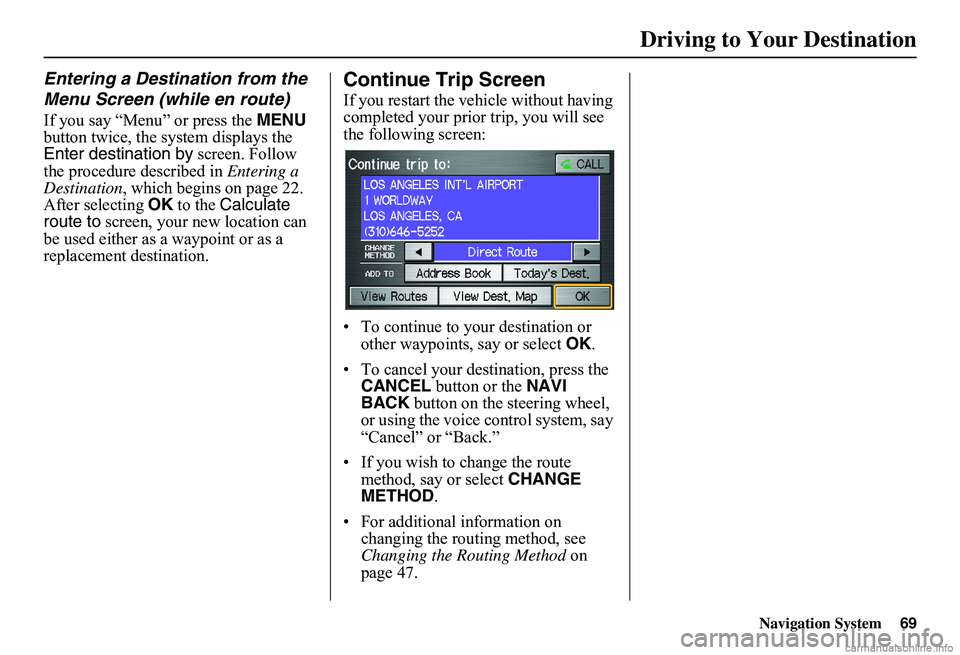
If you restart the vehicle without having completed your prior trip, you will see the following screen:
• To continue to your destination or other waypoints, say or select OK.
• To cancel your destination, press the CANCEL button or the NAVI BACK button on the steering wheel, or using the voice control system, say “Cancel” or “Back.”
• If you wish to change the route method, say or select CHANGE METHOD .
• For additional information on changing the routing method, see Changing the Routing Method on page 47.
Page 71 of 154
70Navigation System
Information Features
Information Screen
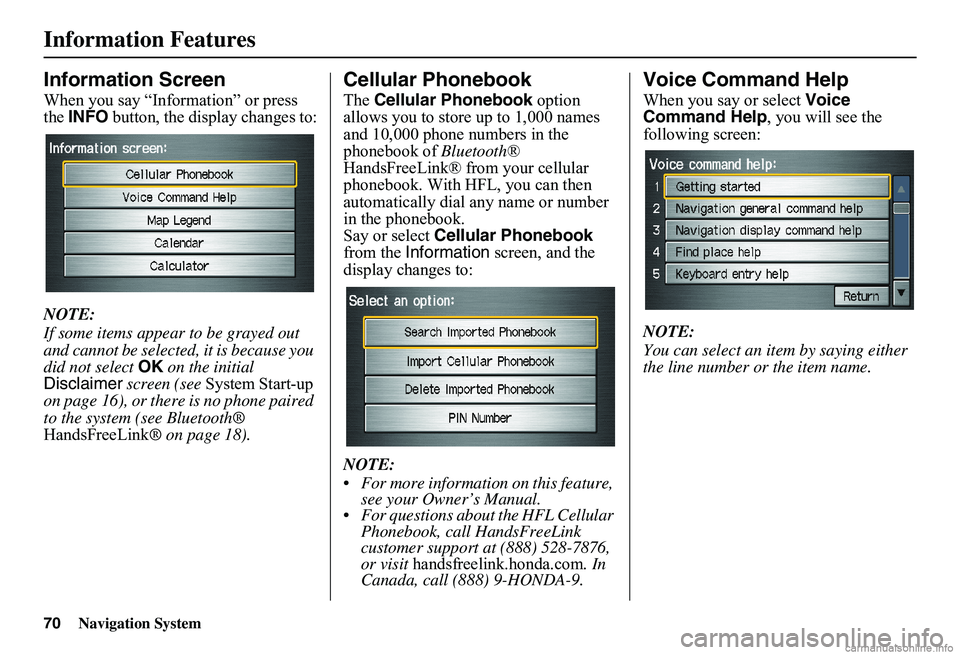
When you say “Information” or press the INFO button, the display changes to:
NOTE:
If some items appear to be grayed out and cannot be selected, it is because you did not select OK on the initial Disclaimer screen (see System Start-up on page 16), or there is no phone paired to the system (see Bluetooth® HandsFreeLink ® on page 18).
Cellular Phonebook
The Cellular Phonebook option allows you to store up to 1,000 names and 10,000 phone numbers in the phonebook of Bluetooth® HandsFreeLink® from your cellular phonebook. With HFL, you can then automatically dial any name or number in the phonebook.Say or select Cellular Phonebook from the Information screen, and the display changes to:
NOTE:
For more information on this feature, see your Owner’s Manual. For questions about the HFL Cellular Phonebook, call HandsFreeLink customer support at (888) 528-7876, or visit handsfreelink.honda.com. In Canada, call (888) 9-HONDA-9.
Voice Command Help
When you say or select Voice Command Help , you will see the following screen:
NOTE:
You can select an item by saying either the line number or the item name.
Page 72 of 154
Navigation System71
Information Features
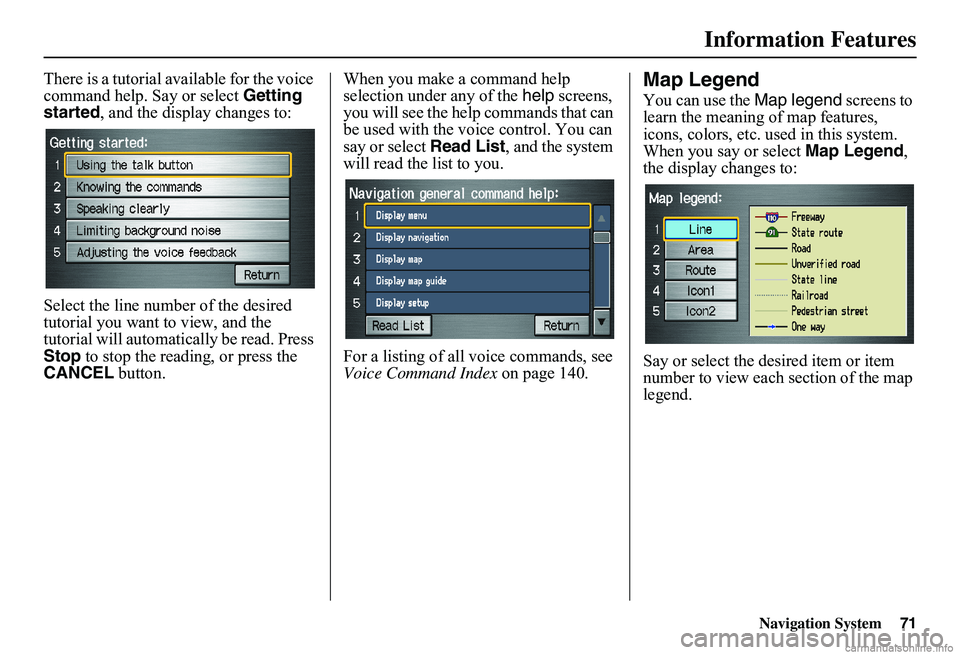
There is a tutorial available for the voice command help. Say or select Getting started , and the display changes to:
Select the line number of the desired tutorial you want to view, and the tutorial will automatically be read. Press Stop to stop the reading, or press the CANCEL button.
When you make a command help selection under any of the help screens, you will see the help commands that can be used with the voice control. You can say or select Read List, and the system will read the list to you.
For a listing of all voice commands, see Voice Command Index on page 140.
Map Legend
You can use the Map legend screens to learn the meaning of map features, icons, colors, etc. used in this system. When you say or select Map Legend, the display changes to:
Say or select the desired item or item number to view each section of the map legend.
Page 73 of 154
72Navigation System
Information Features
Calendar
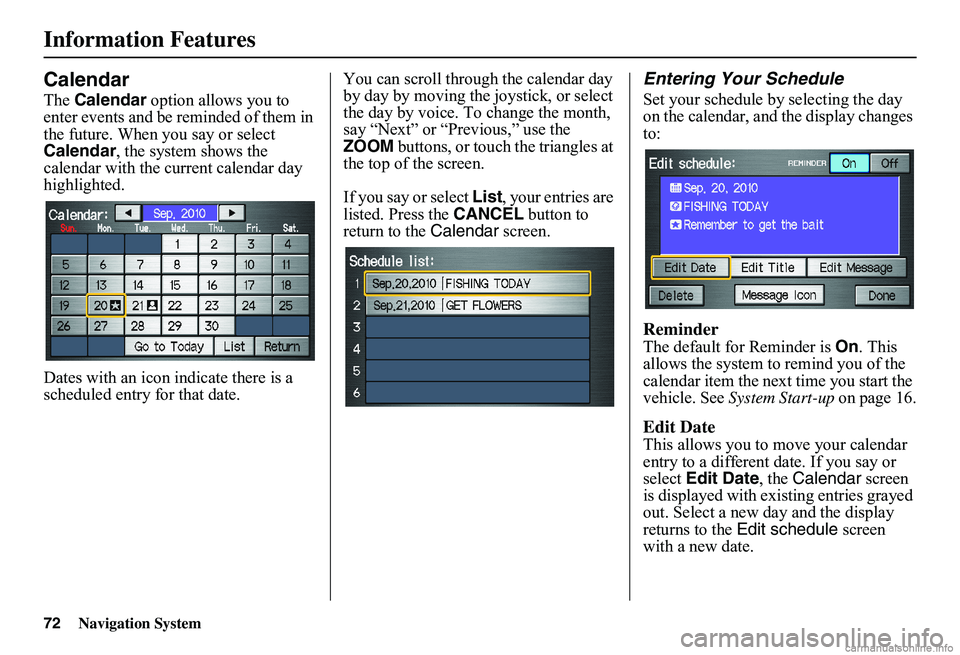
The Calendar option allows you to enter events and be reminded of them in the future. When you say or select Calendar , the system shows the calendar with the current calendar day highlighted.
Dates with an icon indicate there is a scheduled entry for that date.
You can scroll through the calendar day by day by moving the joystick, or select the day by voice. To change the month, say “Next” or “Previous,” use the ZOOM buttons, or touch the triangles at the top of the screen.
If you say or select List, your entries are listed. Press the CANCEL button to return to the Calendar screen.
Entering Your Schedule
Set your schedule by selecting the day on the calendar, and the display changes to:
Reminder
The default for Reminder is On. This allows the system to remind you of the calendar item the next time you start the vehicle. See System Start-up on page 16.
Edit Date
This allows you to move your calendar entry to a different date. If you say or select Edit Date, the Calendar screen is displayed with existing entries grayed out. Select a new day and the display returns to the Edit schedule screen with a new date.
Page 74 of 154
Navigation System73
Information Features
Edit Title
Say or select Edit Title, then enter the name of your title using the on-screen keyboard. Once you have entered the title, say or select Done.
Edit Message
Say or select Edit Message, and the system will show the Edit Message screen. You can enter a message on two lines. Use to change the line. Once you have entered the message, say or select Done.
Message Icon
Say or select Message Icon, and the system displays a list of icons you can select to help identify the type of message you entered. The message icon you choose will be displayed alongside the specified date on the Calendar screen.
Delete
From the Calendar screen, select the date of the schedule you wish to remove. To remove the schedule, say or select Delete.
Done
Once you have finished entering the schedule, say or select Done. The Calendar screen is redisplayed and a message icon appears.
NOTE:
Only one entry can be stored for each calendar day. A maximum of 50 entries can be stored in the calendar. After you reach 50 entries, a warning message will appear telling you that the limit has been reached. You can clear any older entries as needed. To reactivate a previous message, turn the Reminder setting from Off to On . If it is not turned on, the reminder will not be displayed when you start the vehicle. The system displays active calendar entries only after you answer OK on the Disclaimer screen. For more information, refer to System Start-up on page 16.
Calculator
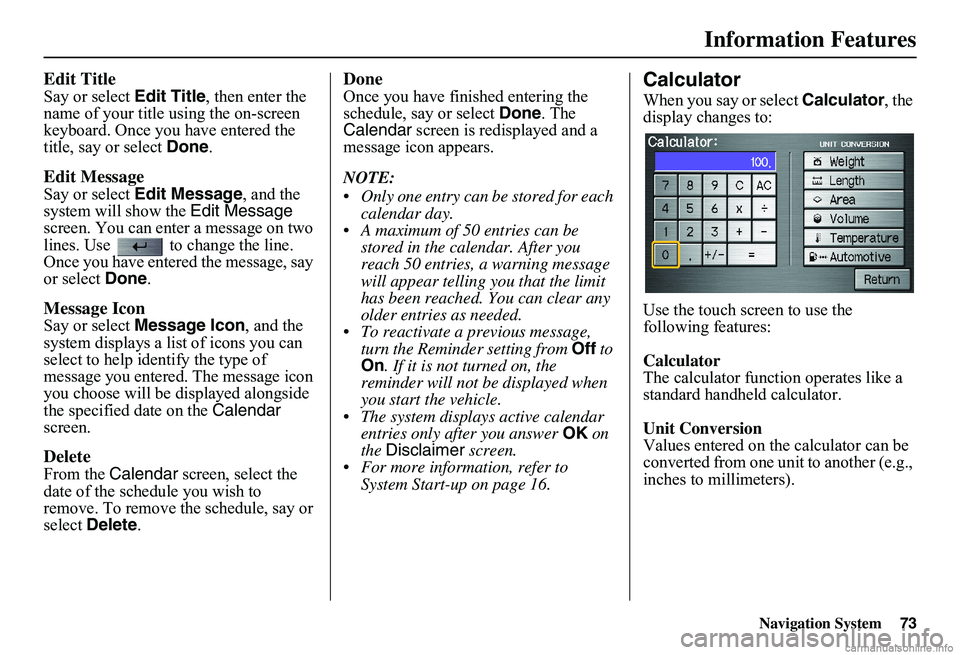
When you say or select Calculator, the display changes to:
Use the touch screen to use the following features:
Calculator The calculator function operates like a standard handheld calculator.
Unit Conversion Values entered on the calculator can be converted from one unit to another (e.g., inches to millimeters).
Page 76 of 154
Navigation System75
System Setup
Setup Mode
The Setup function consists of two different screens that allow you to change and update information in the system. To display the Setup screens, use the voice control system and say “Setup” or press the SETUP button. To change to another Setup screen, say or select More in the upper right corner of the screen.
On any of the Setup screens, you can use the voice control system to select any item on the screen.
NOTE:
If some items appear to be grayed out and cannot be selected, it is because you did not select OK on the initial Disclaimer screen. See System Start- up on page 16. For information on the available voice commands, see Voice Command Index on page 140.
Setup Screen (first)
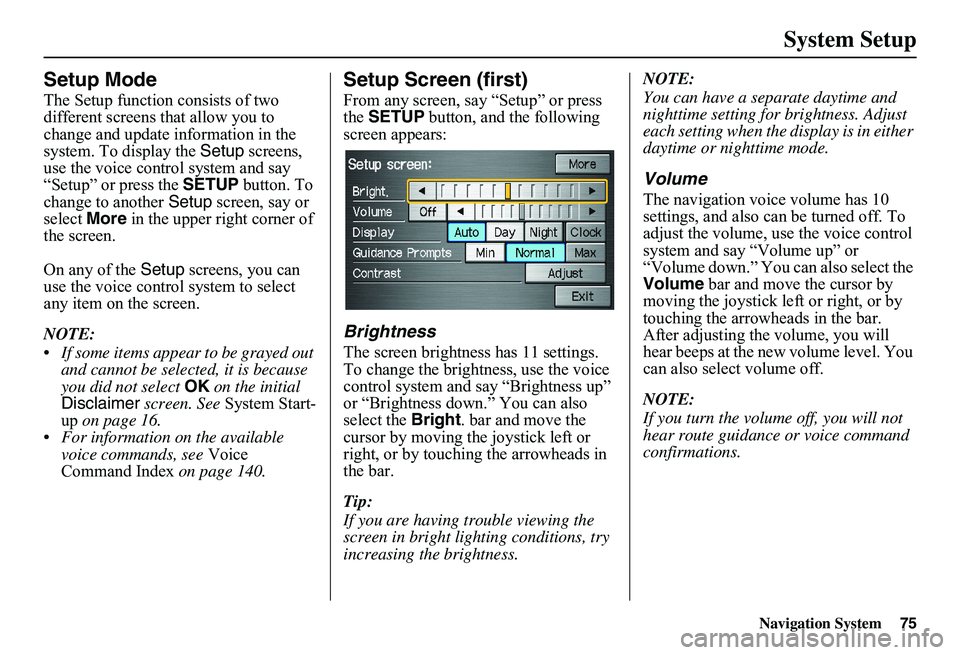
From any screen, say “Setup” or press the SETUP button, and the following screen appears:
Brightness
The screen brightness has 11 settings. To change the brightness, use the voice control system and say “Brightness up” or “Brightness down.” You can also select the Bright. bar and move the cursor by moving the joystick left or right, or by touching the arrowheads in the bar.
Tip:
If you are having trouble viewing the screen in bright li ghting conditions, try increasing the brightness.
NOTE:
You can have a separate daytime and nighttime setting for brightness. Adjust each setting when the display is in either daytime or nighttime mode.
Volume
The navigation voice volume has 10 settings, and also can be turned off. To adjust the volume, us e the voice control system and say “Volume up” or “Volume down.” You can also select the Volume bar and move the cursor by moving the joystick left or right, or by touching the arrowh eads in the bar. After adjusting the volume, you will hear beeps at the new volume level. You can also select volume off.
NOTE:
If you turn the volume off, you will not hear route guidance or voice command confirmations.
Page 77 of 154
76Navigation System
System Setup
Display
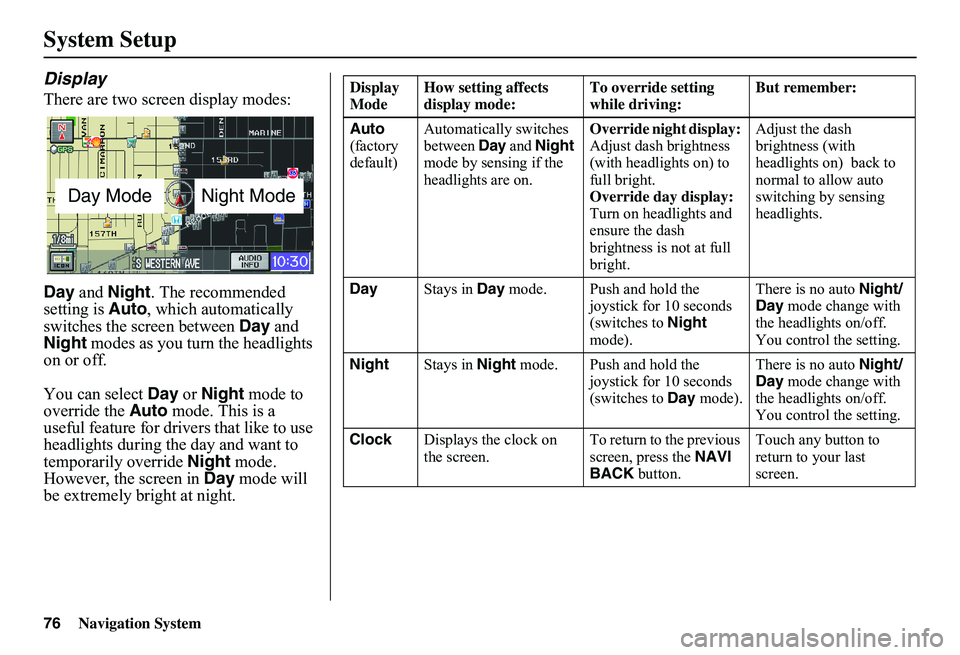
There are two screen display modes:
Day and Night. The recommended setting is Auto, which automatically switches the screen between Day and Night modes as you turn the headlights on or off.
You can select Day or Night mode to override the Auto mode. This is a useful feature for drivers that like to use headlights during the day and want to temporarily override Night mode. However, the screen in Day mode will be extremely bright at night.
Day ModeNight Mode
Display Mode How setting affects display mode: To override setting while driving: But remember:
Auto (factory default)
Automatically switches between Day and Night mode by sensing if the headlights are on.
Override night display: Adjust dash brightness (with headlights on) to full bright.Override day display:Turn on headlights and ensure the dash brightness is not at full bright.
Adjust the dash brightness (with headlights on) back to normal to allow auto switching by sensing headlights.
Day Stays in Day mode. Push and hold the joystick for 10 seconds (switches to Night mode).
There is no auto Night/ Day mode change with the headlights on/off. You control the setting.
Night Stays in Night mode. Push and hold the joystick for 10 seconds (switches to Day mode).
There is no auto Night/ Day mode change with the headlights on/off. You control the setting.
Clock Displays the clock on the screen. To return to the previous screen, press the NAVI BACK button.
Touch any button to return to your last screen.
Page 78 of 154
Navigation System77
System Setup
When you select Clock in Setup or the Disclaimer screen times out, the clock screen is displayed (see page 17).
DISPLAY OFF
When you touch the DISPLAY OFF button, the screen is turned off. Voice guidance will continue to work in this mode. To turn on the screen, press any navigation or voice control button.
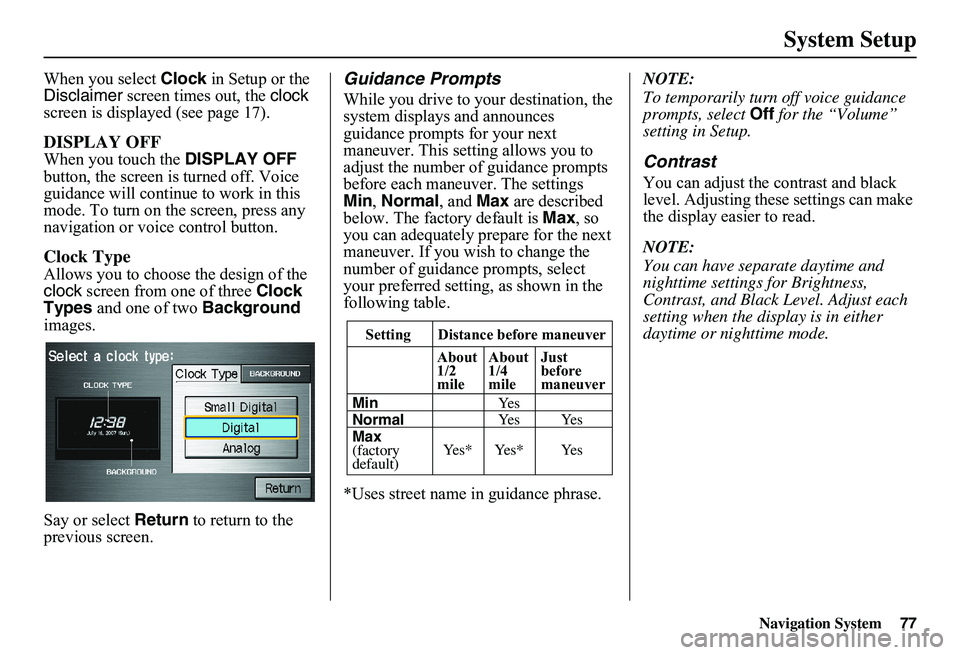
Clock Type
Allows you to choose the design of the clock screen from one of three Clock Types and one of two Background images.
Say or select Return to return to the previous screen.
Guidance Prompts
While you drive to your destination, the system displays and announces guidance prompts for your next maneuver. This setting allows you to adjust the number of guidance prompts before each maneuver. The settings Min , Normal, and Max are described below. The factory default is Max, so you can adequately prepare for the next maneuver. If you wish to change the number of guidance prompts, select your preferred setting, as shown in the following table.
*Uses street name in guidance phrase.
NOTE:
To temporarily turn off voice guidance prompts, select Off for the “Volume” setting in Setup.
Contrast
You can adjust the contrast and black level. Adjusting thes e settings can make the display easier to read.
NOTE:
You can have separate daytime and nighttime settings for Brightness, Contrast, and Black Level. Adjust each setting when the display is in either daytime or nighttime mode.Setting Distance before maneuver
About 1/2mile
Max (factorydefault)
Normal Min
About 1/4mile
Just beforemaneuver
Ye s * Ye s * Ye s
Ye s Ye s Ye s
Page 80 of 154
Navigation System79
System Setup
Accessing the Address Book List
After selecting Address Book, the system prompts you to select User 1 or User 2 .
If an Address Book PIN has been set, the system prompts you to enter your PIN. Verify that the correct user is displayed, then enter your PIN. After entering your PIN, say or select Done, and the system displays your Address Book.
If no Address Book PIN has been set, the system displays your Address Book after selecting User 1 or User 2.
NOTE:
Personal information cannot be backed up or moved to another navigation system.
Entering an Address
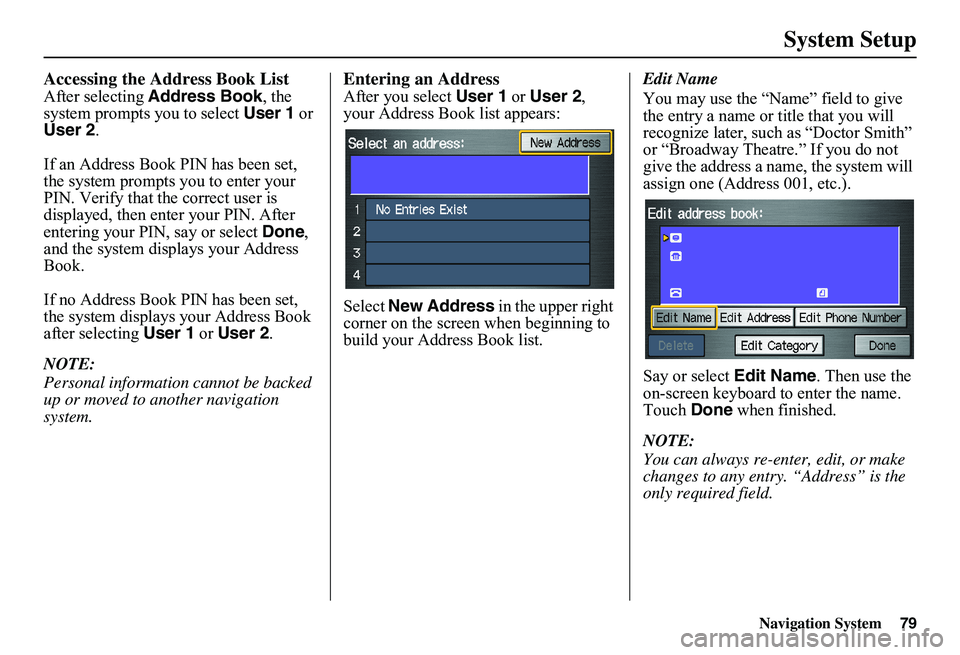
After you select User 1 or User 2, your Address Book list appears:
Select New Address in the upper right corner on the screen when beginning to build your Address Book list.
Edit Name
You may use the “Name” field to give the entry a name or title that you will recognize later, such as “Doctor Smith” or “Broadway Theatre.” If you do not give the address a na me, the system will assign one (Address 001, etc.).
Say or select Edit Name. Then use the on-screen keyboard to enter the name. Touch Done when finished.
NOTE:
You can always re-enter, edit, or make changes to any entry. “Address” is the only required field.
Page 81 of 154
80Navigation System
System Setup
Edit Address
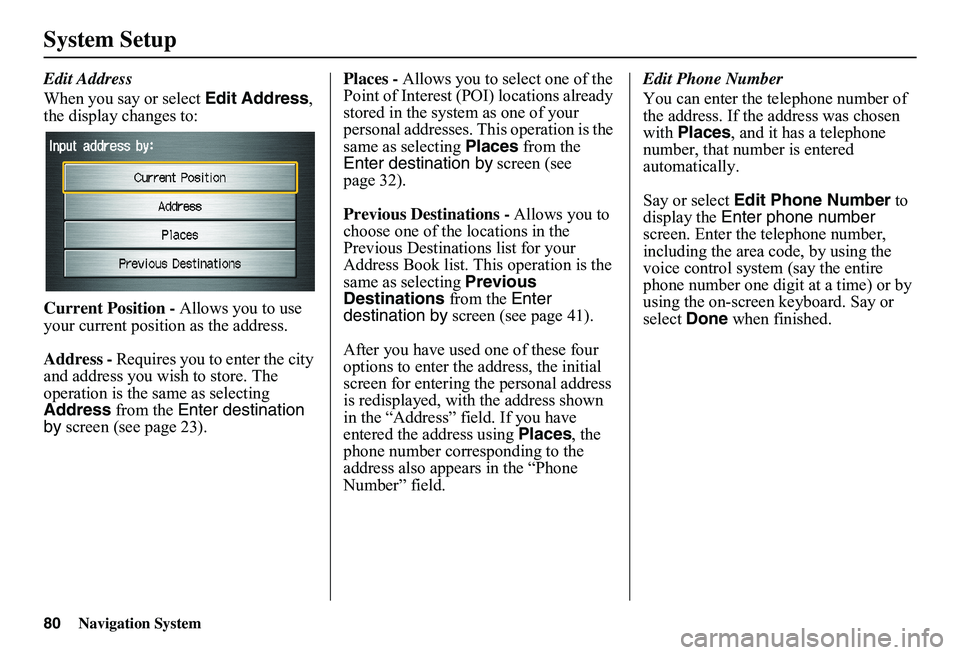
When you say or select Edit Address, the display changes to:
Current Position - Allows you to use your current position as the address.
Address - Requires you to enter the city and address you wish to store. The operation is the same as selecting Address from the Enter destination by screen (see page 23).
Places - Allows you to select one of the Point of Interest (POI) locations already stored in the system as one of your personal addresses. This operation is the same as selecting Places from the Enter destination by screen (see page 32).
Previous Destinations - Allows you to choose one of the locations in the Previous Destinations list for your Address Book list. Th is operation is the same as selecting Previous Destinations from the Enter destination by screen (see page 41).
After you have used one of these four options to enter the address, the initial screen for entering the personal address is redisplayed, with the address shown in the “Address” field. If you have entered the address using Places, the phone number corresponding to the address also appears in the “Phone Number” field.
Edit Phone Number
You can enter the telephone number of the address. If the address was chosen with Places, and it has a telephone number, that number is entered automatically.
Say or select Edit Phone Number to display the Enter phone number screen. Enter the telephone number, including the area code, by using the voice control system (say the entire phone number one digit at a time) or by using the on-screen keyboard. Say or select Done when finished.