manual radio set HONDA CIVIC SEDAN 2012 Owner's Manual (in English)
[x] Cancel search | Manufacturer: HONDA, Model Year: 2012, Model line: CIVIC SEDAN, Model: HONDA CIVIC SEDAN 2012Pages: 345, PDF Size: 53.95 MB
Page 147 of 345
146
uuAudio System*uAudio System Theft Protection*
Features
Audio System Theft Protection*
The audio system is disabled when it is di sconnected from the power source, such as
when the battery is disconnected or goes dead.
■Reactivating th e audio system
1. Turn the ignition switch to ON
(w, and turn on the audio system.
u If you turn the ignition switch to ACCESSORY
(q, you will be requested to
enter the audio security code. See step 3.
2. Press and hold the power button ag ain for more than two seconds.
u The audio system is reactivated when the system’s control unit recognizes that
the system is in your vehicle.
If the control unit fails to recogniz e, “ENTER CODE” appears on the multi-
information display.
3. Enter the audio security code using the pr eset buttons. If you enter an incorrect
digit, continue to the last digit, then try again. If you do not enter code correctly
after 10 tries, leave the system for one ho ur before trying again, or visit a dealer
to have the system reset.
1 Audio System Theft Protection
Find the audio system's se curity code and serial
number label in your owner’s manual kit.
We recommend that you write down the serial
number in this owner’s manual.
Do not store the label in your vehicle. If you lose the
label, you must first retrie ve the serial number, and
then obtain the code.
You can find out about your serial number and
security code from a dealer.
You can register the securi ty code at Owner Link
(owners.honda.com. ), and find information on how
to retrieve the serial num ber and obtain the code at
radio-navicode.honda.com .
U.S. models
* Not available on all models
CIVIC 4D-31TR3600.book 146 ページ 2011年2月14日 月曜日 午後2時51分
TOC
Home
QRG
Index
Page 151 of 345
uuAudio System Basic Operation*uPlaying the AM/FM Radio
150
Features
Use the auto select feature to scan both bands and store the strongest station in
each preset.
1. Press the SETUP button.
2. Press to enter the auto select mode.
u The system goes into scan mode for several seconds.
To turn off auto select, press again. Th is restores the presets you originally set.
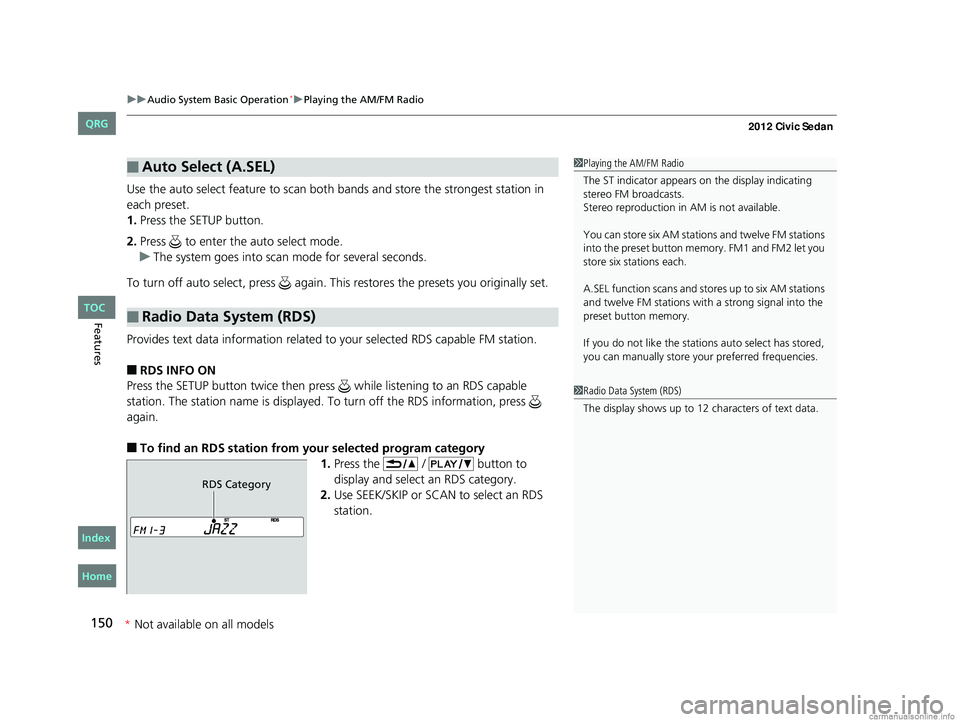
Provides text data information related to your selected RDS capable FM station.
■RDS INFO ON
Press the SETUP button twice then pres s while listening to an RDS capable
station. The station name is displayed. To turn off the RDS information, press
again.
■To find an RDS station from your selected program category 1.Press the / button to
display and select an RDS category.
2. Use SEEK/SKIP or SCAN to select an RDS
station.
■Auto Select (A.SEL)
■Radio Data System (RDS)
1Playing the AM/FM Radio
The ST indicator appears on the display indicating
stereo FM broadcasts.
Stereo reproduction in AM is not available.
You can store six AM stations and twelve FM stations
into the preset button me mory. FM1 and FM2 let you
store six stations each.
A.SEL function scans and stor es up to six AM stations
and twelve FM stations wi th a strong signal into the
preset button memory.
If you do not like the stati ons auto select has stored,
you can manually store your preferred frequencies.
1Radio Data System (RDS)
The display shows up to 12 ch aracters of text data.
RDS Category
CIVIC 4D-31TR3600.book 150 ページ 2011年2月14日 月曜日 午後2時51分
TOC
*
Not
available
on
all
models
Home
QRG
Index
Page 160 of 345
Continued159
uuAudio System Basic Operation*uPlaying the AM/FM Radio
Features
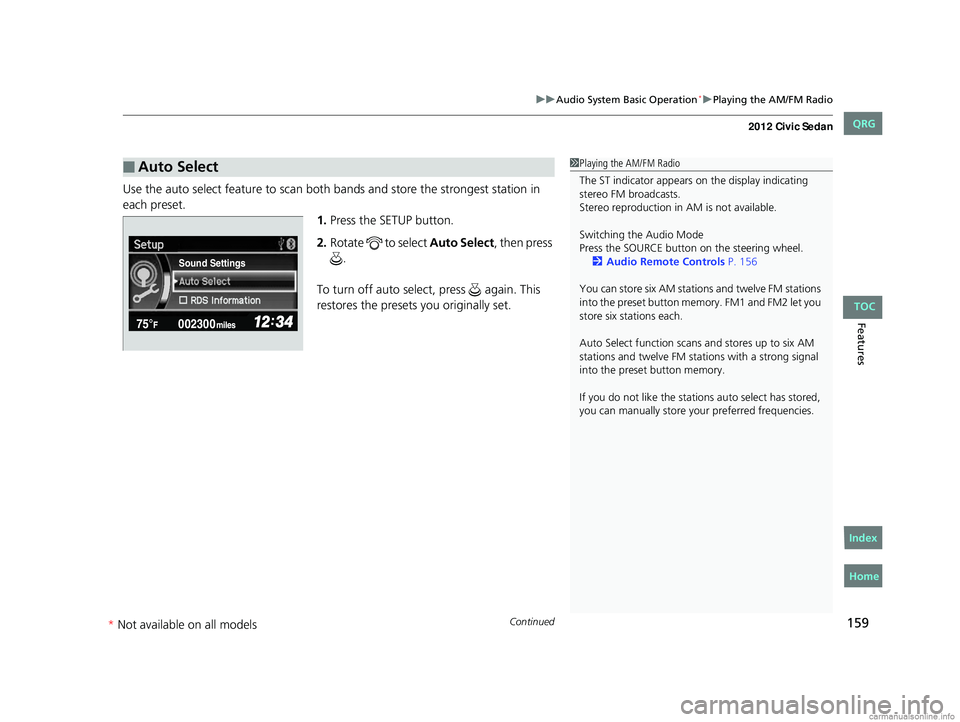
Use the auto select feature to scan both bands and store the strongest station in
each preset. 1.Press the SETUP button.
2. Rotate to select Auto Select, then press
.
To turn off auto select , press again. This
restores the presets you originally set.
■Auto Select1 Playing the AM/FM Radio
The ST indicator appears on the display indicating
stereo FM broadcasts.
Stereo reproduction in AM is not available.
Switching the Audio Mode
Press the SOURCE butt on on the steering wheel.
2 Audio Remote Controls P. 156
You can store six AM stations and twelve FM stations
into the preset button me mory. FM1 and FM2 let you
store six stations each.
Auto Select function scans and stores up to six AM
stations and twelve FM stat ions with a strong signal
into the preset button memory.
If you do not like the stati ons auto select has stored,
you can manually store your preferred frequencies.
Sound Settings
CIVIC 4D-31TR3600.book 159 ページ 2011年2月14日 月曜日 午後2時51分
TOC
* Not av ailable on all mo dels
Home
QRG
Index