change time HONDA CIVIC SEDAN 2019 (in English) Workshop Manual
[x] Cancel search | Manufacturer: HONDA, Model Year: 2019, Model line: CIVIC SEDAN, Model: HONDA CIVIC SEDAN 2019Pages: 679, PDF Size: 40.24 MB
Page 465 of 679
463
uuWhen Driving uTire Pressure Monitoring System (TPMS)
Continued
Driving
Tire Pressure Monitoring System (TPMS)
Instead of directly measuring the pressure in each tire, the TPMS on this vehicle
monitors and compares the rolling radius and rotational characteristics of each
wheel and tire while you are driving to determine if one or more tires are
significantly under-inflated. This will caus e the low tire pressure/TPMS indicator to
come on and a message to appear on the driver information interface.
You must start TPMS calibration every time you:
• Adjust the pressure in one or more tires.
• Rotate the tires.
• Replace one or more tires.
Before calibrating the TPMS:
• Set the cold tire pressure in all four tires.
2 Checking Tires P. 584
Make sure:
•The vehicle is at a complete stop.
• The shift lever is in
(N.
• The shift lever is in
(P.
• The ignition switch is in ON
(w*1.
*1: Models with the smart entry system have an ENGINE START/STOP button instead of an
ignition switch.
■TPMS Calibration
U.S. models
1 Tire Pressure Monitoring System (TPMS)
The system does not monitor the tires when driving
at low speed.
Conditions such as low ambient temperature and
altitude change directly a ffect tire pressure and can
trigger the low tire pressure/TPMS indicator to come on.
Tire pressure checked and inflated in:
•Warm weather can beco me under-inflated in
colder weather.
•Cold weather can become over-inflated in warmer
weather.
The low tire pressure indica tor will not come on as a
result of over inflation.
The TPMS may not function pr operly if tire type and
size are mixed. Make sure to use the same size and
type of tire. 2 Checking and Maintaining Tires P. 584
The low tire pressure/TPMS indicator may come on
with a delay or may not come on at all when:
•You rapidly accelerate, decelerate, or turn the
steering wheel.
•You drive on snowy or slippery roads.•Snow chains* are used.
The low tire pressure/TPMS indicator may come on
under the following conditions:
•A compact spare tire* is used.•There is a heavier and uneve n load on the tires than
the condition at calibration.
•Snow chains* are used.
Manual transmission models
Continuously variable transmission models
All models
* Not available on all models
19 CIVIC 4D HCM_HMIN_J (KA KL KC)-31TBA6301.book 463 ページ 2018年10月26日 金曜日 午前7時42分
Page 471 of 679
469
uuWhen Driving uLaneWatchTM*
Driving
■Customizing the La neWatch settings
You can customize the following items using the audio/information screen.
• Show with Turn Signal : Selects whether LaneWatch monitor comes on when
you operate the turn signal light lever.
• Display Time after Turn Signal Off : Changes the remaining LaneWatch display
time after you pull the turn signal lever back.
• Reference Line : Selects whether the reference lines appear on the LaneWatch
monitor.
• Display : Adjusts display settings.
2Customized Features P. 337
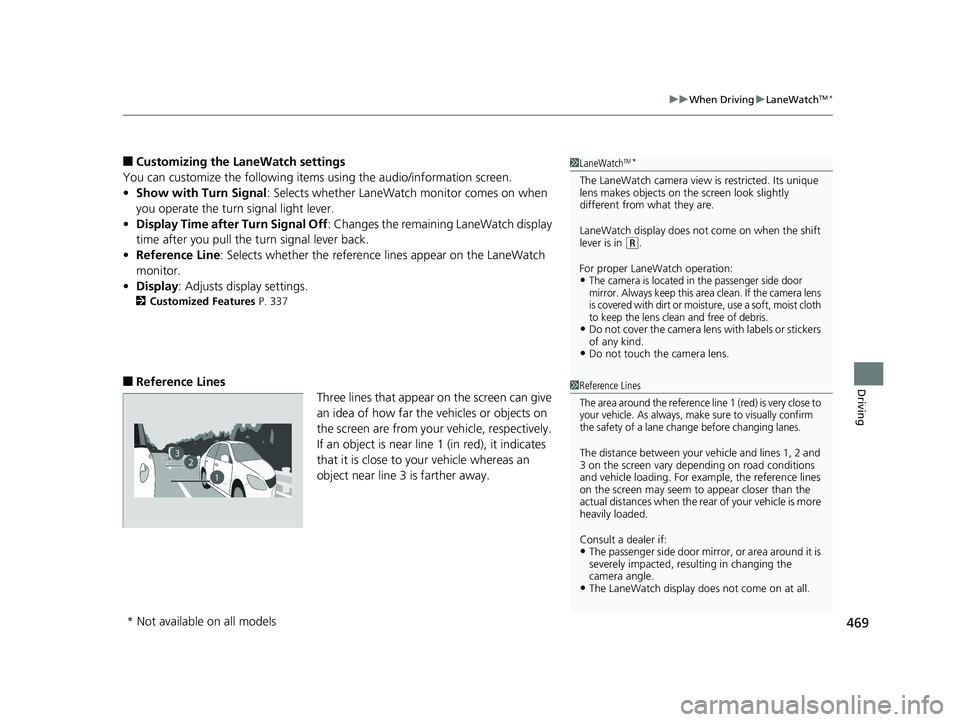
■Reference Lines
Three lines that appear on the screen can give
an idea of how far the vehicles or objects on
the screen are from your vehicle, respectively.
If an object is near line 1 (in red), it indicates
that it is close to your vehicle whereas an
object near line 3 is farther away.
1LaneWatchTM*
The LaneWatch camera view is restricted. Its unique
lens makes objects on the screen look slightly
different from what they are.
LaneWatch display does not come on when the shift
lever is in
( R.
For proper LaneWatch operation:
•The camera is located in the passenger side door
mirror. Always keep this area clean. If the camera lens
is covered with dirt or moisture, use a soft, moist cloth
to keep the lens clean and free of debris.
•Do not cover the camera lens with labels or stickers
of any kind.
•Do not touch the camera lens.
1 Reference Lines
The area around the reference line 1 (red) is very close to
your vehicle. As always, make sure to visually confirm
the safety of a lane change before changing lanes.
The distance betwee n your vehicle and lines 1, 2 and
3 on the screen vary depending on road conditions
and vehicle loading. For ex ample, the reference lines
on the screen may seem to appear closer than the
actual distances when the rear of your vehicle is more
heavily loaded.
Consult a dealer if:
•The passenger side door mirr or, or area around it is
severely impacted, resulting in changing the
camera angle.
•The LaneWatch display doe s not come on at all.
23
1
* Not available on all models
19 CIVIC 4D HCM_HMIN_J (KA KL KC)-31TBA6301.book 469 ページ 2018年10月26日 金曜日 午前7時42分
Page 495 of 679
493
uuHonda Sensing ®*uAdaptive Cruise Control (ACC) with Low Speed Follow (LSF)*
Continued
Driving
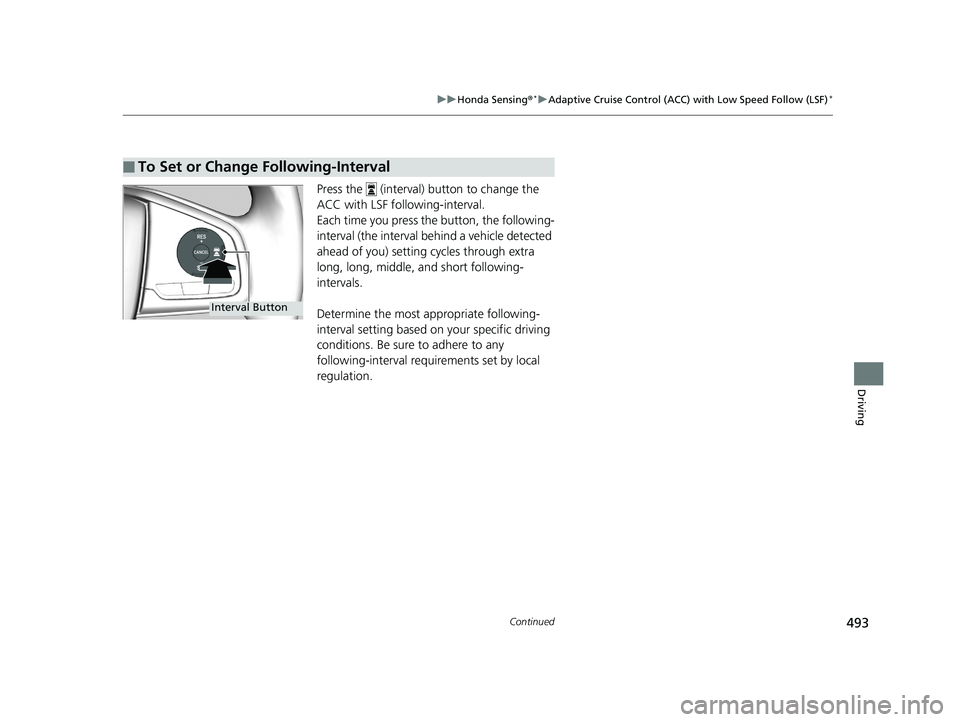
Press the (interval) button to change the
ACC with LSF foll owing-interval.
Each time you press th e button, the following-
interval (the interval behind a vehicle detected
ahead of you) setting cycles through extra
long, long, middle, and short following-
intervals.
Determine the most appropriate following-
interval setting based on your specific driving
conditions. Be sure to adhere to any
following-interval requirements set by local
regulation.
■To Set or Change Following-Interval
Interval Button
19 CIVIC 4D HCM_HMIN_J (KA KL KC)-31TBA6301.book 493 ページ 2018年10月26日 金曜日 午前7時42分
Page 510 of 679
508
uuHonda Sensing ®*uAdaptive Cruise Control (ACC)*
Driving
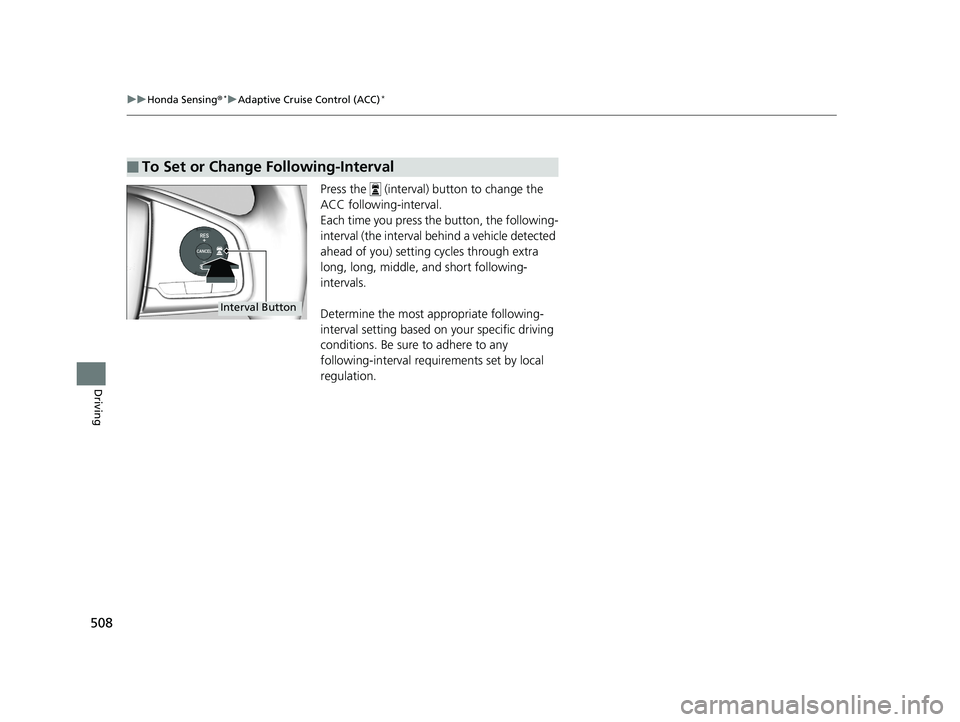
Press the (interval) button to change the
ACC following-interval.
Each time you press the button, the following-
interval (the interval behind a vehicle detected
ahead of you) setting cycles through extra
long, long, middle, and short following-
intervals.
Determine the most appropriate following-
interval setting based on your specific driving
conditions. Be sure to adhere to any
following-interval requ irements set by local
regulation.
■To Set or Change Following-Interval
Interval Button
19 CIVIC 4D HCM_HMIN_J (KA KL KC)-31TBA6301.book 508 ページ 2018年10月26日 金曜日 午前7時42分
Page 519 of 679
Continued517
uuHonda Sensing ®*uLane Keeping Assist System (LKAS)
Driving
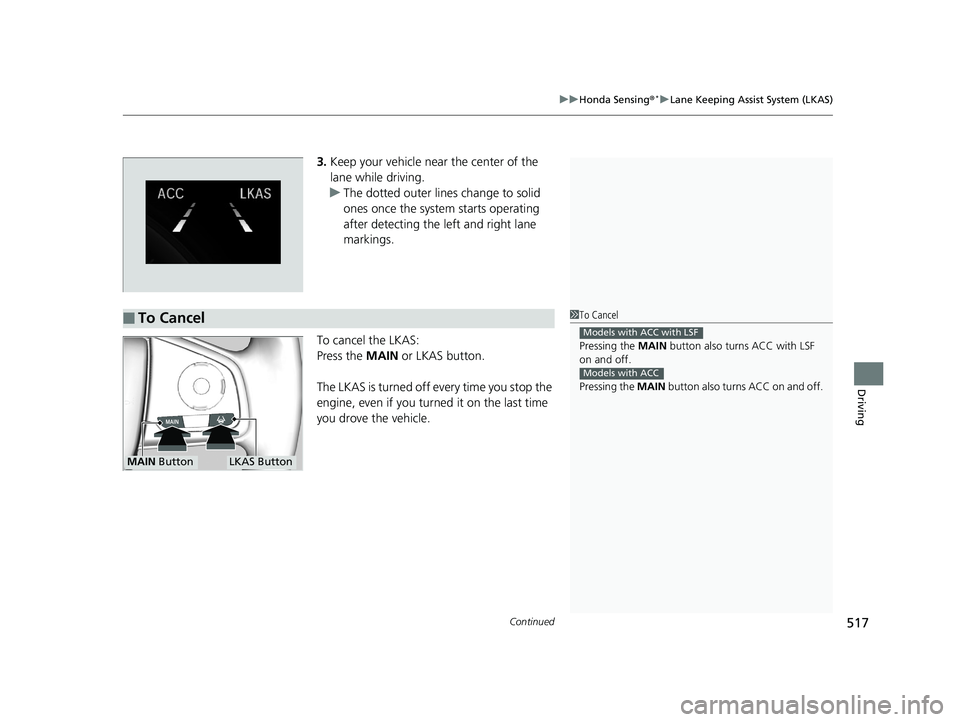
3. Keep your vehicle near the center of the
lane while driving.
u The dotted outer lines change to solid
ones once the system starts operating
after detecting the left and right lane
markings.
To cancel the LKAS:
Press the MAIN or LKAS button.
The LKAS is turned off every time you stop the
engine, even if you turned it on the last time
you drove the vehicle.
■To Cancel1 To Cancel
Pressing the MAIN button also turns ACC with LSF
on and off.
Pressing the MAIN button also turns ACC on and off.
Models with ACC with LSF
Models with ACC
MAIN ButtonLKAS Button
19 CIVIC 4D HCM_HMIN_J (KA KL KC)-31TBA6301.book 517 ページ 2018年10月26日 金曜日 午前7時42分
Page 542 of 679
uuMulti-View Rear Camera uAbout Your Multi-View Rear Camera
540
Driving
You can view three different camera modes on the rearview display.
Press the LIST/SELECT (selector) knob to switch the mode.
Touch the appropriate icon to switch the mode. : Wide view mode
: Normal view mode
: Top down view mode
• If you were last using Wide view mode or Normal view mode, the same view
mode will be activated the next time you put the transmission into
(R.
• If you were using Top down view mode before you turned off the engine, Wide
view mode will be activated the next ti me you turn the ignition switch to ON
(w*1
and put the transmission into
(R.
• If you were using Top down view mode and 10 seconds elapsed after you took
the transmission out of
(R, Wide view mode will be activated the next time you
put the transmission into
(R.
*1: Models with the smart entry system have an ENGINE START/STOP button instead of an
ignition switch.
1 About Your Multi-View Rear Camera
You can change the Camera Guideline settings.
2 Customized Features P. 330
Camera Guideline
On: Guidelines appear when you put the
transmission into
( R.
Off: Guidelines do not appear.
Models with color audio systemModels with color audio system
Models with Display Audio
All models
19 CIVIC 4D HCM_HMIN_J (KA KL KC)-31TBA6301.book 540 ページ 2018年10月26日 金曜日 午前7時42分
Page 632 of 679
630
uuEngine Does Not Start uEmergency Engine Stop
Handling the Unexpected
Emergency Engine Stop
The ENGINE START/STOP button may be used to st op the engine due to an
emergency situation even while driving. If you must stop the engine, do either of the
following operations:
• Press and hold the ENGINE START/STOP button for about two seconds.
• Firmly press the ENGINE START/STOP button three times.
The steering wheel will not lock. However, because turning off the engine disables
the power assist the engine provides to the steering and braking systems, it will
require significantly more physical effort an d time to steer and slow the vehicle. Use
both feet on the brake pedal to slow down the vehicle and stop immediately in a
safe place. With manual transmission models you can also downshift the
transmission to utilize engine braking.
The power mode is in ACCESSORY when the engine is stopped.
To change the mode to VEHICLE OFF, move the shift lever to
(P after the vehicle
comes to a complete stop.
Then press the ENGINE START/STOP button twice without depressing the brake
pedal.
The power mode changes to VEHICLE OFF.
Models with smart entry system
1 Emergency Engine Stop
Do not press the ENGINE START/STOP button while
driving unless it is absolute ly necessary for the engine
to be turned off.
If you press the ENGINE START/STOP button while
driving, the beeper sounds.
Continuously variable transmission models
Canadian continuously variable transmission models
Manual transmission models
19 CIVIC 4D HCM_HMIN_J (KA KL KC)-31TBA6301.book 630 ページ 2018年10月26日 金曜日 午前7時42分