instrument panel HONDA CIVIC SEDAN 2021 (in English) Workshop Manual
[x] Cancel search | Manufacturer: HONDA, Model Year: 2021, Model line: CIVIC SEDAN, Model: HONDA CIVIC SEDAN 2021Pages: 632, PDF Size: 33.83 MB
Page 123 of 632
121
uuGauges and Driver Information Interface uDriver Information Interface
Continued
Instrument Panel
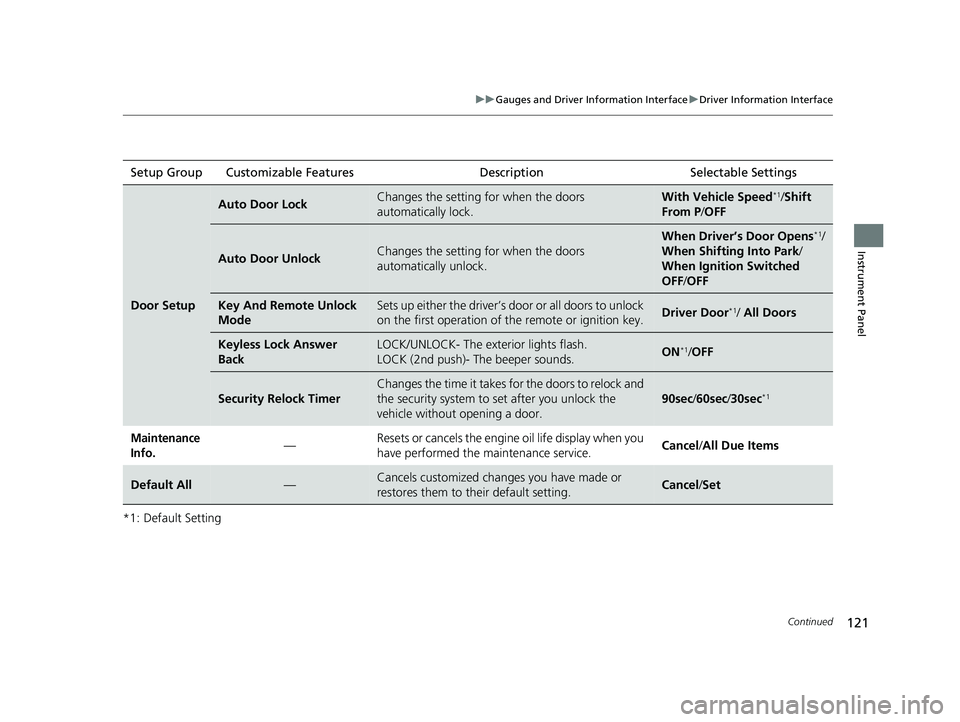
*1: Default SettingSetup Group Customizable Features
Description Selectable Settings
Door Setup
Auto Door LockChanges the setting for when the doors
automatically lock.With Vehicle Speed*1/Shift
From P /OFF
Auto Door UnlockChanges the setting for when the doors
automatically unlock.
When Driver’s Door Opens*1/
When Shifting Into Park /
When Ignition Switched
OFF /OFF
Key And Remote Unlock
ModeSets up either the driver’s door or all doors to unlock
on the first operation of the remote or ignition key.Driver Door*1/ All Doors
Keyless Lock Answer
BackLOCK/UNLOCK- The exterior lights flash.
LOCK (2nd push)- The beeper sounds.ON*1/OFF
Security Relock Timer
Changes the time it takes for the doors to relock and
the security system to set after you unlock the
vehicle without opening a door.
90sec /60sec /30sec*1
Maintenance
Info.— Resets or cancels the engine oil life display when you
have performed the maintenance service.
Cancel
/All Due Items
Default All—Cancels customized changes you have made or
restores them to their default setting.Cancel /Set
21 CIVIC 4D HCM_HMIN_J (KA KL KC)-31TBA6500.book 121 ページ 2020年8月25日 火曜日 午後2時6分
Page 124 of 632
122
uuGauges and Driver Information Interface uDriver Information Interface
Instrument Panel
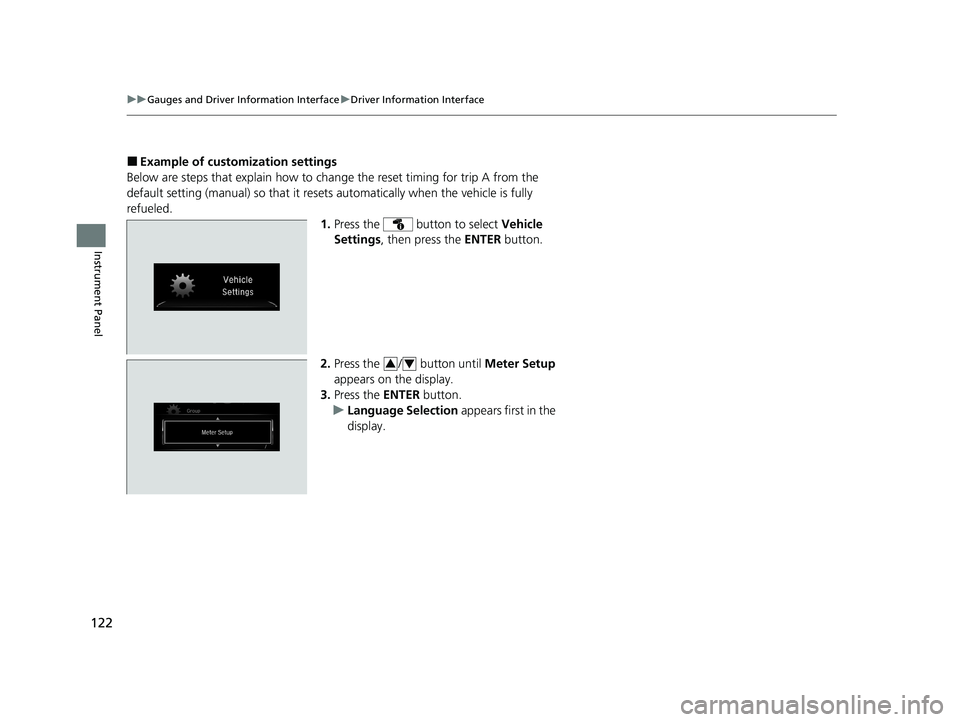
■Example of customization settings
Below are steps that explai n how to change the reset timing for trip A from the
default setting (manual) so that it resets automatically when the vehicle is fully
refueled. 1.Press the button to select Vehicle
Settings , then press the ENTER button.
2. Press the / button until Meter Setup
appears on the display.
3. Press the ENTER button.
u Language Selection appears first in the
display.
34
21 CIVIC 4D HCM_HMIN_J (KA KL KC)-31TBA6500.book 122 ページ 2020年8月25日 火曜日 午後2時6分
Page 125 of 632
123
uuGauges and Driver Information Interface uDriver Information Interface
Instrument Panel
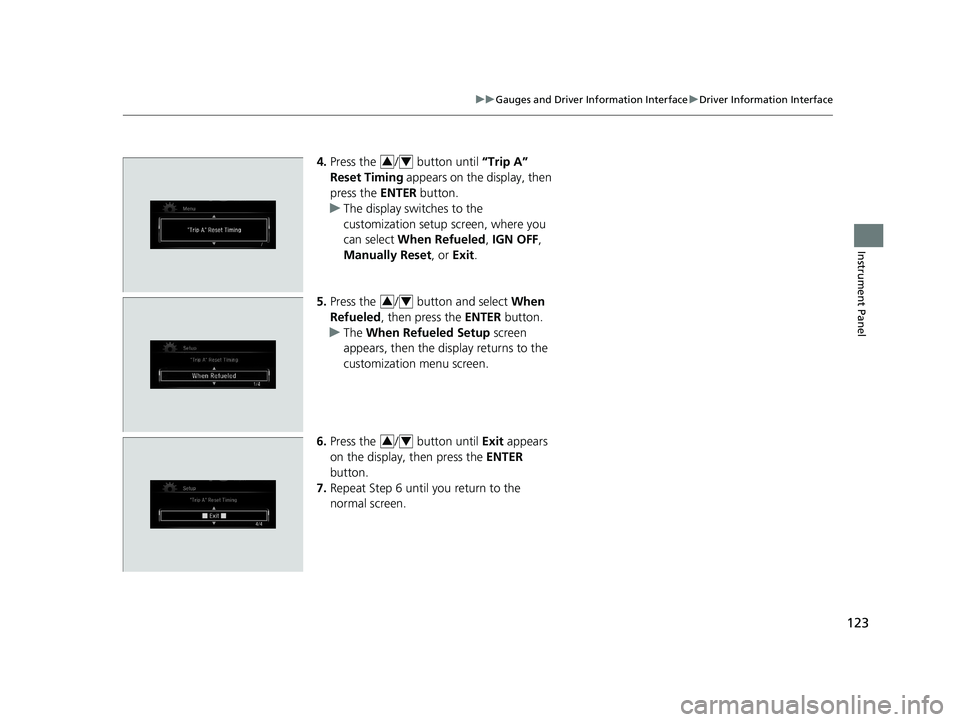
4. Press the / button until “Trip A”
Reset Timing appears on the display, then
press the ENTER button.
u The display swit ches to the
customization setup screen, where you
can select When Refueled , IGN OFF ,
Manually Reset , or Exit .
5. Press the / button and select When
Refueled , then press the ENTER button.
u The When Refueled Setup screen
appears, then the di splay returns to the
customization menu screen.
6. Press the / button until Exit appears
on the display, then press the ENTER
button.
7. Repeat Step 6 until you return to the
normal screen.34
34
34
21 CIVIC 4D HCM_HMIN_J (KA KL KC)-31TBA6500.book 123 ページ 2020年8月25日 火曜日 午後2時6分
Page 148 of 632
uuSecurity System uSecurity System Alarm
146
Controls
■When the security sy stem alarm activates
The horn sounds intermittently, and some exterior lights flash.
■To deactivate the security system alarm
Unlock the vehicle using remote transmitter or smart entry system*, or turn the
ignition switch to ON
(w*1. The system, along with the horn and flashing lights, is
deactivated.
■Setting the security system alarm
The security system alarm automatically sets when the following conditions have
been met:
• The ignition switch is in LOCK
(0*1.
• The hood and trunk are closed.
• All doors are locked with the key, remo te transmitter, or smart entry system
*.
• The key has been removed from the ignition switch.
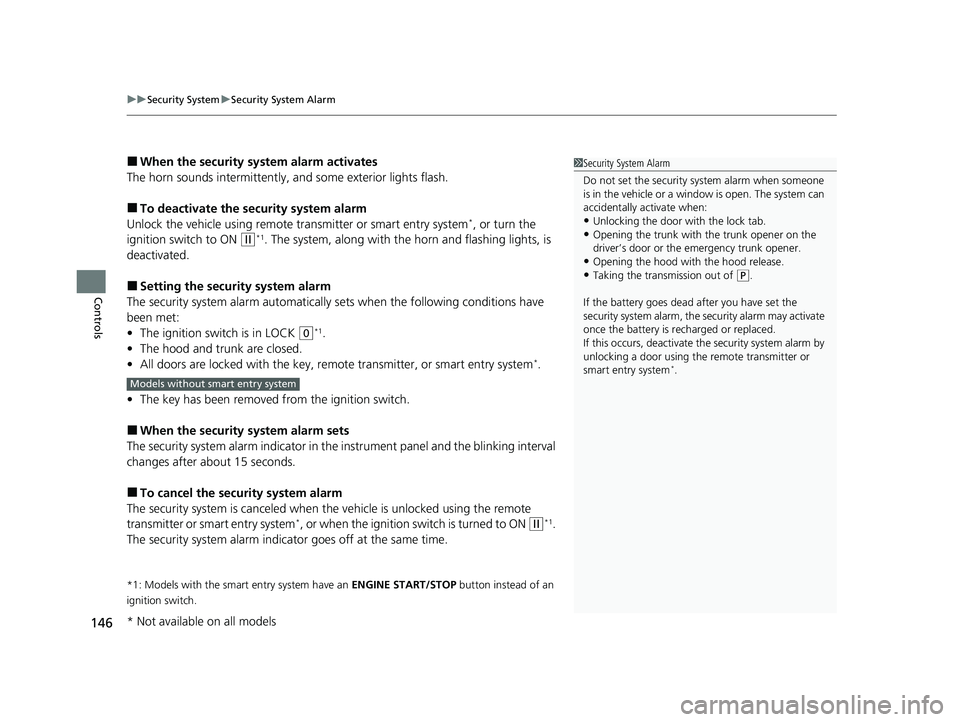
■When the security system alarm sets
The security system alarm indi cator in the instrument panel and the blinki ng interval
changes after about 15 seconds.
■To cancel the security system alarm
The security system is canceled when th e vehicle is unlocked using the remote
transmitter or smart entry system
*, or when the ignition switch is turned to ON (w*1.
The security system alarm indica tor goes off at the same time.
*1: Models with the smart entry system have an ENGINE START/STOP button instead of an
ignition switch.
1 Security System Alarm
Do not set the security system alarm when someone
is in the vehicle or a window is open. The system can
accidentally activate when:
•Unlocking the door with the lock tab.•Opening the trunk with the trunk opener on the
driver’s door or the emergency trunk opener.
•Opening the hood with the hood release.•Taking the transmission out of ( P.
If the battery goes dead after you have set the
security system alarm, the security alarm may activate
once the battery is re charged or replaced.
If this occurs, deactivate the security system alarm by
unlocking a door using the remote transmitter or
smart entry system
*.Models without smart entry system
* Not available on all models
21 CIVIC 4D HCM_HMIN_J (KA KL KC)-31TBA6500.book 146 ページ 2020年8月25日 火曜日 午後2時6分
Page 162 of 632
uuOperating the Switches Around the Steering Wheel uLight Switches
160
Controls
The headlights automatically come on when the wipers are used several times within
a number of certain intervals with the headlight switch in AUTO.
The headlights automatically go off a few minutes later if the wipers are stopped.
The headlights, all other exterior lights, an d the instrument panel lights turn off 15
seconds after you remove the key or set the power mode to VEHICLE OFF (LOCK),
take the remote with you, and close the driver’s door.
If you turn the igniti on switch to LOCK
(0*1 with the headlight switch on, but do
not open the door, the lights turn off after 10 minutes (3 minutes, if the switch is in
the AUTO position).
The lights turn on again when you unlock or open the driver’s door. If you unlock
the door, but do not open it within 15 seconds, the lights go off. If you open the
driver’s door, you will hear a lights on reminder chime.
*1: Models with the smart entry system have an ENGINE START/STOP button instead of an
ignition switch.
■Headlight Integration with Wipers
■Automatic Lighting Off Feature
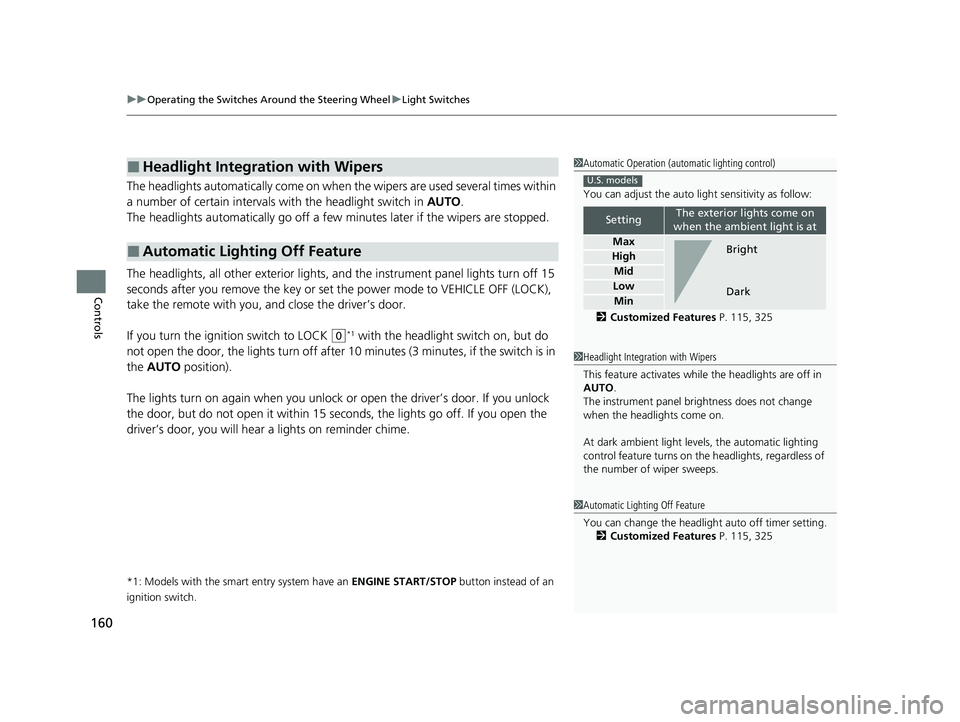
1 Automatic Operation (aut omatic lighting control)
You can adjust the auto li ght sensitivity as follow:
2 Customized Features P. 115, 325
SettingThe exterior lights come on
when the ambient light is at
Max
High
Mid
Low
Min
U.S. models
Bright
Dark
1 Headlight Integration with Wipers
This feature activates while the headlights are off in
AUTO .
The instrument panel br ightness does not change
when the headlights come on.
At dark ambient light leve ls, the automatic lighting
control feature turns on the headlights, regardless of
the number of wiper sweeps.
1 Automatic Lighting Off Feature
You can change the headlight auto off timer setting.
2 Customized Features P. 115, 325
21 CIVIC 4D HCM_HMIN_J (KA KL KC)-31TBA6500.book 160 ページ 2020年8月25日 火曜日 午後2時6分
Page 170 of 632
168
uuOperating the Switches Around the Steering Wheel uBrightness Control
Controls
Brightness Control
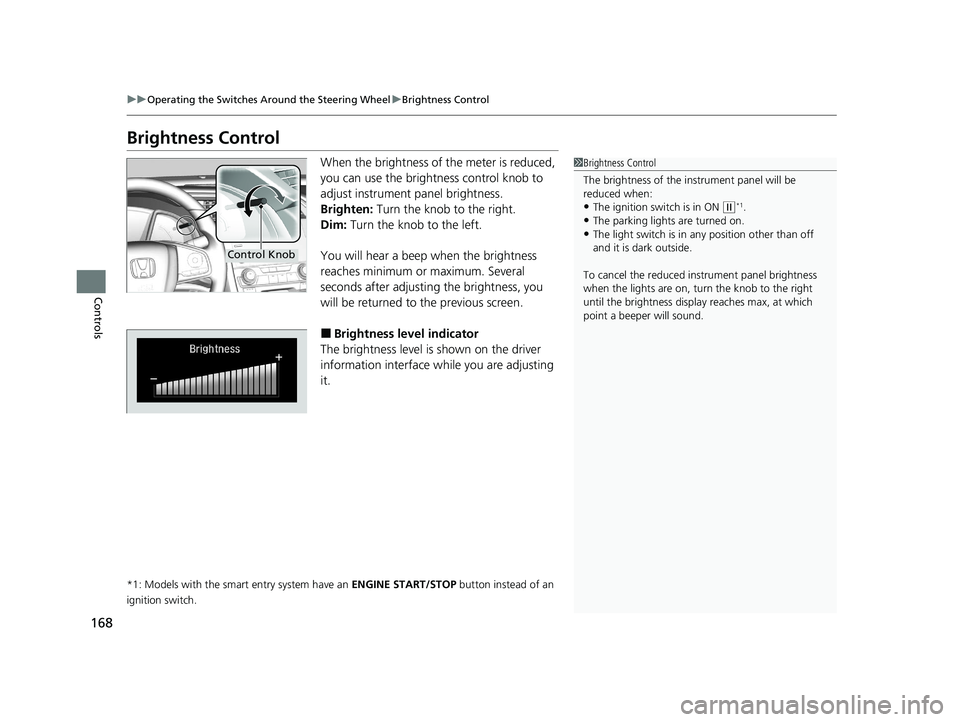
When the brightness of the meter is reduced,
you can use the brightness control knob to
adjust instrument panel brightness.
Brighten: Turn the knob to the right.
Dim: Turn the knob to the left.
You will hear a beep when the brightness
reaches minimum or maximum. Several
seconds after adjusting the brightness, you
will be returned to the previous screen.
■Brightness level indicator
The brightness level is shown on the driver
information interface wh ile you are adjusting
it.
*1: Models with the smart entry system have an ENGINE START/STOP button instead of an
ignition switch.
1 Brightness Control
The brightness of the in strument panel will be
reduced when:
•The ignition switch is in ON ( w*1.
•The parking lights are turned on.
•The light switch is in any position other than off
and it is da rk outside.
To cancel the reduced in strument panel brightness
when the lights are on, turn the knob to the right
until the brightness display reaches max, at which
point a beeper will sound.
Control Knob
21 CIVIC 4D HCM_HMIN_J (KA KL KC)-31TBA6500.book 168 ページ 2020年8月25日 火曜日 午後2時6分
Page 171 of 632
169
uuOperating the Switches Around the Steering Wheel uAdjusting the Steering Wheel
Controls
Adjusting the Steering Wheel
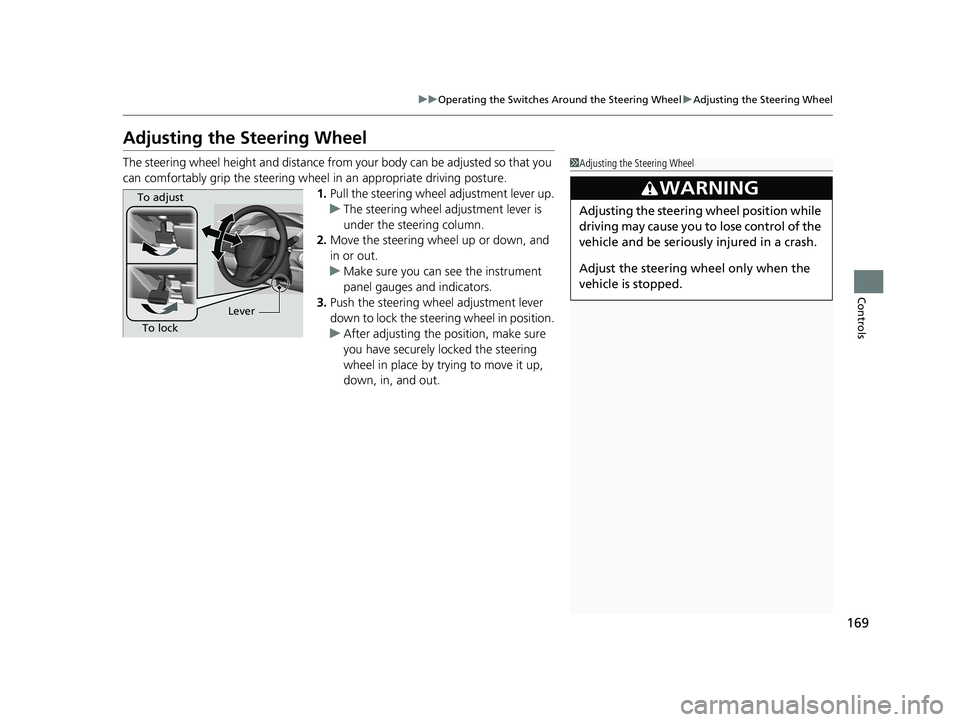
The steering wheel height and distance from your body can be adjusted so that you
can comfortably grip the steering wheel in an appropriate driving posture.
1. Pull the steering wheel adjustment lever up.
u The steering wheel adjustment lever is
under the steering column.
2. Move the steering wheel up or down, and
in or out.
u Make sure you can see the instrument
panel gauges and indicators.
3. Push the steering wheel adjustment lever
down to lock the steering wheel in position.
u After adjusting the position, make sure
you have securely locked the steering
wheel in place by trying to move it up,
down, in, and out.1Adjusting the Steering Wheel
3WARNING
Adjusting the steering wheel position while
driving may cause you to lose control of the
vehicle and be seriously injured in a crash.
Adjust the steering wh eel only when the
vehicle is stopped.
To adjust
To lock Lever
21 CIVIC 4D HCM_HMIN_J (KA KL KC)-31TBA6500.book 169 ページ 2020年8月25日 火曜日 午後2時6分
Page 231 of 632
Continued229
uuAudio System Basic Operation uAudio/Information Screen
Features
■Using the audio/in formation screen
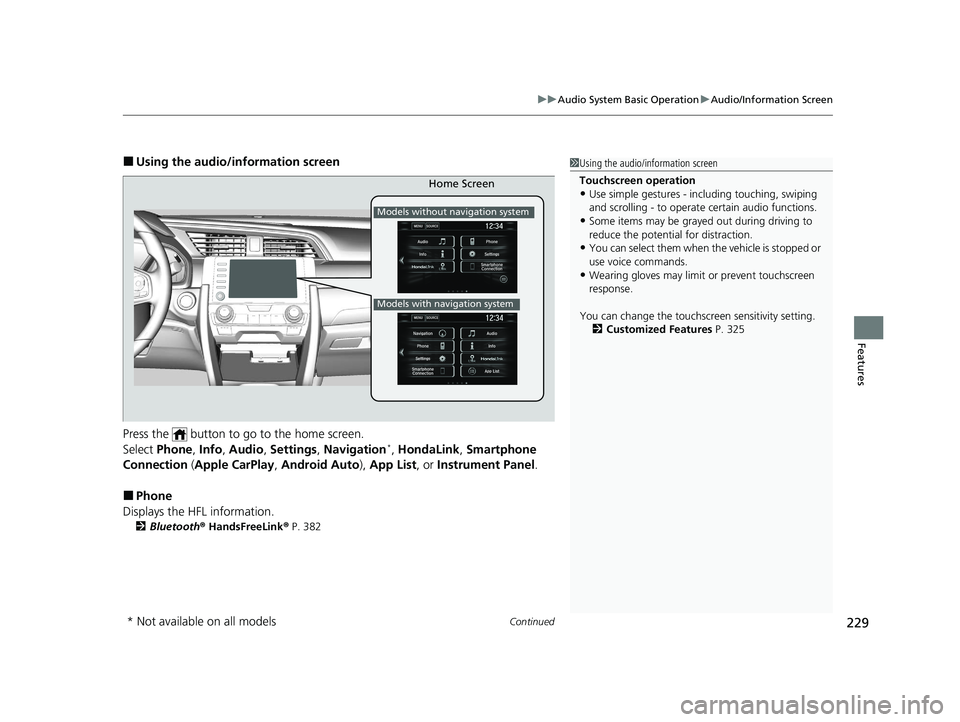
Press the button to go to the home screen.
Select Phone , Info , Audio , Settings , Navigation
*, HondaLink , Smartphone
Connection (Apple CarPlay, Android Auto), App List , or Instrument Panel .
■Phone
Displays the HFL information.
2 Bluetooth ® HandsFreeLink ® P. 382
1 Using the audio/in formation screen
Touchscreen operation
•Use simple gestures - in cluding touching, swiping
and scrolling - to operate certain audio functions.
•Some items may be grayed out during driving to
reduce the potential for distraction.
•You can select them when the vehicle is stopped or
use voice commands.
•Wearing gloves may limit or prevent touchscreen
response.
You can change the touchs creen sensitivity setting.
2 Customized Features P. 325
Home Screen
Models without navigation system
Models with navigation system
* Not available on all models
21 CIVIC 4D HCM_HMIN_J (KA KL KC)-31TBA6500.book 229 ページ 2020年8月25日 火曜日 午後2時6分
Page 233 of 632
231
uuAudio System Basic Operation uAudio/Information Screen
Continued
Features
■HondaLink ®
Connects with your smartphone*1 to play personalized music, information, and
social media streams.
2 HondaLink ® P. 282
■Smartphone Connection
Displays the Apple CarPlay or Android Auto.
2 Apple CarPlay P. 290
2 Android Auto P. 293
■App List
Adds or removes apps or widgets on the home screen.
2 Home Screen P. 239
■Instrument Panel
Selects from three customizable settings for the driver information interface.
*1: Available on specific phones only. Check automobiles.honda.com/handsfreelink/ for U.S.
and
www.handsfreelink.ca for Canada for compatible phones and hondalink.com for U.S. and
honda.ca/hondalink for Canada for feature details.
21 CIVIC 4D HCM_HMIN_J (KA KL KC)-31TBA6500.book 231 ページ 2020年8月25日 火曜日 午後2時6分
Page 235 of 632
Continued233
uuAudio System Basic Operation uAudio/Information Screen
Features
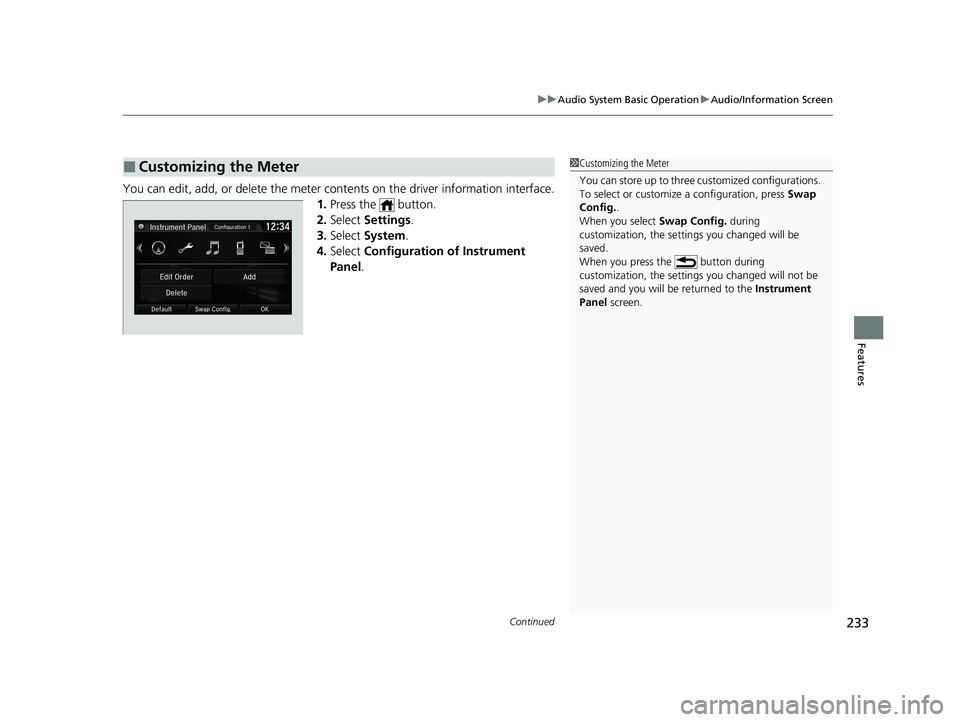
You can edit, add, or delete the meter cont ents on the driver information interface.
1. Press the button.
2. Select Settings .
3. Select System.
4. Select Configuration of Instrument
Panel .
■Customizing the Meter1Customizing the Meter
You can store up to three customized configurations.
To select or customize a configuration, press Swap
Config. .
When you select Swap Config. during
customization, the settings you changed will be
saved.
When you press the button during
customization, the settings you changed will not be
saved and you will be returned to the Instrument
Panel screen.
21 CIVIC 4D HCM_HMIN_J (KA KL KC)-31TBA6500.book 233 ページ 2020年8月25日 火曜日 午後2時6分