wheel HONDA CIVIC SEDAN 2021 (in English) Repair Manual
[x] Cancel search | Manufacturer: HONDA, Model Year: 2021, Model line: CIVIC SEDAN, Model: HONDA CIVIC SEDAN 2021Pages: 632, PDF Size: 33.83 MB
Page 478 of 632
uuHonda Sensing ®u Adaptive Cruise Control (ACC) with Low Speed Follow
476
Driving
■Automatic cancellation
The beeper sounds and a message appears on the driver information interface when
ACC with Low Speed Follow is automaticall y canceled. Any of these conditions may
cause the ACC with Low Speed Fo llow to automatically cancel:
• Bad weather (rain, fog, snow, etc.)
• When the radar sensor in th e lower bumper gets dirty.
• The vehicle ahead of you cannot be detected.
• An abnormal tire condition is detected, or the tires are skidding.
• Driving on a mountainous road, or driving off road for extended periods.
• Abrupt steering wheel movement.
• When the ABS, VSA ® or CMBS
TM is activated.
• When the ABS or VSA ® system indicator comes on.
• When the vehicle is stopped on a very steep slope.
• When you manually apply the parking brake.
• When the detected vehicle within the ACC with Low Speed Follow range is too
close to your vehicle.
• The camera behind the rearview mirror, or the area around the camera, including
the windshield, gets dirty.
• When the Maximum Load Limit is exceeded.
• When passing through an enclos ed space, such as tunnel.
The ACC with Low Speed Follow automatic ca ncellation can be also triggered by the
following causes. In these cases, the pa rking brake will be automatically applied.
• The driver’s seat belt is unfasten ed when the vehicle is stationary.
• The vehicle stops for mo re than 10 minutes.
• The engine is turned off.
1Automatic cancellation
Even though ACC with Low Speed Follow has been
automatically canceled, you can still resume the prior
set speed. Wait until the condition that caused ACC
with Low Speed Follow to cancel improves, then
press the –/SET button.
21 CIVIC 4D HCM_HMIN_J (KA KL KC)-31TBA6500.book 476 ページ 2020年8月25日 火曜日 午後2時6分
Page 481 of 632
479
uuHonda Sensing ®u Lane Keeping Assist System (LKAS)
Continued
Driving
Lane Keeping Assist System (LKAS)
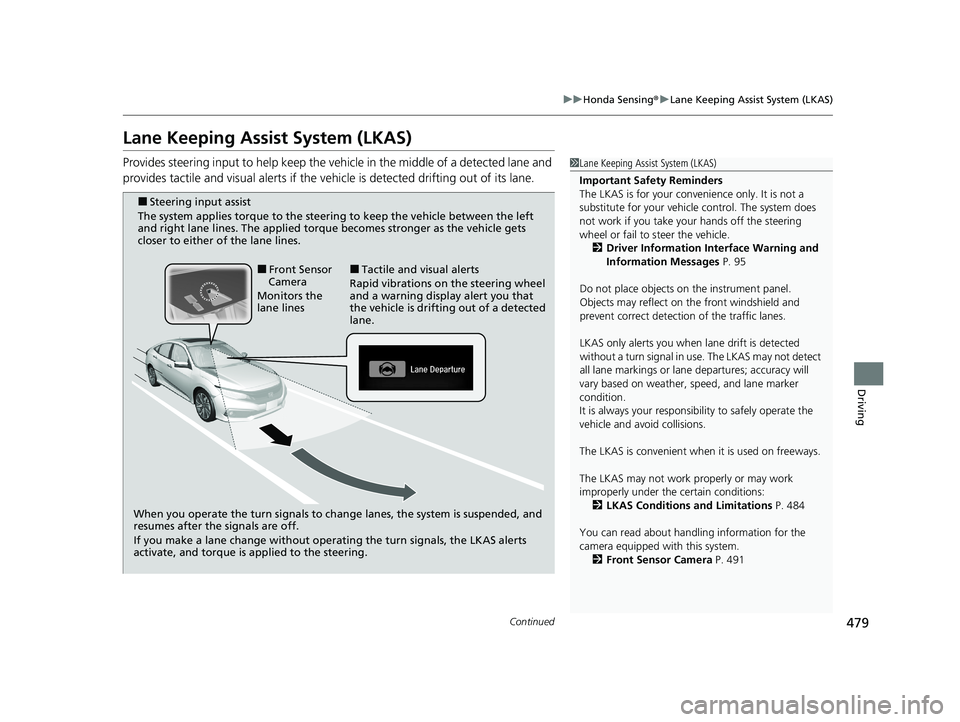
Provides steering input to help keep the vehicle in the middle of a detected lane and
provides tactile and visual al erts if the vehicle is detected drifting out of its lane.1Lane Keeping Assist System (LKAS)
Important Safety Reminders
The LKAS is for your convenience only. It is not a
substitute for your vehicl e control. The system does
not work if you take y our hands off the steering
wheel or fail to steer the vehicle.
2 Driver Information Interface Warning and
Information Messages P. 95
Do not place objects on the instrument panel.
Objects may reflect on th e front windshield and
prevent correct detectio n of the traffic lanes.
LKAS only alerts you when lane drift is detected
without a turn signal in use. The LKAS may not detect
all lane markings or lane departures; accuracy will
vary based on weather, speed, and lane marker
condition.
It is always your responsibility to safely operate the
vehicle and avoid collisions.
The LKAS is convenient when it is used on freeways.
The LKAS may not work properly or may work
improperly under the certain conditions:
2 LKAS Conditions and Limitations P. 484
You can read about handling information for the
camera equipped with this system. 2 Front Sensor Camera P. 491
When you operate the turn signals to chan ge lanes, the system is suspended, and
resumes after the signals are off.
If you make a lane change without operating the turn signals, the LKAS alerts
activate, and torque is applied to the steering.
■Front Sensor
Camera
Monitors the
lane lines■Tactile and visual alerts
Rapid vibrations on the steering wheel
and a warning display alert you that
the vehicle is drifting out of a detected
lane.
■Steering input assist
The system applies torque to the steering to keep the vehicle between the left
and right lane lines. The applied torque becomes stronger as the vehicle gets
closer to either of the lane lines.
21 CIVIC 4D HCM_HMIN_J (KA KL KC)-31TBA6500.book 479 ページ 2020年8月25日 火曜日 午後2時6分
Page 482 of 632
uuHonda Sensing ®u Lane Keeping Assist System (LKAS)
480
Driving
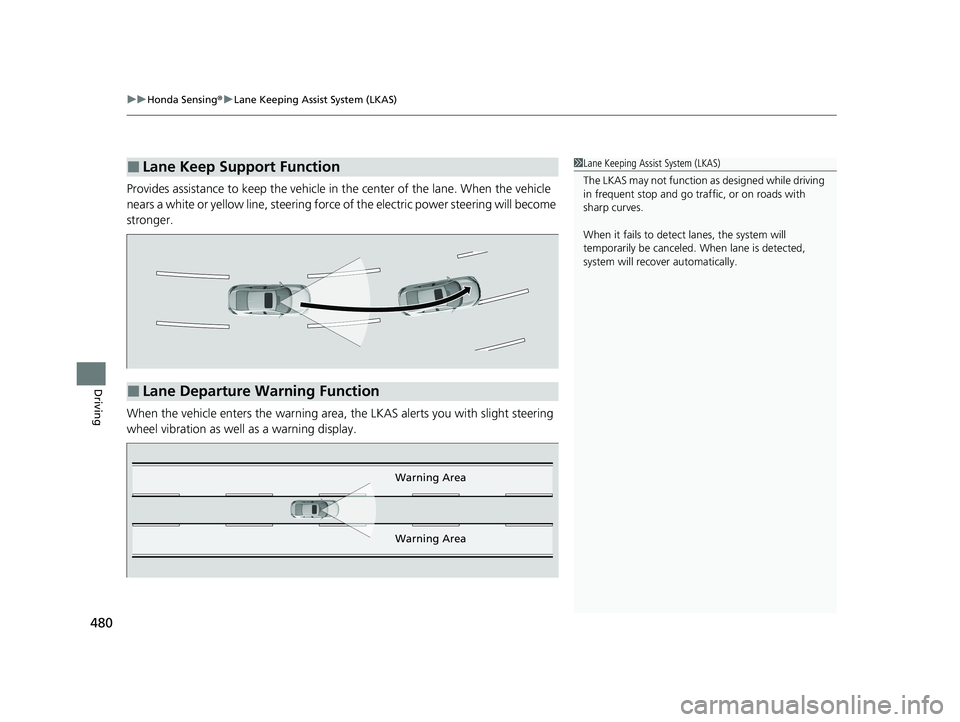
Provides assistance to keep the vehicle in the center of the lane. When the vehicle
nears a white or yellow line, steering force of the electric power steering will become
stronger.
When the vehicle enters the warning area, the LKAS alerts you with slight steering
wheel vibration as well as a warning display.
■Lane Keep Support Function1 Lane Keeping Assist System (LKAS)
The LKAS may not function as designed while driving
in frequent stop and go traf fic, or on roads with
sharp curves.
When it fails to detect lanes, the system will
temporarily be canceled. When lane is detected,
system will recover automatically.
■Lane Departure Warning Function
Warning Area
Warning Area
21 CIVIC 4D HCM_HMIN_J (KA KL KC)-31TBA6500.book 480 ページ 2020年8月25日 火曜日 午後2時6分
Page 485 of 632
483
uuHonda Sensing ®u Lane Keeping Assist System (LKAS)
Continued
Driving
■The system operatio n is suspended if
you:
• Set the wipers to HI.
u Turning the wipers o ff or setting it to LO
resumes the LKAS.
• Set the wiper switch to AUTO and the
wipers operate at high speed.
u The LKAS resumes when the wipers stop
or operate at low speed.
• Decrease the vehicle speed to about 40
mph (64 km/h) or less.
u Increasing the vehicle speed to about 45
mph (72 km/h) or more resumes the
LKAS.
• Depress the brake pedal.
u The LKAS resumes and starts detecting
the lane lines again once you release the
brake pedal.
■The LKAS may automatica lly be suspended when:
• The system fails to detect lane lines.
• The steering wheel is quickly turned.
• You fail to steer the vehicle.
• Driving through a sharp curve.
• Driving at a speed in excess of approximately 90 mph (145 km/h).
Once these conditions no longer exist, the LKAS automatically resumes.
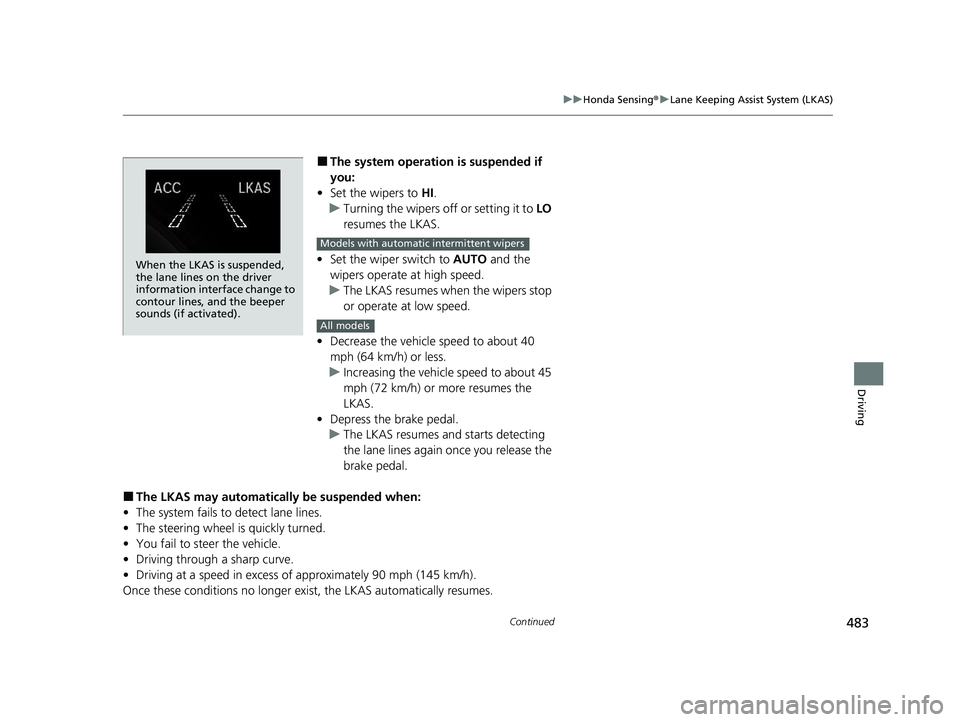
When the LKAS is suspended,
the lane lines on the driver
information interface change to
contour lines, and the beeper
sounds (if activated).
Models with automatic intermittent wipers
All models
21 CIVIC 4D HCM_HMIN_J (KA KL KC)-31TBA6500.book 483 ページ 2020年8月25日 火曜日 午後2時6分
Page 488 of 632
486
uuHonda Sensing ®u Lane Keeping Assist System (LKAS)
Driving
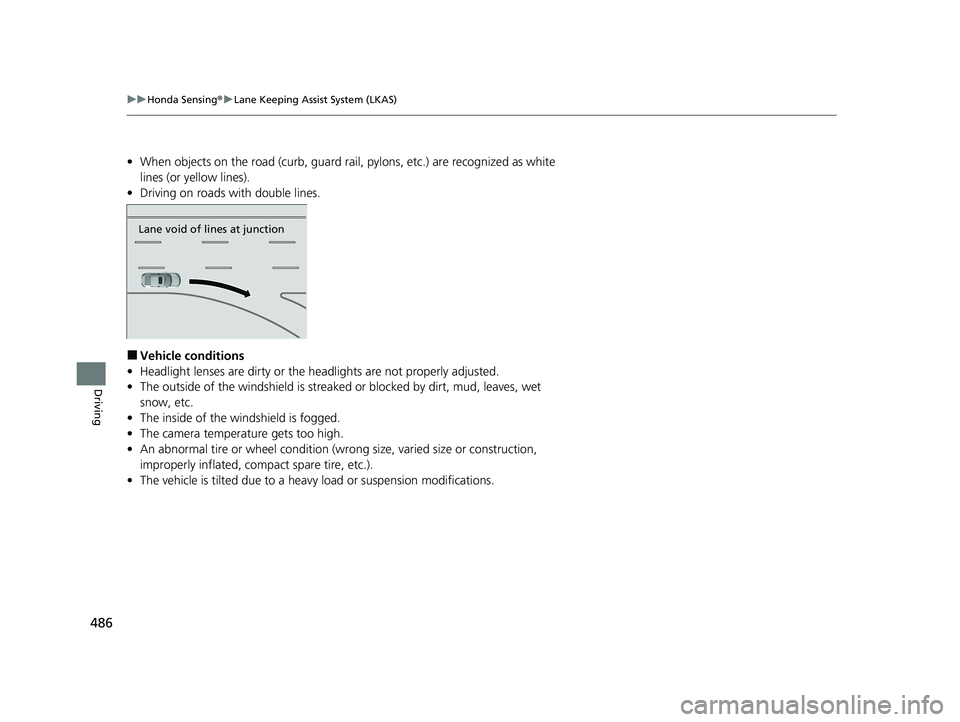
• When objects on the road (c urb, guard rail, pylons, etc.) are recognized as white
lines (or yellow lines).
• Driving on roads with double lines.
■Vehicle conditions
• Headlight lenses are dirty or the headlights are not properly adjusted.
• The outside of the windshield is streake d or blocked by dirt, mud, leaves, wet
snow, etc.
• The inside of the windshield is fogged.
• The camera temperature gets too high.
• An abnormal tire or wheel condition (wrong size, varied size or construction,
improperly inflated, comp act spare tire, etc.).
• The vehicle is tilted due to a heav y load or suspension modifications.
Lane void of lines at junction
21 CIVIC 4D HCM_HMIN_J (KA KL KC)-31TBA6500.book 486 ページ 2020年8月25日 火曜日 午後2時6分
Page 489 of 632
487
uuHonda Sensing ®u Road Departure Mitigation (RDM) System
Continued
Driving
Road Departure Mitigation (RDM) System
Alerts and helps to assist you when the system detects a possibility of your vehicle
unintentionally crossing over detected lane markings and/or leaving the roadway
altogether.
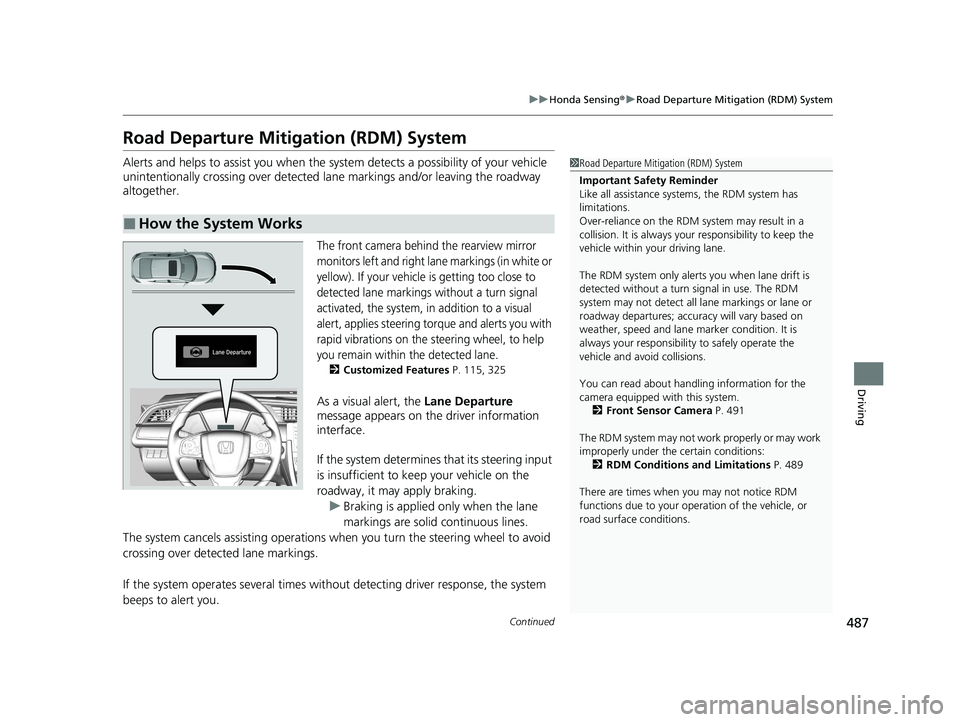
The front camera behind the rearview mirror
monitors left and right lane markings (in white or
yellow). If your vehicle is getting too close to
detected lane markings without a turn signal
activated, the system, in addition to a visual
alert, applies steering torque and alerts you with
rapid vibrations on the steering wheel, to help
you remain within the detected lane.
2 Customized Features P. 115, 325
As a visual alert, the Lane Departure
message appears on the driver information
interface.
If the system determines that its steering input
is insufficient to keep your vehicle on the
roadway, it may apply braking.
u Braking is applied only when the lane
markings are solid continuous lines.
The system cancels assisting operations wh en you turn the steering wheel to avoid
crossing over detected lane markings.
If the system operates several times with out detecting driver response, the system
beeps to alert you.
■How the System Works
1 Road Departure Mitigation (RDM) System
Important Safety Reminder
Like all assistance systems, the RDM system has
limitations.
Over-reliance on the RDM system may result in a
collision. It is always your responsibility to keep the
vehicle within your driving lane.
The RDM system only alerts you when lane drift is
detected without a turn signal in use. The RDM
system may not detect all la ne markings or lane or
roadway departures; accu racy will vary based on
weather, speed and lane marker condition. It is
always your responsibilit y to safely operate the
vehicle and avoid collisions.
You can read about handling information for the
camera equipped with this system.
2 Front Sensor Camera P. 491
The RDM system may not wo rk properly or may work
improperly under the certain conditions: 2 RDM Conditions and Limitations P. 489
There are times when you may not notice RDM
functions due to your opera tion of the vehicle, or
road surface conditions.
21 CIVIC 4D HCM_HMIN_J (KA KL KC)-31TBA6500.book 487 ページ 2020年8月25日 火曜日 午後2時6分
Page 490 of 632
uuHonda Sensing ®u Road Departure Mitigation (RDM) System
488
Driving
The system becomes ready to start sear ching for lane markings when all the
following conditions are met:
• The vehicle is traveling between about 45 and 90 mph (72 and 145 km/h).
• The vehicle is on a straight or slightly curved road.
• The turn signals are off.
• The brake pedal is not depressed.
• The wipers are not in continuous operation.
• The vehicle is not accelerating or braking, and the steering wheel is not being
turned.
• The system makes a determination that the driver is not actively accelerating,
braking or steering.
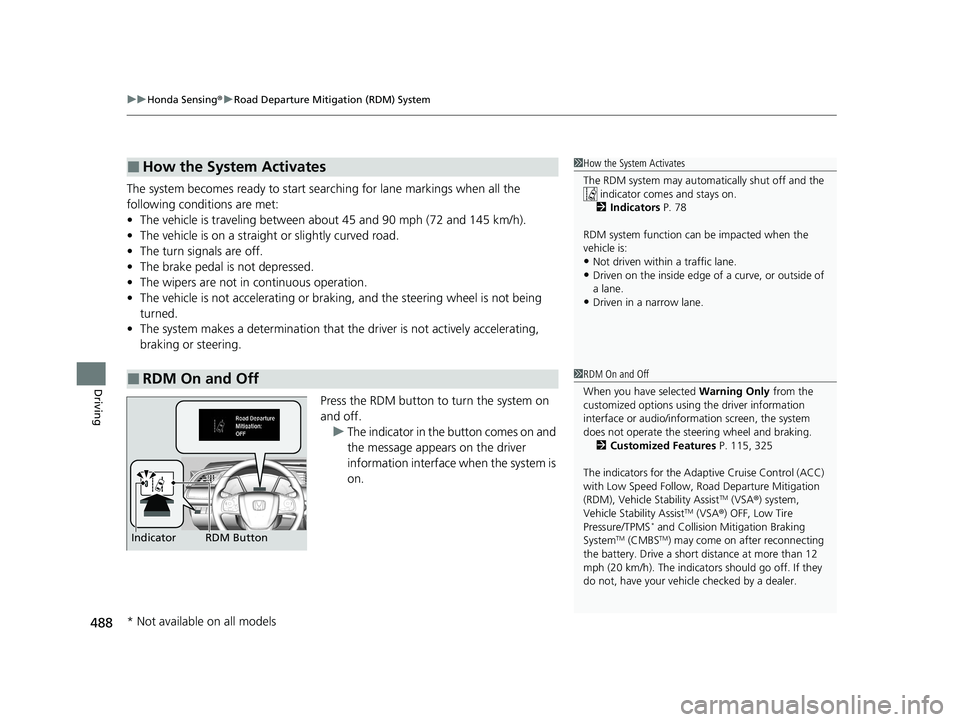
Press the RDM button to turn the system on
and off.u The indicator in the button comes on and
the message appears on the driver
information interface when the system is
on.
■How the System Activates
■RDM On and Off
1How the System Activates
The RDM system may automa tically shut off and the
indicator comes and stays on.
2 Indicators P. 78
RDM system function can be impacted when the
vehicle is:
•Not driven within a traffic lane.•Driven on the inside edge of a curve, or outside of
a lane.
•Driven in a narrow lane.
1 RDM On and Off
When you have selected Warning Only from the
customized options using the driver information
interface or audio/information screen, the system
does not operate the steering wheel and braking. 2 Customized Features P. 115, 325
The indicators for the Adaptive Cruise Control (ACC)
with Low Speed Follow, Road Departure Mitigation
(RDM), Vehicle Stability Assist
TM (VSA ®) system,
Vehicle Stability AssistTM (VSA ®) OFF, Low Tire
Pressure/TPMS* and Collision Mitigation Braking
SystemTM (CMBSTM) may come on after reconnecting
the battery. Drive a short distance at more than 12
mph (20 km/h). The indicators should go off. If they
do not, have your vehicl e checked by a dealer.RDM Button
Indicator
* Not available on all models
21 CIVIC 4D HCM_HMIN_J (KA KL KC)-31TBA6500.book 488 ページ 2020年8月25日 火曜日 午後2時6分
Page 492 of 632
490
uuHonda Sensing ®u Road Departure Mitigation (RDM) System
Driving
■Roadway conditions
• Driving on a snowy or wet roadway (obscured lane marking, vehicle tracks,
reflected lights, road spray, high contrast).
• Driving on a road with temporary lane markings.
• Faint, multiple, or varied lane markings are visible on the roadway due to road
repairs or old lane markings.
• The roadway has merging, split, or crossing lines (e.g., such as at an intersection
or crosswalk).
• The lane markings are extremely narrow, wide, or changing.
• The vehicle in front of you is driving near the lane lines.
• The road is hilly or the vehicle is approaching the crest of a hill.
• Driving on rough or unpaved roads, or over bumpy surfaces.
• When objects on the road (c urb, guard rail, pylons, etc.) are recognized as white
lines (or yellow lines).
• Driving on roads with double lines.
■Vehicle conditions
• Headlight lenses are dirty or the headlights are not properly adjusted.
• The outside of the windshield is streake d or blocked by dirt, mud, leaves, wet
snow, etc.
• The inside of the windshield is fogged.
• The camera temperature gets too high.
• An abnormal tire or wheel condition (wrong sized, varied size or construction,
improperly inflated, comp act spare tire, etc.).
• The vehicle is tilted due to a heav y load or suspension modifications.
• When tire chains are installed.
21 CIVIC 4D HCM_HMIN_J (KA KL KC)-31TBA6500.book 490 ページ 2020年8月25日 火曜日 午後2時6分
Page 496 of 632
494
Driving
Braking
Brake System
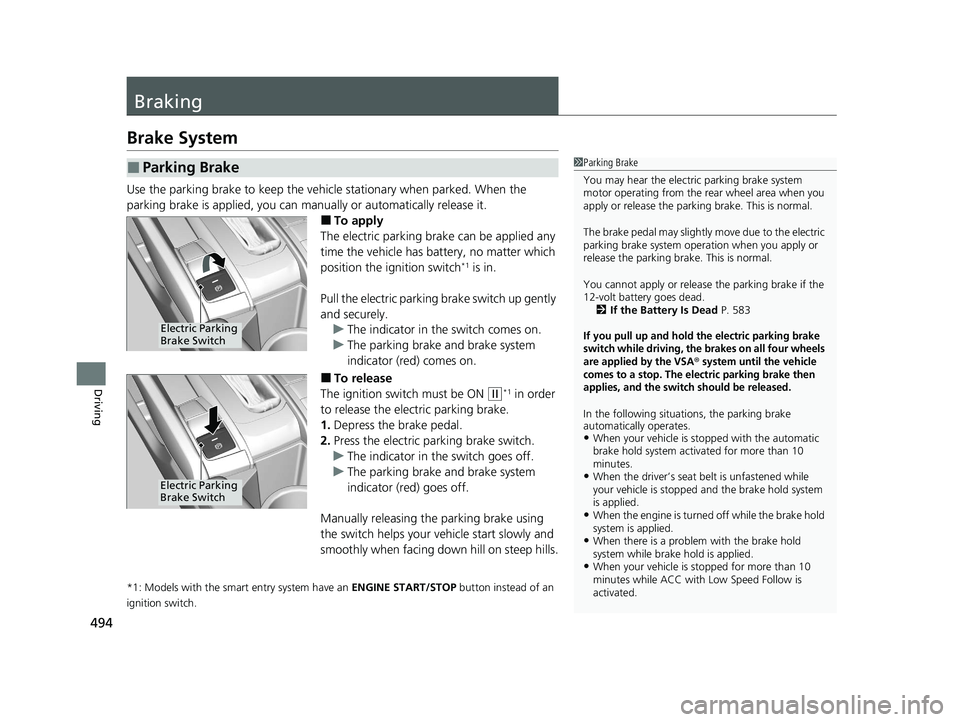
Use the parking brake to keep the vehicle stationary when parked. When the
parking brake is applied, you can manually or automatically release it.
■To apply
The electric parking brake can be applied any
time the vehicle has battery, no matter which
position the ignition switch
*1 is in.
Pull the electric parking brake switch up gently
and securely. u The indicator in th e switch comes on.
u The parking brake and brake system
indicator (red) comes on.
■To release
The ignition switch must be ON
(w*1 in order
to release the electric parking brake.
1. Depress the brake pedal.
2. Press the electric parking brake switch.
u The indicator in th e switch goes off.
u The parking brake and brake system
indicator (red) goes off.
Manually releasing the parking brake using
the switch helps your ve hicle start slowly and
smoothly when facing down hill on steep hills.
*1: Models with the smart entry system have an ENGINE START/STOP button instead of an
ignition switch.
■Parking Brake1 Parking Brake
You may hear the electric parking brake system
motor operating from the re ar wheel area when you
apply or release the parki ng brake. This is normal.
The brake pedal may slightly move due to the electric
parking brake system opera tion when you apply or
release the parking br ake. This is normal.
You cannot apply or release the parking brake if the
12-volt battery goes dead. 2 If the Battery Is Dead P. 583
If you pull up and hold the electric parking brake
switch while driving, the brakes on all four wheels
are applied by the VSA
® system until the vehicle
comes to a stop. The electric parking brake then
applies, and the switch should be released.
In the following situations, the parking brake
automatically operates.
•When your vehicle is stopped with the automatic
brake hold system activated for more than 10
minutes.
•When the driver’s seat belt is unfastened while
your vehicle is stopped and the brake hold system
is applied.
•When the engine is turned off while the brake hold
system is applied.
•When there is a problem with the brake hold
system while brake hold is applied.
•When your vehicle is stopped for more than 10
minutes while ACC with Low Speed Follow is
activated.
Electric Parking
Brake Switch
Electric Parking
Brake Switch
21 CIVIC 4D HCM_HMIN_J (KA KL KC)-31TBA6500.book 494 ページ 2020年8月25日 火曜日 午後2時6分
Page 498 of 632
uuBraking uBrake System
496
Driving
Your vehicle is equipped with disc brakes at all four wheels. A vacuum power assist
helps to reduce the effort needed on the brake pedal. The brake assist system
increases the stopping force when you depress the brake pedal hard in an
emergency situation. The an ti-lock brake system (ABS) helps you retain steering
control when braking very hard.
2 Brake Assist System P. 500
2 Anti-lock Brake System (ABS) P. 499
■Foot Brake1Foot Brake
Check the brakes after driving through deep water,
or if there is a buildup of road surface water. If
necessary, dry the brakes by lightly depressing the
pedal several times.
If you hear a continuous me tallic friction sound when
applying the brakes, this is caused by the brake wear
indicator rubbing on the brake rotor and indicates
that the brake pads need to be replaced. Have the
vehicle checked by a deal er. If you hear only an
occasional squeak or squeal when you initially apply
the brake pedal, this may be normal and caused by
high frequency vibration of the brake pads against
the rotating brake disc.
Constantly using the brake pedal while going down a
long hill builds up heat, which reduces the brake
effectiveness. Apply engine braking by taking your
foot off the accelerator pe dal and downshifting to a
speed position.
Do not rest your foot on the brake pedal while
driving, as it will lightly apply the brakes and cause
them to lose effectiveness over time and reduce pad
life. It will also conf use drivers behind you.
21 CIVIC 4D HCM_HMIN_J (KA KL KC)-31TBA6500.book 496 ページ 2020年8月25日 火曜日 午後2時6分