cruise control HONDA CLARITY ELECTRIC 2018 (in English) Owner's Guide
[x] Cancel search | Manufacturer: HONDA, Model Year: 2018, Model line: CLARITY ELECTRIC, Model: HONDA CLARITY ELECTRIC 2018Pages: 559, PDF Size: 27.8 MB
Page 402 of 559
uuWhen Driving uAdaptive Cruise Control (ACC) with Low Speed Follow (LSF)
400
Driving
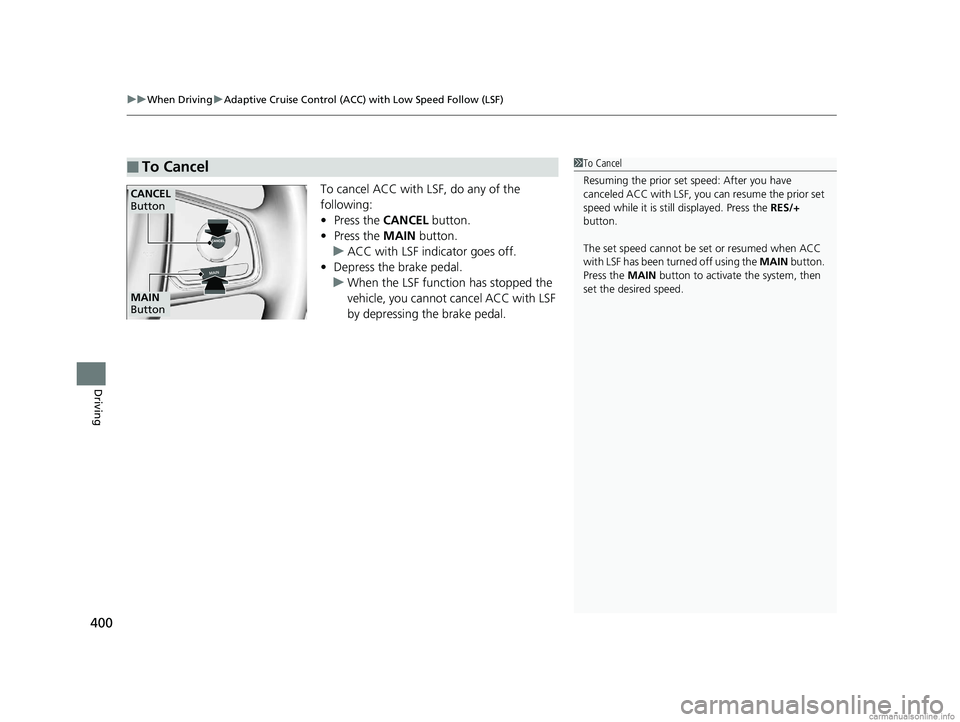
To cancel ACC with LSF, do any of the
following:
• Press the CANCEL button.
• Press the MAIN button.
u ACC with LSF indicator goes off.
• Depress the brake pedal.
u When the LSF function has stopped the
vehicle, you cannot cancel ACC with LSF
by depressing the brake pedal.
■To Cancel1To Cancel
Resuming the prior set speed: After you have
canceled ACC with LSF, you can resume the prior set
speed while it is still displayed. Press the RES/+
button.
The set speed cannot be set or resumed when ACC
with LSF has been turned off using the MAIN button.
Press the MAIN button to activate the system, then
set the desired speed.
CANCEL
Button
MAIN
Button
18 CLARITY ELECTRIC CSS-31TRV6100.book 400 ページ 2018年2月5日 月曜日 午後12時0分
Page 403 of 559
Continued401
uuWhen Driving uAdaptive Cruise Control (ACC) with Low Speed Follow (LSF)
Driving
■Automatic ca ncellation
The beeper sounds and a message appears on the driver information interface when
ACC with LSF is automatically canceled. Any of these conditions may cause the ACC
with LSF to automatically cancel:
• Bad weather (rain, fog, snow, etc.)
• When the radar sensor in the front grille gets dirty.
• An abnormal tire condition is detected, or the tires are skidding.
• Driving on a mountainous road, or driving off road for extended periods.
• Abrupt steering wheel movement.
• When the ABS, VSA ® or CMBS
TM is activated.
• When the ABS or VSA ® system indicator comes on.
• When the vehicle is stopped on a very steep slope.
• When you manually apply the parking brake.
• When the detected vehicle within the AC C with LSF range is too close to your
vehicle.
• The camera behind the rearview mirror, or the area around the camera, including
the windshield, gets dirty.
The ACC with LSF automatic cancellation ca n be also triggered by the following
causes. In these cases, the parking brake will be automatically applied.
• The driver’s seat belt is unfastene d when the vehicle is stationary.
• The vehicle stops for more than 10 minutes.
• The power system is turned off.
1Automatic cancellation
Even though ACC with LSF has been automatically
canceled, you can still resu me the prior set speed.
Wait until the condition that caused ACC with LSF to
cancel improves, then press the RES/+ button.
18 CLARITY ELECTRIC CSS-31TRV6100.book 401 ページ 2018年2月5日 月曜日 午後12時0分
Page 404 of 559
uuWhen Driving uAdaptive Cruise Control (ACC) with Low Speed Follow (LSF)
402
Driving
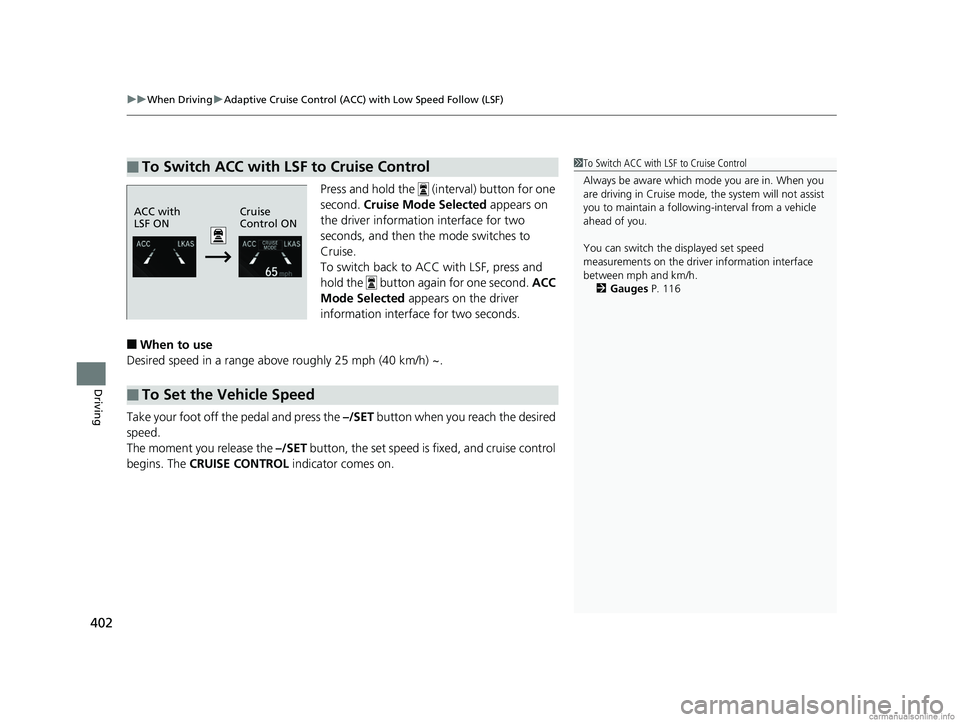
Press and hold the (interval) button for one
second. Cruise Mode Selected appears on
the driver information interface for two
seconds, and then the mode switches to
Cruise.
To switch back to ACC with LSF, press and
hold the button again for one second. ACC
Mode Selected appears on the driver
information interface for two seconds.
■When to use
Desired speed in a range above roughly 25 mph (40 km/h) ~.
Take your foot off the pedal and press the –/SET button when you reach the desired
speed.
The moment you release the –/SET button, the set speed is fixed, and cruise control
begins. The CRUISE CONTROL indicator comes on.
■To Switch ACC with LSF to Cruise Control1To Switch ACC with LSF to Cruise Control
Always be aware which mode you are in. When you
are driving in Cruise mode, the system will not assist
you to maintain a following-interval from a vehicle
ahead of you.
You can switch the displayed set speed
measurements on the driver information interface
between mph and km/h.
2 Gauges P. 116
ACC with
LSF ON Cruise
Control ON
■To Set the Vehicle Speed
18 CLARITY ELECTRIC CSS-31TRV6100.book 402 ページ 2018年2月5日 月曜日 午後12時0分
Page 405 of 559
403
uuWhen Driving uAdaptive Cruise Control (ACC) with Low Speed Follow (LSF)
Driving
Each time you press the RES/+ or –/SET button, the vehicle speed is increased or
decreased by about 1 mph (1.6 km/h).
If you keep the RES/+ or –/SET button pressed, the vehicle speed increases or
decreases until you release it . This speed is then set.
When you use cruise control, Straight Drivin g Assist (a feature of the Electric Power
Steering system) is activated.
By enabling the steering system to automa tically compensate for natural steering
pull, Straight Driv ing Assist makes it easier for you to keep your vehicle in a straight
line.
To cancel cruise control, do any of the following:
• Press the CANCEL button.
• Press the MAIN button.
• Depress the brake pedal.
The CRUISE CONTROL indicator goes off.
■To Adjust the Vehicle Speed
■To Cancel1To Cancel
Resuming the prior set speed:
After cruise control has be en canceled, you can still
resume the prior set speed by pressing the RES/+
button while driving at a speed of at least 25 mph (40
km/h) or more.
You cannot set or resume in the following situations:
•When vehicle speed is less than 25 mph (40 km/h).
•When the MAIN button is turned off.
At vehicle speeds of 22 m ph (35 km/h) or less, cruise
control canceled automatically.
18 CLARITY ELECTRIC CSS-31TRV6100.book 403 ページ 2018年2月5日 月曜日 午後12時0分
Page 541 of 559
539
Information
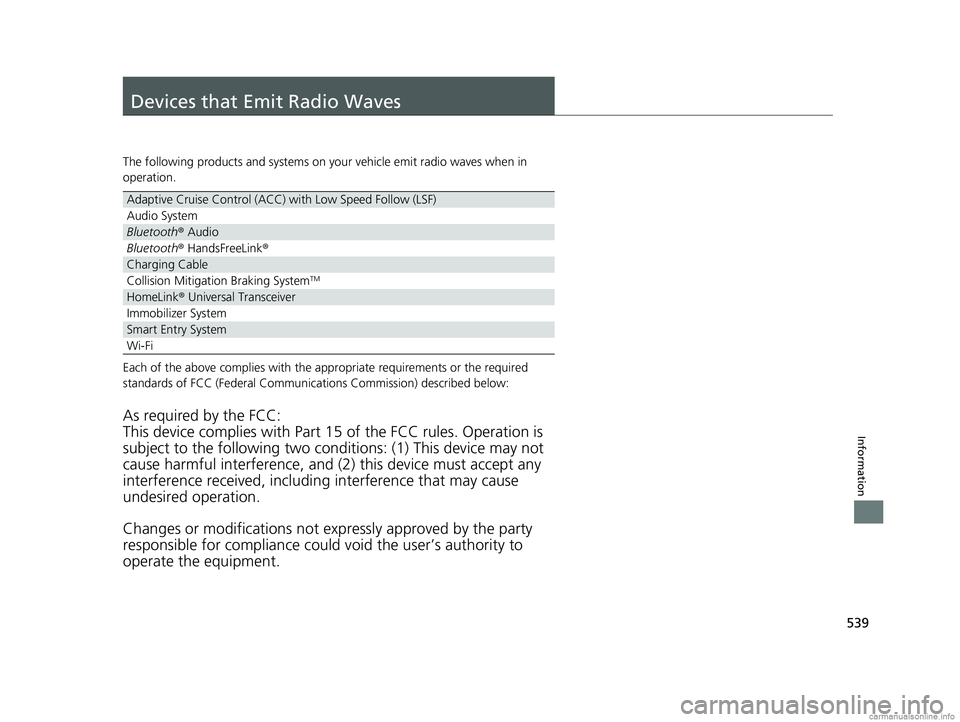
Devices that Emit Radio Waves
The following products and systems on your vehicle emit radio waves when in
operation.
Each of the above complies with the appropriate requirements or the required
standards of FCC (Federal Communications Commission) described below:
As required by the FCC:
This device complies with Part 15 of the FCC rules. Operation is
subject to the following two cond itions: (1) This device may not
cause harmful interferenc e, and (2) this device must accept any
interference received, including interference that may cause
undesired operation.
Changes or modifications not ex pressly approved by the party
responsible for compliance could void the user’s authority to
operate the equipment.
Adaptive Cruise Control (ACC) with Low Speed Follow (LSF)
Audio System
Bluetooth® Audio
Bluetooth® HandsFreeLink ®
Charging Cable
Collision Mitigation Braking SystemTM
HomeLink® Universal Transceiver
Immobilizer System
Smart Entry System
Wi-Fi
18 CLARITY ELECTRIC CSS-31TRV6100.book 539 ページ 2018年2月5日 月曜日 午後12時0分
Page 548 of 559
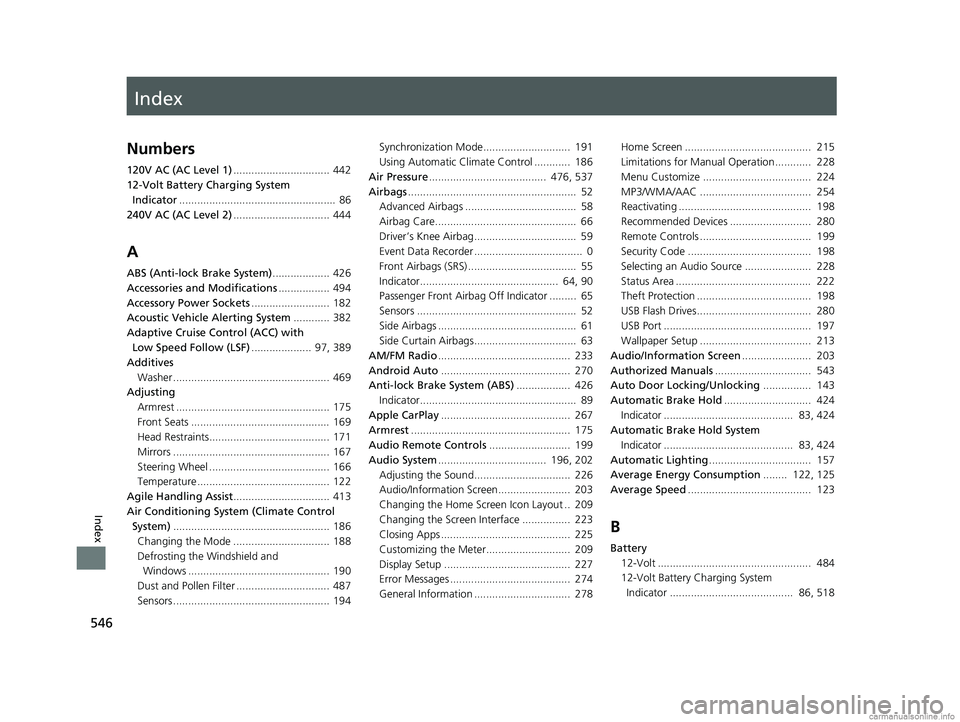
Index
546
Index
Index
Numbers
120V AC (AC Level 1)................................ 442
12-Volt Battery Charging System Indicator .................................................... 86
240V AC (AC Level 2) ................................ 444
A
ABS (Anti-lock Brake System) ................... 426
Accessories and Modifications ................. 494
Accessory Power Sockets .......................... 182
Acoustic Vehicle Alerting System ............ 382
Adaptive Cruise Control (ACC) with
Low Speed Follow (LSF) .................... 97, 389
Additives Washer .................................................... 469
Adjusting Armrest ................................................... 175
Front Seats .............................................. 169
Head Restraints........................................ 171
Mirrors .................................................... 167
Steering Wheel ........................................ 166
Temperature ............................................ 122
Agile Handling Assist ................................ 413
Air Conditioning System (Climate Control System) .................................................... 186
Changing the Mode ................................ 188
Defrosting the Windshield and Windows ............................................... 190
Dust and Pollen Filter ............................... 487
Sensors .................................................... 194 Synchronization Mode............................. 191
Using Automatic Climate Control ............ 186
Air Pressure ....................................... 476, 537
Airbags ........................................................ 52
Advanced Airbags ..................................... 58
Airbag Care............................................... 66
Driver’s Knee Airbag.................................. 59
Event Data Recorder .................................... 0
Front Airbags (SRS) .................................... 55
Indicator.............................................. 64, 90
Passenger Front Airbag Off Indicator ......... 65
Sensors ..................................................... 52
Side Airbags .............................................. 61
Side Curtain Airbags.................................. 63
AM/FM Radio ............................................ 233
Android Auto ........................................... 270
Anti-lock Brake System (ABS) .................. 426
Indicator.................................................... 89
Apple CarPlay ........................................... 267
Armrest ..................................................... 175
Audio Remote Controls ........................... 199
Audio System .................................... 196, 202
Adjusting the Sound................................ 226
Audio/Information Screen........................ 203
Changing the Home Screen Icon Layout .. 209
Changing the Screen Interface ................ 223
Closing Apps ........................................... 225
Customizing the Meter............................ 209
Display Setup .......................................... 227
Error Messages ........................................ 274
General Information ................................ 278 Home Screen .......................................... 215
Limitations for Manual Operation ............ 228
Menu Customize .................................... 224
MP3/WMA/AAC ..................................... 254
Reactivating ............................................ 198
Recommended Devices ........................... 280
Remote Controls ..................................... 199
Security Code ......................................... 198
Selecting an Audio Source ...................... 228
Status Area ............................................. 222
Theft Protection ...................................... 198
USB Flash Drives...................................... 280
USB Port ................................................. 197
Wallpaper Setup ..................................... 213
Audio/Information Screen ....................... 203
Authorized Manuals ................................ 543
Auto Door Locking/Unlocking ................ 143
Automatic Brake Hold ............................. 424
Indicator ........................................... 83, 424
Automatic Brake Hold System Indicator ........................................... 83, 424
Automatic Lighting .................................. 157
Average Energy Consumption ........ 122, 125
Average Speed ......................................... 123
B
Battery
12-Volt ................................................... 484
12-Volt Battery Charging System
Indicator ......................................... 86, 518
18 CLARITY ELECTRIC CSS-31TRV6100.book 546 ページ 2018年2月5日 月曜日 午後12時0分
Page 551 of 559
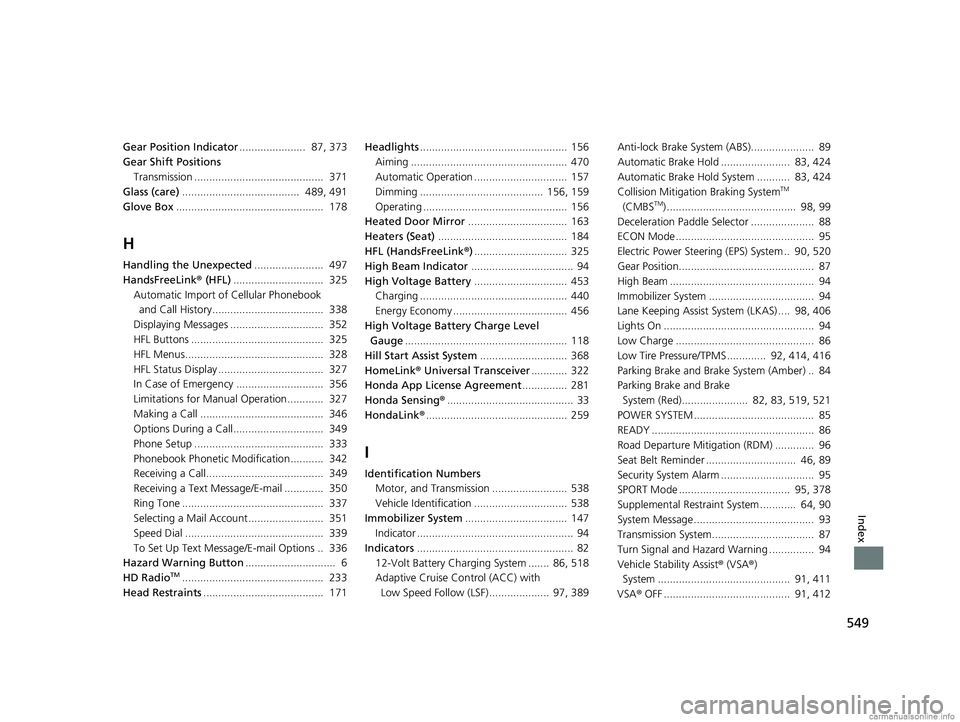
549
Index
Gear Position Indicator...................... 87, 373
Gear Shift Positions
Transmission ........................................... 371
Glass (care) ....................................... 489, 491
Glove Box ................................................. 178
H
Handling the Unexpected ....................... 497
HandsFreeLink ® (HFL) .............................. 325
Automatic Import of Cellular Phonebook
and Call History..................................... 338
Displaying Messages ............................... 352
HFL Buttons ............................................ 325
HFL Menus.............................................. 328
HFL Status Display ................................... 327
In Case of Emergency ............................. 356
Limitations for Manual Operation............ 327
Making a Call ......................................... 346
Options During a Call.............................. 349
Phone Setup ........................................... 333
Phonebook Phonetic Modification........... 342
Receiving a Call....................................... 349
Receiving a Text Message/E-mail ............. 350
Ring Tone ............................................... 337
Selecting a Mail Account......................... 351
Speed Dial .............................................. 339
To Set Up Text Messa ge/E-mail Options .. 336
Hazard Warning Button .............................. 6
HD Radio
TM............................................... 233
Head Restraints ........................................ 171 Headlights
................................................. 156
Aiming .................................................... 470
Automatic Operation ............................... 157
Dimming ......................................... 156, 159
Operating ................................................ 156
Heated Door Mirror ................................. 163
Heaters (Seat) ........................................... 184
HFL (HandsFreeLink ®)............................... 325
High Beam Indicator .................................. 94
High Voltage Battery ............................... 453
Charging ................................................. 440
Energy Economy ...................................... 456
High Voltage Battery Charge Level Gauge ...................................................... 118
Hill Start Assist System ............................. 368
HomeLink® Universal Transceiver ............ 322
Honda App License Agreement ............... 281
Honda Sensing ®.......................................... 33
HondaLink ®............................................... 259
I
Identification Numbers
Motor, and Transmission ......................... 538
Vehicle Identification ............................... 538
Immobilizer System .................................. 147
Indicator .................................................... 94
Indicators .................................................... 82
12-Volt Battery Charging System ....... 86, 518
Adaptive Cruise Control (ACC) with
Low Speed Follow (LSF).................... 97, 389 Anti-lock Brake System (ABS)..................... 89
Automatic Brake Hold ....................... 83, 424
Automatic Brake Hold System ........... 83, 424
Collision Mitigati
on Braking System
TM
(CMBSTM) ........................................... 98, 99
Deceleration Paddle Selector ..................... 88
ECON Mode .............................................. 95
Electric Power Steering (EPS) System .. 90, 520
Gear Position............................................. 87
High Beam ................................................ 94
Immobilizer System ................................... 94
Lane Keeping Assist System (LKAS) .... 98, 406
Lights On .................................................. 94
Low Charge .............................................. 86
Low Tire Pressure/TPMS ............. 92, 414, 416
Parking Brake and Brake System (Amber) .. 84
Parking Brake and Brake System (Red)...................... 82, 83, 519, 521
POWER SYSTEM ........................................ 85
READY ...................................................... 86
Road Departure Mitigation (RDM) ............. 96
Seat Belt Reminder .............................. 46, 89
Security System Alarm ............................... 95
SPORT Mode ..................................... 95, 378
Supplemental Restraint System ............ 64, 90
System Message ........................................ 93
Transmission System.................................. 87
Turn Signal and Hazard Warning ............... 94
Vehicle Stability Assist ® (VSA ®)
System ............................................ 91, 411
VSA ® OFF .......................................... 91, 412
18 CLARITY ELECTRIC CSS-31TRV6100.book 549 ページ 2018年2月5日 月曜日 午後12時0分