jump start HONDA CLARITY ELECTRIC 2018 Owner's Manual (in English)
[x] Cancel search | Manufacturer: HONDA, Model Year: 2018, Model line: CLARITY ELECTRIC, Model: HONDA CLARITY ELECTRIC 2018Pages: 559, PDF Size: 27.8 MB
Page 7 of 559
Contents
Child Safety P. 67Safety Labels P. 80
Opening and Closing the Trunk P. 144 Security System P. 147 Opening and Closing the Windows P. 150
Adjusting the Mirrors P. 167 Adjusting the Seats P. 169
Climate Control System P. 186
Audio Error Messages P. 274 General Information on the Audio System P. 278
Bluetooth ® HandsFreeLink ® P. 325
When Driving P. 366 Braking P. 420Parking Your Vehicle P. 436
Energy Economy P. 456
Maintenance Under the Hood P. 465 Replacing Light Bulbs P. 470
Checking and Maintaining Tires P. 475 12-Volt Battery P. 484 Remote Transmitter Care P. 486
Accessories and Modifications P. 494
Power System Won’t Start P. 511 Jump Starting P. 514 Overheating P. 517
Emergency Towing P. 531 When You Cannot Open the Charge Lid P. 532
When You Cannot Open the Trunk P. 534
Devices that Emit Radio Waves P. 539 Reporting Safety Defects P. 540
Customer Service Information P. 544
Quick Reference GuideP. 6
Safe DrivingP. 39
Instrument PanelP. 81
ControlsP. 129
FeaturesP. 195
DrivingP. 359
MaintenanceP. 457
Handling the UnexpectedP. 497
InformationP. 535
IndexP. 546
18 CLARITY ELECTRIC CSS-31TRV6100.book 5 ページ 2018年2月5日 月曜日 午後12時0分
Page 37 of 559
Quick Reference Guide
35
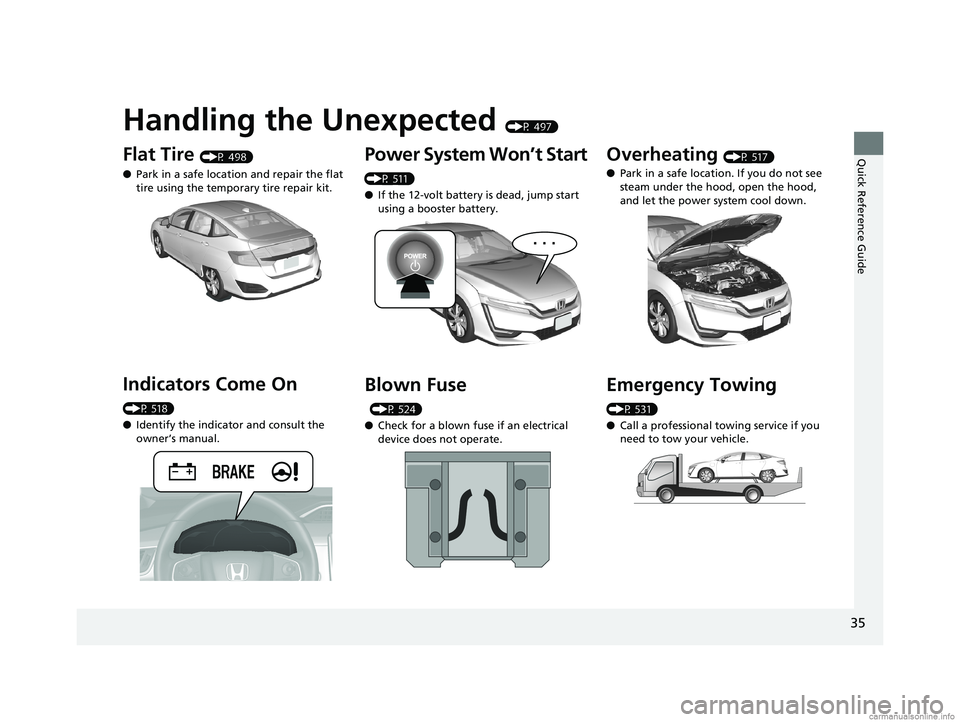
Handling the Unexpected (P 497)
Flat Tire (P 498)
● Park in a safe location and repair the flat
tire using the temporary tire repair kit.
Indicators Come On
(P 518)
●Identify the indica tor and consult the
owner’s manual.
Power System Won’t Start
(P 511)
● If the 12-volt battery is dead, jump start
using a booster battery.
Blown Fuse
(P 524)
● Check for a blown fuse if an electrical
device does not operate.
Overheating (P 517)
● Park in a safe location. If you do not see
steam under the hood, open the hood,
and let the power system cool down.
Emergency Towing
(P 531)
●Call a professional towing service if you
need to tow your vehicle.
18 CLARITY ELECTRIC CSS-31TRV6100.book 35 ページ 2018年2月5日 月曜日 午後12時0分
Page 422 of 559
420
Driving
Braking
Brake System
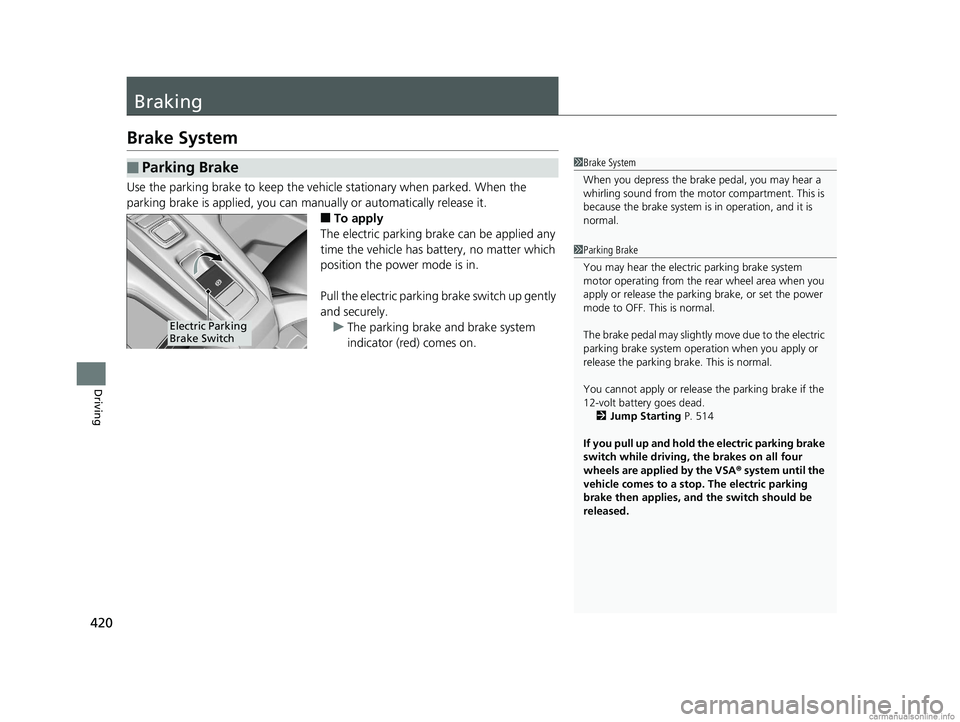
Use the parking brake to keep the vehicle stationary when parked. When the
parking brake is applied, you can ma nually or automatically release it.
■To apply
The electric parking brake can be applied any
time the vehicle has battery, no matter which
position the power mode is in.
Pull the electric parkin g brake switch up gently
and securely.
u The parking brake and brake system
indicator (red) comes on.
■Parking Brake1Brake System
When you depress the brak e pedal, you may hear a
whirling sound from the moto r compartment. This is
because the brake system is in operation, and it is
normal.
1 Parking Brake
You may hear the electric parking brake system
motor operating from the re ar wheel area when you
apply or release the parki ng brake, or set the power
mode to OFF. This is normal.
The brake pedal may slightly move due to the electric
parking brake system opera tion when you apply or
release the parking br ake. This is normal.
You cannot apply or release the parking brake if the
12-volt battery goes dead. 2 Jump Starting P. 514
If you pull up and hold the electric parking brake
switch while driving, the brakes on all four
wheels are applied by the VSA ® system until the
vehicle comes to a stop. The electric parking
brake then applies, and the switch should be
released.
Electric Parking
Brake Switch
18 CLARITY ELECTRIC CSS-31TRV6100.book 420 ページ 2018年2月5日 月曜日 午後12時0分
Page 499 of 559
497
Handling the Unexpected
This chapter explains how to handle unexpected troubles.
If a Tire Goes FlatTemporarily Repairi ng a Flat Tire....... 498
Handling of the Jack ......................... 510
Power System Won’t Start Checking the Procedure ................... 511
If the Smart Entry Remote Battery is Weak .......................................... 512
Emergency Power System Off........... 513
Jump Starting .................................... 514
Overheating How to Handle Overheating ............. 517 Indicator, Coming On/Blinking
If the 12-Volt Battery Charging System Indicator Comes On ....................... 518
If the Brake System Indicator (Red) Comes On or Blinks ....................................... 519
If the Electric Power Steering (EPS) System
Indicator Comes On ........................... 520If the Brake System Indicator (Red) Comes On or Blinks at the Same Time
When the Brake System Indicator
(Amber) Comes On ...................... 521
If the Low Tire Pressure/TPMS Indicator
Comes On or Blinks........................ 522 If the Transmission System Indicator Blinks
along with the Warning Message .... 523
Fuses
Fuse Locations ................................. 524
Inspecting and Changing Fuses ........ 530
Emergency Towing ........................... 531
When You Cannot Open the Charge
Lid ................................................. 532
When You Cannot Disengage the Charging
Connector.................................................533When You Cannot Open the Trunk .. 534
18 CLARITY ELECTRIC CSS-31TRV6100.book 497 ページ 2018年2月5日 月曜日 午後12時0分
Page 513 of 559
511
Handling the Unexpected
Power System Won’t Start
Checking the Procedure
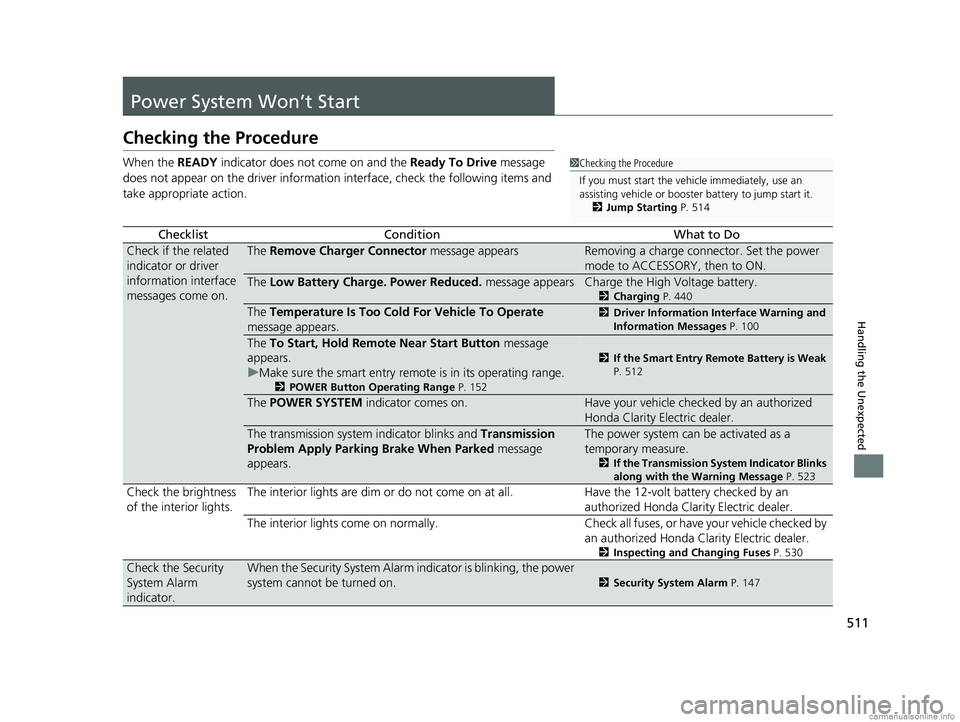
When the READY indicator does not come on and the Ready To Drive message
does not appear on the driver informatio n interface, check the following items and
take appropriate action.
ChecklistConditionWhat to Do
Check if the related
indicator or driver
information interface
messages come on.The Remove Charger Connector message appearsRemoving a charge connector. Set the power
mode to ACCESSORY, then to ON.
The Low Battery Charge . Power Reduced. message appearsCharge the High Voltage battery.
2Charging P. 440
The Temperature Is Too Cold For Vehicle To Operate
message appears.2 Driver Information Interface Warning and
Information Messages P. 100
The To Start, Hold Remote Near Start Button message
appears.
u Make sure the smart entry remote is in its operating range.
2 POWER Button Operating Range P. 152
2If the Smart Entry Remote Battery is Weak
P. 512
The POWER SYSTEM indicator comes on.Have your vehicle checked by an authorized
Honda Clarity Electric dealer.
The transmission system indicator blinks and Transmission
Problem Apply Parking Brake When Parked message
appears.The power system can be activated as a
temporary measure.
2 If the Transmission System Indicator Blinks
along with the Warning Message P. 523
Check the brightness
of the interior lights. The interior lights are dim or do not come on at
all. Have the 12-volt battery checked by an
authorized Honda Clarity Electric dealer.
The interior lights come on normally. Check all fuses, or have your vehicle checked by an authorized Honda Clarity Electric dealer.
2Inspecting and Changing Fuses P. 530
Check the Security
System Alarm
indicator.When the Security System Alarm in dicator is blinking, the power
system cannot be turned on.
2 Security System Alarm P. 147
1Checking the Procedure
If you must start the vehi cle immediately, use an
assisting vehicle or booster battery to jump start it.
2 Jump Starting P. 514
18 CLARITY ELECTRIC CSS-31TRV6100.book 511 ページ 2018年2月5日 月曜日 午後12時0分
Page 516 of 559
514
Handling the Unexpected
Jump Starting
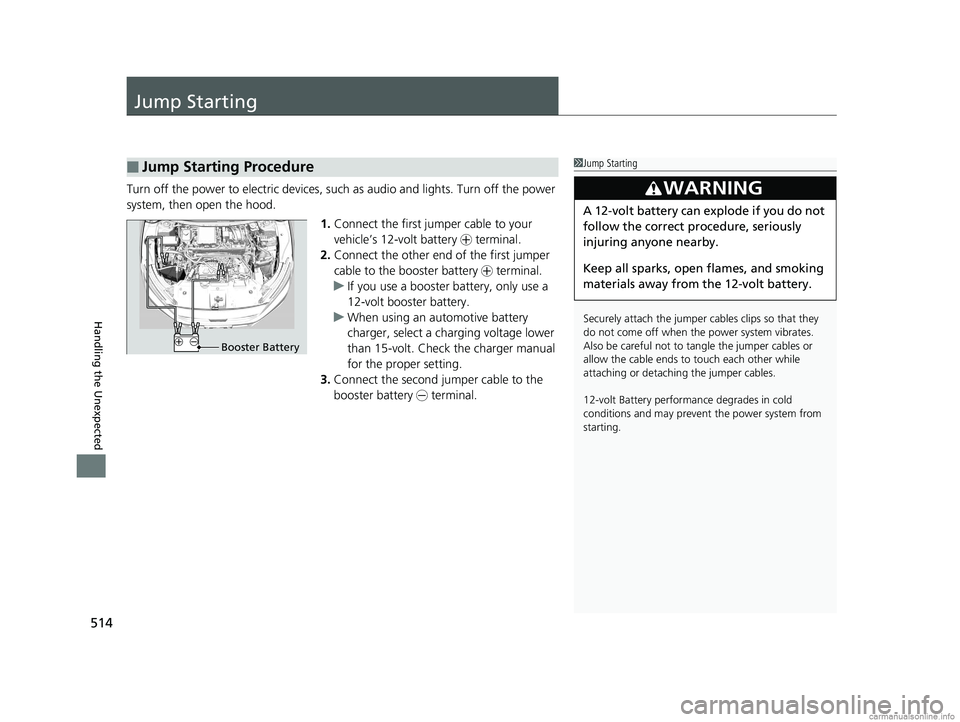
Turn off the power to electric devices, such as audio and lights. Turn off the power
system, then open the hood.
1.Connect the first jump er cable to your
vehicle’s 12-volt battery + terminal.
2. Connect the other end of the first jumper
cable to the booster battery + terminal.
u If you use a booster battery, only use a
12-volt booster battery.
u When using an automotive battery
charger, select a charging voltage lower
than 15-volt. Check the charger manual
for the proper setting.
3. Connect the second jumper cable to the
booster battery - terminal.
■Jump Starting Procedure1Jump Starting
Securely attach the jumper cables clips so that they
do not come off when the power system vibrates.
Also be careful not to ta ngle the jumper cables or
allow the cable ends to touch each other while
attaching or detaching the jumper cables.
12-volt Battery performa nce degrades in cold
conditions and may prevent the power system from
starting.
3WARNING
A 12-volt battery can explode if you do not
follow the correct procedure, seriously
injuring anyone nearby.
Keep all sparks, open flames, and smoking
materials away from the 12-volt battery.
Booster Battery
18 CLARITY ELECTRIC CSS-31TRV6100.book 514 ページ 2018年2月5日 月曜日 午後12時0分
Page 517 of 559
515
uuJump Starting u
Continued
Handling the Unexpected
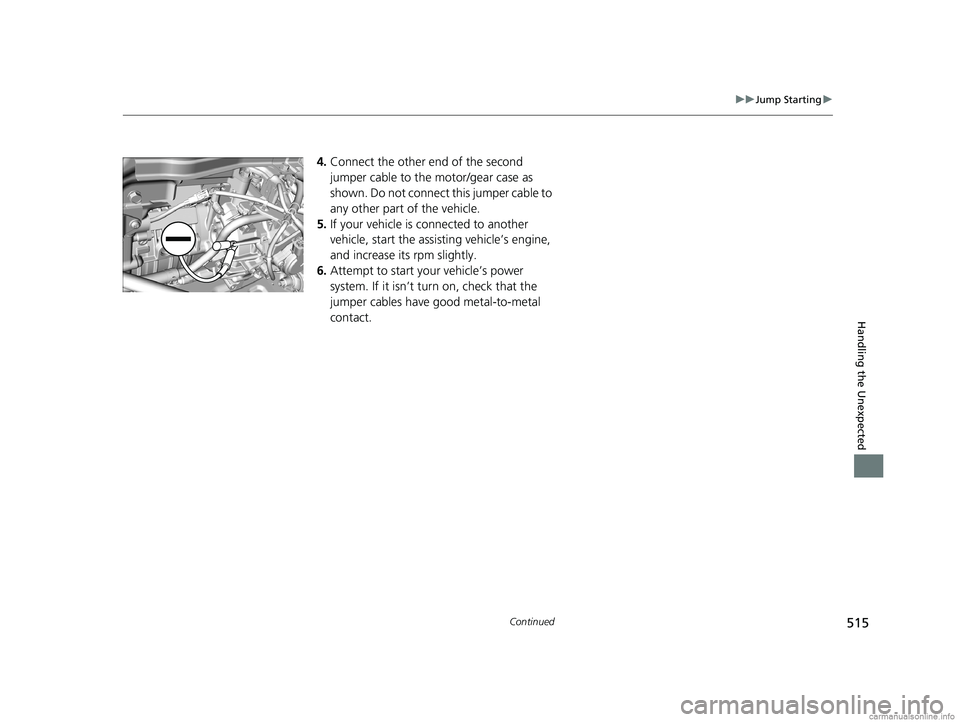
4.Connect the other end of the second
jumper cable to the motor/gear case as
shown. Do not connect this jumper cable to
any other part of the vehicle.
5. If your vehicle is connected to another
vehicle, start the assisting vehicle’s engine,
and increase its rpm slightly.
6. Attempt to start your vehicle’s power
system. If it isn’t turn on, check that the
jumper cables have good metal-to-metal
contact.
18 CLARITY ELECTRIC CSS-31TRV6100.book 515 ページ 2018年2月5日 月曜日 午後12時0分
Page 518 of 559
uuJump Starting u
516
Handling the Unexpected
Once your vehicle’s power system has sta rted, remove the jumper cables in the
following order.
1. Disconnect the jumper cable from your vehicle’s ground.
2. Disconnect the other end of the jumper cable from the booster battery -
terminal.
3. Disconnect the jumper cable from your vehicle’s 12-volt battery + terminal.
4. Disconnect the other end of the jumper cable from the booster battery +
terminal.
Have your vehicle inspected by a nearby service station or an authorized Honda
Clarity Electric dealer.
■What to Do After the Power System Starts1 What to Do After the Power System Starts
The indicators for the Vehicle Stability Assist ® (VSA ®)
system, VSA ® OFF, Collision Mitigation Braking
System
TM (CMBSTM), and low tire pressure/Tire
Pressure Monitoring System (TPMS) may come on
along with a message in the driver information
interface when you turn the power system on after
reconnecting the battery.
Drive a short distance at 12 mph (20 km/h). The
indicator should go off. If it does not, have your
vehicle checked by an authorized Honda Clarity
Electric dealer.
18 CLARITY ELECTRIC CSS-31TRV6100.book 516 ページ 2018年2月5日 月曜日 午後12時0分
Page 549 of 559
547
Index
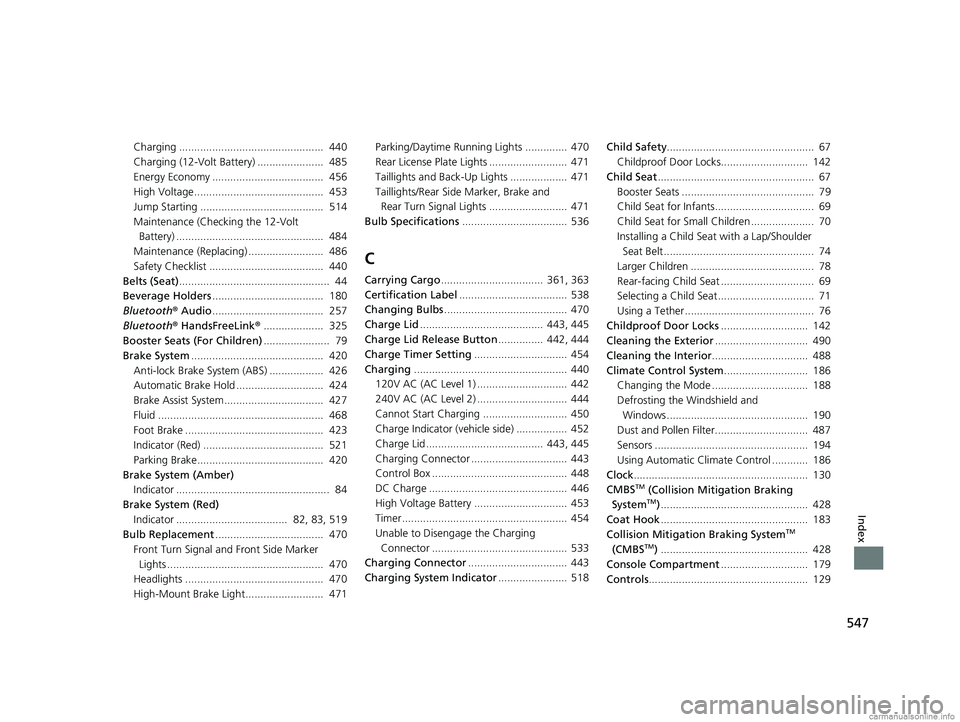
Charging ................................................ 440
Charging (12-Volt Battery) ...................... 485
Energy Economy ..................................... 456
High Voltage........................................... 453
Jump Starting ......................................... 514
Maintenance (Checking the 12-Volt Battery) ................................................. 484
Maintenance (Replacing) ......................... 486
Safety Checklist ...................................... 440
Belts (Seat) .................................................. 44
Beverage Holders ..................................... 180
Bluetooth ® Audio ..................................... 257
Bluetooth ® HandsFreeLink ®.................... 325
Booster Seats (For Children) ...................... 79
Brake System ............................................ 420
Anti-lock Brake System (ABS) .................. 426
Automatic Brake Hold ............................. 424
Brake Assist System................................. 427
Fluid ....................................................... 468
Foot Brake .............................................. 423
Indicator (Red) ........................................ 521
Parking Brake.......................................... 420
Brake System (Amber) Indicator ................................................... 84
Brake System (Red)
Indicator ..................................... 82, 83, 519
Bulb Replacement .................................... 470
Front Turn Signal and Front Side Marker
Lights .................................................... 470
Headlights .............................................. 470
High-Mount Brake Light.......................... 471 Parking/Daytime Running Lights .............. 470
Rear License Plate Lights .......................... 471
Taillights and Back-Up Lights ................... 471
Taillights/Rear Side
Marker, Brake and
Rear Turn Signal Lights .......................... 471
Bulb Specifications ................................... 536
C
Carrying Cargo.................................. 361, 363
Certification Label .................................... 538
Changing Bulbs ......................................... 470
Charge Lid ......................................... 443, 445
Charge Lid Release Button ............... 442, 444
Charge Timer Setting ............................... 454
Charging ................................................... 440
120V AC (AC Level 1) .............................. 442
240V AC (AC Level 2) .............................. 444
Cannot Start Charging ............................ 450
Charge Indicator (vehicle side) ................. 452
Charge Lid ....................................... 443, 445
Charging Connector ................................ 443
Control Box ............................................. 448
DC Charge .............................................. 446
High Voltage Battery ............................... 453
Timer ....................................................... 454
Unable to Disengage the Charging Connector ............................................. 533
Charging Connector ................................. 443
Charging System Indicator ....................... 518Child Safety
................................................. 67
Childproof Door Locks............................. 142
Child Seat .................................................... 67
Booster Seats ............................................ 79
Child Seat for Infants................................. 69
Child Seat for Small Children ..................... 70
Installing a Child Seat with a Lap/Shoulder
Seat Belt .................................................. 74
Larger Children ......................................... 78
Rear-facing Child Seat ............................... 69
Selecting a Child Seat ................................ 71
Using a Tether ........................................... 76
Childproof Door Locks ............................. 142
Cleaning the Exterior ............................... 490
Cleaning the Interior ................................ 488
Climate Control System ............................ 186
Changing the Mode ................................ 188
Defrosting the Windshield and Windows ............................................... 190
Dust and Pollen Filter............................... 487
Sensors ................................................... 194
Using Automatic Climate Control ............ 186
Clock .......................................................... 130
CMBS
TM (Collision Mitigation Braking
SystemTM) ................................................. 428
Coat Hook ................................................. 183
Collision Mitigation Braking System
TM
(CMBSTM) ................................................. 428
Console Compartment ............................. 179
Controls ..................................................... 129
18 CLARITY ELECTRIC CSS-31TRV6100.book 547 ページ 2018年2月5日 月曜日 午後12時0分
Page 552 of 559
550
Index
Information............................................... 535
Instant Energy Consumption ................... 123
Instrument Panel ........................................ 81
Interior Lights ........................................... 176
Interior Rearview Mirror .......................... 167
Inverter Coolant ........................................ 467
Adding to the Reserve Tank ..................... 467
Overheating............................................. 517
iPod ............................................................ 245
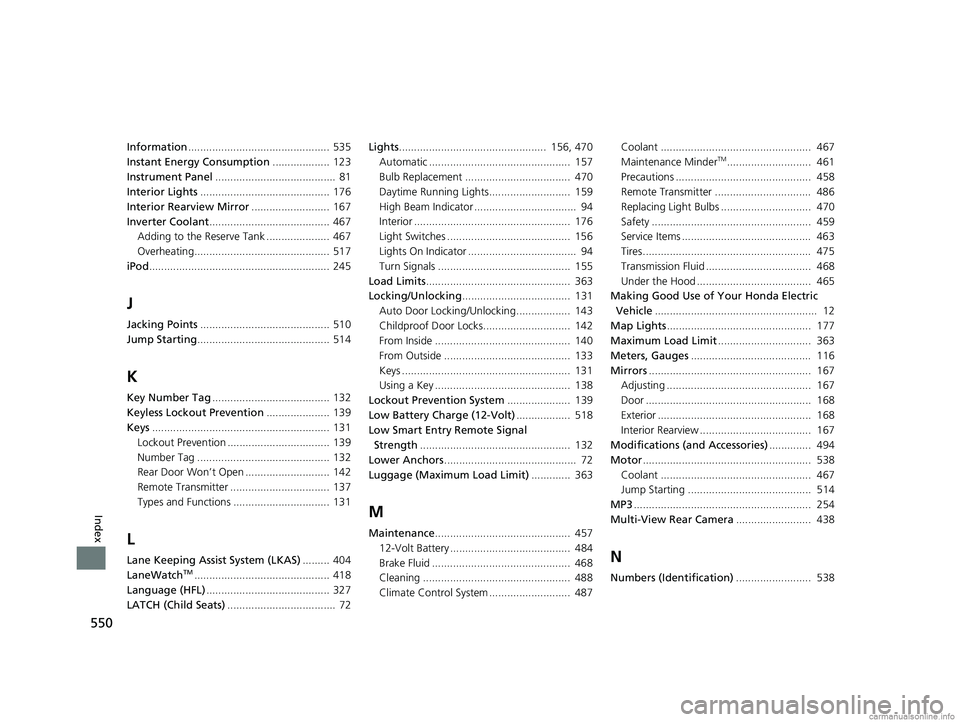
J
Jacking Points ........................................... 510
Jump Starting ............................................ 514
K
Key Number Tag ....................................... 132
Keyless Lockout Prevention ..................... 139
Keys ........................................................... 131
Lockout Prevention .................................. 139
Number Tag ............................................ 132
Rear Door Won’t Open ............................ 142
Remote Transmitter ................................. 137
Types and Functions ................................ 131
L
Lane Keeping Assist System (LKAS) ......... 404
LaneWatchTM............................................. 418
Language (HFL) ......................................... 327
LATCH (Child Seats) .................................... 72 Lights
................................................. 156, 470
Automatic ............................................... 157
Bulb Replacement ................................... 470
Daytime Running Lights........................... 159
High Beam Indicator .................................. 94
Interior .................................................... 176
Light Switches ......................................... 156
Lights On Indicator .................................... 94
Turn Signals ............................................ 155
Load Limits ................................................ 363
Locking/Unlocking .................................... 131
Auto Door Locking/Unlocking.................. 143
Childproof Door Locks............................. 142
From Inside ............................................. 140
From Outside .......................................... 133
Keys ........................................................ 131
Using a Key ............................................. 138
Lockout Prevention System ..................... 139
Low Battery Charge (12-Volt) .................. 518
Low Smart Entry Remote Signal Strength .................................................. 132
Lower Anchors ............................................ 72
Luggage (Maximum Load Limit) ............. 363
M
Maintenance............................................. 457
12-Volt Battery ........................................ 484
Brake Fluid .............................................. 468
Cleaning ................................................. 488
Climate Control System ........................... 487 Coolant .................................................. 467
Maintenance Minder
TM............................ 461
Precautions ............................................. 458
Remote Transmitter ................................ 486
Replacing Light Bulbs .............................. 470
Safety ..................................................... 459
Service Items ........................................... 463
Tires........................................................ 475
Transmission Fluid ................................... 468
Under the Hood ...................................... 465
Making Good Use of Your Honda Electric
Vehicle ...................................................... 12
Map Lights ................................................ 177
Maximum Load Limit ............................... 363
Meters, Gauges ........................................ 116
Mirrors ...................................................... 167
Adjusting ................................................ 167
Door ....................................................... 168
Exterior ................................................... 168
Interior Rearview ..................................... 167
Modifications (and Accessories) .............. 494
Motor ........................................................ 538
Coolant .................................................. 467
Jump Starting ......................................... 514
MP3 ........................................................... 254
Multi-View Rear Camera ......................... 438
N
Numbers (Identification)......................... 538
18 CLARITY ELECTRIC CSS-31TRV6100.book 550 ページ 2018年2月5日 月曜日 午後12時0分