stop start HONDA CLARITY FUEL CELL 2018 Owner's Manual (in English)
[x] Cancel search | Manufacturer: HONDA, Model Year: 2018, Model line: CLARITY FUEL CELL, Model: HONDA CLARITY FUEL CELL 2018Pages: 551, PDF Size: 27.22 MB
Page 13 of 551
11
Quick Reference Guide
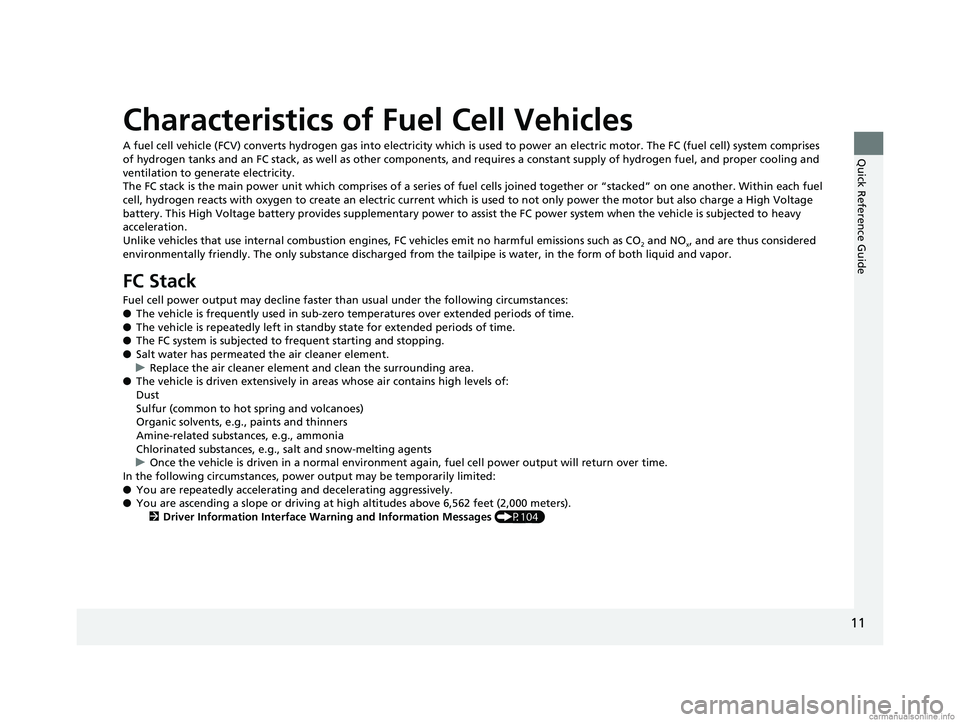
Characteristics of Fuel Cell Vehicles
A fuel cell vehicle (FCV) converts hydrogen gas into electricity which is used to power an electric motor. The FC (fuel cell) system comprises
of hydrogen tanks and an FC stack, as well as other components, and requires a constant supply of hydrogen fuel, and proper cooling and
ventilation to generate electricity.
The FC stack is the main power unit which comprises of a series of fuel cells joined together or “stacked” on one another. With in each fuel
cell, hydrogen reacts with oxygen to create an electric current whic h is used to not only power the motor but also charge a High Voltage
battery. This High Voltage battery provides supplementary power to assist the FC power system when the vehicle is subjected to heavy
acceleration.
Unlike vehicles that use internal combustion engines, FC vehicles emit no harmful emissions such as CO
2 and NOx, and are thus considered
environmentally friendly. The only substa nce discharged from the tailpipe is water, in the form of both liquid and vapor.
FC Stack
Fuel cell power output may decline faster th an usual under the following circumstances:
● The vehicle is frequently used in sub-zero temperatures over extended periods of time.
● The vehicle is repeatedly left in stand by state for extended periods of time.
● The FC system is subjected to frequent starting and stopping.
● Salt water has permeated the air cleaner element.
u Replace the air cleaner element and clean the surrounding area.
● The vehicle is driven extensively in areas whose air contains high levels of:
Dust
Sulfur (common to hot spring and volcanoes)
Organic solvents, e.g., paints and thinners
Amine-related substa nces, e.g., ammonia
Chlorinated substances, e.g., salt and snow-melting agents
u Once the vehicle is driven in a normal environment again, fuel cell power output will return over time.
In the following circumstances, power output may be temporarily limited:
● You are repeatedly accelerating and decelerating aggressively.
● You are ascending a slope or driving at high altitudes above 6,562 feet (2,000 meters).
2 Driver Information Interface Wa rning and Information Messages (P104)
18 CLARITY FUEL CELL PPO-31TRT6100.book 11 ページ 2017年11月21日 火曜日 午後3時3分
Page 91 of 551
89
uuIndicators u
Continued
Instrument Panel
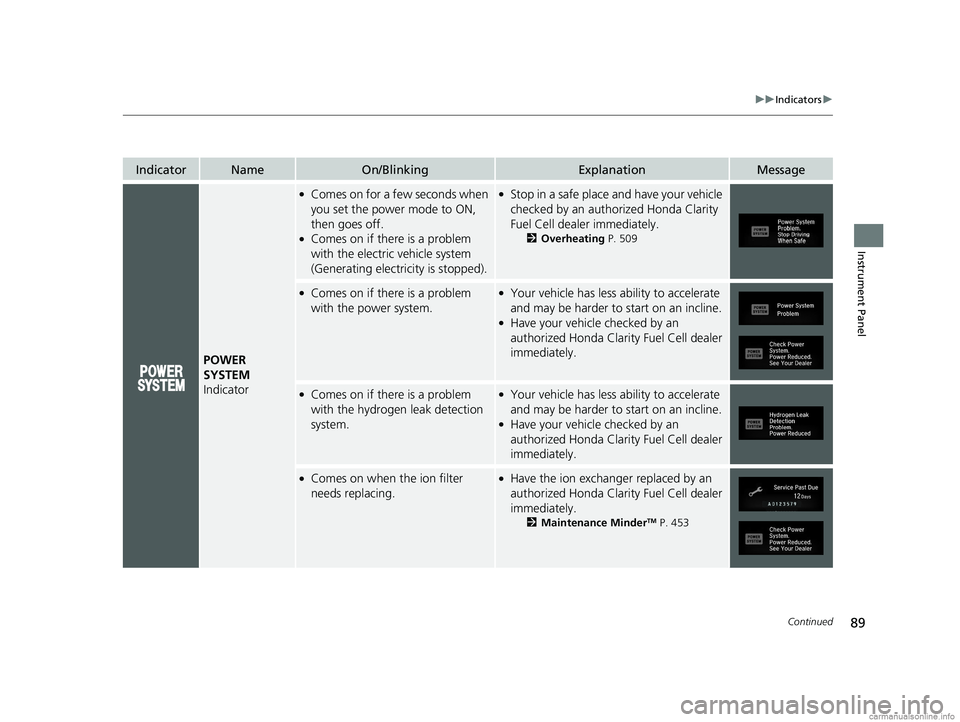
IndicatorNameOn/BlinkingExplanationMessage
POWER
SYSTEM
Indicator
●Comes on for a fe w seconds when
you set the power mode to ON,
then goes off.
●Comes on if there is a problem
with the electric vehicle system
(Generating electricity is stopped).
●Stop in a safe place and have your vehicle
checked by an authorized Honda Clarity
Fuel Cell dealer immediately.
2 Overheating P. 509
●Comes on if there is a problem
with the power system.●Your vehicle has less ability to accelerate
and may be harder to start on an incline.
●Have your vehicle checked by an
authorized Honda Clarity Fuel Cell dealer
immediately.
●Comes on if there is a problem
with the hydrogen leak detection
system.●Your vehicle has less ability to accelerate
and may be harder to start on an incline.
●Have your vehicle checked by an
authorized Honda Clarity Fuel Cell dealer
immediately.
●Comes on when the ion filter
needs replacing.●Have the ion exchange r replaced by an
authorized Honda Clarity Fuel Cell dealer
immediately.
2 Maintenance MinderTM P. 453
18 CLARITY FUEL CELL PPO-31TRT6100.book 89 ページ 2017年11月21日 火曜日 午後3時3分
Page 92 of 551
90
uuIndicators u
Instrument Panel
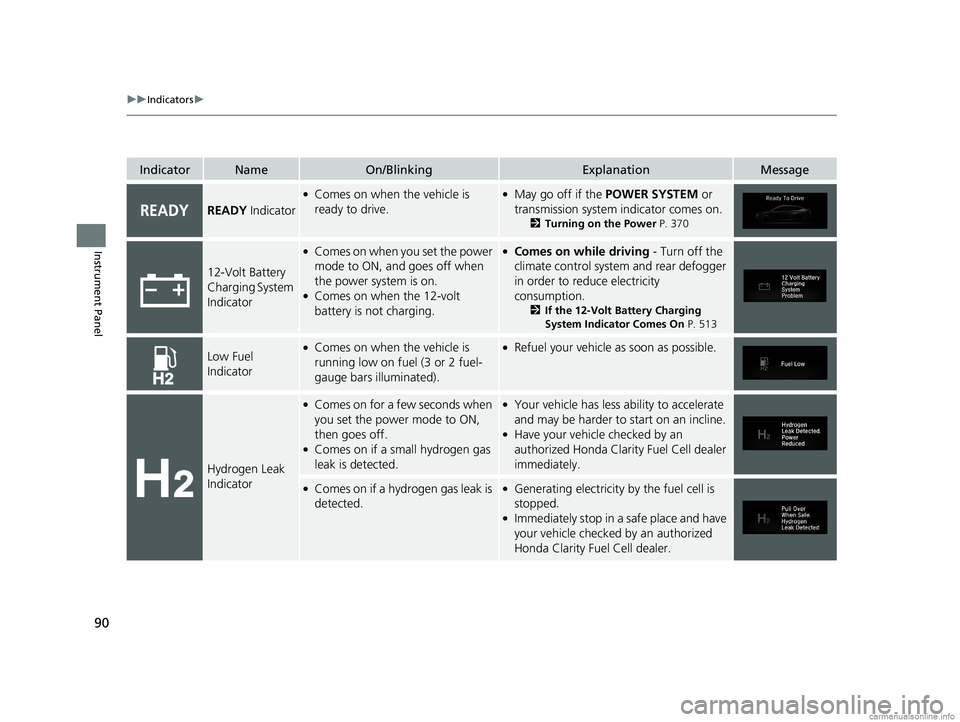
IndicatorNameOn/BlinkingExplanationMessage
READY Indicator
●Comes on when the vehicle is
ready to drive.●May go off if the POWER SYSTEM or
transmission system indicator comes on.
2 Turning on the Power P. 370
12-Volt Battery
Charging System
Indicator
●Comes on when you set the power
mode to ON, and goes off when
the power system is on.
●Comes on when the 12-volt
battery is not charging.
●Comes on while driving - Turn off the
climate control system and rear defogger
in order to reduce electricity
consumption.
2 If the 12-Volt Battery Charging
System Indicator Comes On P. 513
Low Fuel
Indicator●Comes on when the vehicle is
running low on fuel (3 or 2 fuel-
gauge bars illuminated).●Refuel your vehicle as soon as possible.
Hydrogen Leak
Indicator
●Comes on for a few seconds when
you set the power mode to ON,
then goes off.
●Comes on if a small hydrogen gas
leak is detected.
●Your vehicle has less ability to accelerate
and may be harder to start on an incline.
●Have your vehicle checked by an
authorized Honda Clarity Fuel Cell dealer
immediately.
●Comes on if a hydrogen gas leak is
detected.●Generating electricity by the fuel cell is
stopped.
●Immediately stop in a safe place and have
your vehicle checked by an authorized
Honda Clarity Fuel Cell dealer.
18 CLARITY FUEL CELL PPO-31TRT6100.book 90 ページ 2017年11月21日 火曜日 午後3時3分
Page 93 of 551
91
uuIndicators u
Continued
Instrument Panel
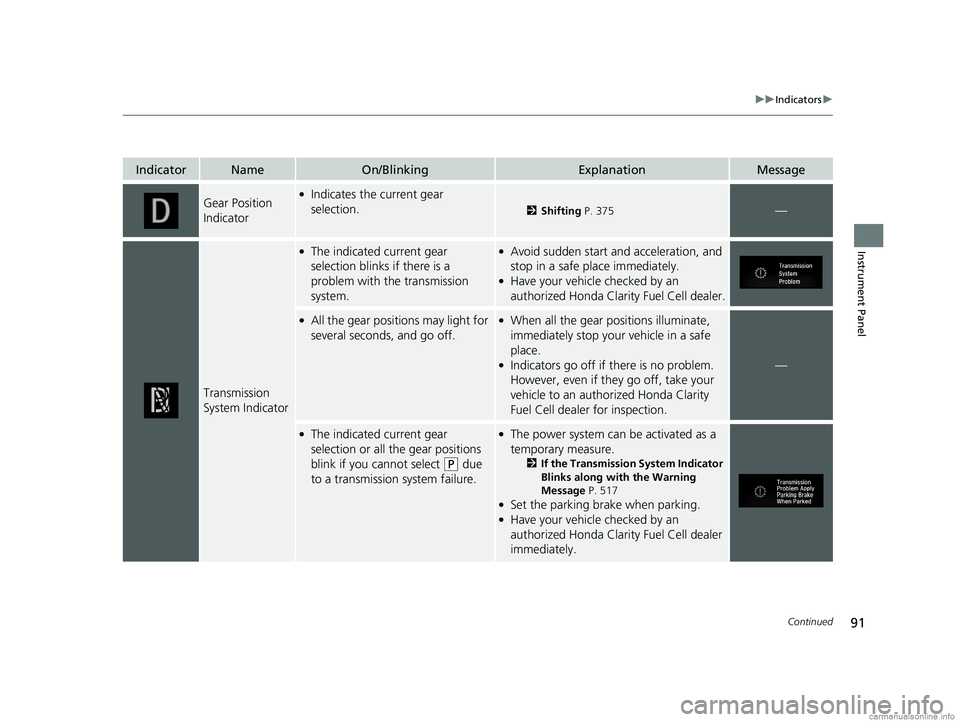
IndicatorNameOn/BlinkingExplanationMessage
Gear Position
Indicator●Indicates the current gear
selection.
2Shifting P. 375—
Transmission
System Indicator
●The indicated current gear
selection blinks if there is a
problem with the transmission
system.●Avoid sudden start and acceleration, and
stop in a safe place immediately.
●Have your vehicle checked by an
authorized Honda Clarity Fuel Cell dealer.
●All the gear positions may light for
several seconds, and go off.●When all the gear positions illuminate,
immediately stop your vehicle in a safe
place.
●Indicators go off if there is no problem.
However, even if they go off, take your
vehicle to an authorized Honda Clarity
Fuel Cell dealer for inspection.—
●The indicated current gear
selection or all the gear positions
blink if you cannot select
(P due
to a transmission system failure.
●The power system can be activated as a
temporary measure.
2 If the Transmission System Indicator
Blinks along with the Warning
Message P. 517
●Set the parking brake when parking.●Have your vehicle checked by an
authorized Honda Clarity Fuel Cell dealer
immediately.
18 CLARITY FUEL CELL PPO-31TRT6100.book 91 ページ 2017年11月21日 火曜日 午後3時3分
Page 282 of 551
280
uuAudio Error Messages uAndroid/Apps
Features
Android/Apps
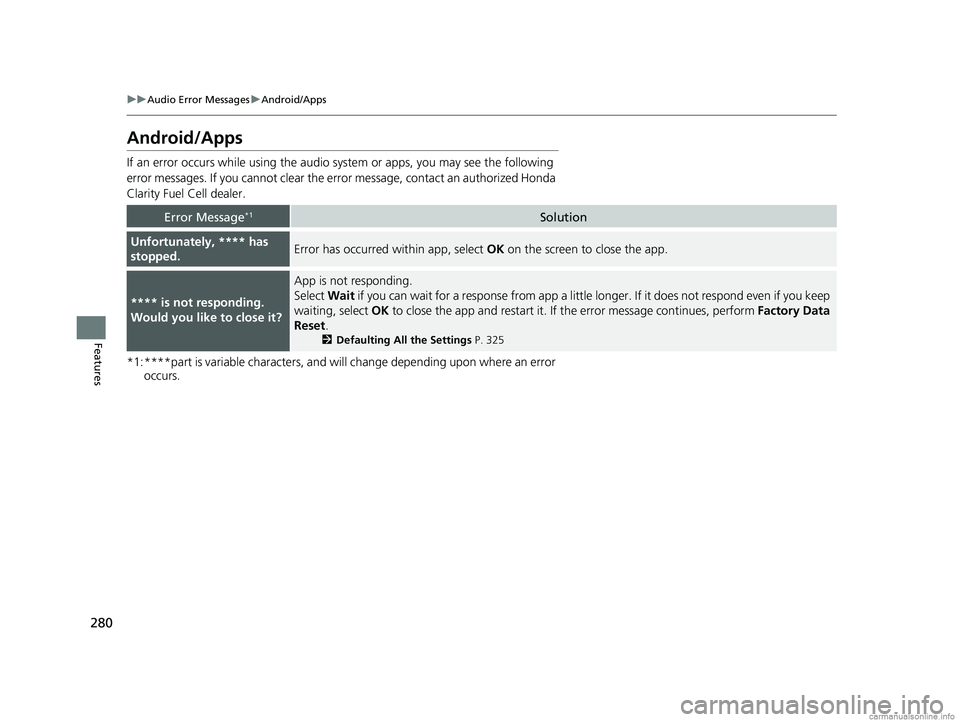
If an error occurs while using the audio system or apps, you may see the following
error messages. If you cannot clear the erro r message, contact an authorized Honda
Clarity Fuel Cell dealer.
*1:****part is variable characters, and will change depending upon where an error occurs.
Error Message*1Solution
Unfortunately, **** has
stopped.Error has occurred within app, select OK on the screen to close the app.
**** is not responding.
Would you like to close it?
App is not responding.
Select Wait if you can wait for a response from app a littl e longer. If it does not respond even if you keep
waiting, select OK to close the app and restart it. If the error message continues, perform Factory Data
Reset .
2Defaulting All the Settings P. 325
18 CLARITY FUEL CELL PPO-31TRT6100.book 280 ページ 2017年11月21日 火曜日 午後3時3分
Page 356 of 551
uuBluetooth ® HandsFreeLink ®u HFL Menus
354
Features
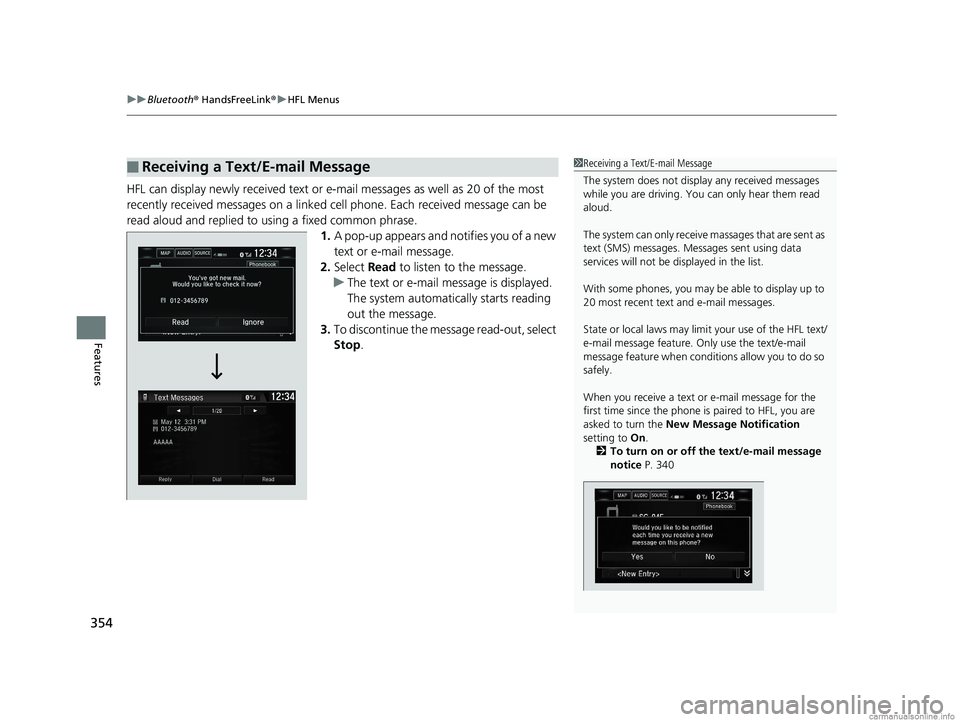
HFL can display newly received text or e- mail messages as well as 20 of the most
recently received messages on a linked cell phone. Each received message can be
read aloud and replied to using a fixed common phrase. 1.A pop-up appears and notifies you of a new
text or e-mail message.
2. Select Read to listen to the message.
u The text or e-mail message is displayed.
The system automatically starts reading
out the message.
3. To discontinue the message read-out, select
Stop .
■Receiving a Text/E-mail Message1Receiving a Text/E-mail Message
The system does not display any received messages
while you are driving. You can only hear them read
aloud.
The system can only receive massages that are sent as
text (SMS) messages. Messages sent using data
services will not be displayed in the list.
With some phones, you may be able to display up to
20 most recent text and e-mail messages.
State or local laws may limi t your use of the HFL text/
e-mail message feature. Only use the text/e-mail
message feature when conditions allow you to do so
safely.
When you receive a text or e-mail message for the
first time since the phone is paired to HFL, you are
asked to turn the New Message Notification
setting to On.
2 To turn on or off the text/e-mail message
notice P. 340
18 CLARITY FUEL CELL PPO-31TRT6100.book 354 ページ 2017年11月21日 火曜日 午後3時3分
Page 360 of 551
uuBluetooth ® HandsFreeLink ®u HFL Menus
358
Features
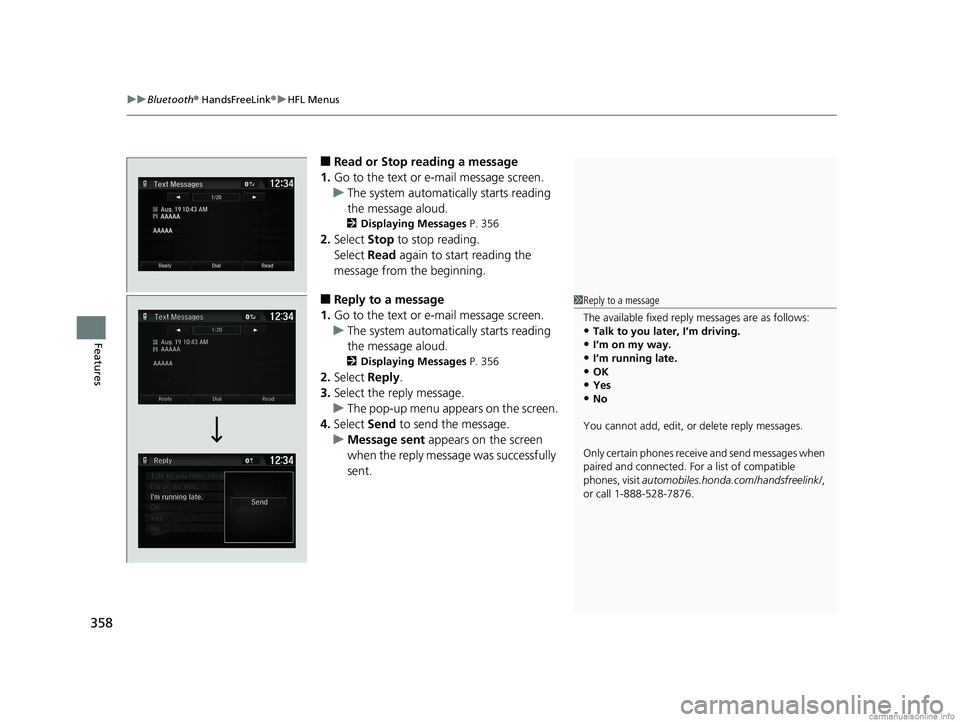
■Read or Stop reading a message
1. Go to the text or e-mail message screen.
u The system automatically starts reading
the message aloud.
2 Displaying Messages P. 356
2.Select Stop to stop reading.
Select Read again to start reading the
message from the beginning.
■Reply to a message
1. Go to the text or e-mail message screen.
u The system automatically starts reading
the message aloud.
2 Displaying Messages P. 356
2.Select Reply.
3. Select the reply message.
u The pop-up menu appears on the screen.
4. Select Send to send the message.
u Message sent appears on the screen
when the reply message was successfully
sent.
1 Reply to a message
The available fixed reply messages are as follows:
•Talk to you later, I’m driving.•I’m on my way.
•I’m running late.
•OK•Yes
•No
You cannot add, edit, or delete reply messages.
Only certain phones receiv e and send messages when
paired and connected. For a list of compatible
phones, visit automobiles.honda.com/handsfreelink/ ,
or call 1-888-528-7876.
18 CLARITY FUEL CELL PPO-31TRT6100.book 358 ページ 2017年11月21日 火曜日 午後3時3分
Page 373 of 551
Continued371
uuWhen Driving uTurning on the Power
Driving
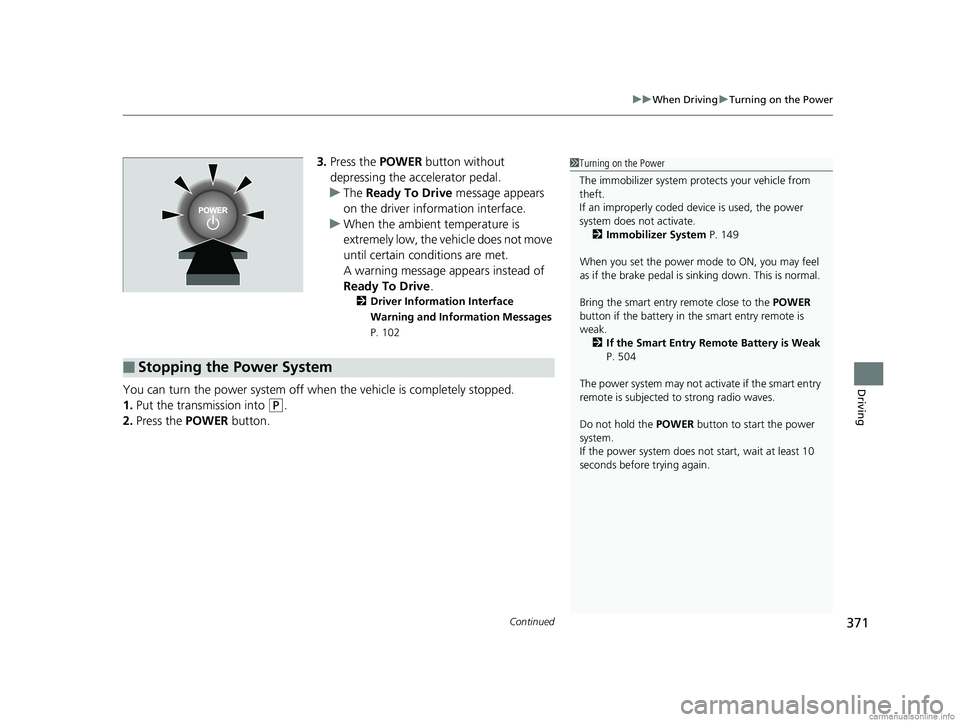
3. Press the POWER button without
depressing the accelerator pedal.
u The Ready To Drive message appears
on the driver information interface.
u When the ambient temperature is
extremely low, the vehicle does not move
until certain conditions are met.
A warning message appears instead of
Ready To Drive .
2Driver Information Interface
Warning and Information Messages
P. 102
You can turn the power system off when the vehicle is completely stopped.
1. Put the transmission into
(P.
2. Press the POWER button.
1Turning on the Power
The immobilizer system pr otects your vehicle from
theft.
If an improperly coded de vice is used, the power
system does not activate. 2 Immobilizer System P. 149
When you set the power mode to ON, you may feel
as if the brake pedal is sinking down. This is normal.
Bring the smart entry remote close to the POWER
button if the battery in the smart entry remote is
weak.
2 If the Smart Entry Remote Battery is Weak
P. 504
The power system may not activate if the smart entry
remote is subjected to strong radio waves.
Do not hold the POWER button to start the power
system.
If the power system does not start, wait at least 10
seconds before trying again.
■Stopping the Power System
18 CLARITY FUEL CELL PPO-31TRT6100.book 371 ページ 2017年11月21日 火曜日 午後3時3分
Page 396 of 551
uuWhen Driving uAdaptive Cruise Control (ACC) with Low Speed Follow (LSF)
394
Driving
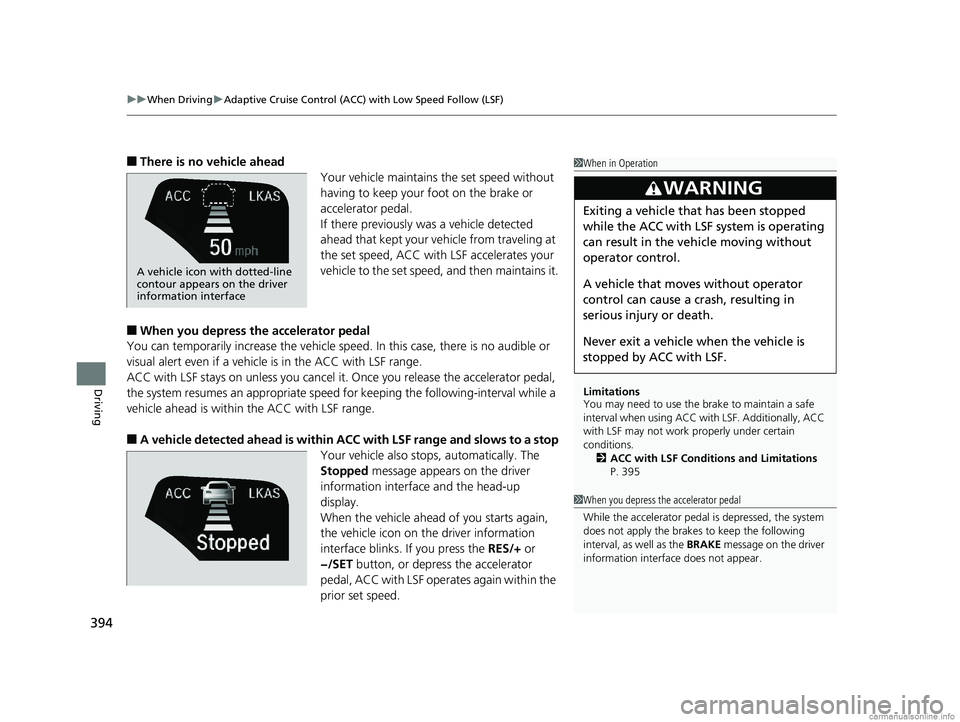
■There is no vehicle ahead
Your vehicle maintains the set speed without
having to keep your foot on the brake or
accelerator pedal.
If there previously was a vehicle detected
ahead that kept your vehicle from traveling at
the set speed, ACC with LSF accelerates your
vehicle to the set speed, and then maintains it.
■When you depress the accelerator pedal
You can temporarily increase th e vehicle speed. In this case, there is no audible or
visual alert even if a vehicle is in the ACC with LSF range.
ACC with LSF stays on unless you cancel it. Once you release the accelerator pedal,
the system resumes an appropriate speed for keeping the following-interval while a
vehicle ahead is within the ACC with LSF range.
■A vehicle detected ahead is within AC C with LSF range and slows to a stop
Your vehicle also stop s, automatically. The
Stopped message appears on the driver
information interface and the head-up
display.
When the vehicle ahead of you starts again,
the vehicle icon on the driver information
interface blinks. If you press the RES/+ or
−/SET button, or depress the accelerator
pedal, ACC with LSF operates again within the
prior set speed.
1 When in Operation
Limitations
You may need to use the brake to maintain a safe
interval when using ACC wi th LSF. Additionally, ACC
with LSF may not work properly under certain
conditions.
2 ACC with LSF Conditions and Limitations
P. 395
3WARNING
Exiting a vehicle that has been stopped
while the ACC with LSF system is operating
can result in the ve hicle moving without
operator control.
A vehicle that moves without operator
control can cause a crash, resulting in
serious injury or death.
Never exit a vehicle when the vehicle is
stopped by ACC with LSF.
A vehicle icon with dotted-line
contour appears on the driver
information interface
1 When you depress the accelerator pedal
While the accelerator pedal is depressed, the system
does not apply the brakes to keep the following
interval, as well as the BRAKE message on the driver
information interface does not appear.
18 CLARITY FUEL CELL PPO-31TRT6100.book 394 ページ 2017年11月21日 火曜日 午後3時3分
Page 411 of 551
409
uuWhen Driving uLane Keeping Assist System (LKAS)
Continued
Driving
■The system operation is suspended if
you:
• Set the wipers to continuous operation.
u Turning the wipers off resumes the
LKAS.
• Set the wiper switch to AUTO and the
wipers operate continuously.
u The LKAS resumes when the wipers stop
or operate intermittently.
• Decrease the vehicle speed to about 40
mph (64 km/h) or less.
u Increasing the vehicle speed to about 45
mph (72 km/h) or more resumes the
LKAS.
• Depress the brake pedal.
u The LKAS resumes and starts detecting
the lane lines again once you release the
brake pedal.
■The LKAS may automatica lly be suspended when:
• The system fails to detect lane lines.
• The steering wheel is quickly turned.
• You fail to steer the vehicle.
• Driving through a sharp curve.
• Driving at a speed in excess of approximately 90 mph (145 km/h).
Once these conditions no longer exist, the LKAS automatically resumes.
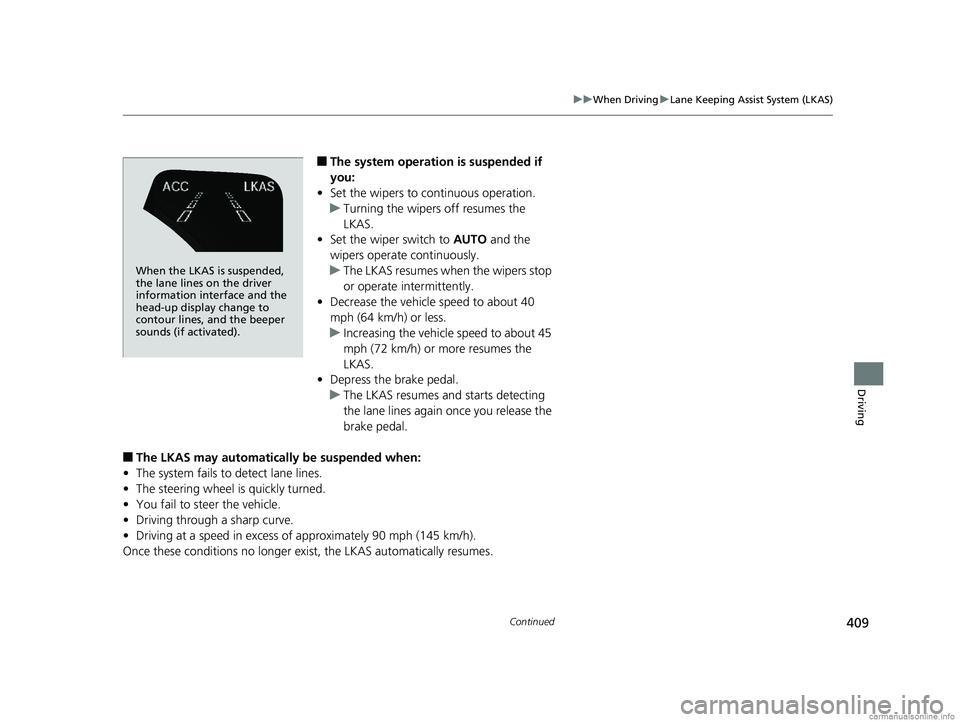
When the LKAS is suspended,
the lane lines on the driver
information interface and the
head-up display change to
contour lines, and the beeper
sounds (if activated).
18 CLARITY FUEL CELL PPO-31TRT6100.book 409 ページ 2017年11月21日 火曜日 午後3時3分