wipers HONDA CLARITY FUEL CELL 2019 (in English) User Guide
[x] Cancel search | Manufacturer: HONDA, Model Year: 2019, Model line: CLARITY FUEL CELL, Model: HONDA CLARITY FUEL CELL 2019Pages: 551, PDF Size: 27.39 MB
Page 460 of 551
458
uuMaintenance Under the Hood uOpening the Hood
Maintenance
Opening the Hood
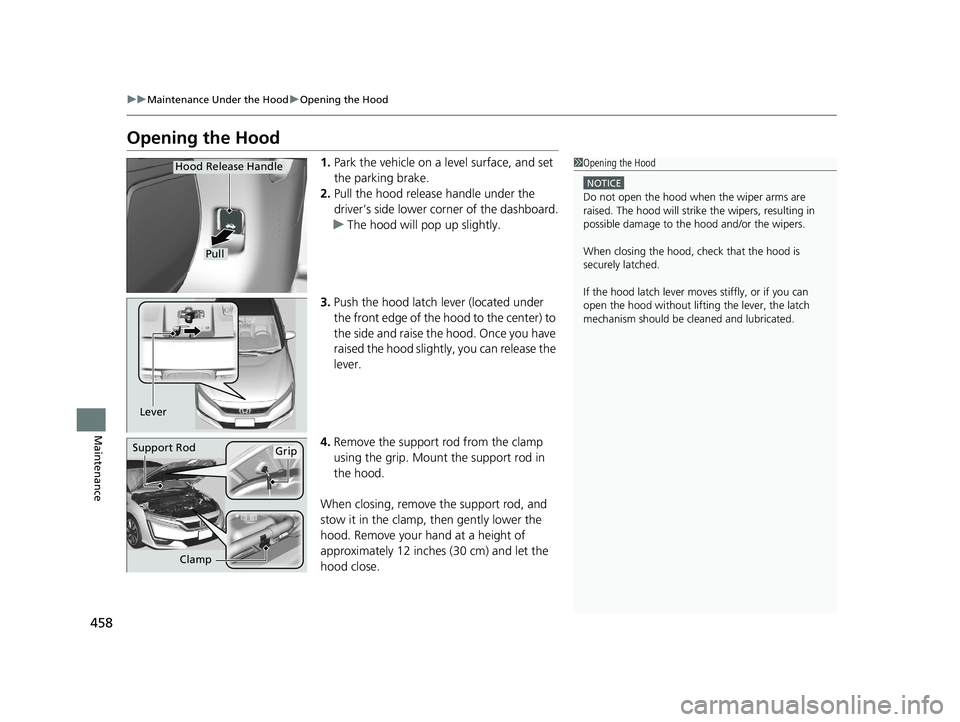
1. Park the vehicle on a level surface, and set
the parking brake.
2. Pull the hood release handle under the
driver’s side lower co rner of the dashboard.
u The hood will pop up slightly.
3. Push the hood latch lever (located under
the front edge of the hood to the center) to
the side and raise the hood. Once you have
raised the hood slight ly, you can release the
lever.
4. Remove the support rod from the clamp
using the grip. Mount the support rod in
the hood.
When closing, remove the support rod, and
stow it in the clamp, then gently lower the
hood. Remove your hand at a height of
approximately 12 inches (30 cm) and let the
hood close.1 Opening the Hood
NOTICE
Do not open the hood when the wiper arms are
raised. The hood will strike the wipers, resulting in
possible damage to the hood and/or the wipers.
When closing the hood, check that the hood is
securely latched.
If the hood latch lever moves stiffly, or if you can
open the hood without lifti ng the lever, the latch
mechanism should be cl eaned and lubricated.
Pull
Hood Release Handle
Lever
Support RodGrip
Clamp
19 CLARITY FCV CSS-31TRT6200.book 458 ページ 2019年1月17日 木曜日 午前11 時54分
Page 467 of 551
465Continued
Maintenance
Checking and Maintaining Wiper Blades
Checking Wiper Blades
If the wiper blade rubber has deteriorated, it will leave streaks and the hard surfaces
of the blade may scratch the window glass.
Changing the Wiper Blade Rubber
1. Set the power mode to VEHICLE OFF
(LOCK).
2. While holding the wiper switch in the
MIST position, set the power mode to ON,
then to VEHICLE OFF (LOCK).
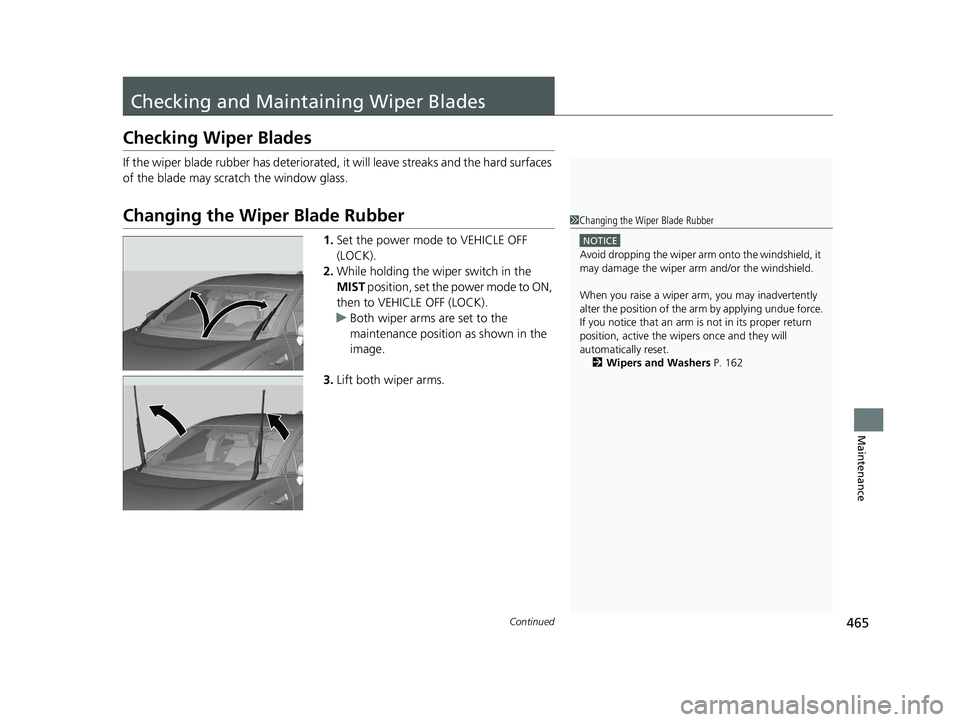
u Both wiper arms are set to the
maintenance position as shown in the
image.
3. Lift both wiper arms.
1Changing the Wiper Blade Rubber
NOTICE
Avoid dropping the wiper arm onto the windshield, it
may damage the wiper arm and/or the windshield.
When you raise a wiper arm, you may inadvertently
alter the position of the arm by applying undue force.
If you notice that an arm is not in its proper return
position, active the wipers once and they will
automatically reset. 2 Wipers and Washers P. 162
19 CLARITY FCV CSS-31TRT6200.book 465 ページ 2019年1月17日 木曜日 午前11 時54分
Page 485 of 551
483
uuCleaning uExterior Care
Continued
Maintenance
Exterior Care
Dust off the vehicle body after you drive.
Regularly inspect your vehi cle for scratches on painted surfaces. A scratch on a
painted surface can result in body rust. If you find a scratch, promptly repair it.
Wash the vehicle regularly. Wash more frequently when driving in the following
conditions:
• If driving on roads with road salt.
• If driving in coastal areas.
• If tar, soot, bird droppings, insects, or tree sap are stuck to painted surfaces.
• Make sure to follow the instructions indicated on the automated car wash.
• Fold in the door mirrors.
• For models equipped with automatic inte rmittent wipers, turn the wipers off.
■Washing the Vehicle
■Using an Automated Car Wash
1Washing the Vehicle
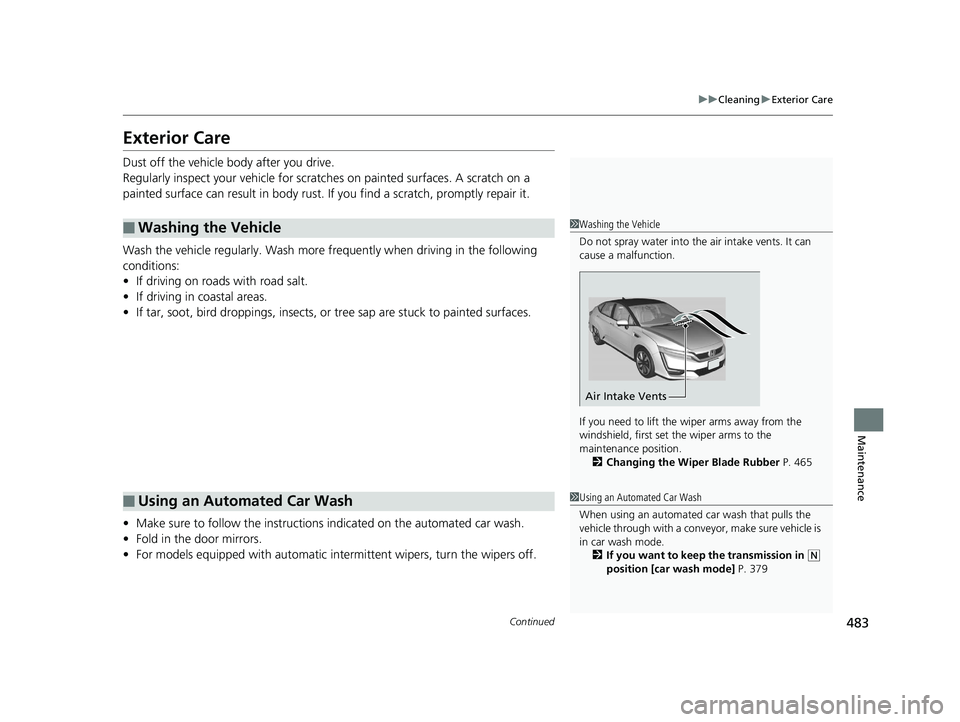
Do not spray water into the air intake vents. It can
cause a malfunction.
If you need to lift the wiper arms away from the
windshield, first set the wiper arms to the
maintenance position. 2 Changing the Wiper Blade Rubber P. 465
Air Intake Vents
1Using an Automated Car Wash
When using an automated car wash that pulls the
vehicle through with a convey or, make sure vehicle is
in car wash mode. 2 If you want to keep the transmission in
(N
position [car wash mode] P. 379
19 CLARITY FCV CSS-31TRT6200.book 483 ページ 2019年1月17日 木曜日 午前11 時54分
Page 486 of 551
uuCleaning uExterior Care
484
Maintenance
• Keep sufficient distance between the cleaning nozzl e and the vehicle body.
• Take particular care around the windows. Standing too close may cause water to
enter the vehicle interior.
• Do not spray high pressure water directly into the motor co mpartment. Instead,
use low pressure water.
• Do not spray high pressure water direct ly around the hydrogen fuel lid and
ventilation duct.
A good coat of automotive body wax helps protect your vehicle’s paint from the
elements. Wax will wear off over time and expose your vehicle’s paint to the
elements, so reapply as necessary.
If you get inverter coolant or battery fluid on resin coated parts, they may be stained
or the coating may peel. Promptly wipe it away using a soft cloth and clean water.
Wipe using a glass cleaner.
■Using High Pressure Cleaners
■Applying Wax
■Maintaining the Bumpers and Other Resin Coated Parts
■Cleaning the Window
1 Applying Wax
NOTICE
Chemical solvents and st rong cleaners can damage
the paint, metal, and plasti c on your vehicle. Wipe
away spills immediately.
1 Maintaining the Bumpers an d Other Resin Coated Parts
Ask an authorized Honda Cl arity Fuel Cell dealer
about the correct coating ma terial when you want to
repair the painted surface of the parts made of resin.
1Cleaning the Window
When you raise a wiper arm, you may inadvertently
alter the position of the arm by applying undue force.
If you notice that an arm is not in its proper return
position, active the wipers once and they will
automatically reset.
2 Wipers and Washers P. 162
19 CLARITY FCV CSS-31TRT6200.book 484 ページ 2019年1月17日 木曜日 午前11 時54分
Page 549 of 551
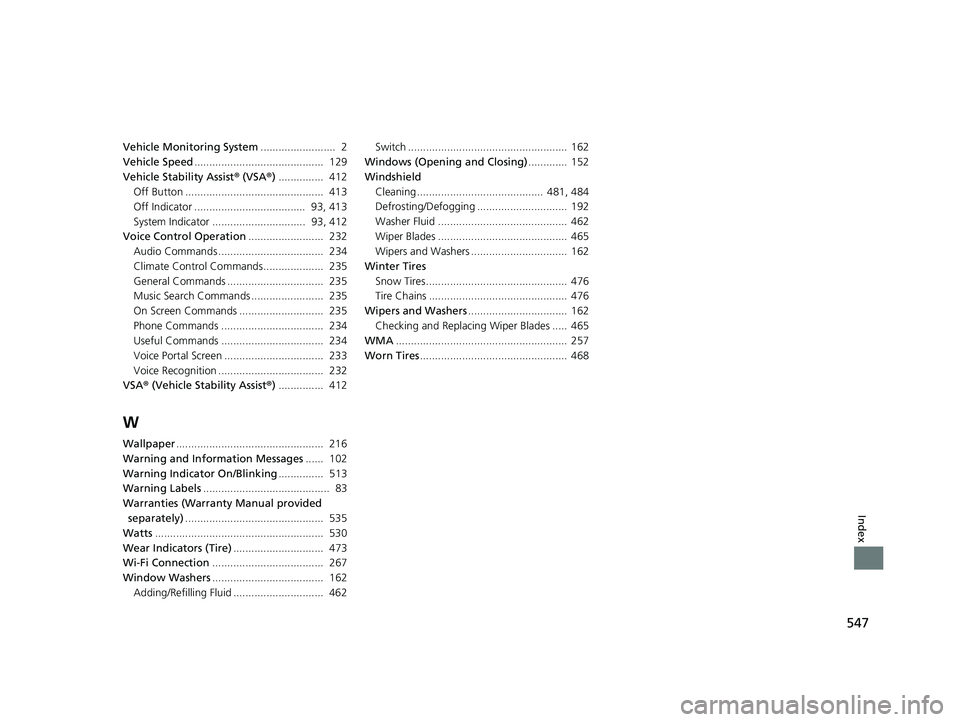
547
Index
Vehicle Monitoring System......................... 2
Vehicle Speed ........................................... 129
Vehicle Stability Assist ® (VSA ®) ............... 412
Off Button .............................................. 413
Off Indicator ..................................... 93, 413
System Indicator ............................... 93, 412
Voice Control Operation ......................... 232
Audio Commands ................................... 234
Climate Control Commands.................... 235
General Commands ................................ 235
Music Search Commands ........................ 235
On Screen Commands ............................ 235
Phone Commands .................................. 234
Useful Commands .................................. 234
Voice Portal Screen ................................. 233
Voice Recognition ................................... 232
VSA ® (Vehicle Stability Assist ®) ............... 412
W
Wallpaper ................................................. 216
Warning and Info rmation Messages ...... 102
Warning Indicator On/Blinking ............... 513
Warning Labels .......................................... 83
Warranties (Warranty Manual provided separately) .............................................. 535
Watts ........................................................ 530
Wear Indicators (Tire) .............................. 473
Wi-Fi Connection ..................................... 267
Window Washers ..................................... 162
Adding/Refilling Fluid .............................. 462 Switch ..................................................... 162
Windows (Opening and Closing) ............. 152
Windshield Cleaning .......................................... 481, 484
Defrosting/Defogging .............................. 192
Washer Fluid ........................................... 462
Wiper Blades ........................................... 465
Wipers and Washers ................................ 162
Winter Tires Snow Tires ............................................... 476
Tire Chains .............................................. 476
Wipers and Washers ................................. 162
Checking and Replacing Wiper Blades ..... 465
WMA ......................................................... 257
Worn Tires ................................................. 468
19 CLARITY FCV CSS-31TRT6200.book 547 ページ 2019年1月17日 木曜日 午前11 時54分