warning light HONDA CLARITY FUEL CELL 2019 (in English) Owner's Guide
[x] Cancel search | Manufacturer: HONDA, Model Year: 2019, Model line: CLARITY FUEL CELL, Model: HONDA CLARITY FUEL CELL 2019Pages: 551, PDF Size: 27.39 MB
Page 505 of 551
503
Handling the Unexpected
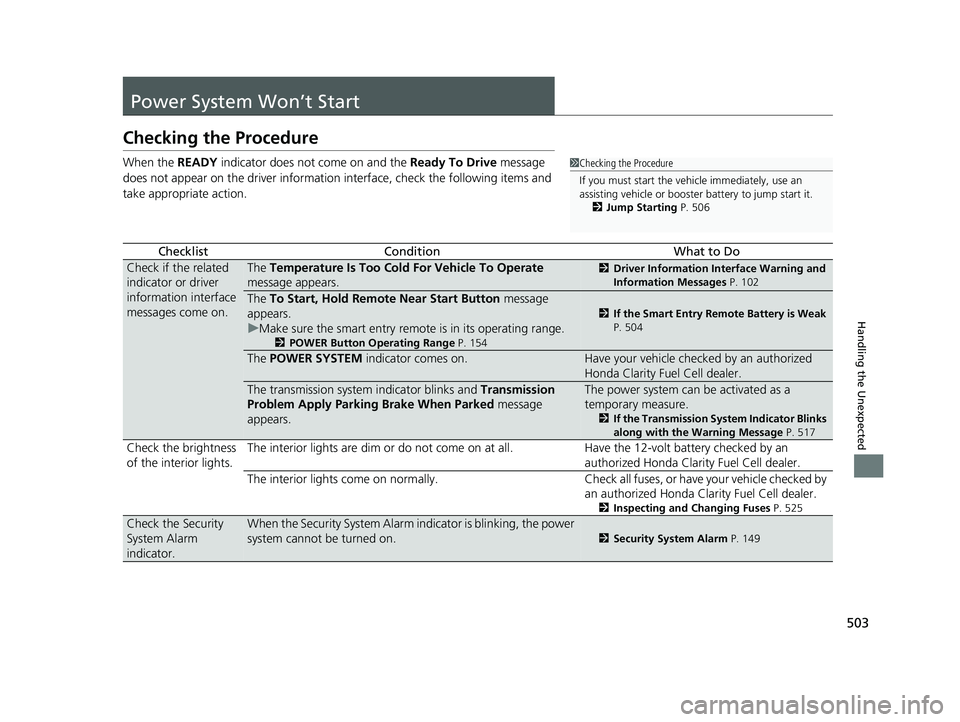
Power System Won’t Start
Checking the Procedure
When the READY indicator does not come on and the Ready To Drive message
does not appear on the driver informatio n interface, check the following items and
take appropriate action.
ChecklistConditionWhat to Do
Check if the related
indicator or driver
information interface
messages come on.The Temperature Is Too Cold For Vehicle To Operate
message appears.2 Driver Information Interface Warning and
Information Messages P. 102
The To Start, Hold Remote Near Start Button message
appears.
u Make sure the smart entry remote is in its operating range.
2 POWER Button Operating Range P. 154
2If the Smart Entry Remote Battery is Weak
P. 504
The POWER SYSTEM indicator comes on.Have your vehicle checked by an authorized
Honda Clarity Fuel Cell dealer.
The transmission system indicator blinks and Transmission
Problem Apply Parking Brake When Parked message
appears.The power system can be activated as a
temporary measure.
2 If the Transmission System Indicator Blinks
along with the Warning Message P. 517
Check the brightness
of the interior lights. The interior lights are dim or do not come on at
all. Have the 12-volt battery checked by an
authorized Honda Clarity Fuel Cell dealer.
The interior lights come on normally. Check all fuses, or have your vehicle checked by
an authorized Honda Clarity Fuel Cell dealer.
2 Inspecting and Changing Fuses P. 525
Check the Security
System Alarm
indicator.When the Security System Alarm in dicator is blinking, the power
system cannot be turned on.
2 Security System Alarm P. 149
1Checking the Procedure
If you must start the vehi cle immediately, use an
assisting vehicle or booster battery to jump start it.
2 Jump Starting P. 506
19 CLARITY FCV CSS-31TRT6200.book 503 ページ 2019年1月17日 木曜日 午前11 時54分
Page 508 of 551
506
Handling the Unexpected
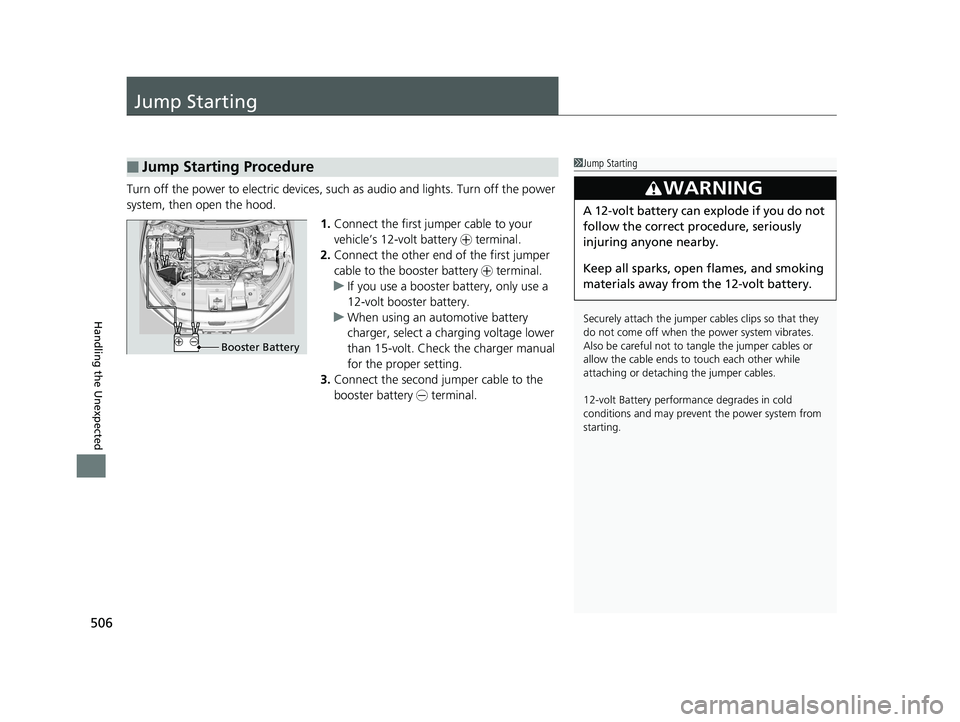
Jump Starting
Turn off the power to electric devices, such as audio and lights. Turn off the power
system, then open the hood.1.Connect the first jump er cable to your
vehicle’s 12-volt battery + terminal.
2. Connect the other end of the first jumper
cable to the booster battery + terminal.
u If you use a booster battery, only use a
12-volt booster battery.
u When using an automotive battery
charger, select a charging voltage lower
than 15-volt. Check the charger manual
for the proper setting.
3. Connect the second jumper cable to the
booster battery - terminal.
■Jump Starting Procedure1Jump Starting
Securely attach the jumper cables clips so that they
do not come off when the power system vibrates.
Also be careful not to ta ngle the jumper cables or
allow the cable ends to touch each other while
attaching or detaching the jumper cables.
12-volt Battery performa nce degrades in cold
conditions and may prevent the power system from
starting.
3WARNING
A 12-volt battery can explode if you do not
follow the correct procedure, seriously
injuring anyone nearby.
Keep all sparks, open flames, and smoking
materials away from the 12-volt battery.
Booster Battery
19 CLARITY FCV CSS-31TRT6200.book 506 ページ 2019年1月17日 木曜日 午前11 時54分
Page 511 of 551
509Continued
Handling the Unexpected
Overheating
How to Handle Overheating
If you notice any of the following signs, it is possible that the vehicle is overheating.
• The power system warning indicator has come on and the message Power
System Problem. Stop Driving When Safe has appeared in the driver
information interface.
• Steam is coming out from the motor room.
■First thing to do
1. Immediately park the vehicle in a safe place.
u Change the gear position to
(P and set the parking brake.
2. Turn off all accessories and turn on the hazard warning lights.
u No steam or spray present : Turn off the power system, then open the hood.
u Steam or spray is present : Turn off the power system and wait until it
subsides. Then open the hood.
1 How to Handle Overheating
3WARNING
Steam and spray from an overheated
power system can seriously scald you.
Do not open the hood if steam is coming
out.
19 CLARITY FCV CSS-31TRT6200.book 509 ページ 2019年1月17日 木曜日 午前11 時54分
Page 514 of 551
uuIf Hydrogen Gas is Leaking uHow to Handle Leaked Hydrogen Gas
512
Handling the Unexpected
1How to Handle Leaked Hydrogen Gas
NOTICE
Hydrogen gas is colorless, odorless, very light, and
flammable. Also, its burni ng flame is difficult to
detect by sight.
If a vehicle fire occurs, le aked hydrogen gas may be
ignited. Stay far away from the vehicle call the local
fire department, and repor t that the vehicle has
hydrogen tanks.
To extinguish a vehicle fire, use a large amount of
water, a dry chemical fire extinguisher (Class A, B, or
C), or a carbon dioxide fi re extinguisher. With an
inadequate amounts of wate r, a fire cannot be put
out completely. Never attemp t to extinguish a vehicle
fire with a small amounts of water.
3WARNING
This gas is released toward the rear of the
vehicle in a downward direction. Do not
attempt to extinguish the fire from behind
the vehicle as the exiting gas may ignite
into a flame.
19 CLARITY FCV CSS-31TRT6200.book 512 ページ 2019年1月17日 木曜日 午前11 時54分
Page 545 of 551
543
Index
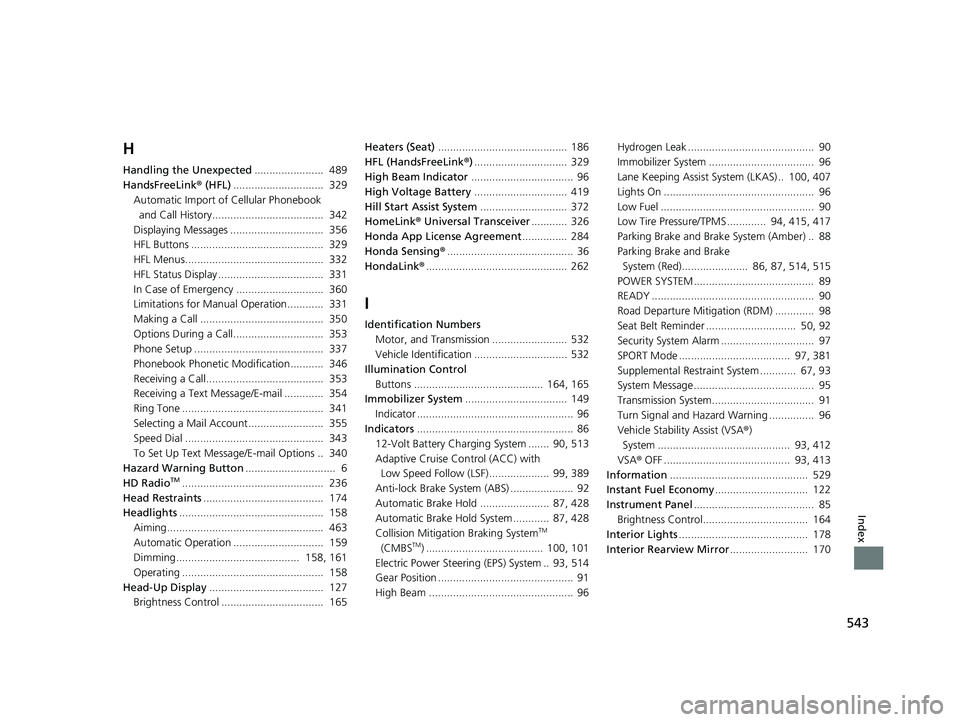
H
Handling the Unexpected....................... 489
HandsFreeLink ® (HFL) .............................. 329
Automatic Import of Cellular Phonebook
and Call History..................................... 342
Displaying Messages ............................... 356
HFL Buttons ............................................ 329
HFL Menus.............................................. 332
HFL Status Display ................................... 331
In Case of Emergency ............................. 360
Limitations for Manual Operation............ 331
Making a Call ......................................... 350
Options During a Call.............................. 353
Phone Setup ........................................... 337
Phonebook Phonetic Modification........... 346
Receiving a Call....................................... 353
Receiving a Text Message/E-mail ............. 354
Ring Tone ............................................... 341
Selecting a Mail Account......................... 355
Speed Dial .............................................. 343
To Set Up Text Messa ge/E-mail Options .. 340
Hazard Warning Button .............................. 6
HD Radio
TM............................................... 236
Head Restraints ........................................ 174
Headlights ................................................ 158
Aiming.................................................... 463
Automatic Operation .............................. 159
Dimming......................................... 158, 161
Operating ............................................... 158
Head-Up Display ...................................... 127
Brightness Control .................................. 165 Heaters (Seat)
........................................... 186
HFL (HandsFreeLink ®)............................... 329
High Beam Indicator .................................. 96
High Voltage Battery ............................... 419
Hill Start Assist System ............................. 372
HomeLink® Universal Transceiver ............ 326
Honda App License Agreement ............... 284
Honda Sensing ®.......................................... 36
HondaLink® ............................................... 262
I
Identification Numbers
Motor, and Transmission ......................... 532
Vehicle Identification ............................... 532
Illumination Control
Buttons ........................................... 164, 165
Immobilizer System .................................. 149
Indicator .................................................... 96
Indicators .................................................... 86
12-Volt Battery Charging System ....... 90, 513
Adaptive Cruise Control (ACC) with Low Speed Follow (LSF).................... 99, 389
Anti-lock Brake System (ABS) ..................... 92
Automatic Brake Hold ....................... 87, 428
Automatic Brake Hold System ............ 87, 428
Collision Mitigation Braking System
TM
(CMBSTM) ....................................... 100, 101
Electric Power Steering (EPS) System .. 93, 514
Gear Position ............................................. 91
High Beam ................................................ 96 Hydrogen Leak .......................................... 90
Immobilizer System ................................... 96
Lane Keeping Assist Sy
stem (LKAS) .. 100, 407
Lights On .................................................. 96
Low Fuel ................................................... 90
Low Tire Pressure/TPMS ............. 94, 415, 417
Parking Brake and Brake System (Amber) .. 88
Parking Brake and Brake
System (Red)...................... 86, 87, 514, 515
POWER SYSTEM ........................................ 89
READY ...................................................... 90
Road Departure Mitigation (RDM) ............. 98
Seat Belt Reminder .............................. 50, 92
Security System Alarm ............................... 97
SPORT Mode ..................................... 97, 381
Supplemental Restraint System ............ 67, 93
System Message ........................................ 95
Transmission System.................................. 91
Turn Signal and Hazard Warning ............... 96
Vehicle Stability Assist (VSA® )
System ............................................ 93, 412
VSA ® OFF .......................................... 93, 413
Information .............................................. 529
Instant Fuel Economy ............................... 122
Instrument Panel ........................................ 85
Brightness Control................................... 164
Interior Lights ........................................... 178
Interior Rearview Mirror .......................... 170
19 CLARITY FCV CSS-31TRT6200.book 543 ページ 2019年1月17日 木曜日 午前11 時54分
Page 548 of 551
546
Index
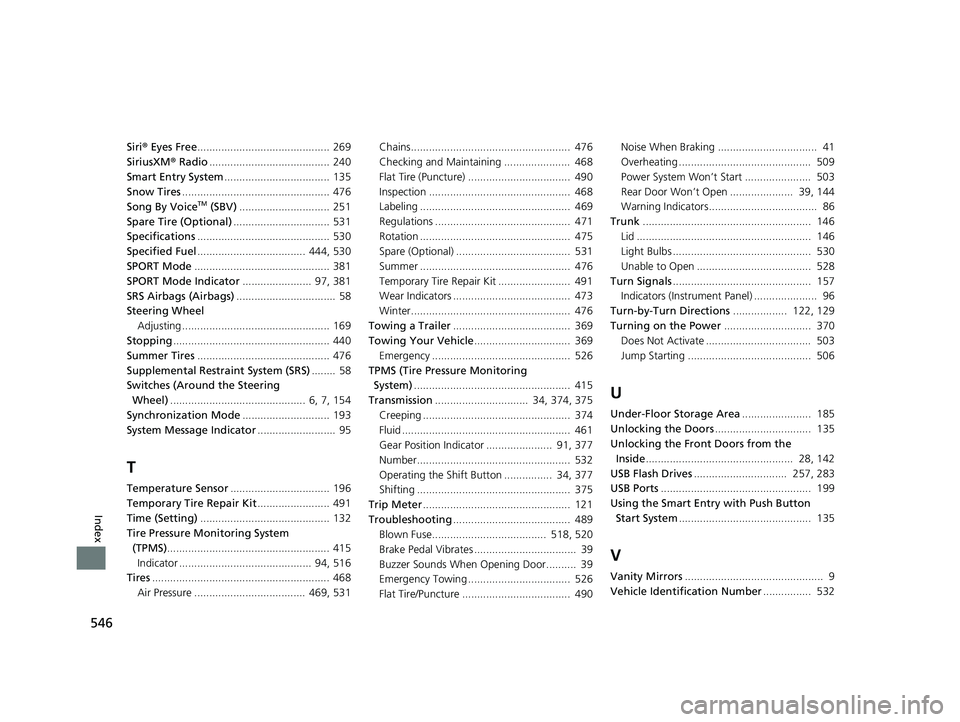
Siri® Eyes Free ............................................ 269
SiriusXM ® Radio ........................................ 240
Smart Entry System ................................... 135
Snow Tires ................................................. 476
Song By Voice
TM (SBV) .............................. 251
Spare Tire (Optional) ................................ 531
Specifications ............................................ 530
Specified Fuel .................................... 444, 530
SPORT Mode ............................................. 381
SPORT Mode Indicator ....................... 97, 381
SRS Airbags (Airbags) ................................. 58
Steering Wheel Adjusting ................................................. 169
Stopping .................................................... 440
Summer Tires ............................................ 476
Supplemental Restraint System (SRS) ........ 58
Switches (Around the Steering
Wheel) ............................................. 6, 7, 154
Synchronization Mode ............................. 193
System Message Indicator .......................... 95
T
Temperature Sensor................................. 196
Temporary Tire Repair Kit ........................ 491
Time (Setting) ........................................... 132
Tire Pressure Monitoring System
(TPMS) ...................................................... 415
Indicator ............................................ 94, 516
Tires ........................................................... 468
Air Pressure ..................................... 469, 531 Chains..................................................... 476
Checking and Maintaining ...................... 468
Flat Tire (Puncture) .................................. 490
Inspection ............................................... 468
Labeling .................................................. 469
Regulations ............................................. 471
Rotation .................................................. 475
Spare (Optional) ...................................... 531
Summer .................................................. 476
Temporary Tire Re
pair Kit ........................ 491
Wear Indicators ....................................... 473
Winter..................................................... 476
Towing a Trailer ....................................... 369
Towing Your Vehicle ................................ 369
Emergency .............................................. 526
TPMS (Tire Pressure Monitoring System) .................................................... 415
Transmission ............................... 34, 374, 375
Creeping ................................................. 374
Fluid ........................................................ 461
Gear Position Indicator ...................... 91, 377
Number................................................... 532
Operating the Shift Button ................ 34, 377
Shifting ................................................... 375
Trip Meter ................................................. 121
Troubleshooting ....................................... 489
Blown Fuse...................................... 518, 520
Brake Pedal Vibrates .................................. 39
Buzzer Sounds When Opening Door.......... 39
Emergency Towing .................................. 526
Flat Tire/Puncture .................................... 490 Noise When Braking ................................. 41
Overheating ............................................ 509
Power System Won’t Start ...................... 503
Rear Door Won’t Open ..................... 39, 144
Warning Indicators.................................... 86
Trunk ........................................................ 146
Lid .......................................................... 146
Light Bulbs .............................................. 530
Unable to Open ...................................... 528
Turn Signals .............................................. 157
Indicators (Instru ment Panel) ..................... 96
Turn-by-Turn Directions .................. 122, 129
Turning on the Power ............................. 370
Does Not Activate ................................... 503
Jump Starting ......................................... 506
U
Under-Floor Storage Area ....................... 185
Unlocking the Doors ................................ 135
Unlocking the Fron t Doors from the
Inside ................................................. 28, 142
USB Flash Drives ............................... 257, 283
USB Ports .................................................. 199
Using the Smart Entr y with Push Button
Start System ............................................ 135
V
Vanity Mirrors .............................................. 9
Vehicle Identification Number ................ 532
19 CLARITY FCV CSS-31TRT6200.book 546 ページ 2019年1月17日 木曜日 午前11 時54分