tire pressure HONDA CLARITY FUEL CELL 2021 (in English) Owner's Guide
[x] Cancel search | Manufacturer: HONDA, Model Year: 2021, Model line: CLARITY FUEL CELL, Model: HONDA CLARITY FUEL CELL 2021Pages: 555, PDF Size: 28.21 MB
Page 477 of 555
475
uuChecking and Maintaining Tires uWear Indicators
Maintenance
Wear Indicators
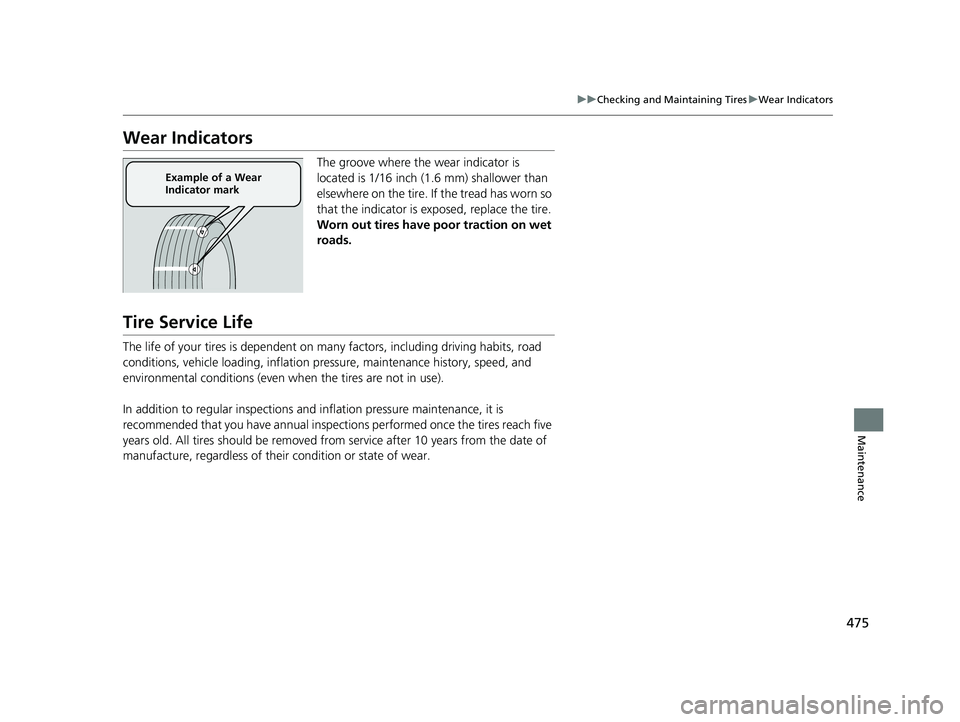
The groove where the wear indicator is
located is 1/16 inch (1.6 mm) shallower than
elsewhere on the tire. If the tread has worn so
that the indicator is ex posed, replace the tire.
Worn out tires have po or traction on wet
roads.
Tire Service Life
The life of your tires is dependent on many factors, including driving habits, road
conditions, vehicle loading, inflation pressure, maintenance history, speed, and
environmental conditions (even wh en the tires are not in use).
In addition to regular inspections and inflation pressure maintenance, it is
recommended that you have annual inspections performed once the tires reach five
years old. All tires should be removed fro m service after 10 years from the date of
manufacture, regardless of their condition or state of wear.
Example of a Wear
Indicator mark
21 CLARITY FCV CSS-31TRT6400_02.book 475 ページ 2020年9月25日 金曜日 午 後3時15分
Page 478 of 555
476
uuChecking and Maintaining Tires uTire and Wheel Replacement
Maintenance
Tire and Wheel Replacement
Replace your tires with radials of the sa me size, load range, speed rating, and
maximum cold tire pressure ra ting (as shown on the tire’s sidewall). Using tires of a
different size or construction can cause ce rtain vehicle systems such as the ABS and
Vehicle Stability Assist
TM (VSA ®) system to work incorrectly.
It is best to replace all four tires at the same time. If that isn’t possible, replace the
front or rear tires in pairs.
Make sure that the wheel’s specifications match thos e of the original wheels.
1Tire and Wheel Replacement
3WARNING
Installing improper tires on your vehicle can
affect handling and stability. This can cause
a crash in which you can be seriously hurt or
killed.
Always use the size and type of tires
recommended in this manual.
21 CLARITY FCV CSS-31TRT6400_02.book 476 ページ 2020年9月25日 金曜日 午 後3時15分
Page 493 of 555
491
Handling the Unexpected
This chapter explains how to handle unexpected troubles.
If a Tire Goes FlatTemporarily Repairi ng a Flat Tire....... 492
Handling of the Jack ......................... 504
Power System Won’t Start Checking the Procedure ................... 505
If the Smart Entry Remote Battery is Weak .......................................... 506
Emergency Power System Off........... 507
If the 12-Volt Battery Is Dead .......... 508
Overheating How to Handle Overheating ............. 511
If Hydrogen Gas is Leaking .............. 513Indicator, Coming On/Blinking
If the 12-Volt Battery Charging System Indicator Comes On ....................... 515
If the Brake System Indicator (Red) Comes On or Blinks ....................................... 516
If the Electric Power Steering (EPS) System Indicator Comes On ........................... 516If the Brake System Indicator (Red) Comes On or Blinks at the Same Time
When the Brake System Indicator
(Amber) Comes On ...................... 517
If the Low Tire Pressure/TPMS Indicator
Comes On or Blinks ....................... 518
If the Transmission System Indicator Blinks along with the Warning Message .... 519
Fuses Fuse Locations ................................. 520
Inspecting and Changing Fuses ........ 527
Emergency Towing ........................... 528
If You Cannot Unlock the Hydrogen Fuel Lid ...................................................... 529
If You Cannot Open the Trunk ........ 530
21 CLARITY FCV CSS-31TRT6400_02.book 491 ページ 2020年9月25日 金曜日 午 後3時15分
Page 495 of 555
Continued493
uuIf a Tire Goes Flat uTemporarily Repairing a Flat Tire
Handling the Unexpected
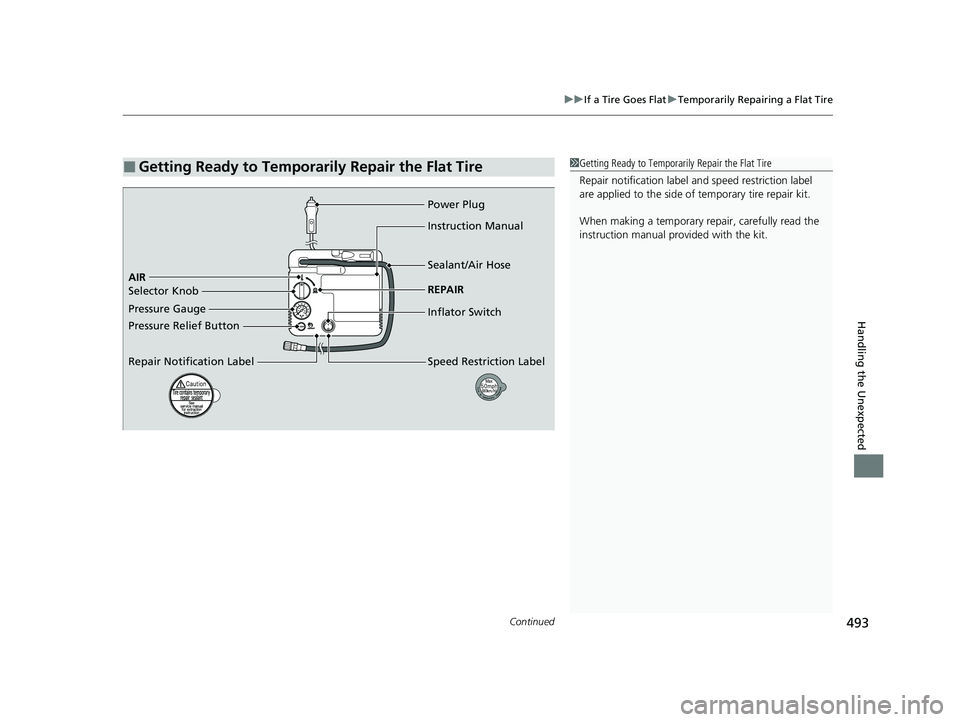
■Getting Ready to Temporarily Repair the Flat Tire1Getting Ready to Temporarily Repair the Flat Tire
Repair notificati on label and speed restriction label
are applied to the side of temporary tire repair kit.
When making a temporary repair, carefully read the
instruction manual provided with the kit.
Pressure Gauge AIR Power Plug
Pressure Relief Button
Repair Notification LabelInstruction Manual
Sealant/Air Hose
REPAIR
Inflator Switch
Speed Restriction Label
Selector Knob
21 CLARITY FCV CSS-31TRT6400_02.book 493 ページ 2020年9月25日 金曜日 午
後3時15分
Page 499 of 555
Continued497
uuIf a Tire Goes Flat uTemporarily Repairing a Flat Tire
Handling the Unexpected
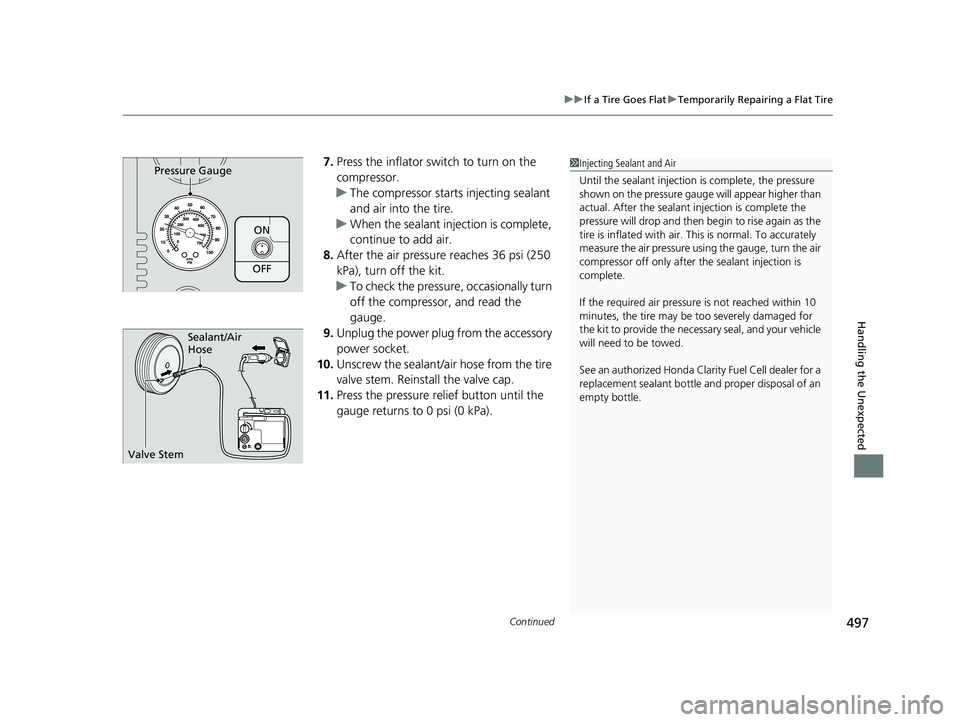
7. Press the inflator switch to turn on the
compressor.
u The compressor starts injecting sealant
and air into the tire.
u When the sealant injection is complete,
continue to add air.
8. After the air pressure reaches 36 psi (250
kPa), turn off the kit.
u To check the pressure, occasionally turn
off the compressor, and read the
gauge.
9. Unplug the power plug from the accessory
power socket.
10. Unscrew the sealant/ai r hose from the tire
valve stem. Reinstall the valve cap.
11. Press the pressure relief button until the
gauge returns to 0 psi (0 kPa).
ON
OFF
Pressure Gauge1Injecting Sealant and Air
Until the sealant injection is complete, the pressure
shown on the pressure gauge will appear higher than
actual. After the sealant injection is complete the
pressure will drop and then begin to rise again as the
tire is inflated with air. This is normal. To accurately
measure the air pressure usin g the gauge, turn the air
compressor off only after the sealant injection is
complete.
If the required air pressure is not reached within 10
minutes, the tire may be too severely damaged for
the kit to provide the necessa ry seal, and your vehicle
will need to be towed.
See an authorized Honda Clar ity Fuel Cell dealer for a
replacement sealant bottle an d proper disposal of an
empty bottle.
Sealant/Air
Hose
Valve Stem
21 CLARITY FCV CSS-31TRT6400_02.book 497 ページ 2020年9月25日 金曜日 午 後3時15分
Page 501 of 555
499
uuIf a Tire Goes Flat uTemporarily Repairing a Flat Tire
Continued
Handling the Unexpected
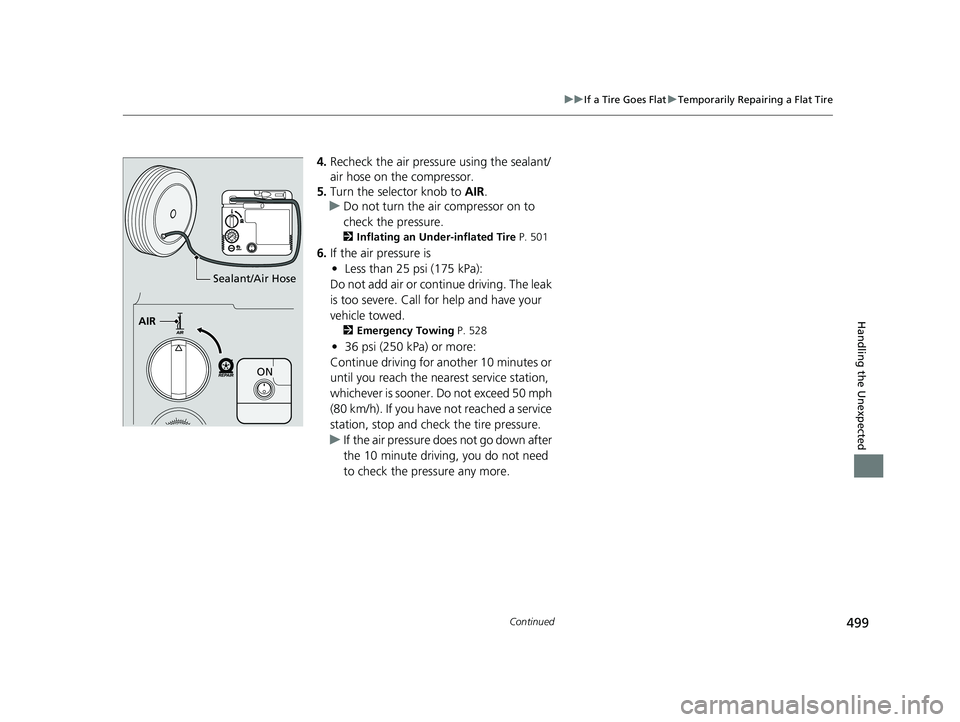
4. Recheck the air pressure using the sealant/
air hose on the compressor.
5. Turn the selector knob to AIR.
u Do not turn the air compressor on to
check the pressure.
2 Inflating an Under-inflated Tire P. 501
6.If the air pressure is
• Less than 25 psi (175 kPa):
Do not add air or continue driving. The leak
is too severe. Call for help and have your
vehicle towed.
2 Emergency Towing P. 528
•36 psi (250 kPa) or more:
Continue driving for another 10 minutes or
until you reach the nearest service station,
whichever is sooner. Do not exceed 50 mph
(80 km/h). If you have not reached a service
station, stop and check the tire pressure.
u If the air pressure do es not go down after
the 10 minute driving, you do not need
to check the pressure any more.
Sealant/Air Hose
AIR
ON
21 CLARITY FCV CSS-31TRT6400_02.book 499 ページ 2020年9月25日 金曜日 午 後3時15分
Page 502 of 555
uuIf a Tire Goes Flat uTemporarily Repairing a Flat Tire
500
Handling the Unexpected
• Greater than 25 psi (175 kPa), but less
than 36 psi (250 kPa):
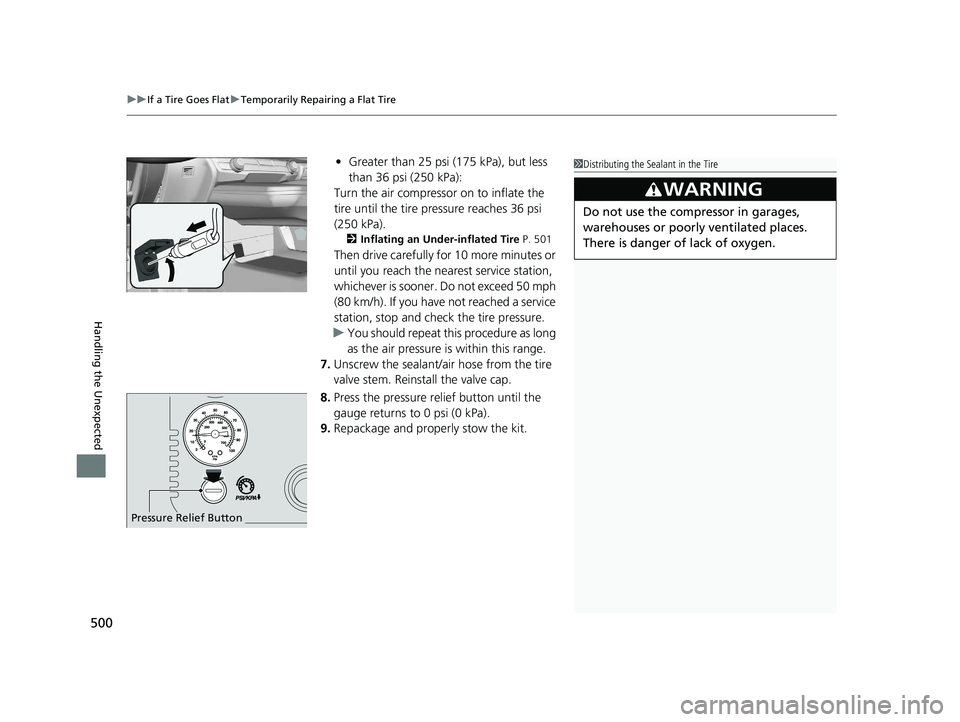
Turn the air compressor on to inflate the
tire until the tire pressure reaches 36 psi
(250 kPa).
2 Inflating an Under-inflated Tire P. 501
Then drive carefully for 10 more minutes or
until you reach the nearest service station,
whichever is sooner. Do not exceed 50 mph
(80 km/h). If you have not reached a service
station, stop and check the tire pressure.
u You should repeat this procedure as long
as the air pressure is within this range.
7. Unscrew the sealant/ai r hose from the tire
valve stem. Reinstall the valve cap.
8. Press the pressure relief button until the
gauge returns to 0 psi (0 kPa).
9. Repackage and properly stow the kit.
Pressure Relief Button
1Distributing the Sealant in the Tire
3WARNING
Do not use the compressor in garages,
warehouses or poorly ventilated places.
There is danger of lack of oxygen.
21 CLARITY FCV CSS-31TRT6400_02.book 500 ページ 2020年9月25日 金曜日 午 後3時15分
Page 504 of 555
uuIf a Tire Goes Flat uTemporarily Repairing a Flat Tire
502
Handling the Unexpected
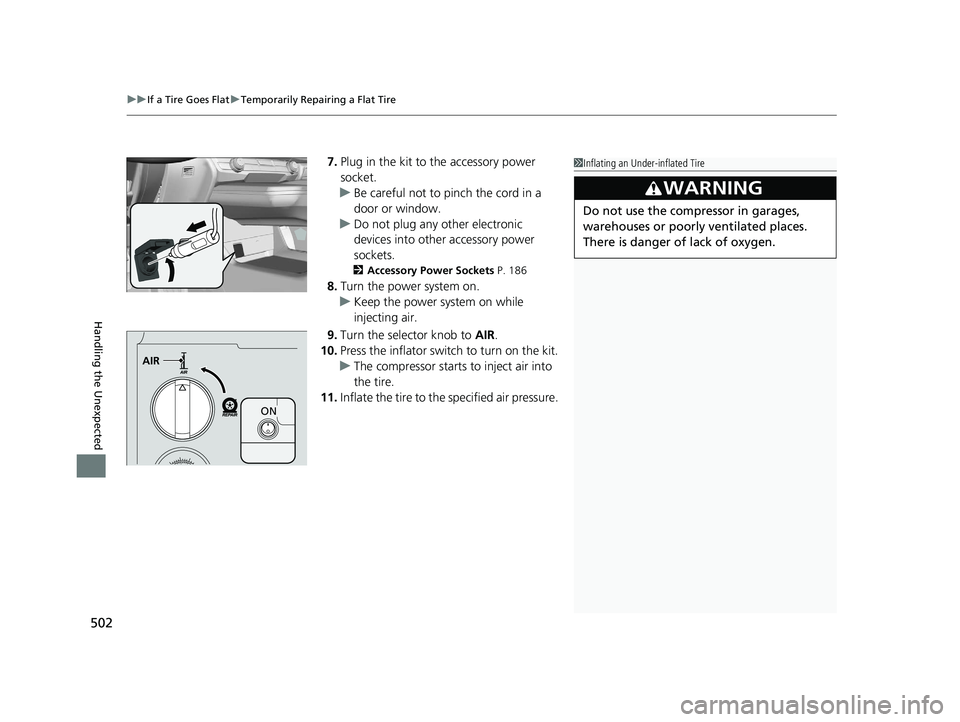
7. Plug in the kit to the accessory power
socket.
u Be careful not to pinch the cord in a
door or window.
u Do not plug any other electronic
devices into other accessory power
sockets.
2 Accessory Power Sockets P. 186
8.Turn the power system on.
u Keep the power system on while
injecting air.
9. Turn the selector knob to AIR.
10. Press the inflator swit ch to turn on the kit.
u The compressor starts to inject air into
the tire.
11. Inflate the tire to the specified air pressure.
1Inflating an Under-inflated Tire
3WARNING
Do not use the compressor in garages,
warehouses or poorly ventilated places.
There is danger of lack of oxygen.
AIR
ON
21 CLARITY FCV CSS-31TRT6400_02.book 502 ページ 2020年9月25日 金曜日 午 後3時15分
Page 505 of 555
503
uuIf a Tire Goes Flat uTemporarily Repairing a Flat Tire
Handling the Unexpected
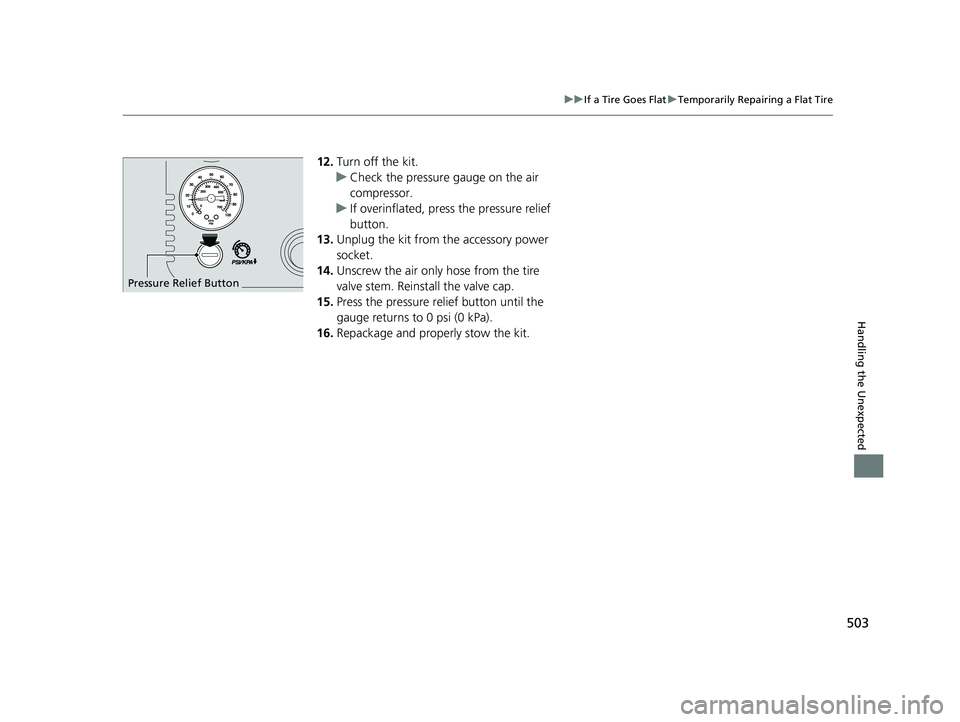
12. Turn off the kit.
u Check the pressure gauge on the air
compressor.
u If overinflated, press the pressure relief
button.
13. Unplug the kit from the accessory power
socket.
14. Unscrew the air only hose from the tire
valve stem. Reinstall the valve cap.
15. Press the pressure relief button until the
gauge returns to 0 psi (0 kPa).
16. Repackage and properly stow the kit.
Pressure Relief Button
21 CLARITY FCV CSS-31TRT6400_02.book 503 ページ 2020年9月25日 金曜日 午 後3時15分
Page 520 of 555
518
uuIndicator, Coming On/Blinking uIf the Low Tire Pressure/TPMS Indicator Comes On or Blinks
Handling the Unexpected
If the Low Tire Pressure/TPMS Indicator Comes On or
Blinks
■Reasons for the indicator to come on or blink
A tire pressure is significantly low. If there is a problem with the TPMS,
the indicator blinks for about one minute, and then stay on.
■What to do when the indicator comes on
Drive carefully and avoid abrupt cornering and hard braking.
Stop your vehicle in a safe place. Ch eck the tire pressure and adjust the
pressure to the specified level. The sp ecified tire pressure is on a label on
the driver side doorjamb. u Calibrate the TPMS after the tire pressure is adjusted.
■What to do when the indica tor blinks, then remains on
Have the tire inspected by an author ized Honda Clarity Fuel Cell dealer
as soon as possible.
1 If the Low Tire Pressure/TPMS Indicator Comes On or Blinks
NOTICE
Driving on an extremely unde rinflated tire can cause
it to overheat. An overheated tire can fail. Always
inflate your tires to the prescribed level.
21 CLARITY FCV CSS-31TRT6400_02.book 518 ページ 2020年9月25日 金曜日 午 後3時15分