ad blue HONDA CLARITY PLUG-IN 2020 (in English) Service Manual
[x] Cancel search | Manufacturer: HONDA, Model Year: 2020, Model line: CLARITY PLUG-IN, Model: HONDA CLARITY PLUG-IN 2020Pages: 595, PDF Size: 30.43 MB
Page 347 of 595
Continued345
uuBluetooth ® HandsFreeLink ®u HFL Menus
Features
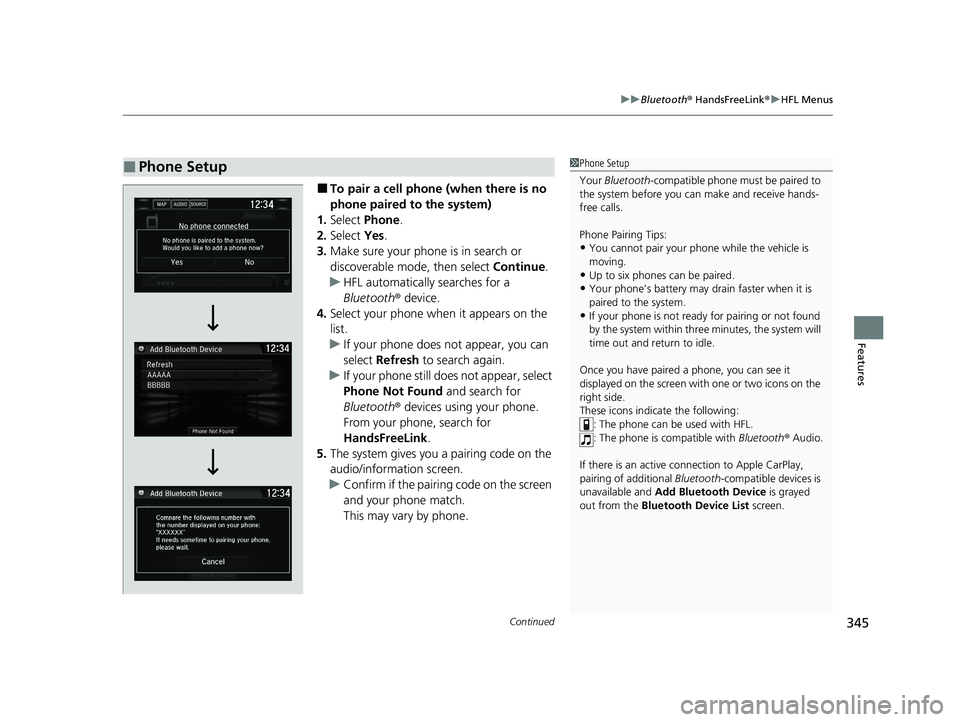
■To pair a cell phone (when there is no
phone paired to the system)
1. Select Phone.
2. Select Yes.
3. Make sure your phone is in search or
discoverable mode, then select Continue.
u HFL automatically searches for a
Bluetooth ® device.
4. Select your phone when it appears on the
list.
u If your phone does not appear, you can
select Refresh to search again.
u If your phone still does not appear, select
Phone Not Found and search for
Bluetooth ® devices using your phone.
From your phone, search for
HandsFreeLink .
5. The system gives you a pairing code on the
audio/information screen.
u Confirm if the pairing code on the screen
and your phone match.
This may vary by phone.
■Phone Setup1Phone Setup
Your Bluetooth -compatible phone must be paired to
the system before you ca n make and receive hands-
free calls.
Phone Pairing Tips:
•You cannot pair your phone while the vehicle is
moving.
•Up to six phones can be paired.
•Your phone's battery may dr ain faster when it is
paired to the system.
•If your phone is not ready for pairing or not found
by the system within three minutes, the system will
time out and return to idle.
Once you have paired a phone, you can see it
displayed on the screen with one or two icons on the
right side.
These icons indicate the following: : The phone can be used with HFL.
: The phone is compatible with Bluetooth® Audio.
If there is an active c onnection to Apple CarPlay,
pairing of additional Bluetooth-compatible devices is
unavailable and Add Bluetooth Device is grayed
out from the Bluetooth Device List screen.
20 CLARITY PHEV-31TRW6200.book 345 ページ 2019年9月24日 火曜日 午後12時9分
Page 348 of 595
uuBluetooth ® HandsFreeLink ®u HFL Menus
346
Features
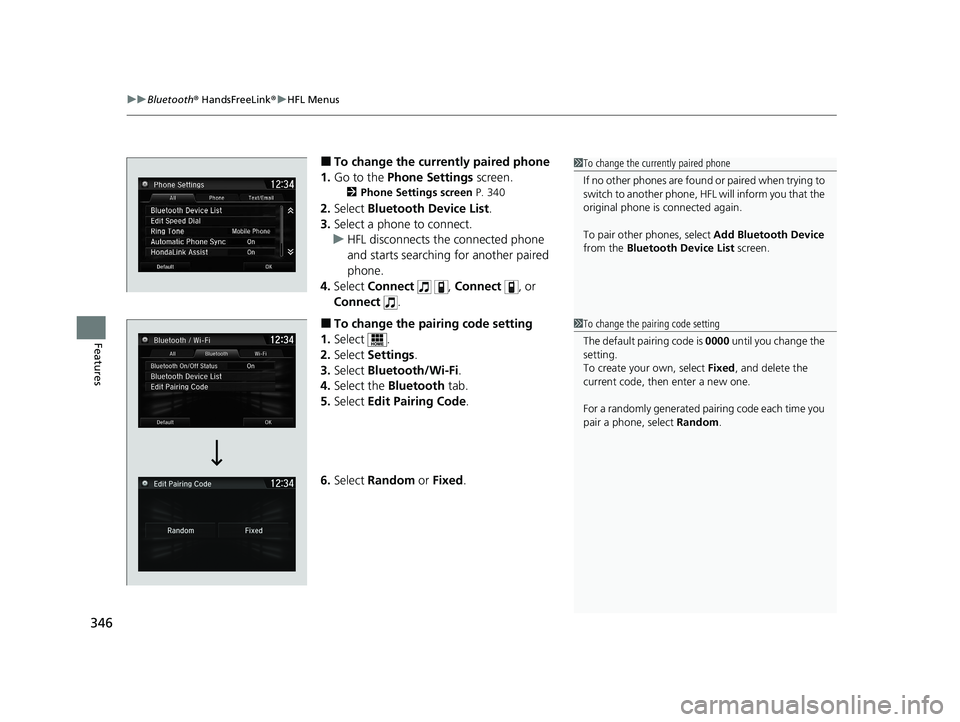
■To change the currently paired phone
1. Go to the Phone Settings screen.
2Phone Settings screen P. 340
2.Select Bluetooth Device List .
3. Select a phone to connect.
u HFL disconnects the connected phone
and starts searching for another paired
phone.
4. Select Connect , Connect , or
Connect .
■To change the pairing code setting
1. Select .
2. Select Settings .
3. Select Bluetooth/Wi-Fi .
4. Select the Bluetooth tab.
5. Select Edit Pairing Code .
6. Select Random or Fixed .
1To change the currently paired phone
If no other phones are found or paired when trying to
switch to another phone, HFL will inform you that the
original phone is connected again.
To pair other phones, select Add Bluetooth Device
from the Bluetooth Device List screen.
1To change the pairing code setting
The default pairing code is 0000 until you change the
setting.
To create your own, select Fixed, and delete the
current code, then enter a new one.
For a randomly generated pair ing code each time you
pair a phone , select Random .
20 CLARITY PHEV-31TRW6200.book 346 ページ 2019年9月24日 火曜日 午後12時9分
Page 349 of 595
347
uuBluetooth ® HandsFreeLink ®u HFL Menus
Continued
Features
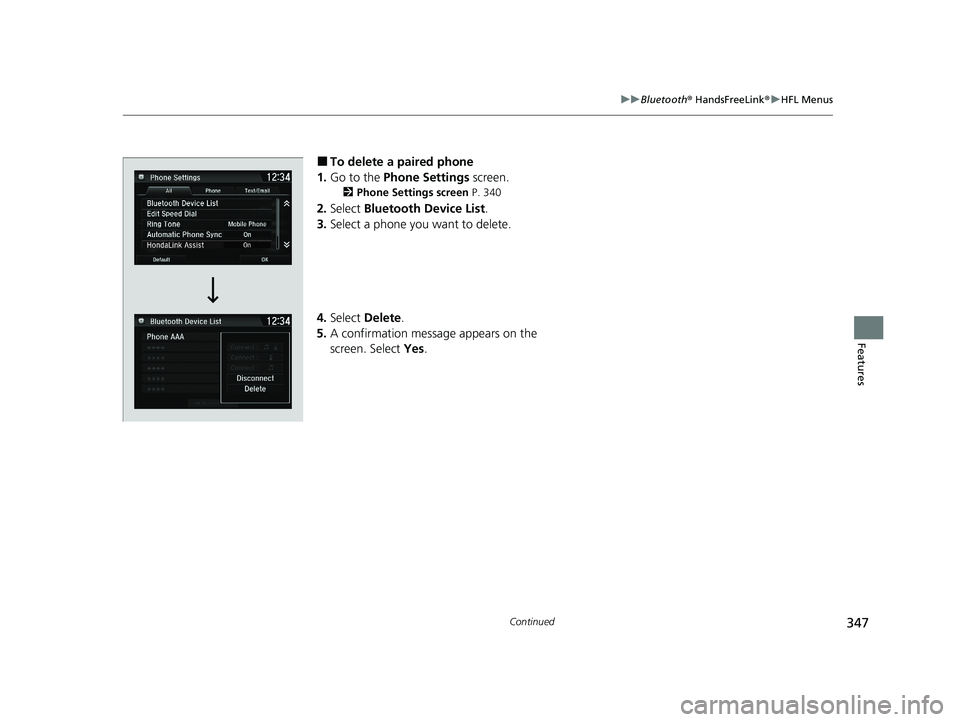
■To delete a paired phone
1. Go to the Phone Settings screen.
2Phone Settings screen P. 340
2.Select Bluetooth Device List .
3. Select a phone you want to delete.
4. Select Delete .
5. A confirmation message appears on the
screen. Select Yes.
20 CLARITY PHEV-31TRW6200.book 347 ページ 2019年9月24日 火曜日 午後12時9分
Page 350 of 595
uuBluetooth ® HandsFreeLink ®u HFL Menus
348
Features
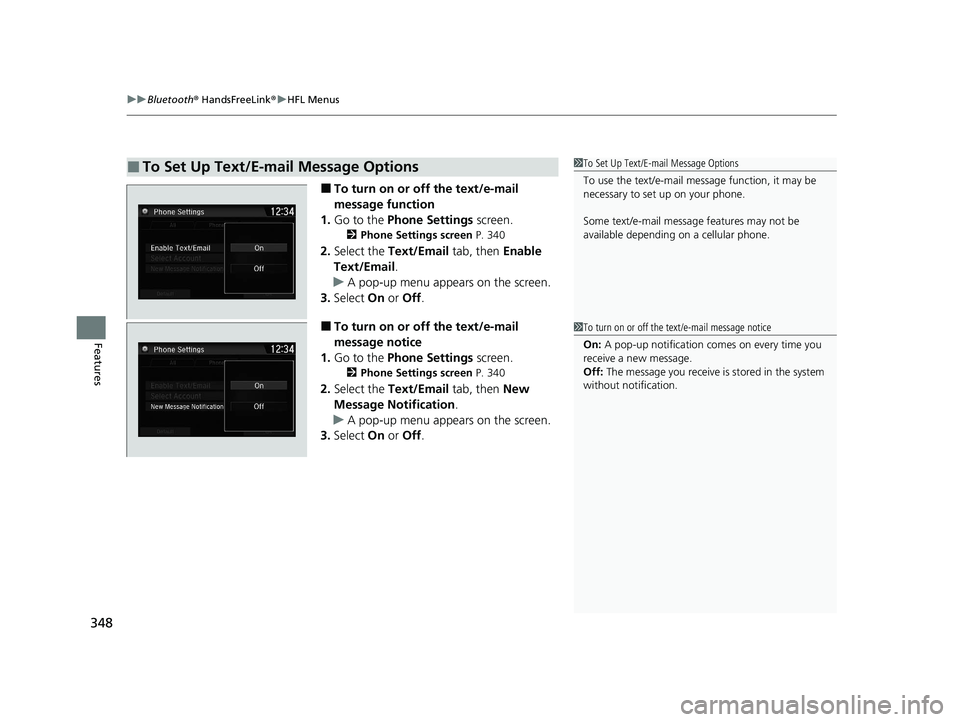
■To turn on or off the text/e-mail
message function
1. Go to the Phone Settings screen.
2Phone Settings screen P. 340
2.Select the Text/Email tab, then Enable
Text/Email.
u A pop-up menu appears on the screen.
3. Select On or Off .
■To turn on or off the text/e-mail
message notice
1. Go to the Phone Settings screen.
2Phone Settings screen P. 340
2.Select the Text/Email tab, then New
Message Notification .
u A pop-up menu appears on the screen.
3. Select On or Off .
■To Set Up Text/E-mail Message Options1To Set Up Text/E-mail Message Options
To use the text/e-mail message function, it may be
necessary to set up on your phone.
Some text/e-mail message features may not be
available depending on a cellular phone.
1To turn on or off the text/e-mail message notice
On: A pop-up notification comes on every time you
receive a new message.
Off: The message you receive is stored in the system
without not ification.
20 CLARITY PHEV-31TRW6200.book 348 ページ 2019年9月24日 火曜日 午後12時9分
Page 351 of 595
Continued349
uuBluetooth ® HandsFreeLink ®u HFL Menus
Features
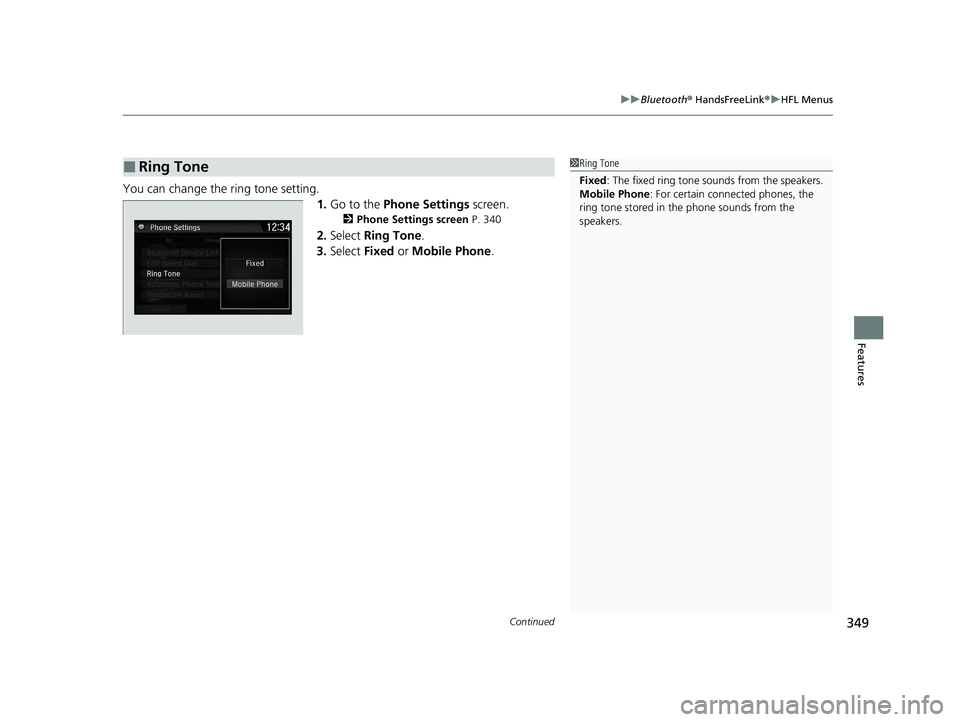
You can change the ring tone setting.
1.Go to the Phone Settings screen.
2Phone Settings screen P. 340
2.Select Ring Tone .
3. Select Fixed or Mobile Phone .
■Ring Tone1Ring Tone
Fixed: The fixed ring tone sounds from the speakers.
Mobile Phone: For certain conne cted phones, the
ring tone stored in the phone sounds from the
speakers.
20 CLARITY PHEV-31TRW6200.book 349 ページ 2019年9月24日 火曜日 午後12時9分
Page 352 of 595
uuBluetooth ® HandsFreeLink ®u HFL Menus
350
Features
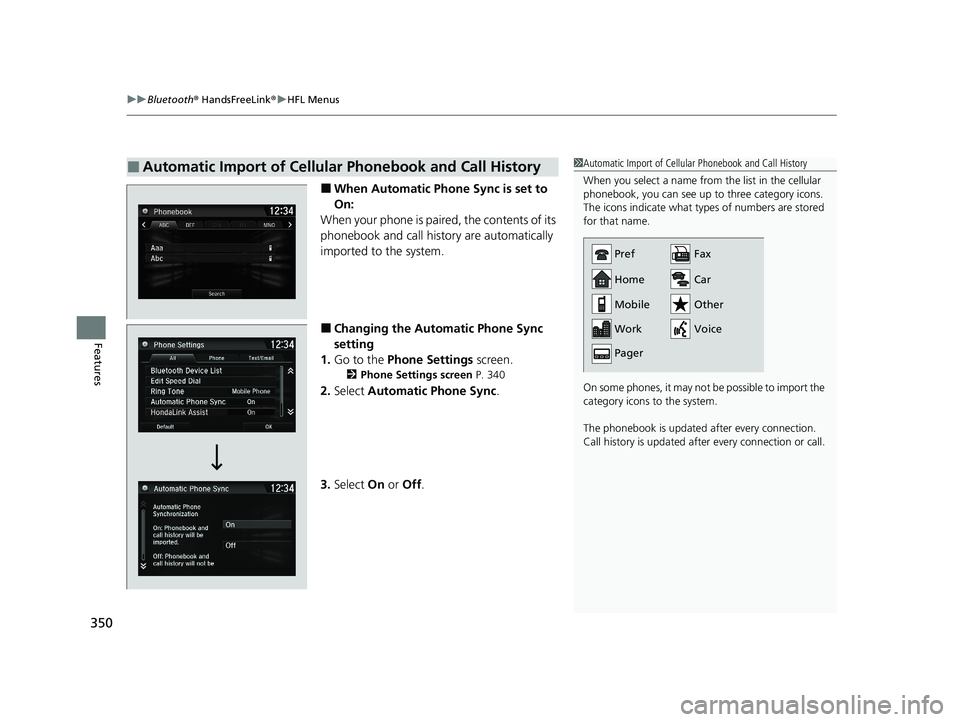
■When Automatic Phon e Sync is set to
On:
When your phone is paired, the contents of its
phonebook and call hist ory are automatically
imported to the system.
■Changing the Automatic Phone Sync
setting
1. Go to the Phone Settings screen.
2Phone Settings screen P. 340
2.Select Automatic Phone Sync .
3. Select On or Off .
■Automatic Import of Cellular Phonebook and Call History1Automatic Import of Cellular Phonebook and Call History
When you select a name from the list in the cellular
phonebook, you can see up to three category icons.
The icons indicate what types of numbers are stored
for that name.
On some phones, it may no t be possible to import the
category icons to the system.
The phonebook is updated after every connection.
Call history is updated after every connection or call.
Home
Mobile
Work
PagerFax
Car
Other
Voice
Pref
20 CLARITY PHEV-31TRW6200.book 350 ページ 2019年9月24日 火曜日 午後12時9分
Page 353 of 595
Continued351
uuBluetooth ® HandsFreeLink ®u HFL Menus
Features
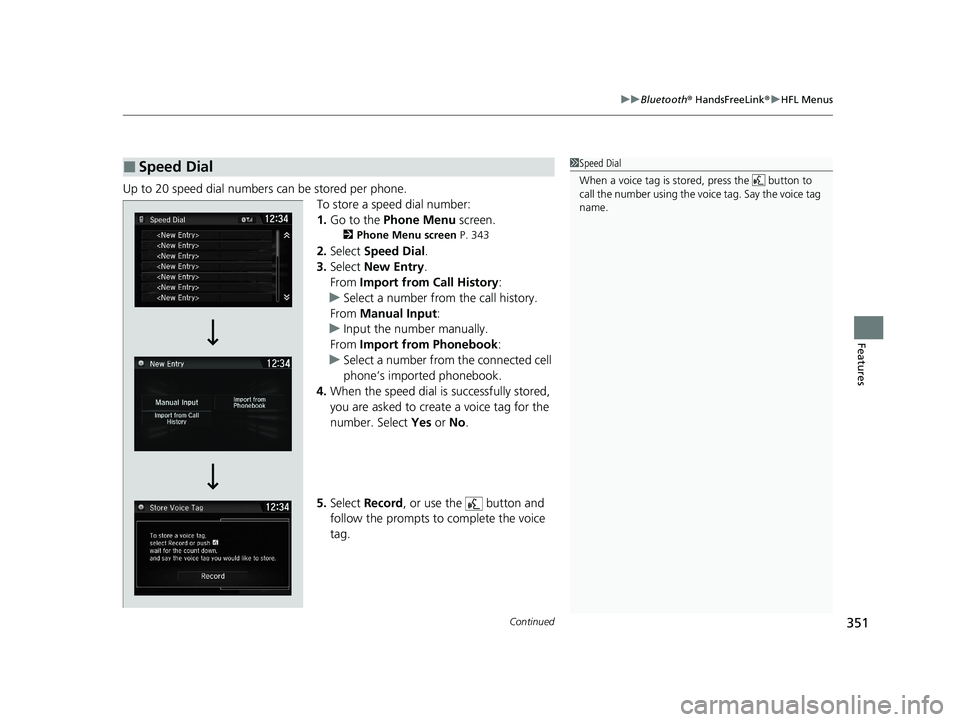
Up to 20 speed dial numbers can be stored per phone.
To store a speed dial number:
1.Go to the Phone Menu screen.
2Phone Menu screen P. 343
2.Select Speed Dial .
3. Select New Entry.
From Import from Call History :
u Select a number from the call history.
From Manual Input :
u Input the number manually.
From Import from Phonebook :
u Select a number from the connected cell
phone’s imported phonebook.
4. When the speed dial is successfully stored,
you are asked to create a voice tag for the
number. Select Yes or No.
5. Select Record , or use the button and
follow the prompts to complete the voice
tag.
■Speed Dial1 Speed Dial
When a voice tag is stored, press the button to
call the number using the voice tag. Say the voice tag
name.
20 CLARITY PHEV-31TRW6200.book 351 ページ 2019年9月24日 火曜日 午後12時9分
Page 354 of 595
uuBluetooth ® HandsFreeLink ®u HFL Menus
352
Features
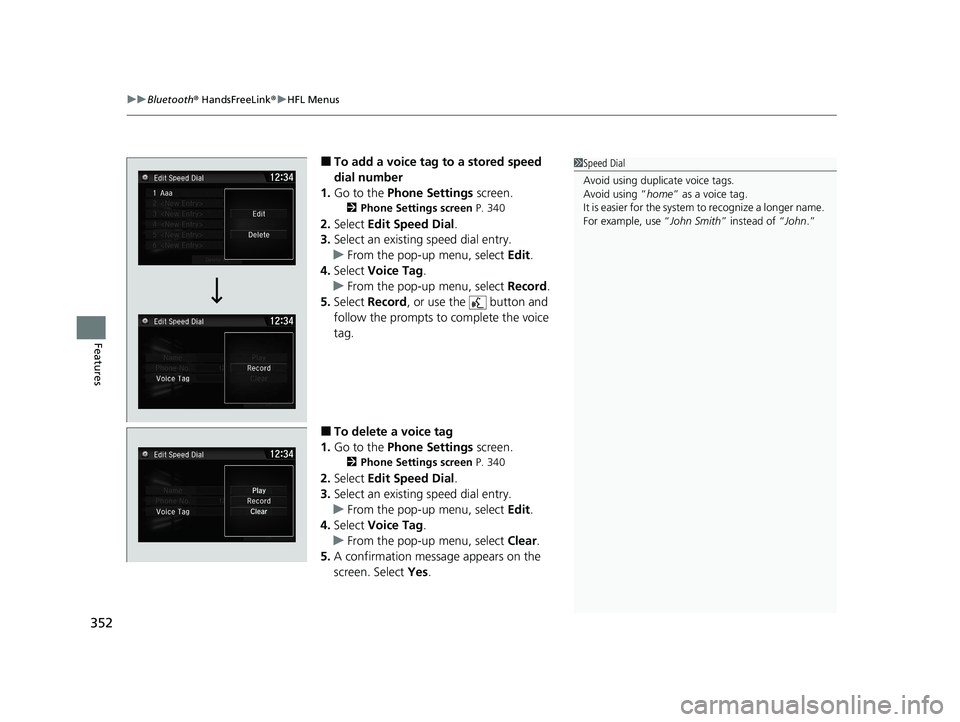
■To add a voice tag to a stored speed
dial number
1. Go to the Phone Settings screen.
2Phone Settings screen P. 340
2.Select Edit Speed Dial .
3. Select an existing speed dial entry.
u From the pop-up menu, select Edit.
4. Select Voice Tag .
u From the pop-up menu, select Record.
5. Select Record , or use the button and
follow the prompts to complete the voice
tag.
■To delete a voice tag
1. Go to the Phone Settings screen.
2Phone Settings screen P. 340
2.Select Edit Speed Dial .
3. Select an existing speed dial entry.
u From the pop-up menu, select Edit.
4. Select Voice Tag .
u From the pop-up menu, select Clear.
5. A confirmation message appears on the
screen. Select Yes.
1Speed Dial
Avoid using duplicate voice tags.
Avoid using “home ” as a voice tag.
It is easier for the system to recognize a longer name.
For example, use “ John Smith” instead of “John .”
20 CLARITY PHEV-31TRW6200.book 352 ページ 2019年9月24日 火曜日 午後12時9分
Page 355 of 595
353
uuBluetooth ® HandsFreeLink ®u HFL Menus
Continued
Features
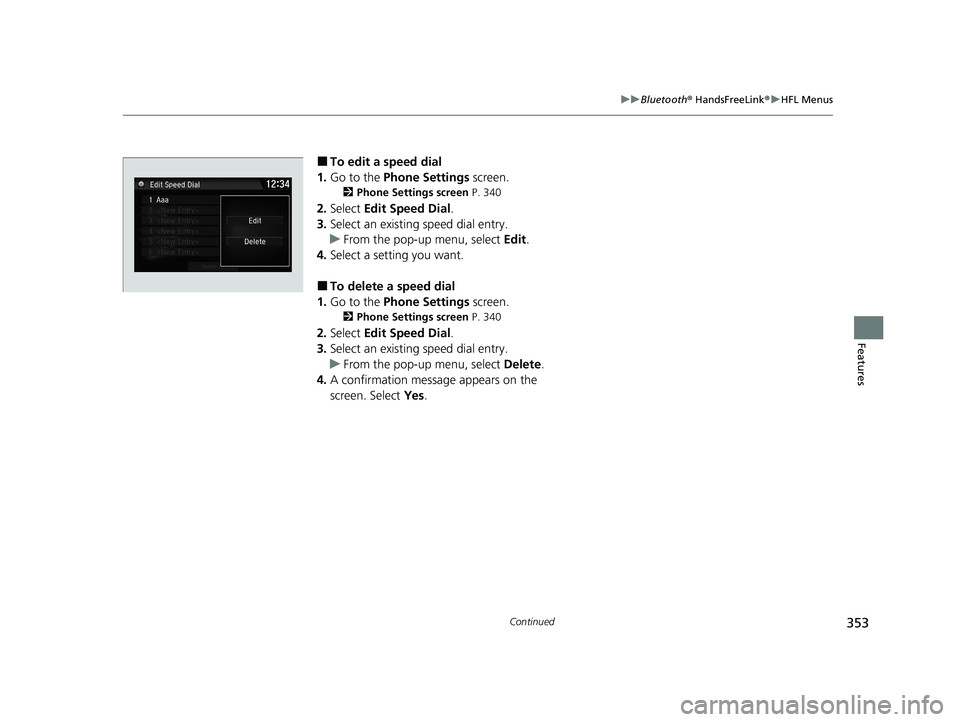
■To edit a speed dial
1. Go to the Phone Settings screen.
2Phone Settings screen P. 340
2.Select Edit Speed Dial .
3. Select an existing speed dial entry.
u From the pop-up menu, select Edit.
4. Select a setting you want.
■To delete a speed dial
1. Go to the Phone Settings screen.
2Phone Settings screen P. 340
2.Select Edit Speed Dial .
3. Select an existing speed dial entry.
u From the pop-up menu, select Delete.
4. A confirmation message appears on the
screen. Select Yes.
20 CLARITY PHEV-31TRW6200.book 353 ページ 2019年9月24日 火曜日 午後12時9分
Page 356 of 595
uuBluetooth ® HandsFreeLink ®u HFL Menus
354
Features
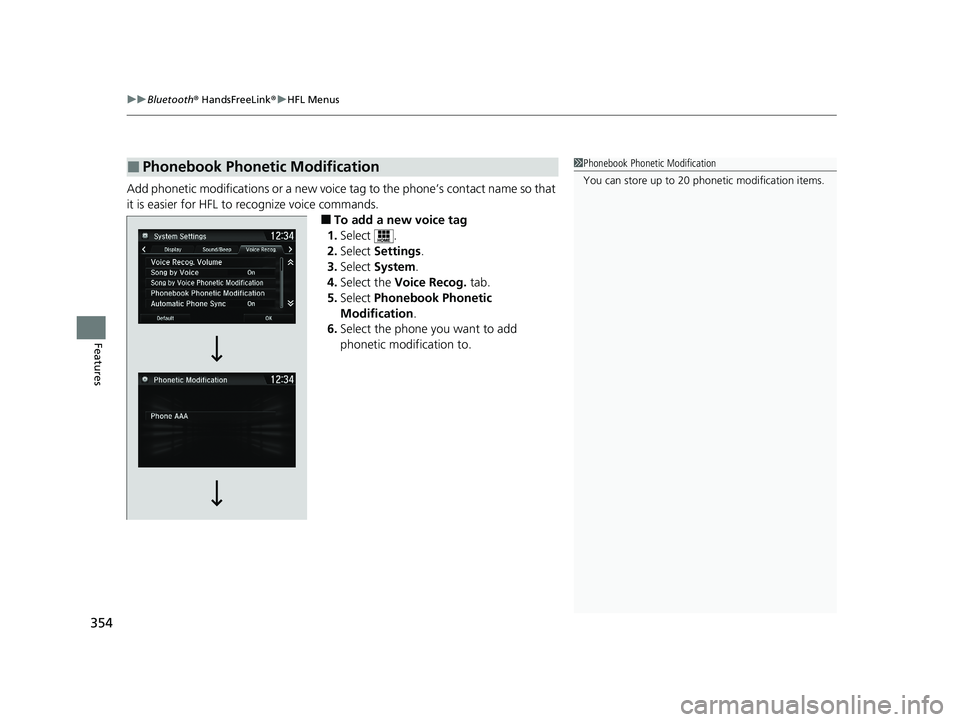
Add phonetic modifications or a new voice tag to the phone’s contact name so that
it is easier for HFL to recognize voice commands.
■To add a new voice tag
1. Select .
2. Select Settings .
3. Select System .
4. Select the Voice Recog. tab.
5. Select Phonebook Phonetic
Modification .
6. Select the phone you want to add
phonetic modification to.
■Phonebook Phonetic Modification1Phonebook Phonetic Modification
You can store up to 20 phone tic modification items.
20 CLARITY PHEV-31TRW6200.book 354 ページ 2019年9月24日 火曜日 午後12時9分