light HONDA CLARITY PLUG IN HYBRID 2019 Owner's Guide
[x] Cancel search | Manufacturer: HONDA, Model Year: 2019, Model line: CLARITY PLUG IN HYBRID, Model: HONDA CLARITY PLUG IN HYBRID 2019Pages: 591, PDF Size: 24.8 MB
Page 166 of 591
uu Operating the Switches Around the Steering Wheel u Light Switches
164
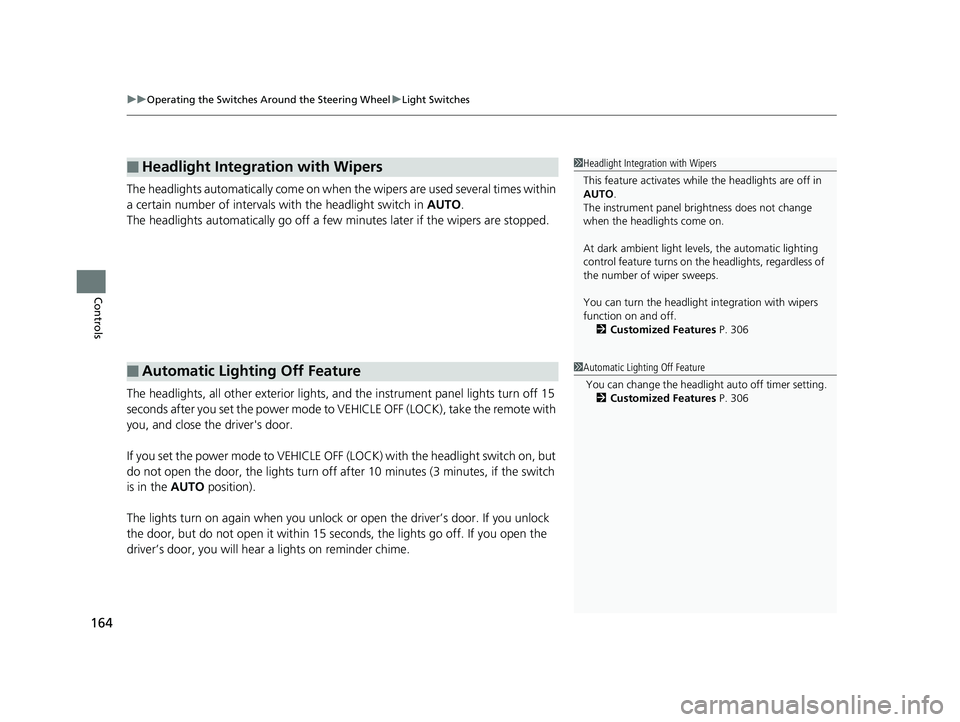
Controls The headlights automatically co me on when the wipers are used several times within
a certain number of intervals wi th the headlight switch in AUTO .
The headlights automatically go off a few minutes later if the wipers are stopped.
The headlights, all other exterior lights, an d the instrument panel lights turn off 15
seconds after you set the power mode to VE HICLE OFF (LOCK), take the remote with
you, and close th e driver's door.
If you set the power mode to VEHICLE OFF (LOCK) with the headlight switch on, but
do not open the door, the lights turn off after 10 minutes (3 minutes, if the switch
is in the AUTO position).
The lights turn on again when you unlock or open the driver’s door. If you unlock
the door, but do not open it within 15 seconds, the lights go off. If you open the
driver’s door, you will hear a lights on reminder chime.■ Headlight Integration with Wipers
■ Automatic Lighting Off Feature 1 Headlight Integration with Wipers
This feature activates while the headlights are off in
AUTO .
The instrument panel br ightness does not change
when the headlights come on.
At dark ambient light leve ls, the automatic lighting
control feature turns on the headlights, regardless of
the number of wiper sweeps.
You can turn the headlight integration with wipers
function on and off.
2 Customized Features P. 306
1 Automatic Lighting Off Feature
You can change the headli ght auto off timer setting.
2 Customized Features P. 30619 CLARITY PHEV-31TRW6100.book 164 ページ 2018年10月25日 木曜日 午後2時29分
Page 167 of 591
165uu Operating the Switches Around the Steering Wheel u Daytime Running Lights
Controls
Daytime Running Lights The daytime running lights come on when th e following conditions have been met:
• The power mode is in ON.
• The headlight switch is AUTO , or OFF .
• The parking brake is released.
The lights remain on even if you set the parking brake.
Setting the power mode to VEHICLE OFF (L OCK) will turn off the daytime running
lights.
The daytime running lights are off once the h eadlight switch is turned on, or when
the headlight switch is in AUTO and it is getting darker outside.19 CLARITY PHEV-31TRW6100.book 165 ページ 2018年10月25日 木曜日 午後2時29分
Page 170 of 591
168 uu Operating the Switches Around the Steering Wheel u Brightness Control
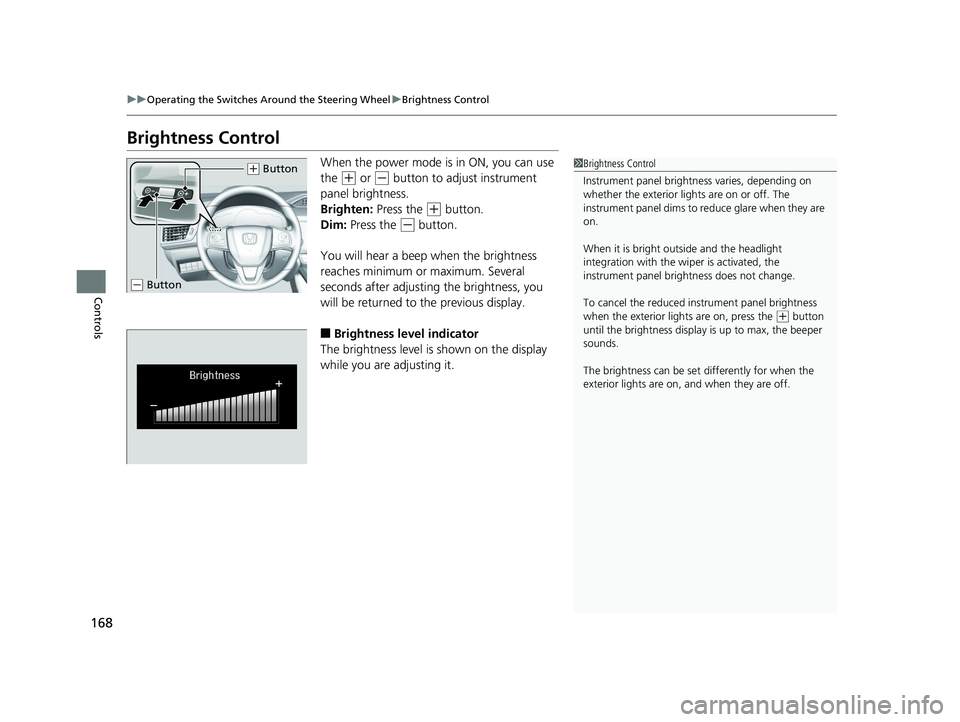
Controls Brightness Control When the power mode is in ON, you can use
the ( +
or ( -
button to adjust instrument
panel brightness.
Brighten: Press the ( +
button.
Dim: Press the ( -
button.
You will hear a beep when the brightness
reaches minimum or maximum. Several
seconds after adjusting the brightness, you
will be returned to the previous display.
■ Brightness level indicator
The brightness level is shown on the display
while you are adjusting it. 1 Brightness Control
Instrument panel brightne ss varies, depending on
whether the exterior lights are on or off. The
instrument panel dims to reduce glare when they are
on.
When it is bright out side and the headlight
integration with the wi per is activated, the
instrument panel bri ghtness does not change.
To cancel the reduced in strument pane l brightness
when the exterior lights are on, press the ( +
button
until the brightness display is up to max, the beeper
sounds.
The brightness can be set differently for when the
exterior lights are on, and when they are off.( +
Button
( -
Button19 CLARITY PHEV-31TRW6100.book 168 ページ 2018年10月25日 木曜日 午後2時29分
Page 173 of 591
171uu Operating the Switches Around the Steering Wheel u Driving Position Memory System *
Controls
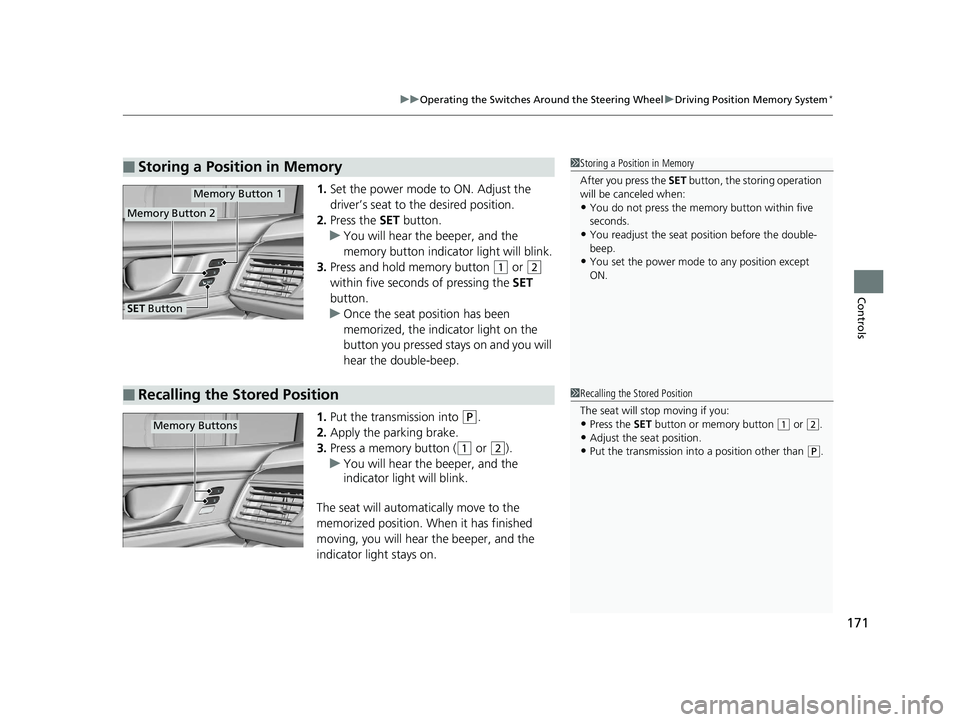
1. Set the power mode to ON. Adjust the
driver’s seat to the desired position.
2. Press the SET button.
u You will hear the beeper, and the
memory button indicator light will blink.
3. Press and hold memory button ( 1
or ( 2
within five seconds of pressing the SET
button.
u Once the seat position has been
memorized, the indicator light on the
button you pressed stays on and you will
hear the double-beep.
1. Put the transmission into ( P
.
2. Apply the parking brake.
3. Press a memory button ( ( 1
or ( 2
).
u You will hear the beeper, and the
indicator light will blink.
The seat will automatically move to the
memorized position. When it has finished
moving, you will hear the beeper, and the
indicator light stays on.■ Storing a Position in Memory 1 Storing a Position in Memory
After you press the SET button, the storing operation
will be canceled when:
• You do not press the memory button within five
seconds.
• You readjust the seat position before the double-
beep.
• You set the power mode to any position except
ON.Memory Button 1
Memory Button 2
SET Button
■ Recalling the Stored Position 1 Recalling the Stored Position
The seat will st op moving if you:
• Press the SET button or memory button ( 1
or ( 2
.
• Adjust the seat position.
• Put the transmission into a position other than ( P
.Memory Buttons19 CLARITY PHEV-31TRW6100.book 171 ページ 2018年10月25日 木曜日 午後2時29分
Page 175 of 591
173
Controls
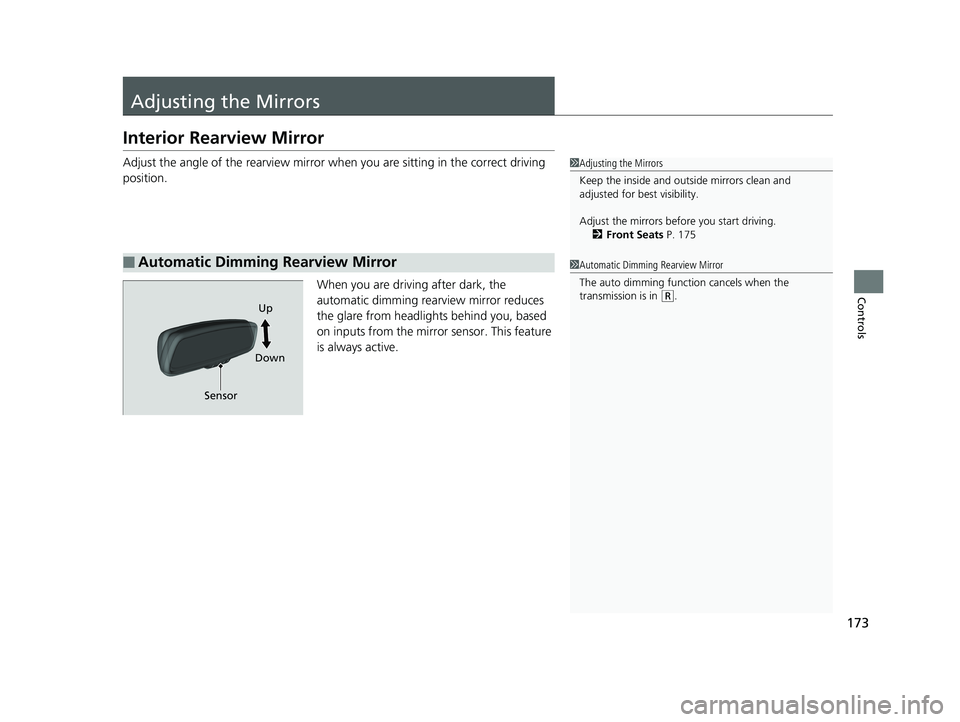
Adjusting the Mirrors Interior Rearview Mirror Adjust the angle of the rearview mirror wh en you are sitting in the correct driving
position.
When you are driving after dark, the
automatic dimming rear view mirror reduces
the glare from headlights behind you, based
on inputs from the mirror sensor. This feature
is always active.
■ Automatic Dimming Rearview Mirror 1 Adjusting the Mirrors
Keep the inside and out side mirrors clean and
adjusted for best visibility.
Adjust the mirrors befo re you start driving.
2 Front Seats P. 175
1 Automatic Dimming Rearview Mirror
The auto dimming function cancels when the
transmission is in ( R
.
Sensor Up
Down19 CLARITY PHEV-31TRW6100.book 173 ページ 2018年10月25日 木曜日 午後2時29分
Page 185 of 591
183Continued
Controls
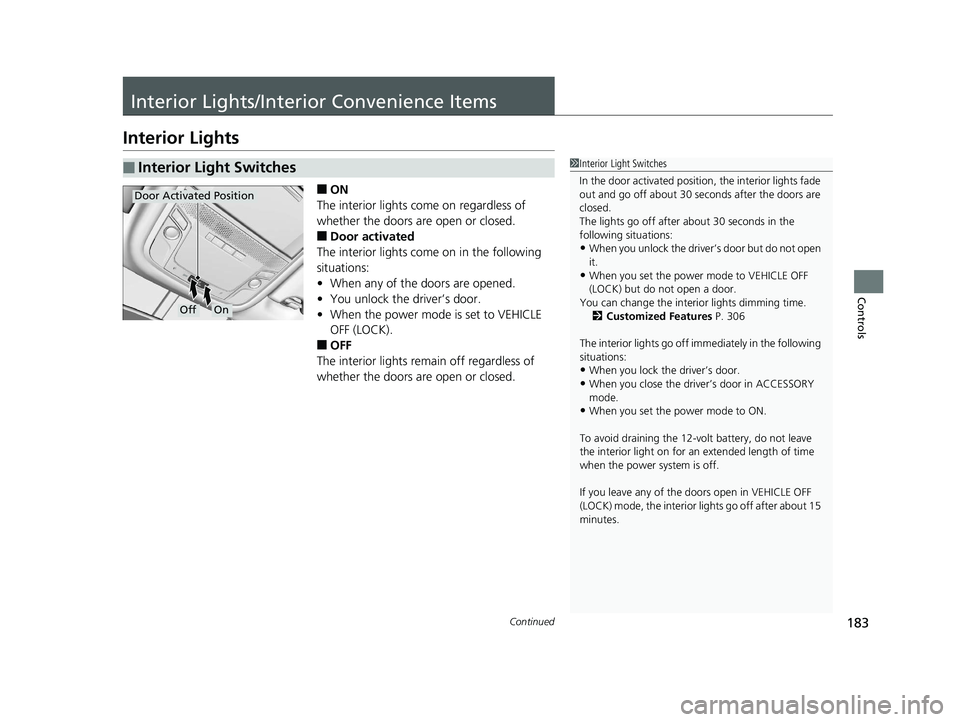
Interior Lights/Interior Convenience Items Interior Lights ■ ON
The interior lights come on regardless of
whether the doors are open or closed.
■ Door activated
The interior lights come on in the following
situations:
• When any of the doors are opened.
• You unlock the driver’s door.
• When the power mode is set to VEHICLE
OFF (LOCK).
■ OFF
The interior lights remain off regardless of
whether the doors are open or closed.■ Interior Light Switches 1 Interior Light Switches
In the door activated position, the interior lights fade
out and go off about 30 se conds after the doors are
closed.
The lights go off after about 30 seconds in the
following situations:
• When you unlock the driver’s door but do not open
it.
• When you set the power mode to VEHICLE OFF
(LOCK) but do not open a door.
You can change the interi or lights dimming time.
2 Customized Features P. 306
The interior lights go off i mmediately in the following
situations:
• When you lock the driver’s door.
• When you close the driver’s door in ACCESSORY
mode.
• When you set the power mode to ON.
To avoid draining the 12-vo lt battery, do not leave
the interior light on for an extended length of time
when the power system is off.
If you leave any of the doors open in VEHICLE OFF
(LOCK) mode, the interior lights go off after about 15
minutes.Off OnDoor Activated Position19 CLARITY PHEV-31TRW6100.book 183 ページ 2018年10月25日 木曜日 午後2時29分
Page 186 of 591
uu Interior Lights/Interior Convenience Items u Interior Lights
184
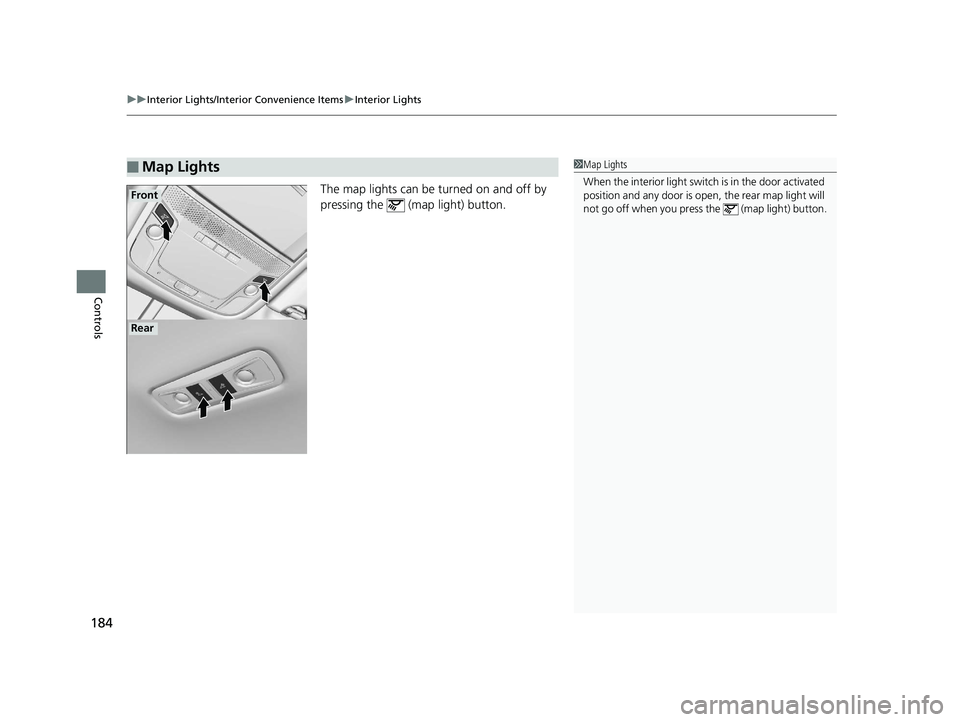
Controls The map lights can be turned on and off by
pressing the (map light) button.
■ Map Lights 1 Map Lights
When the interior light swit ch is in the door activated
position and any door is open, the rear ma p light will
not go off when you press the (map light) button.Front
Rear19 CLARITY PHEV-31TRW6100.book 184 ページ 2018年10月25日 木曜日 午後2時29分
Page 187 of 591
185uu Interior Lights/Interior Convenience Items u Interior Convenience Items
Continued
Controls
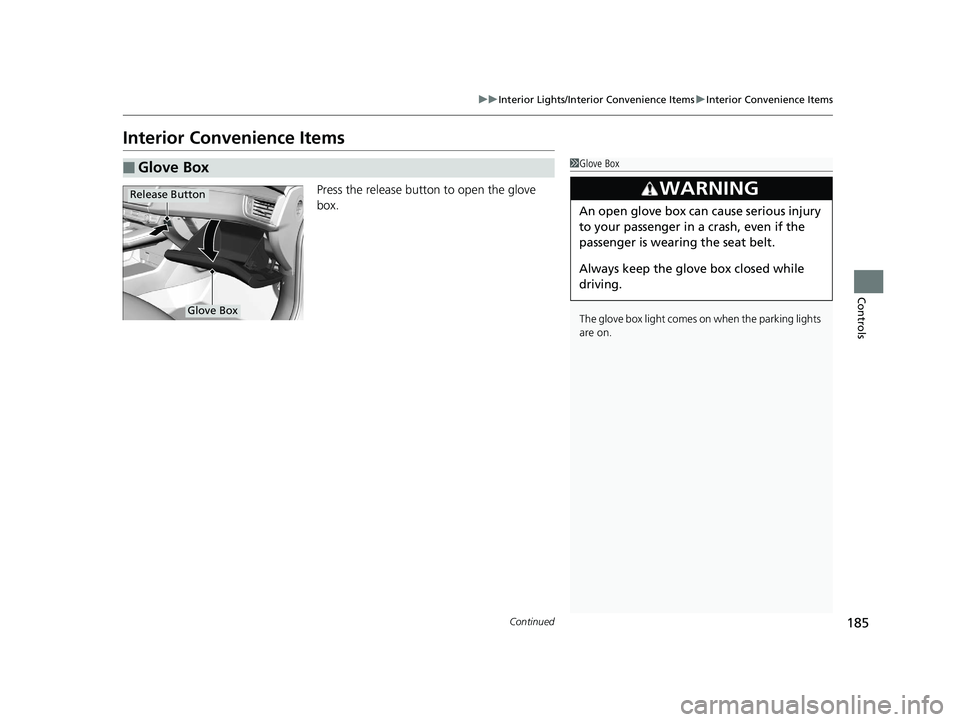
Interior Convenience Items Press the release button to open the glove
box.
■ Glove Box 1 Glove Box
The glove box light comes on when the parking lights
are on.
3
WARNING An open glove box can cause serious injury
to your passenger in a crash, even if the
passenger is wearing the seat belt.
Always keep the glove box closed while
driving.Glove BoxRelease Button19 CLARITY PHEV-31TRW6100.book 185 ページ 2018年10月25日 木曜日 午後2時29分
Page 188 of 591
186 uu Interior Lights/Interior Convenience Items u Interior Convenience Items
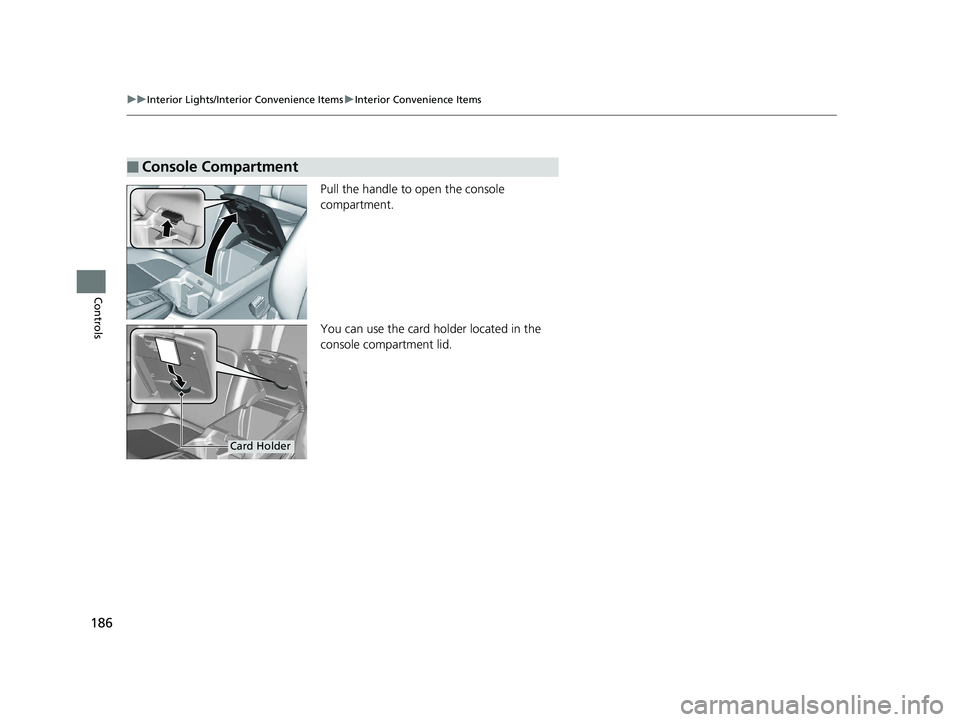
Controls Pull the handle to open the console
compartment.
You can use the card ho lder located in the
console compartment lid.■ Console Compartment
Card Holder19 CLARITY PHEV-31TRW6100.book 186 ページ 2018年10月25日 木曜日 午後2時29分
Page 189 of 591
Continued
187uu Interior Lights/Interior Convenience Items u Interior Convenience Items
Controls
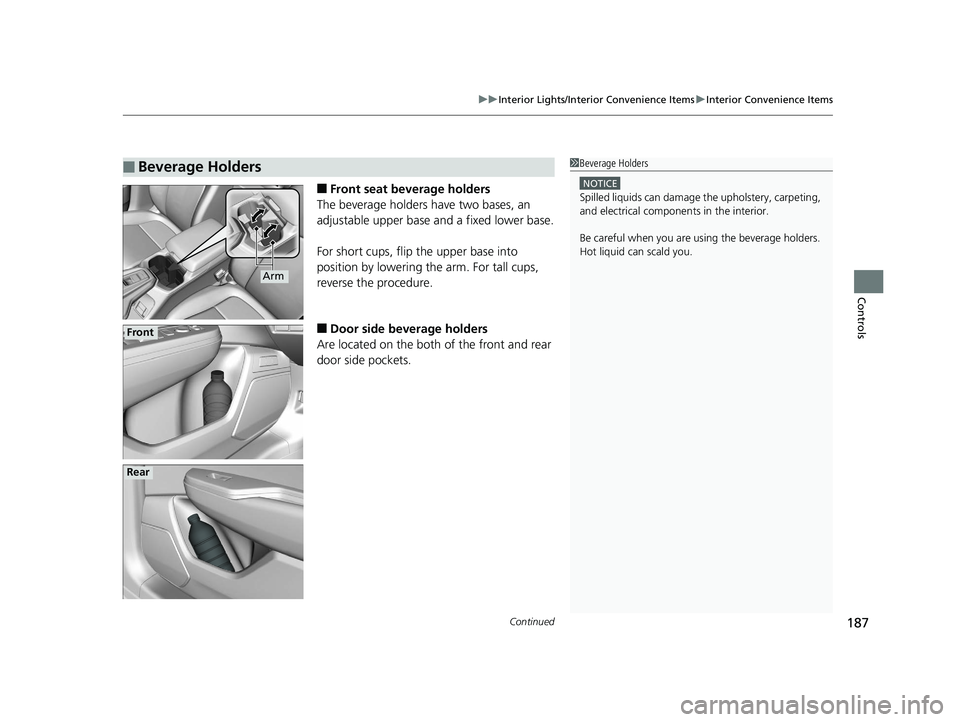
■ Front seat beverage holders
The beverage holders have two bases, an
adjustable upper base and a fixed lower base.
For short cups, flip the upper base into
position by lowering the arm. For tall cups,
reverse the procedure.
■ Door side beverage holders
Are located on the both of the front and rear
door side pockets.■ Beverage Holders 1 Beverage Holders NOTICE
Spilled liquids ca n damage the upholstery, carpeting,
and electrical components in the interior.
Be careful when you are us ing the beverage holders.
Hot liquid can scald you.
Arm
Front
Rear19 CLARITY PHEV-31TRW6100.book 187 ページ 2018年10月25日 木曜日 午後2時29分