radio HONDA CR-V 2012 RM1, RM3, RM4 / 4.G Owners Manual
[x] Cancel search | Manufacturer: HONDA, Model Year: 2012, Model line: CR-V, Model: HONDA CR-V 2012 RM1, RM3, RM4 / 4.GPages: 361, PDF Size: 7.25 MB
Page 2 of 361
Contents
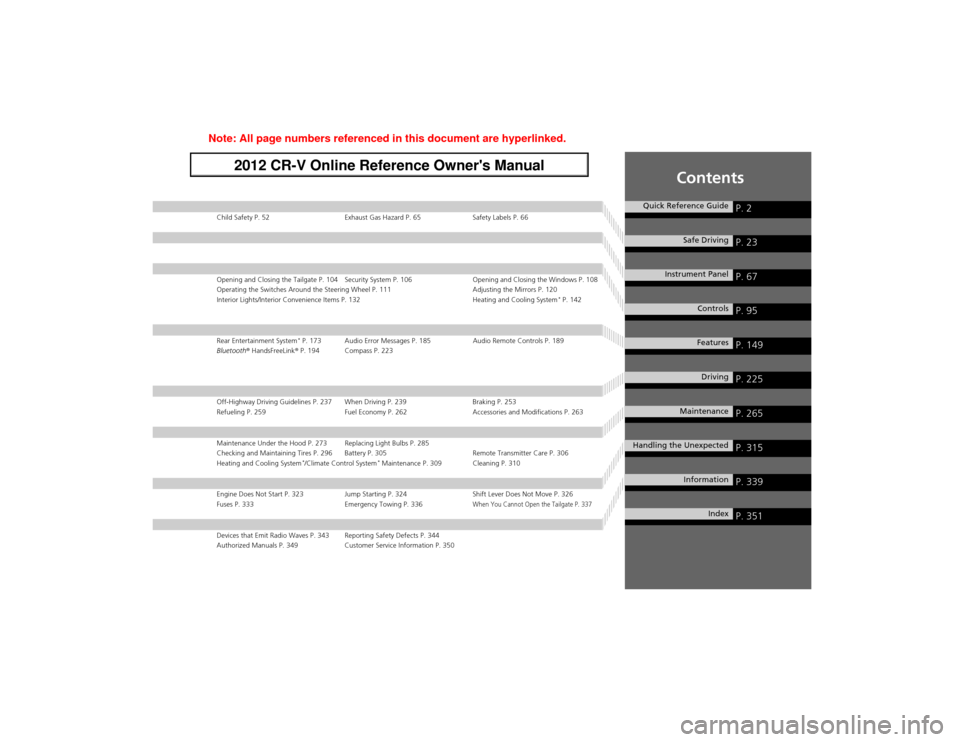
Child Safety P. 52 Exhaust Gas Hazard P. 65 Safety Labels P. 66
Opening and Closing the Tailgate P. 104 Security System P. 106 Opening and Closing the Windows P. 108
Operating the Switches Around the Steering Wheel P. 111 Adjusting the Mirrors P. 120
Interior Lights/Interior Convenience Items P. 132 Heating and Cooling System*
P. 142
Rear Entertainment System *
P. 173 Audio Error Messages P. 185 Audio Remote Controls P. 189
Bluetooth ® HandsFreeLink ® P. 194 Compass P. 223
Off-Highway Driving Guidelines P. 237 When Driving P. 239 Braking P. 253
Refueling P. 259 Fuel Economy P. 262 Accessories and Modifications P. 263
Maintenance Under the Hood P. 273 Replacing Light Bulbs P. 285
Checking and Maintaining Tires P. 296 Battery P. 305 Remote Transmitter Care P. 306
Heating and Cooling System *
/Climate Control System *
Maintenance P. 309 Cleaning P. 310
Engine Does Not Start P. 323 Jump Starting P. 324 Shift Lever Does Not Move P. 326
Fuses P. 333 Emergency Towing P. 336When You Cannot Open the Tailgate P. 337
Devices that Emit Radio Waves P. 343 Reporting Safety Defects P. 344
Authorized Manuals P. 349 Customer Service Information P. 350
Quick Reference GuideP. 2
Safe DrivingP. 23
Instrument PanelP. 67
ControlsP. 95
FeaturesP. 149
DrivingP. 225
MaintenanceP. 265
Handling the UnexpectedP. 315
InformationP. 339
IndexP. 351
Note: All page numbers referenced in this document are hyperlinked.
2012 CR-V Online Reference Owner's Manual
Page 15 of 361
14
Quick Reference Guide
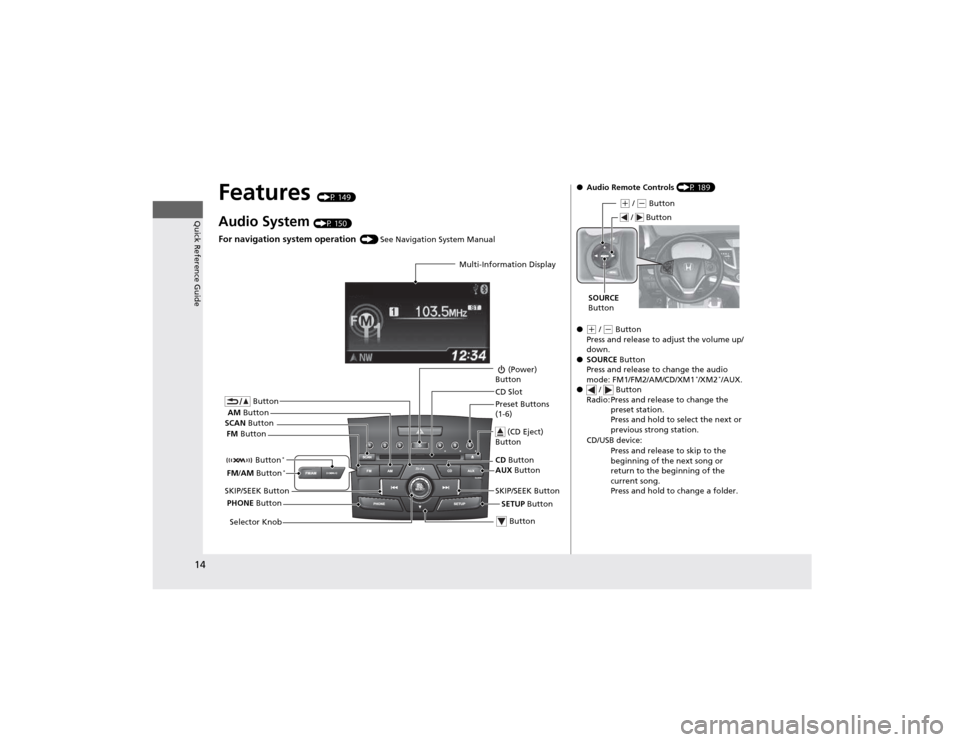
Features (P 149)
Audio System (P 150)
For navigation system operation () See Navigation System Manual
Multi-Information Display
AM Button
FM Button
SCAN
Button
SKIP/SEEK Button Selector Knob Button
(Power)
Button
CD Button
AUX Button
CD Slot
(CD Eject)
Button
Preset Buttons
(1-6)
Button
SETUP Button
SKIP/SEEK Button
PHONE Button
Button
*
FM
/AM Button *
●
Audio Remote Controls (P 189)
●
(+ / (- Button
Press and release to adjust the volume up/
down.
● SOURCE Button
Press and release to change the audio
mode: FM1/FM2/AM/CD/XM1 *
/XM2 *
/AUX.
● / Button
Radio: Press and release to change the preset station.
Press and hold to select the next or
previous strong station.
CD/USB device: Press and release to skip to the
beginning of the next song or
return to the beginning of the
current song.
Press and hold to change a folder.
(+ / (- Button
SOURCE
Button
/ Button
Page 107 of 361
106
Controls
Security System
Immobilizer System
The immobilizer system prevents a key that has not been pre-registered from
starting the engine. Each key contains electronic transmitters that use electronic
signals to verify the key.
Pay attention to the following when inserting the key into the ignition switch: •Do not allow objects that emit strong radio waves near the ignition switch.
• Make sure the key is not covered by or touching a metal object.
• Do not bring a key from another vehicle's immobilizer system near the ignition
switch.
Security System Alarm *
The security system alarm activates when the doors, tailgate, or hood are opened
without the key, or remote transmitter. ■ When the security system alarm activates
The horn sounds intermittently and all of the exterior lights flash.
■ To deactivate the security system alarm
Unlock the vehicle using the key, or remote transmitter. The system, along with the
horn and flashing lights, is deactivated.
1Immobilizer System
NOTICELeaving the ignition key in the vehicle can result in
theft or accidental movement of the vehicle.
Always take the ignition key with you whenever you
leave the vehicle unattended.
Do not alter the system or add other devices to it.
Doing so may damage the system and make your
vehicle inoperable.
1Security System Alarm *
The security alarm continues for a maximum of two
minutes until the security system deactivates.
* Not available on all models
Page 150 of 361
149
Features
This chapter describes how to operate technology features on models without the navigation system.
Audio System About Your Audio System................ 150
USB Adapter Cable .......................... 151 Auxiliary Input Jack *
........................ 151
Audio Antenna ................................ 152
Audio System Theft Protection ......... 152
Audio System Basic Operation ........ 153
Adjusting the Sound ........................ 154
Playing the AM/FM Radio ................. 155
Playing the XM ® Radio *
................... 158
Playing a CD .................................... 160
Playing an iPod ®............................... 163
Playing Pandora ®............................. 166 Playing a USB Flash Drive ................. 168
Playing
Bluetooth ® Audio ................ 171
Rear Entertainment System *
........... 173
Audio Error Messages ...................... 185
Audio Remote Controls .................... 189
General Information on the Audio
System ............................................. 190
Bluetooth ® HandsFreeLink ®
Using HFL ........................................ 194
HFL Menus ...................................... 196
Compass ............................................ 223
* Not available on all models
Page 151 of 361
150
Features
Audio System
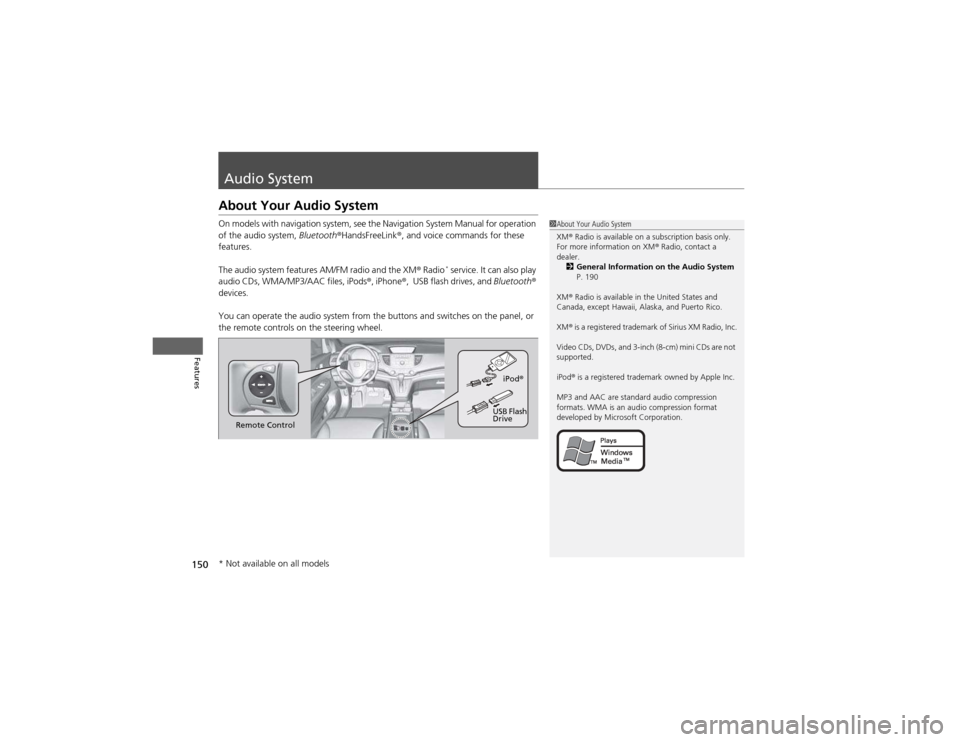
About Your Audio System
On models with navigation system, see the Navigation System Manual for operation
of the audio system, Bluetooth®HandsFreeLink ®, and voice commands for these
features.
The audio system features AM/FM radio and the XM ® Radio *
service. It can also play
audio CDs, WMA/MP3/AAC files, iPods ®, iPhone ®, USB flash drives, and Bluetooth®
devices.
You can operate the audio system from the buttons and switches on the panel, or
the remote controls on the steering wheel.
1About Your Audio System XM ® Radio is available on a subscription basis only.
For more information on XM ® Radio, contact a
dealer. 2 General Information on the Audio System
P. 190
XM ® Radio is available in the United States and
Canada, except Hawaii, Alaska, and Puerto Rico. XM ® is a registered trademark of Sirius XM Radio, Inc.
Video CDs, DVDs, and 3-inch (8-cm) mini CDs are not
supported.
iPod ® is a registered trademark owned by Apple Inc.
MP3 and AAC are standard audio compression
formats. WMA is an audio compression format
developed by Microsoft Corporation.
Remote Control iPod
®
USB Flash
Drive
* Not available on all models
Page 153 of 361
152
uuAudio SystemuAudio Antenna
Features
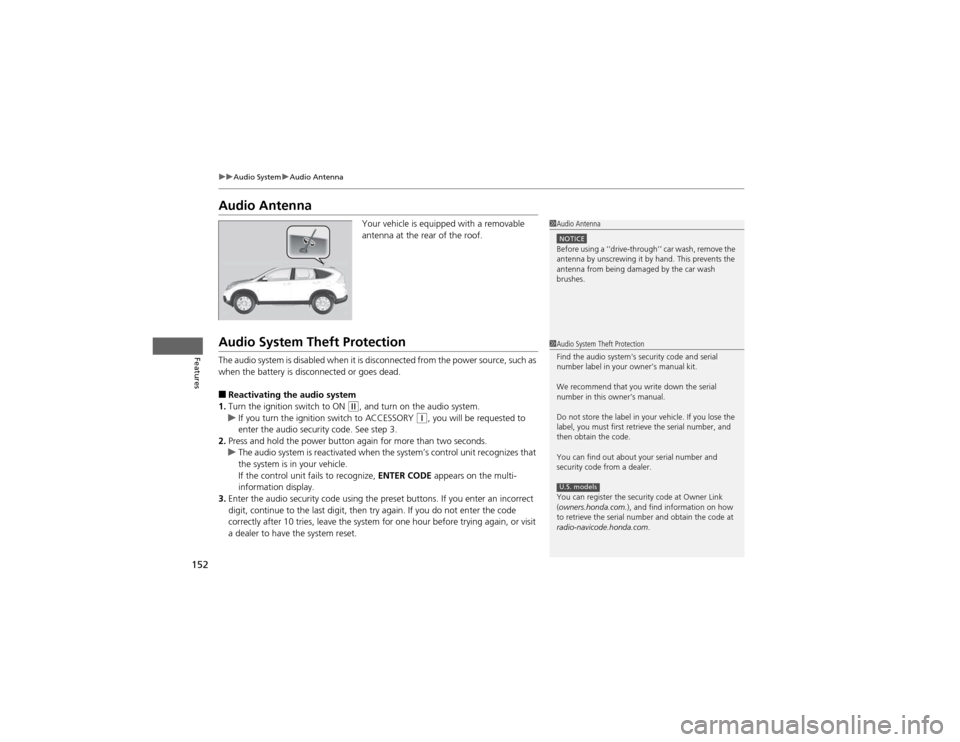
Audio AntennaYour vehicle is equipped with a removable
antenna at the rear of the roof.
Audio System Theft Protection
The audio system is disabled when it is disconnected from the power source, such as
when the battery is disconnected or goes dead. ■Reactivating the audio system
1. Turn the ignition switch to ON
(w , and turn on the audio system.uIf you turn the ignition switch to ACCESSORY (q, you will be requested to
enter the audio security code. See step 3.
2. Press and hold the power button again for more than two seconds.
uThe audio system is reactivated when the system’s control unit recognizes that
the system is in your vehicle.
If the control unit fails to recognize, ENTER CODE appears on the multi-
information display.
3. Enter the audio security code using the preset buttons. If you enter an incorrect
digit, continue to the last digit, then try again. If you do not enter the code
correctly after 10 tries, leave the system for one hour before trying again, or visit
a dealer to have the system reset.
1Audio Antenna
NOTICEBefore using a ‘‘drive-through’’ car wash, remove the
antenna by unscrewing it by hand. This prevents the
antenna from being damaged by the car wash brushes.
1Audio System Theft Protection
Find the audio system's security code and serial
number label in your owner’s manual kit.
We recommend that you write down the serial
number in this owner’s manual.
Do not store the label in your vehicle. If you lose the
label, you must first retrieve the serial number, and
then obtain the code.
You can find out about your serial number and
security code from a dealer.
You can register the security code at Owner Link (owners.honda.com. ), and find information on how
to retrieve the serial number and obtain the code at
radio-navicode.honda.com .
U.S. models
Page 156 of 361
155
uuAudio System Basic OperationuPlaying the AM/FM Radio
Continued
Features
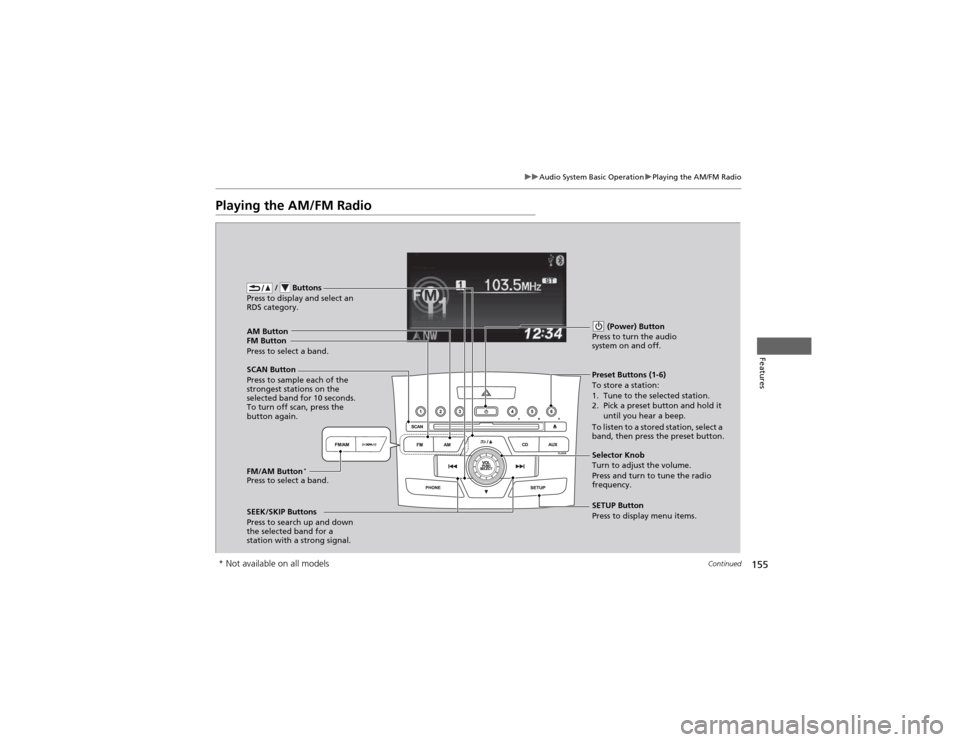
Playing the AM/FM Radio
FM Button / Buttons
Press to display and select an
RDS category.
SCAN Button
Press to sample each of the
strongest stations on the
selected band for 10 seconds.
To turn off scan, press the
button again. (Power) Button
Press to turn the audio
system on and off.Preset Buttons (1-6)
To store a station:
1. Tune to the selected station.
2. Pick a preset button and hold it until you hear a beep.
To listen to a stored station, select a
band, then press the preset button.
SEEK/SKIP Buttons
Press to search up and down
the selected band for a
station with a strong signal. SETUP Button
Press to display menu items.
Selector Knob
Turn to adjust the volume.
Press and turn to tune the radio
frequency.
AM Button
Press to select a band.
FM/AM Button
*
Press to select a band.
* Not available on all models
Page 157 of 361
uuAudio System Basic OperationuPlaying the AM/FM Radio
156
Features
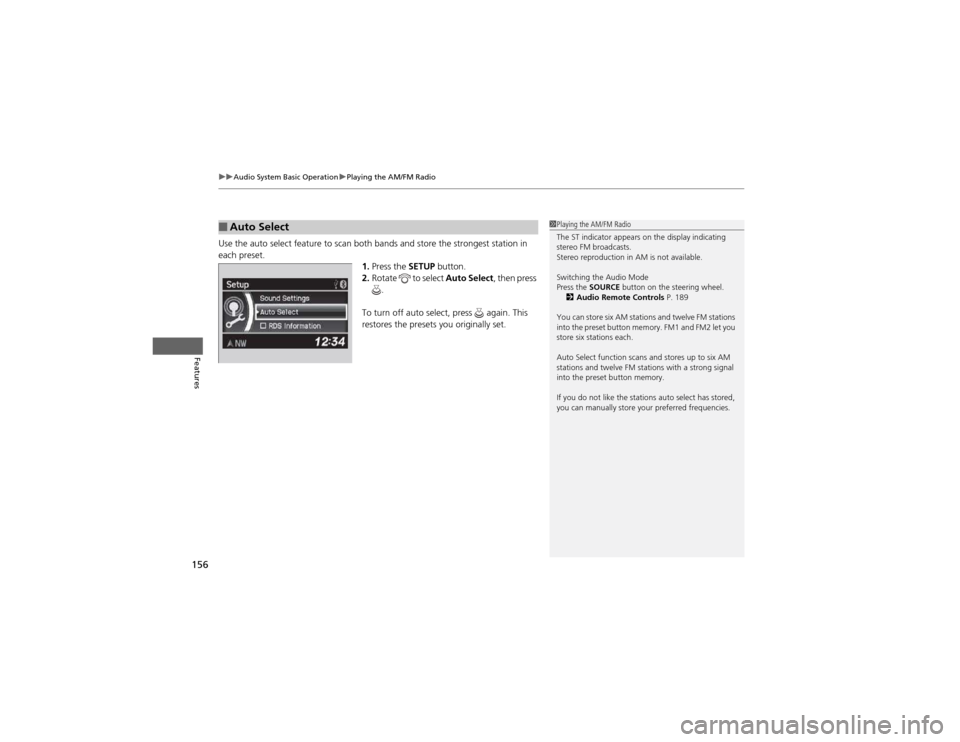
Use the auto select feature to scan both bands and store the strongest station in each preset. 1.Press the SETUP button.
2. Rotate to select Auto Select, then press
.
To turn off auto select, press again. This
restores the presets you originally set.
■Auto Select1Playing the AM/FM Radio
The ST indicator appears on the display indicating
stereo FM broadcasts.
Stereo reproduction in AM is not available.
Switching the Audio Mode
Press the SOURCE button on the steering wheel.
2 Audio Remote Controls P. 189
You can store six AM stations and twelve FM stations
into the preset button memory. FM1 and FM2 let you
store six stations each.
Auto Select function scans and stores up to six AM
stations and twelve FM stations with a strong signal
into the preset button memory.
If you do not like the stations auto select has stored,
you can manually store your preferred frequencies.
Page 158 of 361
157
uuAudio System Basic OperationuPlaying the AM/FM Radio
Features
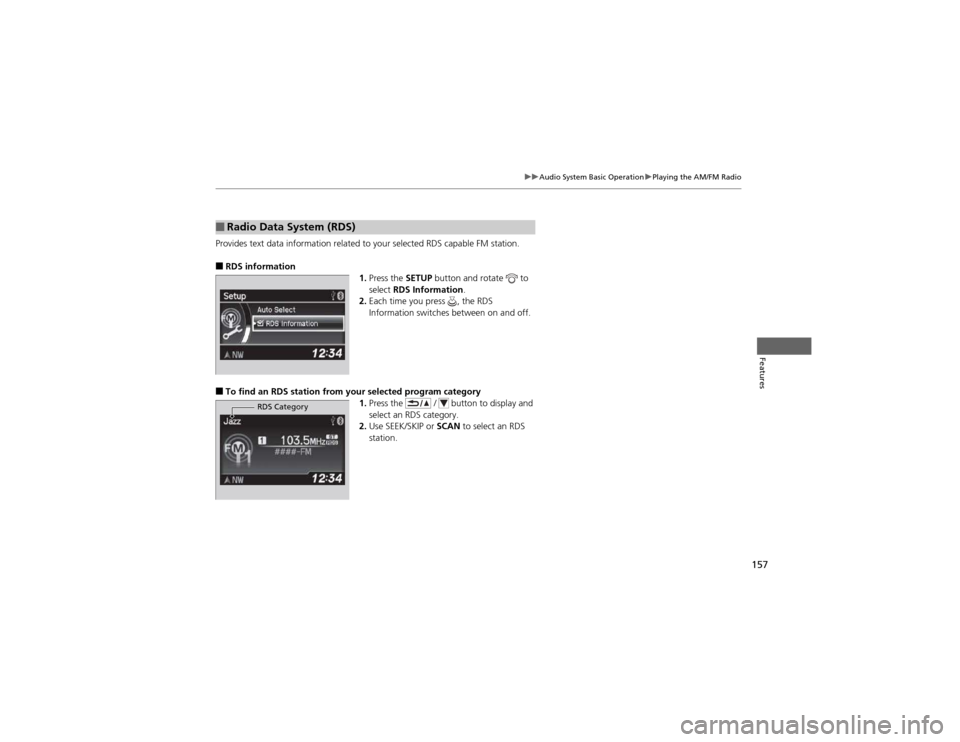
Provides text data information related to your selected RDS capable FM station. ■RDS information
1.Press the SETUP button and rotate to
select RDS Information .
2. Each time you press , the RDS
Information switches between on and off.
■ To find an RDS station from your selected program category
1.Press the / button to display and
select an RDS category.
2. Use SEEK/SKIP or SCAN to select an RDS
station.
■Radio Data System (RDS)
RDS Category
Page 159 of 361
158
uuAudio System Basic OperationuPlaying the XM® Radio *
Features
Playing the XM
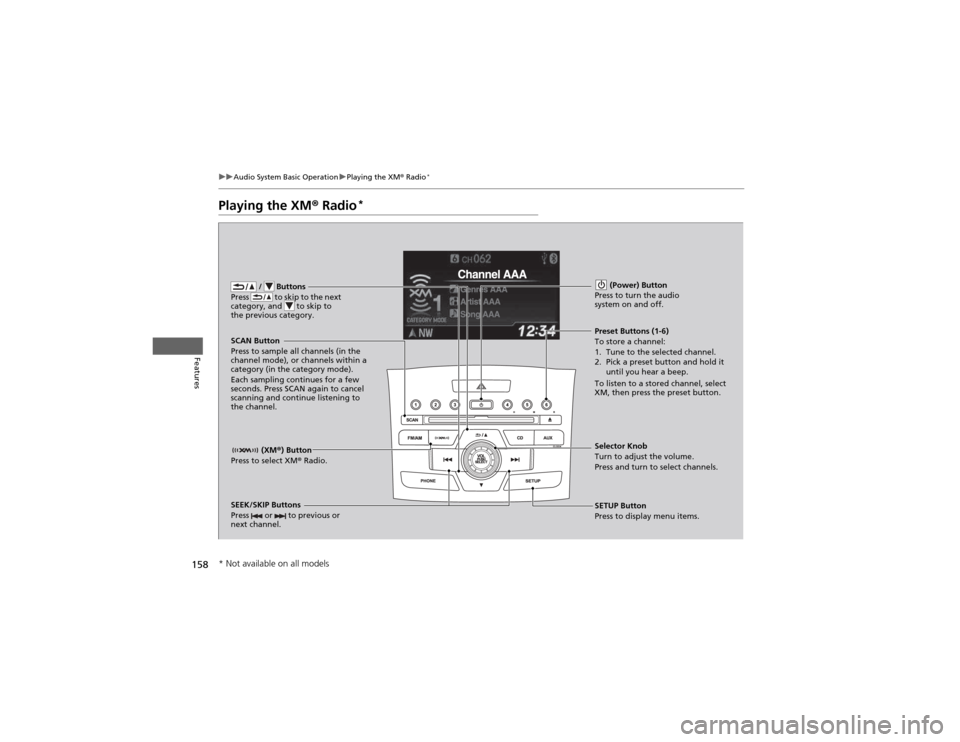
® Radio *
/ Buttons
Press to skip to the next
category, and to skip to
the previous category.
(XM ®) Button
Press to select XM ® Radio.
(Power) Button
Press to turn the audio system on and off.
SEEK/SKIP Buttons
Press or to previous or
next channel.SETUP Button
Press to display menu items.
Selector Knob
Turn to adjust the volume.
Press and turn to select channels.
Preset Buttons (1-6)
To store a channel:
1. Tune to the selected channel.
2. Pick a preset button and hold it
until you hear a beep.
To listen to a stored channel, select
XM, then press the preset button.
SCAN Button
Press to sample all channels (in the
channel mode), or channels within a
category (in the category mode).
Each sampling continues for a few
seconds. Press SCAN again to cancel
scanning and continue listening to the channel.
* Not available on all models