maintenance HONDA CR-V 2013 RM1, RM3, RM4 / 4.G Owners Manual
[x] Cancel search | Manufacturer: HONDA, Model Year: 2013, Model line: CR-V, Model: HONDA CR-V 2013 RM1, RM3, RM4 / 4.GPages: 361, PDF Size: 6.58 MB
Page 1 of 361
Contents
This owner’s manual should be considered a permanent part of the
vehicle and should remain with the vehicle when it is sold.
This owner’s manual covers all models of your vehicle. You may find
descriptions of equipment and features that are not on your
particular model.
Images throughout this owner’s manual (including the front cover)
represent features and equipment that are available on some, but
not all, models. Your particular model may not have some of these
features.
This owner’s manual is for vehicles sold in the United States and
Canada.
The information and specifications included in this publication were
in effect at the time of approval for printing. Honda Motor Co., Ltd.
reserves the right, however, to discontinue or change specifications
or design at any time without notice and without incurring any
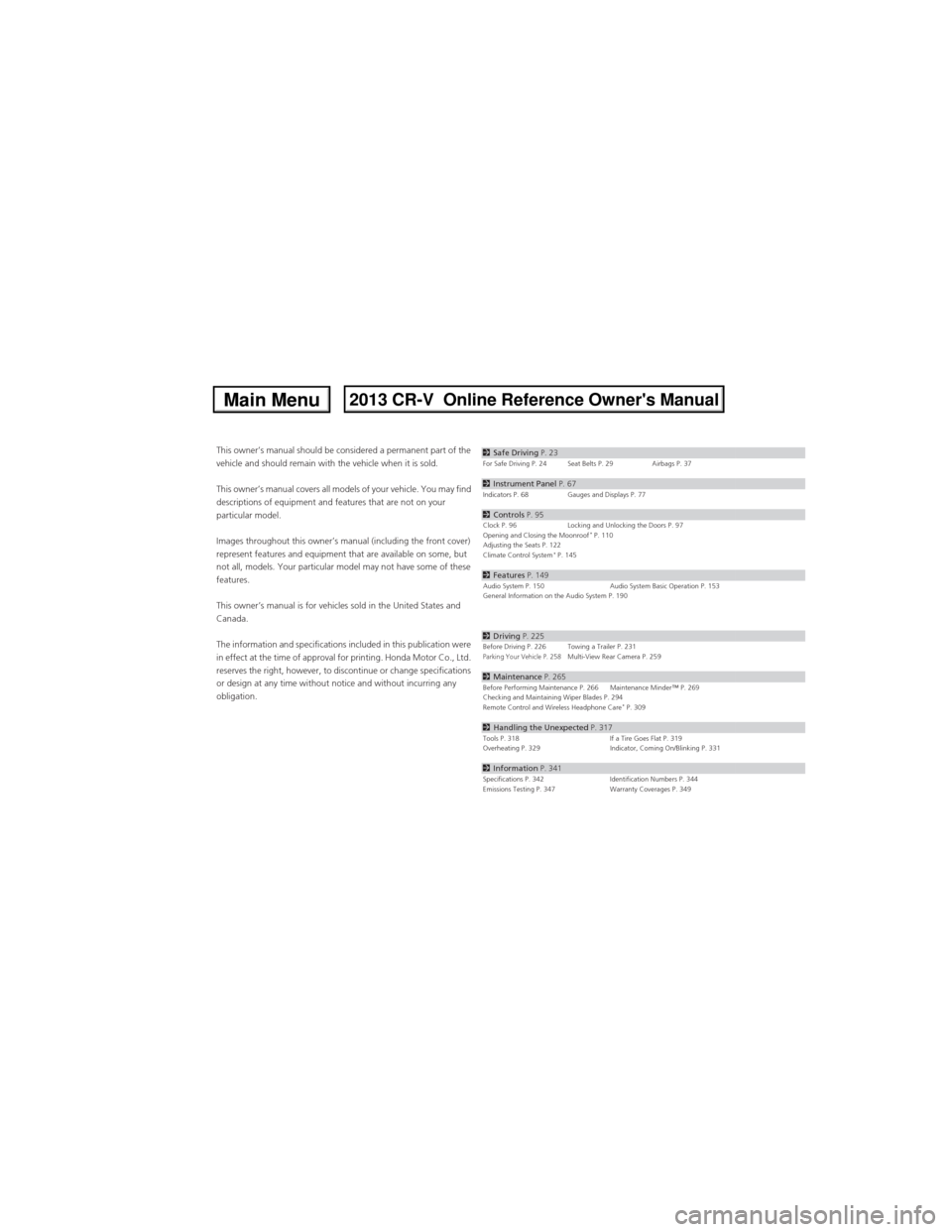
obligation.2Safe Driving P. 23For Safe Driving P. 24 Seat Belts P. 29 Airbags P. 37
2Instrument Panel P. 67Indicators P. 68 Gauges and Displays P. 77
2Controls P. 95Clock P. 96 Locking and Unlocking the Doors P. 97
Opening and Closing the Moonroof* P. 110
Adjusting the Seats P. 122
Climate Control System
* P. 145
2Features P. 149Audio System P. 150 Audio System Basic Operation P. 153
General Information on the Audio System P. 190
2Driving P. 225Before Driving P. 226 Towing a Trailer P. 231Parking Your Vehicle P. 258Multi-View Rear Camera P. 259
2Maintenance P. 265Before Performing Maintenance P. 266 Maintenance Minder™ P. 269
Checking and Maintaining Wiper Blades P. 294
Remote Control and Wireless Headphone Care
* P. 309
2Handling the Unexpected P. 317Tools P. 318 If a Tire Goes Flat P. 319
Overheating P. 329 Indicator, Coming On/Blinking P. 331
2Information P. 341Specifications P. 342 Identification Numbers P. 344
Emissions Testing P. 347 Warranty Coverages P. 349
Page 2 of 361
Contents
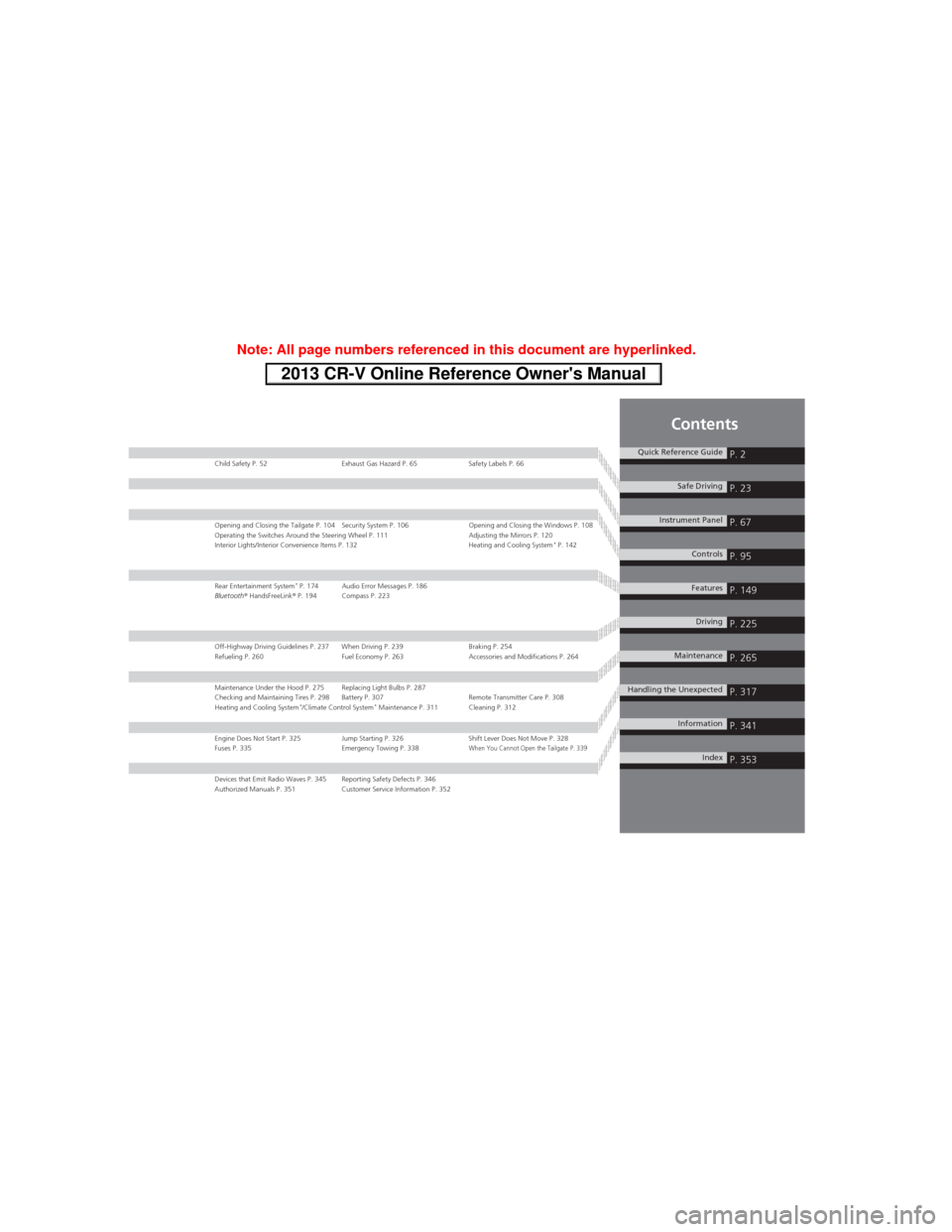
Child Safety P. 52 Exhaust Gas Hazard P. 65 Safety Labels P. 66
Opening and Closing the Tailgate P. 104 Security System P. 106 Opening and Closing the Windows P. 108
Operating the Switches Around the Steering Wheel P. 111 Adjusting the Mirrors P. 120
Interior Lights/Interior Convenience Items P. 132 Heating and Cooling System
* P. 142
Rear Entertainment System* P. 174 Audio Error Messages P. 186
Bluetooth® HandsFreeLink® P. 194 Compass P. 223
Off-Highway Driving Guidelines P. 237 When Driving P. 239 Braking P. 254
Refueling P. 260 Fuel Economy P. 263 Accessories and Modifications P. 264
Maintenance Under the Hood P. 275 Replacing Light Bulbs P. 287
Checking and Maintaining Tires P. 298 Battery P. 307 Remote Transmitter Care P. 308
Heating and Cooling System
*/Climate Control System* Maintenance P. 311 Cleaning P. 312
Engine Does Not Start P. 325 Jump Starting P. 326 Shift Lever Does Not Move P. 328
Fuses P. 335 Emergency Towing P. 338When You Cannot Open the Tailgate P. 339
Devices that Emit Radio Waves P. 345 Reporting Safety Defects P. 346
Authorized Manuals P. 351 Customer Service Information P. 352
Quick Reference GuideP. 2
Safe DrivingP. 23
Instrument PanelP. 67
ControlsP. 95
FeaturesP. 149
DrivingP. 225
MaintenanceP. 265
Handling the UnexpectedP. 317
InformationP. 341
IndexP. 353
Page 7 of 361
Visual Index
6
Quick Reference Guide
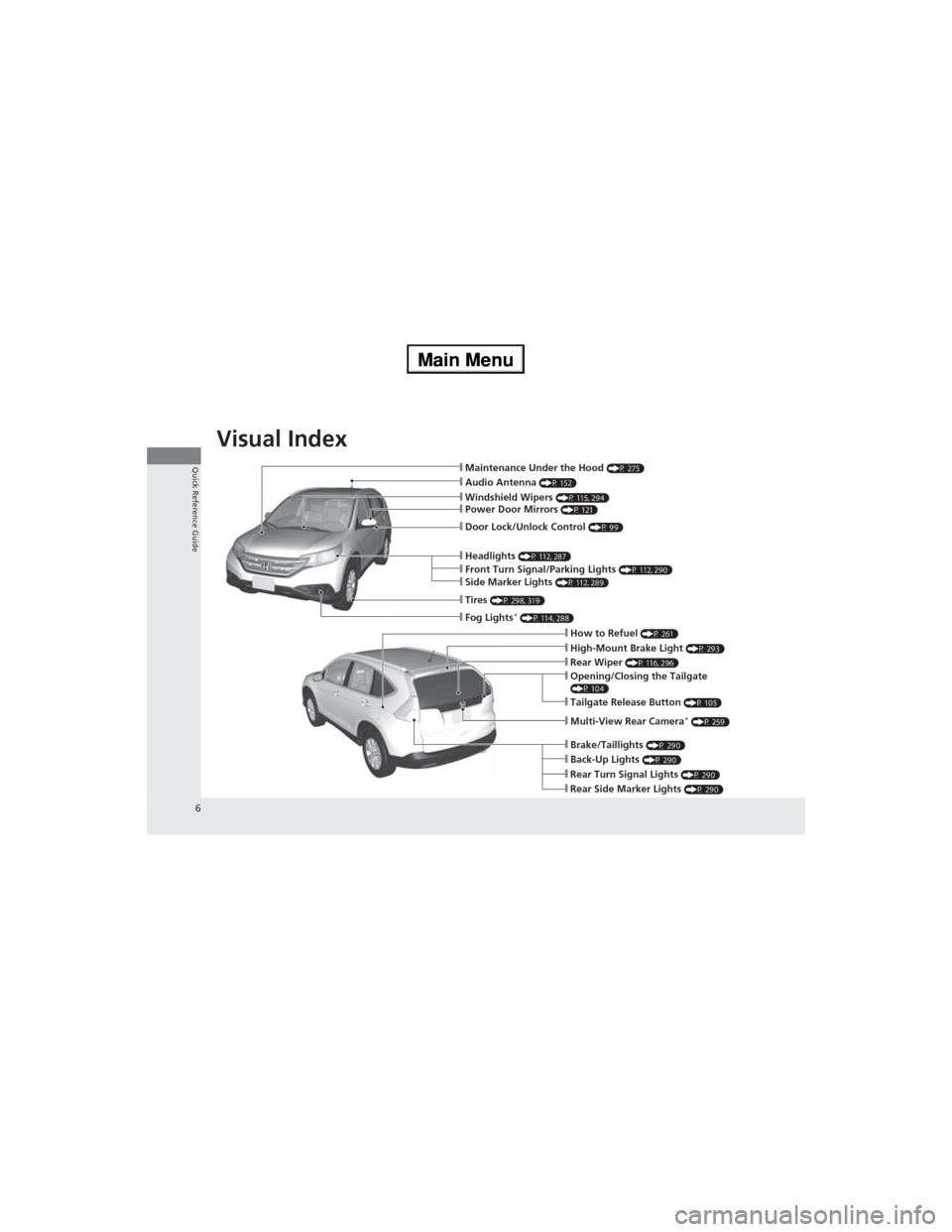
❙Audio Antenna (P 152)❙Windshield Wipers (P 115, 294)
❙Door Lock/Unlock Control (P 99)
❙Headlights (P 112, 287)
❙How to Refuel (P 261)❙High-Mount Brake Light (P 293)
❙Tailgate Release Button (P 105)
❙Opening/Closing the Tailgate(P 104)
❙Rear Wiper (P 116, 296)
❙Back-Up Lights (P 290)❙Brake/Taillights (P 290)
❙Rear Turn Signal Lights (P 290)❙Rear Side Marker Lights (P 290)
❙Power Door Mirrors (P 121)
❙Maintenance Under the Hood (P 275)
❙Fog Lights* (P 114, 288)
❙Multi-View Rear Camera* (P 259)
❙Front Turn Signal/Parking Lights (P 112, 290)❙Side Marker Lights (P 112, 289)
❙Tires (P 298, 319)
Page 10 of 361
9
Quick Reference Guide
Instrument Panel (P 67)
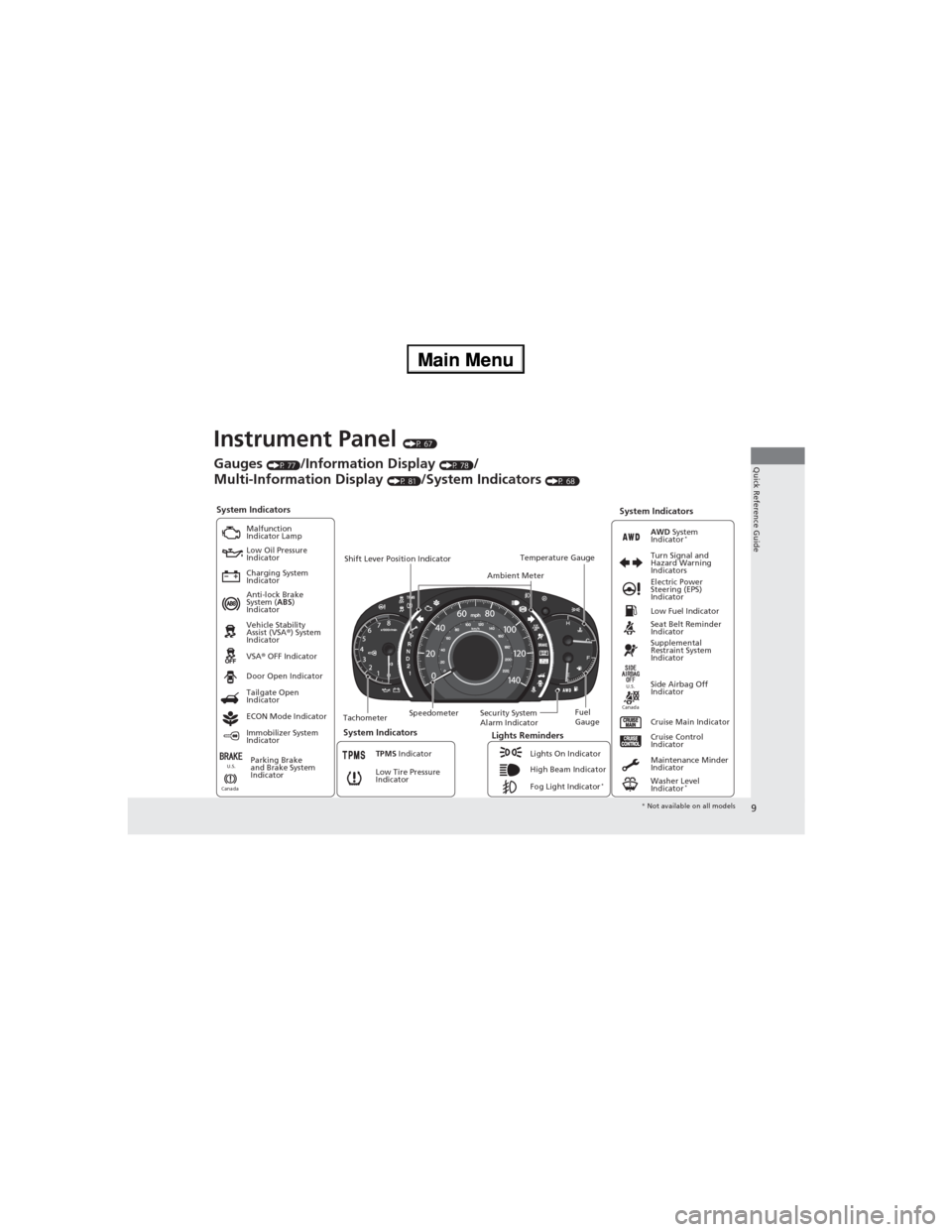
System Indicators
Malfunction
Indicator Lamp
Low Oil Pressure
Indicator
Charging System
Indicator
Anti-lock Brake
System (ABS)
Indicator
Vehicle Stability
Assist (VSA®) System
Indicator
VSA® OFF Indicator
Low Tire Pressure
Indicator
Lights Reminders
Lights On Indicator
High Beam Indicator
Fog Light Indicator
*
Immobilizer System
IndicatorSeat Belt Reminder
Indicator
System Indicators
Cruise Control
Indicator
Parking Brake
and Brake System
IndicatorSupplemental
Restraint System
Indicator
Side Airbag Off
Indicator Door Open Indicator
Cruise Main Indicator TachometerSpeedometerFuel
Gauge Security System
Alarm Indicator Shift Lever Position Indicator
Low Fuel Indicator
Gauges (P 77)/Information Display (P 78)/
Multi-Information Display
(P 81)/System Indicators (P 68)
Tailgate Open
Indicator
ECON Mode Indicator
TPMS Indicator
Maintenance Minder
Indicator
Washer Level
Indicator
*
Ambient MeterTemperature GaugeElectric Power
Steering (EPS)
Indicator Turn Signal and
Hazard Warning
Indicators
AWD System
Indicator*
System Indicators
CanadaU.S.
CanadaU.S.
* Not available on all models
Page 18 of 361
17
Quick Reference Guide
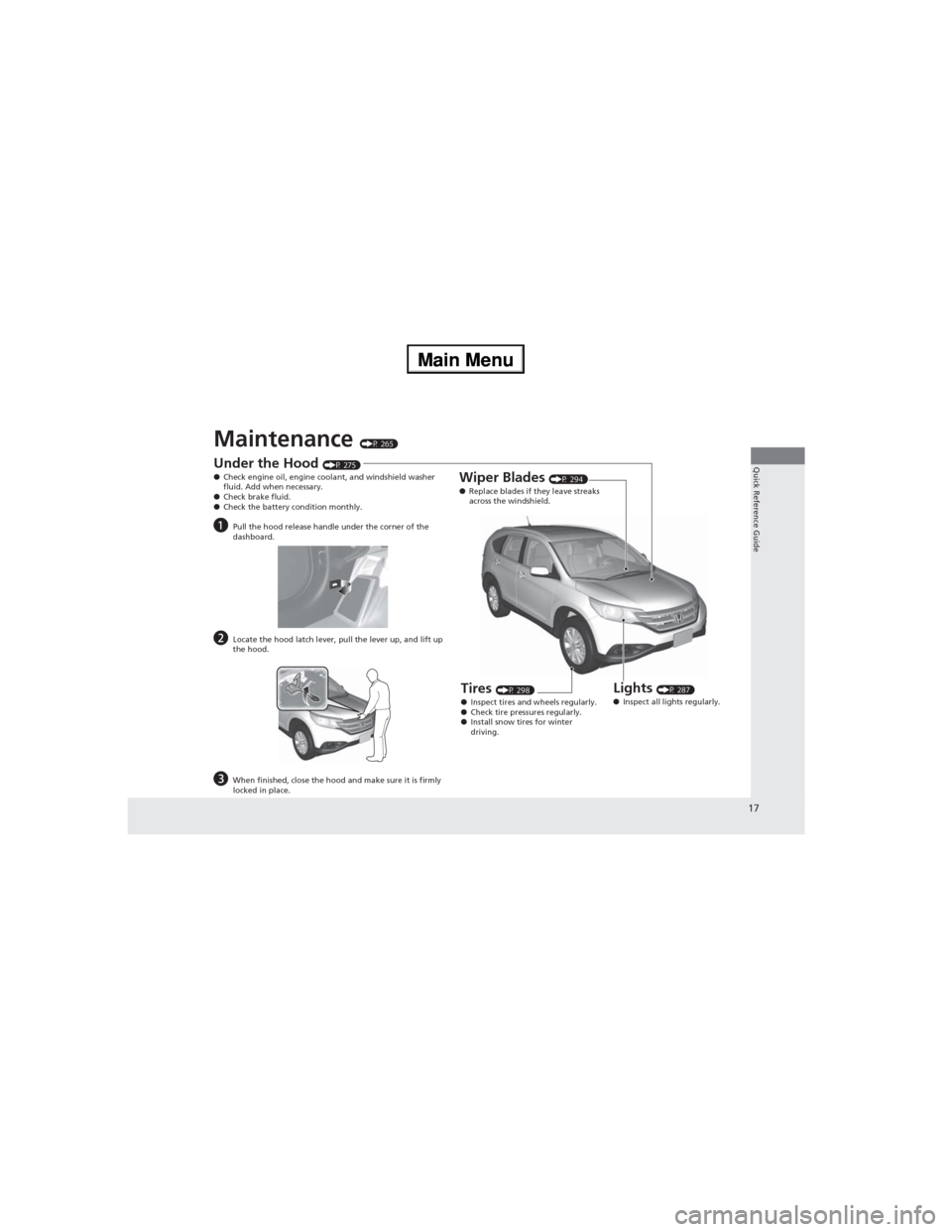
Maintenance (P 265)
Under the Hood (P 275)
●Check engine oil, engine coolant, and windshield washer
fluid. Add when necessary.
●Check brake fluid.
●Check the battery condition monthly.
aPull the hood release handle under the corner of the
dashboard.
bLocate the hood latch lever, pull the lever up, and lift up
the hood.
cWhen finished, close the hood and make sure it is firmly
locked in place.
Lights (P 287)
●Inspect all lights regularly.
Wiper Blades (P 294)
●Replace blades if they leave streaks
across the windshield.
Tires (P 298)
●Inspect tires and wheels regularly.
●Check tire pressures regularly.
●Install snow tires for winter
driving.
Page 26 of 361
25
uuFor Safe DrivinguImportant Safety Precautions
Safe Driving
■Pay appropriate attention to the task of driving safely
Engaging in cell phone conversation or other activities that keep you from paying
close attention to the road, other vehicles, and pedestrians could lead to a crash.
Remember, situations can change quickly, and only you can decide when it is safe to
divert some attention away from driving.
■Control your speed
Excessive speed is a major factor in crash injuries and deaths. Generally, the higher
the speed, the greater the risk, but serious injuries can also occur at lower speeds.
Never drive faster than is safe for current conditions, regardless of the maximum
speed posted.
■Keep your vehicle in safe condition
Having a tire blowout or a mechanical failure can be extremely hazardous.
To reduce the possibility of such problems, check your tire pressures and condition
frequently, and perform all regularly scheduled maintenance.
Page 52 of 361
51
uuAirbagsuAirbag Care
Safe Driving
Airbag Care
You do not need to, and should not, perform any maintenance on or replace any
airbag system components yourself. However, you should have your vehicle
inspected by a dealer in the following situations:
■When the airbags have deployed
If an airbag has inflated, the control unit and other related parts must be replaced.
Similarly, once an automatic seat belt tensioner has been activated, it must be
replaced.
■When the vehicle has been in a moderate-to-severe collision
Even if the airbags did not inflate, have your dealer inspect the following: the driver’s
seat position sensor, weight sensors in the passenger’s seat, front seat belt
tensioners, and each seat belt that was worn during the crash.
■Do not remove or modify a front seat without consulting a dealer
This would likely disable the driver's seat position sensor or the weight sensors in the
passenger's seat. If it is necessary to remove or modify a front seat to accommodate
a person with disabilities, contact a Honda dealer, or for U.S. vehicles, American
Honda Automobile Customer Service at 800-999-1009 and for Canadian vehicles,
Honda Canada Customer Relations at 888-9-HONDA-9.
1Airbag Care
We recommend against the use of salvaged airbag
system components, including the airbag, tensioners,
sensors, and control unit.
Page 77 of 361
76
uuIndicatorsu
Instrument Panel
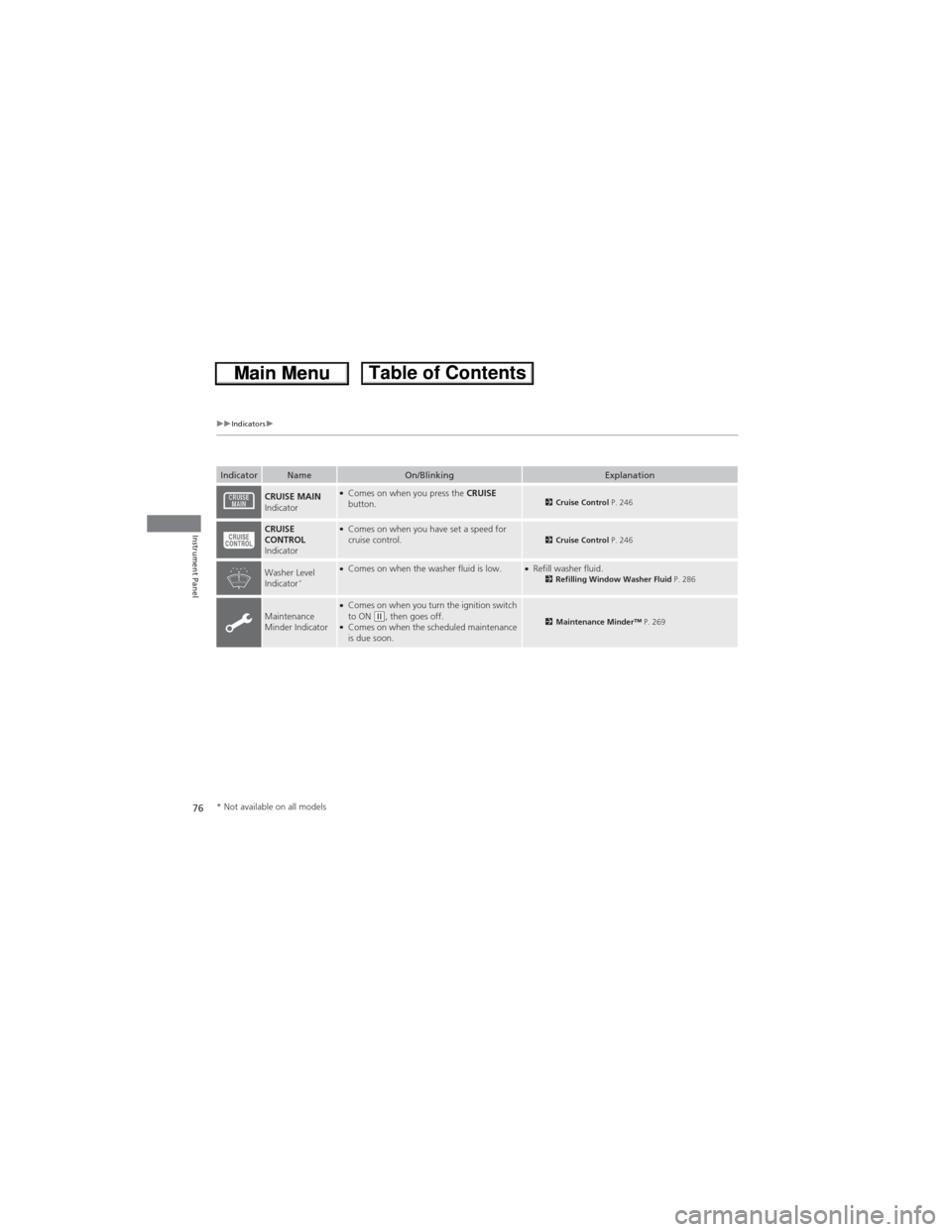
IndicatorNameOn/BlinkingExplanation
CRUISE MAIN
Indicator●Comes on when you press the CRUISE
button.2Cruise Control P. 246
CRUISE
CONTROL
Indicator●Comes on when you have set a speed for
cruise control.2Cruise Control P. 246
Washer Level
Indicator*●Comes on when the washer fluid is low.●Refill washer fluid.2Refilling Window Washer Fluid P. 286
Maintenance
Minder Indicator●Comes on when you turn the ignition switch
to ON (w, then goes off.●Comes on when the scheduled maintenance
is due soon.2Maintenance Minder™ P. 269
* Not available on all models
Page 79 of 361
78
uuGauges and DisplaysuInformation Display
Instrument Panel
Information Display
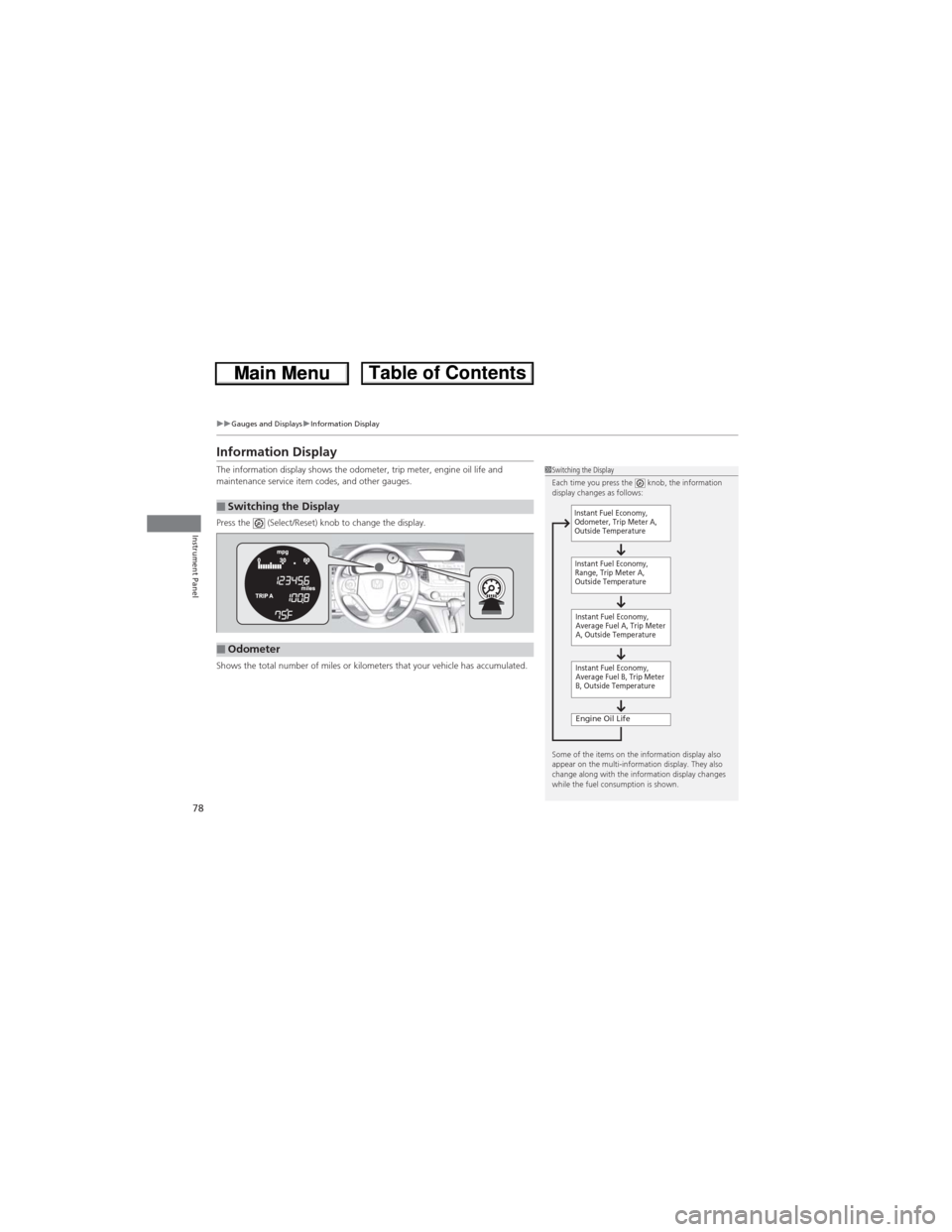
The information display shows the odometer, trip meter, engine oil life and
maintenance service item codes, and other gauges.
Press the (Select/Reset) knob to change the display.
Shows the total number of miles or kilometers that your vehicle has accumulated.
■Switching the Display
1Switching the Display
Each time you press the knob, the information
display changes as follows:
Some of the items on the information display also
appear on the multi-information display. They also
change along with the information display changes
while the fuel consumption is shown.
Instant Fuel Economy,
Average Fuel A, Trip Meter
A, Outside Temperature
Engine Oil Life
Instant Fuel Economy,
Average Fuel B, Trip Meter
B, Outside Temperature Instant Fuel Economy,
Odometer, Trip Meter A,
Outside Temperature
Instant Fuel Economy,
Range, Trip Meter A,
Outside Temperature
■Odometer
Page 80 of 361
Continued79
uuGauges and DisplaysuInformation Display
Instrument Panel
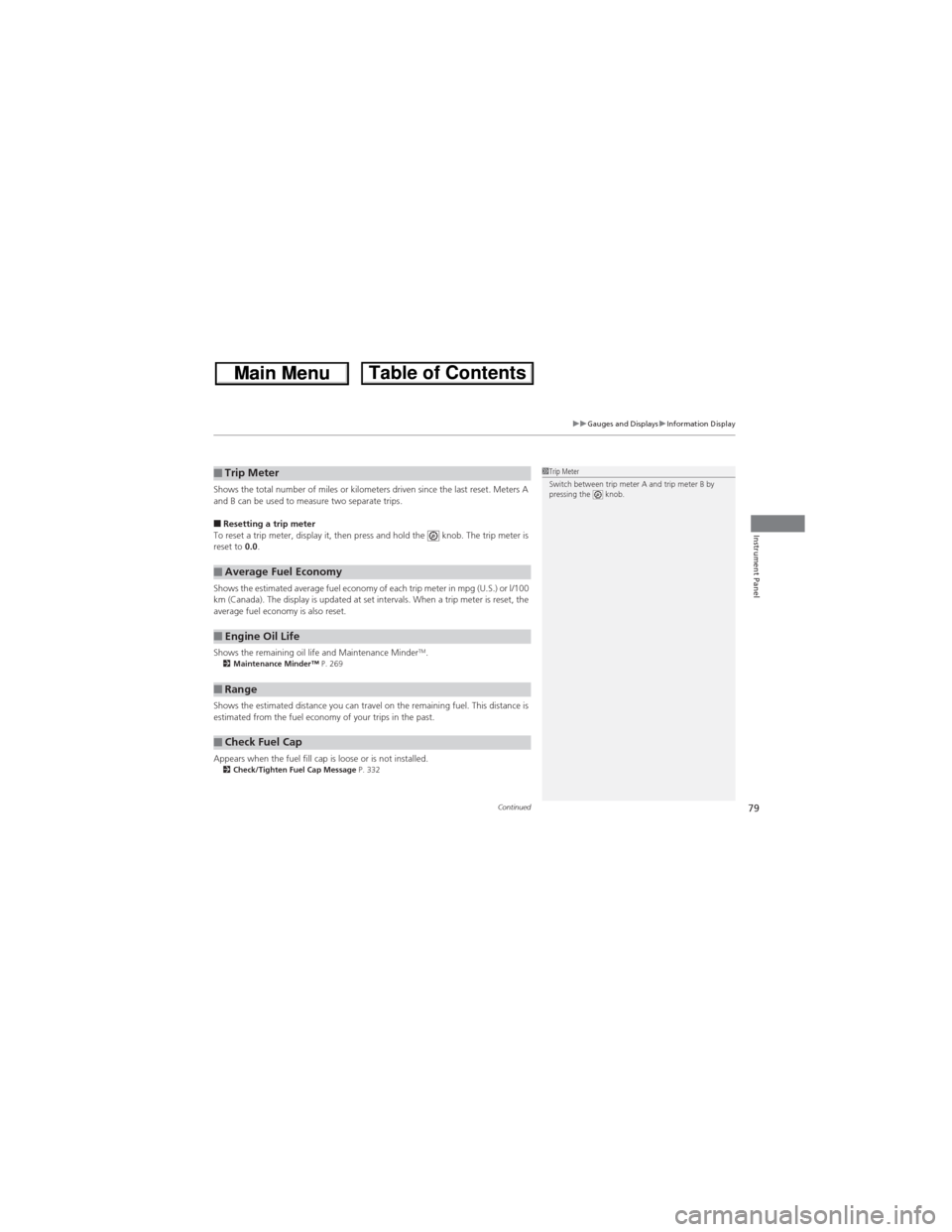
Shows the total number of miles or kilometers driven since the last reset. Meters A
and B can be used to measure two separate trips.
■Resetting a trip meter
To reset a trip meter, display it, then press and hold the knob. The trip meter is
reset to 0.0.
Shows the estimated average fuel economy of each trip meter in mpg (U.S.) or l/100
km (Canada). The display is updated at set intervals. When a trip meter is reset, the
average fuel economy is also reset.
Shows the remaining oil life and Maintenance Minder
TM.2Maintenance Minder™ P. 269
Shows the estimated distance you can travel on the remaining fuel. This distance is
estimated from the fuel economy of your trips in the past.
Appears when the fuel fill cap is loose or is not installed.
2Check/Tighten Fuel Cap Message P. 332
■Trip Meter
■Average Fuel Economy
■Engine Oil Life
■Range
■Check Fuel Cap
1Trip Meter
Switch between trip meter A and trip meter B by
pressing the knob.