Battery type HONDA CR-V 2015 RM1, RM3, RM4 / 4.G Owners Manual
[x] Cancel search | Manufacturer: HONDA, Model Year: 2015, Model line: CR-V, Model: HONDA CR-V 2015 RM1, RM3, RM4 / 4.GPages: 533, PDF Size: 24.82 MB
Page 131 of 533
130
Controls
Locking and Unlocking the Doors
Key Types and Functions
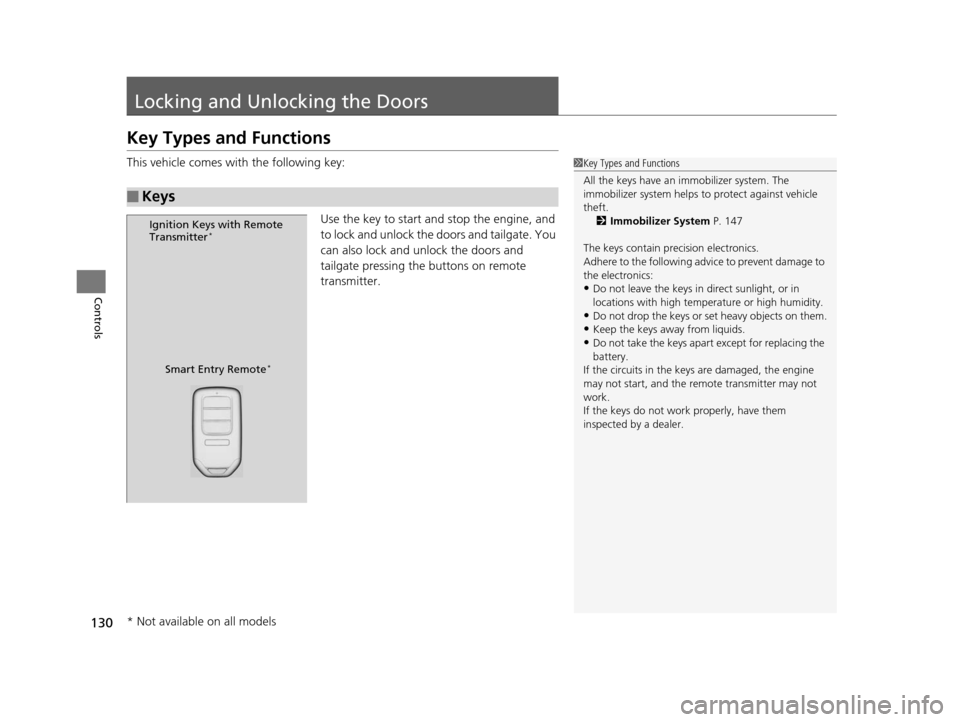
This vehicle comes with the following key:Use the key to start and stop the engine, and
to lock and unlock the doors and tailgate. You
can also lock and unlock the doors and
tailgate pressing the buttons on remote
transmitter.
■Keys
1Key Types and Functions
All the keys have an immobilizer system. The
immobilizer system helps to protect against vehicle
theft. 2 Immobilizer System P. 147
The keys contain precision electronics.
Adhere to the following advi ce to prevent damage to
the electronics:
•Do not leave the keys in direct sunlight, or in
locations with high temperature or high humidity.
•Do not drop the keys or set heavy objects on them.
•Keep the keys away from liquids.
•Do not take the keys apart except for replacing the
battery.
If the circuits in the keys are damaged, the engine
may not start, and the remote transmitter may not
work.
If the keys do not work properly, have them
inspected by a dealer.
Ignition Keys with Remote
Transmitter*
Smart Entry Remote*
* Not available on all models
15 CR-V-31T0A6300.book 130 ページ 2015年2月2日 月曜日 午前10時35分
Page 132 of 533
Continued131
uuLocking and Unlocking the Doors uKey Types and Functions
Controls
■Smart entry remote*
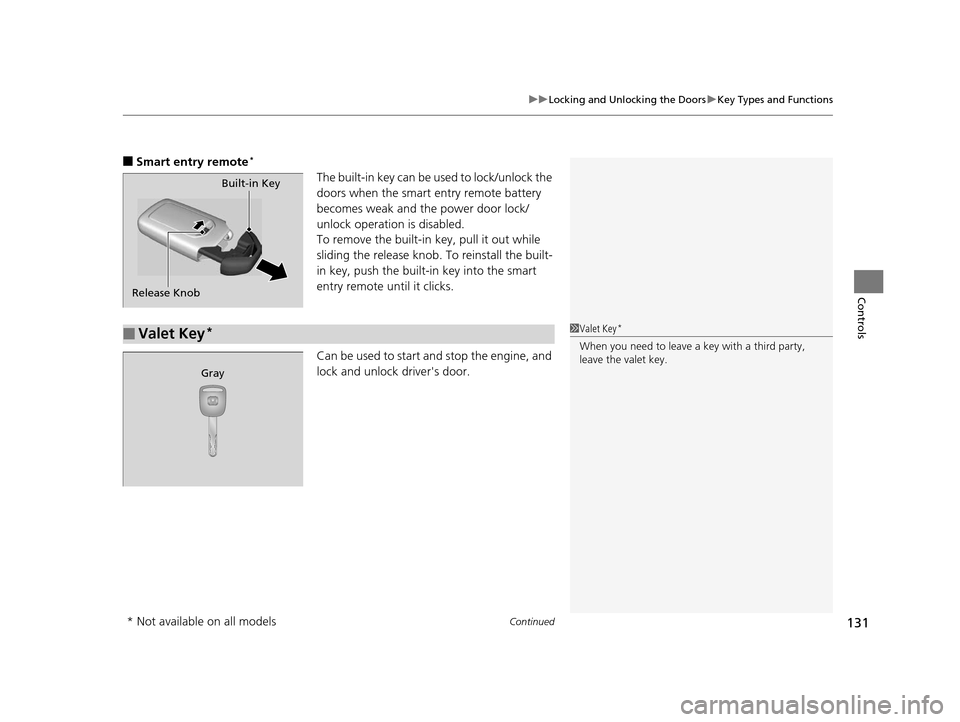
The built-in key can be us ed to lock/unlock the
doors when the smart entry remote battery
becomes weak and the power door lock/
unlock operation is disabled.
To remove the built-in key, pull it out while
sliding the release knob. To reinstall the built-
in key, push the built-in key into the smart
entry remote until it clicks.
Can be used to start an d stop the engine, and
lock and unlock driver's door.Built-in Key
Release Knob
■Valet Key*1 Valet Key*
When you need to leave a key with a third party,
leave the valet key.
Gray
* Not available on all models
15 CR-V-31T0A6300.book 131 ページ 2015年2月2日 月曜日 午前10時35分
Page 190 of 533
Continued189
uuInterior Lights/Interior Convenience Items uInterior Convenience Items
Controls
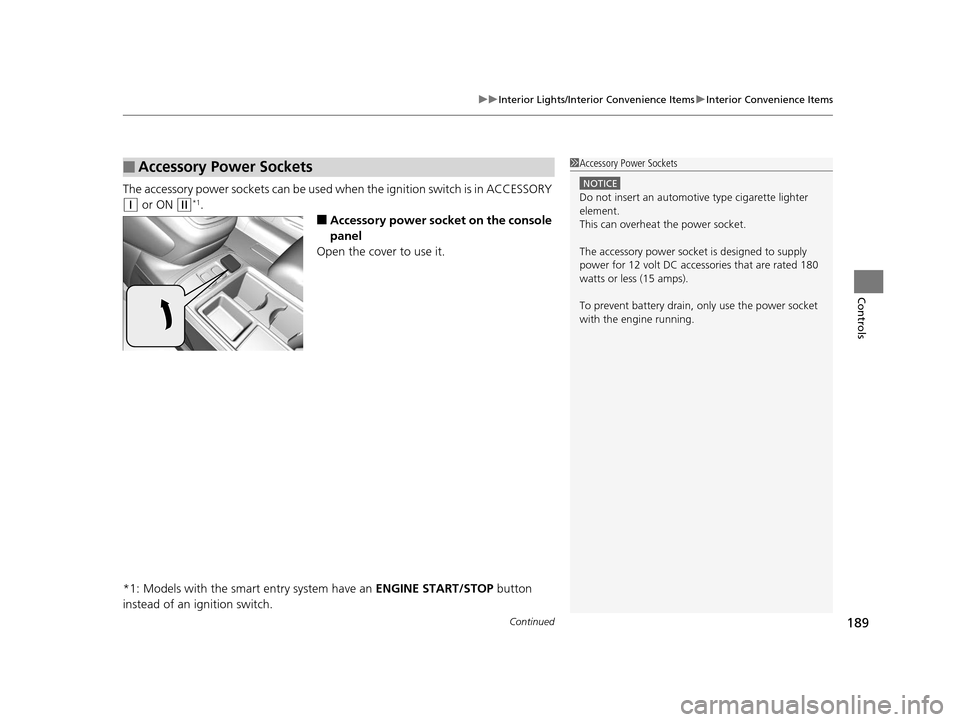
The accessory power so ckets can be used when the i gnition switch is in ACCESSORY
(q or ON (w*1.
■Accessory power socket on the console
panel
Open the cover to use it.
*1: Models with the smart entry system have an ENGINE START/STOP button
instead of an ignition switch.
■Accessory Power Sockets1 Accessory Power Sockets
NOTICE
Do not insert an automotive type cigarette lighter
element.
This can overheat the power socket.
The accessory power socket is designed to supply
power for 12 volt DC access ories that are rated 180
watts or less (15 amps).
To prevent battery drain, only use the power socket
with the engine running.
15 CR-V-31T0A6300.book 189 ページ 2015年2月2日 月曜日 午前10時35分
Page 476 of 533
475Continued
Maintenance
Remote Transmitter Care
Replacing the Button Battery
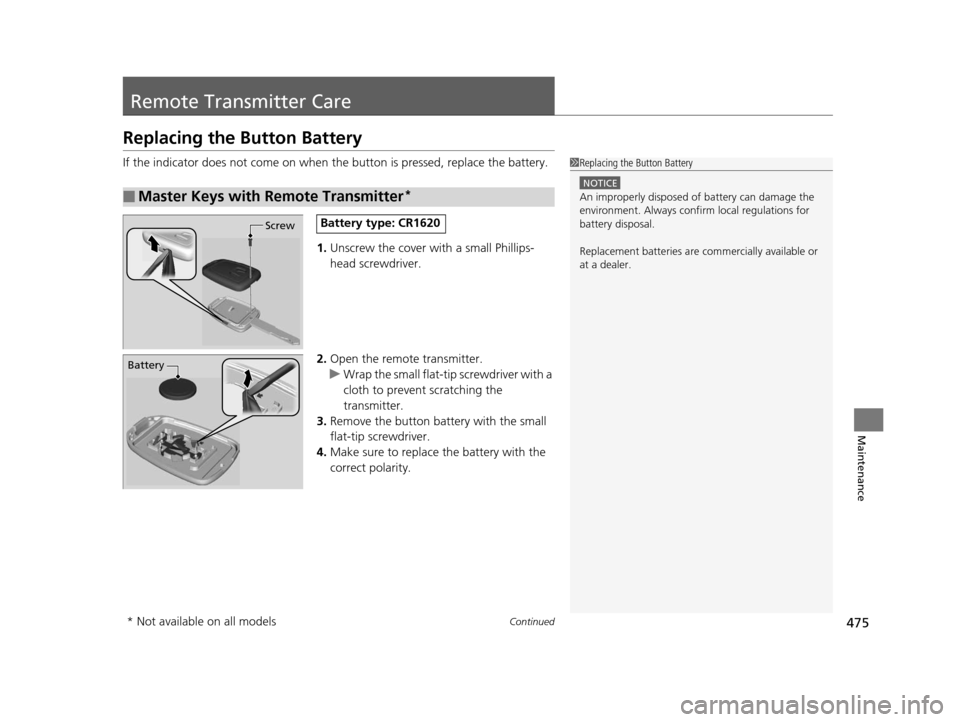
If the indicator does not come on when the button is pressed, replace the battery.
1. Unscrew the cover with a small Phillips-
head screwdriver.
2. Open the remote transmitter.
u Wrap the small flat-tip screwdriver with a
cloth to prevent scratching the
transmitter.
3. Remove the button battery with the small
flat-tip screwdriver.
4. Make sure to replace the battery with the
correct polarity.
■Master Keys with Remote Transmitter*
1Replacing the Button Battery
NOTICE
An improperly disposed of battery can damage the
environment. Always conf irm local regulations for
battery disposal.
Replacement batteries are commercially available or
at a dealer.
ScrewBattery type: CR1620
Battery
* Not available on all models
15 CR-V-31T0A6300.book 475 ページ 2015年2月2日 月曜日 午前10時35分
Page 477 of 533
476
uuRemote Transmitter Care uReplacing the Button Battery
Maintenance
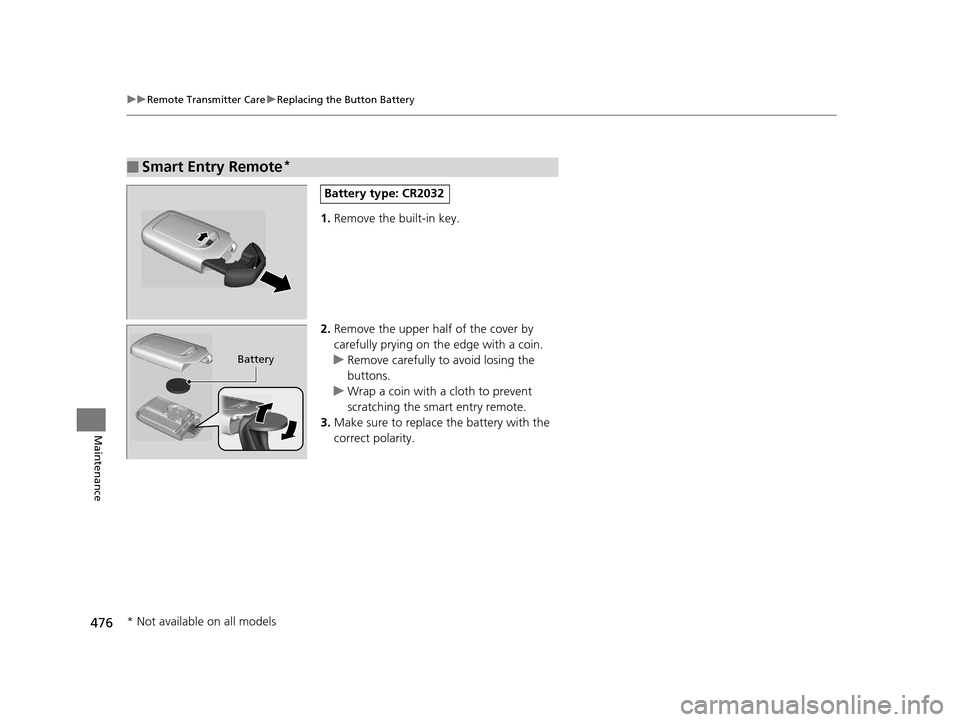
1. Remove the built-in key.
2. Remove the upper half of the cover by
carefully prying on the edge with a coin.
u Remove carefully to avoid losing the
buttons.
u Wrap a coin with a cloth to prevent
scratching the smart entry remote.
3. Make sure to replace the battery with the
correct polarity.
■Smart Entry Remote*
Battery type: CR2032
Battery
* Not available on all models
15 CR-V-31T0A6300.book 476 ページ 2015年2月2日 月曜日 午前10時35分
Page 484 of 533

483
Handling the Unexpected
This chapter explains how to handle unexpected troubles.
ToolsTypes of Tools .................................. 484
If a Tire Goes Flat Changing a Flat Tire ......................... 485
Engine Does Not Start Checking the Engine ........................ 491
If the Smart Entry Remote Battery is Weak .......................................... 492
Emergency Engine Stop ................... 493
Jump Starting .................................... 494
Shift Lever Does Not Move .............. 496Overheating
How to Handle Overheating............. 497
Indicator, Coming On/Blinking
If the Low Oil Pressure Indicator Comes On................................................ 499
If the Charging System Indicator Comes
On ................................................. 499
If the Malfunction Indicator Lamp Comes On or Blinks ................................... 500
If the Brake System Indicator (Red) Comes On...................................................... 501 If the Electric Power Steering (EPS) System
Indicator Comes On ........................... 501
If the Low Tire Pressure/TPMS Indicator Comes On or Blinks ....................... 502
Fuses Fuse Locations ................................. 503
Inspecting and Changing Fuses ........ 505
Emergency Towing ........................... 506
When You Cannot Open the Tailgate.. 507
15 CR-V-31T0A6300.book 483 ページ 2015年2月2日 月曜日 午前10時35分