audio HONDA CR-Z 2013 1.G Owner's Guide
[x] Cancel search | Manufacturer: HONDA, Model Year: 2013, Model line: CR-Z, Model: HONDA CR-Z 2013 1.GPages: 325, PDF Size: 11.73 MB
Page 263 of 325

262
Maintenance
12 Volt Battery
Checking the 12 Volt BatteryCheck the battery condition monthly. Look at
the test indicator window and check the
terminals for corrosion.
If your vehicle's battery is disconnected or goes dead: • The audio system is disabled.
2 Reactivating the audio system P. 141
• The clock resets.
2 Setting the Clock P. 98
• The navigation system *
is disabled. A PIN code will be required.
2 Refer to the navigation system manual
Charging the 12 Volt Battery
Disconnect both battery cables to prevent damaging your vehicle's electrical system.
Always disconnect the negative (-) cable first, and reconnect it last.
112 Volt Battery
WARNING: Battery post, terminals,
and related accessori es contain lead
and lead compounds. Wash your hands after handling.
The test indicator's color information is on the
battery.
When you find corrosion, clean the battery terminals
by applying a baking powder and water solution. Clean terminals with a damp towel. Cloth/towel dry
the battery. Coat the termina ls with grease to help
prevent future corrosion.
3WARNING
The battery gives off explosive hydrogen
gas during normal operation.
A spark or flame can cause the battery to
explode with enough force to kill or seriously hurt you.
When conducting any battery
maintenance, wear protective clothing and
a face shield, or have a skilled technician do
it.
Test Indicator Window
* Not available on all models
Main MenuTable of Contents
Page 266 of 325
265
Continued
Maintenance
Cleaning
Interior Care
Use a damp cloth with a mixture of mild detergent and warm water to remove dirt.
Use a clean cloth to remove detergent residue.
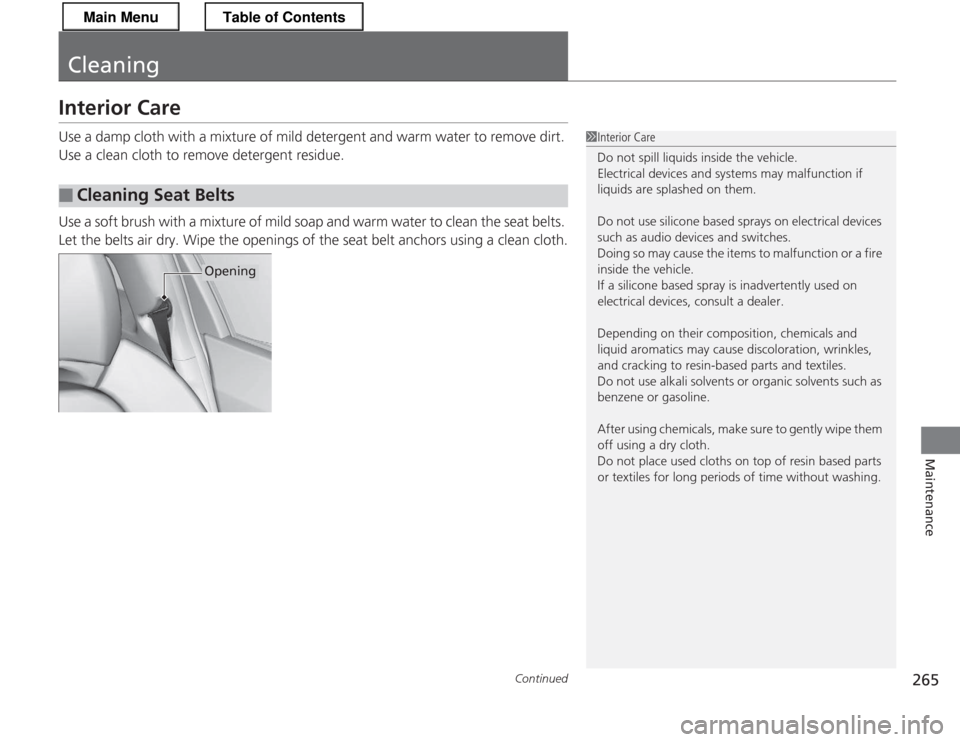
Use a soft brush with a mixture of mild soap and warm water to clean the seat belts.
Let the belts air dry. Wipe the openings of the seat belt anchors using a clean cloth.
■Cleaning Seat Belts
1Interior Care
Do not spill liquids inside the vehicle.
Electrical devices and systems may malfunction if
liquids are splashed on them.
Do not use silicone based sprays on electrical devices
such as audio devices and switches.
Doing so may cause the items to malfunction or a fire
inside the vehicle.
If a silicone based spray is inadvertently used on
electrical devices, consult a dealer.
Depending on their composition,
chemicals and
liquid aromatics may cause discoloration, wrinkles,
and cracking to resin-based parts and textiles.
Do not use alkali solvents or organic solvents such as
benzene or gasoline.
After using chemicals, make sure to gently wipe them
off using a dry cloth.
Do not place used cloths on top of resin based parts
or textiles for long periods of time without washing.
Opening
Main MenuTable of Contents
Page 288 of 325
287
Continued
Handling the Unexpected
Jump Starting
Turn off the power to electric devices, such as audio and lights. Turn off the engine,
then open the hood.
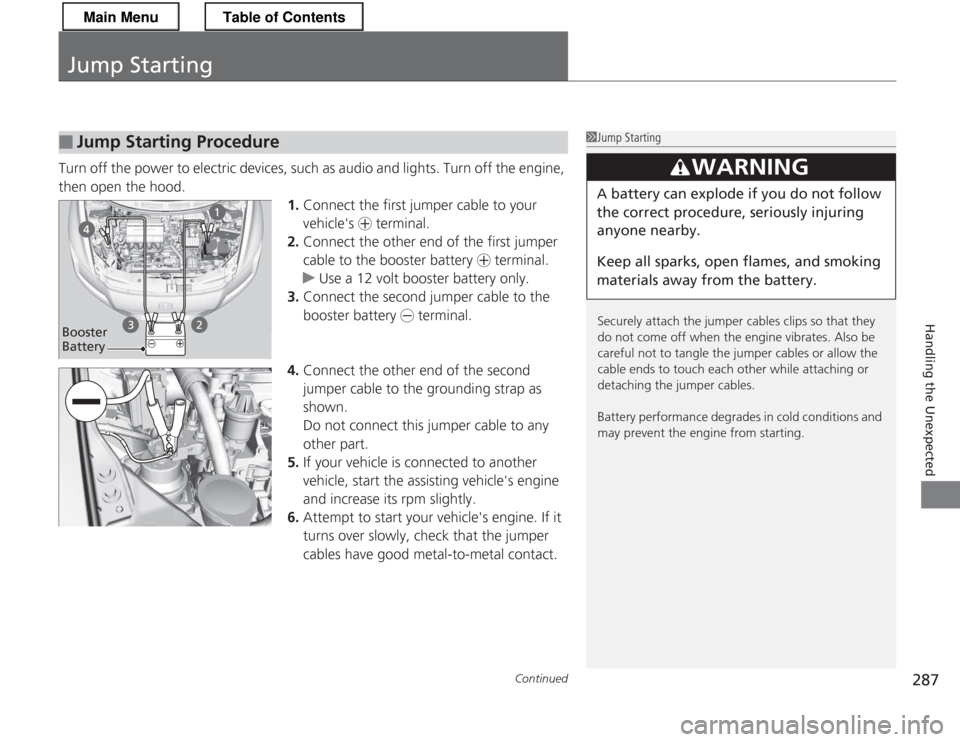
1.Connect the first jumper cable to your
vehicle's + terminal.
2. Connect the other end of the first jumper
cable to the booster battery + terminal.
uUse a 12 volt booster battery only.
3. Connect the second jumper cable to the booster battery - terminal.
4. Connect the other end of the second
jumper cable to the grounding strap as
shown.
Do not connect this jumper cable to any other part.
5. If your vehicle is co nnected to another
vehicle, start the assisting vehicle's engine
and increase its rpm slightly.
6. Attempt to start your vehicle's engine. If it
turns over slowly, check that the jumper cables have good metal-to-metal contact.
■Jump Starting Procedure1Jump Starting
Securely attach the jumper cables clips so that they
do not come off when the engine vibrates. Also be
careful not to tangle the jumper cables or allow the
cable ends to touch each other while attaching or
detaching the jumper cables.
Battery performance degrades in cold conditions and
may prevent the engine from starting.
3WARNING
A battery can explode if you do not follow the correct procedure, seriously injuring anyone nearby.
Keep all sparks, open flames, and smoking
materials away from the battery.
Booster
Battery
Main MenuTable of Contents
Page 299 of 325
298
uuFusesuFuse Locations
Handling the Unexpected
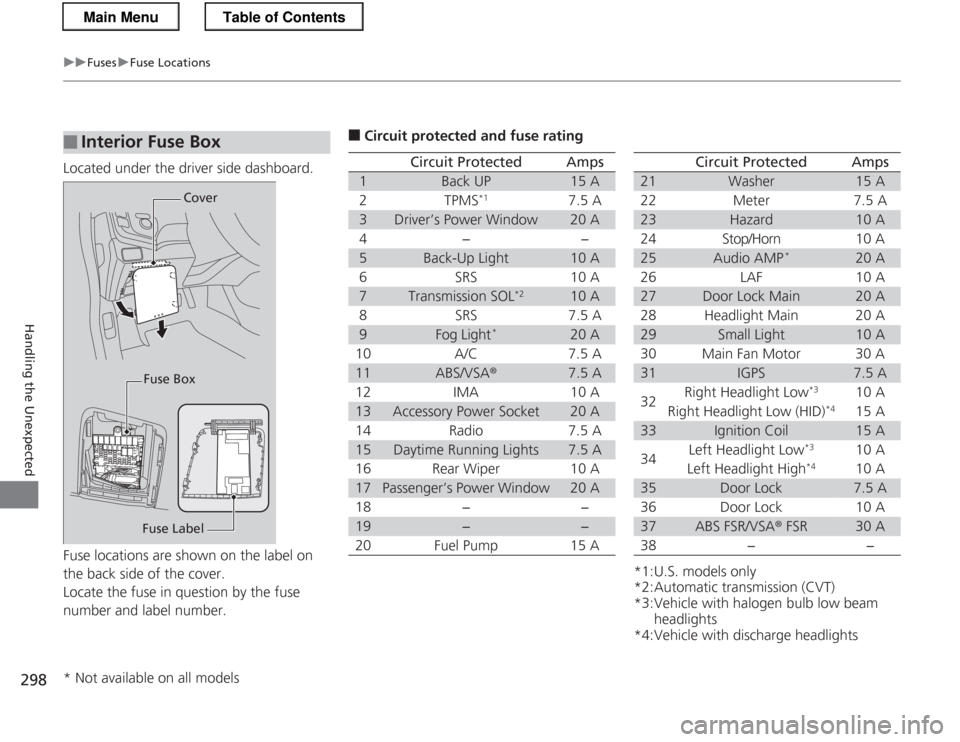
Located under the driver side dashboard.
Fuse locations are shown on the label on
the back side of the cover.
Locate the fuse in question by the fuse
number and label number.
■Interior Fuse Box
Fuse LabelCover
Fuse Box
■ Circuit protected and fuse rating
Circuit ProtectedAmps
1Back UP15 A
2TPMS *17.5 A
3Driver’s Power Window20 A
4−−
5Back-Up Light10 A
6SRS10 A
7Transmission SOL *210 A
8SRS7.5 A
9Fog Light*20 A
10 A/C 7.5 A
11ABS/VSA ®7.5 A
12 IMA 10 A
13Accessory Power Socket20 A
14 Radio 7.5 A
15Daytime Running Lights7.5 A
16 Rear Wiper 10 A
17Passenger’s Power Window20 A
18 − −
19−−
20 Fuel Pump 15 A
*1:U.S. models only
*2:Automatic transmission (CVT)
*3:Vehicle with halogen bulb low beam headlights
*4:Vehicle with discharge headlights
Circuit ProtectedAmps
21Washer15 A
22 Meter 7.5 A
23Hazard10 A
24 Stop/Horn 10 A
25Audio AMP *20 A
26 LAF 10 A
27Door Lock Main20 A
28 Headlight Main 20 A
29Small Light10 A
30 Main Fan Motor 30 A
31IGPS7.5 A
32 Right Headlight Low
*3
10 A
Right Headlight Low (HID) *4
15 A
33Ignition Coil15 A
34 Left Headlight Low
*3
10 A
Left Headlight High *4
10 A
35Door Lock7.5 A
36 Door Lock 10 A
37ABS FSR/VSA ® FSR30 A
38 − −
* Not available on all models
Main MenuTable of Contents
Page 310 of 325
309
Information
Devices that Emit Radio Waves
The following products and systems on your vehicle emit radio waves when in
operation.
Each of the above complies with the appropriate requirements or the required
standards of FCC (Federal Communications Commission) and Industry Canada
Standard, described below: As required by the FCC: This device complies with Part 15 of the FCC rules. Operation is subject to the following two conditions: (1) This device may not
cause harmful interference, and (2) this device must accept any interference received, i ncluding interference that may cause
undesired operation. Changes or mo difications not expressly approved by the party
responsible for compliance could void the user's authority to operate the equipment.
This device complies with Industry Canada Standard RSS-Gen/210/310. Operation is
subject to the following two conditions: (1) this de vice may not cause interference,
and (2) this device must accept any interference, including interference that may
cause undesired operation of the device.
Audio System
Bluetooth ® HandsFreeLink ®
Immobilizer System
Remote Transmitter
Tire Pressure Monitoring System (TPMS) (U.S. models only)
Main MenuTable of Contents
Page 318 of 325
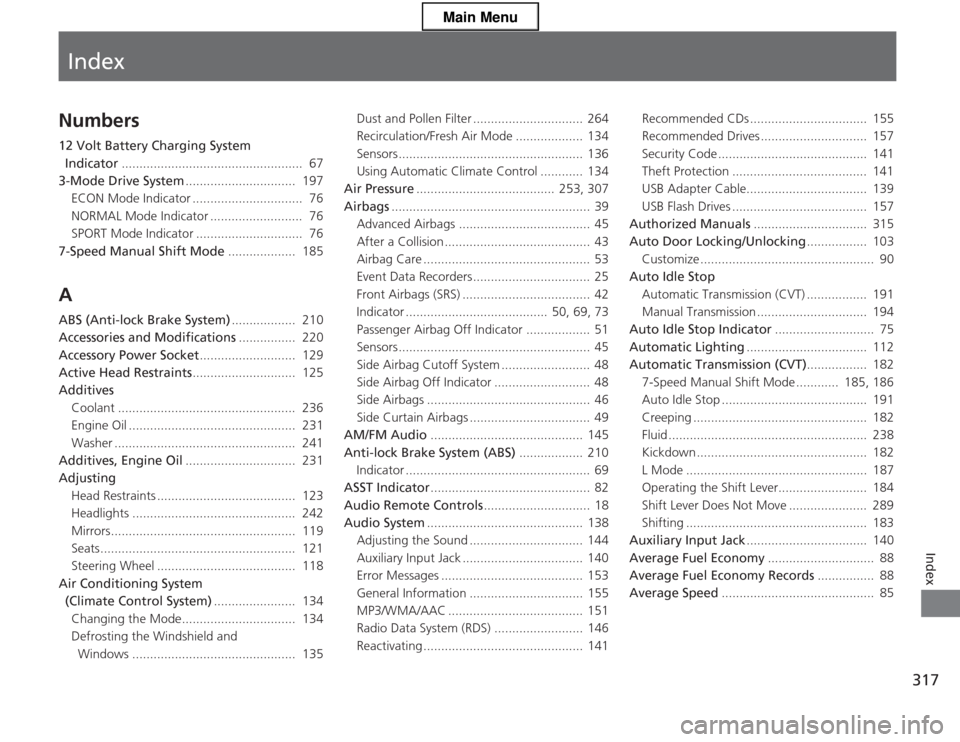
Index
317
Index
Index
Numbers
12 Volt Battery Charging System Indicator ................................................... 67
3-Mode Drive System ............................... 197
ECON Mode Indicator ............................... 76
NORMAL Mode Indicator .......................... 76
SPORT Mode Indicator .............................. 76
7-Speed Manual Shift Mode ................... 185
A
ABS (Anti-lock Brake System) .................. 210
Accessories and Modifications ................ 220
Accessory Power Socket ........................... 129
Active Head Restraints ............................. 125
Additives
Coolant .................................................. 236
Engine Oil ............................................... 231
Washer ................................................... 241
Additives, Engine Oil ............................... 231
Adjusting
Head Restraints ....................................... 123
Headlights .............................................. 242
Mirrors.................................................... 119
Seats....................................................... 121
Steering Wheel ....................................... 118
Air Conditioning System
(Climate Control System) ....................... 134
Changing the Mode................................ 134 Defrosting the Windshield and
Windows .............................................. 135 Dust and Pollen Filter ............................... 264
Recirculation/Fresh Air Mode ................... 134
Sensors .................................................... 136
Using Automatic Climate Control ............ 134
Air Pressure ....................................... 253, 307
Airbags ........................................................ 39
Advanced Airbags ..................................... 45
After a Collision ......................................... 43
Airbag Care ............................................... 53
Event Data Recorders ................................. 25
Front Airbags (SRS) .................................... 42
Indicator ........................................ 50, 69, 73
Passenger Airbag Off Indicator .................. 51
Sensors ...................................................... 45
Side Airbag Cutoff System ......................... 48
Side Airbag Off Indicator ........................... 48
Side Airbags .............................................. 46
Side Curtain Airbags .................................. 49
AM/FM Audio ........................................... 145
Anti-lock Brake System (ABS) .................. 210
Indicator .................................................... 69
ASST Indicator ............................................. 82
Audio Remote Controls .............................. 18
Audio System ............................................ 138
Adjusting the Sound ................................ 144
Auxiliary Input Jack .................................. 140
Error Messages ........................................ 153
General Information ................................ 155
MP3/WMA/AAC ...................................... 151
Radio Data System (RDS) ......................... 146
Reactivating ............................................. 141 Recommended CDs ................................. 155
Recommended Drives .............................. 157
Security Code .......................................... 141
Theft Protection ...................................... 141
USB Adapter Cable.................................. 139
USB Flash Drives ...................................... 157
Authorized Manuals ................................ 315
Auto Door Locking/Unlocking ................. 103
Customize ................................................. 90
Auto Idle Stop
Automatic Transmission (CVT) ................. 191
Manual Transmission ............................... 194
Auto Idle Stop Indicator ............................ 75
Automatic Lighting .................................. 112
Automatic Transmission (CVT) ................. 182
7-Speed Manual Shift Mode ............ 185, 186
Auto Idle Stop ......................................... 191
Creeping ................................................. 182
Fluid ........................................................ 238
Kickdown ................................................ 182
L Mode ................................................... 187
Operating the Shift Lever......................... 184
Shift Lever Does Not Move ...................... 289
Shifting ................................................... 183
Auxiliary Input Jack .................................. 140
Average Fuel Economy .............................. 88
Average Fuel Economy Records ................ 88
Average Speed ........................................... 85
Main Menu
Page 324 of 325
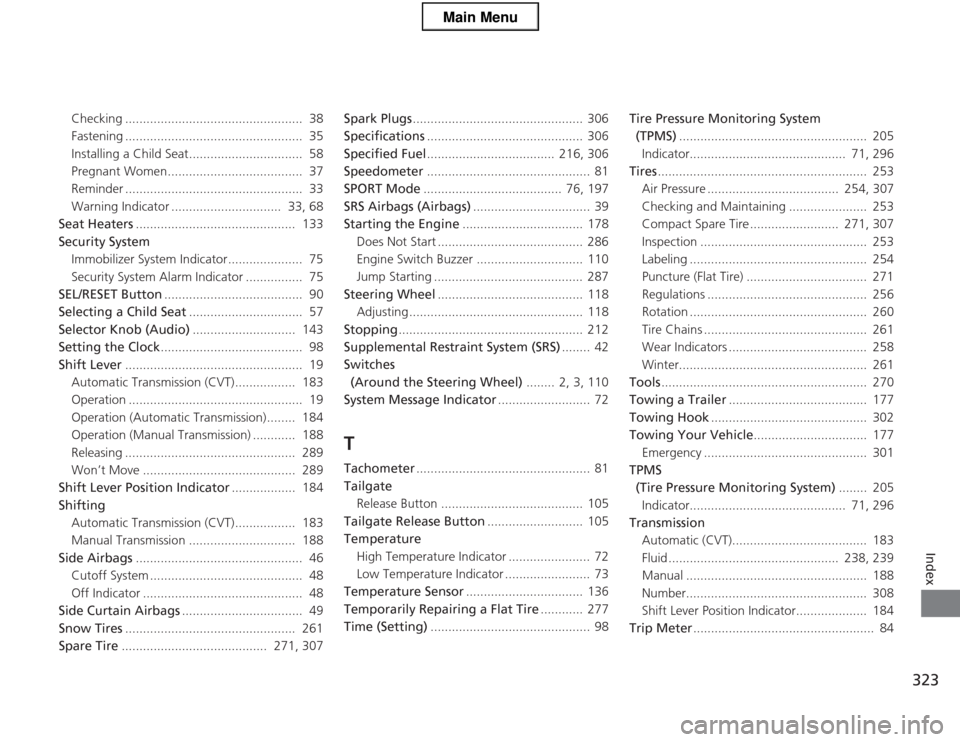
323
Index
Checking .................................................. 38
Fastening .................................................. 35
Installing a Child Seat................................ 58
Pregnant Women...................................... 37
Reminder .................................................. 33
Warning Indicator ............................... 33, 68
Seat Heaters ............................................. 133
Security System
Immobilizer System Indicator..................... 75
Security System Alarm Indicator ................ 75
SEL/RESET Button ....................................... 90
Selecting a Child Seat ................................ 57
Selector Knob (Audio) ............................. 143
Setting the Clock ........................................ 98
Shift Lever .................................................. 19
Automatic Transmission (CVT)................. 183
Operation ................................................. 19
Operation (Automatic Transmission)........ 184
Operation (Manual Transmission) ............ 188
Releasing ................................................ 289
Won’t Move ........................................... 289
Shift Lever Position Indicator .................. 184
Shifting Automatic Transmission (CVT)................. 183
Manual Transmission .............................. 188
Side Airbags ............................................... 46
Cutoff System ........................................... 48
Off Indicator ............................................. 48
Side Curtain Airbags .................................. 49
Snow Tires ................................................ 261
Spare Tire ......................................... 271, 307 Spark Plugs
................................................ 306
Specifications ............................................ 306
Specified Fuel .................................... 216, 306
Speedometer .............................................. 81
SPORT Mode ....................................... 76, 197
SRS Airbags (Airbags) ................................. 39
Starting the Engine .................................. 178
Does Not Start ......................................... 286
Engine Switch Buzzer .............................. 110
Jump Starting .......................................... 287
Steering Wheel ......................................... 118
Adjusting ................................................. 118
Stopping .................................................... 212
Supplemental Restraint System (SRS) ........ 42
Switches (Around the Steering Wheel) ........ 2, 3, 110
System Message Indicator .......................... 72
T
Tachometer ................................................. 81
Tailgate Release Button ........................................ 105
Tailgate Release Button ........................... 105
Temperature High Temperature Indicator ....................... 72
Low Temperature Indicator ........................ 73
Temperature Sensor ................................. 136
Temporarily Repairing a Flat Tire ............ 277
Time (Setting) ............................................. 98 Tire Pressure Monitoring System
(TPMS) ..................................................... 205
Indicator............................................ 71, 296
Tires ........................................................... 253
Air Pressure ..................................... 254, 307
Checking and Maintaining ...................... 253
Compact Spare Tire ......................... 271, 307
Inspection ............................................... 253
Labeling .................................................. 254
Puncture (Flat Tire) .................................. 271
Regulations ............................................. 256
Rotation .................................................. 260
Tire Chains .............................................. 261
Wear Indicators ....................................... 258
Winter..................................................... 261
Tools .......................................................... 270
Towing a Trailer ....................................... 177
Towing Hook ............................................ 302
Towing Your Vehicle ................................ 177
Emergency .............................................. 301
TPMS
(Tire Pressure Monitoring System) ........ 205
Indicator............................................ 71, 296
Transmission
Automatic (CVT)...................................... 183
Fluid ................................................ 238, 239
Manual ................................................... 188
Number................................................... 308
Shift Lever Position Indicator.................... 184
Trip Meter ................................................... 84
Main Menu