maintenance HONDA CR-Z 2013 1.G Owners Manual
[x] Cancel search | Manufacturer: HONDA, Model Year: 2013, Model line: CR-Z, Model: HONDA CR-Z 2013 1.GPages: 325, PDF Size: 11.73 MB
Page 1 of 325
Contents
This owner’s manual should be considered a permanent part of the
vehicle and should remain with the vehicle when it is sold.
This owner’s manual covers all models of your vehicle. You may find
descriptions of equipment and features that are not on your
particular model.
Images throughout this owner’s manual (including the front cover)
represent features and equipment that are available on some, but
not all, models. Your particular model may not have some of these features.
This owner's manual is for vehicles sold in the United States and Canada.
The information and specifications included in this publication were
in effect at the time of approval for printing. Honda Motor Co., Ltd.
reserves the right, however, to discontinue or change specifications
or design at any time without notice and without incurring any
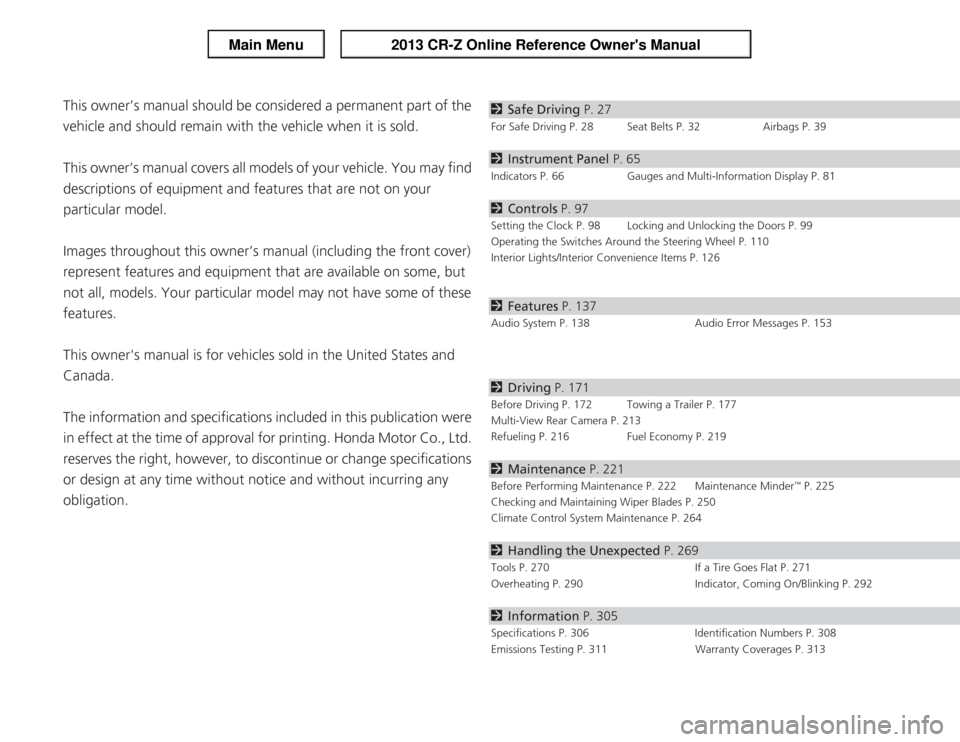
obligation.2 Safe Driving P. 27
For Safe Driving P. 28 Seat Belts P. 32 Airbags P. 39
2Instrument Panel P. 65
Indicators P. 66 Gauges and Multi-Information Display P. 81
2Controls P. 97
Setting the Clock P. 98 Locking and Unlocking the Doors P. 99
Operating the Switches Around the Steering Wheel P. 110
Interior Lights/Interior Convenience Items P. 126
2Features P. 137
Audio System P. 138 Audio Error Messages P. 153
2Driving P. 171
Before Driving P. 172 Towing a Trailer P. 177
Multi-View Rear Camera P. 213
Refueling P. 216 Fuel Economy P. 219
2Maintenance P. 221
Before Performing Maintenance P. 222 Maintenance Minder
Page 2 of 325
Contents
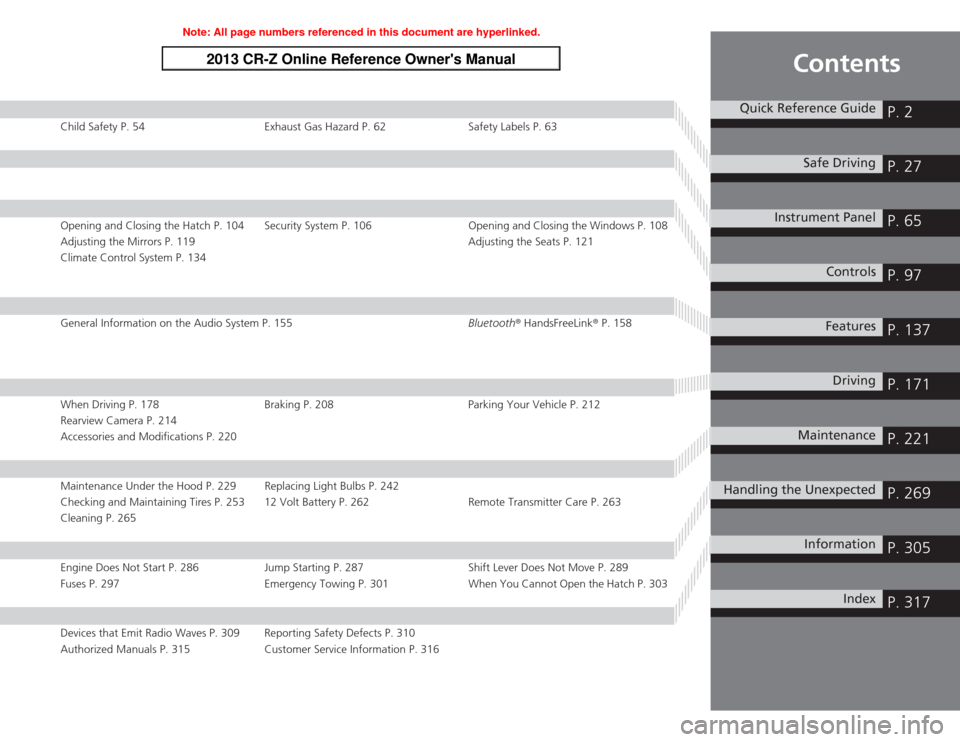
Child Safety P. 54 Exhaust Gas Hazard P. 62 Safety Labels P. 63
Opening and Closing the Hatch P. 104 Security System P. 106 Opening and Closing the Windows P. 108
Adjusting the Mirrors P. 119Adjusting the Seats P. 121
Climate Control System P. 134
General Information on the Audio System P. 155 Bluetooth® HandsFreeLink ® P. 158
When Driving P. 178 Braking P. 208 Parking Your Vehicle P. 212
Rearview Camera P. 214
Accessories and Modifications P. 220
Maintenance Under the Hood P. 229 Replacing Light Bulbs P. 242
Checking and Maintaining Tires P. 253 12 Volt Battery P. 262 Remote Transmitter Care P. 263
Cleaning P. 265
Engine Does Not Start P. 286 Jump Starting P. 287 Shift Lever Does Not Move P. 289
Fuses P. 297 Emergency Towing P. 301 When You Cannot Open the Hatch P. 303
Devices that Emit Radio Waves P. 309 Reporting Safety Defects P. 310
Authorized Manuals P. 315 Customer Service Information P. 316
Quick Reference GuideP. 2
Safe DrivingP. 27
Instrument PanelP. 65
ControlsP. 97
FeaturesP. 137
DrivingP. 171
MaintenanceP. 221
Handling the UnexpectedP. 269
InformationP. 305
IndexP. 317
Note: All page numbers referenced in this document are hyperlinked.
2013 CR-Z Online Reference Owner's Manual
Page 7 of 325
Visual Index
6
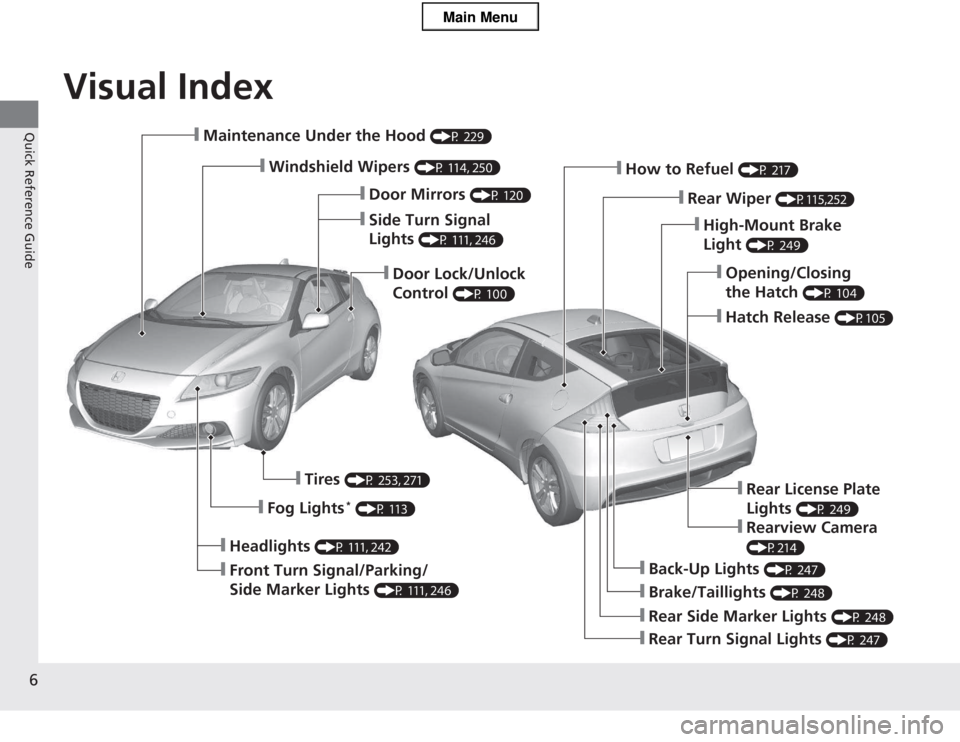
Quick Reference Guide❙Maintenance Under the Hood (P 229)
❙Windshield Wipers (P 114, 250)
❙Door Lock/Unlock Control (P 100)
❙Headlights
(P 111, 242)
❙Front Turn Signal/Parking/
Side Marker Lights (P 111, 246)
❙Tires
(P 253, 271)
❙Fog Lights *
(P 113)
❙Brake/Taillights (P 248)
❙Back-Up Lights (P 247)
❙Rear Turn Signal Lights (P 247)
❙Rear Side Marker Lights (P 248)
❙High-Mount Brake Light (P 249)
❙How to Refuel
(P 217)
❙Rear Wiper (P115,252)
❙Opening/Closing the Hatch (P 104)
❙Hatch Release
(P105)
❙Side Turn Signal Lights (P 111, 246)
❙Door Mirrors
(P 120)
❙Rear License Plate Lights (P 249)
❙Rearview Camera
(P214)
Main Menu
Page 13 of 325
12
Quick Reference Guide
To Keep the IMA Battery in Good Condition
Drive your vehicle at least once a month, and drive for more than 30 minutes at a time. Parking your vehicle for an extended period can
cause the IMA battery to weaken or decrease the IMA battery life. Safety Precautions
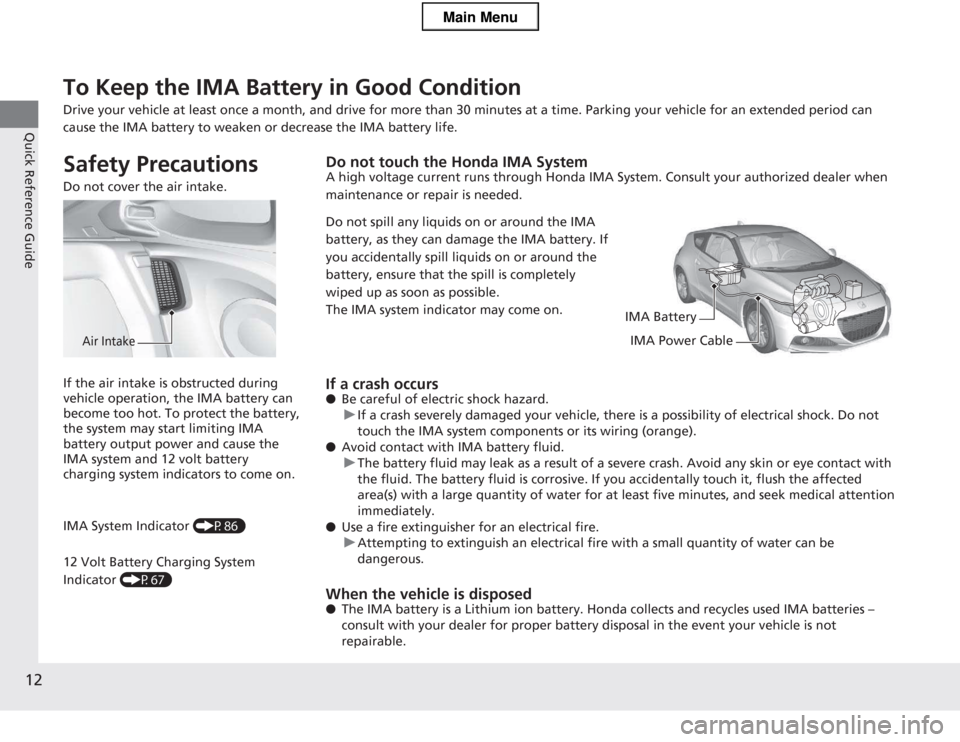
Do not cover the air intake.
Air Intake
Do not touch the Honda IMA System
A high voltage current runs through Honda IMA System. Consult your authorized dealer when
maintenance or repair is needed.
Do not spill any liquids on or around the IMA
battery, as they can damage the IMA battery. If
you accidentally spill liquids on or around the
battery, ensure that the spill is completely
wiped up as soon as possible.
The IMA system indicator may come on.
IMA Battery
IMA Power Cable
If a crash occurs ● Be careful of electric shock hazard.
uIf a crash severely damaged your vehicle, there is a possibility of electrical shock. Do not
touch the IMA system components or its wiring (orange).
● Avoid contact with IMA battery fluid.
uThe battery fluid may leak as a result of a severe crash. Avoid any skin or eye contact with
the fluid. The battery fluid is corrosive. If you accidentally touch it, flush the affected
area(s) with a large quantity of water for at least five minutes, and seek medical attention immediately.
● Use a fire extinguisher for an electrical fire.
uAttempting to extinguish an electrical fire with a small quantity of water can be dangerous.
When the vehicle is disposed ● The IMA battery is a Lithium ion battery. Hon da collects and recycles used IMA batteries
Page 22 of 325
21
Quick Reference Guide
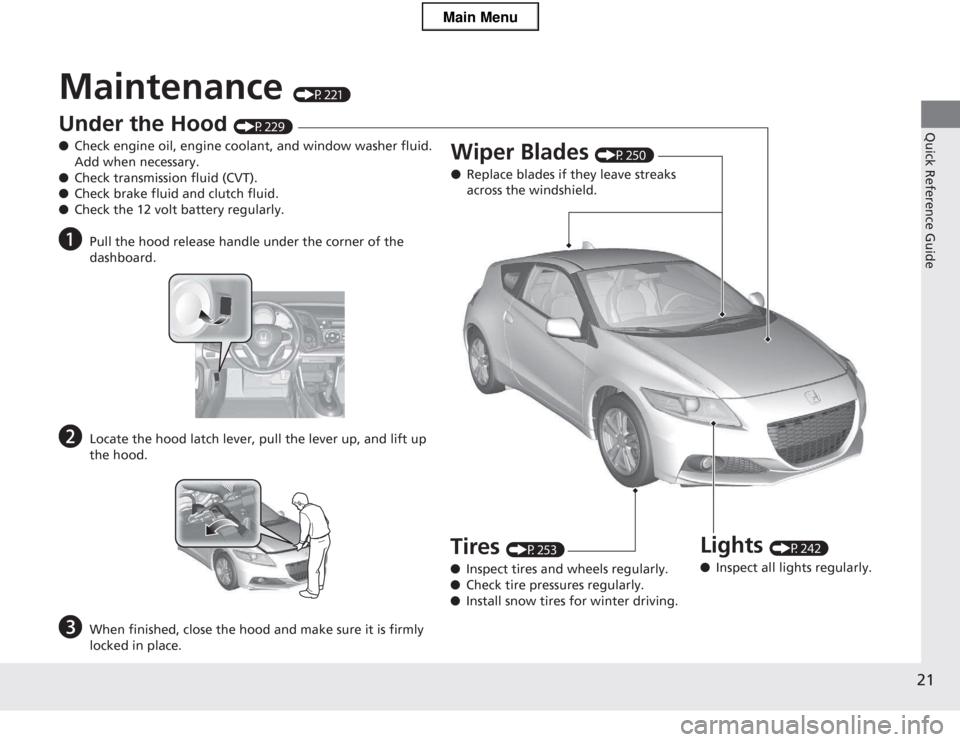
Maintenance (P221)
Under the Hood (P229)
● Check engine oil, engine coolant, and window washer fluid. Add when necessary.
● Check transmission fluid (CVT).
● Check brake fluid and clutch fluid.
● Check the 12 volt battery regularly.
a Pull the hood release handle under the corner of the
dashboard.
b Locate the hood latch lever, pull the lever up, and lift up
the hood.
c When finished, close the hood and make sure it is firmly
locked in place.
Lights (P242)
● Inspect all lights regularly.
Wiper Blades
(P250)
● Replace blades if they leave streaks
across the windshield.
Tires (P253)
● Inspect tires and wheels regularly.
● Check tire pressures regularly.
● Install snow tires for winter driving.
Main Menu
Page 30 of 325
29
uuFor Safe DrivinguImportant Safety Precautions
Safe Driving
■Pay appropriate attention to the task of driving safely
Engaging in cell phone conversation or other activities that keep you from paying
close attention to the road, other vehicles, and pedestrians could lead to a crash.
Remember, situations can change quickly, and only you can decide when it is safe to
divert some attention away from driving. ■ Control your speed
Excessive speed is a major factor in crash injuries and deaths. Generally, the higher
the speed, the greater the risk, but serious injuries can also occur at lower speeds.
Never drive faster than is safe for current conditions, regardless of the maximum speed posted. ■ Keep your vehicle in safe condition
Having a tire blowout or a mechanical failure can be extremely hazardous.
To reduce the possibility of such problems, check your tire pressures and condition
frequently, and perform all regularly scheduled maintenance.
Main MenuTable of Contents
Page 54 of 325
53
uuAirbagsuAirbag Care
Safe Driving
Airbag Care
You do not need to, and should not, perform any maintenance on or replace any
airbag system components yourself. However, you should have your vehicle
inspected by a dealer in the following situations: ■When the airbags have deployed
If an airbag has inflated, the control unit and other related parts must be replaced.
Similarly, once an automatic seat belt tensioner has been activated, it must be
replaced. ■ When the vehicle has been in a moderate-to-severe collision
Even if the airbags did not inflate, have your dealer inspect the following: the driver’s
seat position sensor, weight sensors in the passenger’s seat, seat belt tensioners,
and each seat belt that was worn during the crash.
■ Do not remove or modify a seat without consulting a dealer
This would likely disable the driver's seat position sensor or the weight sensors in the
passenger’s seat. If it is necessary to remove or modify a seat to accommodate a
person with disabilities, contact a Honda dealer, or for U.S. vehicles, American Honda Automobile Customer Service at 800-999-10 09 and for Canadian vehicles,
Honda Canada Customer Relations at 888-9-HONDA-9.
1Airbag Care
We recommend against the use of salvaged airbag
system components, including the airbag, tensioners,
sensors, and control unit.
Main MenuTable of Contents
Page 79 of 325
78
uuIndicatorsuMulti-Information Display Warning and Information Messages
Instrument Panel
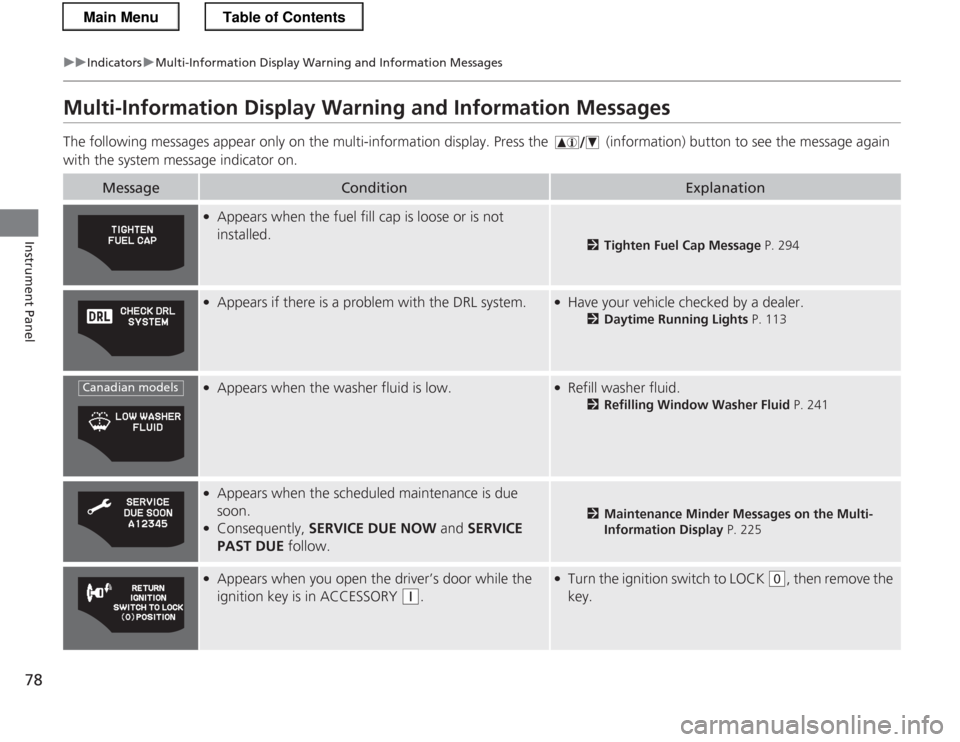
Multi-Information Display Warning and Information Messages
The following messages appear only on the multi-information display. Pres s the (information) button to see the message again
with the system message indicator on.
MessageConditionExplanation
● Appears when the fuel fill cap is loose or is not installed.
2 Tighten Fuel Cap Message P. 294
●
Appears if there is a problem with the DRL system.●Have your vehicle checked by a dealer.
2Daytime Running Lights P. 113
●
Appears when the washer fluid is low.●Refill washer fluid.
2Refilling Window Washer Fluid P. 241
●
Appears when the scheduled maintenance is due
soon.
● Consequently, SERVICE DUE NOW and SERVICE
PAST DUE follow.
2Maintenance Minder Messages on the Multi-
Information Display P. 225
●
Appears when you open the driver’s door while the
ignition key is in ACCESSORY
(q .
●
Turn the ignition switch to LOCK (0 , then remove the
key.
Canadian models
Main MenuTable of Contents
Page 89 of 325
uuGauges and Multi-Information DisplayuMulti-Information Display
88
Instrument Panel
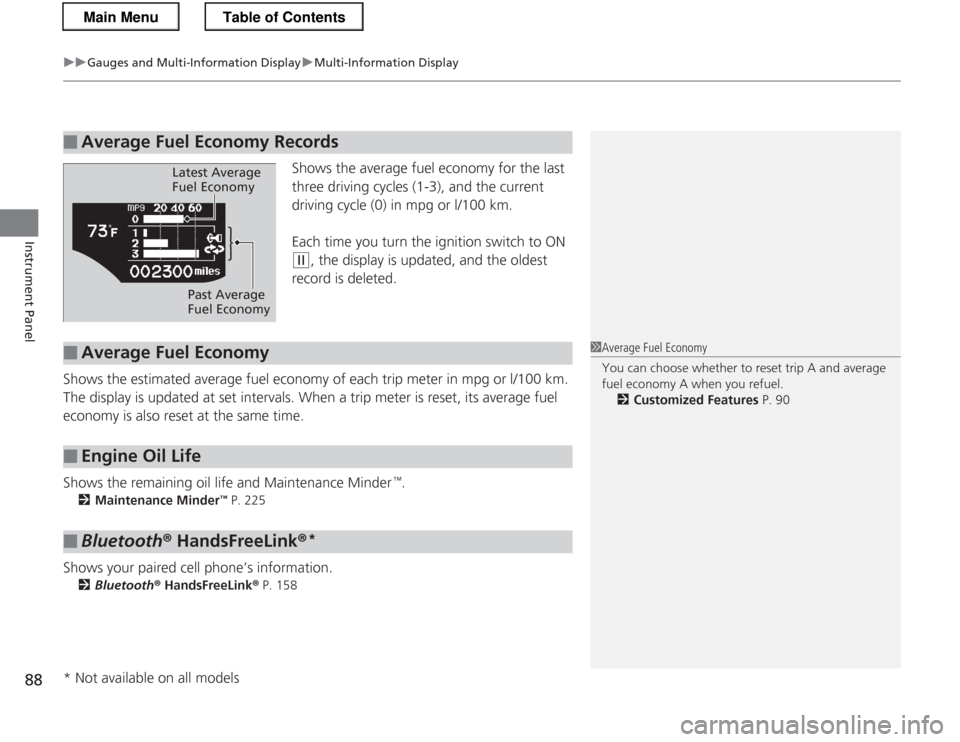
Shows the average fuel economy for the last
three driving cycles (1-3), and the current
driving cycle (0) in mpg or l/100 km.
Each time you turn the ignition switch to ON
(w , the display is updated, and the oldest
record is deleted.
Shows the estimated average fuel economy of each trip meter in mpg or l/100 km.
The display is updated at set intervals. When a trip meter is reset, its average fuel
economy is also reset at the same time.
Shows the remaining oil life and Maintenance Minder
Page 173 of 325
172
Driving
Before Driving
Driving Preparation
Check the following items before you start driving. •Make sure there are no obstructions on the windows, door mirrors, exterior
lights, or other parts of the vehicle.
uRemove any frost, snow, or ice.
uRemove any snow on the roof, as this can slip down and obstruct your field of
vision while driving. If frozen solid, remove ice once it has softened.
uWhen removing ice from around the wheels, be sure not to damage the wheel
or wheel components.
• Make sure the hood is securely closed.
uIf the hood opens while driving, your front view will be blocked.
• Make sure the tires are in good condition.
uCheck air pressures, and check for damage and excessive wear.
2 Checking and Maintaining Tires P. 253
• Make sure there are no people or objects behind or around the vehicle.
uThere are blind spots from the inside.
■Exterior Checks1Exterior Checks
NOTICE
When doors are frozen shut, use warm water around
the door edges to melt any ice. Do not try to force
them open, as this can damage the rubber trim
around the doors. When done, wipe dry to avoid further freezing.
Do not pour warm water into the key cylinder.
You will be unable to insert key if the water freezes in
the hole.
Heat from the engine and exhaust can ignite
flammable materials left under the hood, causing a
fire. If you've parked your vehicle for an extended
period, inspect and remove any debris that may have
collected, such as dried grass and leaves that have
fallen or have been carried in for use as a nest by a
small animal.
Also check under the hood for leftover flammable
materials after you or someone else has performed
maintenance on your vehicle.
Main MenuTable of Contents