navigation system HONDA CROSSTOUR 2014 1.G Navigation Manual
[x] Cancel search | Manufacturer: HONDA, Model Year: 2014, Model line: CROSSTOUR, Model: HONDA CROSSTOUR 2014 1.GPages: 153, PDF Size: 5.54 MB
Page 48 of 153
46
GuidanceNext Maneuver Pop up
System Setup
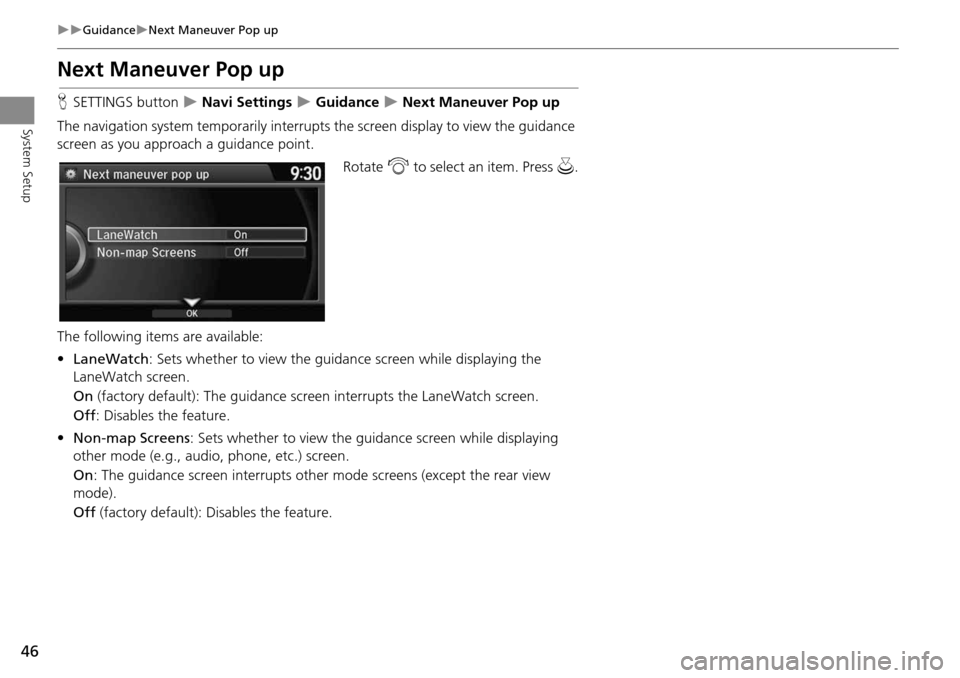
Next Maneuver Pop up
HSETTINGS button Navi Settings Guidance Next Maneuver Pop up
The navigation system temporarily interrupts the screen display to view the guidance
screen as you approach a guidance point.
Rotate i to select an item. Press u .
The following item s are available:
• LaneWatch : Sets whether to view the guidanc e screen while displaying the
LaneWatch screen.
On (factory default): The guidance scre en interrupts the LaneWatch screen.
Off : Disables the feature.
• Non-map Screens : Sets whether to view the guidance screen while displaying
other mode (e.g., audio, phone, etc.) screen.
On : The guidance screen interrupts other mode screens (except the rear view
mode).
Off (factory default): Disables the feature.
Page 61 of 153
59
MapMap Legend
System Setup
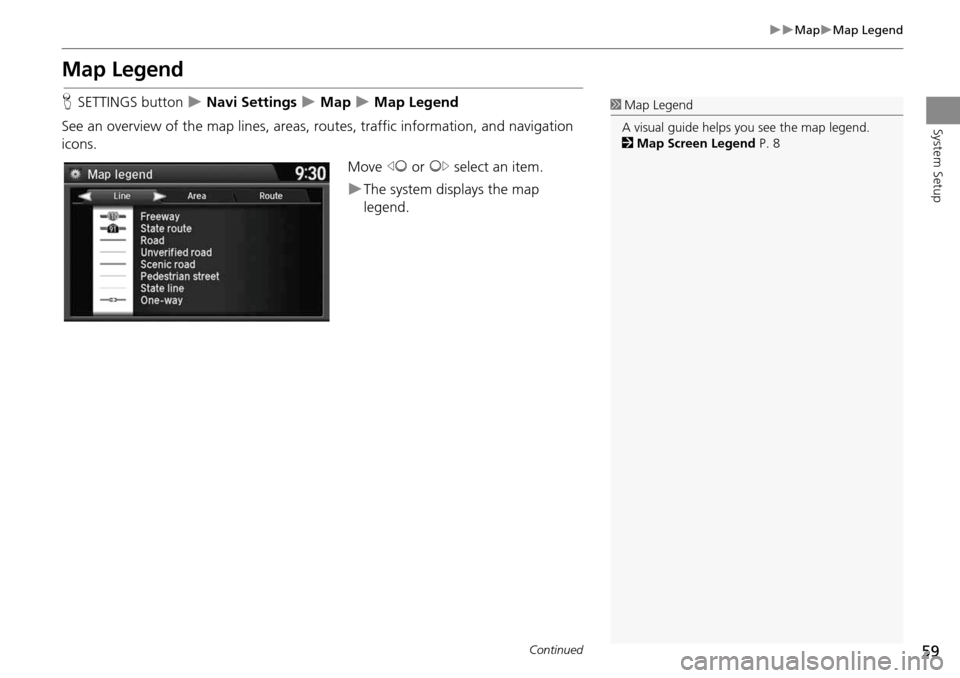
Map Legend
HSETTINGS button Navi Settings Map Map Legend
See an overview of the map lines, areas, routes, traffic information, and navigation
icons.
Move w or y select an item.
The system displays the map
legend.
1Map Legend
A visual guide helps you see the map legend.
2 Map Screen Legend P. 8
Continued
Page 65 of 153
63
MapDisplay Tracking
System Setup
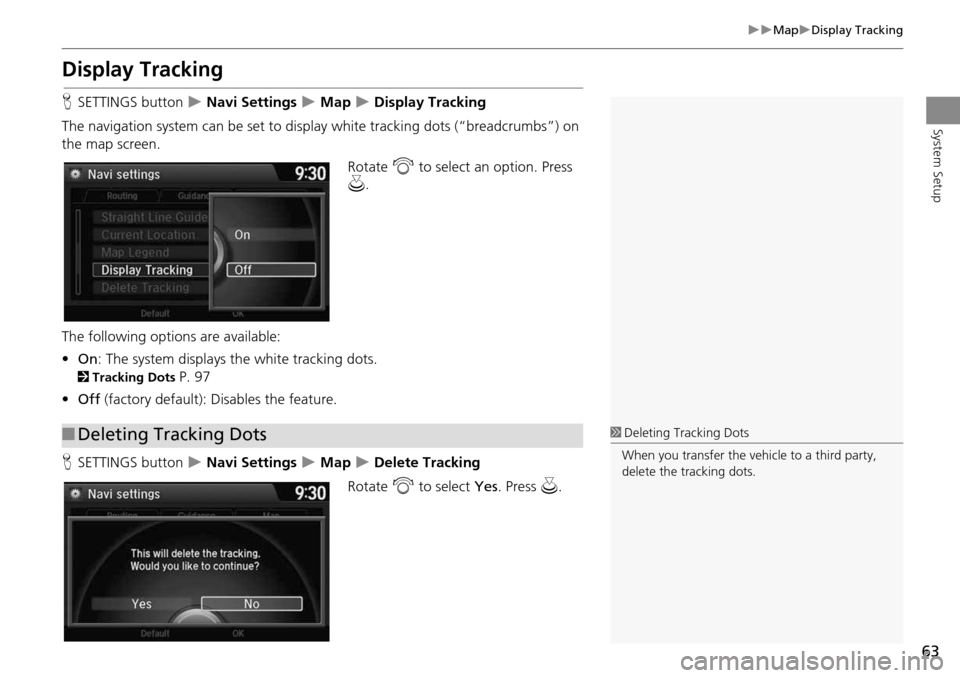
Display Tracking
HSETTINGS button Navi Settings Map Display Tracking
The navigation system can be set to di splay white tracking dots (“breadcrumbs”) on
the map screen.
Rotate i to select an option. Press
u .
The following options are available:
• On : The system displays the white tracking dots.
2Tracking Dots P. 97
• Off (factory default): Disables the feature.
H SETTINGS button
Navi Settings Map Delete Tracking
Rotate i to select Yes. Press u.
■Deleting Tracking Dots1 Deleting Tracking Dots
When you transfer the vehicle to a third party,
delete the tracking dots.
Page 67 of 153
65
MapSystem Device Information
System Setup
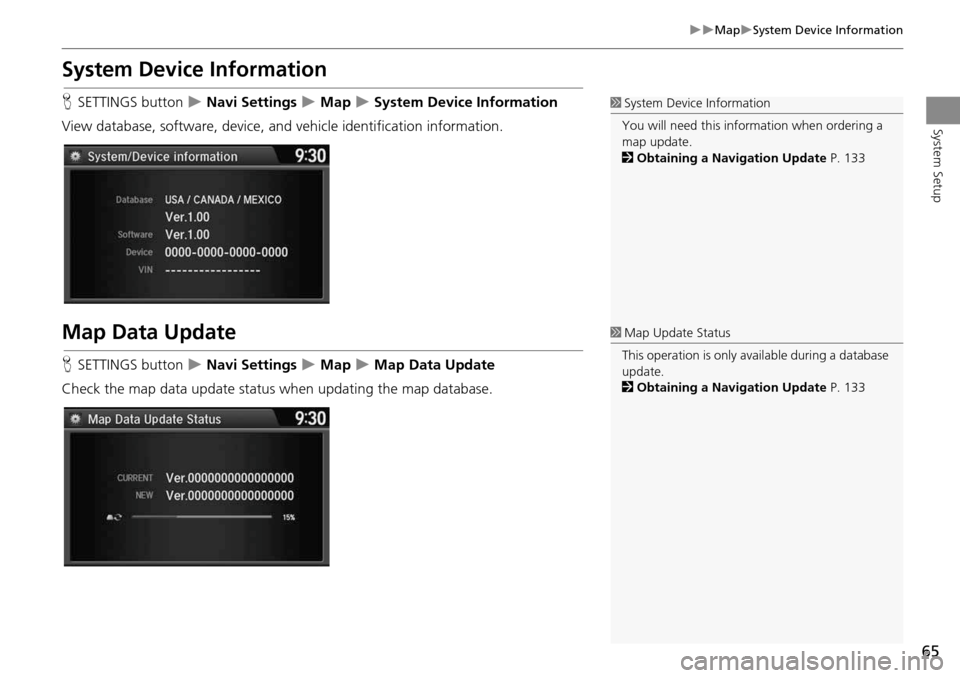
System Device Information
HSETTINGS button Navi Settings Map System Device Information
View database, software, device, and vehicle identification information.
Map Data Update
HSETTINGS button Navi Settings Map Map Data Update
Check the map data update status when updating the map database.
1 System Device Information
You will need this info rmation when ordering a
map update.
2 Obtaining a Navigation Update P. 133
1Map Update Status
This operation is only avai lable during a database
update.
2 Obtaining a Navigation Update P. 133
Page 87 of 153
85
Entering a DestinationZAGAT
Navigation
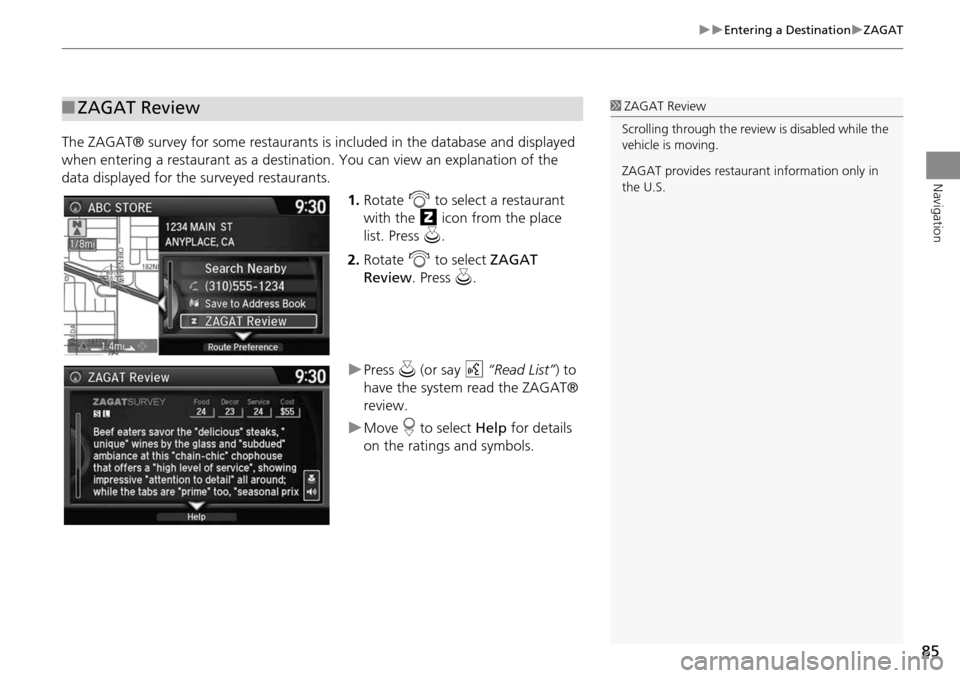
The ZAGAT® survey for some restaurants is included in the database and displayed
when entering a restaurant as a destinat ion. You can view an explanation of the
data displayed for the surveyed restaurants.
1.Rotate i to select a restaurant
with the z icon from the place
list. Press u.
2. Rotate i to select ZAGAT
Review . Press u.
Press u (or say d “Read List” ) to
have the system read the ZAGAT®
review.
Move r to select Help for details
on the ratings and symbols.
■ ZAGAT Review1 ZAGAT Review
Scrolling through the review is disabled while the
vehicle is moving.
ZAGAT provides restaura nt information only in
the U.S.
Page 88 of 153
86
Entering a DestinationDownload POI
Navigation
Download POI
HMENU button More Search Methods Download POI
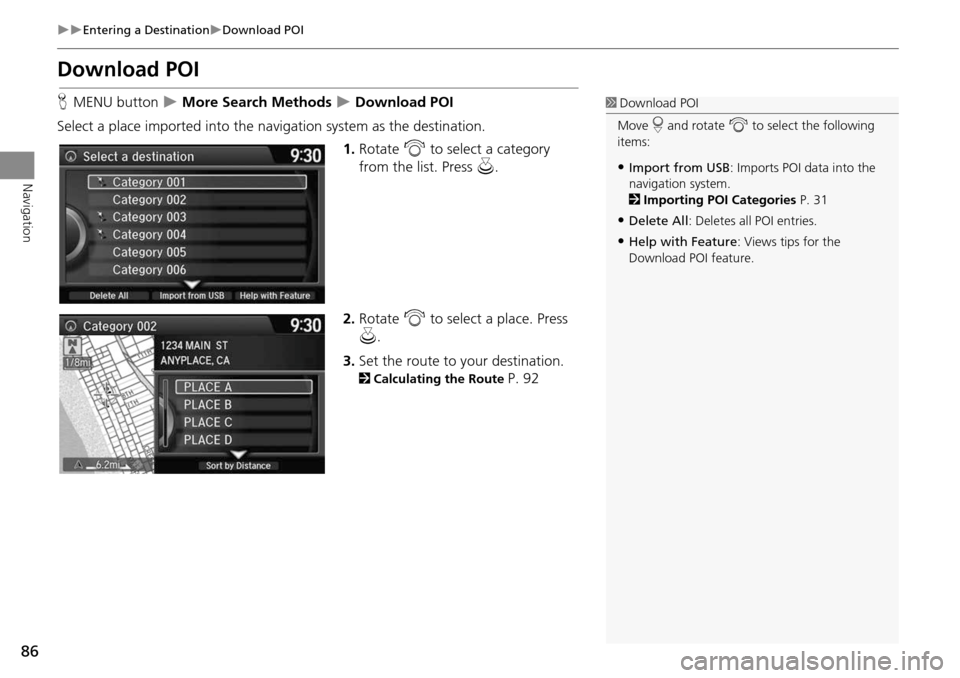
Select a place imported into the navi gation system as the destination.
1.Rotate i to select a category
from the list. Press u.
2. Rotate i to select a place. Press
u .
3. Set the route to your destination.
2 Calculating the Route P. 92
1Download POI
Move r and rotate i to select the following
items:
•Import from USB : Imports POI data into the
navigation system.
2 Importing POI Categories P. 31
•Delete All: Deletes all POI entries.
•Help with Feature : Views tips for the
Download POI feature.
Page 94 of 153
92
Navigation
Calculating the Route
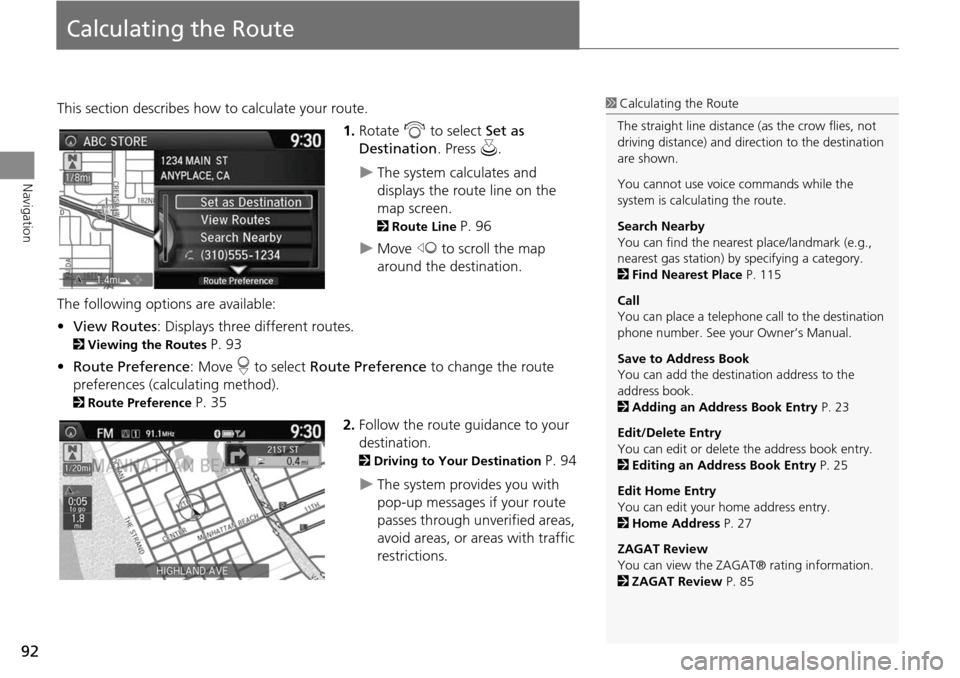
This section describes how to calculate your route.1.Rotate i to select Set as
Destination . Press u.
The system calculates and
displays the route line on the
map screen.
2Route Line P. 96
Move w to scroll the map
around the destination.
The following options are available:
• View Routes : Displays three different routes.
2Viewing the Routes P. 93
• Route Preference : Move r to select Route Preference to change the route
preferences (calculating method).
2 Route Preference P. 35
2.Follow the route guidance to your
destination.
2 Driving to Your Destination P. 94
The system provides you with
pop-up messages if your route
passes through unverified areas,
avoid areas, or areas with traffic
restrictions.
1Calculating the Route
The straight line distance (as the crow flies, not
driving distance) and dire ction to the destination
are shown.
You cannot use voice commands while the
system is calculating the route.
Search Nearby
You can find the nearest place/landmark (e.g.,
nearest gas station) by specifying a category.
2 Find Nearest Place P. 115
Call
You can place a telephone ca ll to the destination
phone number. See your Owner’s Manual.
Save to Address Book
You can add the destination address to the
address book.
2 Adding an Address Book Entry P. 23
Edit/Delete Entry
You can edit or delete the address book entry.
2 Editing an Address Book Entry P. 25
Edit Home Entry
You can edit your home address entry.
2 Home Address P. 27
ZAGAT Review
You can view the ZAGA T® rating information.
2 ZAGAT Review P. 85
Page 95 of 153
93
Calculating the RouteViewing the Routes
Navigation
Viewing the Routes
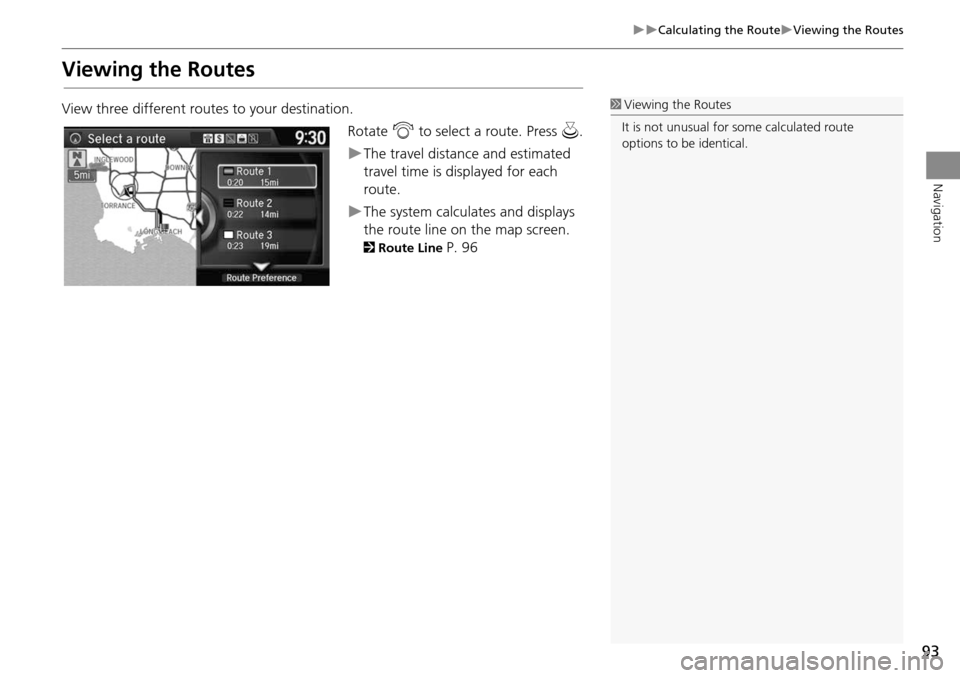
View three different routes to your destination.Rotate i to select a route. Press u.
The travel distance and estimated
travel time is displayed for each
route.
The system calculat es and displays
the route line on the map screen.
2 Route Line P. 96
1Viewing the Routes
It is not unusual for so me calculated route
options to be identical.
Page 96 of 153

94
Navigation
Driving to Your Destination
This section describes how to follow the route guidance to your destination, receive
traffic and weather information and choose the icons displayed on the map screen.
Viewing the Route
After calculating the route to your
destination, the route is displayed on
the map screen.
2Map Screen Legend P. 8
As you drive, the system tracks your
position on the map in real time and
provides guidance as you approach
each guidance point on the route.
2 During Route Guidance P. 9
■Map Screen
1 Viewing the Route
d “Display Map”
You can change the map scale using voice
commands (e.g., say d “Display 2 mile scale”).
2 Map Scale Commands P. 142
You can also change the map scale by rotating
i .
You can control the icons displayed on the map
screen using voice commands (e.g., say d
“Display post office” ).
2 Map Display Commands P. 142
You can obtain information about the route
using voice commands (e.g., say d “How long
to the destination?” ).
2 Route Commands P. 144
You can display the next guidance point on the
map screen by saying d “Display Map Guide”
(when en route).
If you scroll the map while en route, the time and
distance to destination indicators are replaced
with an indicator showing distance from the
current vehicle position.
You can display only the map screen or a split
map-guidance screen.
2 Guidance Mode P. 43
Page 99 of 153
97
Driving to Your DestinationViewing the Route
Navigation
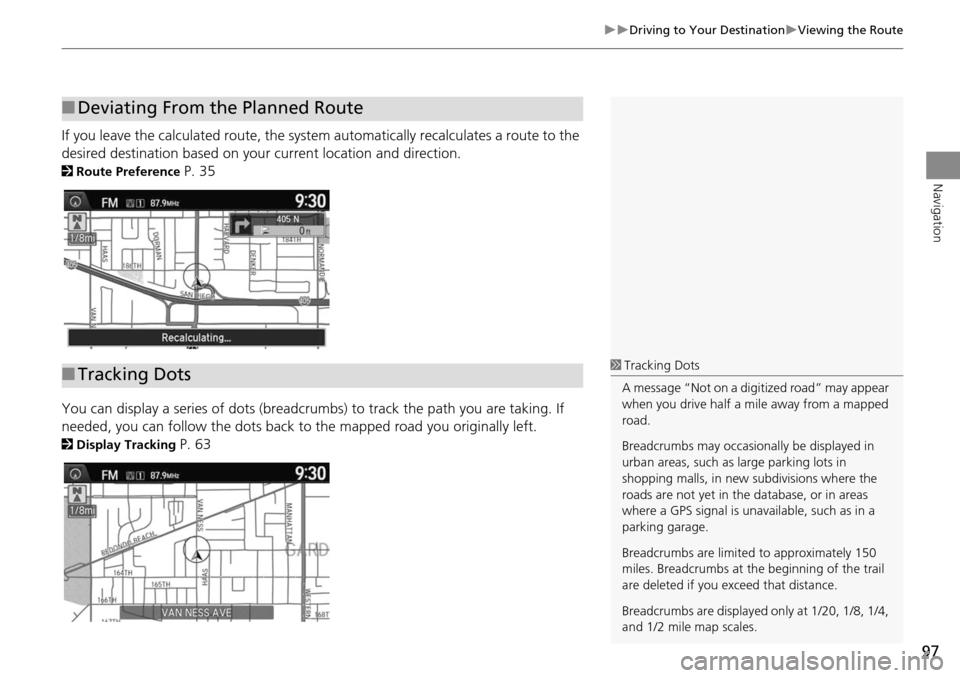
If you leave the calculated route, the system automatically recalculates a route to the
desired destination based on your current location and direction.
2Route Preference P. 35
You can display a series of dots (breadcrumbs) to track the path you are taking. If
needed, you can follow the dots back to the mapped road you originally left.
2Display Tracking P. 63
■Deviating From the Planned Route
■Tracking Dots1 Tracking Dots
A message “Not on a digi tized road” may appear
when you drive half a mi le away from a mapped
road.
Breadcrumbs may occasionally be displayed in
urban areas, such as large parking lots in
shopping malls, in new subdivisions where the
roads are not yet in the database, or in areas
where a GPS signal is unavailable, such as in a
parking garage.
Breadcrumbs are limite d to approximately 150
miles. Breadcrumbs at th e beginning of the trail
are deleted if you exceed that distance.
Breadcrumbs are displayed only at 1/20, 1/8, 1/4,
and 1/2 mile map scales.