climate control HONDA CROSSTOUR 2015 1.G User Guide
[x] Cancel search | Manufacturer: HONDA, Model Year: 2015, Model line: CROSSTOUR, Model: HONDA CROSSTOUR 2015 1.GPages: 573
Page 160 of 573
Continued159
uuClimate Control System*uUsing Automatic Climate Control
Controls
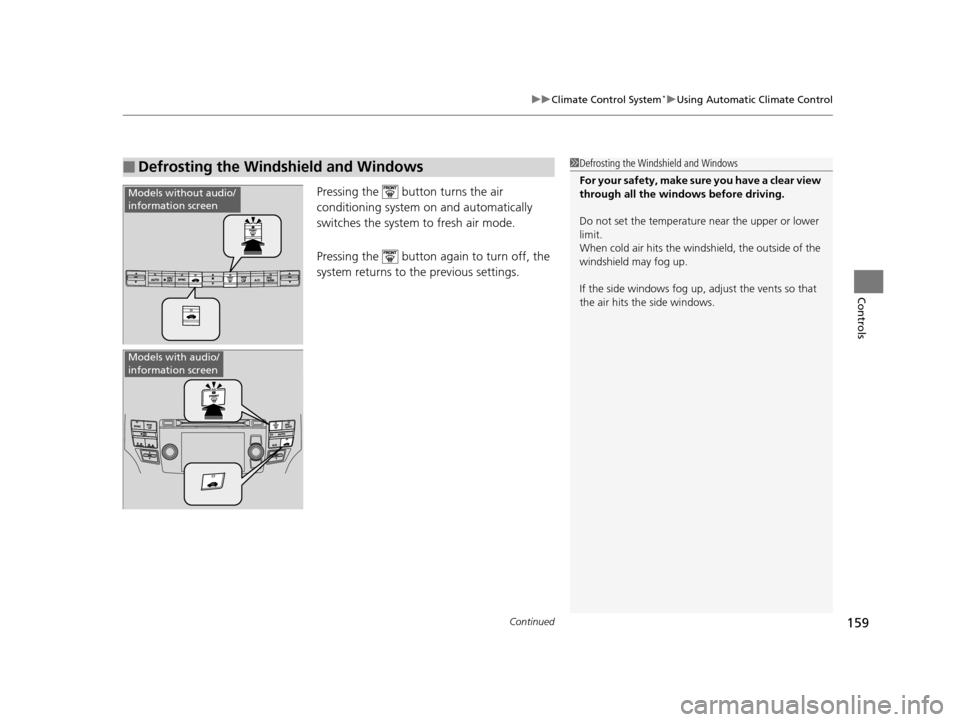
Pressing the button turns the air
conditioning system on and automatically
switches the system to fresh air mode.
Pressing the button again to turn off, the
system returns to the previous settings.
■Defrosting the Windshield and Windows1Defrosting the Windshield and Windows
For your safety, make sure you have a clear view
through all the windows before driving.
Do not set the temperatur e near the upper or lower
limit.
When cold air hits the windshield, the outside of the
windshield may fog up.
If the side windows fog up, adjust the vents so that
the air hits th e side windows.
Models without audio/
information screen
Models with audio/
information screen
15 CROSSTOUR-31TP66500.book 159 ページ 2014年7月31日 木曜日 午後3時23分
Page 161 of 573
uuClimate Control System*uUsing Automatic Climate Control
160
Controls
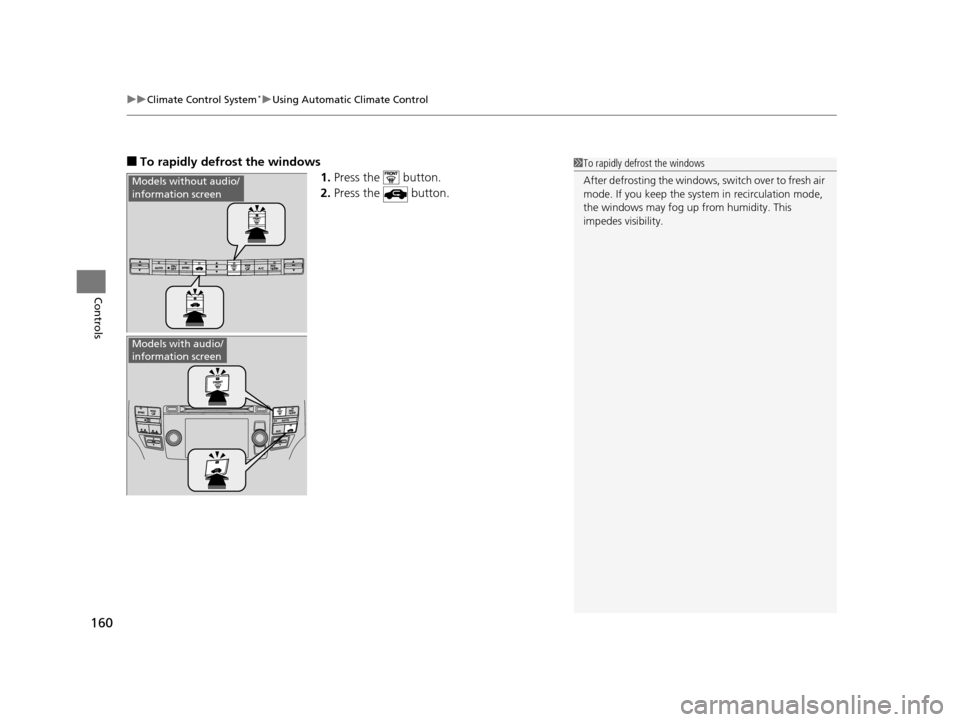
■To rapidly defrost the windows
1.Press the button.
2. Press the button.
Models without audio/
information screen
Models with audio/
information screen
1To rapidly defrost the windows
After defrosting the windows, switch over to fresh air
mode. If you keep the syst em in recirculation mode,
the windows may fog up from humidity. This
impedes visibility.
15 CROSSTOUR-31TP66500.book 160 ページ 2014年7月31日 木曜日 午後3時23分
Page 162 of 573
161
uuClimate Control System*uSynchronized Mode
Controls
Synchronized Mode
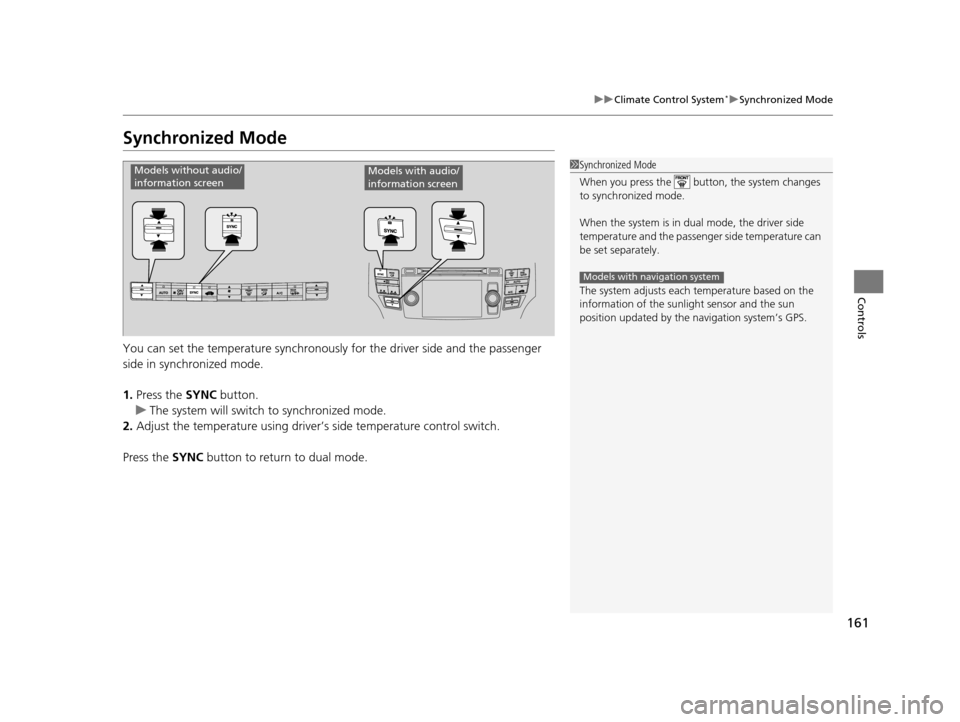
You can set the temperature synchronously for the driver side and the passenger
side in synchronized mode.
1. Press the SYNC button.
u The system will switch to synchronized mode.
2. Adjust the temperature using driver’s side temperature control switch.
Press the SYNC button to return to dual mode.
1Synchronized Mode
When you press the button, the system changes
to synchronized mode.
When the system is in dua l mode, the driver side
temperature and the passenger side temperature can
be set separately.
The system adjusts each temperature based on the
information of the sunli ght sensor and the sun
position updated by the na vigation system’s GPS.
Models with navigation system
Models without audio/
information screenModels with audio/
information screen
15 CROSSTOUR-31TP66500.book 161 ページ 2014年7月31日 木曜日 午後3時23分
Page 163 of 573
162
uuClimate Control System*uAutomatic Climate Control Sensors
Controls
Automatic Climate Control Sensors
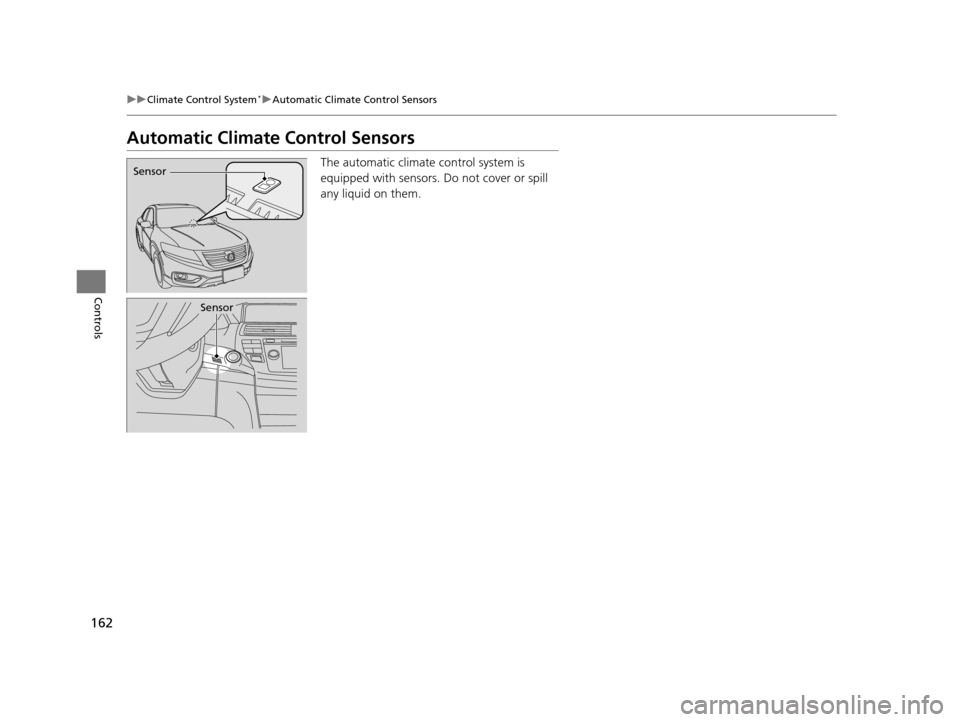
The automatic climate control system is
equipped with sensors. Do not cover or spill
any liquid on them.Sensor
Sensor
15 CROSSTOUR-31TP66500.book 162 ページ 2014年7月31日 木曜日 午後3時23分
Page 227 of 573
226
uuAudio System Basic Operation uVoice Control Operation
Features
The system accepts these commands on
most screens.
• Climate control automatic
*1
•Climate control off*1
•Air conditioner on*1
•Air conditioner off*1
•Climate control defrost on*1
•Climate control defrost off*1
•Rear defrost on*1
•Rear defrost off*1
•Climate control fresh air
• Climate control recirculate
• Climate control vent
• Climate control bi-level
• Climate control floor
• Climate control floor and defrost
• Fan speed up
• Fan speed down
• Fan speed # (#: 1 to 7)
• Temperature # degrees (#: 57 to 87°F, 15
to 29°C)
• Driver temperature # degrees (#: 57 to
87°F, 15 to 29°C)
• Passenger temperature # degrees (#: 57
to 87°F, 15 to 29°C)
• Temperature up
• Temperature down
■Climate Control Commands• Driver temperature up
• Driver temperature down
• Passenger temperature up
• Passenger temperature down
• Temperature max heat
• Temperature max cool
• Driver temperature max heat
• Driver temperature max cool
• Passenger temperature max heat
• Passenger temperature max cool
• Climate control sync on
*1
•Climate control sync off*1
*1: These commands toggle the function
on and off, so the command may not match
your intended action.
The system accepts these commands on
most screens.
■Using Song By VoiceTM
Song By VoiceTM is a feature that allows you
to select music from your Hard Disc Drive or
iPod device using your voice.
To activate this mode , you must press the
(Talk) button on the Voice Portal screen
and say: ”Music search.”
■Audio Commands
■Song By VoiceTM commands
• Music search
• List album (specify album)
• List artist (specify artist)
• List composer (specify composer)
• List genre (specify genre)
• List playlist (specify playlist)
• Play album (specify album)
• Play artist (specify artist)
• Play composer (specify composer)
• Play genre (specify genre)
• Play playlist (specify playlist)
• Play song (specify song)
• What am I listening to?
• Who am I listening to?
• Who is this?
• What’s playing?
• Who’s playing?
• What album is this?
15 CROSSTOUR-31TP66500.book 226 ページ 2014年7月31日 木曜日 午後3時23分
Page 420 of 573
419
uuTowing a Trailer uTowing Your Vehicle
Driving
• Monitor your temperature gauge. If it nears the red (Hot) mark, turn off the
heating and cooling system*/climate control system* and reduce speed. Pull to the
side of the road safely to cool down the engine if necessary.
• Shift to the
(S or (d position if the transmission shifts frequently.
Towing Your Vehicle
Your vehicle is not designed to be towed behind a motor home. If your vehicle needs
to be towed in an emergency, refer to the emergency towing information.
2Emergency Towing P. 542
■Driving in Hilly Terrain
* Not available on all models
15 CROSSTOUR-31TP66500.book 419 ページ 2014年7月31日 木曜日 午後3時23分
Page 421 of 573
420
Driving
When Driving
Starting the Engine
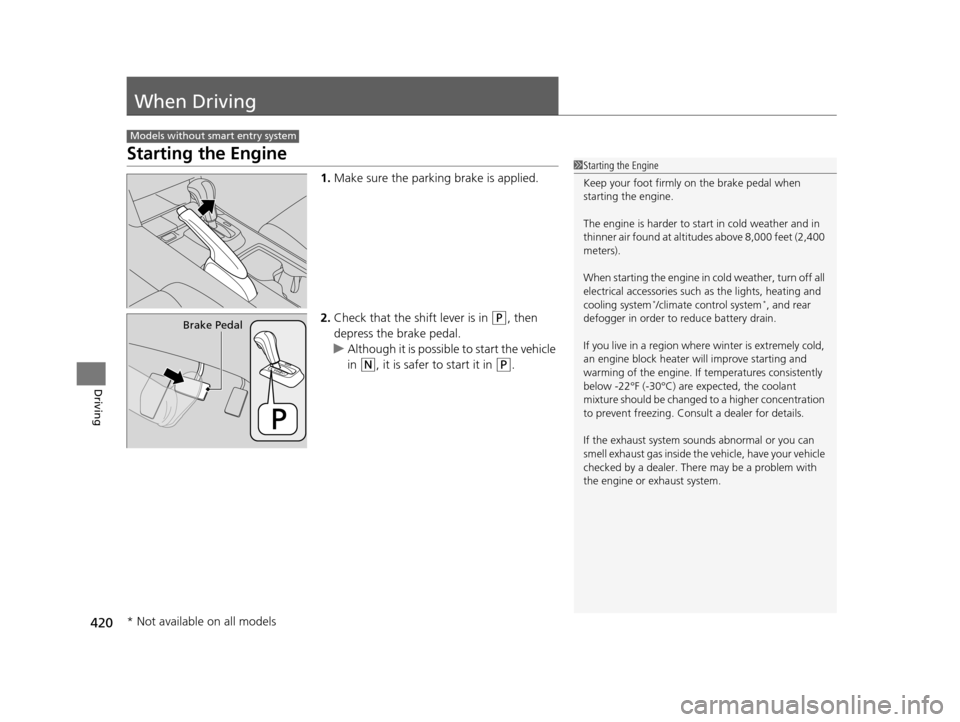
1.Make sure the parking brake is applied.
2. Check that the shift lever is in
(P, then
depress the brake pedal.
u Although it is possibl e to start the vehicle
in
(N, it is safer to start it in (P.
Models without smart entry system
1 Starting the Engine
Keep your foot firmly on the brake pedal when
starting the engine.
The engine is harder to st art in cold weather and in
thinner air found at altitudes above 8,000 feet (2,400
meters).
When starting the engine in cold weather, turn off all
electrical accessories such as the lights, heating and
cooling system
*/climate control system*, and rear
defogger in order to reduce battery drain.
If you live in a region where winter is extremely cold,
an engine block heater will improve starting and
warming of the engine. If temperatures consistently
below -22°F (-30°C) are expected, the coolant
mixture should be changed to a higher concentration
to prevent freezing. Cons ult a dealer for details.
If the exhaust system sounds abnormal or you can
smell exhaust gas inside the vehicle, have your vehicle
checked by a dealer. There may be a problem with
the engine or exhaust system.
Brake Pedal
* Not available on all models
15 CROSSTOUR-31TP66500.book 420 ページ 2014年7月31日 木曜日 午後3時23分
Page 423 of 573
422
uuWhen Driving uStarting the Engine
Driving
Starting the Engine
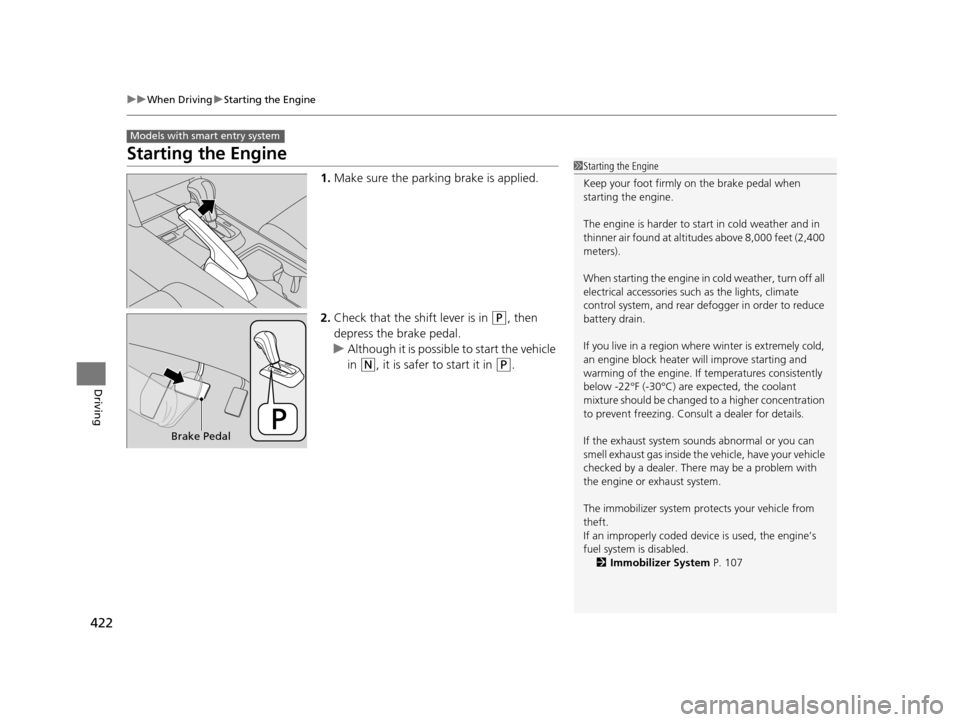
1. Make sure the parking brake is applied.
2. Check that the shift lever is in
(P, then
depress the brake pedal.
u Although it is possibl e to start the vehicle
in
(N, it is safer to start it in (P.
Models with smart entry system
1 Starting the Engine
Keep your foot firmly on the brake pedal when
starting the engine.
The engine is harder to st art in cold weather and in
thinner air found at altitudes above 8,000 feet (2,400
meters).
When starting the engine in cold weather, turn off all
electrical accessories such as the lights, climate
control system, and rear de fogger in order to reduce
battery drain.
If you live in a region where winter is extremely cold,
an engine block heater will improve starting and
warming of the engine. If temperatures consistently
below -22°F (-30°C) are expected, the coolant
mixture should be changed to a higher concentration
to prevent freezing. Cons ult a dealer for details.
If the exhaust system sounds abnormal or you can
smell exhaust gas inside the vehicle, have your vehicle
checked by a dealer. There may be a problem with
the engine or exhaust system.
The immobilizer system pr otects your vehicle from
theft.
If an improperly c oded device is used, the engine’s
fuel system is disabled. 2 Immobilizer System P. 107
Brake Pedal
15 CROSSTOUR-31TP66500.book 422 ページ 2014年7月31日 木曜日 午後3時23分
Page 438 of 573
Continued437
uuWhen Driving uForward Collision Warning (FCW)*
Driving
■Automatic shutoff
FCW may automatically shut itself off and the FCW indicator comes and stays on
when:
• The temperature inside the system is high.
• The windshield is blocked by dirt, mud, leaves, wet snow, etc.
Once the conditions that caused FCW to sh ut off improve or are addressed (e.g.,
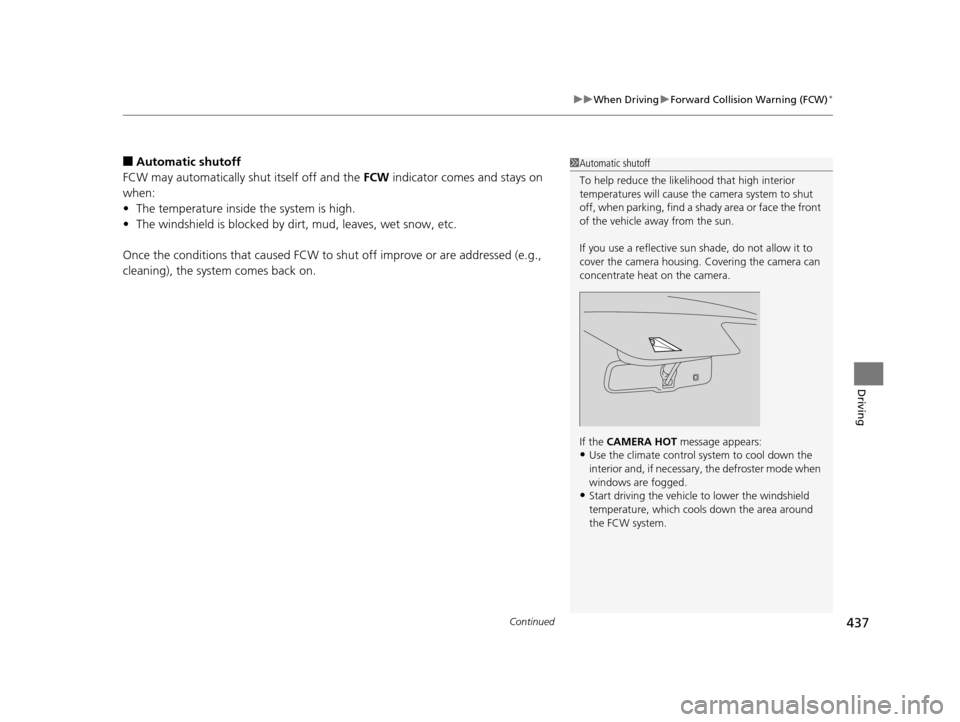
cleaning), the system comes back on.1 Automatic shutoff
To help reduce the likel ihood that high interior
temperatures will cause the camera system to shut
off, when parking, find a sh ady area or face the front
of the vehicle away from the sun.
If you use a reflective sun shade, do not allow it to
cover the camera housing. Covering the camera can
concentrate heat on the camera.
If the CAMERA HOT message appears:
•Use the climate control system to cool down the
interior and, if necessary , the defroster mode when
windows are fogged.
•Start driving the vehicle to lower the windshield
temperature, which cool s down the area around
the FCW system.
15 CROSSTOUR-31TP66500.book 437 ページ 2014年7月31日 木曜日 午後3時23分
Page 442 of 573
441
uuWhen Driving uLane Departure Warning (LDW)*
Driving
LDW may not activate or may not recognize lanes, and may activate even when
keeping in the middle of a lane under the following conditions.
■LDW Limitations
Condition
●When you drive in bad weather (rain, fog, etc.).●A heavy load in the rear or modificati ons to the suspension tilts your vehicle.●An abnormal tire condition is detected (wrong tire size, flat tire, etc.).●When the windshield is blocked by dirt, mud, leaves, wet snow, etc.●When the temperature inside the system is high.●A sudden change between light and dark such as an entrance or exit of a tunnel.●You drive into the sunlight (e.g. at dawn or dusk).●When the windshield is dirty or cloudy.●When you drive in the shadows of trees, buildings, etc.●When your vehicle is towing a trailer.●When you drive on a wet road su rface following another vehicle.
uThe camera may perceive the tire tracks in the water as lane lines.●When there is snow or wheel tracks on the side of the road.●When the road has many repaired area or an erased lane line.●When the vehicle is running over pa inted signs or crosswalk markings.●When you drive in a lane with worn-out lane markings.
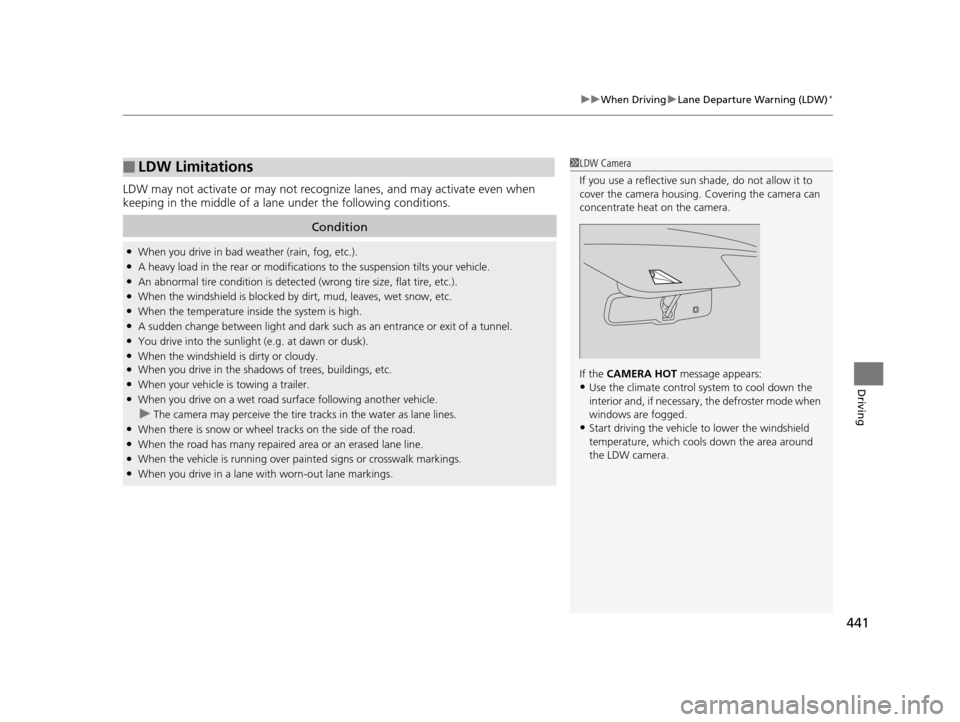
1LDW Camera
If you use a reflective sun shade, do not allow it to
cover the camera housing. Covering the camera can
concentrate heat on the camera.
If the CAMERA HOT message appears:
•Use the climate control system to cool down the
interior and, if necessary , the defroster mode when
windows are fogged.
•Start driving the vehicle to lower the windshield
temperature, which cool s down the area around
the LDW camera.
15 CROSSTOUR-31TP66500.book 441 ページ 2014年7月31日 木曜日 午後3時23分