reset HONDA CROSSTOUR 2015 1.G Workshop Manual
[x] Cancel search | Manufacturer: HONDA, Model Year: 2015, Model line: CROSSTOUR, Model: HONDA CROSSTOUR 2015 1.GPages: 573
Page 315 of 573
314
uuCustomized Features*uDefaulting All the Settings
Features
Defaulting All the Settings
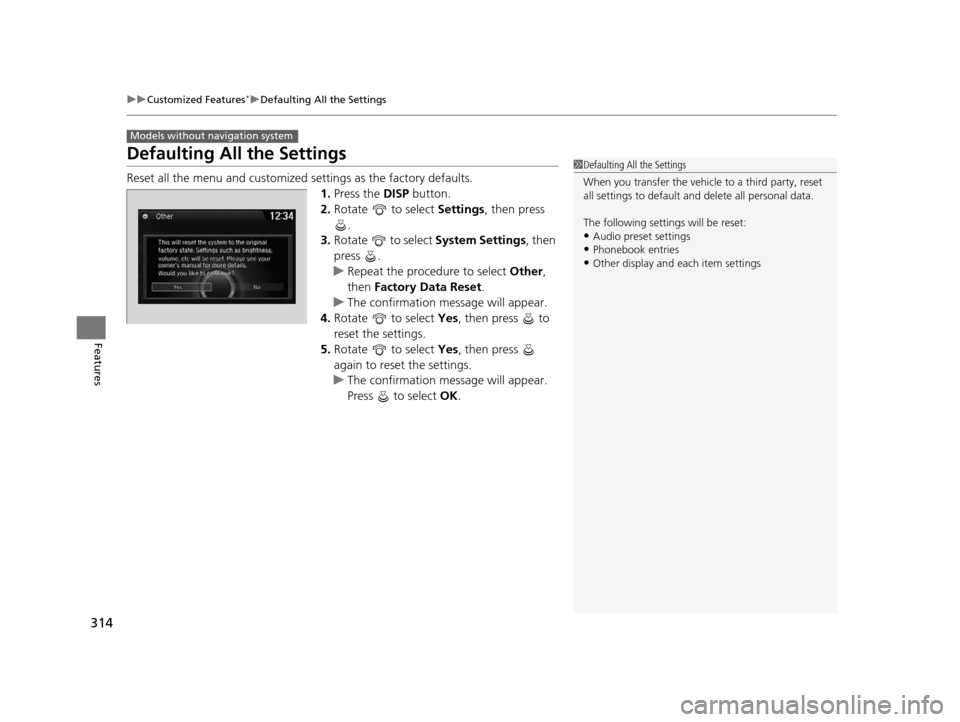
Reset all the menu and customized settings as the factory defaults.
1. Press the DISP button.
2. Rotate to select Settings, then press
.
3. Rotate to select System Settings, then
press .
u Repeat the procedure to select Other,
then Factory Data Reset .
u The confirmation message will appear.
4. Rotate to select Yes, then press to
reset the settings.
5. Rotate to select Yes, then press
again to reset the settings.
u The confirmation message will appear.
Press to select OK.
Models without navigation system
1Defaulting All the Settings
When you transfer the vehicle to a third party, reset
all settings to default a nd delete all personal data.
The following settin gs will be reset:
•Audio preset settings
•Phonebook entries•Other display and each item settings
15 CROSSTOUR-31TP66500.book 314 ページ 2014年7月31日 木曜日 午後3時23分
Page 316 of 573
315
uuCustomized Features*uDefaulting All the Settings
Features
Defaulting All the Settings
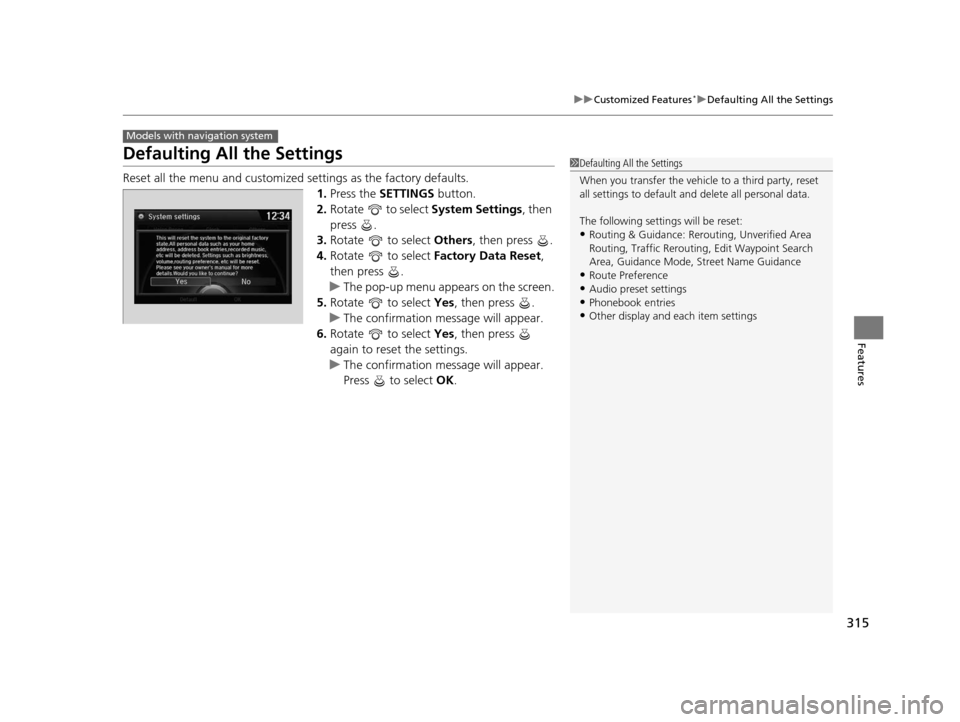
Reset all the menu and customized settings as the factory defaults.
1.Press the SETTINGS button.
2. Rotate to select System Settings, then
press .
3. Rotate to select Others, then press .
4. Rotate to select Factory Data Reset ,
then press .
u The pop-up menu appears on the screen.
5. Rotate to select Yes, then press .
u The confirmation message will appear.
6. Rotate to select Yes, then press
again to reset the settings.
u The confirmation message will appear.
Press to select OK.
Models with navigation system
1Defaulting All the Settings
When you transfer the vehicle to a third party, reset
all settings to default a nd delete all personal data.
The following settin gs will be reset:
•Routing & Guidance: Rerout ing, Unverified Area
Routing, Traffic Re routing, Edit Waypoint Search
Area, Guidance Mode, Street Name Guidance
•Route Preference
•Audio preset settings
•Phonebook entries•Other display and each item settings
15 CROSSTOUR-31TP66500.book 315 ページ 2014年7月31日 木曜日 午後3時23分
Page 317 of 573
316
uuCustomized Features*uDeleting all HDD Data
Features
Deleting all HDD Data
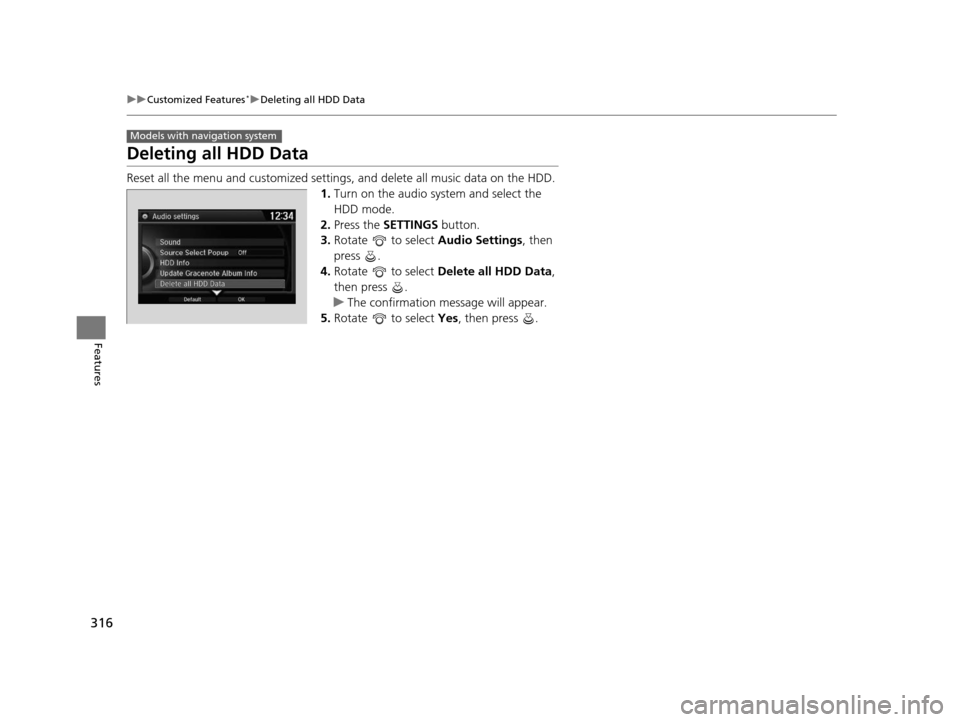
Reset all the menu and customized setting s, and delete all music data on the HDD.
1. Turn on the audio system and select the
HDD mode.
2. Press the SETTINGS button.
3. Rotate to select Audio Settings, then
press .
4. Rotate to select Delete all HDD Data,
then press .
u The confirmation message will appear.
5. Rotate to select Yes, then press .
Models with navigation system
15 CROSSTOUR-31TP66500.book 316 ページ 2014年7月31日 木曜日 午後3時23分
Page 330 of 573
Continued329
uuBluetooth ® HandsFreeLink ®u HFL Menus
Features
This command group allows you to ch ange or customize HFL basic settings.
■To set a four-digit passcode to lock the HFL system for security
1. Say “System Setup.”
2. Say “Security.”
3. Follow the HFL prompts and say the four-digit number of your choice.
4. Follow the HFL prompts and confirm the number.
■To change the security passcode
1. Say “System Setup.”
2. Say “Change Passcode” after the prompts.
3. Say the new four-digit passcode after the HFL prompts.
4. Follow the HFL prompts.
■To select a ring tone or a prompt as the incoming call notification
1. Say “System Setup.”
2. Say “Call Notification” after the prompts.
3. Say “Ring Tone” or “Prompt” after the prompts. For no audible notification, say
“Off.”
■System Setup1 System Setup
Press the button before a command.
Once a passcode is set, y ou are required to enter the
passcode with every new key cycle to use HFL.
If you forget the code, go to your dealer to have the
passcode reset. You can also cancel the passcode by
clearing all the data stored in the HFL system. 2 To clear the system P. 330
The default setting of the incoming notification is a
ring tone.
15 CROSSTOUR-31TP66500.book 329 ページ 2014年7月31日 木曜日 午後3時23分
Page 336 of 573
335
uuBluetooth ® HandsFreeLink ®u HFL Menus
Continued
Features
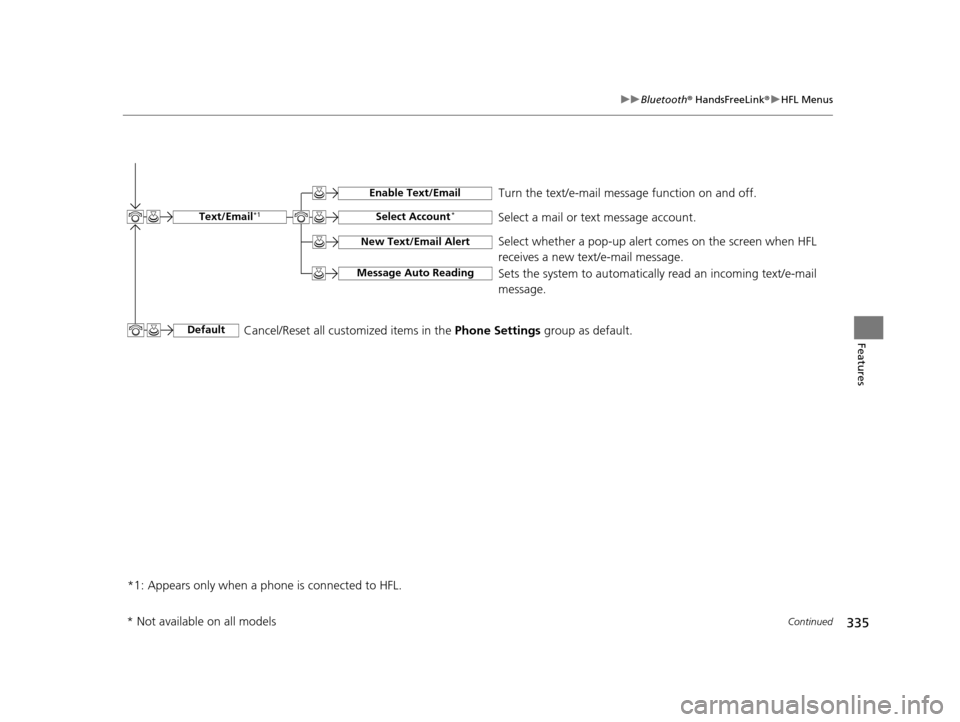
*1: Appears only when a p hone is connected to HFL. Turn the text/e-mail message function on and off.
Select Account*Select a mail or text message account.
New Text/Email Alert
Message Auto Reading
Select whether a pop-up alert comes on the screen when HFL
receives a new text/e-mail message.
Sets the system to automaticall
y read an incoming text/e-mail
message.
Text/Email*1
Default
Enable Text/Email
Cancel/Reset all customized items in the Phone Settings group as default.
* Not available on all models
15 CROSSTOUR-31TP66500.book 335 ページ 2014年7月31日 木曜日 午後3時23分
Page 370 of 573
369
uuBluetooth ® HandsFreeLink ®u HFL Menus
Continued
Features
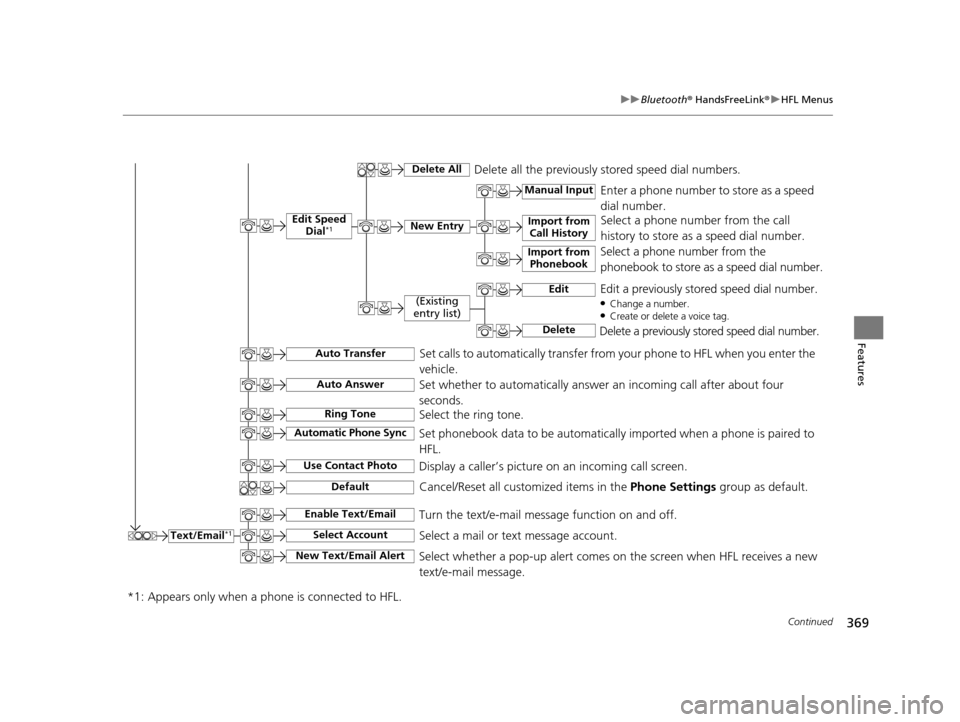
Text/Email*1
Manual Input
Edit Speed
Dial*1New Entry
Import from Call History
*1: Appears only when a p hone is connected to HFL.
Import from
Phonebook
Delete AllDelete all the previously stored speed dial numbers.
Select a phone number from the call
history to store as a speed dial number.
Select a phone number from the
phonebook to store as a speed dial number. Enter a phone number to store as a speed
dial number.
Edit
Delete
(Existing
entry list)Edit a previously stored speed dial number.●Change a number.●Create or delete a voice tag.
Delete a previously stored speed dial number.
Set calls to automatically transfer from your phone to HFL when you enter the
vehicle.Auto Transfer
Auto Answer
Ring Tone
Set whether to automatically answer an incoming call after about four
seconds.
Select the ring tone.
Use Contact Photo
Set phonebook data to be automatically imported when a phone is paired to
HFL.
Display a caller’s picture on an incoming call screen.Automatic Phone Sync
Select AccountSelect a mail or text message account.
Enable Text/EmailTurn the text/e-mail message function on and off.
New Text/Email AlertSelect whether a pop-up alert comes on the screen when HFL receives a new
text/e-mail message.
Cancel/Reset all customized items in the Phone Settings group as default.Default
15 CROSSTOUR-31TP66500.book 369 ページ 2014年7月31日 木曜日 午後3時23分
Page 466 of 573
465Continued
Maintenance
Maintenance MinderTM
If the engine oil life is less than 15%, you will see the Maintenance Minder messages
appear on the information display every ti me you turn the ignition switch to ON
(w*1. The messages notify you when to change the engine oil, or when to bring your
vehicle to a dealer for indicated maintenance services.
To Use Maintenance MinderTM
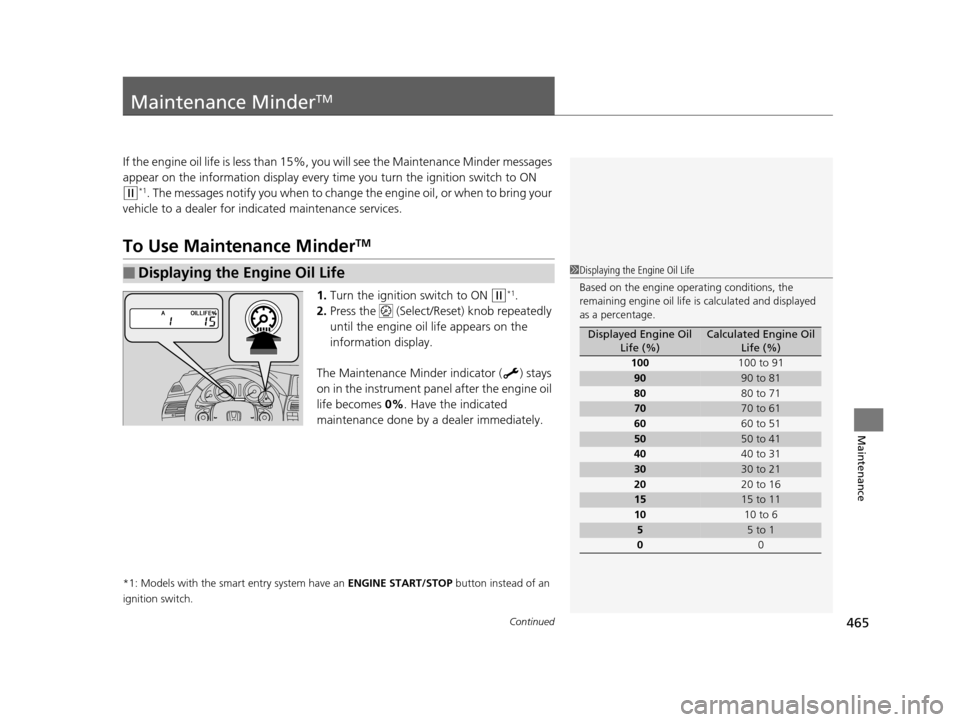
1. Turn the ignition switch to ON (w*1.
2. Press the (Select/Reset) knob repeatedly
until the engine oil life appears on the
information display.
The Maintenance Minder indicator ( ) stays
on in the instrument panel after the engine oil
life becomes 0% . Have the indicated
maintenance done by a dealer immediately.
*1: Models with the smart entry system have an ENGINE START/STOP button instead of an
ignition switch.
■Displaying the Engine Oil Life1 Displaying the Engine Oil Life
Based on the engine ope rating conditions, the
remaining engine oi l life is calculated and displayed
as a percentage.
Displayed Engine Oil Life (%)Calculated Engine Oil Life (%)
100 100 to 91
9090 to 81
80 80 to 71
7070 to 61
60 60 to 51
5050 to 41
40 40 to 31
3030 to 21
20 20 to 16
1515 to 11
10 10 to 6
55 to 1
0 0
15 CROSSTOUR-31TP66500.book 465 ページ 2014年7月31日 木曜日 午後3時23分
Page 467 of 573
466
uuMaintenance MinderTMuTo Use Maintenance MinderTM
Maintenance
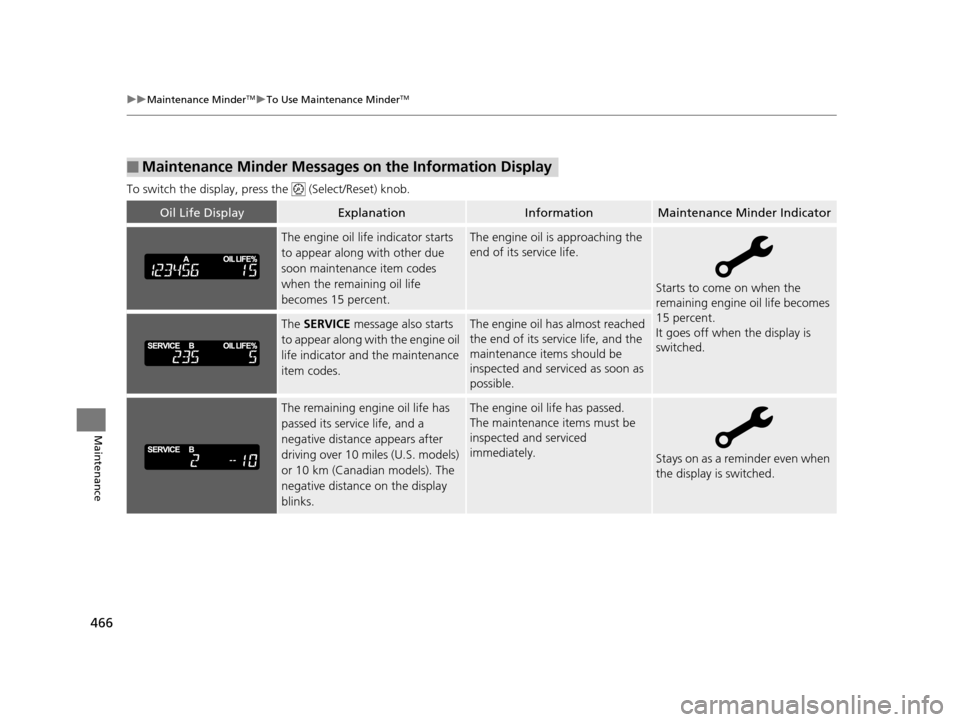
To switch the display, pres s the (Select/Reset) knob.
■Maintenance Minder Messages on the Information Display
Oil Life DisplayExplanationInformationMaintenance Minder Indicator
The engine oil life indicator starts
to appear along with other due
soon maintenance item codes
when the remaining oil life
becomes 15 percent.The engine oil is approaching the
end of its service life.
Starts to come on when the
remaining engine oil life becomes
15 percent.
It goes off when the display is
switched.
The SERVICE message also starts
to appear along with the engine oil
life indicator and the maintenance
item codes.The engine oil has almost reached
the end of its service life, and the
maintenance items should be
inspected and serviced as soon as
possible.
The remaining engine oil life has
passed its service life, and a
negative distance appears after
driving over 10 miles (U.S. models)
or 10 km (Canadian models). The
negative distance on the display
blinks.The engine oil life has passed.
The maintenance items must be
inspected and serviced
immediately.
Stays on as a reminder even when
the display is switched.
15 CROSSTOUR-31TP66500.book 466 ページ 2014年7月31日 木曜日 午後3時23分
Page 468 of 573
467
uuMaintenance MinderTMuTo Use Maintenance MinderTM
Continued
Maintenance
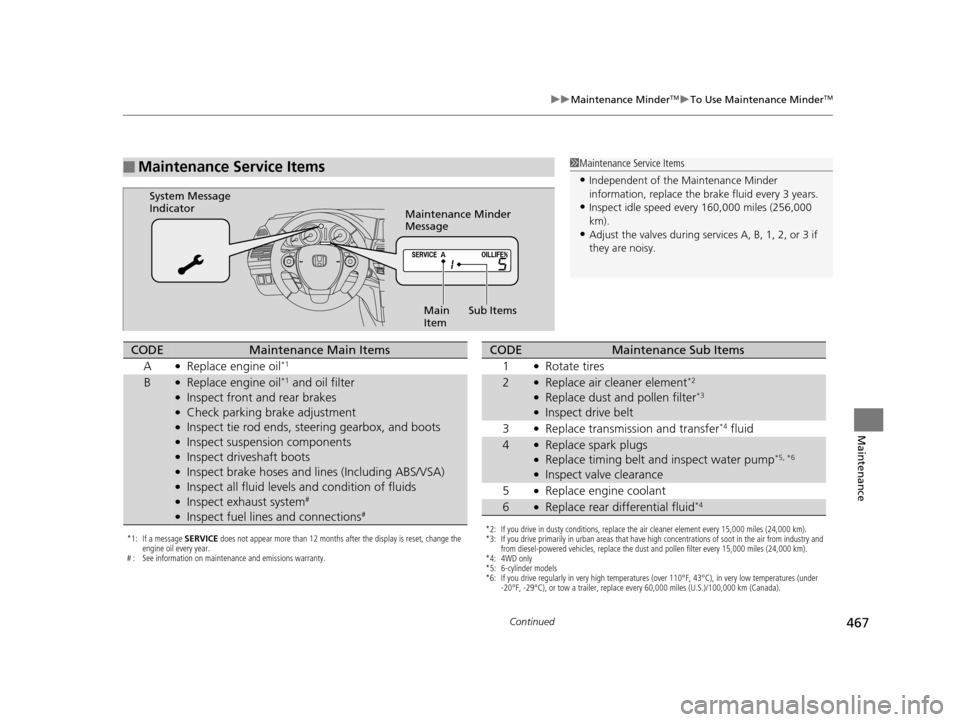
■Maintenance Service Items1Maintenance Service Items
•Independent of the Maintenance Minder
information, replace the brake fluid every 3 years.
•Inspect idle speed every 160,000 miles (256,000
km).
•Adjust the valves during services A, B, 1, 2, or 3 if
they are noisy.
Maintenance Minder
Message
System Message
Indicator
Sub Items
Main
Item
*1: If a message SERVICE does not appear more than 12 months after the display is reset, change the
engine oil every year.
# : See information on maintenance and emissions warranty.
CODEMaintenance Main Items
A
●Replace engine oil*1
B●Replace engine oil*1 and oil filter●Inspect front and rear brakes●Check parking brake adjustment●Inspect tie rod ends, steering gearbox, and boots●Inspect suspension components●Inspect driveshaft boots●Inspect brake hoses and li nes (Including ABS/VSA)●Inspect all fluid levels and condition of fluids●Inspect exhaust system#
●Inspect fuel lines and connections#
*2: If you drive in dusty conditions, replace the air cleaner element every 15,000 miles (24,000 km).
*3: If you drive primarily in urban areas that have high concentrations of soot in the air from industry and
from diesel-powered vehicles, replace the dust and pollen filter every 15,000 miles (24,000 km).
*4: 4WD only
*5: 6-cylinder models
*6: If you drive regularly in very high temperatures (over 110°F, 43°C), in very low temperatures (under -20°F, -29°C), or tow a trailer, replace every 60,000 miles (U.S.)/100,000 km (Canada).
CODEMaintenance Sub Items
1
●Rotate tires
2●Replace air cleaner element*2
●Replace dust and pollen filter*3
●Inspect drive belt
3
●Replace transmission and transfer*4 fluid
4●Replace spark plugs●Replace timing belt and inspect water pump*5, *6
●Inspect valve clearance
5
●Replace engine coolant
6●Replace rear differential fluid*4
15 CROSSTOUR-31TP66500.book 467 ページ 2014年7月31日 木曜日 午後3時23分
Page 469 of 573
uuMaintenance MinderTMuTo Use Maintenance MinderTM
468
Maintenance
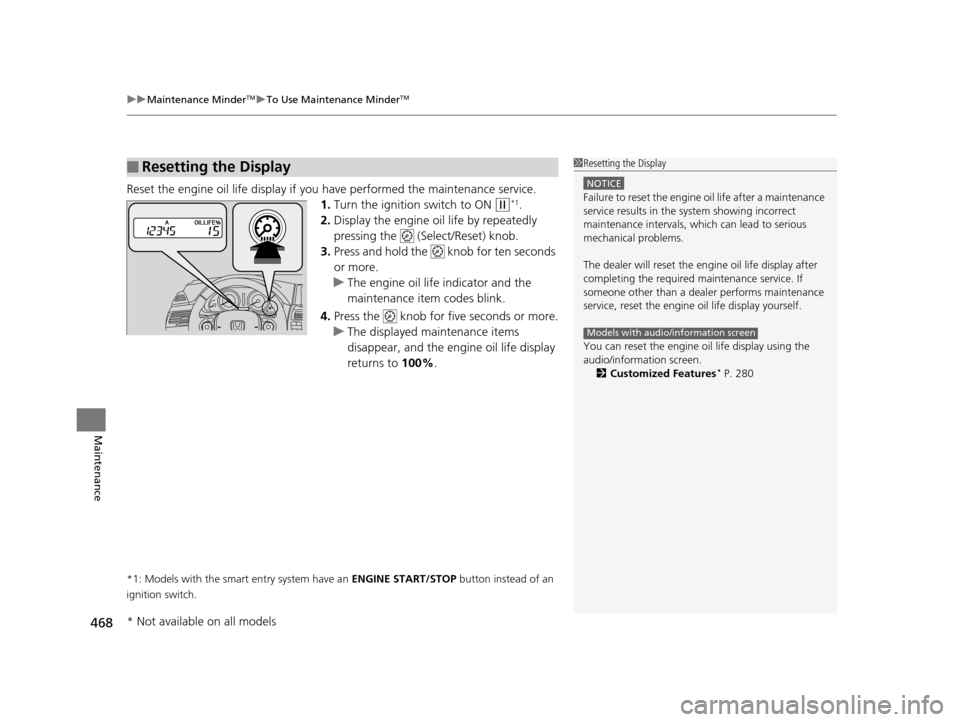
Reset the engine oil life display if you have performed the maintenance service.
1. Turn the ignition switch to ON
(w*1.
2. Display the engine oil life by repeatedly
pressing the ( Select/Reset) knob.
3. Press and hold the knob for ten seconds
or more.
u The engine oil life indicator and the
maintenance item codes blink.
4. Press the knob for five seconds or more.
u The displayed maintenance items
disappear, and the engine oil life display
returns to 100%.
*1: Models with the smart entry system have an ENGINE START/STOP button instead of an
ignition switch.
■Resetting the Display1 Resetting the Display
NOTICE
Failure to reset the engine oil life after a maintenance
service results in the sy stem showing incorrect
maintenance intervals, which can lead to serious
mechanical problems.
The dealer will reset the en gine oil life display after
completing the required ma intenance service. If
someone other than a deal er performs maintenance
service, reset the engine oil life display yourself.
You can reset the engine oi l life display using the
audio/information screen. 2 Customized Features
* P. 280
Models with audio/information screen
* Not available on all models
15 CROSSTOUR-31TP66500.book 468 ページ 2014年7月31日 木曜日 午後3時23分