deactivate HONDA CRV 2023 Owner's Manual
[x] Cancel search | Manufacturer: HONDA, Model Year: 2023, Model line: CRV, Model: HONDA CRV 2023Pages: 719, PDF Size: 13.43 MB
Page 336 of 719
335
uuAudio System Basic Operation uApple CarPlay
Features
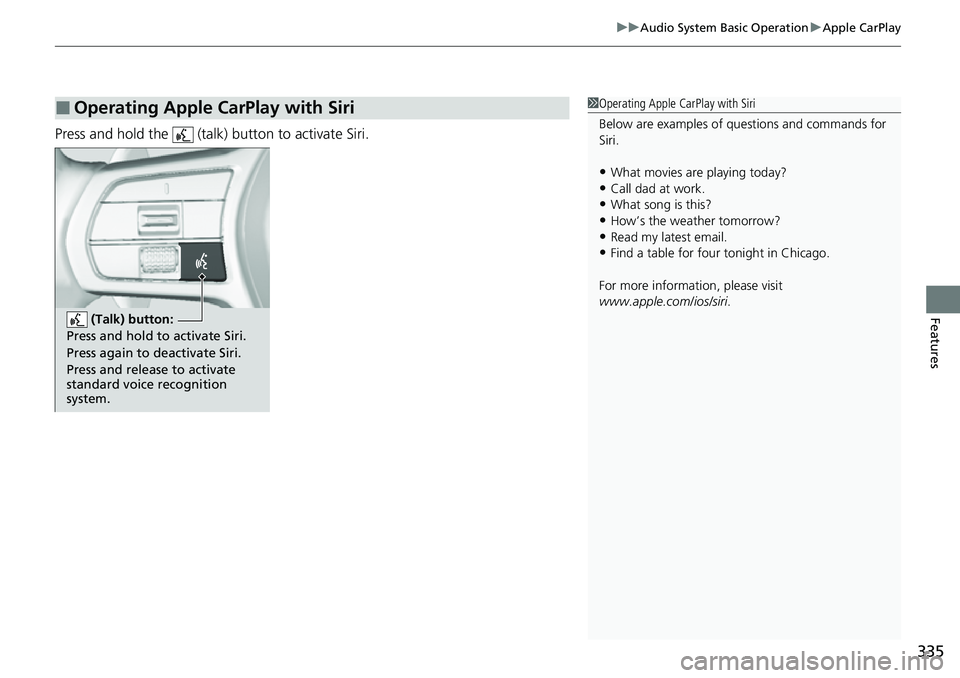
Press and hold the (talk) button to activate Siri.
■Operating Apple CarPlay with Siri1Operating Apple CarPlay with Siri
Below are examples of questions and commands for
Siri.
•What movies are playing today?•Call dad at work.
•What song is this?
•How’s the weather tomorrow?•Read my latest email.
•Find a table for four tonight in Chicago.
For more information, please visit
www.apple.com/ios/siri .
(Talk) button:
Press and hold to activate Siri.
Press again to deactivate Siri.
Press and release to activate
standard voice recognition
system.
Page 508 of 719
507
uuHonda Sensing ®u Low Speed Braking Control*
Continued
Driving
Low Speed Braking Control*
Using sonar sensors located on the front and r ear bumpers, this system can detect if
there is danger of a potential collision with a wall or other obstacle during normal
driving or when the accelerator pedal is depressed with too much force. The system
then assists in avoiding collisions and reducing damage from impact through
assistive braking and/or assistive driving power suppression.1 Low Speed Braking Control*
If the Low Speed Braking Control activates in a
situation where you do not want automatic brake
application (such as when the vehicle is between two
railroad crossing gates), simply press the brake pedal
to deactivate the system and then continue to drive
as intended.
3WARNING
The Low Speed Braking Control System
cannot avoid all collisions and may not
reduce damage in each situation where the
accelerator is mistakenly or aggressively
pressed. Overreliance on the system may
result in a collision with serious injury or
death. Always check your surroundings,
your shift position, and your pedal use.
Driver remains responsible for safely
operating the vehicle.
* Not available on all models
Page 546 of 719
545
uuHonda Sensing ®u Traffic Jam Assist
Continued
Driving
Traffic Jam Assist
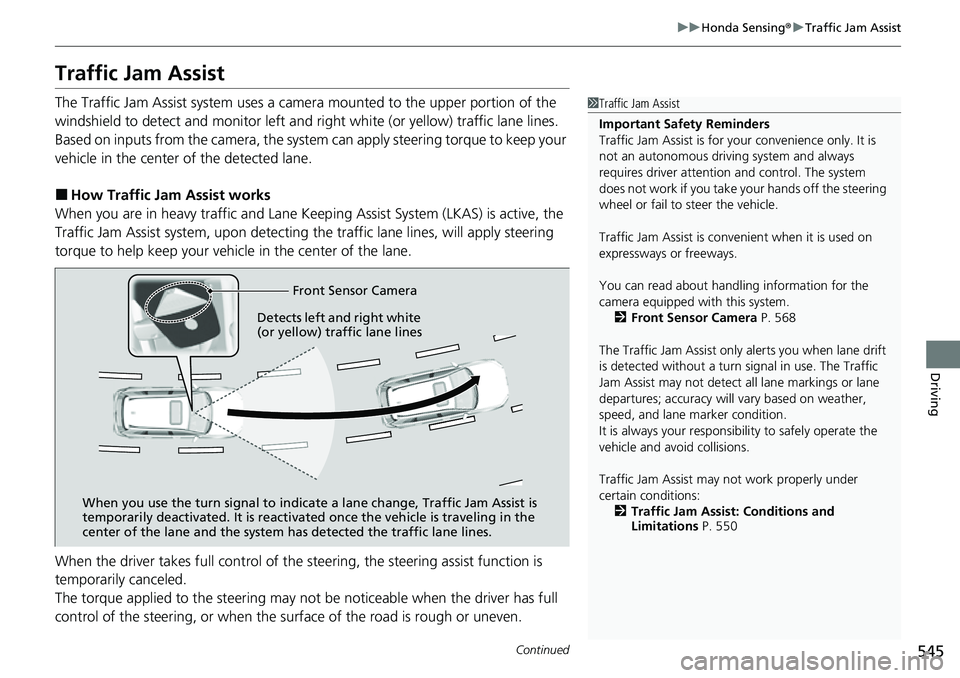
The Traffic Jam Assist system uses a camera mounted to the upper portion of the
windshield to detect and monitor left and right white (or yellow) traffic lane lines.
Based on inputs from the camera, the system can apply steering torque to keep your
vehicle in the center of the detected lane.
■How Traffic Jam Assist works
When you are in heavy traffic and Lane Keep ing Assist System (LKAS) is active, the
Traffic Jam Assist system, upon detecting th e traffic lane lines, will apply steering
torque to help keep your vehicle in the center of the lane.
When the driver takes full control of the steering, the steering assist function is
temporarily canceled.
The torque applied to the steering may not be noticeable when the driver has full
control of the steering, or when the surface of the road is rough or uneven.
1 Traffic Jam Assist
Important Safety Reminders
Traffic Jam Assist is for your convenience only. It is
not an autonomous driving system and always
requires driver at tention and control. The system
does not work if you take y our hands off the steering
wheel or fail to steer the vehicle.
Traffic Jam Assist is conven ient when it is used on
expressways or freeways.
You can read about handling information for the
camera equipped with this system. 2 Front Sensor Camera P. 568
The Traffic Jam Assist only alerts you when lane drift
is detected without a turn signal in use. The Traffic
Jam Assist may not detect all lane markings or lane
departures; accuracy will vary based on weather,
speed, and lane marker condition.
It is always your responsibility to safely operate the
vehicle and avoid collisions.
Traffic Jam Assist may not work properly under
certain conditions: 2 Traffic Jam Assist: Conditions and
Limitations P. 550
Front Sensor Camera
When you use the turn signal to indica te a lane change, Traffic Jam Assist is
temporarily deactivated. It is reactivated once the vehicle is traveling in the
center of the lane and the system has detected the traffic lane lines.
Detects left and right white
(or yellow) traffic lane lines
Page 549 of 719
uuHonda Sensing ®u Traffic Jam Assist
548
Driving
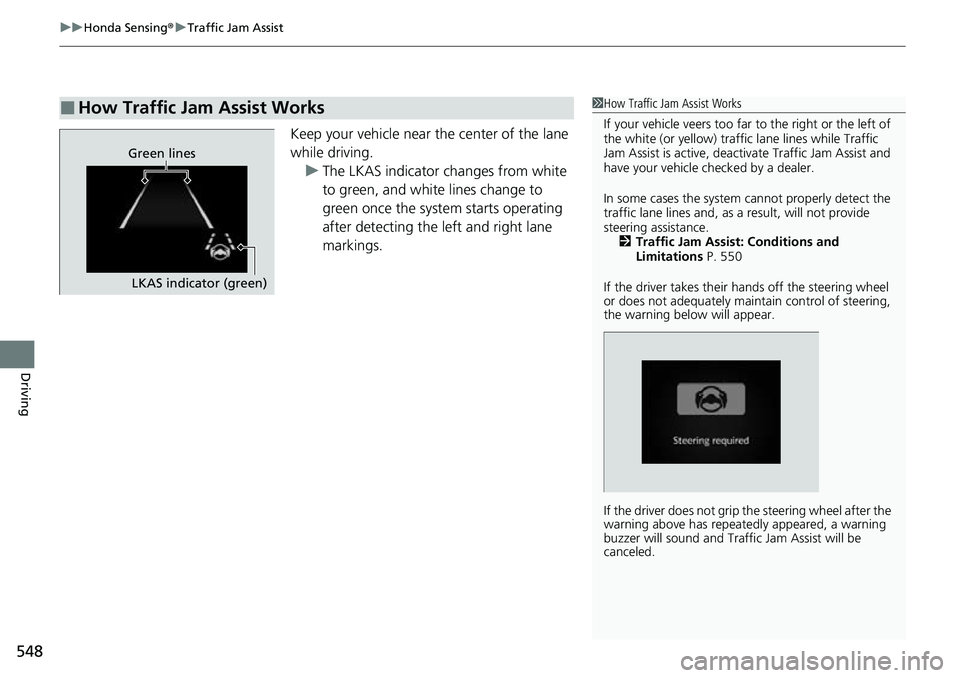
Keep your vehicle near the center of the lane
while driving.
u The LKAS indicator changes from white
to green, and white lines change to
green once the system starts operating
after detecting the left and right lane
markings.
■How Traffic Jam Assist Works1How Traffic Jam Assist Works
If your vehicle veers too far to the right or the left of
the white (or yellow) traffic lane lines while Traffic
Jam Assist is active, deactivate Traffic Jam Assist and
have your vehicle ch ecked by a dealer.
In some cases the system cannot properly detect the
traffic lane lines and, as a result, will not provide
steering assistance. 2 Traffic Jam Assist: Conditions and
Limitations P. 550
If the driver takes their hands off the steering wheel
or does not adequately main tain control of steering,
the warning below will appear.
If the driver does not grip the steering wheel after the
warning above has repeatedly appeared, a warning
buzzer will sound and Traffi c Jam Assist will be
canceled.
Green lines
LKAS indicator (green)
Page 550 of 719
Continued549
uuHonda Sensing ®u Traffic Jam Assist
Driving
Press the LKAS button to ca ncel Traffic Jam Assist.
■Traffic Jam Assist may be au tomatically suspended when:
The system is automatically temporarily canceled under the fo llowing circumstances.
• The system fails to detect lane lines.
• The steering wheel is turned sharply.
• You fail to steer the vehicle.
• You are driving through a sharp curve.
• The brake pedal is depressed.
Once these conditions no longer exist, Traffic Jam Assist automatically resumes.
■Traffic Jam Assist may be au tomatically canceled when:
The traffic lane lines will disappear from the screen, the beeper may sound, and
Traffic Jam Assist will be canceled under the following circumstances:
• The temperature of the camera is too high.
• The camera behind the rearview mirror, or the area around the camera, including
the windshield, is dirty.
*1 : Models with 7-in. Color Touchscreen
*2 : Models with 9-in. Color Touchscreen
■Canceling Traffic Jam Assist
1Traffic Jam Assist may be au tomatically suspended when:
You are traveling over 45 mph (72 km/h).
u When the speed of the vehicle reaches 45 mph
(72 km/h), Traffic Jam Assist is deactivated. Once
the speed of the vehicle drops to under 40 mph
(64 km/h), Traffic Jam As sist is reactivated.
You can change the setting for the Traffic Jam Assist.
Traffic Jam Assist suspende d beep on and off can be
changed when you select the Lane keeping assist
suspend beep
*1/Lane Keeping Assist Suspend
Beep*2 on the driver information interface* or audio/
information screen*.
2 Settings* P. 135
2 Customized Features P. 376
* Not available on all models
Page 576 of 719
Continued575
uuBraking uBrake System
Driving
■Activating and deactivating the automatic parking brake feature
With the power mode is in ON, carry out th e following steps to either activate or
deactivate the automatic parking brake feature.
1. Put the transmission into
(P.
2. Without depressing the brake pedal, pull up and release the electric parking brake
switch.
u Check that the parking brake and brake sy stem indicator (red) has come on.
3. Pull up and hold the electric parking br ake switch. When you hear a beeping
sound, release the switch and within three seconds pull up and hold the switch
again.
4. When you hear a sound indicating that the procedure is completed, release the
switch.
u Two beeps indicates that the feature has been activated.
u One beep indicates that the feature has been deactivated.
u When you have completed activating the feature, the parking brake will
remain applied after you turn the power system off.
u To confirm that the parkin g brake is applied, check if the parking brake and
brake system indicator (red) is on.
If you need to temporarily deactivate the feature while putting your vehicle through
a conveyor type car wash or when having your vehicle towed. You can follow the
procedure explained below.
1. Depress the brake pedal and bring the vehicle to a stop.
2. Set the power mode to VEHICLE OFF and then within two seconds push down the
electric parking brake switch.
u Activation and deactivation settings for the feature will not be affected.
u Before temporarily deactivating the feat ure, make sure to first turn off both
Adaptive Cruise Control (ACC) with Low Speed Follow and the automatic
brake hold system.
u To confirm that the parkin g brake is applied, check if the parking brake and
brake system indicator (red) is on.
1 Parking Brake
In cold climates, the parking brake may freeze in
place if applied.
When parking the vehicle, chock the wheels and
make sure the automatic parking brake feature is
deactivated.
Also, when putting your vehicle through a conveyor-
type car wash or when ha ving your vehicle towed,
deactivate the automatic parking brake feature and
leave the parking brake released.
Page 598 of 719
597
uuRefueling uHow to Refuel
Driving
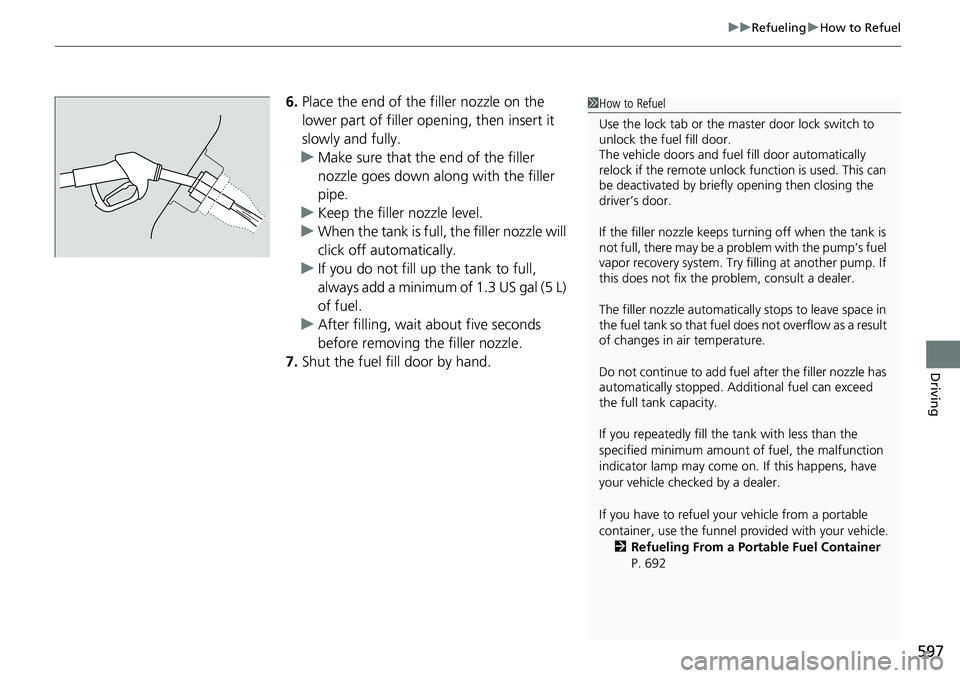
6. Place the end of the filler nozzle on the
lower part of filler opening, then insert it
slowly and fully.
u Make sure that the end of the filler
nozzle goes down along with the filler
pipe.
u Keep the filler nozzle level.
u When the tank is full, the filler nozzle will
click off automatically.
u If you do not fill up the tank to full,
always add a minimum of 1.3 US gal (5 L)
of fuel.
u After filling, wait about five seconds
before removing the filler nozzle.
7. Shut the fuel fill door by hand.1How to Refuel
Use the lock tab or the ma ster door lock switch to
unlock the fuel fill door.
The vehicle doors and fuel fill door automatically
relock if the remote unlock function is used. This can
be deactivated by briefl y opening then closing the
driver’s door.
If the filler nozzle keeps tu rning off when the tank is
not full, there may be a pr oblem with the pump’s fuel
vapor recovery system. Try fi lling at another pump. If
this does not fix the problem, consult a dealer.
The filler nozzle automatically stops to leave space in
the fuel tank so that fuel does not overflow as a result
of changes in air temperature.
Do not continue to add fuel after the filler nozzle has
automatically stopped. Addi tional fuel can exceed
the full tank capacity.
If you repeatedly fill the tank with less than the
specified minimum amount of fuel, the malfunction
indicator lamp may come on. If this happens, have
your vehicle checked by a dealer.
If you have to refuel y our vehicle from a portable
container, use the funnel pr ovided with your vehicle.
2 Refueling From a Portable Fuel Container
P. 692