radio HONDA CRV 2023 Owner's Manual
[x] Cancel search | Manufacturer: HONDA, Model Year: 2023, Model line: CRV, Model: HONDA CRV 2023Pages: 719, PDF Size: 13.43 MB
Page 304 of 719
Continued303
uuAudio System Basic Operation uPlaying SiriusXM ® Radio
Features
Suggested channel listing received from SiriusXM ® can be displayed and selected.
1. Select More.
2. Select Category List .
3. Select Featured Favorites .
4. Select the featured favorite list title you want to listen to.
u The selected channel list of the title is displayed.
5. Select the channel.
■Listening to Featured Channels1Listening to Featured Channels
Up to 10 featured channels by SiriusXM ® can be
displayed.
To switch the sorting method, select Number or
Name on the upper right of the screen.
Select Keypad to use the on-screen keyboard for
entering the channel number directly.
Page 305 of 719
uuAudio System Basic Operation uPlaying SiriusXM ® Radio
304
Features
The system can record up to the last 60 minutes of your currently tuned channel’s
broadcast, as well as the last 30 minutes of your preset channel’s broadcast, starting
from the moment you turn the vehicle on. If you tuned to a preset channel, the
system records up to 60 minutes of a broadcast instead of up to 30 minutes. You
can rewind and replay the last 30 or 60 minutes of a broadcast.
Move the position you want to replay by selecting or .
To play or pause on playback m ode, select the play/pause icon.
■Returning to real-time broadcast
Select and hold .
■Replay Function1 Replay Function
The system starts storing broadcast in memory when
the power mode is turned ON. You can go back to
the program from that point.
You can no longer repl ay any program once the
power mode is turned off as it erases memory.
You can check how long the program has been
stored in memory from th e audio/information screen.
After 30 or 60 minutes of recording the system will
automatically start deleting the oldest data.
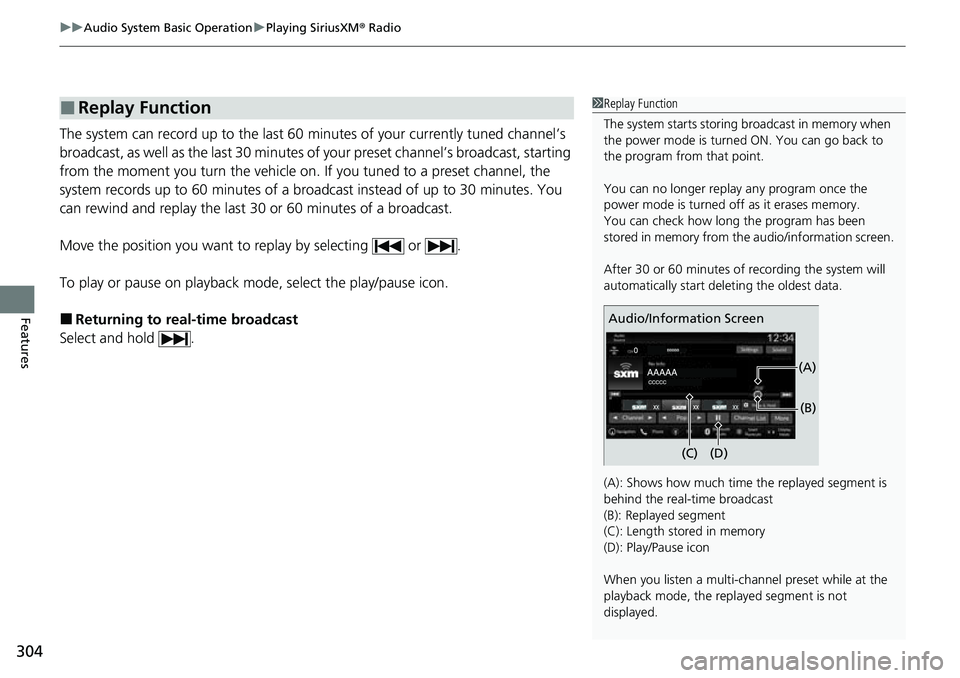
(A): Shows how much time the replayed segment is
behind the real-time broadcast
(B): Replayed segment
(C): Length stored in memory
(D): Play/Pause icon
When you listen a multi-channel preset while at the
playback mode, the repl ayed segment is not
displayed.
Audio/Information Screen
(C) (B)
(A)
(D)
Page 306 of 719
Continued305
uuAudio System Basic Operation uPlaying SiriusXM ® Radio
Features
While listening to other channels, you can re ceive sports alerts such as scores from
the games of your favorite teams.
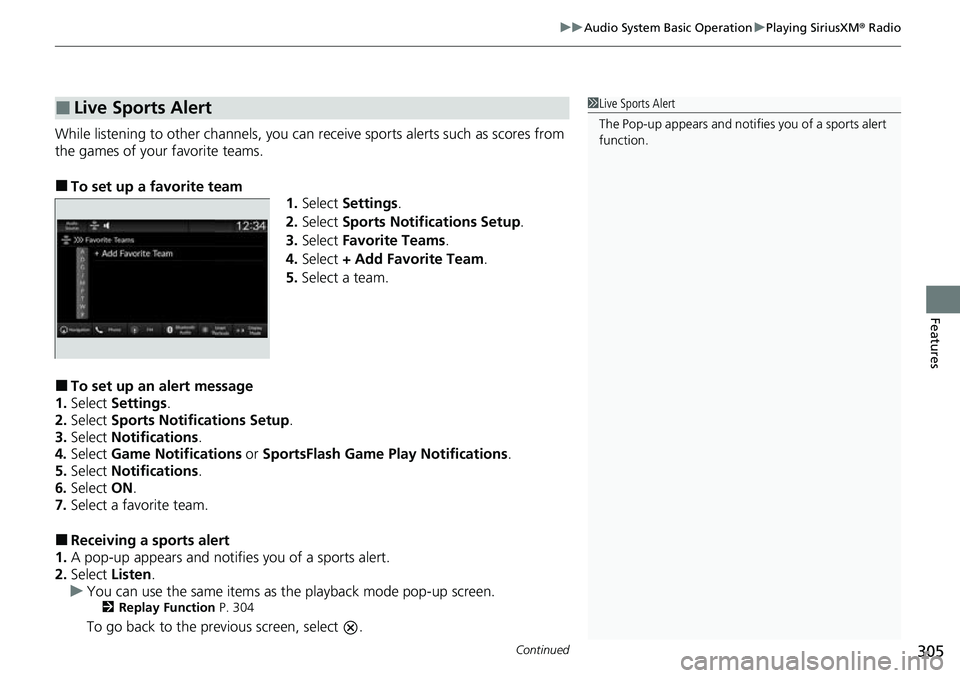
■To set up a favorite team 1.Select Settings .
2. Select Sports Notifications Setup .
3. Select Favorite Teams .
4. Select + Add Favorite Team .
5. Select a team.
■To set up an alert message
1. Select Settings .
2. Select Sports Notifications Setup .
3. Select Notifications .
4. Select Game Notifications or SportsFlash Game Pl ay Notifications.
5. Select Notifications .
6. Select ON.
7. Select a favorite team.
■Receiving a sports alert
1. A pop-up appears and notifies you of a sports alert.
2. Select Listen.
u You can use the same items as the playback mode pop-up screen.
2 Replay Function P. 304
To go back to the previous screen, select .
■Live Sports Alert1Live Sports Alert
The Pop-up appears and notifies you of a sports alert
function.
Page 307 of 719
uuAudio System Basic Operation uPlaying SiriusXM ® Radio
306
Features
You can receive traffic and weather information.
■To set up a traffic & weather information
1. Select Settings .
2. Select Traffic & Weather Now Setup .
3. Select Selected City: .
4. Select the region.
u When you do not want to rece ive the information, select No Market
Selected .
■Listening a traffic an d weather information
1. Select the status icon.
2. Select the traffic and weather information.
u Play mode can also use the any items same as playback mode.
2 Replay Function P. 304
To go back to the previous screen, select .
■Traffic and Weather Information1Traffic and Weather Information
When traffic and weather information is received, a
notification is displayed in the header area.
2 Status Area P. 283
Traffic & Weather Now are registered trademarks of
SiriusXM ® Radio, Inc.
Page 308 of 719
Continued307
uuAudio System Basic Operation uPlaying SiriusXM ® Radio
Features
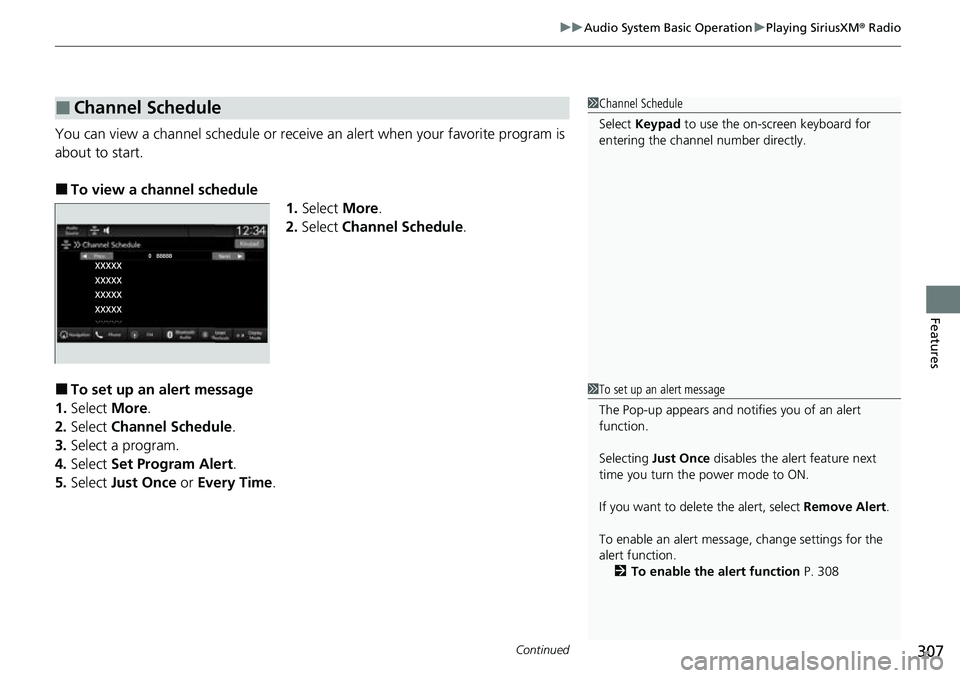
You can view a channel schedule or receive an alert when your favorite program is
about to start.
■To view a channel schedule 1.Select More.
2. Select Channel Schedule .
■To set up an alert message
1. Select More.
2. Select Channel Schedule .
3. Select a program.
4. Select Set Program Alert .
5. Select Just Once or Every Time .
■Channel Schedule1Channel Schedule
Select Keypad to use the on-screen keyboard for
entering the channel number directly.
1To set up an alert message
The Pop-up appears and not ifies you of an alert
function.
Selecting Just Once disables the alert feature next
time you turn the power mode to ON.
If you want to delete the alert, select Remove Alert.
To enable an alert message, change settings for the
alert function. 2 To enable the alert function P. 308
Page 309 of 719
308
uuAudio System Basic Operation uPlaying SiriusXM ® Radio
Features
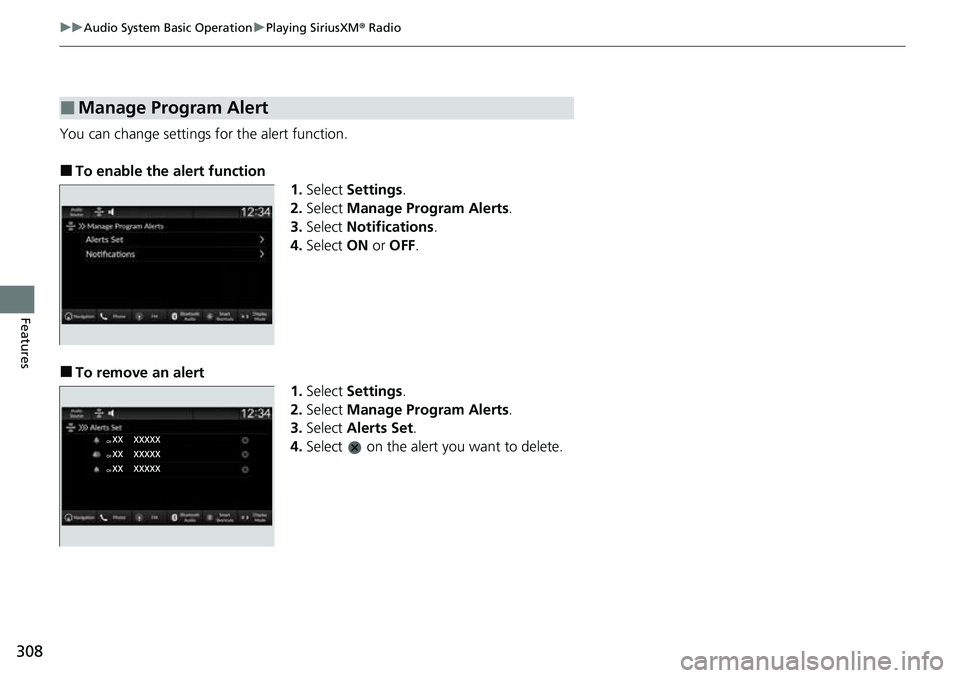
You can change settings for the alert function.
■To enable the alert function
1.Select Settings .
2. Select Manage Program Alerts .
3. Select Notifications .
4. Select ON or OFF .
■To remove an alert
1.Select Settings .
2. Select Manage Program Alerts .
3. Select Alerts Set .
4. Select on the alert you want to delete.
■Manage Program Alert
Page 310 of 719
Continued309
uuAudio System Basic Operation uPlaying SiriusXM ® Radio
Features
Sample each channel on the selected mode for 10 seconds.
1. Select More.
2. Select Scan.
You can change a scan mode by the following procedure.
1. Select Settings .
2. Select Scan Mode .
3. Select Channel or Preset .
To turn off scan, select Stop.
■Scan1Scan
The “Scan Songs in Preset s” function is based on
TuneScan
TM technology of SiriusXM ®.
The “Featured Channels ” function is based on
Featured Favorites
TM technology of SiriusXM ®.
TuneScan
TM and Featured FavoritesTM are registered
trademarks of SiriusXM ® Radio, Inc.
Page 311 of 719
310
uuAudio System Basic Operation uPlaying SiriusXM ® Radio
Features
Change the SiriusXM ® settings.
1. Select Settings .
2. Select an option.
• TuneMix: Turns multiple channel mix preset on and off.
• Tune Mode: Choose whether to group by category or channel number when
changing channels.
2 To Change the Tune Mode P. 301
•Scan Mode: Select the scan mode fro m all channels or presets.
2Scan P. 309
•Tune Start: Start the currently playing song at the beginning when you switch to
a music channel preset.
2 Tune Start: P. 301
•Sports Notifi cations Setup: Set to receive sports alerts such as scores from your
favorite teams.
2 Live Sports Alert P. 305
•Traffic & Weather Now Setup: Set to receive traffic and weather information.
2Traffic and Weather Information P. 306
•Manage Program Alerts: Change settings for the alert function.
2Manage Program Alert P. 308
■SiriusXM® Settings
Page 326 of 719
Continued325
uuAudio System Basic Operation uSmart Shortcuts
Features
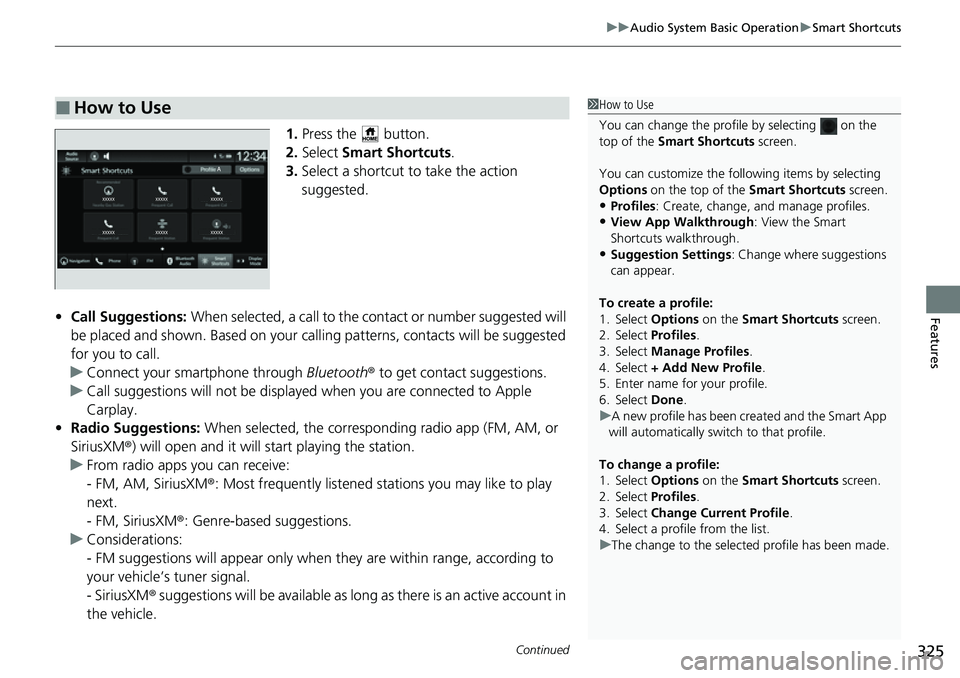
1. Press the button.
2. Select Smart Shortcuts .
3. Select a shortcut to take the action
suggested.
• Call Suggestions: When selected, a call to the contact or number suggested will
be placed and shown. Based on your call ing patterns, contacts will be suggested
for you to call.
u Connect your smartphone through Bluetooth® to get contact suggestions.
u Call suggestions will not be displayed when you are connected to Apple
Carplay.
• Radio Suggestions: When selected, the corresponding radio app (FM, AM, or
SiriusXM ®) will open and it will start playing the station.
u From radio apps you can receive:
- FM, AM, SiriusXM ®: Most frequently listened stations you may like to play
next.
- FM, SiriusXM ®: Genre-based suggestions.
u Considerations:
- FM suggestions will appear only when they are within range, according to
your vehicle’s tuner signal.
- SiriusXM ® suggestions will be available as long as there is an active account in
the vehicle.
■How to Use1 How to Use
You can change the profile by selecting on the
top of the Smart Shortcuts screen.
You can customize the foll owing items by selecting
Options on the top of the Smart Shortcuts screen.
•Profiles: Create, change, a nd manage profiles.
•View App Walkthrough : View the Smart
Shortcuts walkthrough.
•Suggestion Settings : Change where suggestions
can appear.
To create a profile:
1. Select Options on the Smart Shortcuts screen.
2. Select Profiles .
3. Select Manage Profiles .
4. Select + Add New Profile .
5. Enter name for your profile.
6. Select Done .
u A new profile has been cr eated and the Smart App
will automatically switch to that profile.
To change a profile:
1. Select Options on the Smart Shortcuts screen.
2. Select Profiles .
3. Select Change Current Profile .
4. Select a profile from the list.
u The change to the selected profile has been made.
Page 348 of 719
347
Features
General Information on the Audio System
SiriusXM® Radio Service*
1.You need your radio ID ready before registering for subscription. To see the ID on
the screen, select Channel 0.
2. Have your radio ID ready, and either call or visit the SiriusXM® website to
subscribe.
Switch to the SiriusXM ® mode by using the audio remote controls on the steering
wheel, or through the audio/information screen, and stay in this mode for about 30
minutes until the service is activated. Make sure your vehicle is in an open area with
good reception.
Channel **** is not subscribed. Call SiriusXM to subscribe.
*1
You are not subscribed to the channel selected.
Subscription Updated:
SiriusXM ® radio is receiving informati on update from the network.
Channel Not Available:
No such channel exists, or the artist or title information is unavailable.
No Signal:
The signal is too weak in the current location.
Check Tuner:
There is a problem with the SiriusXM ® tuner. Contact a dealer.
Antenna Disconnected, Antenna Shorted:
There is a problem with the SiriusXM ® antenna. Contact a dealer.
*1 : ****part is variable characters, and will change depending upon the channel selected.
■Subscribing to SiriusXM® Radio
■Receiving SiriusXM ® Radio
■SiriusXM ® Radio Display Messages
1 Subscribing to SiriusXM ® Radio
Contact Information for SiriusXM ® Radio:
•U.S.: SiriusXM ® Radio at www.siriusxm.com/
subscribenow , or 1-866-635-2349
•Canada: SiriusXM ® Canada at www.siriusxm.ca/
subscribe-now , or 1-877-209-0079
1Receiving SiriusXM ® Radio
The SiriusXM ® satellites are in orbit over the equator;
therefore, objects south of the vehicle may cause
satellite reception interruptions. Sa tellite signals are
more likely to be blocked by tall buildings and
mountains the farther north you travel from the
equator.
You may experience rece ption problems under the
following circumstances:
•In a location with an obstruction to the south of
your vehicle.
•In tunnels•On the lower level of a multi-tiered road
•Large items carried on the roof rack
* Not available on all models