belt HONDA CRV 2023 Service Manual
[x] Cancel search | Manufacturer: HONDA, Model Year: 2023, Model line: CRV, Model: HONDA CRV 2023Pages: 719, PDF Size: 13.43 MB
Page 89 of 719
uuChild Safety uSafety of Infants and Small Children
88
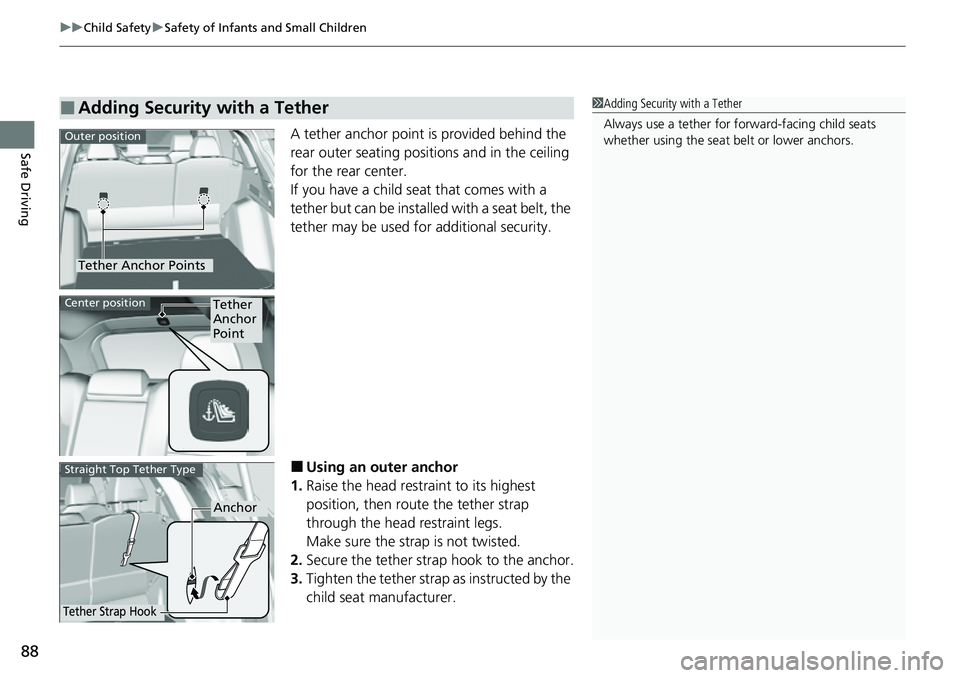
Safe DrivingA tether anchor point is provided behind the
rear outer seating positions and in the ceiling
for the rear center.
If you have a child seat that comes with a
tether but can be installe d with a seat belt, the
tether may be used for additional security.
■Using an outer anchor
1. Raise the head restraint to its highest
position, then rout e the tether strap
through the head restraint legs.
Make sure the strap is not twisted.
2. Secure the tether strap hook to the anchor.
3. Tighten the tether strap as instructed by the
child seat manufacturer.
■Adding Security with a Tether1Adding Security with a Tether
Always use a tether for forward-facing child seats
whether using the seat belt or lower anchors.
Tether Anchor Points
Outer position
Tether
Anchor
PointCenter position
Anchor
Tether Strap Hook
Straight Top Tether Type
Page 91 of 719
90
uuChild Safety uSafety of Larger Children
Safe Driving
Safety of Larger Children
The following pages give instructions on how to check proper seat belt fit, what kind
of booster seat to use if one is needed, and important precautions for a child who
must sit in front.
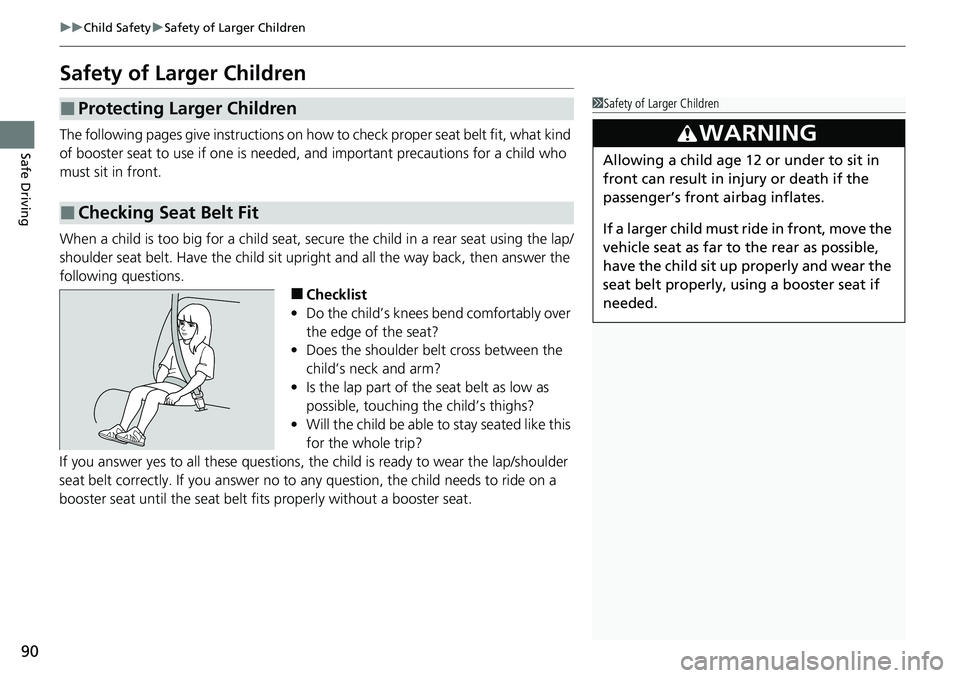
When a child is too big for a child seat, secure the child in a rear seat using the lap/
shoulder seat belt. Have the child sit upright and all the way back, then answer the
following questions.
■Checklist
• Do the child’s knees bend comfortably over
the edge of the seat?
• Does the shoulder belt cross between the
child’s neck and arm?
• Is the lap part of the seat belt as low as
possible, touching the child’s thighs?
• Will the child be able to stay seated like this
for the whole trip?
If you answer yes to all thes e questions, the child is read y to wear the lap/shoulder
seat belt correctly. If you answer no to any question, the child needs to ride on a
booster seat until the seat belt fits properly without a booster seat.
■Protecting Larger Children
■Checking Seat Belt Fit
1 Safety of Larger Children
3WARNING
Allowing a child age 12 or under to sit in
front can result in injury or death if the
passenger’s front airbag inflates.
If a larger child must ride in front, move the
vehicle seat as far to the rear as possible,
have the child sit up properly and wear the
seat belt properly, using a booster seat if
needed.
Page 92 of 719
91
uuChild Safety uSafety of Larger Children
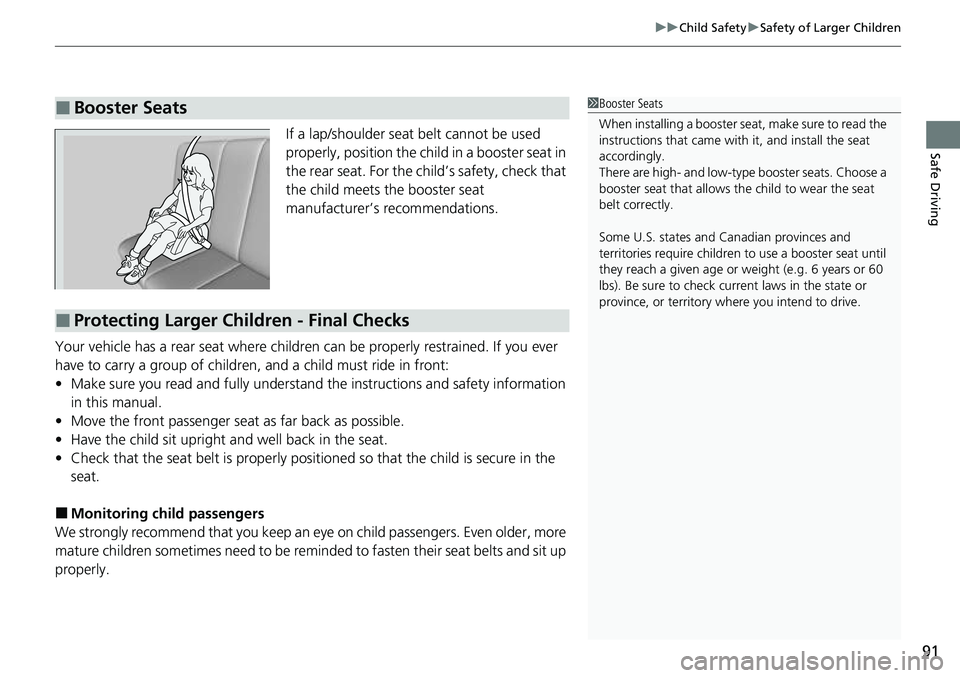
Safe DrivingIf a lap/shoulder seat belt cannot be used
properly, position the child in a booster seat in
the rear seat. For the child’s safety, check that
the child meets the booster seat
manufacturer’s recommendations.
Your vehicle has a rear seat where children can be properly restrained. If you ever
have to carry a group of children, and a child must ride in front:
• Make sure you read and fully understand the instructions and safety information
in this manual.
• Move the front passenger seat as far back as possible.
• Have the child sit upright and well back in the seat.
• Check that the seat belt is properly positi oned so that the child is secure in the
seat.
■Monitoring child passengers
We strongly recommend that you keep an eye on child passengers. Even older, more
mature children sometimes need to be remi nded to fasten their seat belts and sit up
properly.
■Booster Seats1 Booster Seats
When installing a booster seat , make sure to read the
instructions that came with it, and install the seat
accordingly.
There are high- and low-type booster seats. Choose a
booster seat that allows the child to wear the seat
belt correctly.
Some U.S. states and Canadian provinces and
territories require children to use a booster seat until
they reach a given age or weight (e.g. 6 years or 60
lbs). Be sure to check current laws in the state or
province, or territory where you intend to drive.
■Protecting Larger Children - Final Checks
Page 97 of 719
96
Instrument Panel
Indicators
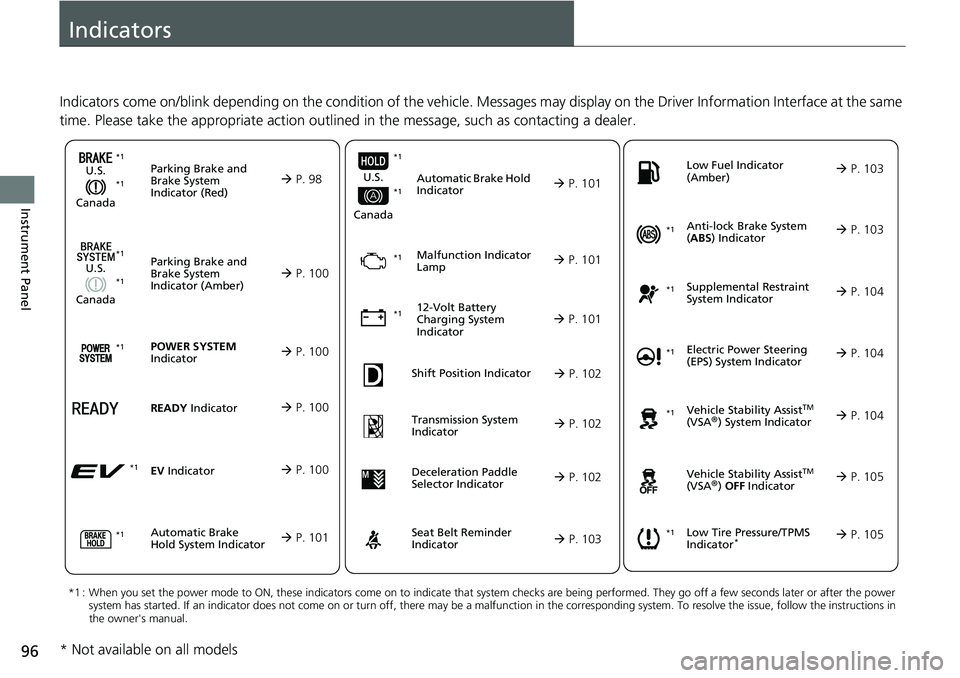
Indicators come on/blink depending on the condition of the vehicle. Messages may display on the Driver Information Interface at the same
time. Please take the appropriate action outlined in the message, such as contacting a dealer.
Parking Brake and
Brake System
Indicator (Red)
U.S.
Canada P. 98*1 *1
Parking Brake and
Brake System
Indicator (Amber)
U.S.
Canada
Automatic Brake
Hold System Indicator
Automatic Brake Hold
Indicator
U.S.
Canada
*1 : When you set the power mode to ON, these indicators come on to indicate that system checks are being performed. They go off a few seconds later or after the power
system has started. If an indicator does not come on or turn o ff, there may be a malfunction in the corresponding system. To re solve the issue, follow the instructions in
the owner's manual.
Malfunction Indicator
Lamp
12-Volt Battery
Charging System
Indicator
Anti-lock Brake System
( ABS ) Indicator
Seat Belt Reminder
Indicator Low Fuel Indicator
(Amber)
Vehicle Stability AssistTM
(VSA®) System Indicator
Vehicle Stability Assist
TM
(VSA®) OFF Indicator
Supplemental Restraint
System Indicator
Low Tire Pressure/TPMS
Indicator*
Electric Power Steering
(EPS) System Indicator
P. 100
P. 101
P. 101
P. 101
P. 101*1
*1
P. 105
*1
Shift Position Indicator P. 102
Transmission System
Indicator P. 102
P. 103
P. 103
P. 103
P. 104
P. 104
*1
*1
P. 105
*1 P. 104
*1
*1*1 *1
*1
*1
Deceleration Paddle
Selector Indicator
P. 102
POWER SYSTEM
Indicator P. 100*1
READY Indicator P. 100
EV Indicator P. 100*1
* Not available on all models
Page 104 of 719
103
uuIndicators u
Continued
Instrument Panel
IndicatorNameOn/BlinkingExplanation
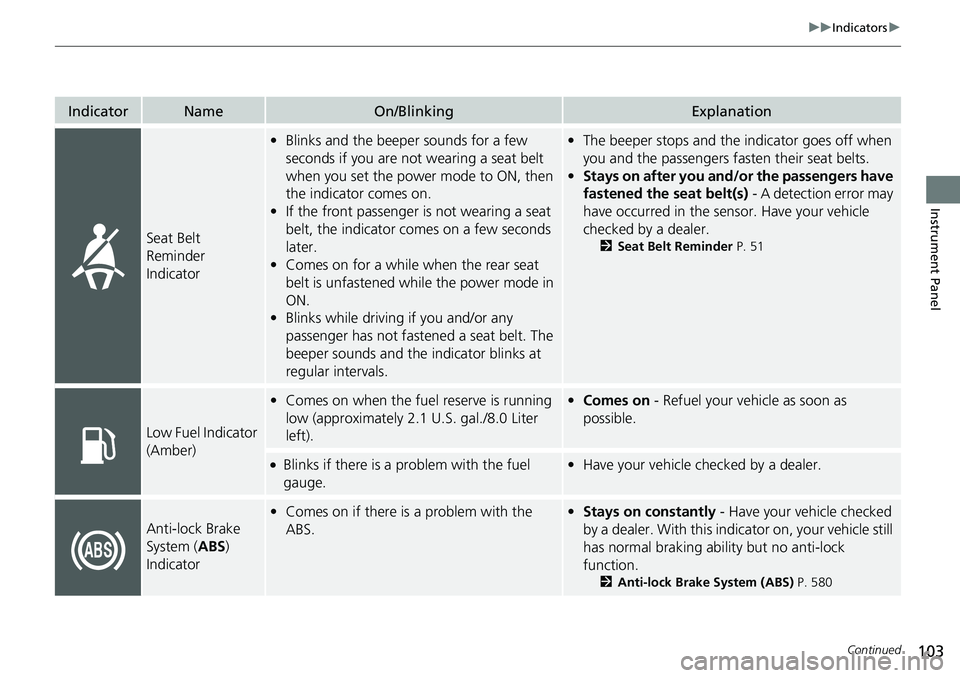
Seat Belt
Reminder
Indicator
•Blinks and the beeper sounds for a few
seconds if you are not wearing a seat belt
when you set the power mode to ON, then
the indicator comes on.
• If the front passenger is not wearing a seat
belt, the indicator comes on a few seconds
later.
• Comes on for a while when the rear seat
belt is unfastened while the power mode in
ON.
• Blinks while driving if you and/or any
passenger has not fastened a seat belt. The
beeper sounds and the indicator blinks at
regular intervals.•The beeper stops and the indicator goes off when
you and the passengers fa sten their seat belts.
• Stays on after you and/or the passengers have
fastened the seat belt(s) - A detection error may
have occurred in the sensor. Have your vehicle
checked by a dealer.
2 Seat Belt Reminder P. 51
Low Fuel Indicator
(Amber)
•Comes on when the fuel reserve is running
low (approximately 2.1 U.S. gal./8.0 Liter
left).• Comes on - Refuel your vehicle as soon as
possible.
●Blinks if there is a problem with the fuel
gauge.•Have your vehicle checked by a dealer.
Anti-lock Brake
System ( ABS)
Indicator
• Comes on if there is a problem with the
ABS.•Stays on constantly - Have your vehicle checked
by a dealer. With this indi cator on, your vehicle still
has normal braking ability but no anti-lock
function.
2 Anti-lock Brake System (ABS) P. 580
Page 105 of 719
104
uuIndicators u
Instrument Panel
IndicatorNameOn/BlinkingExplanation
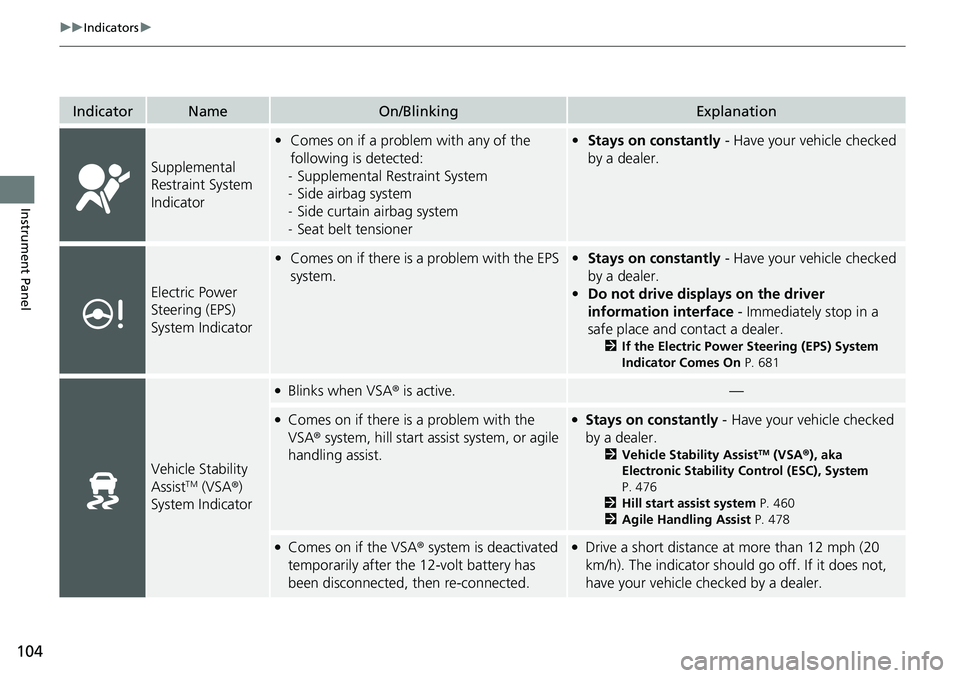
Supplemental
Restraint System
Indicator
•Comes on if a problem with any of the
following is detected:
- Supplemental Restraint System
- Side airbag system
- Side curtain airbag system
- Seat belt tensioner• Stays on constantly - Have your vehicle checked
by a dealer.
Electric Power
Steering (EPS)
System Indicator
• Comes on if there is a problem with the EPS
system.•Stays on constantly - Have your vehicle checked
by a dealer.
• Do not drive displays on the driver
information interface - Immediately stop in a
safe place and contact a dealer.
2 If the Electric Power Steering (EPS) System
Indicator Comes On P. 681
Vehicle Stability
AssistTM (VSA®)
System Indicator
●Blinks when VSA ® is active.—
●Comes on if there is a problem with the
VSA® system, hill start assist system, or agile
handling assist.●Stays on constantly - Have your vehicle checked
by a dealer.
2 Vehicle Stability AssistTM (VSA ®), aka
Electronic Stability Control (ESC), System
P. 476
2 Hill start assist system P. 460
2 Agile Handling Assist P. 478
●Comes on if the VSA® system is deactivated
temporarily after the 12-volt battery has
been disconnected, then re-connected.●Drive a short distance at more than 12 mph (20
km/h). The indicator should go off. If it does not,
have your vehicle checked by a dealer.
Page 119 of 719
118
uuGauges and Driver Information Interface uDriver Information Interface
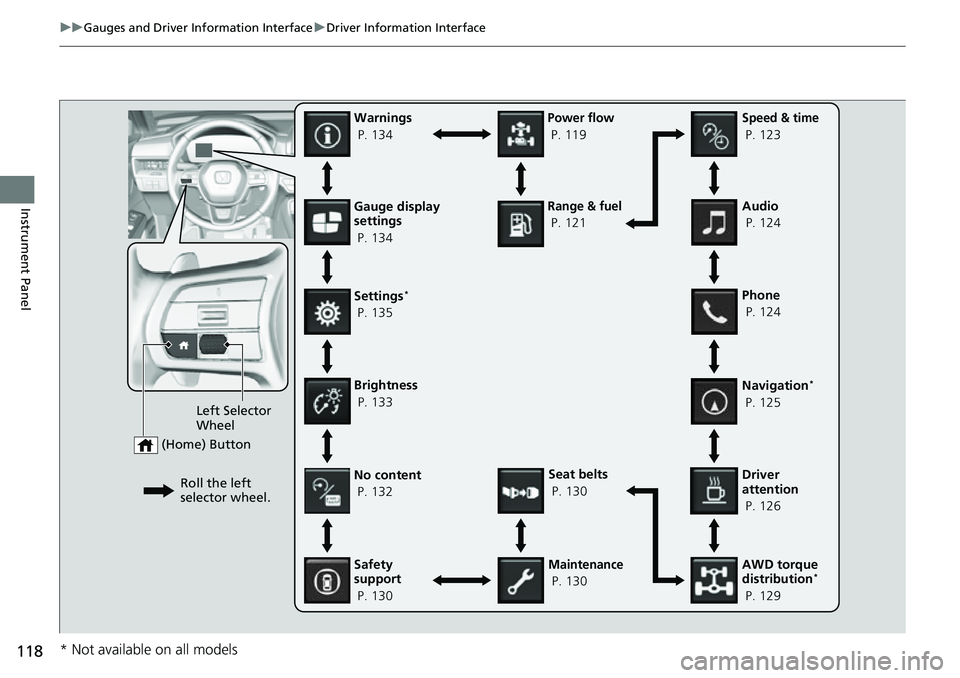
Instrument PanelGauge display
settings
P. 134
Left Selector
Wheel
(Home) Button
Roll the left
selector wheel.No content
P. 132
Speed & time
P. 123
Warnings
P. 134
Power flow
P. 119
Settings
*
P. 135
Driver
attention
P. 126
Seat belts
P. 130
Safety
support
P. 130
Maintenance
P. 130 Phone
P. 124 Audio
P. 124
Navigation
*
P. 125
AWD torque
distribution
*
P. 129
Brightness
P. 133
Range & fuel
P. 121
* Not available on all models
Page 129 of 719
uuGauges and Driver Information Interface uDriver Information Interface
128
Instrument Panel
■The Driver Attention Monitor resets when:
• The power system is turned off.
• The driver unfastens the seat belt and op ens the door while the vehicle is stopped.
■For the Driver Attention Monitor to function:
• The vehicle must be traveling above 25 mph (40 km/h).
• The electric power steering (EPS) system indicator must be off.
■Depending on driving conditions or other factors, the Driver Attention
Monitor may not function in the following circumstances:
• The steering assist function of the Lane Keeping Assist System (LKAS) is active.
2Lane Keeping Assist System (LKAS) P. 533
•The condition of the road is poor; e.g., the surface is unpaved or bumpy.
• It is windy.
• The driver is frequently op erating the vehicle in an assertive manner, such as
changing lanes or accelerating.
■Customizing
You can change the Driver Attention Monitor settings. Select Tactile and audible
alert
*1/ Tactile And Audible Alert*2, Tactile alert*1/Tactile Alert*2, or OFF .
2Settings* P. 135
2 Customized Features P. 376
*1 : Models with 7-in. Color Touchscreen
*2 : Models with 9-in. Color Touchscreen
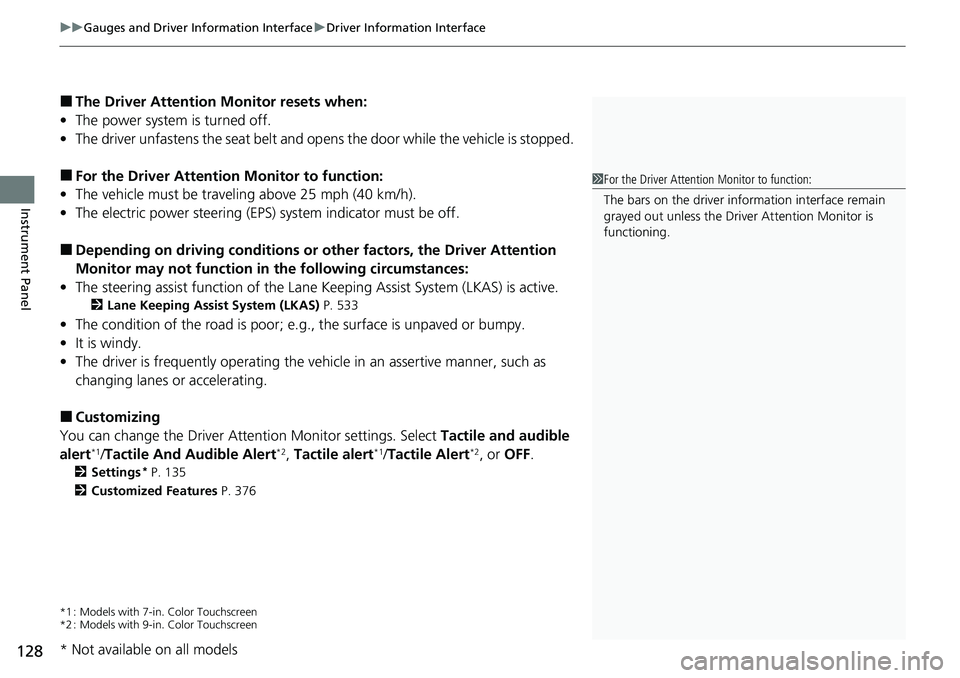
1For the Driver Attention Monitor to function:
The bars on the driver information interface remain
grayed out unless the Driv er Attention Monitor is
functioning.
* Not available on all models
Page 131 of 719
uuGauges and Driver Information Interface uDriver Information Interface
130
Instrument Panel
Occurs, under specified conditions, when seat belts are latched or unlatched.
2 Seat Belt Reminder P. 51
Shows the remaining oil life and Maintenance MinderTM.
2Maintenance MinderTM P. 603
Indicates the status of the Road Departure Mitigation system, CMBSTM, Low Speed
Braking Control*, Blind Spot Information Syst em, and Parking Sensor System*, such
as On, Off, or Failure, by color and letters.
The following colors indica te the status of any of the above-mentioned systems:
• Green: The system is on.
• Gray: The system is off.
• Amber: There is a probl em with the system.
■Seat Belts
■Maintenance
■Safety Support1Safety Support
If a system is indicated by the color amber, have your
vehicle checked by a dealer immediately.
To turn on or off each system, first rotate the left
selector wheel to switch displays. From the next
display you can select which system to turn on or off. 2 Road Departure Mitigation System P. 554
2 Collision Mitigation Braking System
TM
(CMBSTM) P. 495
2 Blind Spot Information System P. 487
2 Low Speed Braking Control
* P. 507
2 Parking Sensor System* P. 584
You can also confirm the st atus of each function by
the color of the safe ty support indicator.
2 Safety Support Indicator (Amber) P. 111
2 Safety Support Indicator (Green/Gray)
P. 113
* Not available on all models
Page 209 of 719
uuSeats uFront Seats
208
Controls
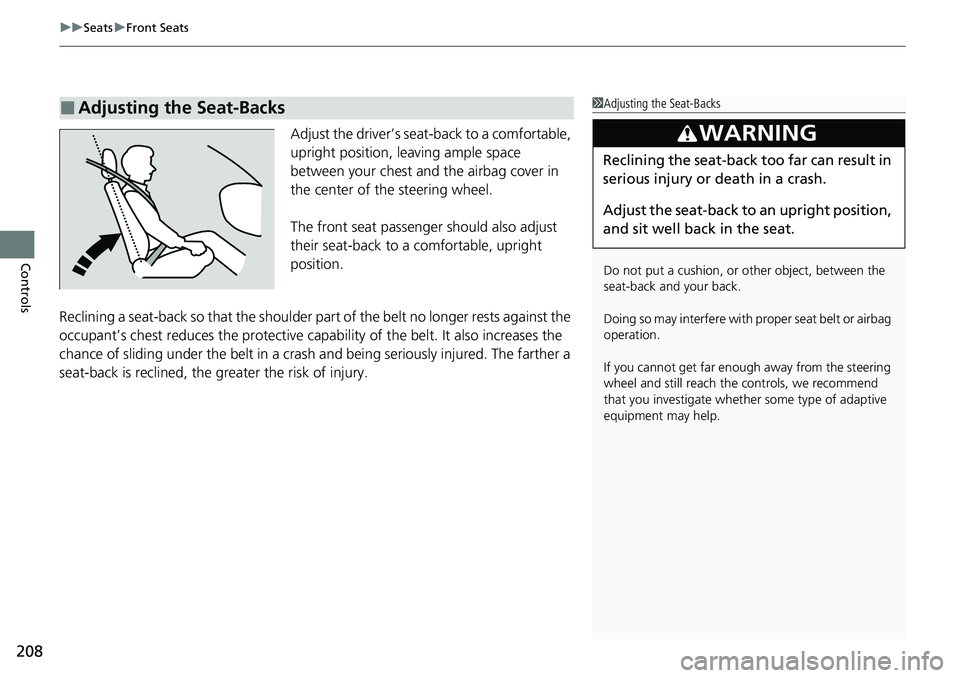
Adjust the driver’s sea t-back to a comfortable,
upright position, leaving ample space
between your chest and the airbag cover in
the center of the steering wheel.
The front seat passenger should also adjust
their seat-back to a comfortable, upright
position.
Reclining a seat-back so that the shoulder part of the belt no longer rests against the
occupant’s chest reduces the protective capa bility of the belt. It also increases the
chance of sliding under the belt in a crash and being seriously injured. The farther a
seat-back is reclined, the gr eater the risk of injury.
■Adjusting the Seat-Backs1Adjusting the Seat-Backs
Do not put a cushion, or other object, between the
seat-back and your back.
Doing so may interfere with pr oper seat belt or airbag
operation.
If you cannot get far e nough away from the steering
wheel and still reach th e controls, we recommend
that you investigate whether some type of adaptive
equipment may help.
3WARNING
Reclining the seat-back too far can result in
serious injury or death in a crash.
Adjust the seat-back to an upright position,
and sit well back in the seat.