Multi view HONDA CRV 2023 Owners Manual
[x] Cancel search | Manufacturer: HONDA, Model Year: 2023, Model line: CRV, Model: HONDA CRV 2023Pages: 719, PDF Size: 13.43 MB
Page 7 of 719
Contents
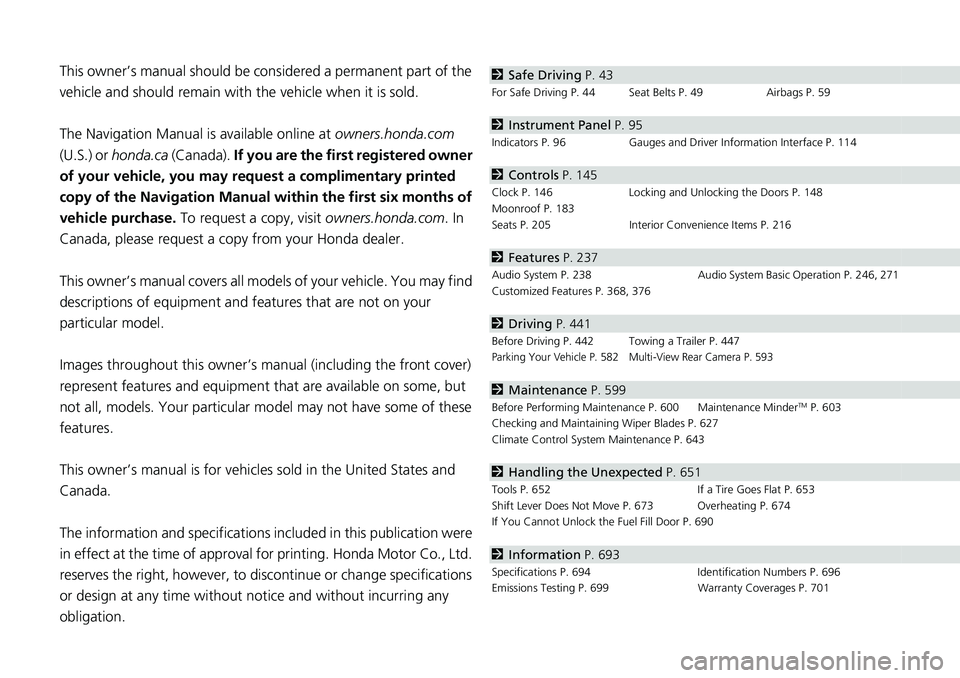
This owner’s manual should be considered a permanent part of the
vehicle and should remain with the vehicle when it is sold.
The Navigation Manual is available online at owners.honda.com
(U.S.) or honda.ca (Canada). If you are the first registered owner
of your vehicle, you may request a complimentary printed
copy of the Navigation Manual within the first six months of
vehicle purchase. To request a copy, visit owners.honda.com. In
Canada, please request a copy from your Honda dealer.
This owner’s manual covers all models of your vehicle. You may find
descriptions of equipment and features that are not on your
particular model.
Images throughout this owner’s ma nual (including the front cover)
represent features and equipment that are available on some, but
not all, models. Your particular mo del may not have some of these
features.
This owner’s manual is for vehicles sold in the United States and
Canada.
The information and specifications in cluded in this publication were
in effect at the time of approval for printing. Honda Motor Co., Ltd.
reserves the right, however, to discontinue or change specifications
or design at any time without notice and without incurring any
obligation.2 Safe Driving P. 43
For Safe Driving P. 44 Seat Belts P. 49 Airbags P. 59
2Instrument Panel P. 95
Indicators P. 96 Gauges and Driver Information Interface P. 114
2Controls P. 145
Clock P. 146 Locking and Unlocking the Doors P. 148
Moonroof P. 183
Seats P. 205 Interior Convenience Items P. 216
2Features P. 237
Audio System P. 238 Audio System Basic Operation P. 246, 271
Customized Features P. 368, 376
2 Driving P. 441
Before Driving P. 442 Towing a Trailer P. 447Parking Your Vehicle P. 582 Multi-View Rear Camera P. 593
2Maintenance P. 599
Before Performing Maintenance P. 600 Maintenance MinderTM P. 603
Checking and Maintaining Wiper Blades P. 627
Climate Control System Maintenance P. 643
2Handling the Unexpected P. 651
Tools P. 652 If a Tire Goes Flat P. 653
Shift Lever Does Not Move P. 673 Overheating P. 674
If You Cannot Unlock the Fuel Fill Door P. 690
2 Information P. 693
Specifications P. 694 Identification Numbers P. 696
Emissions Testing P. 699 Warranty Coverages P. 701
Page 13 of 719
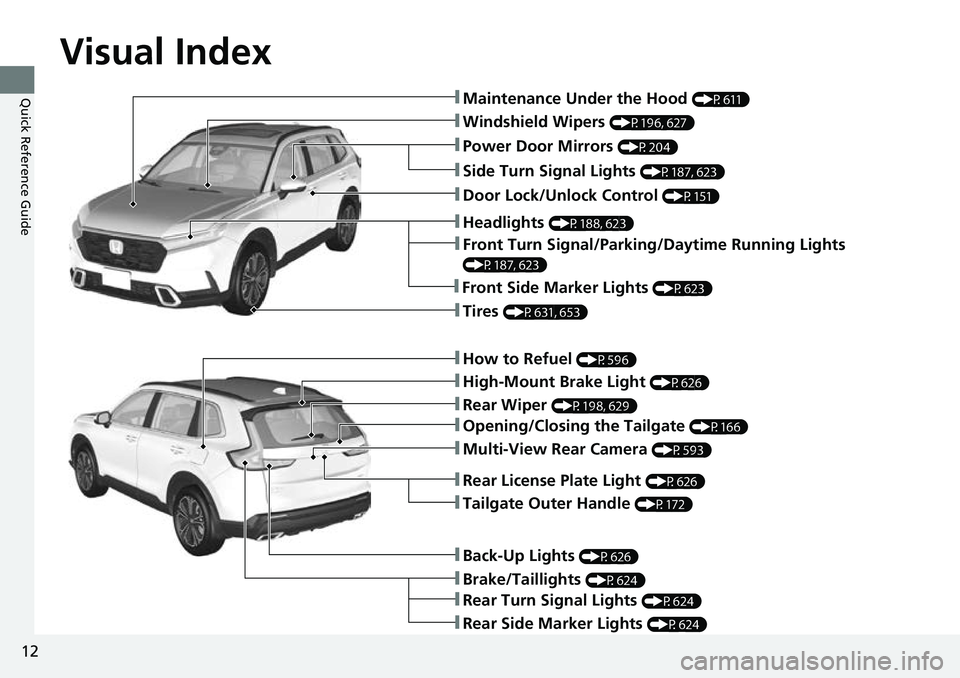
Visual Index
12
Quick Reference Guide
❚Windshield Wipers (P196, 627)
❚How to Refuel (P596)
❚High-Mount Brake Light (P626)
❚Rear Wiper (P198, 629)
❚Brake/Taillights (P624)
❚Power Door Mirrors (P204)
❚Maintenance Under the Hood (P611)
❚Multi-View Rear Camera (P593)
❚Front Turn Signal/Parking/Daytime Running Lights
(P187, 623)
❚Tires (P631, 653)
❚Opening/Closing the Tailgate (P166)
❚Side Turn Signal Lights (P187, 623)
❚Headlights (P188, 623)
❚Rear Turn Signal Lights (P624)
❚Rear Side Marker Lights (P624)
❚Back-Up Lights (P626)
❚Front Side Marker Lights (P623)
❚Tailgate Outer Handle (P172)
❚Rear License Plate Light (P626)
❚Door Lock/Unlock Control (P151)
Page 278 of 719
Continued277
uuAudio System Basic Operation uAudio/Information Screen
Features
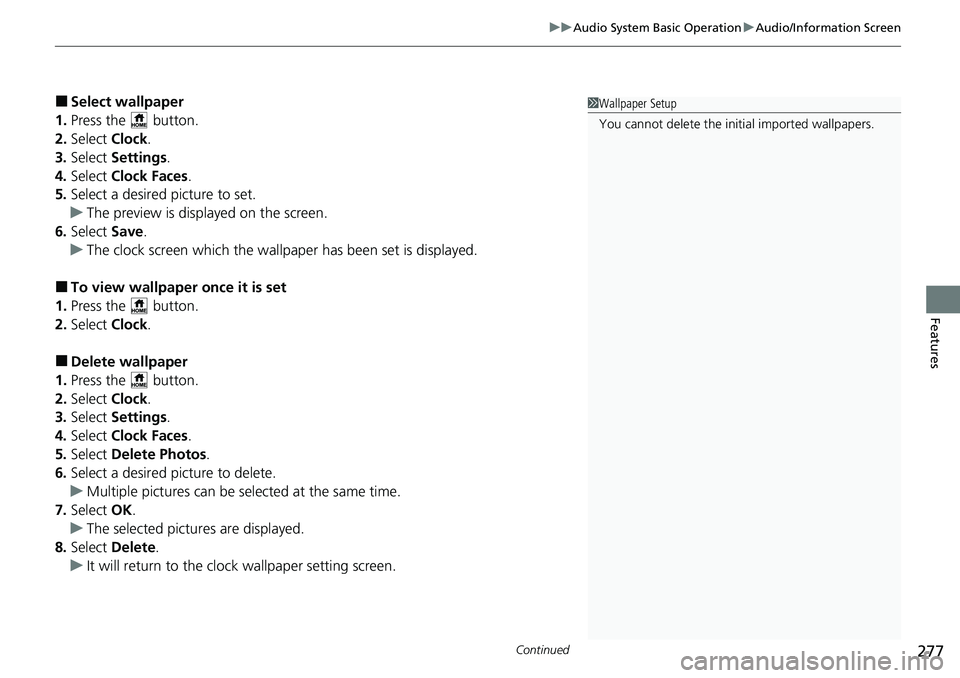
■Select wallpaper
1. Press the button.
2. Select Clock.
3. Select Settings .
4. Select Clock Faces .
5. Select a desired picture to set.
u The preview is displayed on the screen.
6. Select Save.
u The clock screen which the wallpa per has been set is displayed.
■To view wallpaper once it is set
1. Press the button.
2. Select Clock.
■Delete wallpaper
1. Press the button.
2. Select Clock.
3. Select Settings .
4. Select Clock Faces .
5. Select Delete Photos .
6. Select a desired picture to delete.
u Multiple pictures can be selected at the same time.
7. Select OK.
u The selected pictures are displayed.
8. Select Delete .
u It will return to the cloc k wallpaper setting screen.
1Wallpaper Setup
You cannot delete the initial imported wallpapers.
Page 374 of 719
373
uuCustomized Features u
Continued
Features
*1:Default Setting
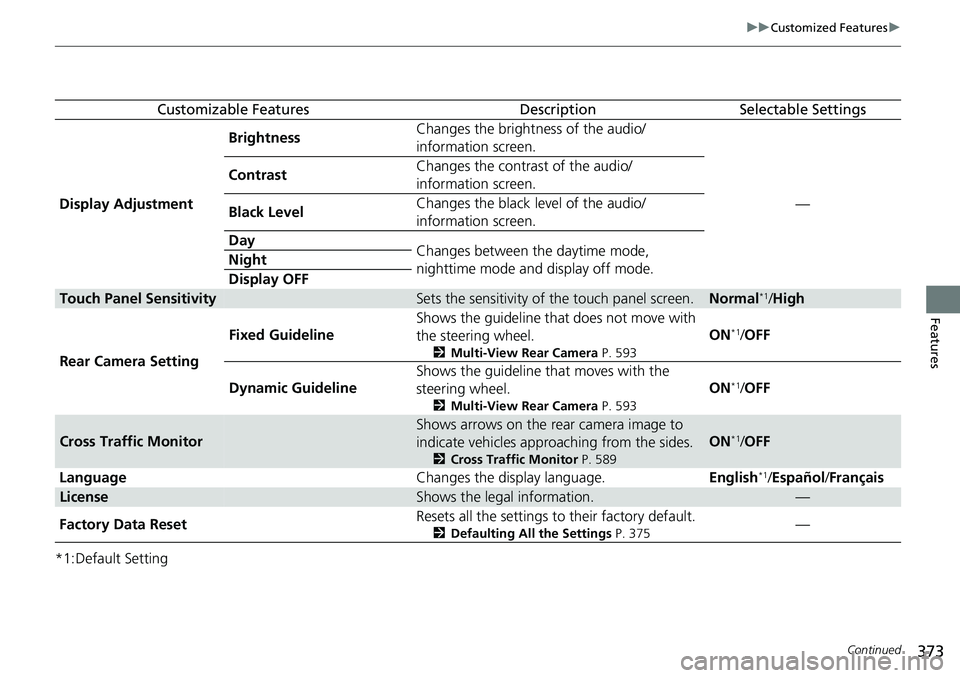
Customizable FeaturesDescriptionSelectable Settings
Display Adjustment Brightness
Changes the brightness of the audio/
information screen.
—
Contrast
Changes the contrast of the audio/
information screen.
Black Level Changes the black level of the audio/
information screen.
Day Changes between the daytime mode,
nighttime mode and display off mode.
Night
Display OFF
Touch Panel SensitivitySets the sensitivity of the touch panel screen.Normal*1/
High
Rear Camera Setting Fixed Guideline
Shows the guideline that
does not move with
the steering wheel.
2 Multi-View Rear Camera P. 593
ON*1/OFF
Dynamic Guideline Shows the guideline th
at moves with the
steering wheel.
2 Multi-View Rear Camera P. 593
ON*1/OFF
Cross Traffic Monitor
Shows arrows on the rear camera image to
indicate vehicles approaching from the sides.
2 Cross Traffic Monitor P. 589
ON*1/OFF
Language Changes the display language.English
*1/Español /Français
LicenseShows the legal information.—
Factory Data Reset Resets all the settings to their factory default.
2
Defaulting All the Settings P. 375—
Page 388 of 719
387
uuCustomized Features u
Continued
Features
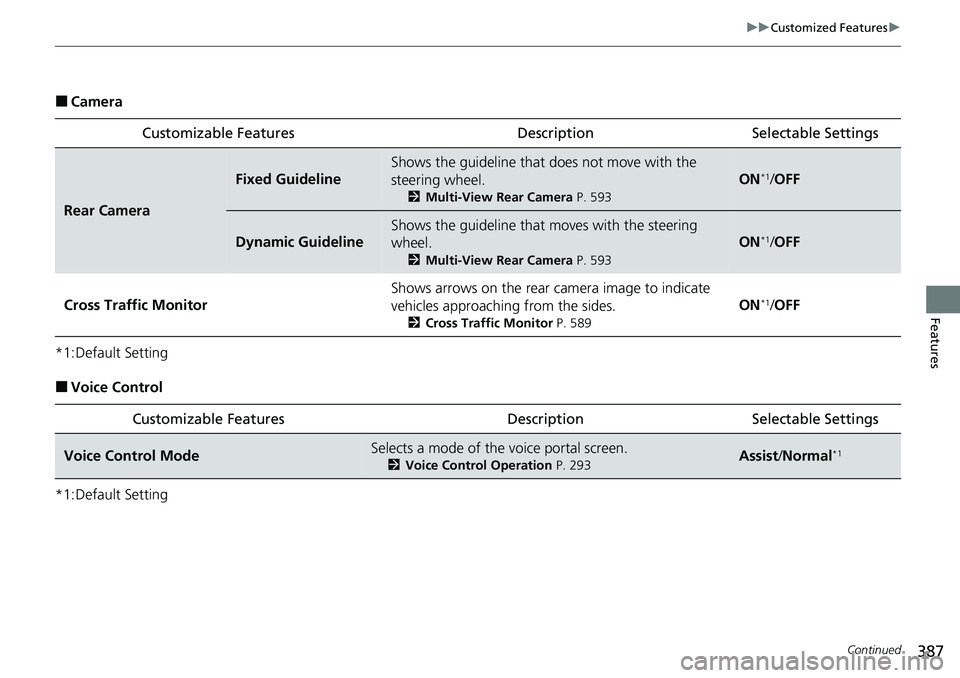
■Camera
*1:Default Setting
■Voice Control
*1:Default Setting Customizable Features Desc
ription Selectable Settings
Rear Camera
Fixed Guideline
Shows the guideline that does not move with the
steering wheel.
2Multi-View Rear Camera P. 593
ON*1/OFF
Dynamic Guideline
Shows the guideline that moves with the steering
wheel.
2 Multi-View Rear Camera P. 593
ON*1/OFF
Cross Traffic Monitor
Shows arrows on the rear ca mera image to indicate
vehicles approaching from the sides.
2 Cross Traffic Monitor P. 589
ON*1/OFF
Customizable Features Descri ption Selectable Settings
Voice Control ModeSelects a mode of the voice portal screen.
2Voice Control Operation P. 293Assist/Normal*1
Page 442 of 719
441
Driving
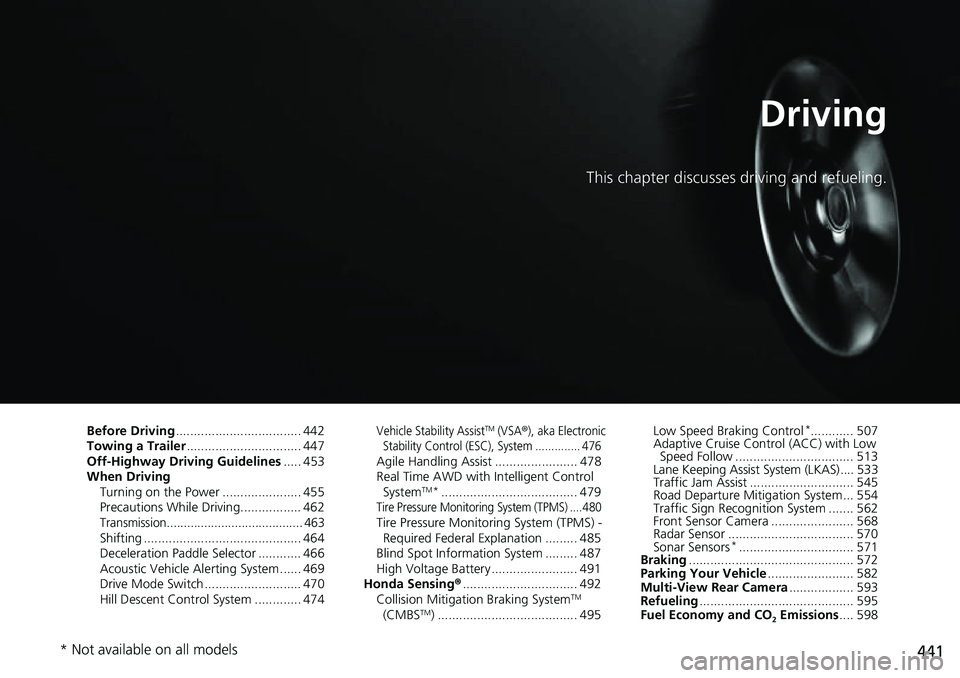
This chapter discusses driving and refueling.
Before Driving................................... 442
Towing a Trailer ................................ 447
Off-Highway Driving Guidelines ..... 453
When Driving Turning on the Power ...................... 455
Precautions While Driving................. 462
Transmission........................................ 463Shifting ............................................ 464
Deceleration Paddle Selector ............ 466
Acoustic Vehicle Al erting System ...... 469
Drive Mode Switch ........................... 470
Hill Descent Control System ............. 474
Vehicle Stability AssistTM (VSA®), aka Electronic
Stability Control (ESC), System .............. 476
Agile Handling Assist ....................... 478
Real Time AWD with Intelligent Control System
TM*...................................... 479Tire Pressure Monitoring System (TPMS) .... 480Tire Pressure Monitoring System (TPMS) - Required Federal Explanation ......... 485
Blind Spot Information System ......... 487
High Voltage Battery ........................ 491
Honda Sensing ®................................ 492
Collision Mitigati on Braking System
TM
(CMBSTM) ....................................... 495 Low Speed Braking Control
*............ 507
Adaptive Cruise Control (ACC) with Low Speed Follow ................................. 513
Lane Keeping Assist System (LKAS).... 533
Traffic Jam Assist ............................. 545
Road Departure Miti gation System... 554
Traffic Sign Recognition System ....... 562
Front Sensor Camera ....................... 568
Radar Sensor ................................... 570
Sonar Sensors
*................................ 571
Braking .............................................. 572
Parking Your Vehicle ........................ 582
Multi-View Rear Camera .................. 593
Refueling ........................................... 595
Fuel Economy and CO
2 Emissions .... 598
* Not available on all models
Page 594 of 719
593Continued
Driving
Multi-View Rear Camera
About Your Multi-View Rear Camera
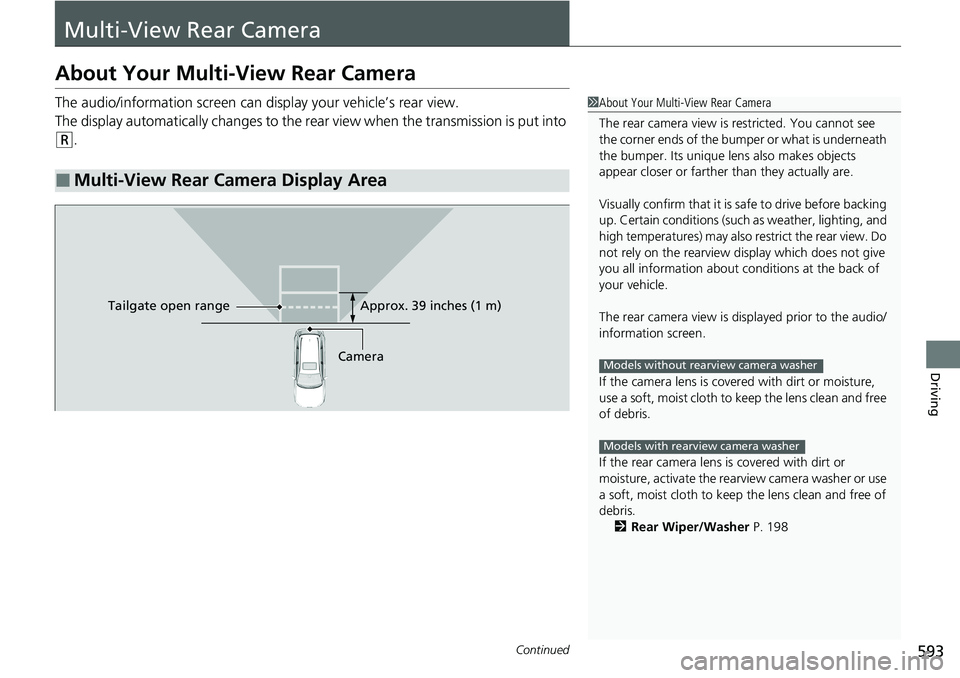
The audio/information screen can display your vehicle’s rear view.
The display automatically changes to the rear view when the transmission is put into
(R.
■Multi-View Rear Camera Display Area
1About Your Multi-View Rear Camera
The rear camera view is restricted. You cannot see
the corner ends of the bumper or what is underneath
the bumper. Its unique le ns also makes objects
appear closer or farther than they actually are.
Visually confirm that it is safe to drive before backing
up. Certain conditions (such as weather, lighting, and
high temperatures) may also restrict the rear view. Do
not rely on the rearview display which does not give
you all information about conditions at the back of
your vehicle.
The rear camera view is di splayed prior to the audio/
information screen.
If the camera lens is cove red with dirt or moisture,
use a soft, moist cloth to keep the lens clean and free
of debris.
If the rear camera lens is covered with dirt or
moisture, activate the rearview camera washer or use
a soft, moist cloth to keep the lens clean and free of
debris.
2 Rear Wiper/Washer P. 198
Models without rearview camera washer
Models with rearview camera washer
CameraApprox. 39 inches (1 m)
Ta ilgate o
pen range
Page 595 of 719
uuMulti-View Rear Camera uAbout Your Multi-View Rear Camera
594
Driving
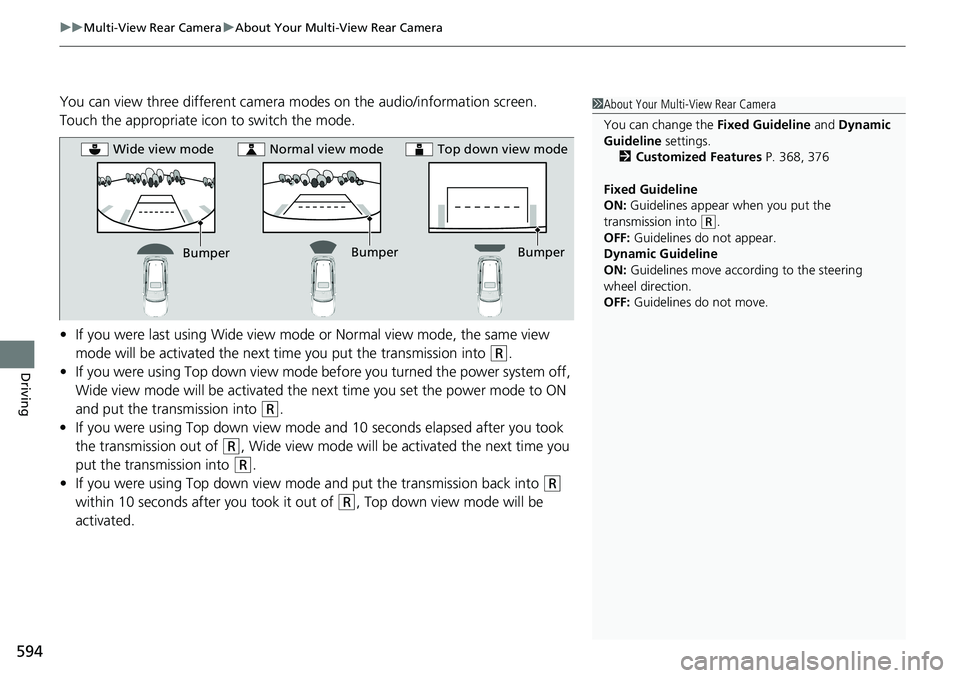
You can view three different camera modes on the audio/information screen.
Touch the appropriate icon to switch the mode.
• If you were last using Wide view mode or Normal view mode, the same view
mode will be activated the next time you put the transmission into
(R.
• If you were using Top down view mode be fore you turned the power system off,
Wide view mode will be activated the ne xt time you set the power mode to ON
and put the transmission into
(R.
• If you were using Top down view mode and 10 seconds elapsed after you took
the transmission out of
(R, Wide view mode will be activated the next time you
put the transmission into
(R.
• If you were using Top down view mode and put the transmission back into
(R
within 10 seconds after you took it out of
(R, Top down view mode will be
activated.
1 About Your Multi-View Rear Camera
You can change the Fixed Guideline and Dynamic
Guideline settings. 2 Customized Features P. 368, 376
Fixed Guideline
ON: Guidelines appear when you put the
transmission into
( R.
OFF: Guidelines do not appear.
Dynamic Guideline
ON: Guidelines move according to the steering
wheel direction.
OFF: Guidelines do not move.
Bumper
Wide view mode
Normal view mode Top down view mode
Bumper
Bumper
Page 713 of 719
712
Index
Heating and Cooling SystemDust and Pollen Filter ............................... 643
HFL (HandsFreeLink ®)....................... 400, 420
High Beam Indicator ................................. 106
High Voltage Battery ................................ 491
Hill Descent Control System ..................... 474
Hill Descent Control System Indicator ..... 108
Hill Start Assist System .............................. 460
Honda App License Agreement ............... 349
Honda Sensing ®................................ 35, 492
HondaLink ®............................................. 320
HondaLink ® Assist ..................................... 437
Hybrid Vehicle SPORT HYBRID i-MMD (int elligent Multi-Mode
Drive) ....................................................... 13
I
Identification Numbers ............................ 696
Engine, Motor and Transmission .............. 696
Vehicle Identification ............................... 696
If the 12-Volt Battery Is Dead .................. 671
Immobilizer System .................................. 176
Indicator .................................................. 107
Indicators ..................................................... 96
12-Volt Battery Charging System ..... 101, 677
Adaptive Cruise Control (ACC) with Low
Speed Follow (Amber) ............................ 109
Adaptive Cruise Control (ACC) with Low Speed Follow (White/Green)........... 109, 514
Anti-lock Brake System (ABS) ................... 103 Auto High-Beam ..................................... 106
Automatic Brake Hold ..................... 101, 577
Automatic Brake Hold System ......... 101, 577
Cruise Mode (White/Green) ..................... 109
Deceleration Paddle Selector ................... 102
ECON Mode .................................... 108, 470
Electric Power Steering (EPS)
System .......................................... 104, 681
EV ........................................................... 100
High Beam .............................................. 106
Hill Descent Control System (White/Green)........................................ 108
Immobilizer System ................................. 107
Lane Keeping Assist System (LKAS)
(Amber) ................................................. 110
Lane Keeping Assist System (LKAS) (White/Green)........................................ 110
Lights On ................................................ 106
Low Fuel (Amber) .................................... 103
Low Tire Pressure/TPMS ... 105, 480, 485, 682
Malfunction Indicator Lamp............. 101, 678
NORMAL Mode ............................... 108, 470
Parking Brake a nd Brake System
(Amber) ......................................... 100, 680
Parking Brake a nd Brake System
(Red) ................................. 98, 99, 679, 680
POWER SYSTEM ...................................... 100
READY .................................................... 100
Safety Support (Amber) ........................... 111
Safety Support (Green/Gray) .................... 113
Seat Belt Reminder ............................ 51, 103 Security System Alarm............................. 107
Shift Position................................... 102, 465
SNOW Mode .................................. 108, 470
SPORT Mode................................... 108, 470
Supplemental Restraint System ......... 75, 104
System Message ..................................... 108
Transmission System ............................... 102
Turn Signal and Hazard Warning ............. 106
Vehicle Stability Assist
TM (VSA
®)
OFF ............................................... 105, 477
Vehicle Stability Assist
TM (VSA ®)
System .......................................... 104, 476
Information .............................................. 693
Instant Fuel Economy .............................. 122
Instrument Panel ........................................ 95
Interior Lights ........................................... 216
Interior Rearview Mirror ......................... 203
iPod ................................................... 251, 311
J
Jump Starting ........................................... 671
Page 714 of 719
713
Index
K
Key Number Tag...................................... 149
Keyless Access System .............................. 151
Keys ........................................................... 148
Master Keys ............................................ 148
Number Tag............................................ 149
Rear Door Won’t Open ........................... 163
Remote Transmitter ................................ 157
Types and Functions................................ 148
Kickdown .................................................. 463
Knee Airbags .............................................. 67
L
Lane Keeping Assist System (LKAS) ........ 533
LATCH (Child Seats) ................................... 84
Lights ................................................ 188, 623
Auto High-Beam ..................................... 193
Automatic............................................... 189
Bulb Replacement ................................... 623
Daytime Running Lights .......................... 192
High Beam Indicator ............................... 106
Interior.................................................... 216
Light Switches......................................... 188
Lights On Indicator.................................. 106
Turn Signals ............................................ 187
Load Limits ............................................... 445
Locking/Unlocking ................................... 148
Auto Door Locking/Unlocking ................. 164
Childproof Door Locks ............................ 163
From Inside ............................................. 161 From Outside ........................................... 151
Keys ........................................................ 148
Using a Key ............................................. 158
Low 12-Volt Battery Charge .................... 677
Low Battery Charge .................................. 677
Low Fuel Indicator (Amber) ..................... 103
Low Keyless Remote Signal Strength ...... 150
Low Oil Pressure Indicator ....................... 676
Low Speed Braking Control ..................... 507
Lower Anchors ............................................ 84
Luggage (Maximum Load Limit) ............. 445
Lumbar Support ........................................ 206
Lumbar Support Adjustment Switch ....... 206M
Maintenance............................................. 599
12-Volt Battery ........................................ 640
Brake Fluid .............................................. 621
Cleaning .................................................. 644
Coolant ................................................... 618
Maintenance Minder
TM............................ 603
Oil ........................................................... 614
Precautions .............................................. 600
Radiator .................................................. 619
Remote Transmitter ................................. 642
Replacing Light Bulbs ............................... 623
Safety ...................................................... 601
Service Items ........................................... 607
Tires ........................................................ 631
Transmission Fluid ................................... 620 Under the Hood ...................................... 611
Malfunction Indicator Lamp ............ 101, 678
Map Lights ................................................ 217
Maximum Load Limit ............................... 445
Meters, Gauges ......................................... 114
Mirrors ...................................................... 203
Adjusting ................................................ 203
Door ....................................................... 204
Exterior ................................................... 204
Interior Rearview ..................................... 203
Modifications (and Accessories) .............. 649
Moonroof ................................................. 183
MP3 ................................................... 254, 314
Multi-View Rear Camera .......................... 593
N
Navigation................................................ 125
No Content ............................................... 132
NORMAL Mode Indicator ........................ 108
Numbers (Identification) .......................... 696