fuel cap HONDA FIT 2009 2.G Owners Manual
[x] Cancel search | Manufacturer: HONDA, Model Year: 2009, Model line: FIT, Model: HONDA FIT 2009 2.GPages: 352, PDF Size: 17.67 MB
Page 4 of 352
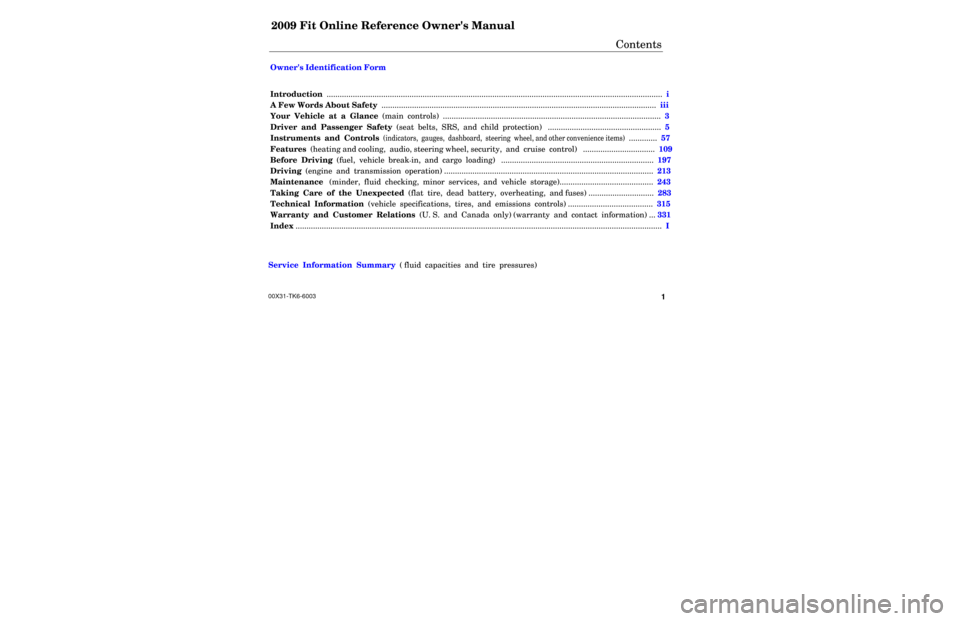
2009 Fit Online Reference Owner's Manual
Contents
Owner's Identification Form
Introduction .............................................................................................................................\
............................. i
A Few Words About Safety ......................................................................\
........................................................ iii
Your Vehicle at a Glance (main controls) ....................................................\
................................................ 3
Driver and Passenger Safety (seat belts, SRS, and child protection) ......................\
.............................. 5
Instruments and Controls
(indicators, gauges, dashboard, steering wheel, and other convenience items)
............. 57
Features (heating and cooling, audio, steering wheel, security, and cruise control) ................................. 109
Before Driving (fuel, vehicle break-in, and cargo loading) ...........................................\
........................... 197
Driving (engine and transmission operation) .........................................\
....................................................... 213
Maintenance (minder, fluid checking, minor services, and vehicle storage)........................................... 243
Taking Care of the Unexpected (flat tire, dead battery, overheating, and fuses) .............................. 283
Technical Information (vehicle specifications, tires, and emissions controls) ....................................... 315
Warranty and Customer Relations (U. S. and Canada only) (warranty and contact information) ... 331
Index ....................................................................................................................................\
.................................... I
Service Information Summary ( fluid capacities and tire pressures)
\
\
1 00X31-TK6-6003
Page 5 of 352

Contents
A convenient reference to the
sections in this manual.
Your Vehicle at a Glance
A quick reference to the main
controls in your vehicle.
Driver and Passenger Safety
Important information about the
proper use and care of your vehicle's
seat belts, an overview of the
supplemental restraint system, and
valuable information on how to
protect children with child restraints.
Instruments and Controls
Explains the purpose of each
instrument panel indicator and
gauge, and how to use the controls
on the dashboard and steering
column.
Features
How to operate the heating and air
conditioning system, the audio
system, and other convenience
features.Before Driving
What gasoline to use, how to break-
in your new vehicle, and how to load
luggage and other cargo.
Driving
The proper way to start the engine,
shift the transmission, and park.
Maintenance
The maintenance minder shows you
when you need to take your vehicle
to the dealer for maintenance
service. There is also a list of things
to check and instructions on how to
check them.
Taking Care of the Unexpected
This section covers several problems
motorists sometimes experience, and
details how to handle them.
Technical Information
ID numbers, dimensions, capacities,
and technical information.
Warranty and Customer Relations
(U.S. and Canada only)
A summary of the warranties
covering your new vehicle, and how
to contact us for any reason. Refer to
your warranty manual for detailed
information.
Index
Service Information Summary
A summary of the information you
need when you pull up to the fuel
pump.Overview of Contents2
2009 Fit
Page 60 of 352
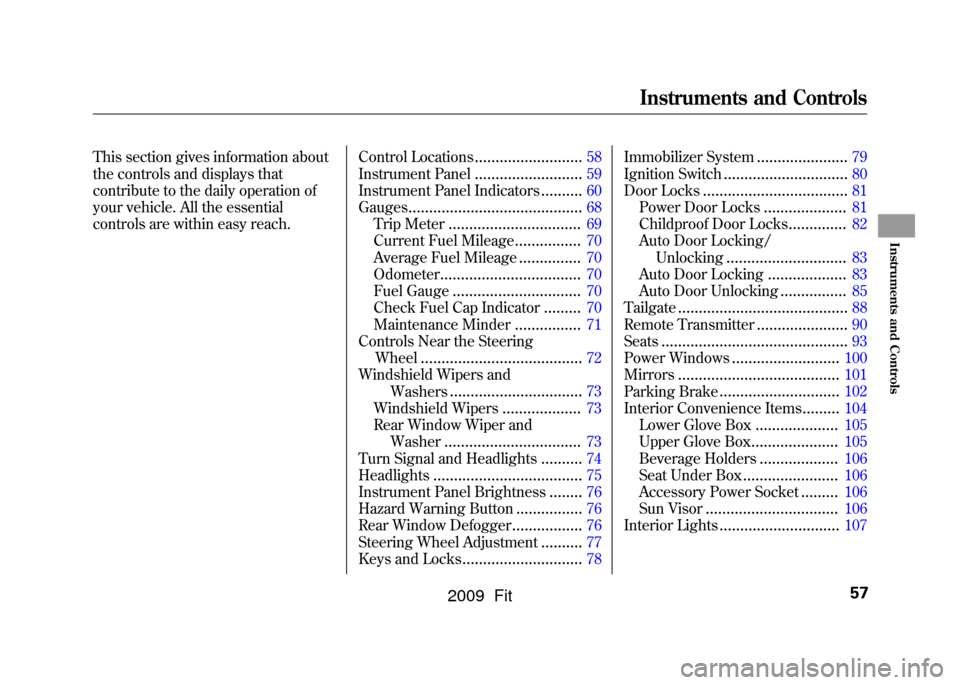
This section gives information about
the controls and displays that
contribute to the daily operation of
your vehicle. All the essential
controls are within easy reach.Control Locations
..........................
58
Instrument Panel
..........................
59
Instrument Panel Indicators
..........
60
Gauges
..........................................
68
Trip Meter
................................
69
Current Fuel Mileage
................
70
Average Fuel Mileage
...............
70
Odometer
..................................
70
Fuel Gauge
...............................
70
Check Fuel Cap Indicator
.........
70
Maintenance Minder
................
71
Controls Near the Steering
Wheel
.......................................
72
Windshield Wipers and Washers
................................
73
Windshield Wipers
...................
73
Rear Window Wiper and
Washer
.................................
73
Turn Signal and Headlights
..........
74
Headlights
....................................
75
Instrument Panel Brightness
........
76
Hazard Warning Button
................
76
Rear Window Defogger
.................
76
Steering Wheel Adjustment
..........
77
Keys and Locks
.............................
78 Immobilizer System
......................
79
Ignition Switch
..............................
80
Door Locks
...................................
81
Power Door Locks
....................
81
Childproof Door Locks
..............
82
Auto Door Locking/
Unlocking
.............................
83
Auto Door Locking
...................
83
Auto Door Unlocking
................
85
Tailgate
.........................................
88
Remote Transmitter
......................
90
Seats
.............................................
93
Power Windows
..........................
100
Mirrors
.......................................
101
Parking Brake
.............................
102
Interior Convenience Items
.........
104
Lower Glove Box
....................
105
Upper Glove Box
.....................
105
Beverage Holders
...................
106
Seat Under Box
.......................
106
Accessory Power Socket
.........
106
Sun Visor
................................
106
Interior Lights
.............................
107
Instruments and Controls
57
Instruments and Controls
2009 Fit
Page 71 of 352
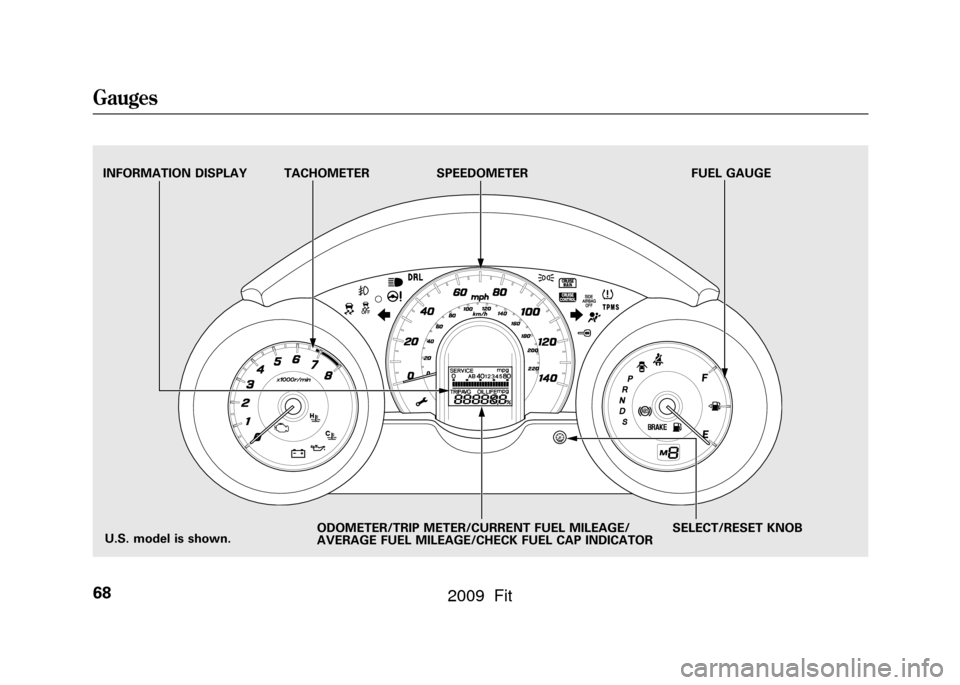
TACHOMETERSPEEDOMETER FUEL GAUGE
SELECT/RESET KNOB
INFORMATION DISPLAY
ODOMETER/TRIP METER/CURRENT FUEL MILEAGE/
AVERAGE FUEL MILEAGE/CHECK FUEL CAP INDICATOR
U.S. model is shown.
Gauges68
2009 Fit
Page 73 of 352
Current Fuel Mileage
This shows your current fuel mileage
in mpg (U.S.) or l/100 km (Canada).
Average Fuel Mileage
This shows your vehicle's average
fuel economy in mpg (U.S.) or l/100
km (Canada) since you last reset the
trip meter.
When you reset a trip meter, the
average fuel mileage for that trip
meter also resets.Odometer
The odometer shows the total
distance your vehicle has been
driven. It measures miles in U.S.
models and kilometers in Canadian
models. It is illegal under U.S.
federal law and Canadian provincial
regulations to disconnect, reset, or
alter the odometer with the intent to
change the number of miles or
kilometers indicated.
Fuel Gauge
This shows how much fuel you have.
It may show slightly more or less
than the actual amount. The needle
returns to the bottom after you turn
off the ignition.
Avoid driving with an extremely low
fuel level. Running out of fuel could
cause the engine to misfire, damaging
the catalytic converter.Check Fuel Cap Indicator
If the fuel fill cap is loose or missing,
a
‘‘CHECK FUEL CAP ’’message
appears on the information display
after you start the engine. The
message changes from CHECK, to
FUEL, to CAP repeatedly.
Turn the engine off and confirm the
fuel fill cap is installed. If it is, loosen
the cap, then retighten it until it
clicks at least once. You can cycle the
message off of the display by
pressing the select/reset knob
repeatedly, but this message will be
displayed each time the engine is
started. It will take several days of
normal driving for the vehicle to turn
the warning off.
Gauges70
2009 Fit
Page 74 of 352

If the system still detects a loose or
missing fuel fill cap, the malfunction
indicator lamp (MIL) comes on. Turn
the engine off, and check or
retighten the fuel fill cap until it
clicks at least once. The MIL goes
out after several days of normal
driving once the cap is tightened or
replaced. If it does not go out, have
your dealer inspect the vehicle. For
more information, see page304.Maintenance Minder
The information display in the
instrument panel shows you the
engine oil life and maintenance
service items when the ignition
switch is in the ON (II) position. This
information helps to keep you aware
of the periodic maintenance your
vehicle needs for continued trouble-
free driving. Refer to page245for
more information.
Gauges
71
Instruments and Controls
2009 Fit
Page 202 of 352
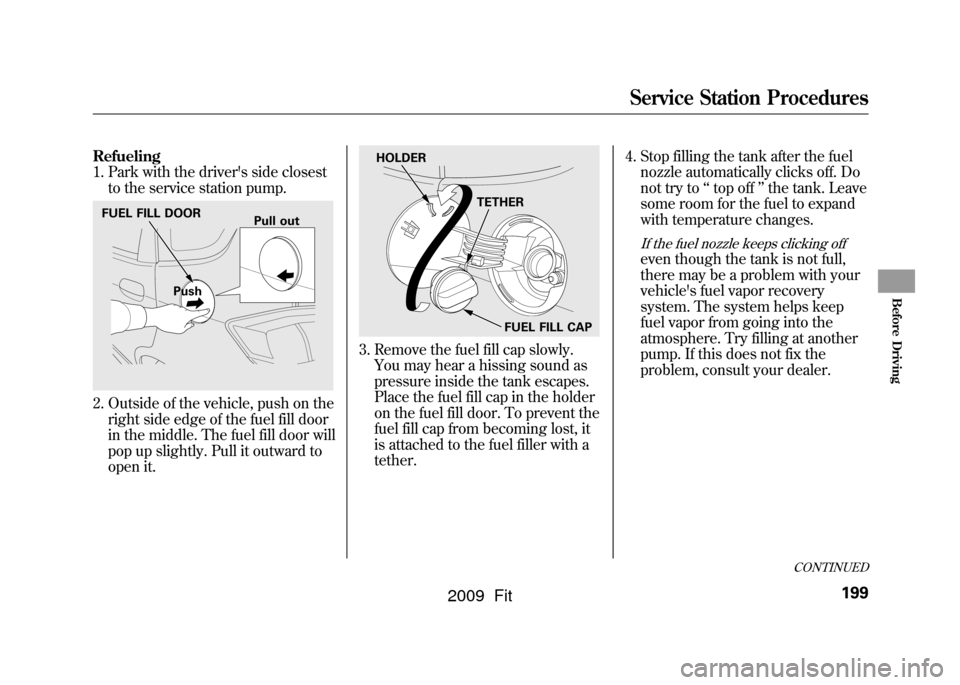
Refueling
1. Park with the driver's side closestto the service station pump.2. Outside of the vehicle, push on theright side edge of the fuel fill door
in the middle. The fuel fill door will
pop up slightly. Pull it outward to
open it.
3. Remove the fuel fill cap slowly.You may hear a hissing sound as
pressure inside the tank escapes.
Place the fuel fill cap in the holder
on the fuel fill door. To prevent the
fuel fill cap from becoming lost, it
is attached to the fuel filler with a
tether. 4. Stop filling the tank after the fuel
nozzle automatically clicks off. Do
not try to ‘‘top off ’’the tank. Leave
some room for the fuel to expand
with temperature changes.
If the fuel nozzle keeps clicking offeven though the tank is not full,
there may be a problem with your
vehicle's fuel vapor recovery
system. The system helps keep
fuel vapor from going into the
atmosphere. Try filling at another
pump. If this does not fix the
problem, consult your dealer.
FUEL FILL DOOR
Push Pull out
HOLDER
TETHER
FUEL FILL CAP
CONTINUED
Service Station Procedures
199
Before Driving
2009 Fit
Page 203 of 352
Gasoline is highly flammable
and explosive. You can be
burned or seriously injured
when handling fuel.●Stop the engine, and keep
heat, sparks, and flame
away.●Handle fuel only outdoors.●Wipe up spills immediately.
5. Screw the fuel fill cap back on until it clicks at least once. If you do not
properly tighten the cap, the
malfunction indicator lamp may
come on (see page304).You will
also see a ‘‘CHECK FUEL CAP ’’
message on the information
display.
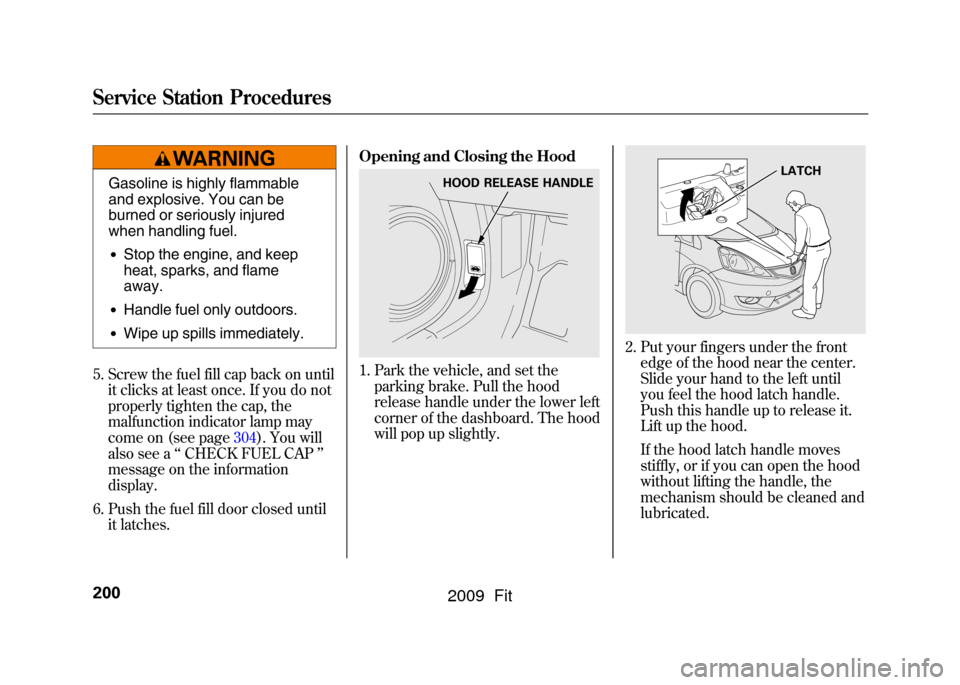
6. Push the fuel fill door closed until it latches. Opening and Closing the Hood
1. Park the vehicle, and set the
parking brake. Pull the hood
release handle under the lower left
corner of the dashboard. The hood
will pop up slightly.
2. Put your fingers under the frontedge of the hood near the center.
Slide your hand to the left until
you feel the hood latch handle.
Push this handle up to release it.
Lift up the hood.
If the hood latch handle moves
stiffly, or if you can open the hood
without lifting the handle, the
mechanism should be cleaned and
lubricated.
HOOD RELEASE HANDLE
LATCH
Service Station Procedures200
2009 Fit
Page 256 of 352
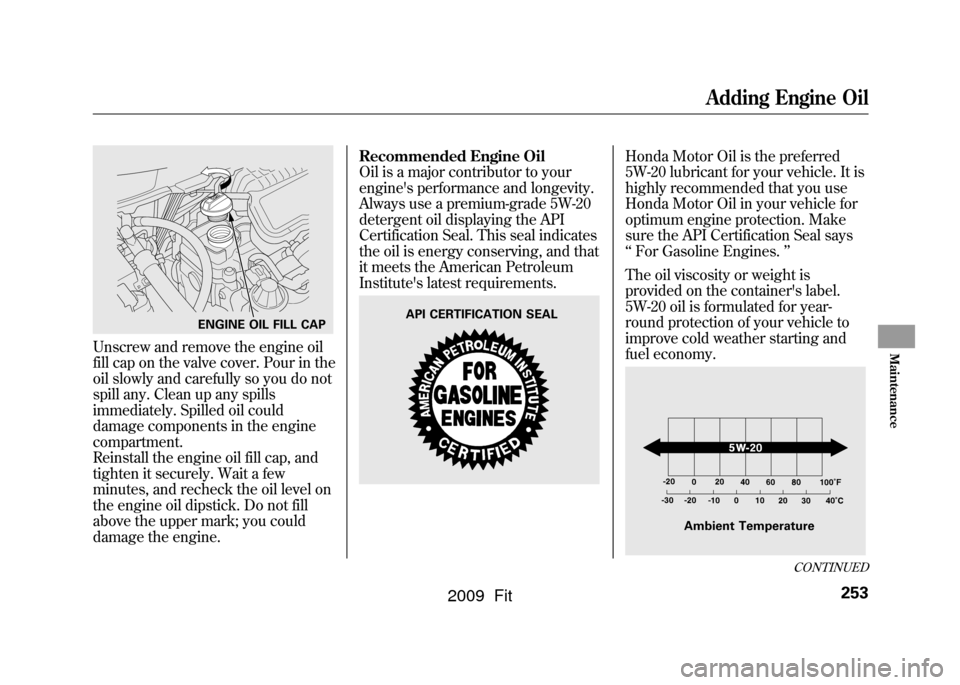
Unscrew and remove the engine oil
fill cap on the valve cover. Pour in the
oil slowly and carefully so you do not
spill any. Clean up any spills
immediately. Spilled oil could
damage components in the engine
compartment.
Reinstall the engine oil fill cap, and
tighten it securely. Wait a few
minutes, and recheck the oil level on
the engine oil dipstick. Do not fill
above the upper mark; you could
damage the engine.Recommended Engine Oil
Oil is a major contributor to your
engine's performance and longevity.
Always use a premium-grade 5W-20
detergent oil displaying the API
Certification Seal. This seal indicates
the oil is energy conserving, and that
it meets the American Petroleum
Institute's latest requirements.
Honda Motor Oil is the preferred
5W-20 lubricant for your vehicle. It is
highly recommended that you use
Honda Motor Oil in your vehicle for
optimum engine protection. Make
sure the API Certification Seal says
‘‘
For Gasoline Engines. ’’
The oil viscosity or weight is
provided on the container's label.
5W-20 oil is formulated for year-
round protection of your vehicle to
improve cold weather starting and
fuel economy.
ENGINE OIL FILL CAP
API CERTIFICATION SEAL
Ambient Temperature
CONTINUED
Adding Engine Oil
253
Maintenance
2009 Fit
Page 307 of 352
If this indicator comes on
while driving, it means one
of the engine's emissions control
systems may have a problem. Even
though you may feel no difference in
your vehicle's performance, it can
reduce your fuel economy and cause
increased emissions. Continued
operation may cause serious damage.
If you have recently refueled your
vehicle, the indicator coming on
could be due to a loose or missing
fuel fill cap. You will also see a
‘‘ CHECK FUEL CAP ’’message on
the information display. Tighten the
cap until it clicks at least once.
Tightening the cap will not turn the
indicator off immediately; it can take
several days of normal driving. If the indicator comes on repeatedly,
even though it may go off as you
continue driving, have your vehicle
checked by a dealer as soon as
possible.
If you keep driving with the malfunction
indicator lamp on, you can damage
your vehicle's emissions controls and
engine. Those repairs may not be
covered by your vehicle's warranties.
If your vehicle has an automatic
transmission, the malfunction
indicator lamp may also come on
with the
‘‘D ’’indicator. Readiness Codes
Your vehicle has certain
‘‘readiness
codes ’’that are part of the on-board
diagnostics for the emissions
systems. In some states, part of the
emissions testing is to make sure
these codes are set. If they are not
set, the test cannot be completed.
If the battery in your vehicle has
been disconnected or gone dead,
these codes are erased. It can take
several days of driving under various
conditions to set the codes again.
To check if they are set, turn the
ignition switch to the ON (II)
position, without starting the engine.
The malfunction indicator lamp will
come on for 20 seconds. If it then
goes off, the readiness codes are set.
If it blinks five times, the readiness
codes are not set. If possible, do not
take your vehicle for an emissions
test until the readiness codes are set.
Refer to Emissions Testing for
more information (see page329).
Malfunction Indicator Lamp304
2009 Fit