light HONDA FIT 2012 2.G Owner's Manual
[x] Cancel search | Manufacturer: HONDA, Model Year: 2012, Model line: FIT, Model: HONDA FIT 2012 2.GPages: 286, PDF Size: 9.92 MB
Page 97 of 286
96
uuOperating the Switches Around the Steering WheeluFog Lights
*
Controls
Fog Lights
*
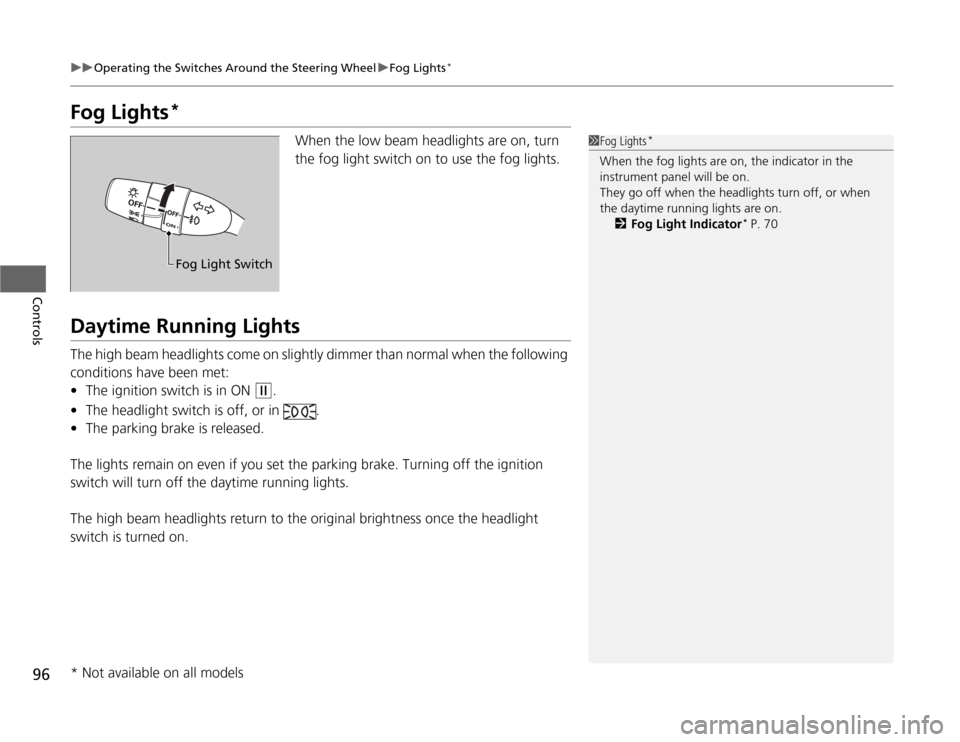
When the low beam headlights are on, turn
the fog light switch on to use the fog lights.
Daytime Running LightsThe high beam headlights come on slightly dimmer than normal when the following
conditions have been met:
•The ignition switch is in ON
(w
.
•The headlight switch is off, or in .
•The parking brake is released.
The lights remain on even if you set the parking brake. Turning off the ignition
switch will turn off the daytime running lights.
The high beam headlights return to the original brightness once the headlight
switch is turned on.
1Fog Lights
*
When the fog lights are on, the indicator in the
instrument panel will be on.
They go off when the headlights turn off, or when
the daytime running lights are on.
2Fog Light Indicator
* P. 70
Fog Light Switch
* Not available on all models
Page 100 of 286
99
uuOperating the Switches Around the Steering WheeluBrightness Control
Controls
Brightness Control
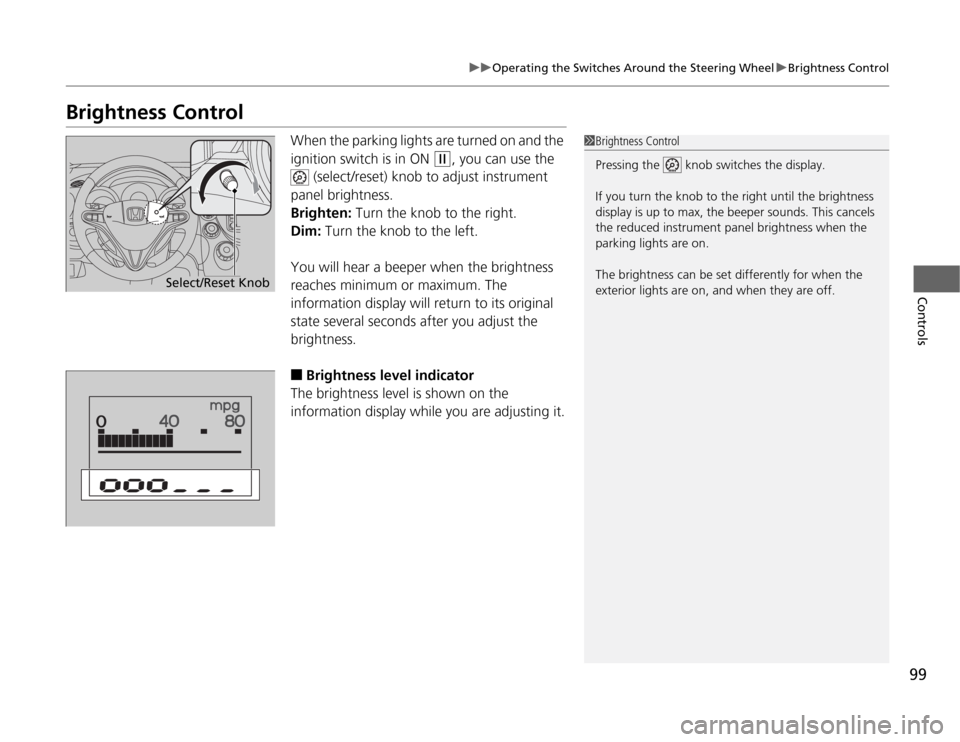
When the parking lights are turned on and the
ignition switch is in ON
(w
, you can use the
(select/reset) knob to adjust instrument
panel brightness.
Brighten: Turn the knob to the right.
Dim: Turn the knob to the left.
You will hear a beeper when the brightness
reaches minimum or maximum. The
information display will return to its original
state several seconds after you adjust the
brightness.
■
Brightness level indicator
The brightness level is shown on the
information display while you are adjusting it.
1Brightness Control
Pressing the knob switches the display.
If you turn the knob to the right until the brightness
display is up to max, the beeper sounds. This cancels
the reduced instrument panel brightness when the
parking lights are on.
The brightness can be set differently for when the
exterior lights are on, and when they are off.
Select/Reset Knob
Page 103 of 286
102Controls
Adjusting the MirrorsInterior Rearview MirrorAdjust the angle of the rearview mirror when you are sitting in the correct driving
position.
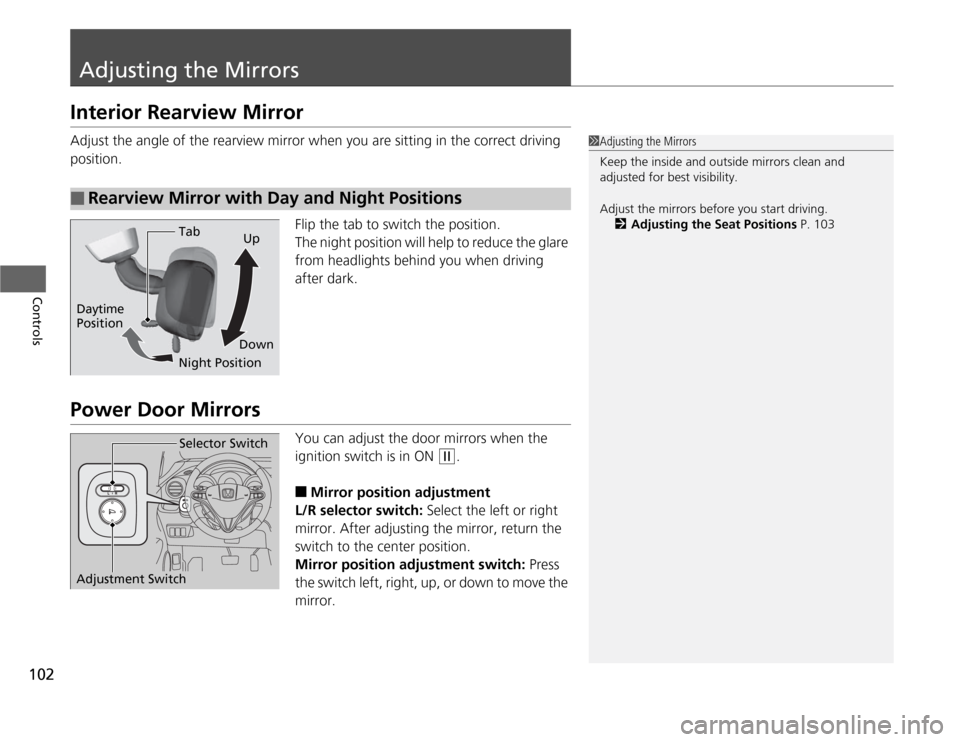
Flip the tab to switch the position.
The night position will help to reduce the glare
from headlights behind you when driving
after dark.Power Door Mirrors
You can adjust the door mirrors when the
ignition switch is in ON
(w
.
■
Mirror position adjustment
L/R selector switch: Select the left or right
mirror. After adjusting the mirror, return the
switch to the center position.
Mirror position adjustment switch: Press
the switch left, right, up, or down to move the
mirror.
■
Rearview Mirror with Day and Night Positions
1Adjusting the Mirrors
Keep the inside and outside mirrors clean and
adjusted for best visibility.
Adjust the mirrors before you start driving.
2Adjusting the Seat Positions P. 103
Tab
Daytime
Position
Night PositionUp
Down
Selector Switch
Adjustment Switch
Page 112 of 286
111
Continued
Controls
Interior Lights/Interior Convenience ItemsInterior Lights
■
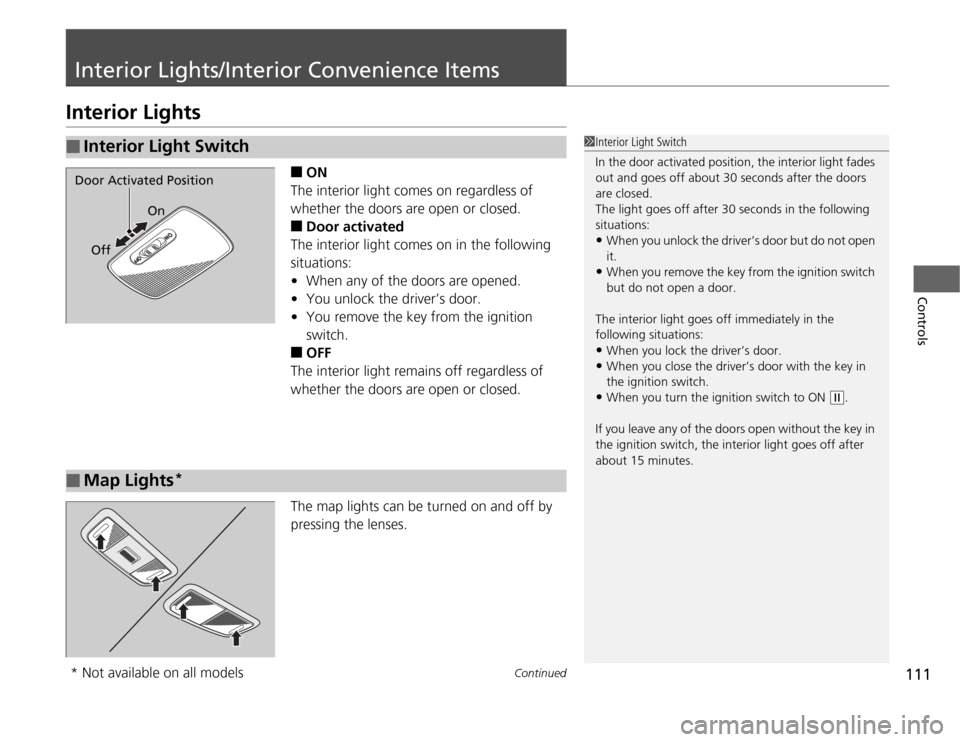
ON
The interior light comes on regardless of
whether the doors are open or closed.
■
Door activated
The interior light comes on in the following
situations:
•When any of the doors are opened.
•You unlock the driver’s door.
•You remove the key from the ignition
switch.
■
OFF
The interior light remains off regardless of
whether the doors are open or closed.
The map lights can be turned on and off by
pressing the lenses.
■
Interior Light Switch
1Interior Light Switch
In the door activated position, the interior light fades
out and goes off about 30 seconds after the doors
are closed.
The light goes off after 30 seconds in the following
situations:•When you unlock the driver’s door but do not open
it.•When you remove the key from the ignition switch
but do not open a door.
The interior light goes off immediately in the
following situations:•When you lock the driver’s door.•When you close the driver’s door with the key in
the ignition switch.•When you turn the ignition switch to ON
(w
.
If you leave any of the doors open without the key in
the ignition switch, the interior light goes off after
about 15 minutes.
Door Activated Position
On
Off■
Map Lights
*
* Not available on all models
Page 113 of 286
112
uuInterior Lights/Interior Convenience ItemsuInterior Lights
Controls
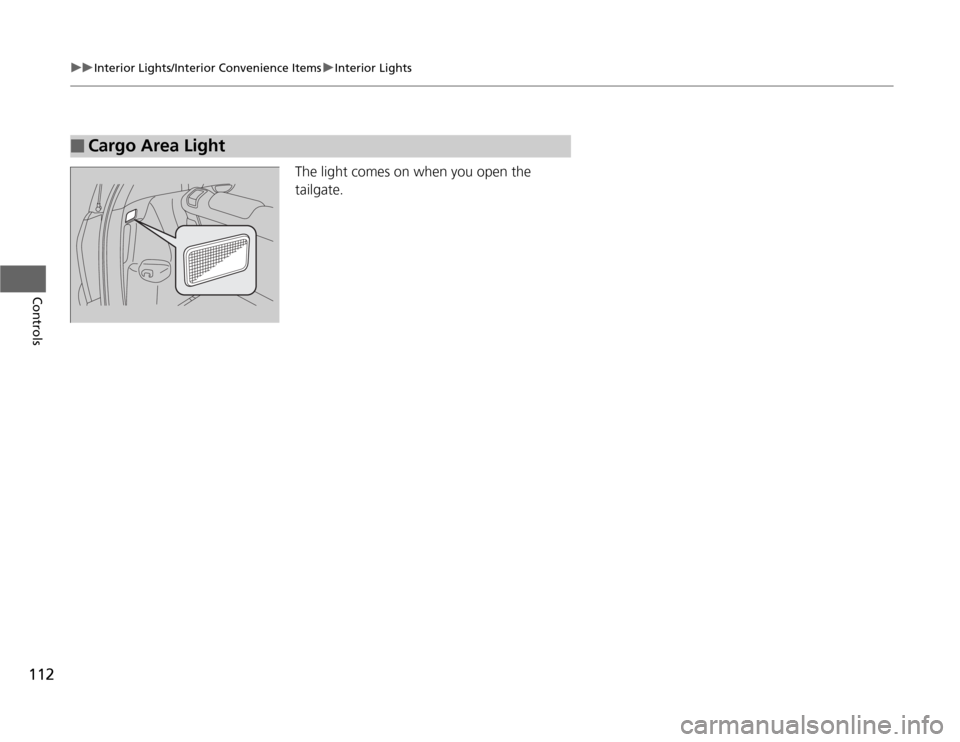
The light comes on when you open the
tailgate.
■
Cargo Area Light
Page 114 of 286
113
uuInterior Lights/Interior Convenience ItemsuInterior Convenience Items
Continued
Controls
Interior Convenience Items
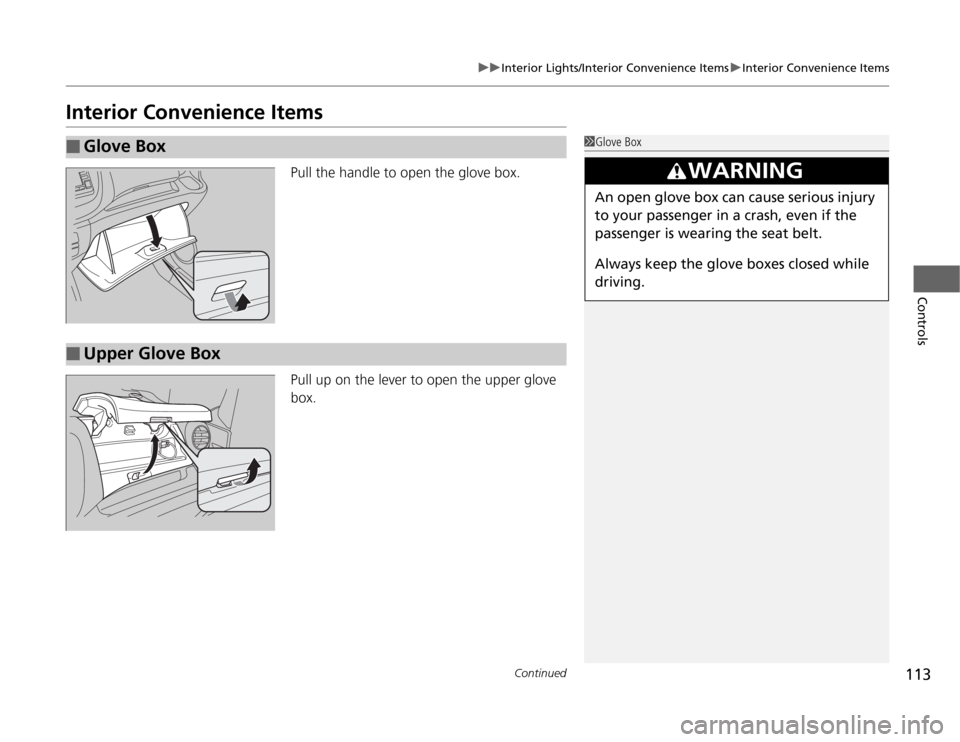
Pull the handle to open the glove box.
Pull up on the lever to open the upper glove
box.
■
Glove Box
1Glove Box
3
WARNING
An open glove box can cause serious injury
to your passenger in a crash, even if the
passenger is wearing the seat belt.
Always keep the glove boxes closed while
driving.
■
Upper Glove Box
Page 115 of 286
uuInterior Lights/Interior Convenience ItemsuInterior Convenience Items
114Controls
■
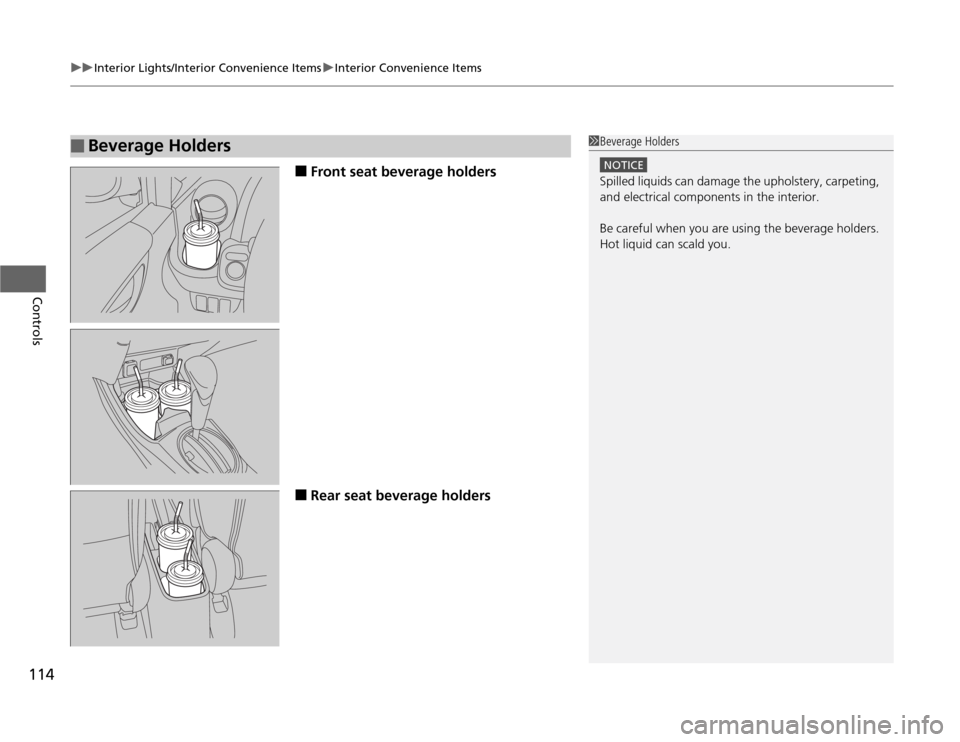
Front seat beverage holders
■
Rear seat beverage holders
■
Beverage Holders
1Beverage Holders
NOTICESpilled liquids can damage the upholstery, carpeting,
and electrical components in the interior.
Be careful when you are using the beverage holders.
Hot liquid can scald you.
Page 116 of 286
Continued
115
uuInterior Lights/Interior Convenience ItemsuInterior Convenience Items
Controls
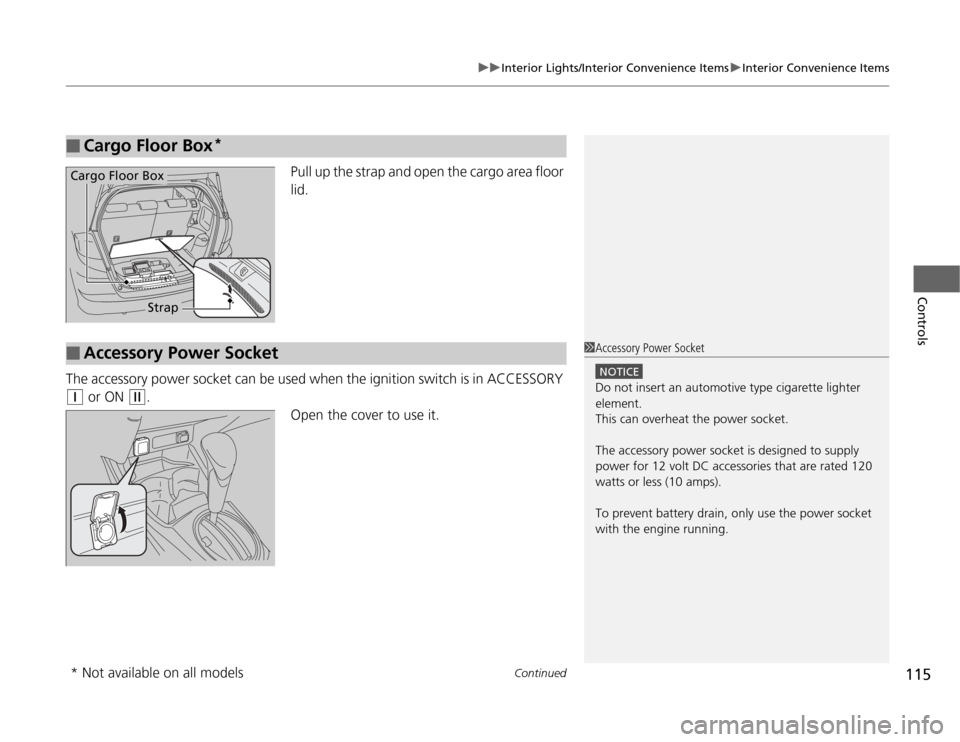
Pull up the strap and open the cargo area floor
lid.
The accessory power socket can be used when the ignition switch is in ACCESSORY
(q
or ON
(w
.
Open the cover to use it.
■
Cargo Floor Box
*
Cargo Floor Box
Strap
■
Accessory Power Socket
1Accessory Power Socket
NOTICEDo not insert an automotive type cigarette lighter
element.
This can overheat the power socket.
The accessory power socket is designed to supply
power for 12 volt DC accessories that are rated 120
watts or less (10 amps).
To prevent battery drain, only use the power socket
with the engine running.
* Not available on all models
Page 117 of 286
uuInterior Lights/Interior Convenience ItemsuInterior Convenience Items
116Controls
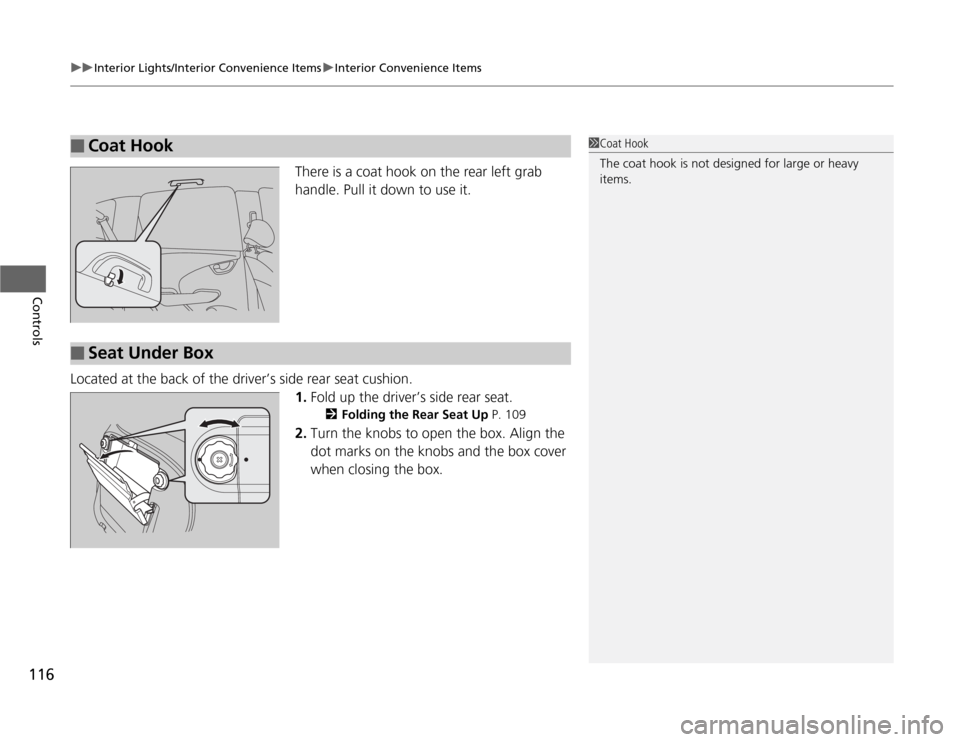
There is a coat hook on the rear left grab
handle. Pull it down to use it.
Located at the back of the driver’s side rear seat cushion.
1.Fold up the driver’s side rear seat.
2Folding the Rear Seat Up P. 109
2.Turn the knobs to open the box. Align the
dot marks on the knobs and the box cover
when closing the box.
■
Coat Hook
1Coat Hook
The coat hook is not designed for large or heavy
items.
■
Seat Under Box
Page 118 of 286
117
uuInterior Lights/Interior Convenience ItemsuInterior Convenience Items
Controls
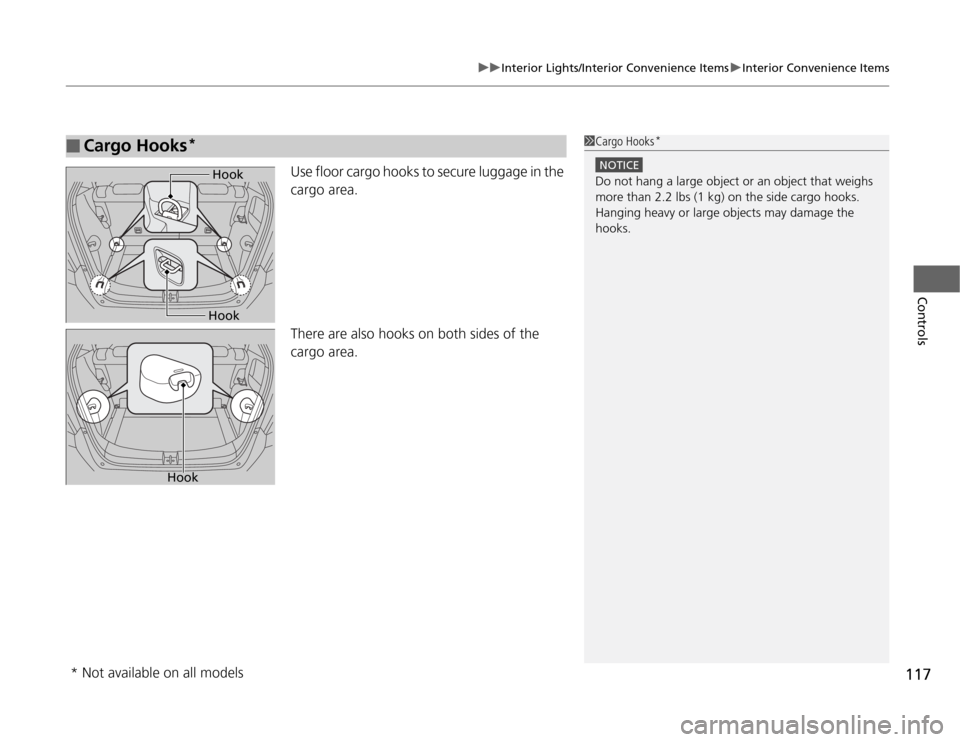
Use floor cargo hooks to secure luggage in the
cargo area.
There are also hooks on both sides of the
cargo area.
■
Cargo Hooks
*
1Cargo Hooks
*
NOTICEDo not hang a large object or an object that weighs
more than 2.2 lbs (1 kg) on the side cargo hooks.
Hanging heavy or large objects may damage the
hooks.
Hook
Hook
Hook
* Not available on all models